
Mermaid
БесплатноНе проверен❤️ Generate mermaid diagram and chart with AI MCP dynamically.

Описание
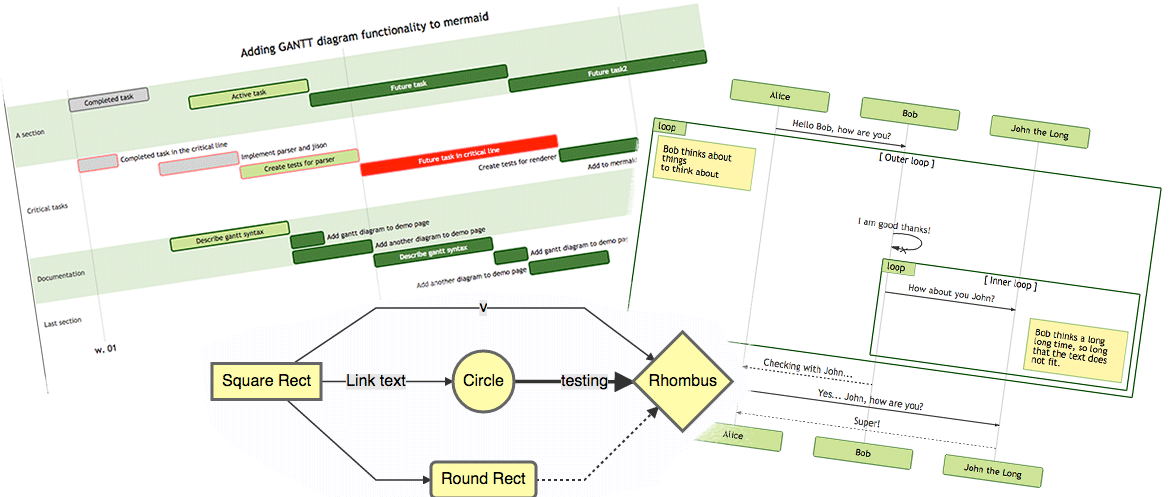
❤️ Generate mermaid diagram and chart with AI MCP dynamically.
README
Generate  mermaid diagram and chart with AI MCP dynamically. Also you can use:
mcp-server-chart to generate chart, graph, map.
Infographic to generate infographic, such as
Timeline,Comparison,List,Processand so on.- 🖼️ figure.ling.pub/gallery to browse and share AI-generated diagrams and figures created with mcp-mermaid and other tools.
✨ Features
Fully support all features and syntax of
Mermaid.Support configuration of
backgroundColorandtheme, enabling large AI models to output rich style configurations.Support exporting to
base64,svg,mermaid,file, and remote-friendlysvg_url,png_urlformats, with validation forMermaidto facilitate the model's multi-round output of correct syntax and graphics. UseoutputType: "file"to automatically save PNG diagrams to disk for AI agents, or the URL modes to share diagrams through public mermaid.ink links.
🤖 Usage
To use with Desktop APP, such as Claude, VSCode, Cline, Cherry Studio, and so on, add the MCP server config below. On Mac system:
{
  "mcpServers": {
    "mcp-mermaid": {
      "command": "npx",
      "args": [
        "-y",
        "mcp-mermaid"
      ]
    }
  }
}
On Window system:
{
  "mcpServers": {
    "mcp-mermaid": {
      "command": "cmd",
      "args": [
        "/c",
        "npx",
        "-y",
        "mcp-mermaid"
      ]
    }
  }
}
Also, you can use it on aliyun, modelscope, glama.ai, smithery.ai or others with HTTP, SSE Protocol.
Access Points:
- SSE:
http://localhost:3033/sse - Streamable:
http://localhost:1122/mcp
Available Docker Tags:
susuperli/mcp-mermaid:latest- Latest stable version- View all available tags at Docker Hub
🚰 Run with SSE or Streamable transport
Option 1: Global Installation
Install the package globally:
npm install -g mcp-mermaid
Run the server with your preferred transport option:
# For SSE transport (default endpoint: /sse)
mcp-mermaid -t sse

# For Streamable transport with custom endpoint
mcp-mermaid -t streamable
Option 2: Local Development
If you're working with the source code locally:
# Clone and setup
git clone https://github.com/hustcc/mcp-mermaid.git
cd mcp-mermaid
npm install
npm run build

# Run with npm scripts
npm run start:sse        # SSE transport on port 3033
npm run start:streamable # Streamable transport on port 1122
Access Points
Then you can access the server at:
- SSE transport:
http://localhost:3033/sse - Streamable transport:
http://localhost:1122/mcp(local) orhttp://localhost:3033/mcp(global)
🎮 CLI Options
You can also use the following CLI options when running the MCP server. Command options by run cli with -h.
MCP Mermaid CLI

Options:
  --transport, -t  Specify the transport protocol: "stdio", "sse", or "streamable" (default: "stdio")
  --port, -p       Specify the port for SSE or streamable transport (default: 3033)
  --endpoint, -e   Specify the endpoint for the transport:
                    - For SSE: default is "/sse"
                    - For streamable: default is "/mcp"
  --help, -h       Show this help message
🔨 Development
Install dependencies:
npm install
Build the server:
npm run build
Start the MCP server
Using MCP Inspector (for debugging):
npm run start
Using different transport protocols:
# SSE transport (Server-Sent Events)
npm run start:sse

# Streamable HTTP transport
npm run start:streamable
Direct node commands:
# SSE transport on port 3033
node build/index.js --transport sse --port 3033

# Streamable HTTP transport on port 1122
node build/index.js --transport streamable --port 1122

# STDIO transport (for MCP client integration)
node build/index.js --transport stdio
🐳 Docker Usage
Run MCP Mermaid with Docker:
# Pull the image
docker pull susuperli/mcp-mermaid:latest

# Run with SSE transport (default)
docker run -p 3033:3033 susuperli/mcp-mermaid:latest --transport sse

# Run with streamable transport
docker run -p 1122:1122 susuperli/mcp-mermaid:latest --transport streamable --port 1122
📄 License
MIT@hustcc.
Установить Mermaid в Claude Desktop, Claude Code, Cursor
unyly install mermaidСтавит в Claude Desktop, Claude Code, Cursor и VS Code — сам разбирается с npx, uvx и сборкой из исходников.
Впервые? Поставь CLI: curl -fsSL https://unyly.org/install | sh
Или настроить вручную
Выполни в терминале:
claude mcp add mermaid -- npx -y mcp-mermaidFAQ
Mermaid MCP бесплатный?
Да, Mermaid MCP бесплатный — установка в пару кликов через Unyly без оплаты.
Нужен ли API-ключ для Mermaid?
Нет, Mermaid работает без API-ключей и переменных окружения.
Mermaid — hosted или self-hosted?
Self-hosted: сервер запускается локально на твоей машине командой из раздела установки.
Как установить Mermaid в Claude Desktop, Claude Code или Cursor?
Открой Mermaid на unyly.org, выбери вкладку своего клиента (Claude Desktop, Claude Code, Cursor) и нажми Install — конфиг сгенерируется автоматически, без правки JSON.
Похожие MCP
Fetch
Web content fetching and conversion for efficient LLM usage.
AWS KB Retrieval
Retrieval from AWS Knowledge Base using Bedrock Agent Runtime.
 автор: modelcontextprotocol
Spring AI MCP Server
Provides auto-configuration for setting up an MCP server in Spring Boot applications.
llm-analysis-assistant
A very streamlined mcp client that supports calling and monitoring stdio/sse/streamableHttp, and can also view request responses through the /logs page. It also
 автор: xuzexin-hz
Compare Mermaid with
Не уверен что выбрать?
Найди свой стек за 60 секунд
Автор?
Embed-бейдж для README
Похожее
Все в категории ai