
mikechao/brave-search-mcp
БесплатноНе проверенWeb, Image, News, Video, and Local Point of Interest search capabilities using Brave's Search API

Описание
Web, Image, News, Video, and Local Point of Interest search capabilities using Brave's Search API
README
An MCP Server implementation that integrates the Brave Search API, providing, Web Search, Local Points of Interest Search, Video Search, Image Search, News Search and LLM Context Search capabilities
Features
- Web Search: Perform a regular search on the web
- Image Search: Search the web for images.
- News Search: Search the web for news
- Video Search: Search the web for videos
- Local Points of Interest Search: Search for local physical locations, businesses, restaurants, services, etc
- LLM Context Search: Fetch and extract full web page content optimized for reading and synthesizing sources
Tools
brave_web_search
- Execute web searches using Brave's API
- Inputs:
query(string): The term to search the internet forcount(number, optional): The number of results to return (max 20, default 10)offset(number, optional, default 0): The offset for paginationfreshness(enum, optional): Filters search results by when they were discovered- The following values are supported
- pd: Discovered within the last 24 hours.
- pw: Discovered within the last 7 Days.
- pm: Discovered within the last 31 Days.
- py: Discovered within the last 365 Days
- YYYY-MM-DDtoYYYY-MM-DD: Custom date range (e.g., 2022-04-01to2022-07-30)
- The following values are supported
brave_image_search
- Get images from the web relevant to the query
- Inputs:
query(string): The term to search the internet for images ofcount(number, optional): The number of images to return (max 50, default 10)
brave_news_search
- Searches the web for news
- Inputs:
query(string): The term to search the internet for news articles, trending topics, or recent eventscount(number, optional): The number of results to return (max 20, default 10)offset(number, optional, default 0): The zero-based offset for pagination (max 9)freshness(enum, optional): Filters search results by when they were discovered- The following values are supported
- pd: Discovered within the last 24 hours.
- pw: Discovered within the last 7 Days.
- pm: Discovered within the last 31 Days.
- py: Discovered within the last 365 Days
- YYYY-MM-DDtoYYYY-MM-DD: Custom date range (e.g., 2022-04-01to2022-07-30)
- The following values are supported
brave_local_search
- Search for local businesses, services and points of interest
- Falls back to brave_web_search on the initial page if no location results are found
- Inputs:
query(string): Local search termcount(number, optional): The number of results to return (max 20, default 5)offset(number, optional, default 0): The zero-based offset for pagination (max 9)
brave_video_search
- Search the web for videos
- Inputs:
query: (string): The term to search for videoscount: (number, optional): The number of videos to return (max 20, default 10)offset(number, optional, default 0): The zero-based offset for pagination (max 9)freshness(enum, optional): Filters search results by when they were discovered- The following values are supported
- pd: Discovered within the last 24 hours.
- pw: Discovered within the last 7 Days.
- pm: Discovered within the last 31 Days.
- py: Discovered within the last 365 Days
- YYYY-MM-DDtoYYYY-MM-DD: Custom date range (e.g., 2022-04-01to2022-07-30)
- The following values are supported
brave_llm_context_search
- Pre-extracted web content optimized for AI agents, LLM grounding, and RAG pipelines.
- Uses Brave's
balancedcontext threshold mode incompactmode and disables Brave relevance filtering infullmode. - Inputs:
query(string): The search query. Maximum 400 characters and 50 words.url(string, optional): Optional URL to target. When provided, query and URL are combined for retrieval and only snippets from this exact URL are returned.count(number, optional, default 8): The maximum number of search results considered. Minimum 1, maximum 50.maximumNumberOfUrls(number, optional, default 8): The maximum number of URLs to include in the response. Minimum 1, maximum 50.maximumNumberOfTokens(number, optional, default 2048): The approximate maximum number of tokens in the returned context. Minimum 1024, maximum 32768.maximumNumberOfSnippets(number, optional, default 16): The maximum number of snippets across all URLs. Minimum 1, maximum 100.maximumNumberOfTokensPerUrl(number, optional, default 512): The maximum number of tokens per URL. Minimum 512, maximum 8192.maximumNumberOfSnippetsPerUrl(number, optional, default 2): The maximum number of snippets per URL. Minimum 1, maximum 100.responseMode(enum, optional, defaultcompact):compactapplies Brave'sbalancedrelevance filtering plus local snippet filtering/truncation.fulldisables Brave's relevance filtering and returns raw snippets without local filtering or truncation.maxSnippetChars(number, optional, default 400): Maximum characters per snippet in compact mode. Minimum 80, maximum 4000.maxOutputChars(number, optional, default 8000): Approximate maximum serialized response size in compact mode. Minimum 1000, maximum 100000.
OpenAI Apps & MCP Apps Support
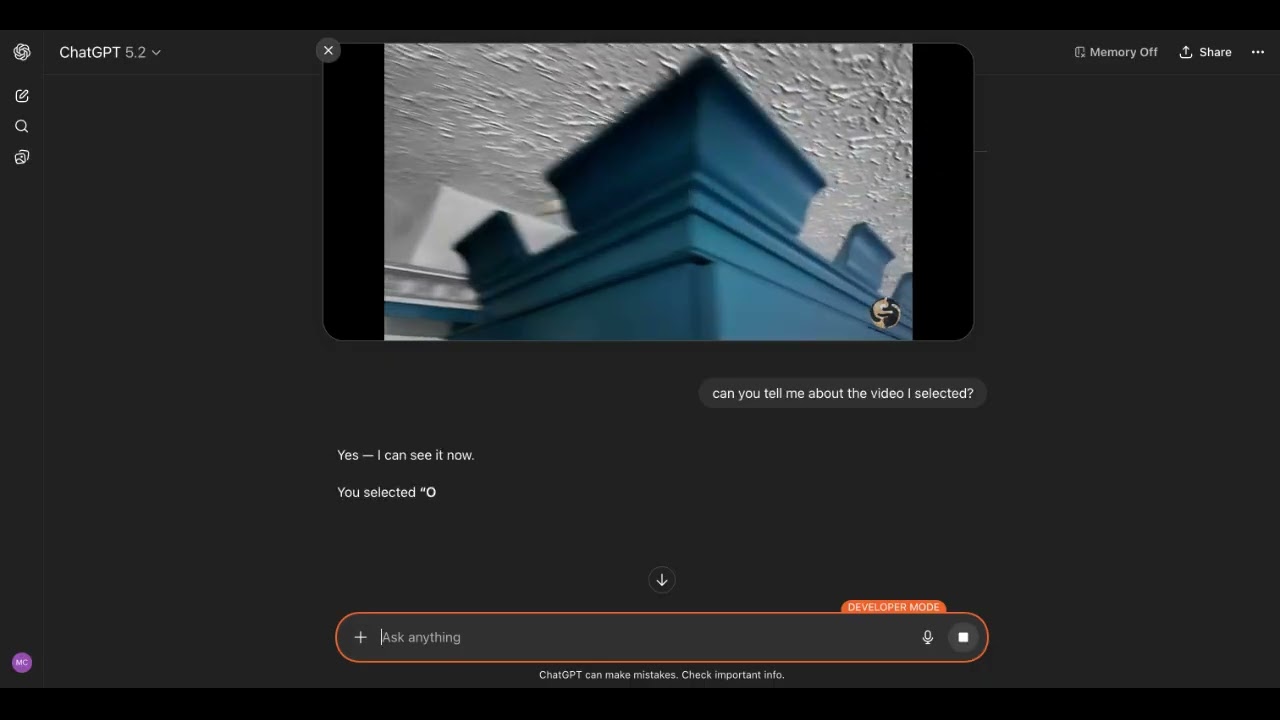
▶️ Click to watch the demo video
There is now support for OpenAI Apps and MCP Apps in this MCP Server. When UI mode is enabled for each tool there is a corresponding UI widget that let's you control what gets added to the model's context. See the directions in usage with ChatGPT section.
Configuration
Getting an API Key
- Sign up for a Brave Search API account
- Choose a plan
- Generate your API key from the developer dashboard
Runtime modes
By default the MCP server runs in stdio mode.
BRAVE_API_KEY="your_key_here" npx -y brave-search-mcp
To enable Streamable HTTP mode:
BRAVE_API_KEY="your_key_here" npx -y brave-search-mcp --http
By default the server listens on port 3001. The URL is:
http://0.0.0.0:3001/mcp
There are two configuration modes:
- Env mode:
BRAVE_MCP_CONFIGis unset. Feature toggles come from environment variables exactly as in previous releases. - File mode:
BRAVE_MCP_CONFIG=/path/to/config.tomlis set. The TOML file becomes the single source of truth for feature settings, and overlapping feature env vars are ignored with warnings.
Environment-only settings
These settings are always read from the process environment, regardless of mode:
BRAVE_API_KEY(required): Brave Search API key.PORT(optional): HTTP port (default:3001).HOST(optional): Interface to bind to (default:0.0.0.0).BRAVE_MCP_CONFIG(optional): Absolute or relative path to a TOML config file for feature settings.
Env mode feature settings
When BRAVE_MCP_CONFIG is not set, these feature env vars are supported:
ALLOWED_HOSTS(HTTP mode only): Comma-separated list of allowed hostnames for Host header validation.- Example:
ALLOWED_HOSTS=localhost,127.0.0.1,my-app.ngrok-free.app - Use hostnames only (no scheme/path), e.g.
my-app.ngrok-free.appnothttps://my-app.ngrok-free.app/mcp
- Example:
BRAVE_MCP_POLICY_FILE: JSON policy file path.BRAVE_MCP_POLICY_REDACT:trueto redact matched text instead of blocking it.BRAVE_MCP_REQUEST_LIMIT: Positive integer request cap.BRAVE_MCP_WINDOW_SECONDS: Non-negative integer rolling window size.BRAVE_MCP_COOLDOWN_SECONDS: Non-negative integer cooldown after the limit is exceeded.BRAVE_MCP_AUDIT_LOG:trueto emit audit logs.BRAVE_MCP_AUDIT_LOG_RAW:trueto include raw query text in audit logs.BRAVE_MCP_REQUIRE_JUSTIFICATION:trueto reject tool calls without ajustificationstring.
Examples:
# Local only
HOST=127.0.0.1 ALLOWED_HOSTS=localhost,127.0.0.1 BRAVE_API_KEY="your_key_here" npx -y brave-search-mcp --http
# Local with ngrok tunnel
HOST=127.0.0.1 ALLOWED_HOSTS=localhost,127.0.0.1,my-app.ngrok-free.app BRAVE_API_KEY="your_key_here" npx -y brave-search-mcp --http --ui
File mode (BRAVE_MCP_CONFIG)
When BRAVE_MCP_CONFIG is set, the file controls feature configuration, including the HTTP host allowlist.
[auth]
httpApiKey = "sk-..."
requireAuth = true
callerId = "team-a"

[auth.jwt]
jwksUri = "https://idp.example.com/.well-known/jwks.json"
audience = "brave-search-mcp"
clockSkewSeconds = 30

[auth.oauth]
issuer = "https://idp.example.com"
audience = "brave-search-mcp"
clientId = "client-123"
clientSecret = "super-secret"
verifyStrategy = "jwks"

[audit]
enabled = true
logRaw = false
hmacSecret = "audit-secret"

[policy]
file = "/etc/brave-mcp/policy.json"
redact = false

[guardrail]
requestLimit = 100
windowSeconds = 60
cooldownSeconds = 10
requireJustification = false

[server]
allowedHosts = [
  "localhost",
  "127.0.0.1",
  "my-app.ngrok-free.app",
]
Notes:
BRAVE_API_KEY,PORT, andHOSTremain environment-only even in file mode.- If you set overlapping feature env vars such as
BRAVE_MCP_REQUEST_LIMITorALLOWED_HOSTSalongsideBRAVE_MCP_CONFIG, startup warns that they are being ignored. - Unknown TOML keys also emit warnings so typos like
[guardrails]are visible before you debug runtime behavior.
To validate a config file without starting the server, use the packaged entrypoint after building the app workspace:
pnpm -C apps/brave-search-mcp run build
node apps/brave-search-mcp/dist/index.js --check-config ./apps/brave-search-mcp/test/fixtures/config.valid.toml
To run the built local entrypoint in file mode:
pnpm -C apps/brave-search-mcp run build
BRAVE_API_KEY="your_key_here" BRAVE_MCP_CONFIG="$PWD/apps/brave-search-mcp/test/fixtures/config.valid.toml" node apps/brave-search-mcp/dist/index.js --http
Usage with ChatGPT
The Brave Search MCP Server can be used with the web UI of ChatGPT. It takes a few steps.
1. Enable Developer Mode in ChatGPT
Settings → Apps → Advanced settings → Developer mode
Additional instructions here
2. Run the Brave Search MCP in HTTP mode and UI mode
BRAVE_API_KEY="your_key_here" npx -y brave-search-mcp --http --ui
3. Create a local tunnel to expose the MCP Server to ChatGPT
Sign up and configure ngrok, the free plan works.
ngrok http 3001
Take note of the forwarding URL.
...
Forwarding                    https://john-joe-asdf.ngrok-free.dev -> http://localhost:3001
...
4. Add Brave Search MCP as a Connector to ChatGPT
Click Apps
Click Create Apps
Fill out the form using the URL from step 3 as the MCP Server URL, but add /mcp.
https://john-joe-asdf.ngrok-free.dev/mcp
For Authentication, select 'No Auth'
Tick the checkbox for 'I understand and want to continue'
Then click Create.
5. Using the Brave Search MCP Server
In the ChatGPT UI, click the '+' button, scroll to '...more', select the newly created Brave Search app, and enter your query.
Usage with Claude Code
For Claude Code users, run this command:
Windows:
claude mcp add-json brave-search '{"command":"cmd","args":["/c","npx","-y","brave-search-mcp"],"env":{"BRAVE_API_KEY":"YOUR_API_KEY_HERE"}}'
Linux/macOS:
claude mcp add-json brave-search '{"command":"npx","args":["-y","brave-search-mcp"],"env":{"BRAVE_API_KEY":"YOUR_API_KEY_HERE"}}'
Replace YOUR_API_KEY_HERE with your actual Brave Search API key.
Usage with Claude Desktop
MCP Bundle (MCPB)
- Download the
mcpbfile from the Releases - Open it with Claude Desktop or Go to File -> Settings -> Extensions and drag the .mcpb file to the window to install it
Docker
- Clone the repo
- Build the image from the repo root
docker build -t brave-search-mcp:latest -f apps/brave-search-mcp/Dockerfile .
- Run it directly if you want HTTP mode:
docker run --rm -p 3001:3001 -e BRAVE_API_KEY="YOUR_API_KEY_HERE" brave-search-mcp:latest --http
- Add this to your
claude_desktop_config.jsonfor stdio mode:
{
  "mcp-servers": {
    "brave-search": {
      "command": "docker",
      "args": [
        "run",
        "-i",
        "--rm",
        "-e",
        "BRAVE_API_KEY",
        "brave-search-mcp"
      ],
      "env": {
        "BRAVE_API_KEY": "YOUR API KEY HERE"
      }
    }
  }
}
NPX
Add this to your claude_desktop_config.json:
{
  "mcp-servers": {
    "brave-search": {
      "command": "npx",
      "args": [
        "-y",
        "brave-search-mcp"
      ],
      "env": {
        "BRAVE_API_KEY": "YOUR API KEY HERE"
      }
    }
  }
}
Usage with LibreChat
Add this to librechat.yaml
brave-search:
  command: sh
  args:
    - -c
    - BRAVE_API_KEY=API KEY npx -y brave-search-mcp
Contributing
Contributions are welcome! See CONTRIBUTING.md for development setup, monorepo structure, and release instructions. For UI build workflow details, including the entrypoint orchestrator, see UI Build Orchestrator.
Disclaimer
This library is not officially associated with Brave Software. It is a third-party implementation of the Brave Search API with a MCP Server.
License
This project is licensed under the GNU General Public License v3.0 - see the LICENSE file for details.
Установка mikechao/brave-search-mcp
У этого сервера нет опубликованного пакета — он собирается из исходников. Открой репозиторий и следуй инструкции в README.
▸ github.com/mikechao/brave-search-mcpFAQ
mikechao/brave-search-mcp MCP бесплатный?
Да, mikechao/brave-search-mcp MCP бесплатный — установка в пару кликов через Unyly без оплаты.
Нужен ли API-ключ для mikechao/brave-search-mcp?
Нет, mikechao/brave-search-mcp работает без API-ключей и переменных окружения.
mikechao/brave-search-mcp — hosted или self-hosted?
Self-hosted: сервер запускается локально на твоей машине командой из раздела установки.
Как установить mikechao/brave-search-mcp в Claude Desktop, Claude Code или Cursor?
Открой mikechao/brave-search-mcp на unyly.org, выбери вкладку своего клиента (Claude Desktop, Claude Code, Cursor) и нажми Install — конфиг сгенерируется автоматически, без правки JSON.
Похожие MCP
ARA
Generate images, video and audio from any AI agent — one connector.
 автор: ARA
Omni Video
An MCP server that transforms LLM-enabled IDEs into professional video editors by pre-processing footage into text proxies, generating motion graphics via HTML/
 автор: buildwithtaza
YouTube
Transcripts, channel stats, search
 автор: YouTube
EverArt
AI image generation using various models.
 автор: modelcontextprotocol
gpu-bridge/mcp-server
Unified GPU inference API with 30 AI services (LLM, image gen, video, TTS, whisper, embeddings, reranking, OCR) as MCP tools. Pay-per-use via x402 USDC or API k
 автор: gpu-bridge
hamflx/imagen3-mcp
A powerful image generation tool using Google's Imagen 3.0 API through MCP. Generate high-quality images from text prompts with advanced photography, artistic,
 автор: hamflx
merterbak/Grok-MCP
MCP server for xAI's [Grok API](https://docs.x.ai/docs/overview) with agentic tool calling, image generation, vision, and file support.
 автор: merterbak
SureScaleAI/openai-gpt-image-mcp
OpenAI GPT image generation/editing MCP server.
 автор: SureScaleAI
YangLiangwei/PersonalizationMCP
Comprehensive personal data aggregation MCP server with Steam, YouTube, Bilibili, Spotify, Reddit and other platforms integrations. Features OAuth2 authenticati
 автор: YangLiangwei
AceDataCloud/MCPFlux
Flux AI image generation and editing (Black Forest Labs) via Ace Data Cloud API.
 автор: AceDataCloud
Compare mikechao/brave-search-mcp with
Не уверен что выбрать?
Найди свой стек за 60 секунд
Автор?
Embed-бейдж для README
Похожее
Все в категории media