
Minimal Article Agent
БесплатноНе проверенminimal example of an agent built with Embabel for generating technical Markdown drafts

Описание
minimal example of an agent built with Embabel for generating technical Markdown drafts
README
A minimal example of an agent built with Embabel for generating technical Markdown drafts.
Goals
- Understand the architecture of an Embabel agent in Java.
- Have a valid and working configuration for the project.
- Run the project locally and generate a sample article.
- Modify or extend actions and tool groups (search, scraping, memory, reasoning).
Requirements
- Java 24+ and Maven 3.8+
- Git
- Docker to run MCP tools locally
- Environment variables:
OPENAI_API_KEY(if using OpenAI),BRAVE_API_KEY(if using Brave search)
Project Structure (Overview)
src/main/java/es/omarall/agents/MinimalArticleAgent.java— main bean with agent actions.CustomToolGroupsConfiguration.java— tool group configuration (web-search, scrapping, memory, reasoning).SlugService.java— utility for slug generation.
src/main/resources/application.yml— MCP and LLM configuration.
Environment Setup
Clone the repository and navigate to the project folder:
git clone https://github.com/oalles/minimal-article-agent.git
cd minimal-article-agent
Export the required environment variables (example):
export OPENAI_API_KEY=...
export BRAVE_API_KEY=...
If you want to use local MCP tools with Docker, make sure Docker is installed.
Usage
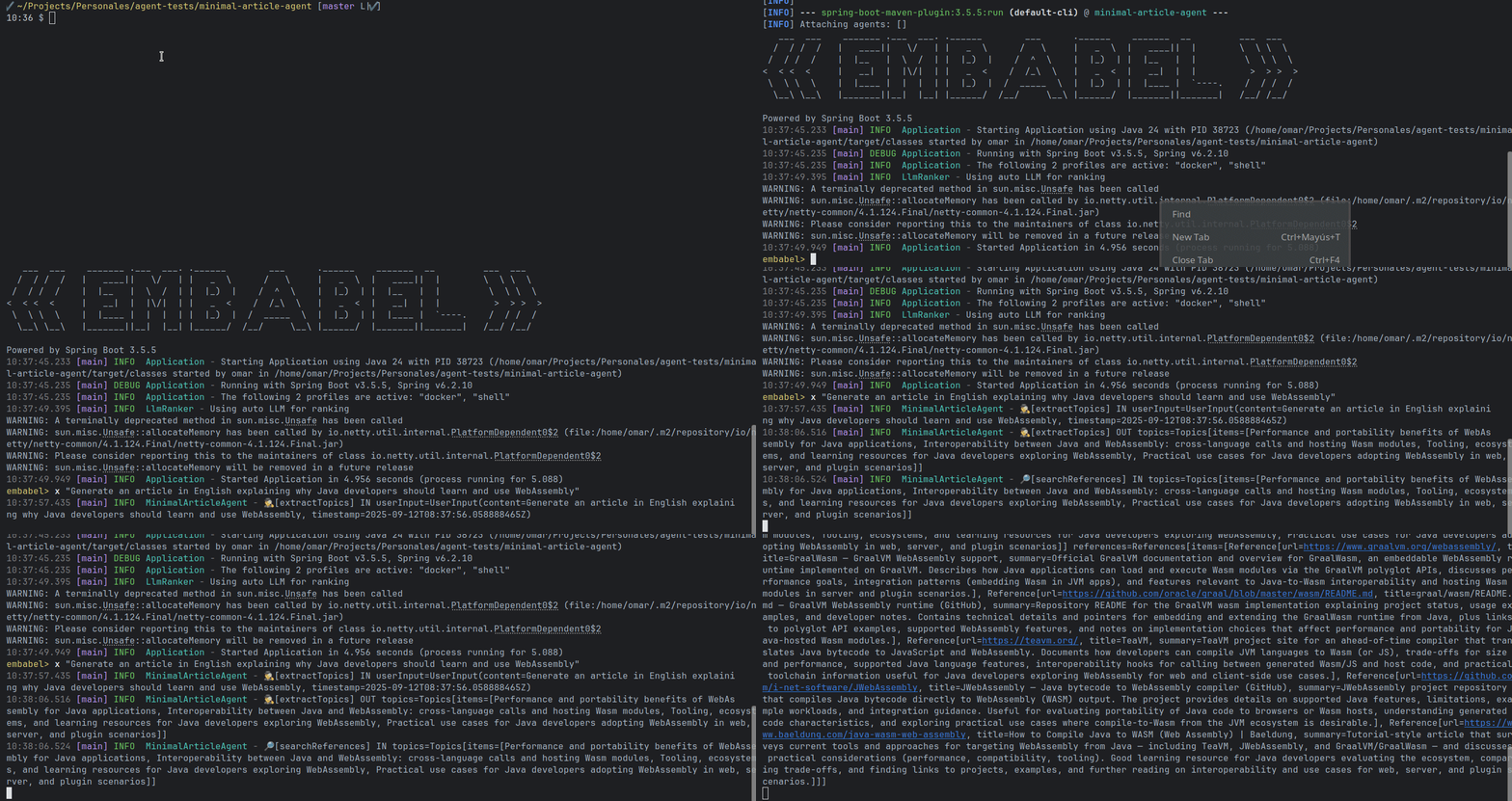
Build and run: mvn spring-boot:run
In the agent console, run a sample prompt:
embabel> x "Generate an article in English explaining why Java developers should learn and use WebAssembly"
Architecture and Key DTOs
The agent is designed with atomic actions (GOAP-like). DTOs are defined as records for easy serialization/deserialization with PromptRunner.
Main DTOs (located as nested classes in MinimalArticleAgent or as records):
Topics(List<String> items)Reference(String url, String title, String summary)References(List<Reference> items)DocOutline(List<String> sections)Fact(String topic, String statement, List<String> sources)KnowledgePack(List<Fact> facts)Draft(String title, String body, List<String> references)DraftWithMeta(Draft draft, Summary summary, FAQ faq, Keywords keywords, String slug)FinalArticle(String markdown)Summary(String summary)FAQ(List<String> questions, List<String> answers)Keywords(List<String> keywords)
Tool Groups Implementation
- Each tool group is declared as a
McpToolGroupbean with:ToolGroupDescription(description and id)- a readable name and origin (e.g., "Docker")
- permissions (
ToolGroupPermission), e.g.,INTERNET_ACCESS - a list of
McpSyncClient(injected automatically) - a predicate filtering tools by
toolDefinition().name()(e.g., contains "fetch" or "memory")
- Constant names in
CustomToolGroupsConfigurationindicate the ids to use in actions:web-search,academic-search,scrapping,memory-knowledge,reasoning-sequential
How to Use Tool Groups in the Agent
Annotate actions with
@Action(toolGroups = {"toolgroup-name"})Example method in
MinimalArticleAgent:@Action(toolGroups = {CustomToolGroupsConfiguration.WEB_SEARCH_TOOL_GROUP, CustomToolGroupsConfiguration.SCRAPPING_TOOL_GROUP}) public References searchReferences(Topics topics, OperationContext ctx) { ... }This indicates that, to execute
searchReferences, the planner can invoke tools belonging to those tool groups.
References and Further Reading
- Rod Johnson - articles on Embabel.
Установка Minimal Article Agent
У этого сервера нет опубликованного пакета — он собирается из исходников. Открой репозиторий и следуй инструкции в README.
▸ github.com/oalles/minimal-article-agentFAQ
Minimal Article Agent MCP бесплатный?
Да, Minimal Article Agent MCP бесплатный — установка в пару кликов через Unyly без оплаты.
Нужен ли API-ключ для Minimal Article Agent?
Нет, Minimal Article Agent работает без API-ключей и переменных окружения.
Minimal Article Agent — hosted или self-hosted?
Self-hosted: сервер запускается локально на твоей машине командой из раздела установки.
Как установить Minimal Article Agent в Claude Desktop, Claude Code или Cursor?
Открой Minimal Article Agent на unyly.org, выбери вкладку своего клиента (Claude Desktop, Claude Code, Cursor) и нажми Install — конфиг сгенерируется автоматически, без правки JSON.
Похожие MCP
Fetch
Web content fetching and conversion for efficient LLM usage.
AWS KB Retrieval
Retrieval from AWS Knowledge Base using Bedrock Agent Runtime.
 автор: modelcontextprotocol
Spring AI MCP Server
Provides auto-configuration for setting up an MCP server in Spring Boot applications.
llm-analysis-assistant
A very streamlined mcp client that supports calling and monitoring stdio/sse/streamableHttp, and can also view request responses through the /logs page. It also
 автор: xuzexin-hz
MCP-Agent
A simple, composable framework to build agents using Model Context Protocol by [LastMile AI](https://www.lastmileai.dev)
 автор: lastmile-ai
Spring AI MCP Client
Provides auto-configuration for MCP client functionality in Spring Boot applications.
mcp.natoma.ai
A Hosted MCP Platform to discover, install, manage and deploy MCP servers by [Natoma Labs](https://www.natoma.ai)
MCPHub
Website to list high quality MCP servers and reviews by real users. Also provide online chatbot for popular LLM models with MCP server support.
MCP Servers Rating and User Reviews
Website to rate MCP servers, write authentic user reviews, and [search engine for agent & mcp](http://www.deepnlp.org/search/agent)
mkinf
An Open Source registry of hosted MCP Servers to accelerate AI agent workflows.
Compare Minimal Article Agent with
Не уверен что выбрать?
Найди свой стек за 60 секунд
Автор?
Embed-бейдж для README
Похожее
Все в категории ai