
MoAI
БесплатноНе проверенMoAI is a full-stack AI-powered chat application with secure authentication, real-time messaging, persistent chat threads, and advanced Markdown/code support. I

Описание
MoAI is a full-stack AI-powered chat application with secure authentication, real-time messaging, persistent chat threads, and advanced Markdown/code support. It features intelligent AI responses, a modern sidebar for chat management, and robust backend integrations for scalability and enhanced functionality.
README
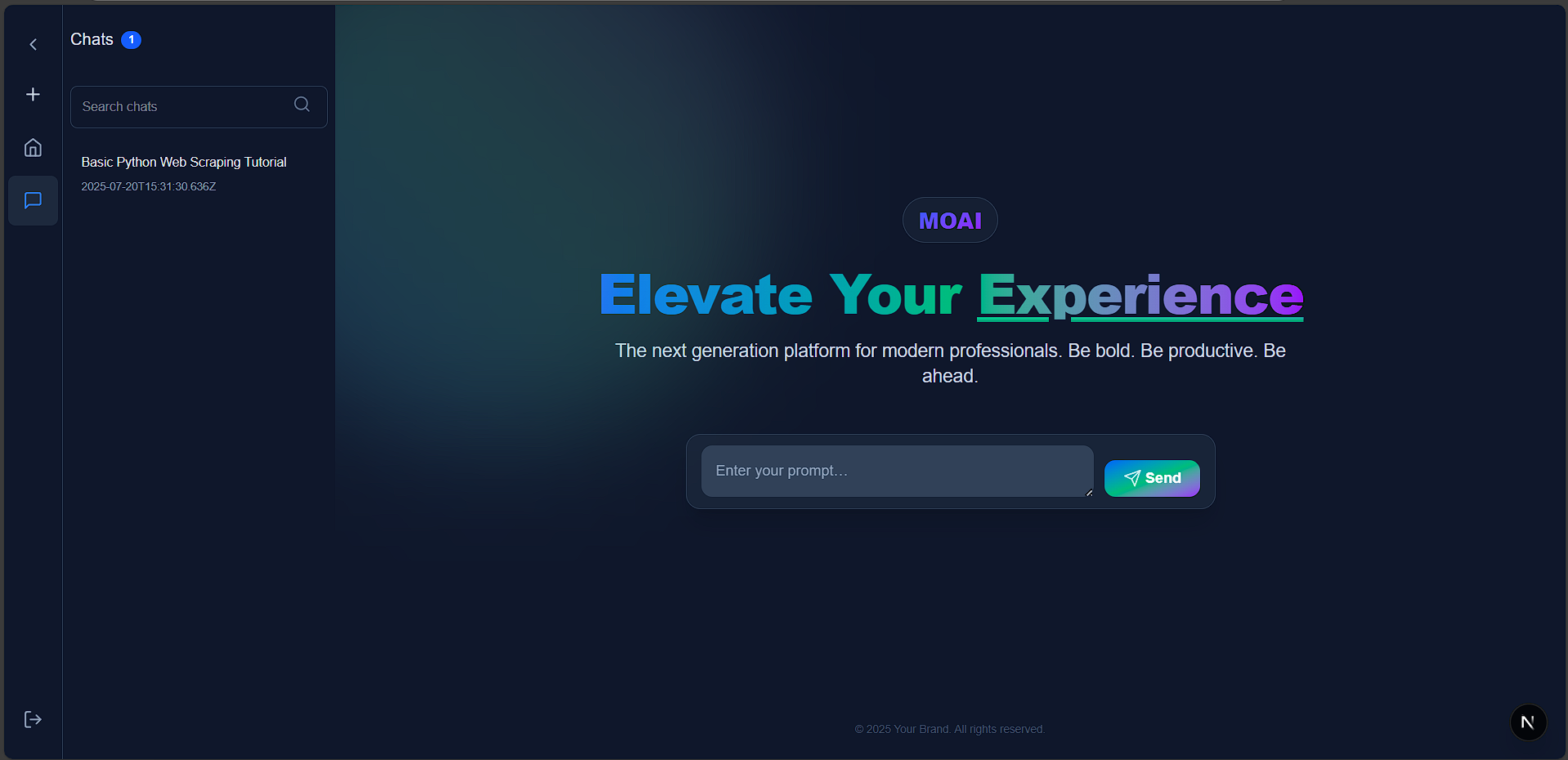
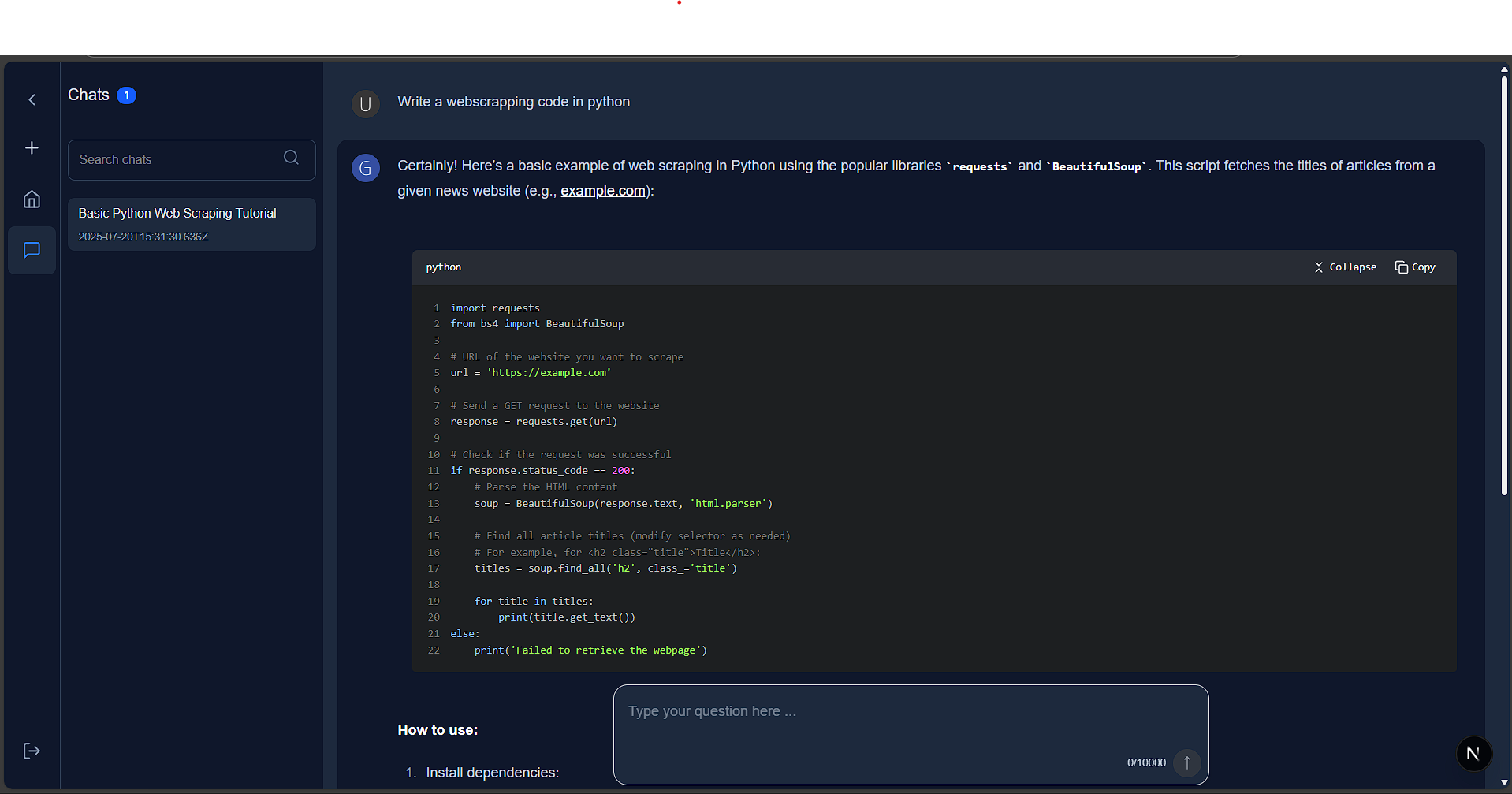
MoAI is a full-stack, modern AI chat platform featuring a Next.js frontend and a Node.js/Express backend. It offers real-time chat, user authentication, and seamless integration with multiple AI services including Azure OpenAI, Google Gemini, and HuggingFace models.
🆕 What's New
✨ Latest Features
- 🔄 Message Regeneration & Version Control - Regenerate AI responses and navigate between different versions
- 🧠 Multi-Model AI Support - Azure OpenAI, Google Gemini, and HuggingFace integration
- 🔧 Model Context Protocol (MCP) - Advanced AI tool integration and calling
- 🌐 Enhanced Web Tools - Web search, website parsing, and weather data
- 📱 Modern UI/UX - Responsive design with advanced chat features
📚 Documentation
- New docs folder with detailed guides for all features
- AI Model Setup Guide - Complete configuration for all supported models
- Feature Documentation - In-depth explanations of advanced capabilities
🗂️ Project Structure
MoAI/
  ├── 📁 client/          # Next.js frontend (React, TypeScript)
  ├── 📁 server/          # Node.js/Express backend (TypeScript, MongoDB)
  └── 📁 docs/            # Comprehensive documentation
- client/: Frontend web app (Next.js, React, Tailwind CSS, NextAuth.js)
- server/: Backend API (Express, MongoDB, JWT, Multi-AI Services, MCP)
- docs/: Detailed documentation and guides
✨ Core Features
🔐 Authentication & Security
- NextAuth.js Integration - Secure user authentication
- JWT Token Management - Stateless authentication
- Protected Routes - Secure access to chat features
💬 Advanced Chat System
- Real-time Chat Interface - Modern, responsive chat UI
- Chat Threads & History - Organized conversation management
- Message Regeneration - Regenerate AI responses with version control
- Version Navigation - Browse different AI response versions
- Markdown Support - Rich text and code block rendering
🧠 Multi-AI Model Support
- Azure OpenAI - Enterprise-grade AI with full streaming and tool calling
- Google Gemini - Advanced conversation handling with gemini-2.5-flash
- HuggingFace - Open-source AI models for experimentation
- Model Context Protocol (MCP) - Advanced AI tool integration
🌐 External API Tools
- Web Search - Serper API integration for real-time web data
- Website Parsing - Firecrawl for detailed webpage analysis
- Weather Data - OpenWeatherMap integration
- MCP Inspector - Web-based tool for testing and debugging MCP tools
⚙️ User Experience
- Responsive Design - Works on all devices
- Dark/Light Theme - Customizable appearance
- User Settings - Profile and preference management
- Search & Navigation - Easy chat thread discovery
🚀 Quick Start
Prerequisites
- Node.js (v18+ recommended)
- npm or yarn
- MongoDB instance (local or cloud)
Installation
Clone the repository:
git clone <repo-url>
cd MoAI
Install dependencies:
# Install client dependencies
cd client && npm install

# Install server dependencies
cd ../server && npm install
Environment Setup:
- Copy
.env.exampleto.envin bothclient/andserver/directories - Configure your AI model API keys (see AI Model Setup)
- Copy
Start Development Servers:
# Terminal 1 - Start client
cd client
npm run dev

# Terminal 2 - Start server
cd server
npm run dev
Access the Application:
- Frontend: http://localhost:3000
- Backend: http://localhost:8080
- MCP Inspector: http://localhost:8081 (when running
npm run inspector)
📖 Documentation
For detailed guides and feature explanations, visit our Documentation Hub:
- AI Model Setup - Configure Azure OpenAI, Gemini, and HuggingFace
- Message Regeneration Features - Advanced chat capabilities
- Client Documentation - Frontend development guide
- Server Documentation - Backend API guide
🏗️ Architecture Overview
Frontend (client/)
client/
  src/
    app/
      (authenticated)/      # Protected routes (chat, settings, etc.)
      layout.tsx            # Root layout with providers
      page.tsx              # Landing page
    components/             # Reusable UI components
    contexts/               # React context providers
    features/               # Feature modules
    lib/                    # Utility libraries
    services/               # API service functions
    types/                  # TypeScript definitions
Backend (server/)
server/
  src/
    db.ts                  # MongoDB connection
    index.ts               # Express server entry point
    middleware/            # Authentication & validation
    models/                # Mongoose schemas
    routes/                # API endpoints
    services/              # AI service integrations
    tools/                 # MCP tool implementations
    interface/             # TypeScript interfaces
🛠️ API Endpoints
| Route | Method | Description | Auth Required |
|---|---|---|---|
/api/user |
POST/GET | User authentication & management | ❌ (login) / ✅ |
/api/chat |
POST/GET | Chat operations & regeneration | ✅ |
/api/chat-threads |
GET/POST | Thread management | ✅ |
/api/chat-messages |
GET/PATCH | Message operations & version control | ✅ |
/api/huggingFace/chat |
POST | HuggingFace AI integration | ✅ |
/api/mcp |
POST | Model Context Protocol tools | ❌ |
🔧 Environment Variables
Client Environment
# NextAuth Configuration
NEXTAUTH_SECRET=your-secret-here
NEXTAUTH_URL=http://localhost:3000

# API Configuration
NEXT_PUBLIC_API_URL=http://localhost:8080
Server Environment
# Database
DB=mongodb://localhost:27017/moai

# Server
PORT=8080

# AI Services
AZURE_OPENAI_API_KEY=your-key
AZURE_OPENAI_API_INSTANCE_NAME=your-instance
AZURE_OPENAI_API_DEPLOYMENT_NAME=your-deployment

GEMINI_API_KEY=your-key
HUGGINGFACE_API_KEY=your-key

# External APIs
OPENWEATHER_API_KEY=your-key
SERPER_API_KEY=your-key
FIRECRAWL_API_KEY=your-key
📦 Available Scripts
Client
npm run dev      # Start development server
npm run build    # Build for production
npm start        # Start production server
npm run lint     # Lint codebase
Server
npm run dev          # Start with hot-reloading
npm start            # Start production server
npm run inspector    # Launch MCP Inspector UI
🧩 Technology Stack
Frontend
- Framework: Next.js 15, React 19
- Language: TypeScript
- Styling: Tailwind CSS
- Authentication: NextAuth.js
- State Management: React Context + Hooks
Backend
- Runtime: Node.js
- Framework: Express.js
- Language: TypeScript
- Database: MongoDB with Mongoose
- Authentication: JWT
AI & External Services
- Azure OpenAI: GPT-4, GPT-3.5-turbo
- Google Gemini: gemini-2.5-flash
- HuggingFace: Open-source models
- MCP: Model Context Protocol
- APIs: Serper (web search), Firecrawl (web scraping), OpenWeatherMap
🎯 Key Features Deep Dive
Message Regeneration & Version Control
- Regenerate AI Responses: Create new versions of AI messages
- Version Navigation: Browse between different AI response versions
- Persistent Storage: All versions are saved and accessible
- Smart Context: Regeneration uses the same conversation context
Model Context Protocol (MCP)
- Tool Integration: Seamlessly call external tools from AI conversations
- Web Search: Real-time information retrieval
- Website Analysis: Detailed webpage content extraction
- Weather Data: Current weather information
- Inspector UI: Web-based tool testing interface
Multi-Model AI Support
- Azure OpenAI: Production-ready with full streaming and tool calling
- Google Gemini: Advanced conversation handling
- HuggingFace: Open-source experimentation
- Automatic Fallback: Smart model selection based on availability
🚀 Deployment
Production Build
# Build client
cd client
npm run build

# Start server
cd ../server
npm start
Environment Considerations
- Set production environment variables
- Configure MongoDB connection for production
- Set up proper CORS settings
- Configure NextAuth for production domain
🤝 Contributing
We welcome contributions! Please see our contributing guidelines:
- Fork the repository
- Create a feature branch:
git checkout -b feature/amazing-feature - Commit your changes:
git commit -m 'Add amazing feature' - Push to the branch:
git push origin feature/amazing-feature - Open a Pull Request
Development Guidelines
- Follow TypeScript best practices
- Maintain consistent code formatting
- Add tests for new features
- Update documentation for changes
📄 License
This project is licensed under the MIT License - see the LICENSE file for details.
🙏 Acknowledgments
🛠️ Core Technologies
- Next.js - React framework for production
- Express.js - Fast, unopinionated web framework
- MongoDB - NoSQL database
- Tailwind CSS - Utility-first CSS framework
🧠 AI Services
- Azure OpenAI - Enterprise AI services
- Google Gemini - Advanced AI models
- Hugging Face - Open source AI models
- Model Context Protocol - AI integration standard
🎨 UI & Design
- Lucide React - Beautiful icon toolkit
- Modern design patterns and best practices
📞 Support & Community
- Issues: Report bugs and request features via GitHub Issues
- Discussions: Join community discussions
- Documentation: Check our docs folder for detailed guides
Built with ❤️ using modern web technologies
Установка MoAI
У этого сервера нет опубликованного пакета — он собирается из исходников. Открой репозиторий и следуй инструкции в README.
▸ github.com/Sidharth-e/MoAIFAQ
MoAI MCP бесплатный?
Да, MoAI MCP бесплатный — установка в пару кликов через Unyly без оплаты.
Нужен ли API-ключ для MoAI?
Нет, MoAI работает без API-ключей и переменных окружения.
MoAI — hosted или self-hosted?
Self-hosted: сервер запускается локально на твоей машине командой из раздела установки.
Как установить MoAI в Claude Desktop, Claude Code или Cursor?
Открой MoAI на unyly.org, выбери вкладку своего клиента (Claude Desktop, Claude Code, Cursor) и нажми Install — конфиг сгенерируется автоматически, без правки JSON.
Похожие MCP
Gmail
Read, send and search emails from Claude
 автор: Google
Slack
Send, search and summarize Slack messages
 автор: Slack
Runbear
No-code MCP client for team chat platforms, such as Slack, Microsoft Teams, and Discord.
Discord Server
A community discord server dedicated to MCP by [Frank Fiegel](https://github.com/punkpeye)
Klavis AI
Open Source MCP Infra. Hosted MCP servers and MCP clients on Slack and Discord.
Work90210/APIFold
Turn any REST API into a hosted MCP server. 18 free public servers (GitHub, Stripe, Slack, OpenAI, Notion, and more) — no setup required, bring your own API key
 автор: Work90210
arikusi/deepseek-mcp-server
MCP server for DeepSeek AI with chat, reasoning, multi-turn sessions, function calling, thinking mode, and cost tracking.
 автор: arikusi
hashgraph-online/hashnet-mcp-js
MCP server for the Registry Broker. Discover, register, and chat with AI agents on the Hashgraph network.
 автор: hashgraph-online
profullstack/mcp-server
A comprehensive MCP server aggregating 20+ tools including SEO optimization, document conversion, domain lookup, email validation, QR generation, weather data,
 автор: profullstack
WayStation-ai/mcp
Seamlessly and securely connect Claude Desktop and other MCP hosts to your favorite apps (Notion, Slack, Monday, Airtable, etc.). Takes less than 90 secs.
 автор: waystation-ai
Compare MoAI with
Не уверен что выбрать?
Найди свой стек за 60 секунд
Автор?
Embed-бейдж для README
Похожее
Все в категории communication