
Molecule Visualization (ChimeraX, PyMOL)
БесплатноНе проверенConnects AI systems to molecular visualization software like PyMol and ChimeraX, enabling direct command execution and image capture of molecular structures for

Описание
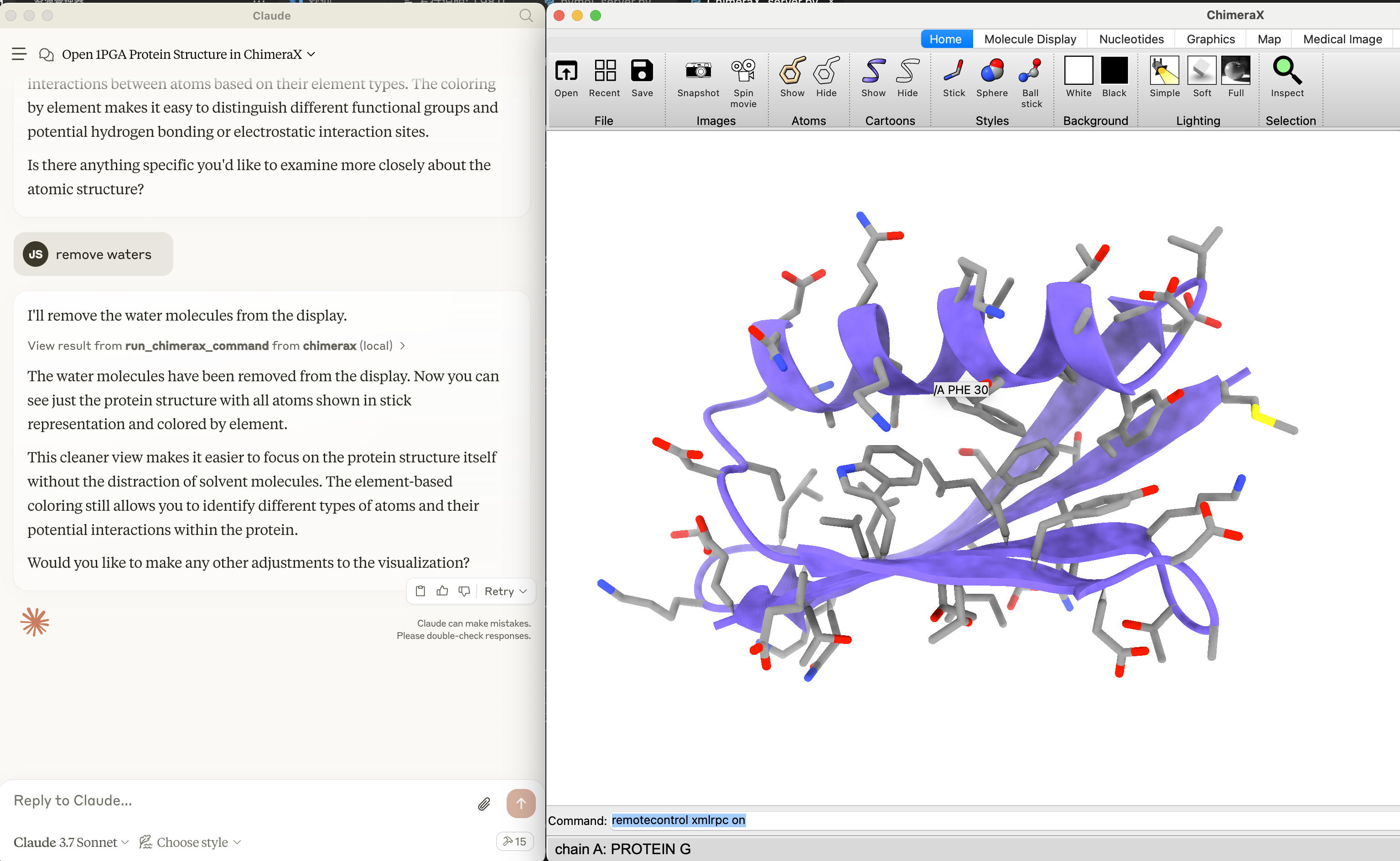
Connects AI systems to molecular visualization software like PyMol and ChimeraX, enabling direct command execution and image capture of molecular structures for scientific workflows.
README
Molecule-MCP: A model-context-protocol server for molecules. Molecule-MCP connects molecule science releated tools to Claude AI through the Model Context Protocol (MCP), allowing Claude to directly interact with and control these tools and act as a co-scientist. This integration enables prompt assisted molecule modeling.
Installation
⚠️ Note: Molecule-MCP requires Claude Desktop to be installed and running.
- Go to Claude > Settings > Developer > Edit Config > claude_desktop_config.json to include the following:
{
  "mcpServers": {
    "pymol": {
      "command": "/path/to/mcp",
      "args": [
        "run",
        "/path/to/molecule-mcp/pymol_server.py"
      ]
    },
    "chimerax": {
      "command": "/path/to/mcp",
      "args": [
        "run",
        "/path/to/molecule-mcp/ChimeraX_server.py"
      ]
    },
    "gromacs_copilot": {
      "command": "/path/to/mcp",
      "args": [
        "run",
        "/path/to/molecule-mcp/mcp_server.py"
      ]
    }
  }
}
- Install mcp and get the script
pip install "mcp[cli]" chatmol
pip install git+https://github.com/ChatMol/gromacs_copilot.git # optional, for running gromacs_copilot
which mcp
the path to mcp will be displayed. Copy this path for the next step and replace /path/to/mcp with the path to mcp.
git clone https://github.com/ChatMol/molecule-mcp.git
cd molecule-mcp
pwd
the path to molecule-mcp will be displayed. Copy this path for the next step and replace /path/to/molecule-mcp with the path to molecule-mcp.
Disclaimer
Molecule-MCP is provided "as is" without warranty of any kind, express or implied. The authors and contributors disclaim all warranties including, but not limited to, the implied warranties of merchantability and fitness for a particular purpose. Users employ this software at their own risk.
The authors bear no responsibility for any consequences arising from the use, misuse, or misinterpretation of this software or its outputs. Results obtained through Molecule-MCP should be independently validated prior to use in research, publications, or decision-making processes.
This software is intended for research and educational purposes only. Users are solely responsible for ensuring compliance with applicable laws, regulations, and ethical standards in their jurisdiction.
Установка Molecule Visualization (ChimeraX, PyMOL)
У этого сервера нет опубликованного пакета — он собирается из исходников. Открой репозиторий и следуй инструкции в README.
▸ github.com/chatmol/molecule-mcpFAQ
Molecule Visualization (ChimeraX, PyMOL) MCP бесплатный?
Да, Molecule Visualization (ChimeraX, PyMOL) MCP бесплатный — установка в пару кликов через Unyly без оплаты.
Нужен ли API-ключ для Molecule Visualization (ChimeraX, PyMOL)?
Нет, Molecule Visualization (ChimeraX, PyMOL) работает без API-ключей и переменных окружения.
Molecule Visualization (ChimeraX, PyMOL) — hosted или self-hosted?
Self-hosted: сервер запускается локально на твоей машине командой из раздела установки.
Как установить Molecule Visualization (ChimeraX, PyMOL) в Claude Desktop, Claude Code или Cursor?
Открой Molecule Visualization (ChimeraX, PyMOL) на unyly.org, выбери вкладку своего клиента (Claude Desktop, Claude Code, Cursor) и нажми Install — конфиг сгенерируется автоматически, без правки JSON.
Похожие MCP
ARA
Generate images, video and audio from any AI agent — one connector.
 автор: ARA
Omni Video
An MCP server that transforms LLM-enabled IDEs into professional video editors by pre-processing footage into text proxies, generating motion graphics via HTML/
 автор: buildwithtaza
YouTube
Transcripts, channel stats, search
 автор: YouTube
EverArt
AI image generation using various models.
 автор: modelcontextprotocol
Compare Molecule Visualization (ChimeraX, PyMOL) with
Не уверен что выбрать?
Найди свой стек за 60 секунд
Автор?
Embed-бейдж для README
Похожее
Все в категории media