
NCM Servers Suite
БесплатноНе проверенEnables managing Ericsson Enterprise Wireless networks via three domain-specific MCP servers for fleet management, monitoring, and cloud services.

Описание
Enables managing Ericsson Enterprise Wireless networks via three domain-specific MCP servers for fleet management, monitoring, and cloud services.
README
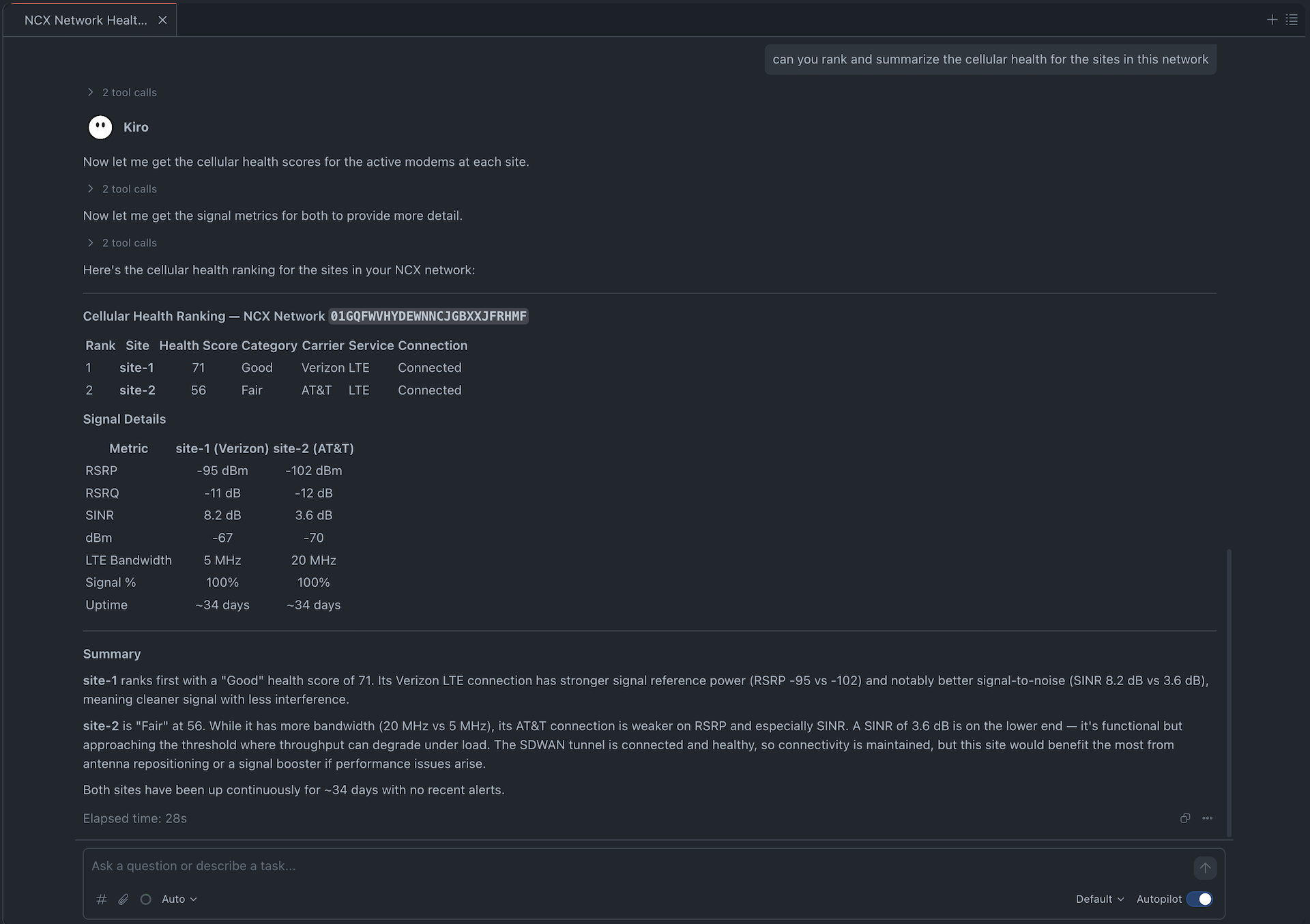
A suite of three focused MCP (Model Context Protocol) servers for the Ericsson Enterprise Wireless NCM API, split by domain responsibility for optimal LLM tool selection.
Architecture
| Server | Port | Domain | Tools |
|---|---|---|---|
ncm-fleet |
3001 | Routers, groups, accounts, locations, configurations, firmware, products | 17 |
ncm-monitoring |
3002 | Net devices, alerts/logs, speed tests | 6 |
ncm-cloud-services |
3003 | Users, subscriptions, private cellular, exchange | 13 |
All servers default to Streamable HTTP transport and run together in a single container.
Quick Start
1. Install
cd ncm_mcp_servers
pip install -e .
2. Configure Credentials
Copy the example and fill in your values:
cp credentials.example.json credentials.json
{
    "X_CP_API_ID": "your-cp-api-id",
    "X_CP_API_KEY": "your-cp-api-key",
    "X_ECM_API_ID": "your-ecm-api-id",
    "X_ECM_API_KEY": "your-ecm-api-key",
    "NCM_API_TOKEN": "your-v3-bearer-token"
}
Alternatively, set environment variables with the same names.
3. Run (Docker — recommended)
docker compose up --build
Or build and run manually:
docker build -t ncm-mcp-servers .
docker run -p 3001:3001 -p 3002:3002 -p 3003:3003 \
  -v ./credentials.json:/app/credentials.json:ro \
  ncm-mcp-servers
This starts a single container running all 3 servers:
http://localhost:3001/mcp— ncm-fleethttp://localhost:3002/mcp— ncm-monitoringhttp://localhost:3003/mcp— ncm-cloud-services
4. Run (Local, without Docker)
# Run all 3 servers in a single process (recommended for local dev)
ncm-mcp-servers

# Or via python module
python -m ncm_mcp_servers
Run servers individually if you only need a subset:
ncm-fleet            # port 3001
ncm-monitoring       # port 3002
ncm-cloud-services   # port 3003
Override ports via environment variables:
NCM_FLEET_PORT=4001 ncm-fleet
NCM_MONITORING_PORT=4002 ncm-monitoring
NCM_CLOUD_SERVICES_PORT=4003 ncm-cloud-services
5. Transport Options
The default transport is Streamable HTTP. Supported transports:
| Transport | Value | Use case |
|---|---|---|
| Streamable HTTP | streamable-http (default) |
Recommended for all MCP clients |
| SSE | sse |
Legacy MCP clients using Server-Sent Events |
| Stdio | stdio |
Piped MCP clients (single server only) |
# Use SSE transport (legacy)
MCP_TRANSPORT=sse ncm-mcp-servers

# Use stdio (only works with individual servers, not the unified runner)
MCP_TRANSPORT=stdio ncm-fleet
MCP Client Configuration
Add to your MCP settings (e.g. .kiro/settings/mcp.json):
{
  "mcpServers": {
    "ncm-fleet": {
      "url": "http://localhost:3001/mcp"
    },
    "ncm-monitoring": {
      "url": "http://localhost:3002/mcp"
    },
    "ncm-cloud-services": {
      "url": "http://localhost:3003/mcp"
    }
  }
}
Tool Consolidation Strategy
CRUD operations are consolidated into manage_* tools with an action parameter:
manage_router(action="rename", router_id=123, new_name="foo")
manage_router(action="delete", router_id=123)
manage_router(action="update", router_id=123, description="bar")
Read-only metrics are consolidated by type:
get_net_device_metrics(metric_type="signal", net_device=1)
get_net_device_metrics(metric_type="usage", net_device=1)
get_net_device_metrics(metric_type="wan", net_device=1)
get_net_device_metrics(metric_type="modem", net_device=1)
Project Structure
ncm_mcp_servers/
├── pyproject.toml
├── Dockerfile
├── docker-compose.yml
├── entrypoint.sh
├── credentials.example.json
├── credentials.json          # Your credentials (gitignored)
├── ncm_mcp_servers/
│   ├── shared/               # Common utilities
│   │   ├── ncm.py            # NCM API client library
│   │   ├── credentials.py    # Credential loading
│   │   ├── error_handler.py  # Response/error formatting
│   │   └── client.py         # NCM client factory
│   ├── ncm_fleet/            # Fleet management server (port 3001)
│   │   ├── server.py
│   │   └── tools/
│   │       ├── routers.py
│   │       ├── groups.py
│   │       ├── accounts.py
│   │       ├── locations.py
│   │       ├── configurations.py
│   │       └── firmware.py
│   ├── ncm_monitoring/       # Monitoring server (port 3002)
│   │   ├── server.py
│   │   └── tools/
│   │       ├── net_devices.py
│   │       ├── alerts.py
│   │       └── speed_tests.py
│   └── ncm_cloud_services/   # Cloud services server (port 3003)
│       ├── server.py
│       └── tools/
│           ├── users.py
│           ├── subscriptions.py
│           ├── private_cellular.py
│           └── exchange.py
└── README.md
Tool Reference
ncm-fleet (17 tools)
| Tool | Description |
|---|---|
get_routers |
Query routers by ID, name, account, or group |
manage_router |
Rename, delete, update fields, assign to group/account, remove from group |
reboot_router |
Reboot a single router |
reboot_group |
Reboot all routers in a group |
get_groups |
Query groups by ID, name, or account |
manage_group |
Create, rename, delete, update groups |
get_accounts |
Query accounts by ID or name |
manage_subaccount |
Create, rename, delete subaccounts |
get_locations |
Query current or historical locations |
manage_location |
Create or delete router locations |
get_configuration_managers |
Query config sync status |
patch_config |
Partial config update (router or group) |
put_router_config |
Full config replacement |
copy_router_config |
Copy config between routers |
resume_updates |
Resume suspended config sync |
get_firmware |
Query firmware versions by product |
get_products |
Query product catalog |
ncm-monitoring (6 tools)
| Tool | Description |
|---|---|
get_net_devices |
Query net devices by router, mode, connection state |
get_net_device_health |
Get cellular health scores |
get_net_device_metrics |
Signal, usage, WAN, or modem metrics |
get_logs |
Alerts, recent alerts, router logs, or activity logs |
create_speed_test |
Run speed test on devices or all modems on a router |
get_speed_test |
Get speed test status and results |
ncm-cloud-services (13 tools)
| Tool | Description |
|---|---|
get_users |
Query NCM users |
manage_user |
Create, update, delete users, change role |
get_subscriptions |
Query subscriptions |
manage_subscription |
Regrade or unlicense devices |
get_networks |
Query private cellular networks |
manage_network |
Create, update, delete networks |
get_radios |
Query radios and operational status |
manage_radio |
Update radio settings |
manage_sim |
Query or update SIMs |
get_exchange_sites |
Query exchange sites |
manage_exchange_site |
Create, update, delete sites |
get_exchange_resources |
Query exchange resources |
manage_exchange_resource |
Create, update, delete resources |
Установка NCM Servers Suite
У этого сервера нет опубликованного пакета — он собирается из исходников. Открой репозиторий и следуй инструкции в README.
▸ github.com/jongaudu/ncm_mcp_serversFAQ
NCM Servers Suite MCP бесплатный?
Да, NCM Servers Suite MCP бесплатный — установка в пару кликов через Unyly без оплаты.
Нужен ли API-ключ для NCM Servers Suite?
Нет, NCM Servers Suite работает без API-ключей и переменных окружения.
NCM Servers Suite — hosted или self-hosted?
Доступен hosted-вариант: Unyly запускает сервер в облаке, локальная установка не обязательна.
Как установить NCM Servers Suite в Claude Desktop, Claude Code или Cursor?
Открой NCM Servers Suite на unyly.org, выбери вкладку своего клиента (Claude Desktop, Claude Code, Cursor) и нажми Install — конфиг сгенерируется автоматически, без правки JSON.
Похожие MCP
GitHub
PRs, issues, code search, CI status
 автор: GitHub
Filesystem
Secure file operations with configurable access controls.
Memory
Knowledge graph-based persistent memory system.
Template MCP Server
A CLI tool to create a new Model Context Protocol server project with TypeScript support, dual transport options, and an extensible structure
 автор: mcpdotdirect
Compare NCM Servers Suite with
Не уверен что выбрать?
Найди свой стек за 60 секунд
Автор?
Embed-бейдж для README
Похожее
Все в категории development