
Nexus Mcp Extension
БесплатноНе проверенNexus-MCP solves Tool Space Interference in LLMs. It uses a single gateway to aggregate multiple MCP servers and employs a deterministic 4-phase workflow (Disco

Описание
Nexus-MCP solves Tool Space Interference in LLMs. It uses a single gateway to aggregate multiple MCP servers and employs a deterministic 4-phase workflow (Discovery, Mapping, Schema Verification, Bridged Execution) to prevent context saturation and tool hallucinations, maintaining reasoning accuracy with massive tool ecosystems.
README
Nexus-MCP: A Unified Gateway for Scalable and Deterministic MCP Server Aggregation
Nexus-MCP is a meta-server designed to solve "Tool Space Interference" (TSI) in Large Language Models (LLMs). By aggregating multiple MCP servers into a single gateway, it prevents context window saturation and tool hallucinations using a defensive, deterministic 4-phase workflow.
🏗 Architecture and Workflow
Nexus-MCP acts as an intelligent router between the LLM agent and your ecosystem of tools.
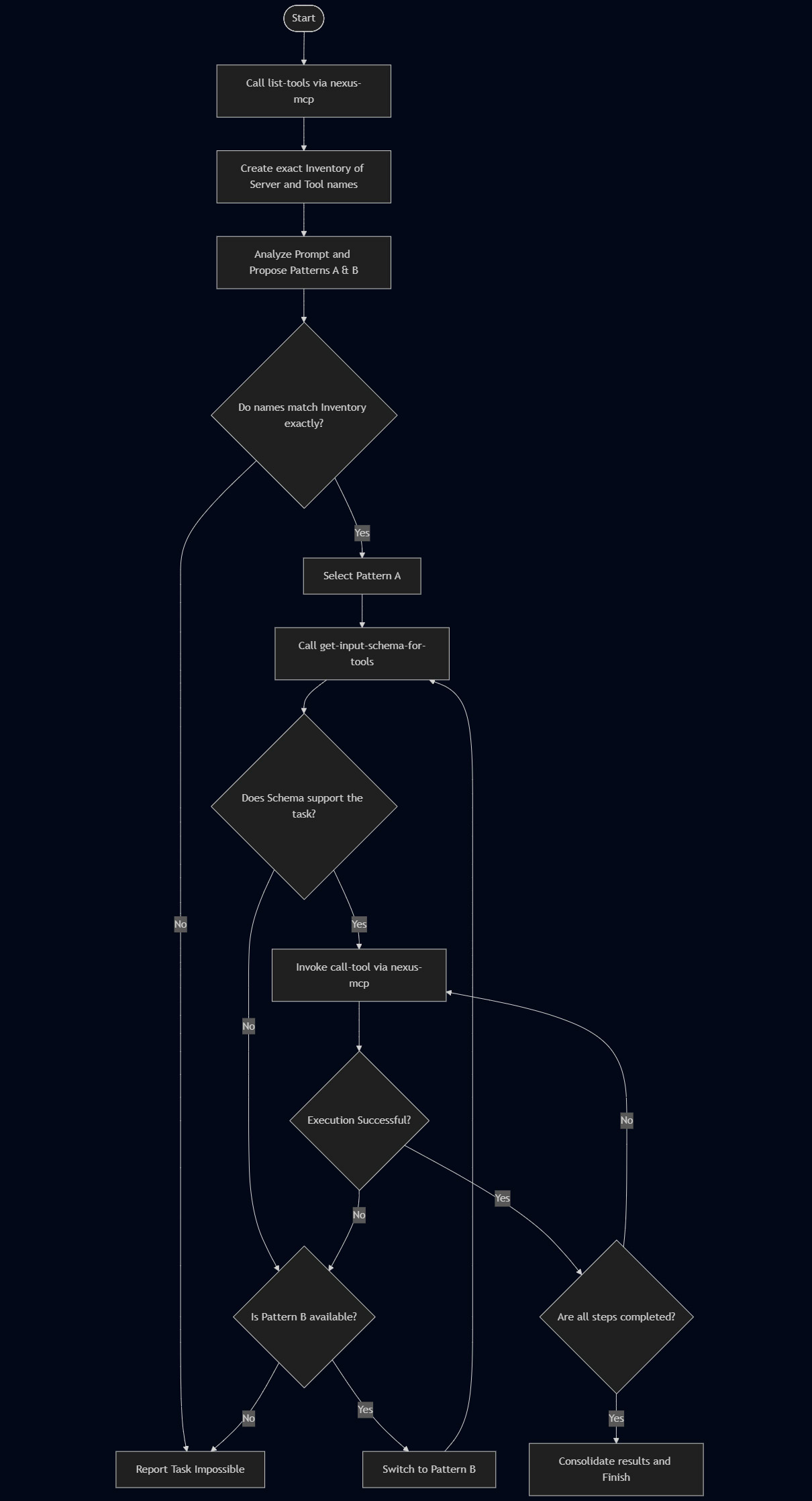
It enforces a strictly deterministic loop to maintain reasoning accuracy:
- Discovery: Aggregates tools from all connected servers.
- Mapping: Identifies the specific
[SERVER_ID]and[TOOL_ID]. - Schema Verification: Retrieves technical schemas only for the selected tool.
- Bridged Execution: Routes the command to the correct downstream server.
🛠 Prerequisites
- Node.js: (Latest LTS recommended)
- Gemini CLI: Installed and authenticated.
npm install -g @google/gemini-cli - (Optional) Google Antigravity for advanced agentic workflows.
📦 Installation
Nexus-MCP is distributed as an extension for the Gemini CLI.
gemini extensions install https://github.com/tanaikech/nexus-mcp-extension
⚙️ Configuration
Nexus-MCP does not have tools of its own; it manages other MCP servers. You must define these downstream servers in a configuration file.
1. Create the Configuration File
Create a file named mcp_config.json (e.g., in your home directory).
- Tip: You can find the paths to your installed extensions by running
gemini extensions list.
Example mcp_config.json:
{
  "mcpServers": {
    "google-workspace": {
      "command": "node",
      "args": [
        "/home/username/.gemini/extensions/google-workspace/dist/index.js"
      ]
    },
    "tools-for-mcp-server": {
      "command": "node",
      "args": [
        "/home/username/.gemini/extensions/tools-for-mcp-server-extension/mcp-server/src/index.js"
      ],
      "timeout": 300000
    }
  }
}
2. Set the Environment Variable
Point Nexus-MCP to your configuration file. This variable is required for both Gemini CLI and Antigravity.
Linux/macOS:
export MCP_SERVER_LIST="/home/username/mcp_config.json"
Windows (PowerShell):
$env:MCP_SERVER_LIST="C:\Users\username\mcp_config.json"
3. Disable Downstream Extensions
Crucial Step: To prevent "Tool Space Interference," disable the individual extensions in Gemini CLI so they are only accessed through Nexus-MCP.
gemini extensions disable google-workspace
gemini extensions disable tools-for-mcp-server
🚀 Usage & Validation
Part 1: Using with Gemini CLI
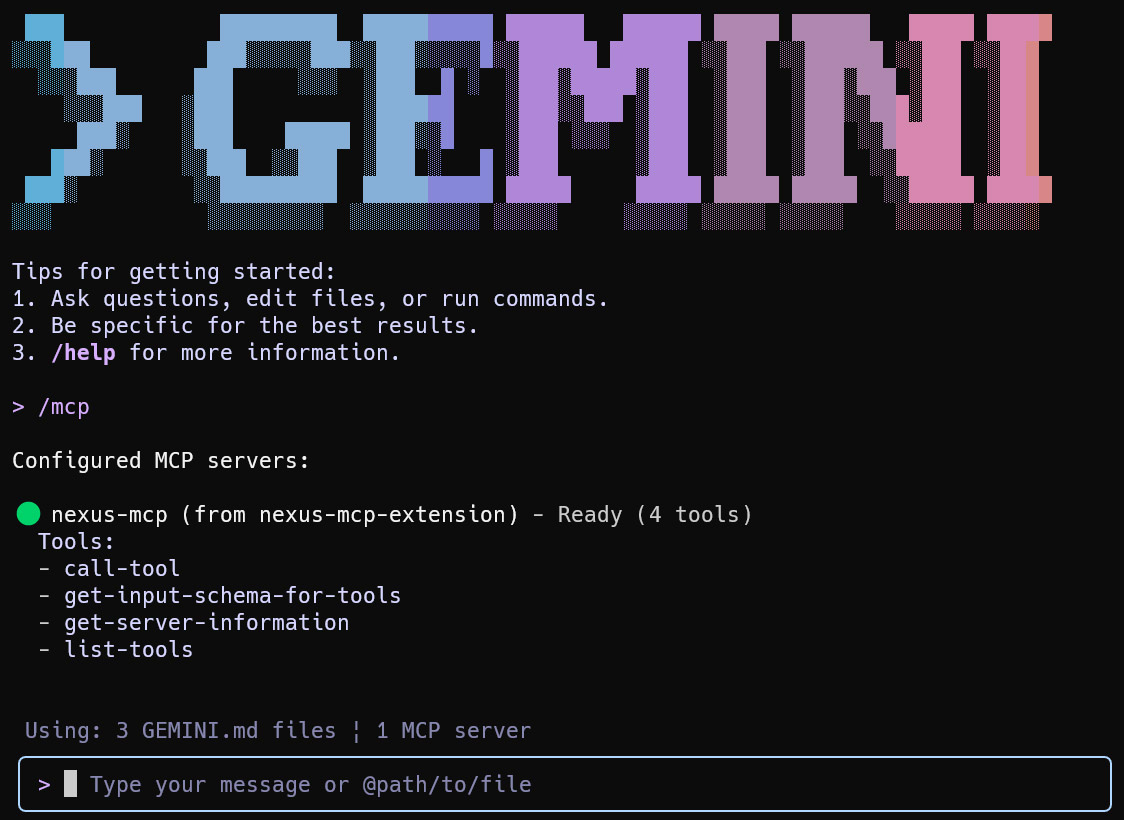
Launch the Gemini CLI. You can confirm the connection status by running /mcp.
1. Server Introspection
Check which tools are currently aggregated by Nexus.
User: "Run a tool get-server-information."
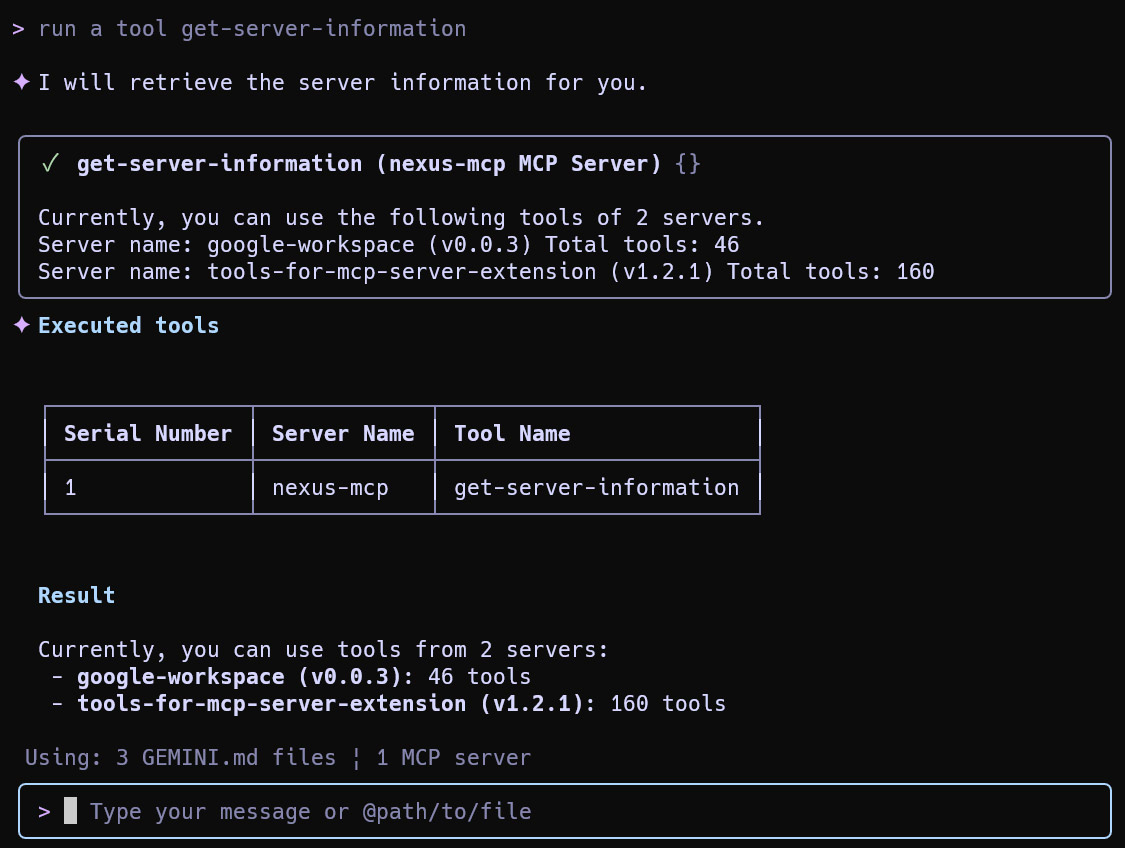
Result: The agent sees the aggregated total of tools (e.g., 206 tools) via the single gateway.
2. Specific Tool Execution (Weather Example)
User: "What is the weather forecast for Tokyo at noon today?"
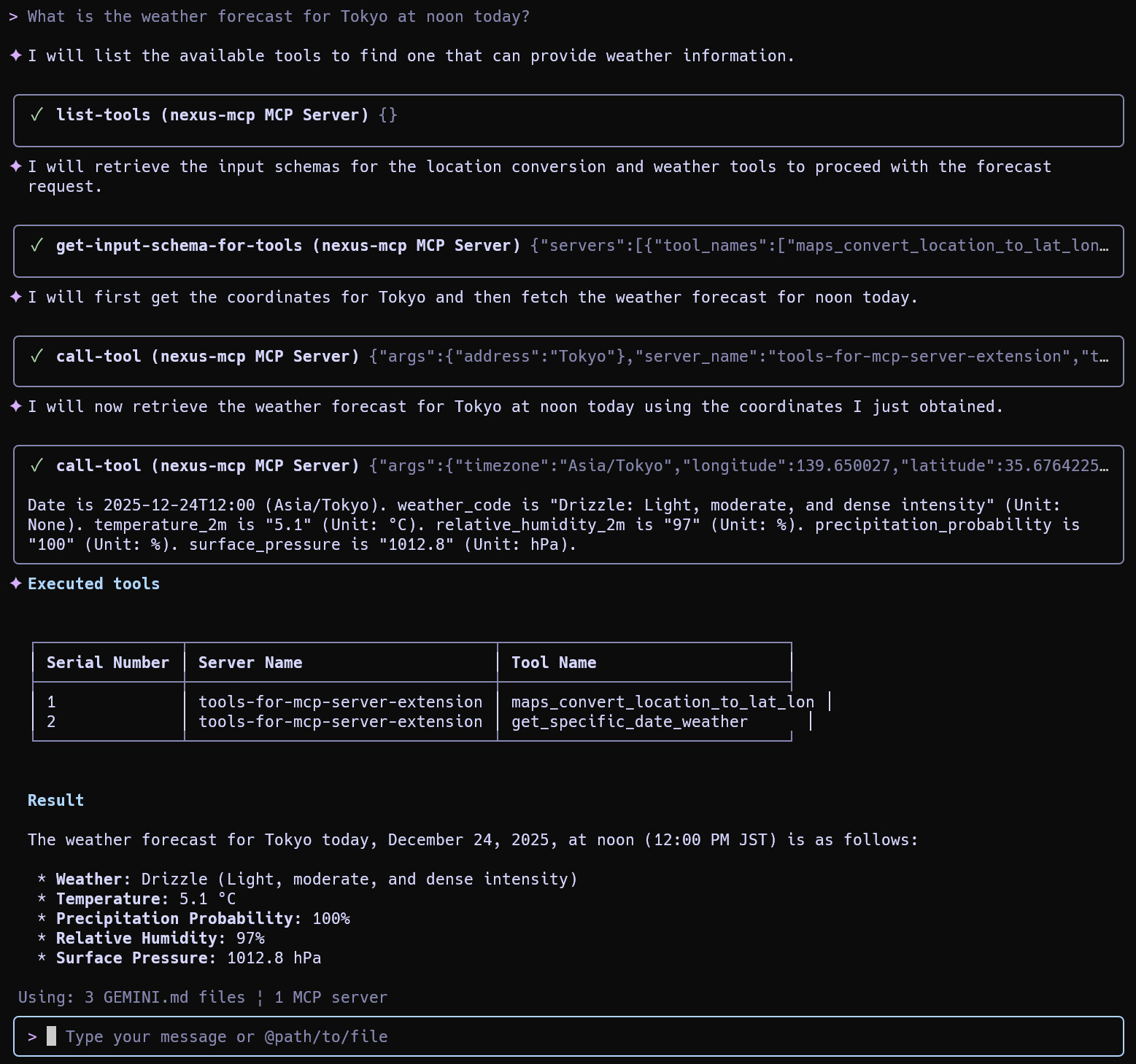
Result: The agent searches the aggregated list, identifies the weather tool in tools-for-mcp-server, and executes it successfully.
3. Routing Control
If multiple servers offer similar functionality (e.g., Calendar), you can force a specific route.
User: "Show me today's schedule. Use google-workspace."
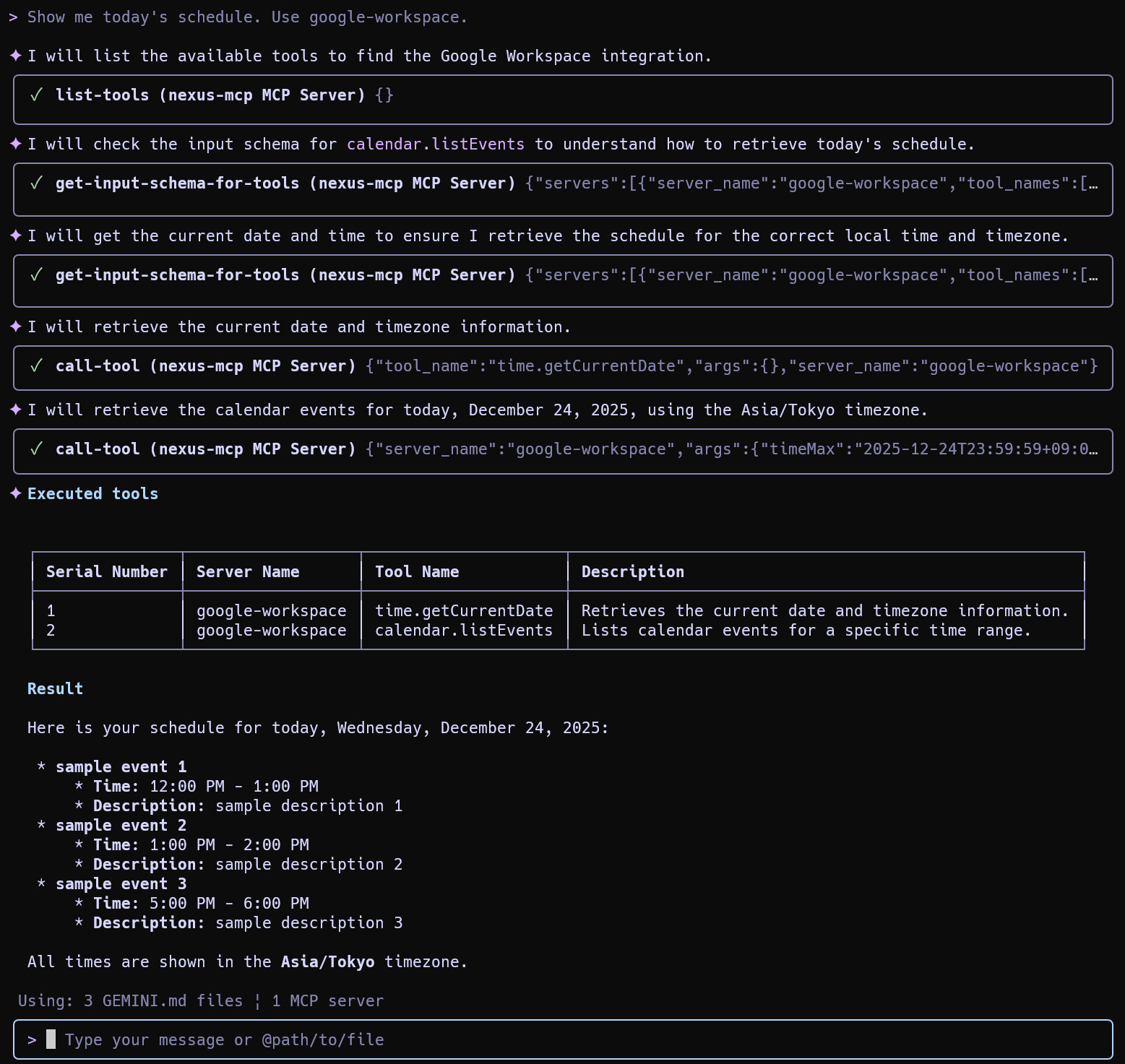
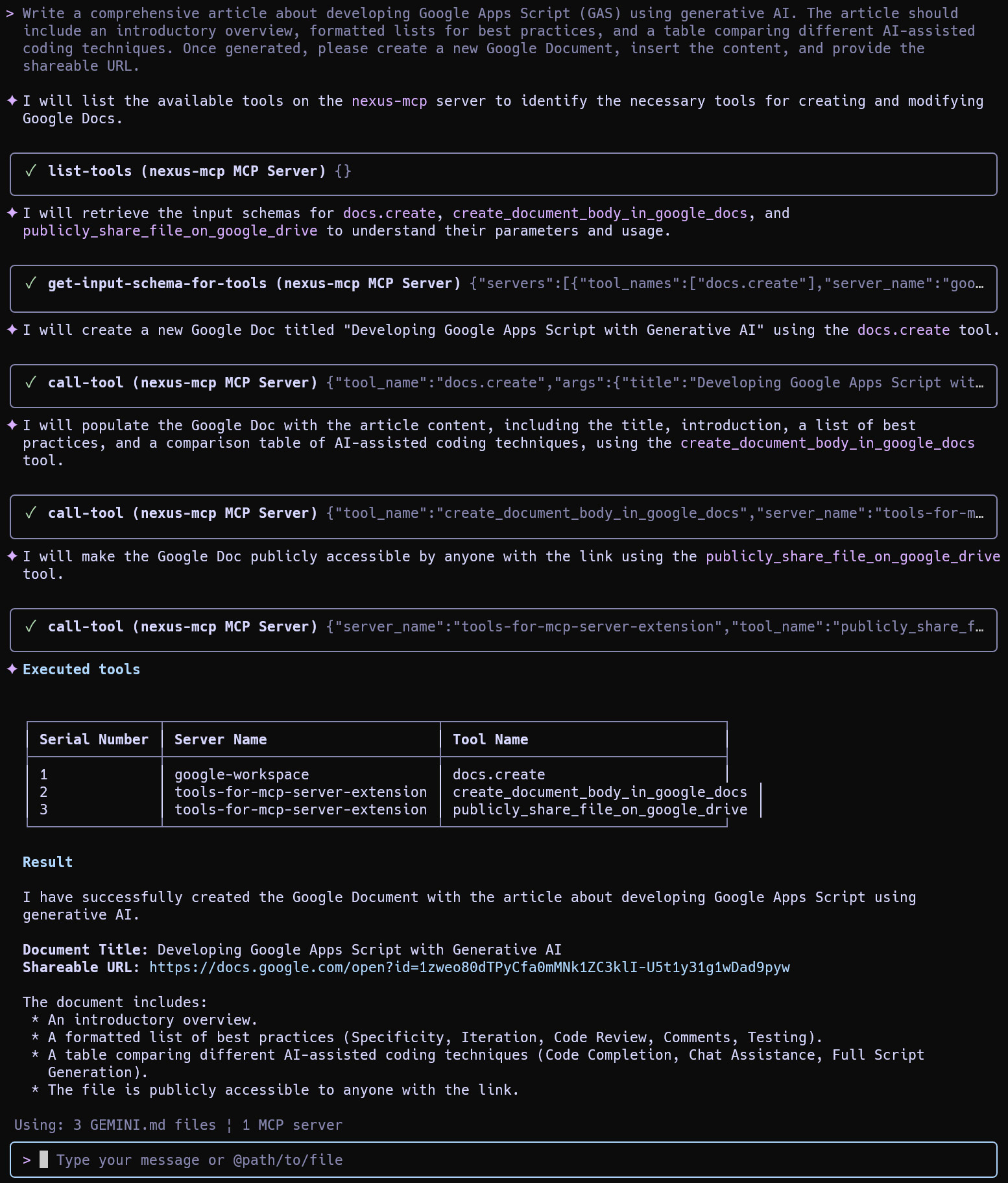
4. Complex Multi-Step Workflow
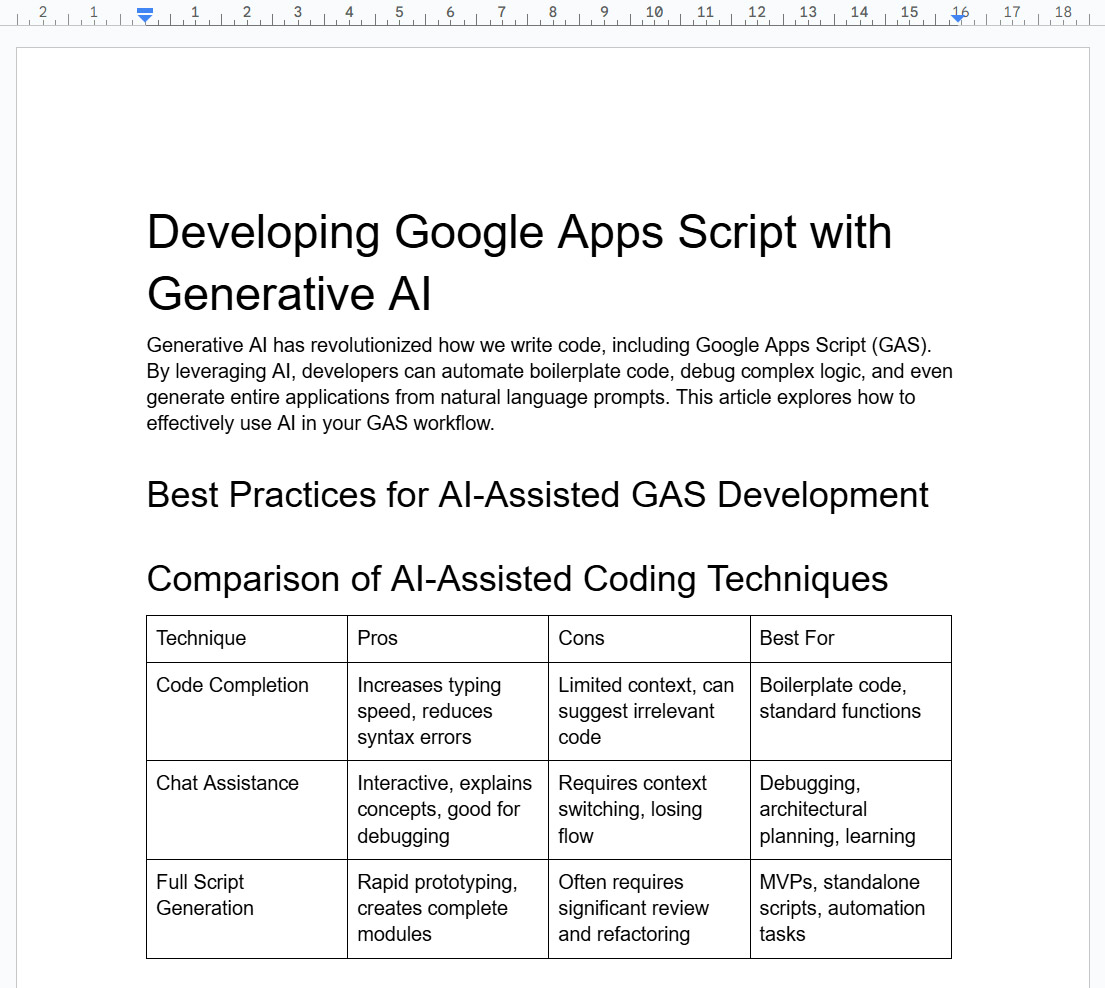
Nexus-MCP excels at chaining tools across different servers (e.g., generating content, creating a Google Doc, and converting it).
User: "Write a comprehensive article about developing Google Apps Script (GAS)... Create a new Google Document, insert the content, and provide the shareable URL."
Part 2: Using with Google Antigravity
Nexus-MCP integrates seamlessly into Google Antigravity for visual agentic workflows.
1. Set System Rules
- Open Antigravity > Customizations > Rules.
- Copy the content of
GEMINI.md(included in this repository) and paste it here.- This teaches the agent the 4-Phase Algorithm (Discovery -> Mapping -> Schema -> Execution).
2. Configure MCP Server
- Go to MCP servers > Manage MCP servers > View raw config.
- Add Nexus-MCP manually:
{
  "mcpServers": {
    "nexus-mcp": {
      "command": "node",
      "args": [
        "/path/to/nexus-mcp-extension/mcp-server/src/nexus-mcp.js"
      ]
    }
  }
}
3. Execution Example
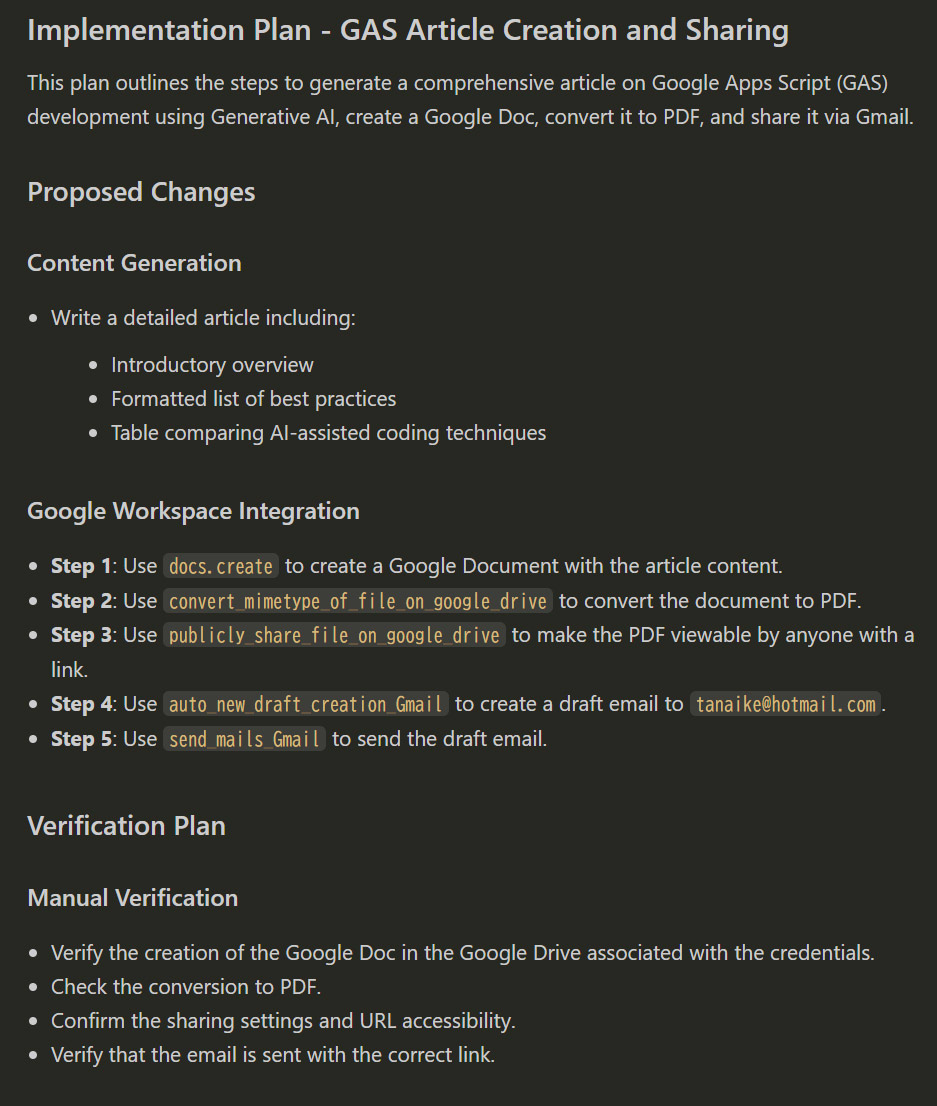
User: "Write an article... convert the Google Document to a PDF file, and send an email to
[email protected]..."
Implementation Plan:
Antigravity analyzes the request and builds a visual plan, mapping tasks to specific tools within the Nexus gateway.
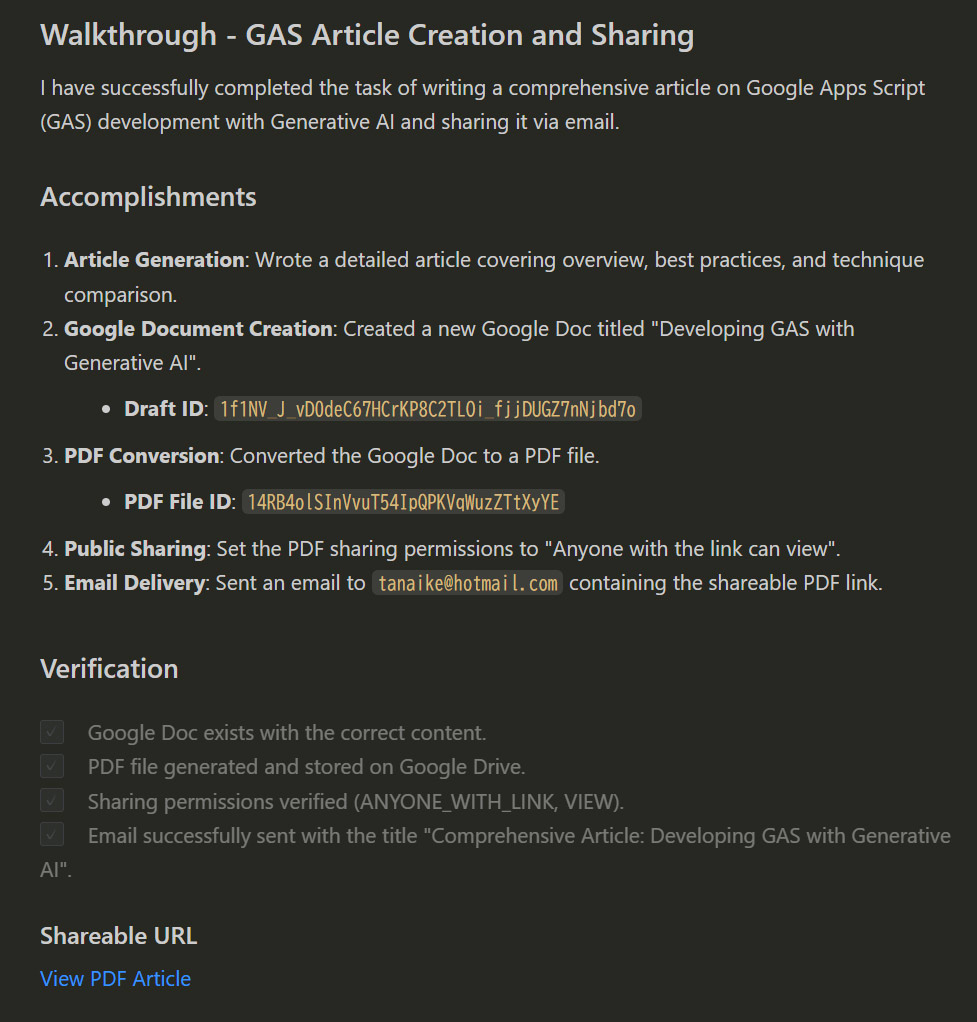
Walkthrough:
The agent executes the plan sequentially—generating text, creating the doc, converting to PDF, and sending the email.
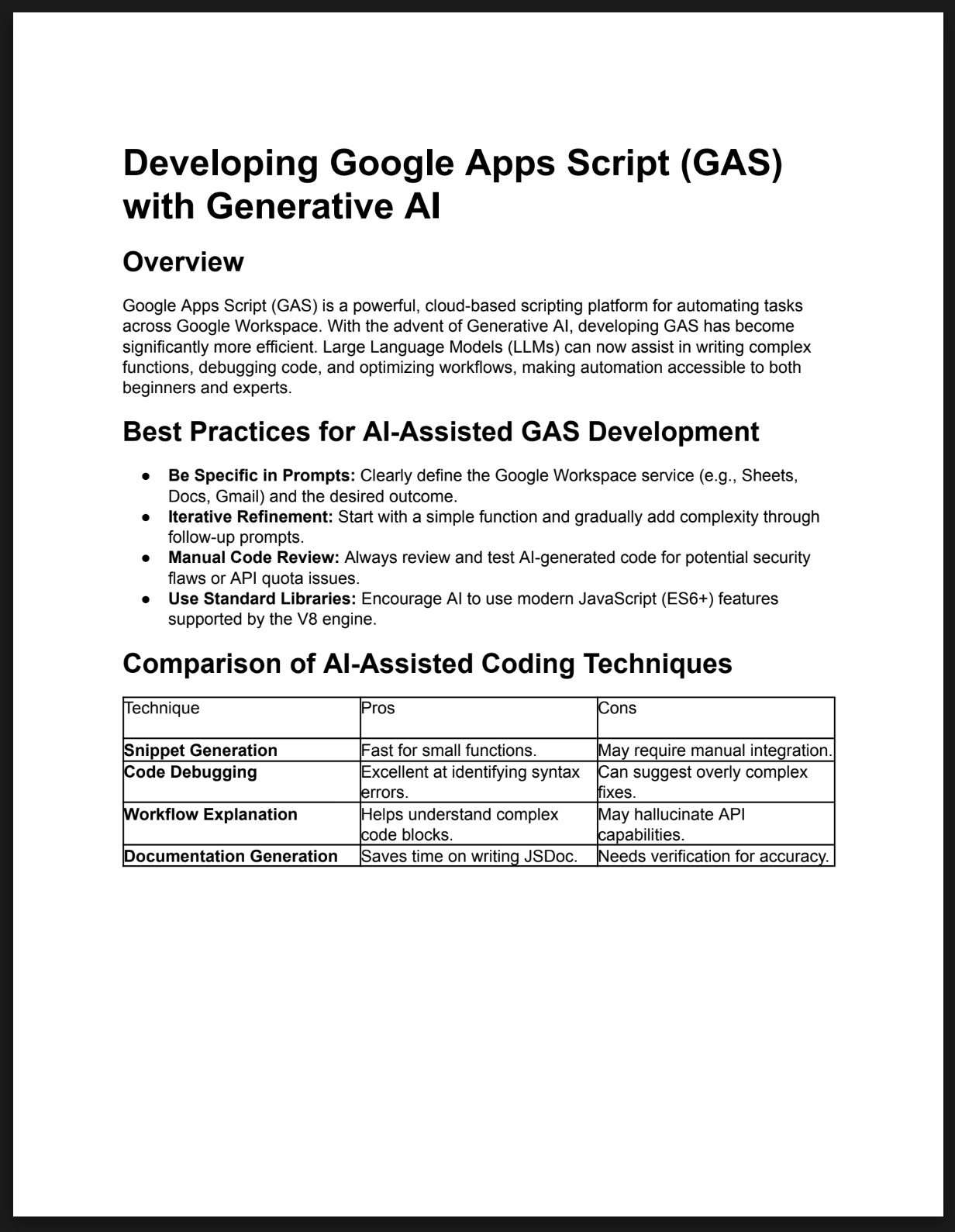
Outcome:
The email is received with the correct attachment, proving the successful orchestration of multiple tools.
Licence
Author
Update History
v0.0.1 (December 25, 2025)
- Initial release.
Установка Nexus Mcp Extension
У этого сервера нет опубликованного пакета — он собирается из исходников. Открой репозиторий и следуй инструкции в README.
▸ github.com/tanaikech/nexus-mcp-extensionFAQ
Nexus Mcp Extension MCP бесплатный?
Да, Nexus Mcp Extension MCP бесплатный — установка в пару кликов через Unyly без оплаты.
Нужен ли API-ключ для Nexus Mcp Extension?
Нет, Nexus Mcp Extension работает без API-ключей и переменных окружения.
Nexus Mcp Extension — hosted или self-hosted?
Self-hosted: сервер запускается локально на твоей машине командой из раздела установки.
Как установить Nexus Mcp Extension в Claude Desktop, Claude Code или Cursor?
Открой Nexus Mcp Extension на unyly.org, выбери вкладку своего клиента (Claude Desktop, Claude Code, Cursor) и нажми Install — конфиг сгенерируется автоматически, без правки JSON.
Похожие MCP
GitHub
PRs, issues, code search, CI status
 автор: GitHub
Filesystem
Secure file operations with configurable access controls.
Memory
Knowledge graph-based persistent memory system.
Template MCP Server
A CLI tool to create a new Model Context Protocol server project with TypeScript support, dual transport options, and an extensible structure
 автор: mcpdotdirect
Compare Nexus Mcp Extension with
Не уверен что выбрать?
Найди свой стек за 60 секунд
Автор?
Embed-бейдж для README
Похожее
Все в категории development