
Nock
БесплатноНе проверенAn MCP server that sits between coding agents and local tools, using a tiny on-device model to route tool calls and requiring confirmations for destructive acti

Описание
An MCP server that sits between coding agents and local tools, using a tiny on-device model to route tool calls and requiring confirmations for destructive actions, while only exposing four tools to the host.
README
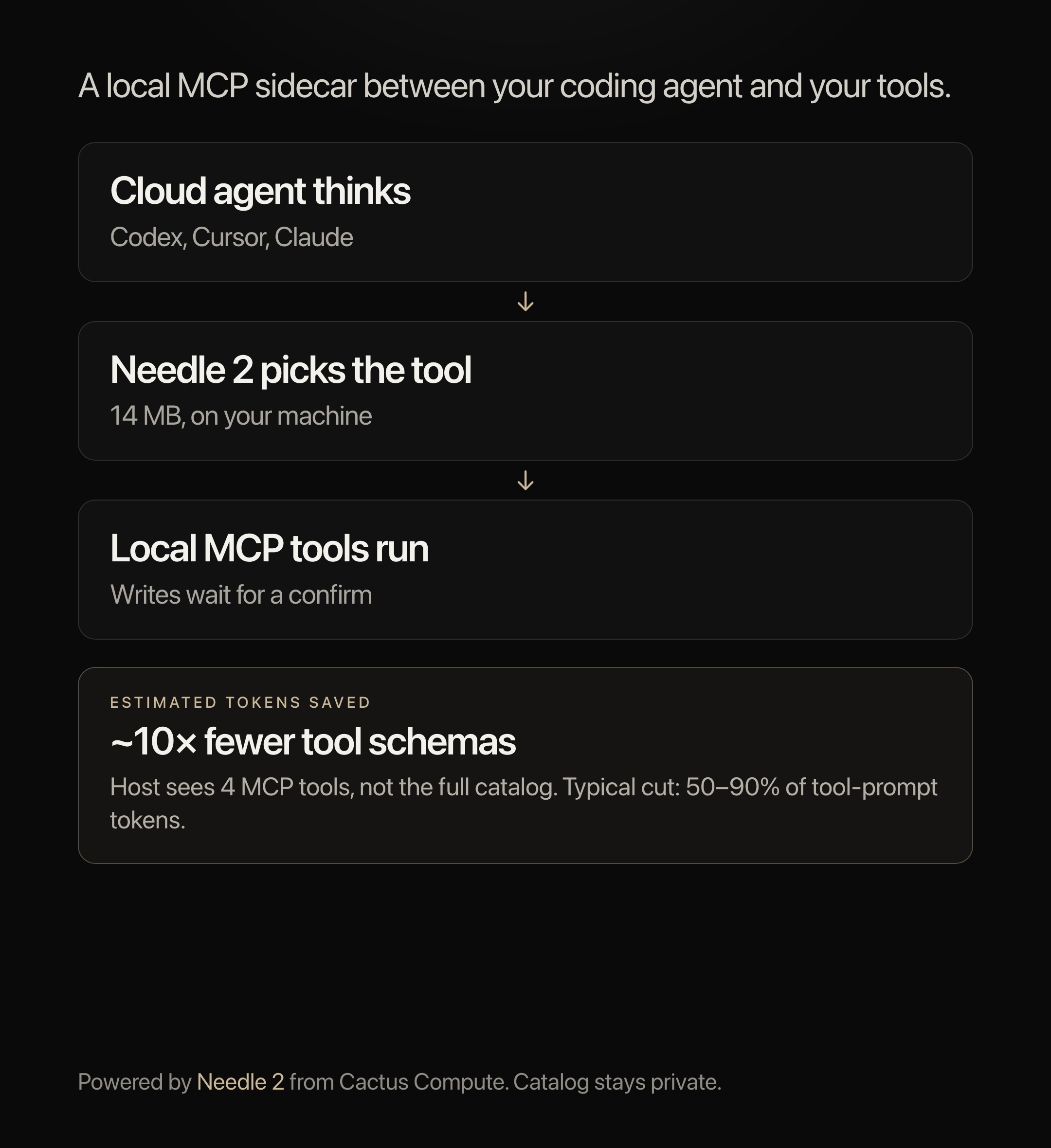
Nock sits between a coding agent (ChatGPT / Codex, Cursor, Claude Desktop, …) and your local tools.
The cloud model does the thinking. A tiny on-device model (Needle) tries to pick the right tool. Destructive actions wait for a confirm token. If Needle is unsure or the request is off-topic, Nock refuses without sending your tool list to the cloud.
The host only sees four tools: nock.resolve, nock.call, nock.search, nock.status.
Install
python3 -m venv .venv
source .venv/bin/activate
pip install -e ".[dev]"
Optional — so nock.resolve can pick tools instead of always refusing:
pip install -e ".[needle]"
That extra pulls JAX. First resolve also downloads the ~14 MB Needle engine.
Point Codex / ChatGPT desktop at it
They share ~/.codex/config.toml. Easiest:
codex mcp add nock -- /ABS/PATH/nock/.venv/bin/nock serve --warmup
Use the absolute path to the venv nock binary. Restart the app, then /mcp should list nock.
Your tools live here, not in Codex
~/.config/nock/config.toml:
[discover]
include_host_configs = false

[servers.fs]
command = "npx"
args = ["-y", "@modelcontextprotocol/server-filesystem", "/ABS/PATH/to/a/folder"]
default_risk = "safe"

[servers.fs.tools.write_file]
risk = "destructive"
Keep Codex’s MCP list to Nock only. Nock starts the filesystem (and anything else you add).
How the host should use it
nock.resolvewith the user text.fast→nock.callthe returned envelope.shortlist→ pick one of the listed tools, thennock.call.escalate→ answer without tools. Do not callnock.search.- If
nock.callreturnstype: nock.confirm, call again withconfirm=trueandconfirm_token.
Reads should not confirm. Writes should.
Commands
nock serve          # stdio MCP server (what the host launches)
nock status         # dry config check (does not talk to a running serve)
nock doctor         # binaries, Needle, duplicate servers
nock hosts          # copy-paste snippets for Codex, Claude, Cursor, Continue
nock index          # warm Needle’s tool index
Tests
pytest
MIT. Needle is a separate project from Cactus Compute.
Установка Nock
У этого сервера нет опубликованного пакета — он собирается из исходников. Открой репозиторий и следуй инструкции в README.
▸ github.com/wrong-nebula/nockFAQ
Nock MCP бесплатный?
Да, Nock MCP бесплатный — установка в пару кликов через Unyly без оплаты.
Нужен ли API-ключ для Nock?
Нет, Nock работает без API-ключей и переменных окружения.
Nock — hosted или self-hosted?
Self-hosted: сервер запускается локально на твоей машине командой из раздела установки.
Как установить Nock в Claude Desktop, Claude Code или Cursor?
Открой Nock на unyly.org, выбери вкладку своего клиента (Claude Desktop, Claude Code, Cursor) и нажми Install — конфиг сгенерируется автоматически, без правки JSON.
Похожие MCP
GitHub
PRs, issues, code search, CI status
 автор: GitHub
Filesystem
Secure file operations with configurable access controls.
Memory
Knowledge graph-based persistent memory system.
Template MCP Server
A CLI tool to create a new Model Context Protocol server project with TypeScript support, dual transport options, and an extensible structure
 автор: mcpdotdirect
Amap Maps Mcp Server
MCP server for using the AMap Maps API
 автор: duxiaohui
Supabase
Database, auth and storage
 автор: Supabase
Everything
Reference / test server with prompts, resources, and tools.
Git
Tools to read, search, and manipulate Git repositories.
Sequential Thinking
Dynamic and reflective problem-solving through thought sequences.
Time
Time and timezone conversion capabilities.
Compare Nock with
Не уверен что выбрать?
Найди свой стек за 60 секунд
Автор?
Embed-бейдж для README
Похожее
Все в категории development