
NoteDiscovery Server
БесплатноНе проверенNoteDiscovery is a self-hosted plain-markdown notes app (MIT, no telemetry) with a built-in stdio MCP server. The server exposes tools so AI clients (Claude Des

Описание
NoteDiscovery is a self-hosted plain-markdown notes app (MIT, no telemetry) with a built-in stdio MCP server. The server exposes tools so AI clients (Claude Desktop, Cursor, etc.) can search, read, create, edit, tag, and instantiate templates against the same vault the web UI uses.
README


NoteDiscovery
Your Self-Hosted Knowledge Base
What is NoteDiscovery?
NoteDiscovery is a lightweight, self-hosted note-taking application that puts you in complete control of your knowledge base. Write, organize, and discover your notes with a beautiful, modern interface—all running on your own server.


Write · Find · Discover
🎯 Who is it for?
- Privacy-conscious users who want complete control over their data
- Developers who prefer markdown and local file storage
- Knowledge workers building a personal wiki or second brain
- Teams looking for a self-hosted alternative to commercial apps
- Anyone who values simplicity, speed, and ownership




✨ Why NoteDiscovery?
vs. Commercial Apps (Notion, Evernote, Obsidian Sync)
| Feature | NoteDiscovery | Commercial Apps |
|---|---|---|
| Cost | 100% Free | $xxx/month/year |
| Privacy | Your server, your data | Their servers, their terms |
| Speed | Lightning fast | Depends on internet |
| Offline | Always works | Limited or requires sync |
| Customization | Full control | Limited options |
| No Lock-in | Plain markdown files | Proprietary formats |
Key Benefits
- 🔒 Total Privacy - Your notes never leave your server
- 🔐 Optional Authentication - Simple password protection for self-hosted deployments
- 💰 Zero Cost - No subscriptions, no hidden fees
- 🚀 Fast & Lightweight - Instant search and navigation
- 🎨 Beautiful Themes - Multiple themes, easy to customize
- 🔌 Extensible - Plugin system for custom features
- 📱 Responsive - Works on desktop, tablet, and mobile
- 📂 Simple Storage - Plain markdown files in folders
- 🧮 Math Support - LaTeX/MathJax for beautiful equations
- 📄 HTML Export & Print - Export notes as standalone HTML or print
- 🕸️ Graph View - Interactive visualization of connected notes
- ✏️ Drawing editor - In-app sketches as
drawing-*.pngnext to your notes — see documentation/DRAWING.md - ⭐ Favorites - Star your most-used notes for instant access
- 📑 Outline Panel - Navigate headings with click-to-jump TOC
- 🤖 AI Assistant Ready - MCP integration for Claude, Cursor & more
🤖 AI-Powered Note Management



NoteDiscovery includes a built-in Model Context Protocol (MCP) server, letting AI assistants directly interact with your notes:
| What AI Can Do | Example |
|---|---|
| 🔍 Search & Discover | "Find all my notes about Docker deployment" |
| 📝 Create & Edit | "Create a meeting notes template for tomorrow" |
| 📁 Organize | "Move all project notes to the archive folder" |
| 🏷️ Tag & Categorize | "List all notes tagged with #urgent" |
| 📊 Explore Connections | "Show me the knowledge graph of my notes" |
| ✍️ Append Ideas | "Add this thought to my daily journal" |
One-line setup for Cursor, Claude Desktop, and other MCP-compatible tools:
{
  "mcpServers": {
    "notediscovery": {
      "command": "docker",
      "args": ["run", "--rm", "-i", "-e", "NOTEDISCOVERY_URL=http://host.docker.internal:8000", "ghcr.io/gamosoft/notediscovery:latest", "python", "-m", "mcp_server"]
    }
  }
}
💡 See MCP.md for complete setup instructions and all available tools.
🧪 Want a fully local setup with a bundled LLM? OLLAMA-STACK.md spins up NoteDiscovery + Ollama + Open WebUI with one command.
📺 Watch the tour
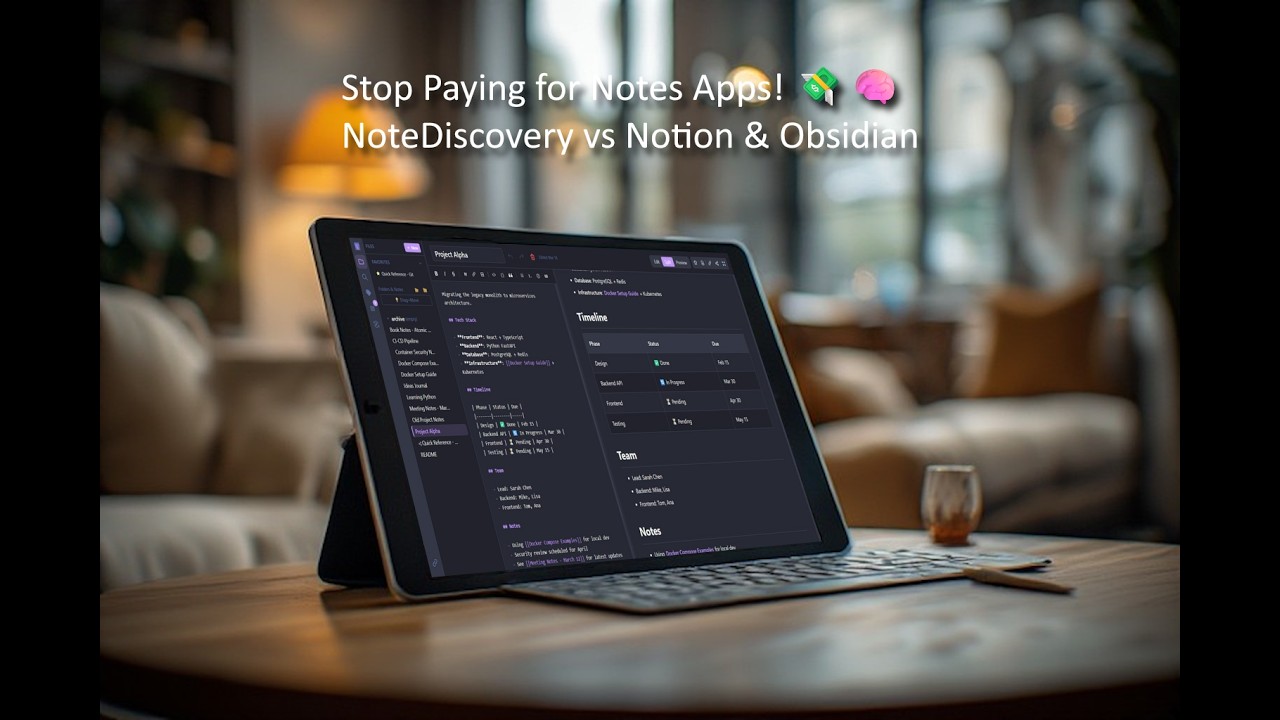
▶ Small walkthrough — sharing, favorites, search, backlinks, and more
🚀 Quick Start
Quick Setup
Linux/macOS:
mkdir -p notediscovery/data && cd notediscovery
docker run -d --name notediscovery -p 8000:8000 \
  -v $(pwd)/data:/app/data \
  ghcr.io/gamosoft/notediscovery:latest
Windows (PowerShell):
mkdir notediscovery\data; cd notediscovery
docker run -d --name notediscovery -p 8000:8000 `
  -v ${PWD}/data:/app/data `
  ghcr.io/gamosoft/notediscovery:latest
Open http://localhost:8000 — done! 🎉
💡 Your notes are saved in
./data/. Themes, plugins, locales and default configuration values are included in the image.
Using Docker Compose
Two docker-compose files are provided:
| File | Use Case |
|---|---|
docker-compose.ghcr.yml |
Recommended - Uses pre-built image from GitHub Container Registry |
docker-compose.yml |
For development - Builds from local source |
docker-compose.ollama-stack.yml |
Bundled local AI stack (NoteDiscovery + Ollama + Open WebUI) — see OLLAMA-STACK.md |
Option 1: Pre-built image (fastest)
Linux/macOS:
mkdir -p notediscovery/data && cd notediscovery
curl -O https://raw.githubusercontent.com/gamosoft/notediscovery/main/docker-compose.ghcr.yml
docker-compose -f docker-compose.ghcr.yml up -d
Windows (PowerShell):
mkdir notediscovery\data; cd notediscovery
Invoke-WebRequest -Uri https://raw.githubusercontent.com/gamosoft/notediscovery/main/docker-compose.ghcr.yml -OutFile docker-compose.ghcr.yml
docker-compose -f docker-compose.ghcr.yml up -d
Option 2: Build from source (for development)
git clone https://github.com/gamosoft/notediscovery.git
cd notediscovery
docker-compose up -d
See Advanced Docker Setup for volume details.
Running Locally (Without Docker)
For development or if you prefer running directly:
# Clone the repository
git clone https://github.com/gamosoft/notediscovery.git
cd notediscovery

# Install dependencies
pip install -r requirements.txt

# Run the application
python run.py

# Access at http://localhost:8000
Requirements:
- Python 3.8 or higher
- pip (Python package manager)
Using Virtual Environments (Recommended for Arch/Fedora/Ubuntu 23.04+)
Modern Linux distributions enforce PEP 668, which prevents system-wide pip installs. Use a virtual environment instead:
# Clone the repository
git clone https://github.com/gamosoft/notediscovery.git
cd notediscovery

# Create a virtual environment
python -m venv venv

# Activate it (choose your shell):
source venv/bin/activate        # Bash/Zsh (most Linux distros)
source venv/bin/activate.fish   # Fish (CachyOS, etc.)
source venv/bin/activate.csh    # Csh/Tcsh
.\venv\Scripts\activate         # Windows PowerShell

# Install dependencies and run
pip install -r requirements.txt
python run.py
⚠️ Warning
You'll need to activate the virtual environment (source venv/bin/activate) each time you open a new terminal before running the app
Advanced Docker Setup
The image includes bundled config, themes, plugins, and locales. To customize, you must:
- Map the volume in your docker-compose or docker run command
- Provide content - the file/folder must exist with valid content (empty = app might break!)
| Volume | Purpose | Bundled? |
|---|---|---|
data/ |
Your notes | ❌ You must create |
config.yaml |
App settings | ✅ Yes |
themes/ |
Custom themes | ✅ Yes |
plugins/ |
Custom plugins | ✅ Yes |
locales/ |
Translations | ✅ Yes |
Dashboard Integration

An official icon for NoteDiscovery is now available on Dashboard Icons!
Use it in your self-hosted dashboards like Homepage, Homarr, Dashy, Heimdall, etc...
📚 Documentation
Want to learn more?
- 🎨 THEMES.md - Theme customization and creating custom themes
- ✨ FEATURES.md - Complete feature list and keyboard shortcuts
- ✏️ DRAWING.md - Built-in drawing editor (
drawing-*.png), save behavior, and API notes - 🏷️ TAGS.md - Organize notes with tags and combined filtering
- 📋 TEMPLATES.md - Create notes from reusable templates with dynamic placeholders
- 🧮 MATHJAX.md - LaTeX/Math notation examples and syntax reference
- 📊 MERMAID.md - Diagram creation with Mermaid (flowcharts, sequence diagrams, and more)
- 🔌 PLUGINS.md - Plugin system and available plugins
- 🌐 API.md - REST API documentation and examples
- 🤖 MCP.md - AI assistant integration (Claude, Cursor, and more)
- 🔐 AUTHENTICATION.md - Enable password protection for your instance
- 🔧 ENVIRONMENT_VARIABLES.md - Configure settings via environment variables
🌍 Multiple Languages
NoteDiscovery supports multiple interface languages via JSON locale files in locales/. Open Settings (gear icon) → Language to choose one; the list reflects whatever locales are installed (bundled files, mounts, or your own additions).
To add your own language: See the Contributing Guidelines for instructions on creating translation files.
Docker users: Mount your custom locales folder to add or override translations:
volumes:
  - ./locales:/app/locales  # Custom translations
💡 Pro Tip: If you clone this repository, you can mount the documentation/ folder to view these docs inside the app:
# In your docker-compose.yml
volumes:
  - ./data:/app/data              # Your personal notes
  - ./documentation:/app/data/docs:ro  # Mount docs subfolder inside the data folder (read-only)
Then access them at http://localhost:8000 - the docs will appear as a docs/ folder in the file browser!
🤝 Contributing
Before submitting a pull request, especially for major changes, please:
- Read our Contributing Guidelines
- Open an issue first to discuss major features or significant changes
- Ensure your code follows the project's style and philosophy
🔒 Security Considerations
NoteDiscovery is designed for self-hosted, private use. Please keep these security considerations in mind:
Network Security
- ⚠️ Do NOT expose directly to the internet without additional security measures
- Run behind a reverse proxy (nginx, Caddy) with HTTPS for production use
- Keep it on your local network or use a VPN for remote access
- By default, the app listens on
0.0.0.0:8000(all network interfaces)
Authentication
- Password protection is DISABLED by default (default password:
admin) - ⚠️ ENABLE AUTHENTICATION AND CHANGE THE DEFAULT PASSWORD if exposing to a network!
- See AUTHENTICATION.md for complete setup instructions
- To disable auth, set
authentication.enabled: falseinconfig.yaml - Perfect for single-user or small team deployments
- For multi-user setups, consider a reverse proxy with OAuth/SSO
Data Privacy
- Your notes are stored as plain text markdown files in the
data/folder - No data is sent to external services
- Regular backups are recommended
Best Practices
- Run on
localhostor a private network only - Use Docker for isolation and easier security management
- Keep your system and dependencies updated
- Review and audit any plugins you install
- Set appropriate file permissions on the
data/directory
TL;DR: Perfect for personal use on your local machine or home network. Enable built-in password protection if needed, or use a reverse proxy with authentication if exposing to wider networks.
📄 License
MIT License - Free to use, modify, and distribute.
Made with ❤️ for the self-hosting community
Установка NoteDiscovery Server
У этого сервера нет опубликованного пакета — он собирается из исходников. Открой репозиторий и следуй инструкции в README.
▸ github.com/gamosoft/NoteDiscoveryFAQ
NoteDiscovery Server MCP бесплатный?
Да, NoteDiscovery Server MCP бесплатный — установка в пару кликов через Unyly без оплаты.
Нужен ли API-ключ для NoteDiscovery Server?
Нет, NoteDiscovery Server работает без API-ключей и переменных окружения.
NoteDiscovery Server — hosted или self-hosted?
Self-hosted: сервер запускается локально на твоей машине командой из раздела установки.
Как установить NoteDiscovery Server в Claude Desktop, Claude Code или Cursor?
Открой NoteDiscovery Server на unyly.org, выбери вкладку своего клиента (Claude Desktop, Claude Code, Cursor) и нажми Install — конфиг сгенерируется автоматически, без правки JSON.
Похожие MCP
LibreOffice Tools
Enables AI agents to read, write, and edit Office documents via LibreOffice with token-efficient design. Supports multiple formats including DOCX, XLSX, PPTX, a
 автор: passerbyflutter
dannote/figma-use
Full Figma control: create shapes, text, components, set styles, auto-layout, variables, export. 80+ tools.
 автор: dannote
Logo.dev
Search and retrieve company logos by brand or domain. Customize size, format, and theme to match your design needs. Accelerate design, prototyping, and content
 автор: NOVA-3951
PIX4Dmatic
Enables GUI automation for controlling PIX4Dmatic on Windows through MCP. Supports launching, focusing, capturing screenshots, sending hotkeys, clicking UI elem
 автор: jangjo123
Compare NoteDiscovery Server with
Не уверен что выбрать?
Найди свой стек за 60 секунд
Автор?
Embed-бейдж для README
Похожее
Все в категории design