loading…
/ru
Весь каталог
Core:
🧑💼 Track 2.x — End Users (current stable,
🔧 Track 3.x — Implementers / Integrators (preview,
Odoo Claude
БесплатноOdoo MCP server for Claude Code and Claude.ai — turn any self-hosted Odoo instance (15 → 19) into an AI assistant via the Model Context Protocol. 197+ tools, mu
Описание
Odoo MCP server for Claude Code and Claude.ai — turn any self-hosted Odoo instance (15 → 19) into an AI assistant via the Model Context Protocol. 197+ tools, multi-tenant, Bulgaria localization (НАП, ДДС, ЕИК) included.
README
Odoo Claude MCP
Production-grade Model Context Protocol (MCP) server suite for Odoo ERP
Odoo MCP server for Claude Code and Claude.ai — turn any self-hosted Odoo instance (15 → 19) into an AI assistant via the Model Context Protocol. 197+ tools, multi-tenant, Bulgaria localization (НАП, ДДС, ЕИК) included.
Connect Claude, Claude Code, and any MCP-compatible client to Odoo, GitHub, filesystem, Portainer, Teams, and more — through a unified, authenticated gateway.
License: AGPL-3.0 Odoo MCP Docker Made by BL Consulting
Quick Start · Why this vs alternatives? · Use Cases · Architecture · MCP Servers · Companion Modules · Deployment
See Claude editing a live Odoo sale order — real CRUD, real auto-recalculation
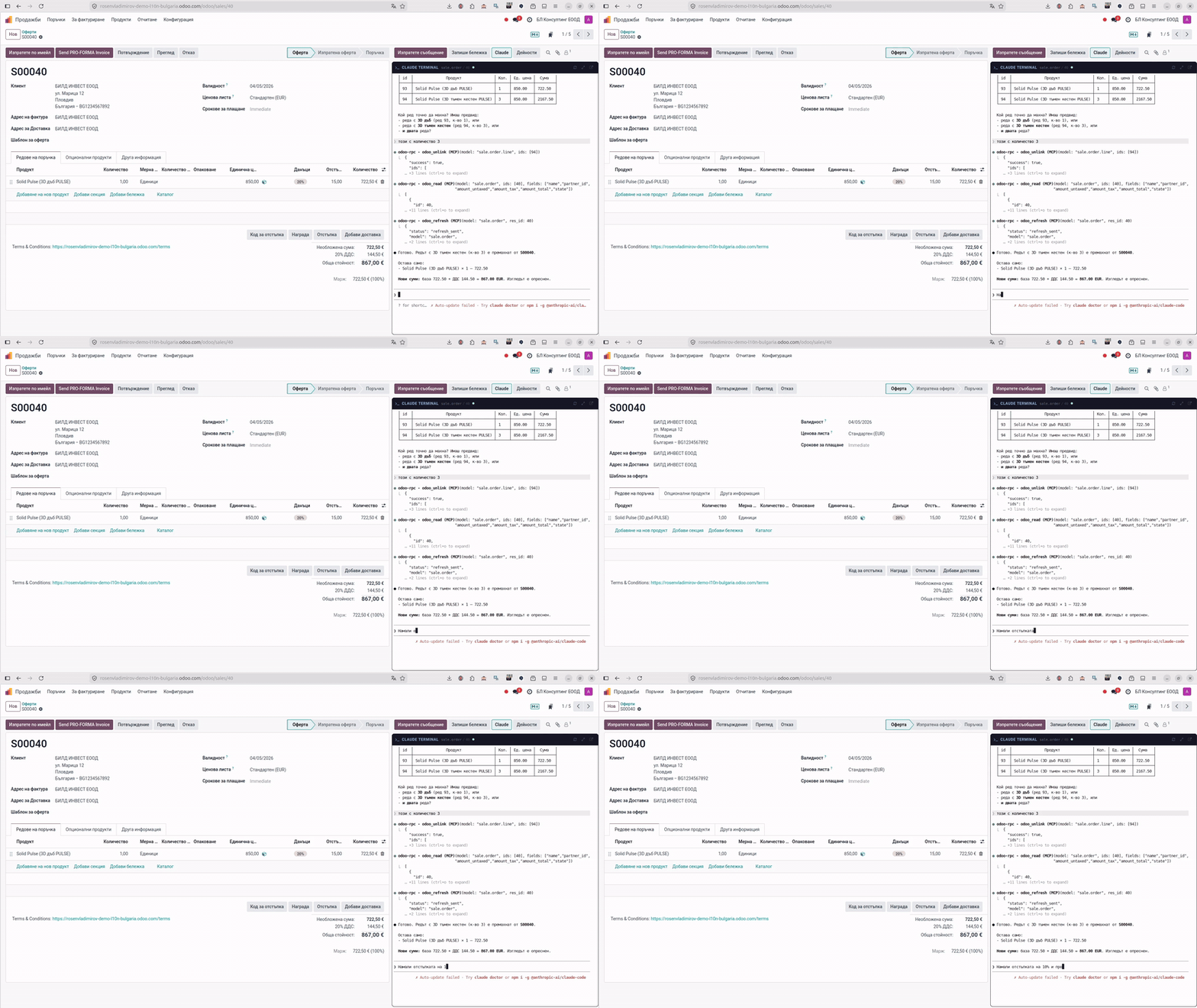
▶ Watch the full 4-minute demo: Running Odoo 18 Entirely Through AI — Claude Code + MCP Server
🎯 What is odoo-claude-mcp?
odoo-claude-mcp is a self-hosted MCP server suite that turns any Odoo instance into a first-class citizen in the Claude ecosystem. It exposes Odoo data and operations through the Model Context Protocol, while bundling complementary MCP servers for everything an Odoo developer, consultant, or business user needs — GitHub, OCA modules, Kubernetes/Portainer, Microsoft Teams, and a full Claude Code terminal running in the browser.
Unlike single-purpose MCP wrappers, this stack is built for real production use:
- 🔐 Unified authentication across all MCP endpoints via token-based auth
- 🏢 Multi-connection, multi-tenant — one stack serves dozens of Odoo databases
- 🌐 Claude.ai connector ready — public HTTPS endpoint with token auth
- ☸️ K3s / Kubernetes native with Kustomize overlays for dev and prod
- 🐳 Docker Compose for solo developers and small teams
- 🖥️ Web-based terminal — xterm.js + tmux + Claude Code in the browser
- 📦 Odoo module deployment via direct RPC (no filesystem access needed)
- 🔍 Qdrant vector store integration for semantic search across records
- 🤖 Ollama integration for local LLMs and privacy-first deployments
🚀 Quick Start
Option 1: Docker Compose (local dev)
git clone https://github.com/rosenvladimirov/odoo-claude-mcp.git
cd odoo-claude-mcp

# Configure
cp .env.example .env
nano .env                    # set ODOO_URL, DB, credentials, tokens

# Create the shared Cloudflare tunnel network (one-time per host)
docker network create cloudflare-net

# Start the stack
docker compose up -d

# Verify
docker compose ps
curl http://localhost:8084/health
No Cloudflare tunnel? If you're deploying locally without a Cloudflare sidecar, use the override file instead of creating the external network:
docker compose -f docker-compose.yml -f docker-compose.local.yml up -dThis turns
cloudflare-netinto a regular Docker bridge network created on demand.
Optional services (Portainer / Teams). The default
docker compose up -dstarts only the core stack (Odoo RPC, Filesystem, OCA, EE, GitHub, Qdrant, Ollama, Claude Terminal). To also enable the Portainer MCP or Microsoft Teams MCP, opt in with a Compose profile:docker compose --profile portainer up -d # core + Portainer docker compose --profile teams up -d # core + Teams docker compose --profile full up -d # everythingEach optional service has its own required env vars (see
.env.example). Without them the service container would crash-loop, so they're skipped by default.
First-run troubleshooting. If
docker compose psshowsmcp-odoo-rpcinRestartingstate, it means the values in.env(ODOO_URL,ODOO_DB,ODOO_USERNAME,ODOO_API_KEY/ODOO_PASSWORD) don't point to a reachable Odoo instance. Edit.envto match a real Odoo and re-rundocker compose up -d. The healthcheckcurl http://localhost:8084/healthwill succeed only aftermcp-odoo-rpcisUp.
Option 2: Quick installer script
Linux / macOS:
curl -fsSL https://raw.githubusercontent.com/rosenvladimirov/odoo-claude-mcp/2.0/install.sh | bash
Windows (PowerShell as Administrator):
iwr -useb https://raw.githubusercontent.com/rosenvladimirov/odoo-claude-mcp/2.0/install.ps1 | iex
Option 3: Connect to Claude Code
After the stack is running, add it to Claude Code:
claude mcp add odoo-mcp \
  --url https://your-domain.com/mcp \
  --header "Authorization: Bearer YOUR_TOKEN"
Or use the included .mcp.json:
cp claude-terminal/.mcp.json ~/.config/claude-code/mcp.json
⚖️ Why this vs alternatives?
| Capability | Raw XML-RPC | Single-purpose MCP-Odoo wrappers | odoo-claude-mcp |
|---|---|---|---|
| Auth | Per-call password | Single shared token | ✅ Bearer + per-user profiles + OAuth |
| Multi-tenant | ❌ One DB per process | ⚠️ Single connection | ✅ N tenants per stack |
| Tools available | ~6 RPC verbs | 20–40 | ✅ 197+ (92 native + 105 proxied) |
| Memory / context layer | ❌ | ❌ | ✅ Qdrant vector + Ollama embeddings, per-user + shared |
| Skills / orchestration | ❌ | ❌ | ✅ ai.skill records + memory packs |
| Web terminal in browser | ❌ | ❌ | ✅ xterm.js + tmux + Claude Code |
| GitHub / Portainer / Teams / OCA | ❌ | ❌ | ✅ 8 federated MCP servers |
| Bulgaria localization | ❌ | ❌ | ✅ НАП-ready, fiscal positions, VAT |
| Production deployment | DIY | Docker only | ✅ Docker Compose + K3s/Kustomize |
| Audit logging / rate limit | ❌ | ⚠️ | ✅ Per-user logs, Cloudflare AI Gateway |
| License | LGPL (client lib) | Mixed (some MIT, some commercial) | ✅ AGPL-3.0 (open, share-alike) |
The shorter version: most other MCP-Odoo bridges are great for "one developer wants to talk to one Odoo." odoo-claude-mcp is for teams, agencies, and SaaS providers that need multi-user, multi-database, audited deployments with a unified AI surface.
🎨 Use Cases
For Odoo Developers
- Live module development with Claude assisting directly on your running instance
- RPC-based module deployment — update code, views, data without filesystem access
- Multi-environment workflows — dev, staging, production from a single Claude session
- OCA contribution flows — clone, search, test, submit PRs through Claude
For Odoo Consultants
- Manage multiple client databases from one authenticated session
- Per-client memory — Claude remembers context for each customer
- Shared team knowledge —
memory_sharedistributes institutional know-how - НАП / Bulgaria localization — built-in tools for fiscal positions, VAT compliance
For Business Users
- "Ask Claude about our sales data" — natural language queries against real Odoo records
- Document extraction workflows — vision LLMs parse invoices into
account.move - Semantic search — find similar records, contracts, tickets across the whole database
- Email & calendar integration — Claude coordinates work across Odoo, Gmail, Calendar
For Platform Operators (SaaS / MSP)
- Multi-tenant hosting — each client gets an isolated MCP endpoint
- Billing integration — usage tracking per tenant via Cloudflare AI Gateway
- White-label terminals — brand
claude-terminalfor your customers - Kubernetes scaling — scale MCP replicas independently based on load
🏗 Architecture
flowchart TD
A["🧑 Claude.ai · Claude Code · Claude Desktop · IDE"]
A -->|HTTPS + Bearer token| B
subgraph GW["odoo-claude-mcp gateway"]
B["Unified MCP Router · server.py<br/>• Proxies to 7 backend MCP servers<br/>• Per-user profiles & connections<br/>• Shared memory store · audit log"]
end
B --> C1["odoo-rpc-mcp<br/>(core, 100+ tools)"]
B --> C2["ee-mcp<br/>(Odoo EE)"]
B --> C3["oca-mcp<br/>(OCA repos)"]
B --> C4["github-mcp"]
B --> C5["portainer-mcp"]
B --> C6["filesystem-mcp"]
B --> C7["teams-mcp"]
B --> C8["claude-terminal<br/>(xterm.js + tmux)"]
C1 --> D1["Odoo 15→19<br/>(N tenants)"]
C1 --> D2["Qdrant<br/>(vector DB)"]
C1 --> D3["Ollama<br/>(local LLMs)"]
classDef gw fill:#e0e7ff,stroke:#4338ca,color:#1e1b4b;
classDef be fill:#f3f4f6,stroke:#6b7280,color:#111827;
classDef st fill:#fef3c7,stroke:#d97706,color:#451a03;
class B gw;
class C1,C2,C3,C4,C5,C6,C7,C8 be;
class D1,D2,D3 st;
🧰 MCP Servers
Core: odoo-rpc-mcp
The flagship MCP server. 197+ MCP tools (92 native + 105 proxied across Portainer, GitHub, Teams, EE, OCA, filesystem) covering every aspect of Odoo development and operations.
Capabilities:
- CRUD & Search:
odoo_search_read,odoo_create,odoo_write,odoo_unlink,odoo_execute - Introspection:
odoo_fields_get,odoo_list_models,odoo_module_info - Multi-connection: Switch between databases on the fly —
odoo_connect,user_connection_activate - Web session support:
odoo_web_login,odoo_web_call,odoo_web_export,odoo_web_report - File operations:
odoo_attachment_upload,odoo_attachment_download,public_access_download - Reporting:
odoo_report,public_access_report_pdf,public_access_report_xlsx - Portal access:
public_access_portal_orders,public_access_portal_invoices,public_access_portal_tickets - Bulgaria l10n:
odoo_fp_configure,odoo_fp_list,odoo_fp_details— fiscal positions tailored for НАП compliance - Translations ★ 2.10:
odoo_list_translatable_fields,odoo_get_field_translations,odoo_translate_field(simple translate=True),odoo_translate_html(html_translate / xml_translate withextract/terms/replacemodes). Version-aware (Odoo 16+ native JSONB API, <16 ir.translation fallback). Auto-ZWSP marks identical translations as "kept intentionally" so the website editor stops flagging them as untranslated. - Website snippets ★ 2.10:
odoo_website_list_snippets,odoo_website_list_page_snippets,odoo_website_add_snippet,odoo_website_update_snippet,odoo_website_remove_snippet. Lxml-based HTML parsing with xpath substitutions — covers blog posts, website pages (via arch_db), product descriptions, mega-menus. Supports background image swaps, CTA insertions, position-relative placement (end/begin/after/before/replace). - AI integration:
ai_tokenize_record,ai_search_similar,ai_collection_info— Qdrant vector embeddings per Odoo record - Memory system: Per-user and shared memory with
memory_read,memory_write,memory_share,memory_pull - Google services: OAuth, Gmail search/read/send, Calendar CRUD
- Telegram: MTProto client — send messages, search contacts, read dialogs
- SSH & Git: Remote command execution, git operations
ee-mcp — Odoo Enterprise Tools
Tools specific to Odoo Enterprise workflows:
- License validation & status checks
- EE module repository management
- Dependency analysis (CE + EE)
- Selective EE module linking into CE addons paths
- Conflict detection between Enterprise and OCA modules
oca-mcp — OCA Module Management
Deep integration with the Odoo Community Association ecosystem:
- Clone individual OCA repos or
oca-clone-everything - Search across all local OCA repos
- Generate READMEs, icons, requirements.txt via
oca-gen-* - Version migration via
oca-migrate-branch - Changelog generation from newsfragments
claude-terminal — Browser-based Claude Code
A complete xterm.js + tmux + Claude Code setup running in a Docker container:
- WebSocket gateway (
gateway.js) with session isolation - Per-user tmux sessions that persist across reconnects
- Themable terminal (see
themes.json— includes Catppuccin, Dracula, Tokyo Night, Gruvbox, etc.) - Landing page (
landing.html) for public deployments - Authenticated via the same token system as other MCP servers
Infrastructure MCPs
github-mcp— GitHub API wrapper (search code, issues, PRs, repos)portainer-mcp— Docker/Kubernetes environment managementteams-mcp— Microsoft Teams messaging integrationfilesystem-mcp— Scoped filesystem operations for AI agents
📦 Companion Odoo Modules & Theme
The MCP stack is paired with several Odoo modules and a website theme. Together they turn any Odoo instance into a fully MCP-aware, multi-tenant, billing-ready AI workstation — with an optional editorial website skin on top.
l10n_bg_claude_terminal — Odoo ↔ MCP integration (free / LGPL-3)
Odoo module that exposes MCP + Claude Terminal configuration as user preferences and company settings. Works on Odoo 16, 18 and 19 (each major series has a dedicated branch).
Repos:
- Odoo 18: l10n-bulgaria → l10n_bg_claude_terminal · current: 18.0.1.36.1
- Odoo 19: l10n-bulgaria → l10n_bg_claude_terminal · current: 19.0.1.34.1
- Odoo 16: same repo, branch
16.0
🌍 Non-Bulgarian deployments? Use the international fork rosenvladimirov/odoo-mcp-terminal — same module, redistributed without the BG localization dependencies (no НАП fields, no Bulgarian transliteration mixin). Branches
16.0/18.0/19.0, AGPL-3.0. Recommended for any Odoo instance outside Bulgaria.
What it adds to Odoo:
- Per-user MCP endpoint + Bearer token config (Odoo UI → Preferences)
- Per-user Odoo RPC connector (URL, DB, API key, protocol,
verify_sslflag with TOFU cert pinning) - Per-user Web Session credentials (for MCP's web session support)
- Per-user Anthropic API key / OAuth token passthrough (billing account or Claude Pro/Teams/Max)
- Telegram + Viber MTProto / bot token config
- 18 terminal themes (Catppuccin, Dracula, Tokyo Night, Gruvbox, …)
- Claude.ai OAuth login button → one-click auth to Claude API
- Live refresh bus — MCP
odoo_create/odoo_writetriggers open form / list views to update in real time (no full reload) - Test Connections button — smoke-tests Odoo RPC + MCP + Web Session
- Qdrant + Ollama in one click (sticky notifications)
- Save to MCP button — register the user's Odoo alias into the MCP
connection store without touching
/data/connections.jsonmanually - Dynamic XML-RPC db list — populates the Database dropdown from
the Odoo instance's
list_dbs()(multi-tenant friendly)
l10n_bg_ai_billing — SaaS billing module (OPL-1, paid)
Odoo module for hosting providers and BL Consulting tier management. Tracks per-user MCP usage, calculates bills, provisions Portainer stacks per tenant, ships licensed memory packs.
Repo:
- Odoo 19: OCA/l10n-bulgaria-expert → l10n_bg_ai_billing · current: 19.0.1.3.0
What it adds:
- 8 models:
ai.billing.{bundle, tenant, usage.line, invoice.batch, skill.catalog, memory.pack, memory.deployment, tenant.addon} - Bundle pricing — Starter €49 / Business €129 / Professional €299 / Enterprise €599 tiers with per-user / per-call / per-skill usage meters
- Millicents precision ($0.00001) on usage lines — prevents the 30–40% rounding loss common on cent-based billing
- Portainer client wrapper —
portainer.clientwizard creates a per-tenant MCP stack with auto-provisioned port, env, and network - AES-256 encrypted ZIP export (via
pyzipper) of tenant config bundles for offline demos or DR backups - Skill catalog —
ai.skillrecords with L1/L2/L3 disclosure tiers - Memory packs — versioned markdown playbooks distributable to
tenants via MCP
/admin/memory/uploadendpoint - BG Trade Registry integration — fetches EIK / VAT / legal form from portal.registryagency.bg for tenant bootstrap
- sale.order integration — selling a bundle SKU auto-provisions the tenant + deploys memory + activates skills
- MCP Terminal addons — extra per-tenant features (dedicated subdomain, white-label branding)
Dependency on the MCP stack: uses the MCP_ADMIN_TOKEN endpoint
family (/admin/memory/*) added in odoo-rpc-mcp 2.8.0.
odoo-mcp-theme — Custom Odoo website theme (free / AGPL-3)
Editorial "paper" theme purpose-built for the MCP Works landing site and any Odoo website that wants a clean, content-first presentation. Used in production at mcpworks.net.
Repo: rosenvladimirov/odoo-mcp-theme · branch 19.0 · current: 19.0.x
What it ships:
- OKLCH paper/ink + indigo colour system — perceptually-uniform palette that prints well, scans well, and adapts to dark mode without losing contrast
- Custom snippets — pricing cards (5-tier layout), feature grids, setup-wizard CTAs, demo-link blocks, MCP architecture diagrams
- Vertical timeline language switcher — replaces Odoo's default language dropdown with a sidebar timeline (works well for trilingual EN / BG / RU sites)
- Editorial typography — measured for long-form posts, runs ≤ 70 chars per line, optimised vertical rhythm
- Fully
#wrapwrap-scoped — no leakage into Odoo backend or Website Builder editor (avoids the$o-color-palettes-nameglobal leak that breaks editor UI in older themes)
Installable on any Odoo 19 instance. Drop it into your addons path, install via Apps, then assign in Website → Configuration → Themes.
Installation order
odoo-mcp-theme            ← optional: editorial website skin
l10n_bg_claude_terminal   ← every user of the MCP terminal
       ↓
l10n_bg_ai_billing        ← hosting providers / resellers / BL-tier ops
l10n_bg_ai_billing depends on l10n_bg_claude_terminal — installing
the billing module auto-pulls the terminal integration.
odoo-mcp-theme is independent and can be used with or without the
MCP stack.
☸️ Deployment
Kubernetes / K3s (recommended for production)
Full Kustomize-based deployment in k3s/:
k3s/
├── base/                    # Base manifests
│   ├── namespace.yaml
│   ├── configmaps.yaml
│   ├── secrets.example.yaml
│   ├── pvcs.yaml
│   ├── odoo-rpc-mcp.yaml
│   ├── ee-mcp.yaml
│   ├── oca-mcp.yaml
│   ├── github-mcp.yaml
│   ├── teams-mcp.yaml
│   ├── portainer-mcp.yaml
│   ├── filesystem-mcp.yaml
│   ├── claude-terminal.yaml
│   ├── qdrant.yaml
│   ├── ollama.yaml
│   └── ingress.yaml
└── overlays/
    ├── direct/              # NodePort + cert-manager-example
    └── prod/                # Ingress with TLS for public endpoints
Deploy:
cd k3s/overlays/prod
cp .env.example .env
cp ../../base/secrets.example.yaml secrets.yaml
# edit secrets.yaml with real values

kubectl apply -k .
kubectl -n odoo-claude-mcp get pods
See k3s/README.md for complete deployment guide including cert-manager, Cloudflare tunnels, and horizontal scaling.
Public deployment pattern
For Claude.ai connector access, the recommended production topology is:
Internet → Cloudflare (DNS + WAF) → Nginx reverse proxy → MCP gateway
                                                              │
                                                              ▼
                                                    Backend MCP servers
Token-based authentication on the gateway ensures only authorized Claude sessions connect. Cloudflare's Zero Trust or simple tunnel setup both work.
🔌 Claude.ai Connector
The stack is designed to be registered as a Custom Connector in Claude.ai (Team/Enterprise) or via the API.
Configuration:
- Deploy the stack with a public HTTPS endpoint (e.g.,
https://mcp.yourdomain.com) - Generate a user token (see
odoo_connect_cli.pyor Qt GUI) - In Claude.ai Settings → Connectors → Add Custom Connector:
- URL:
https://mcp.yourdomain.com/mcp - Auth: Bearer token
- URL:
- The gateway will expose all MCP tools to your Claude conversations
Security features:
- Per-user profile isolation (
/data/users/{username}/) - Shared memory vs. personal memory separation
- Connection-level access control (users only see their own Odoo connections)
- All tool calls logged per user
🛠 Developer Tools
Beyond MCP servers, the repo includes standalone desktop and CLI tools:
Connection Manager
tools/odoo_connect_qt.py — PyQt6 desktop GUI for managing Odoo connections, SSH keys, and MCP endpoints. Cross-platform (Linux/Windows/macOS).
tools/odoo_connect.py — GTK4/Adwaita alternative for Linux/GNOME users.
odoo-rpc-mcp/odoo_connect_cli.py — Terminal CLI for CI/CD and scripting.
Module Analyzer
tools/odoo_module_analyzer.py — Analyzes Odoo module source for:
- Manifest validation
- Dependency graph extraction
- Model relationships
- View definitions
- Security rules
GLB Viewer
tools/glb_viewer.py — 3D model inspection tool for the MRP Design Matrix workflows.
Windows Installer
Pre-packaged NSIS installer (packaging/windows/) produced automatically via GitHub Actions (.github/workflows/build-windows.yml).
📚 Documentation
- README_BG.md — Пълна документация на български
- CHANGELOG.md — Version history and release notes
- claude-terminal/CLAUDE.md — Claude Code workspace documentation
- k3s/README.md — Kubernetes deployment guide
🔐 Security
- No credentials in code — all secrets via environment variables or Kubernetes secrets
- Token-based MCP auth — no shared passwords
- Per-user data isolation — filesystem and memory scoped to authenticated user
- OAuth for third-party services — Google, GitHub, Telegram all use standard OAuth flows
- Connection encryption — HTTPS/WSS everywhere in production deployments
- Rate limiting — via Cloudflare AI Gateway or ingress controller
- Audit logging — all MCP tool calls logged with user context
Reporting security issues: please email [email protected] rather than opening a public issue.
🌍 Bulgaria Localization
This project is maintained by the OCA l10n-bulgaria maintainer. Bulgarian-specific features are first-class:
- НАП integration — fiscal position tax action maps, VAT reports
l10n_bg_*module family support — fiscal positions, VAT reports, payroll, HR- Образец 1 — monthly NAP declaration (Наредба №Н-13/2019)
- Bulgarian partner identification — UIC/ЕИК, legal forms, NACE activity codes
- Transliteration — BG ⇄ EN ⇄ GR mixin for partner names
- НАП справка-декларация — SQL-engine based audit reports
See the Bulgaria-specific OCA modules for the complete ecosystem.
❓ FAQ
Does it work with Odoo Enterprise?
Yes. Odoo 15→19 (Community + Enterprise) are all supported via XML-RPC + JSON-RPC. EE-specific tools (license check, EE module discovery, dependency analysis) live in the dedicated ee-mcp server. No Odoo SH-specific hooks — works on any self-hosted Odoo (bare metal, Docker, K3s, Odoo SH outbound).
Is this OCA-approved / on the Odoo Apps Store?
The companion modules (l10n_bg_claude_terminal, the broader l10n-bulgaria family) are maintained by the OCA l10n-bulgaria maintainer. The MCP server itself is an independent project (not an Odoo app), AGPL-3.0, distributed via Docker Hub + GitHub. Track 3.x will publish a SaaS billing module on the Odoo Apps Store separately.
BYOK (bring your own Anthropic key) — is it safe?
Yes. Each authenticated user can configure their own Anthropic API key via the Odoo UI (Preferences → Claude Terminal). Keys are stored encrypted in the per-user profile (/data/users/{username}/) and never leak to other tenants. The server never bundles a shared Anthropic key into multi-tenant deployments.
Can one stack serve multiple Odoo databases?
Yes — that's the core design. One MCP server instance proxies to N Odoo connections, each with its own credentials, language, and timezone. odoo_connect / user_connection_activate switch the active database mid-session. Per-user memory namespaces keep context isolated.
Does it require Cloudflare?
No. Cloudflare is the recommended production topology (Tunnel + WAF + AI Gateway), but the stack runs fine behind any reverse proxy (Nginx, Traefik, Caddy) or directly on a LAN/VPN. The docker-compose.local.yml override removes the Cloudflare network requirement for local dev.
What's the difference between this and Rutger Klabbers's odoo-mcp-pro?
Different scope. odoo-mcp-pro is a focused single-user/single-DB Odoo MCP wrapper. odoo-claude-mcp is a multi-tenant gateway with 7+ federated MCP servers (Odoo + GitHub + OCA + Portainer + filesystem + Teams + claude-terminal), per-user authentication, audit logging, and a companion Odoo billing module for SaaS providers. Both projects are open source — pick the one that matches your deployment shape.
Can I run only the parts I need?
Yes. Compose profiles gate optional services: docker compose up -d starts only the core (no Portainer, no Teams). Use --profile portainer / --profile teams / --profile full to add them. K3s overlays are similarly modular.
🛤 Two Tracks — Which Branch Do You Want?
This project ships on two parallel branches, each targeting a different audience. Most users want Track 2.x; the 3.x track is for integrators building hosted offerings on top of the stack.
🧑💼 Track 2.x — End Users (current stable, branch 2.0)
Who: Odoo end-users, accountants, Bulgarian SMEs, developers who work with a single Odoo stack, content teams managing website/blog.
What you get:
- All 188+ MCP tools for day-to-day Odoo work (CRUD, search, RPC, introspection, attachments, reports, web session)
- Multi-language field management (
odoo_translate_field+odoo_translate_html+ 2 helpers — covers blog.post, product descriptions, website pages, arch_db) ★ new in 2.10 - Website snippet management (list / add / update / remove snippets on blog posts and pages, with background image swaps and substitutions) ★ new in 2.10
- Bulgaria localization (fiscal positions, VAT, НАП integration)
- AI tokenizer (Qdrant + Ollama embeddings per Odoo record)
- Memory system (shared + per-user + licensed memory packs)
- Google / Telegram / Teams integration
- Claude.ai connector — Bearer-token HTTPS endpoint ready
Docker tags: :latest, :stable, :2.x.y (current: 2.10.0)
Documentation: this README
🔧 Track 3.x — Implementers / Integrators (preview, branch 3.0)
Who: Odoo implementation partners, OCA community contributors, SaaS MSPs running multiple client instances, integrator agencies.
What's planned (development — not production yet):
- Admin lifecycle tools —
odoo_module_install/upgrade/uninstall/ diff,odoo_config_apply,odoo_health_check,odoo_backup_db / restore_db - Industry skill packs — Manufacturing, Retail, Services, BG
Localization, AI Accounting Assistant. Each pack = modules +
ai.skillrecords + memory packs + pipeline steps. - Demo builder — one-command generator of fresh demo
environments (
mcp demo create --industry=... --seed=...). Tenant + Odoo DB + demo data + skills + memory in < 5 minutes. - Module dev + test toolkit —
odoo_module_scaffold / lint / test / install_from_path / explain,odoo_xml_validate.
Docker tags: :next, :3.x.y
Documentation: docs/integrator-platform.md
(coming soon — see project memory roadmap_integrator_platform.md
for the full 4-track spec)
Positioning: the 3.x track shifts buyer persona from the final Odoo user to the integrator / partner / agency — giving them the tools to deploy, configure, and demo Odoo + AI workflows for their own clients at scale.
🗺 Roadmap
- Billing module —
l10n_bg_ai_billing19.0.1.3.0 shipped (4 tiers, millicents precision, Portainer auto-provisioning) - Invoice AI integration —
l10n_bg_ai_pipeline+l10n_bg_ai_invoice_glueshipped (98.5% conf EAD OCR, Odoo 18+19, end-to-end tokenize) - Self-service tenant provisioning — v3
/provisionendpoint LIVE onmcp.odoo-shell.space(Apr 2026) - Try-shop trial demo —
try.mcpworks.netwith Stripe checkout for paid trial stacks (in progress, Q2 2026) - Multi-tenant admin dashboard — admin UI for managing hosted MCP instances
- Skills marketplace — publish and subscribe to pre-built Odoo workflows (
ai.skillrecords + memory packs) - Audit log UI — searchable web UI for MCP tool call history
- Self-healing connections — automatic retry with token refresh on auth failures
🤝 Contributing
Contributions welcome! This project follows OCA conventions:
- Fork the repo
- Create a feature branch (
git checkout -b feature/amazing-thing) - Follow PEP 8 / Odoo coding guidelines
- Add tests where applicable
- Submit a PR with a clear description
For large changes, please open an issue first to discuss approach.
📜 License
This project is licensed under the AGPL-3.0 license. See LICENSE for details.
🙏 Credits & Acknowledgements
- Anthropic — Claude, Claude Code, and the Model Context Protocol specification
- Odoo SA — The ERP platform this project extends
- Odoo Community Association (OCA) — The open-source Odoo ecosystem
- xterm.js, tmux — Terminal layer
- Qdrant — Vector database
- Ollama — Local LLM inference
⭐ Star History
If this project helps you, please consider starring the repo — it helps others discover the work and motivates further development.
👤 Maintainer
Rosen Vladimirov — Partner, BL Consulting
Odoo Silver Partner · OCA l10n-bulgaria maintainer · 10+ years of Odoo specialization
📧 Email: [email protected] 🐙 GitHub: @rosenvladimirov 🏢 Company: Terraros Комерс ЕООД · Bulgaria
Made with ❤️ and ☕ in Bulgaria 🇧🇬
Установить Odoo Claude в Claude Desktop, Claude Code, Cursor
Выполни в терминале:
claude mcp add odoo-claude-mcp -- npx FAQ
Odoo Claude MCP бесплатный?
Да, Odoo Claude MCP бесплатный — установка в один клик через Unyly без оплаты.
Нужен ли API-ключ для Odoo Claude?
Нет, Odoo Claude работает без API-ключей и переменных окружения.
Odoo Claude — hosted или self-hosted?
Self-hosted: сервер запускается локально на твоей машине командой из раздела установки.
Как установить Odoo Claude в Claude Desktop, Claude Code или Cursor?
Открой Odoo Claude на unyly.org, выбери вкладку своего клиента (Claude Desktop, Claude Code, Cursor) и нажми Install — конфиг сгенерируется автоматически, без правки JSON.


