
Openproject Codex
БесплатноНе проверенEnables Codex to interact with OpenProject for project management, work packages, and reporting.

Описание
Enables Codex to interact with OpenProject for project management, work packages, and reporting.
README
openproject-codex is a Codex plugin that lets Codex work with OpenProject directly.
Instead of switching back and forth between Codex and the OpenProject UI, you can ask Codex to:
- list projects
- inspect teams, users, and groups
- assign people to projects
- create and update work packages
- comment on work
- manage watchers
- run bulk task operations
- work with wiki pages, boards, and meetings
- generate reports and export dashboards
This plugin uses the OpenProject API where possible and falls back to authenticated OpenProject UI workflows where the public API surface is incomplete.
Dead-Simple Setup
Install it as a custom MCP server or from the Codex plugin marketplace, then configure it directly from Codex chat.
Recommended first prompts:
@OpenProject show connection status@OpenProject setup connection with base URL https://projects.medicsprime.in and this API token ...
If your OpenProject user does not have an API token ready, use the UI-login fallback:
@OpenProject setup connection with base URL https://projects.medicsprime.in, UI username <username>, and UI password <password>
The plugin includes onboarding tools that can:
- detect missing configuration without crashing
- accept your OpenProject URL and either API-token or UI-login credentials from chat
- save them locally for future use
- verify the connection immediately
Useful setup prompts:
@OpenProject show connection status@OpenProject set up OpenProject using base URL https://projects.medicsprime.in and API token <token>@OpenProject set up OpenProject using base URL https://projects.medicsprime.in, UI username <username>, and UI password <password>@OpenProject test the current connection@OpenProject who am I in OpenProject?
What This Plugin Is For
Use this plugin when you want to do OpenProject work from inside Codex, such as:
- “List the projects I can access.”
- “Show my assigned work.”
- “Assign these users to the POD initiative project.”
- “Create 20 tasks and assign them to the implementation team.”
- “Comment on every item in this saved query.”
- “Generate an overdue dashboard by assignee.”
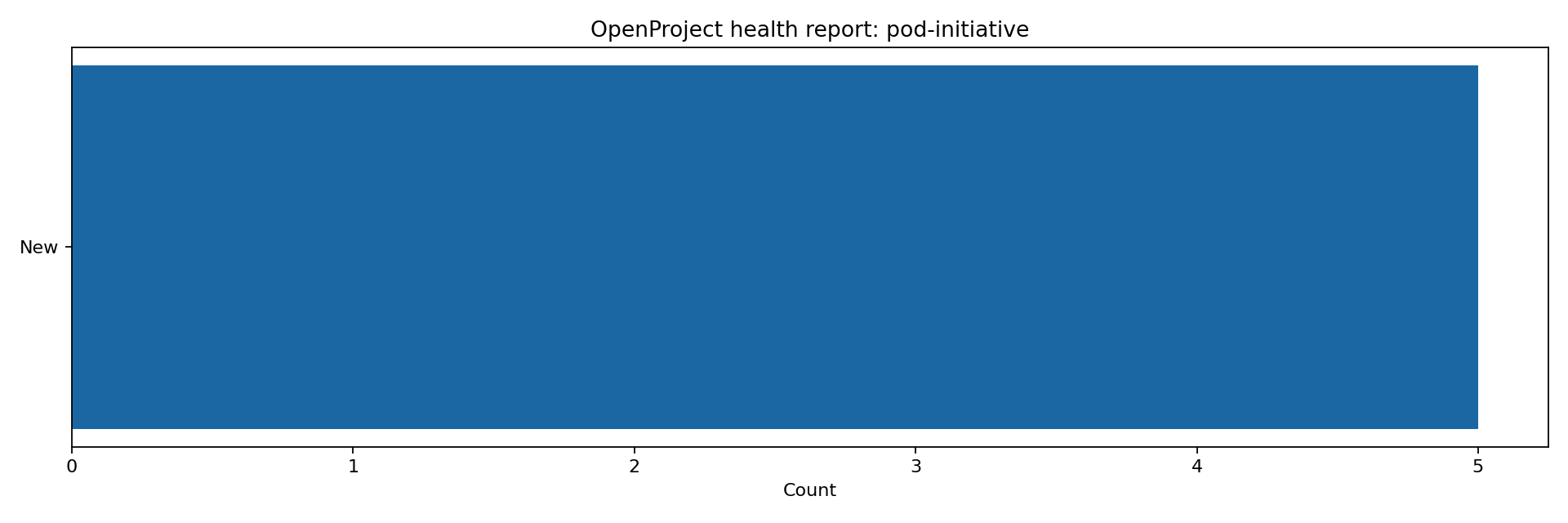
- “Export a project health report as HTML or PNG.”
What Codex Can Do With It
Project and workspace management
- inspect connection status
- list projects
- fetch project details
- create projects
- update projects
- delete projects
People and team management
- list users
- fetch user details
- list groups
- fetch group details
- list roles
- list project members
- list project assignees
- create memberships
- update memberships
- delete memberships
- bulk create, update, and delete memberships
Work package management
- list work packages
- search work packages
- fetch full work package details
- fetch raw work package payloads
- create work packages
- update work packages
- delete work packages
- add comments
- create relations
- manage watchers
- list activities, relations, watchers, attachments, and file links
- apply bulk update, comment, watcher, and delete operations
- run the same bulk action against a saved query
Project structure and planning data
- list project versions
- list project categories
- list saved queries
- create, update, delete, and run saved queries
Time and content modules
- list, create, update, and delete time entries
- list and update documents
- list, create, update, and delete news
Boards, wiki, and meetings
- list boards
- create boards
- delete boards
- list wiki pages
- fetch wiki pages by slug
- create wiki pages
- update wiki pages
- delete wiki pages
- list meetings
- fetch meetings by id
- create meetings
- delete meetings
These flows use UI-backed automation where OpenProject does not expose a complete writable public API.
Attachments and links
- upload binary attachments
- inspect attachment metadata
- delete attachments
- list and manage work package file links
Reporting and exports
- assignee workload reports
- burndown-style snapshots from saved queries
- overdue dashboards by assignee or status
- project health export to HTML
- project health export to PNG
How This Works In Codex
Once the plugin is installed and configured, Codex gets MCP tools from this repository.
That means you can ask for outcomes in plain language, and Codex can translate that into tool calls such as:
openproject_list_projectsopenproject_my_workopenproject_create_work_packageopenproject_bulk_update_work_packagesopenproject_report_assignee_workloadopenproject_export_project_health
You usually do not need to call tool names manually. In normal use, you just ask Codex what you want done.
Example Codex Prompts
Day-to-day work
- “List my assigned work in OpenProject.”
- “Show open tasks in
pod-initiativeassigned to me.” - “Create a task called
Prepare API handoffinpod-initiative.” - “Add a comment to work package
1234saying testing is complete.”
Team and project coordination
- “List the members of
pod-initiative.” - “Add user
20topod-initiativeasMember.” - “Assign all tasks in this query to user
20.” - “Bulk add a watcher to all tasks in this saved query.”
Reporting
- “Show me assignee workload for
pod-initiative.” - “Generate a burndown for query
131.” - “Build a dashboard of overdue tasks by team.”
- “Export project health charts as PNG.”
- “Export project health charts as HTML.”
Content and planning
- “Create a wiki page for the POD kickoff checklist.”
- “List project meetings.”
- “Create a meeting for tomorrow at 10:00.”
- “Create a board for POD initiative tracking.”
Installation
Choose one installation path:
- Custom MCP server: best for local development and direct control.
- Codex plugin marketplace: best when you want the plugin to appear in the Codex plugin UI.
Recommended: Use as a Custom MCP Server
This is the recommended setup for teams because it is the most reliable path in Codex.
Start here:
- Clone the repository to your machine.
- In Codex, choose
Plugins->Connect to a custom MCP. - Point Codex to the local
scripts/run_openproject_mcp.pyfile. - Configure OpenProject in chat with either an API token or UI-login credentials.
Step 1: Clone the repository
Clone the repo anywhere you like. These are the recommended locations:
- macOS/Linux:
~/Documents/GitHub/openproject-codex-plugin - Windows:
C:\Users\<your-user>\Documents\GitHub\openproject-codex-plugin
Clone command:
git clone https://github.com/varaprasadreddy9676/openproject-codex-plugin.git
Step 2: Connect it in Codex
In Codex:
- Open
Plugins. - Click
Connect to a custom MCP. - Choose
STDIO. - Fill the form like this.
macOS/Linux:
Name:OpenProject CodexCommand to launch:python3Arguments:/absolute/path/to/openproject-codex-plugin/scripts/run_openproject_mcp.py
Windows:
Name:OpenProject CodexCommand to launch:pythonArguments:C:\absolute\path\to\openproject-codex-plugin\scripts\run_openproject_mcp.py
Examples:
- macOS:
/Users/sai/Documents/GitHub/openproject-codex-plugin/scripts/run_openproject_mcp.py - Linux:
/home/alex/Documents/GitHub/openproject-codex-plugin/scripts/run_openproject_mcp.py - Windows:
C:\Users\Alex\Documents\GitHub\openproject-codex-plugin\scripts\run_openproject_mcp.py
Optional environment variable:
OPENPROJECT_BASE_URL = https://projects.medicsprime.in
You can also leave environment variables empty and configure the connection fully in chat.
If you want to configure credentials in the custom MCP form instead of chat, use one of these options.
API-token option:
OPENPROJECT_BASE_URL=https://projects.medicsprime.in
OPENPROJECT_API_TOKEN=<your-api-token>
OPENPROJECT_DEFAULT_PROJECT=integration-and-it
UI-login fallback option:
OPENPROJECT_BASE_URL=https://projects.medicsprime.in
OPENPROJECT_UI_USERNAME=<your-username>
OPENPROJECT_UI_PASSWORD=<your-password>
OPENPROJECT_DEFAULT_PROJECT=integration-and-it
Step 3: Configure it in chat
After connecting the MCP server, open a new Codex thread and say:
show OpenProject connection statusset up OpenProject using base URL https://projects.medicsprime.in and API token <your-token>
If you do not have an API token, use UI-login fallback instead:
set up OpenProject using base URL https://projects.medicsprime.in, UI username <your-username>, and UI password <your-password>
API-token setup is preferred because it is the cleanest OpenProject API path. UI-login fallback is useful for instances where session login works but API token setup is not available yet.
Then use it normally:
list my OpenProject projectsshow my assigned workcreate a task in pod-initiative
Important:
- Each user should use their own OpenProject API token or their own UI login.
- The path to
scripts/run_openproject_mcp.pyis different for each person because it depends on where they cloned the repo. - What stays the same is the repo name and the file path inside it:
openproject-codex-plugin/scripts/run_openproject_mcp.py
Optional: Install through the Codex Plugin UI
Use this only if you specifically want the plugin marketplace flow.
The marketplace is self-contained under .agents/plugins, so you only need one sparse path.
In Codex:
- Open
Plugins. - Click
+thenAdd plugin marketplace. - Use:
Source: https://github.com/varaprasadreddy9676/openproject-codex-plugin.git
Git ref: main
Sparse paths: .agents/plugins
- Add the marketplace.
- Install
OpenProject Codexfrom that marketplace.
Important:
- Do not point the marketplace dialog at
plugins/codexor the repo root without the marketplace path. - This repository exposes a self-contained Codex marketplace at
.agents/plugins/marketplace.json. - You do not need a second sparse path for
plugins/openproject-codex. - If you added an older copy of this marketplace before June 29, 2026, remove it and add it again so Codex fetches the self-contained layout.
Local Development Setup
1. Clone the repository
git clone https://github.com/varaprasadreddy9676/openproject-codex-plugin.git
cd openproject-codex-plugin
2. Install Python dependencies
python3 -m pip install -e .
If you install through the Codex marketplace, the plugin now starts without a first-run dependency install. A manual pip install is still useful for local development, but it is not required just to connect the plugin in Codex.
3. Configure the MCP server for Codex manually
Create or update .mcp.json:
{
  "mcpServers": {
    "openproject_codex": {
      "command": "python3",
      "args": ["./scripts/run_openproject_mcp.py"],
      "cwd": ".",
      "env": {
        "OPENPROJECT_BASE_URL": "https://your-openproject.example.com",
        "OPENPROJECT_DEFAULT_PROJECT": "",
        "OPENPROJECT_API_TOKEN_FILE": "~/.codex/secrets/openproject-api-token"
      }
    }
  }
}
4. Add credentials
Minimum configuration:
OPENPROJECT_BASE_URL
Then choose one authentication mode.
Preferred API-token mode:
OPENPROJECT_API_TOKENorOPENPROJECT_API_TOKEN_FILE
Optional legacy fallback:
OPENPROJECT_BASIC_API_TOKENOPENPROJECT_BASIC_API_TOKEN_FILE
UI-login fallback mode:
OPENPROJECT_UI_USERNAMEOPENPROJECT_UI_PASSWORD
Or file-backed equivalents:
OPENPROJECT_UI_USERNAME_FILEOPENPROJECT_UI_PASSWORD_FILE
UI-login fallback supports API v3 reads and writes through an authenticated OpenProject web session. It is also used for boards, wiki, meetings, and custom field option lookup where OpenProject API coverage is incomplete.
You can also skip manual environment setup and configure the plugin from Codex chat through:
openproject_setup_connectionopenproject_connection_statusopenproject_test_connectionopenproject_clear_saved_connectionopenproject_whoami
Recommended Secret Setup
API-token secret example:
mkdir -p ~/.codex/secrets
printf '%s' 'your-openproject-api-token' > ~/.codex/secrets/openproject-api-token
chmod 600 ~/.codex/secrets/openproject-api-token
UI-login fallback secret example:
mkdir -p ~/.codex/secrets
printf '%s' 'your-openproject-username' > ~/.codex/secrets/openproject-ui-username
printf '%s' 'your-openproject-password' > ~/.codex/secrets/openproject-ui-password
chmod 600 ~/.codex/secrets/openproject-*
Then point .mcp.json at those files through environment variables.
Using It In Codex
After the plugin is configured, restart or reload Codex so it picks up the MCP server.
From there:
- Open a Codex thread.
- Ask for the OpenProject task in plain English.
- Codex will call the plugin tools behind the scenes.
Examples:
- “Use OpenProject and list the projects I can access.”
- “Use OpenProject and show my assigned tasks.”
- “Use OpenProject and export a project health report for
pod-initiativeas HTML.”
If the request maps to a tool the plugin exposes, Codex can do it directly.
For first-time setup, you can do this directly in chat instead of editing files:
- Ask Codex to show OpenProject connection status.
- If setup is missing, ask Codex to configure OpenProject with your base URL and either API token or UI-login credentials.
- Ask Codex to test the connection.
- Start using normal project-management prompts.
Tooling Notes
Generic API access
If a specific OpenProject endpoint is not yet wrapped as a dedicated tool, Codex can still use:
openproject_call_api
That makes it possible to hit other /api/v3/... endpoints without waiting for a first-class wrapper.
Work package custom fields
Some OpenProject instances require extra custom fields on create or update.
For those cases, the work package tools support both direct API links and name-based custom-field resolution:
field_overrideslink_overridescustomercustomer_custom_field_idcustom_field_optionsopenproject_list_custom_field_optionsopenproject_resolve_custom_field_option
Use customer="Nova" for the common Customer custom field flow. For other
list-style custom fields, pass custom_field_options={"customField4": "Nova"}.
Name-based work package writes
openproject_create_work_package and openproject_update_work_package can now
resolve common human names directly:
assignee_nameresponsible_namestatus_namepriority_namecustomer
That means Codex can create or update tasks from normal language without first
asking the user to provide user IDs or /api/v3/custom_options/... links.
UI-session API fallback
API token authentication is still preferred. If no API token is configured, the
plugin can use OPENPROJECT_UI_USERNAME and OPENPROJECT_UI_PASSWORD to log in
and call API v3 with the same session and CSRF headers the OpenProject web app
uses. This keeps work package create/update/delete operations inside MCP tools
instead of requiring browser automation.
Local Verification
Read-only smoke test
python3 ./scripts/smoke_test.py
This validates:
- API connectivity
- project listing
- role listing
- user listing
- group listing
- “my work” retrieval
Live write smoke test
OPENPROJECT_SMOKE_WRITE=1 python3 ./scripts/smoke_test.py
This creates and removes disposable test artifacts for:
- boards
- wiki pages
- meetings
- wiki and meeting attachments
Optional work package bulk smoke
OPENPROJECT_SMOKE_WRITE=1 OPENPROJECT_SMOKE_WORK_PACKAGE_BULK=1 python3 ./scripts/smoke_test.py
If your instance requires a specific custom option when creating work packages, set:
OPENPROJECT_SMOKE_CUSTOM_OPTION_HREF=/api/v3/custom_options/21
Reporting Examples
These are direct tool examples that Codex can use:
openproject_report_assignee_workload(project="pod-initiative")openproject_report_burndown(query_id=123)openproject_dashboard_overdue_by_team(project="pod-initiative")openproject_export_project_health(project="pod-initiative", file_format="html")openproject_export_project_health(project="pod-initiative", file_format="png")
Current Limits
- Board card and column manipulation is not yet wrapped as a first-class tool surface.
- Meeting editing beyond create/delete is not yet first-class.
- Some OpenProject instances expose project-scoped query routes differently; global query access is more reliable across instances.
- Instance-specific permissions may still block destructive operations even when read and update access works.
Why This Plugin Exists
OpenProject has an official /mcp endpoint, but in practice the writable surface is still limited for many real workflows.
This plugin exists so teams can do real project operations from Codex now:
- operational work
- bulk work
- reporting
- dashboard export
- project coordination
without treating Codex as read-only.
Repository Structure
.agents/plugins/marketplace.jsonrepo-level Codex marketplace manifest.agents/plugins/plugins/openproject-codex/self-contained installable plugin bundle used by the marketplaceplugins/openproject-codex/local development copy of the plugin bundleplugins/openproject-codex/.codex-plugin/plugin.jsonplugin metadataplugins/openproject-codex/.mcp.jsonMCP server wiring exampleplugins/openproject-codex/scripts/openproject_mcp.pyMCP server implementationplugins/openproject-codex/scripts/smoke_test.pyverification scriptplugins/openproject-codex/skills/openproject-codex/SKILL.mdCodex skill guidance.codex-plugin/plugin.jsonroot plugin manifest kept for direct local development compatibility
License
MIT
from github.com/varaprasadreddy9676/openproject-codex-plugin
Установка Openproject Codex
У этого сервера нет опубликованного пакета — он собирается из исходников. Открой репозиторий и следуй инструкции в README.
▸ github.com/varaprasadreddy9676/openproject-codex-pluginFAQ
Openproject Codex MCP бесплатный?
Да, Openproject Codex MCP бесплатный — установка в пару кликов через Unyly без оплаты.
Нужен ли API-ключ для Openproject Codex?
Нет, Openproject Codex работает без API-ключей и переменных окружения.
Openproject Codex — hosted или self-hosted?
Доступен hosted-вариант: Unyly запускает сервер в облаке, локальная установка не обязательна.
Как установить Openproject Codex в Claude Desktop, Claude Code или Cursor?
Открой Openproject Codex на unyly.org, выбери вкладку своего клиента (Claude Desktop, Claude Code, Cursor) и нажми Install — конфиг сгенерируется автоматически, без правки JSON.
Похожие MCP
GitHub
PRs, issues, code search, CI status
 автор: GitHub
Filesystem
Secure file operations with configurable access controls.
Memory
Knowledge graph-based persistent memory system.
Template MCP Server
A CLI tool to create a new Model Context Protocol server project with TypeScript support, dual transport options, and an extensible structure
 автор: mcpdotdirect
Compare Openproject Codex with
Не уверен что выбрать?
Найди свой стек за 60 секунд
Автор?
Embed-бейдж для README
Похожее
Все в категории development