
OpenStack Commander
БесплатноНе проверенEnables secure management of OpenStack infrastructure through natural language commands for server, project, flavor, and image operations via authenticated CLI

Описание
Enables secure management of OpenStack infrastructure through natural language commands for server, project, flavor, and image operations via authenticated CLI interactions.
README
Overview
A lightweight and extensible service that enables AI assistants to securely execute OpenStack CLI commands via the Model Context Protocol (MCP).
This project is designed to work with the Claude Desktop application, allowing you to interact with OpenStack resources directly from the AI assistant.
Project Requirements
- Java 21
- Maven 3.8+
- Spring Boot 3.4.4
- Spring AI 1.0.0-M6
- OpenStack CLI installed on your machine
Getting Started
Prerequisites
Before you begin, ensure you have the following installed:
- Java 21
- Maven 3.8+
- OpenStack CLI
Configuration
- OpenStack Configuration: Update the
application.ymlfile with your OpenStack credentials.authUrl: Your OpenStack authentication URL.regionName: Your OpenStack region name.applicationCredentialId: Your OpenStack application credential ID.applicationCredentialSecret: Your OpenStack application credential secret.
spring:
  main:
    web-application-type: none
    banner-mode: off
  ai:
    mcp:
      server:
        name: openstack-mcp-server
        version: 0.0.1

logging:
  pattern:
    console:

openstack:
  authType: v3applicationcredential
  authUrl: <your_auth_url>
  identityApiVersion: 3
  regionName: <your_region_name>
  interface: public
  applicationCredentialId: "<your_application_credential_id>"
  applicationCredentialSecret: "<your_application_credential_secret>"

server:
  port: 8080
Packaging
To package the application as a JAR file, run the following command:
mvn clean package
Integration with Claude Desktop
To integrate the OpenStack MCP server with Claude Desktop, you need to configure the claude-desktop.json file. This file contains the necessary configuration for the integration.
Please update <path_to_your_jar> with the actual path to your JAR file.
{
  "mcpServers": {
    "openstack-mcp-server": {
      "command": "java",
      "args": [
        "-jar",
        "<path_to_your_jar>/openstack-mcp-server-0.0.1.jar",
        "--port",
        "8080",
        "--host",
        "localhost"
      ]
    }
  }
}
Testing
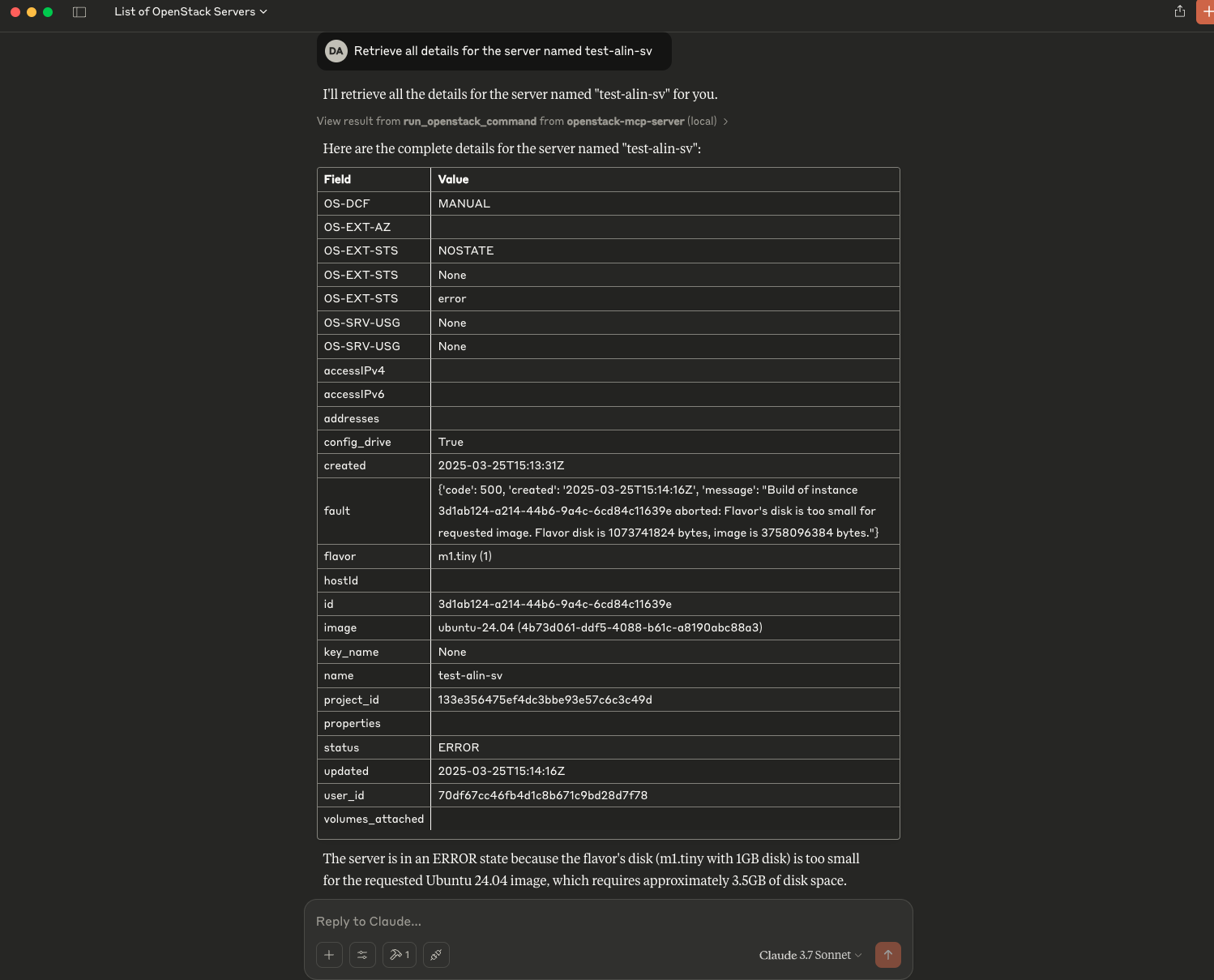
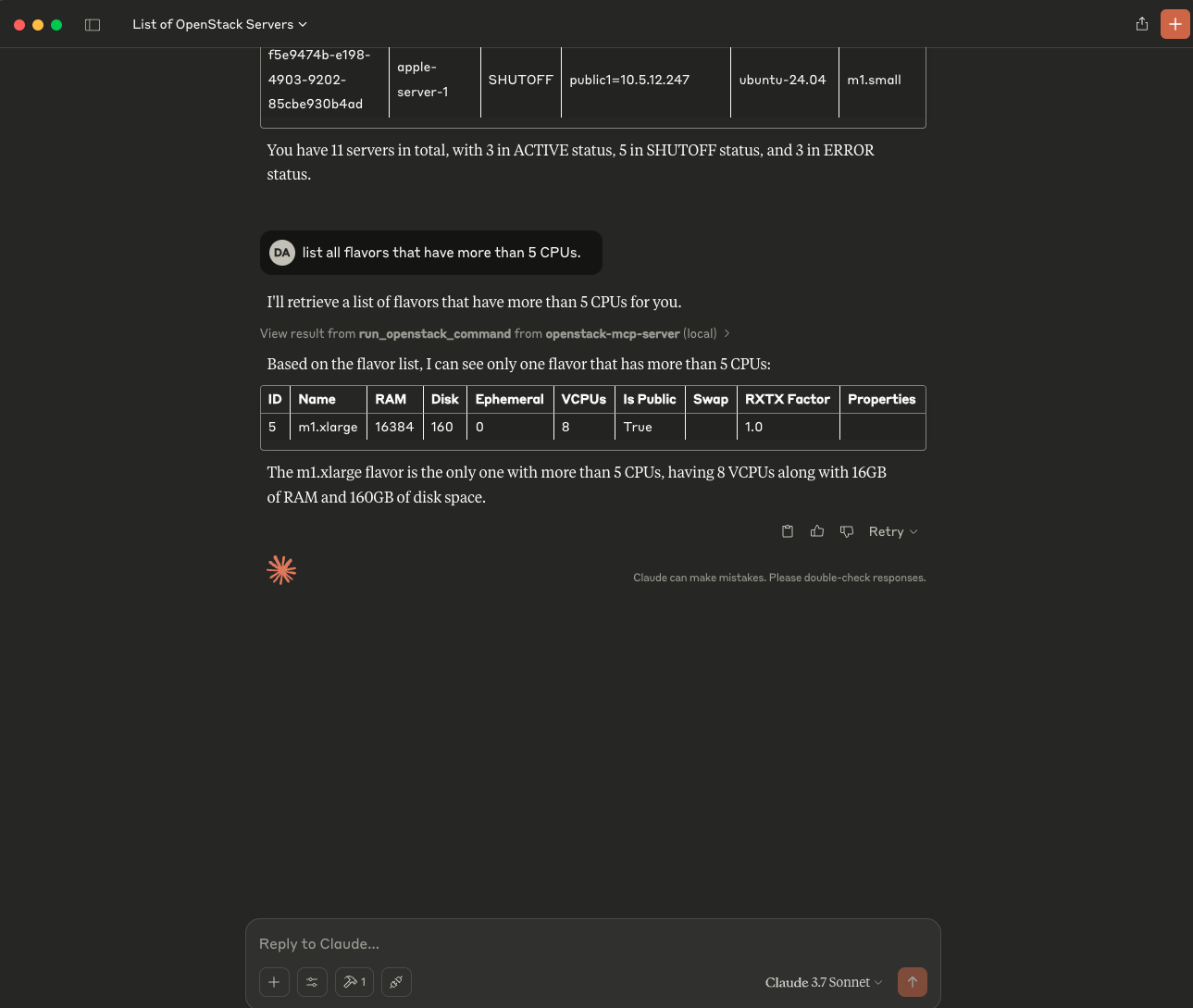
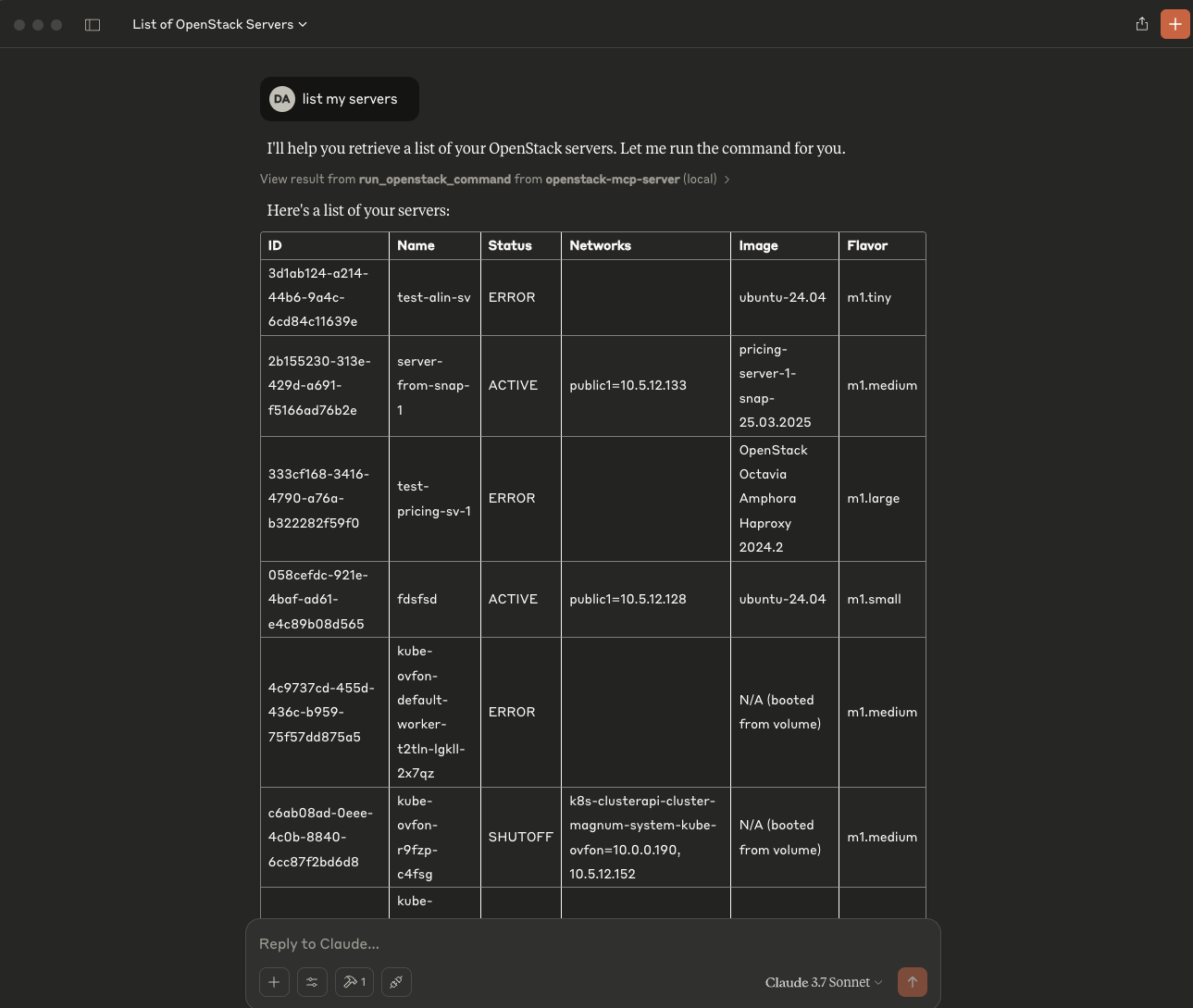
To test the integration, prompt to Claude Desktop to list your servers, or projects:
List my serversList my projectsList my images
Установка OpenStack Commander
У этого сервера нет опубликованного пакета — он собирается из исходников. Открой репозиторий и следуй инструкции в README.
▸ github.com/dragomiralin/openstack-mcp-serverFAQ
OpenStack Commander MCP бесплатный?
Да, OpenStack Commander MCP бесплатный — установка в пару кликов через Unyly без оплаты.
Нужен ли API-ключ для OpenStack Commander?
Нет, OpenStack Commander работает без API-ключей и переменных окружения.
OpenStack Commander — hosted или self-hosted?
Self-hosted: сервер запускается локально на твоей машине командой из раздела установки.
Как установить OpenStack Commander в Claude Desktop, Claude Code или Cursor?
Открой OpenStack Commander на unyly.org, выбери вкладку своего клиента (Claude Desktop, Claude Code, Cursor) и нажми Install — конфиг сгенерируется автоматически, без правки JSON.
Похожие MCP
ARA
Generate images, video and audio from any AI agent — one connector.
 автор: ARA
Omni Video
An MCP server that transforms LLM-enabled IDEs into professional video editors by pre-processing footage into text proxies, generating motion graphics via HTML/
 автор: buildwithtaza
YouTube
Transcripts, channel stats, search
 автор: YouTube
EverArt
AI image generation using various models.
 автор: modelcontextprotocol
Compare OpenStack Commander with
Не уверен что выбрать?
Найди свой стек за 60 секунд
Автор?
Embed-бейдж для README
Похожее
Все в категории media