
PascaleBeier/hitkeep
БесплатноНе проверенPrivacy-first web analytics with a read-only MCP server for aggregate traffic, events, goals, funnels, ecommerce, Search Console, and AI visibility reporting.

Описание
Privacy-first web analytics with a read-only MCP server for aggregate traffic, events, goals, funnels, ecommerce, Search Console, and AI visibility reporting.
README
Privacy-first web analytics with conversion reporting, AI visibility, and optional Ask AI, self-hosted or in EU/US cloud.
Continuous Integration Latest Release License Go Version Angular Version Docker Pulls Documentation OpenSSF Best Practices HitKeep MCP server
HitKeep is open source web analytics for teams that want useful product reporting, conversion analytics, and AI-era search visibility without running PostgreSQL, Redis, ClickHouse, or a separate queue. It ships as a single Go binary with an embedded Angular dashboard, DuckDB storage, and in-process NSQ queueing.
Website · Live Demo · Docs · Cloud · AI Performance · API · Releases
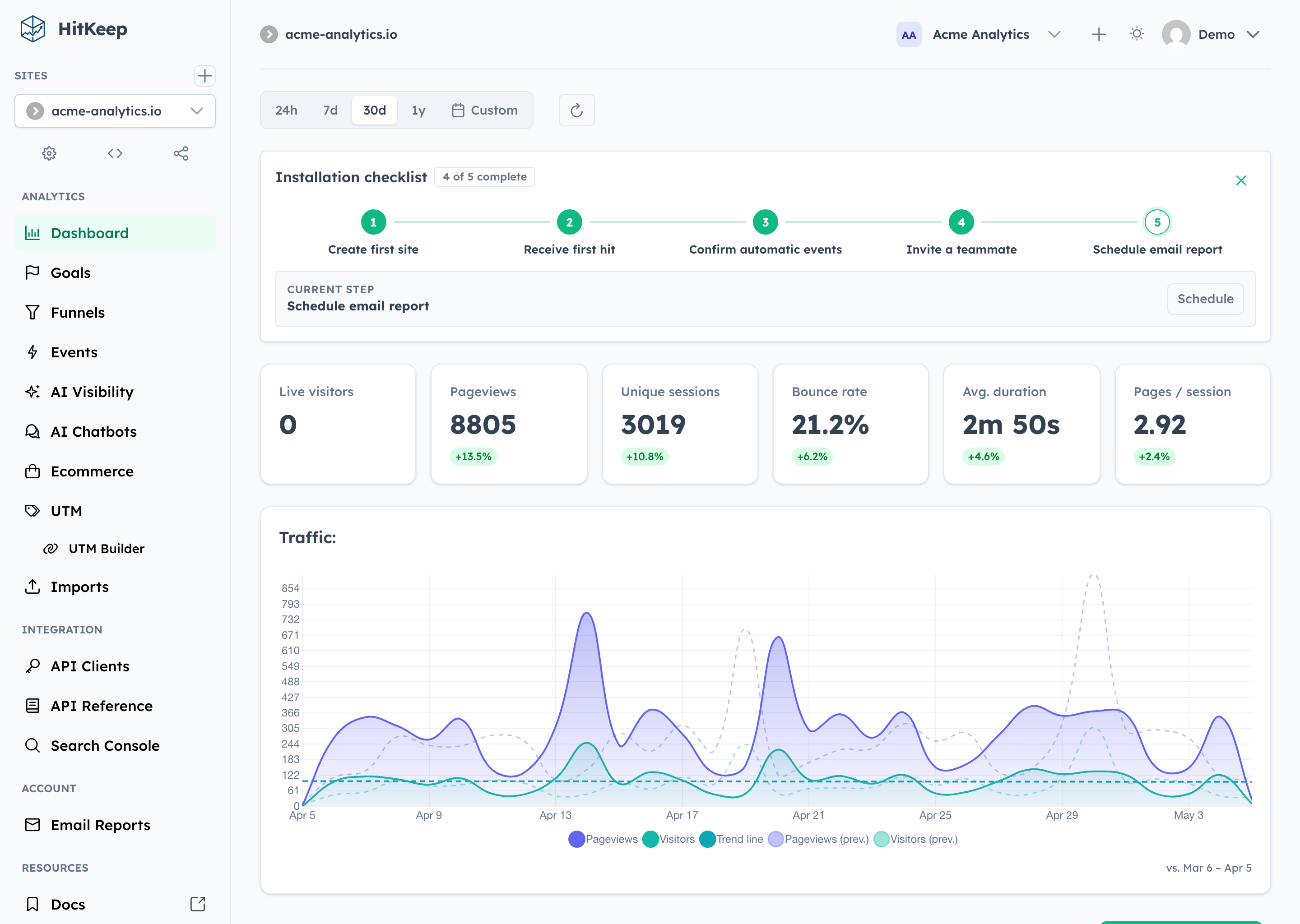
Why HitKeep
- Low-ops self-hosting: one binary, one data directory, embedded DuckDB and NSQ — no external services to run
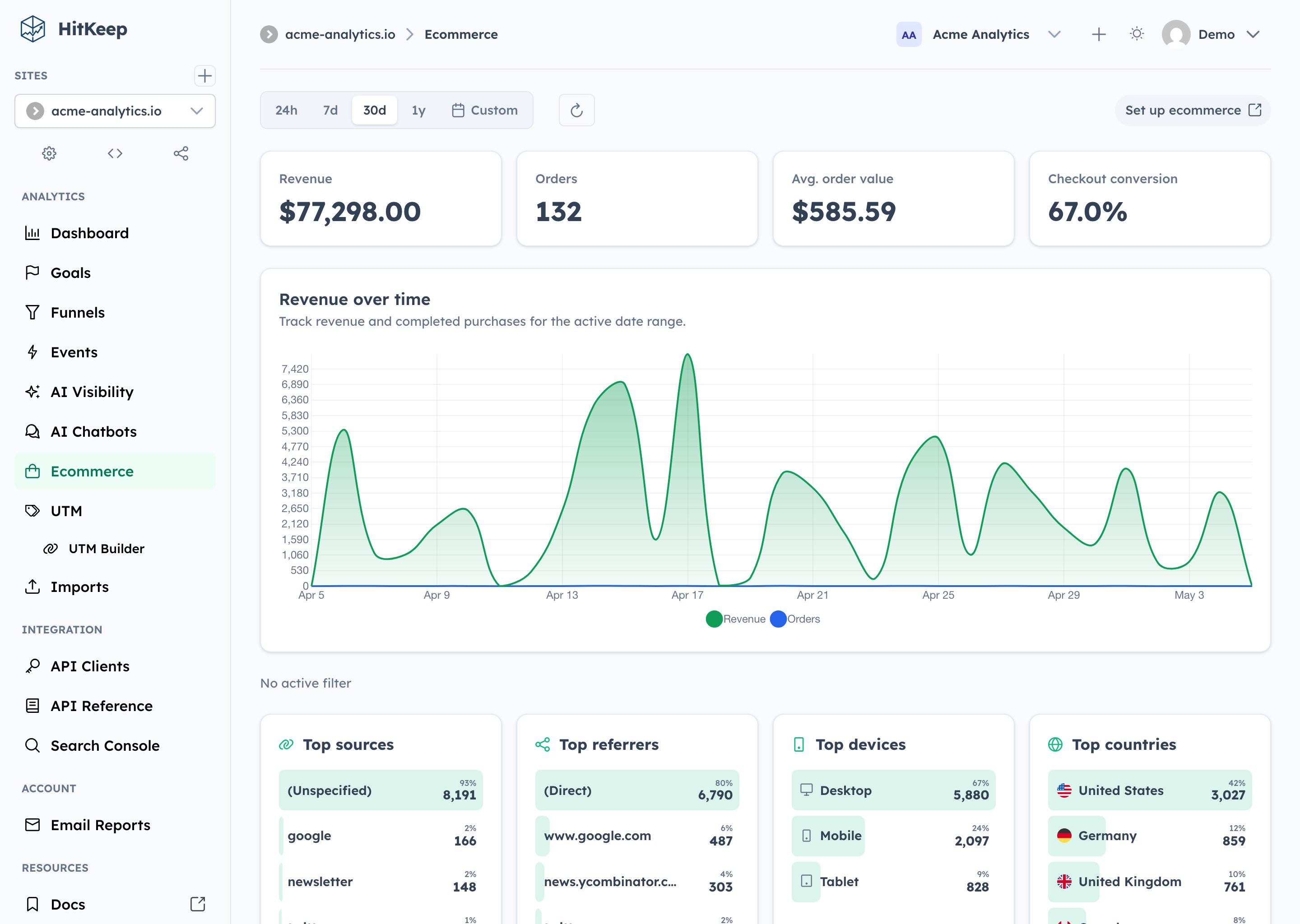
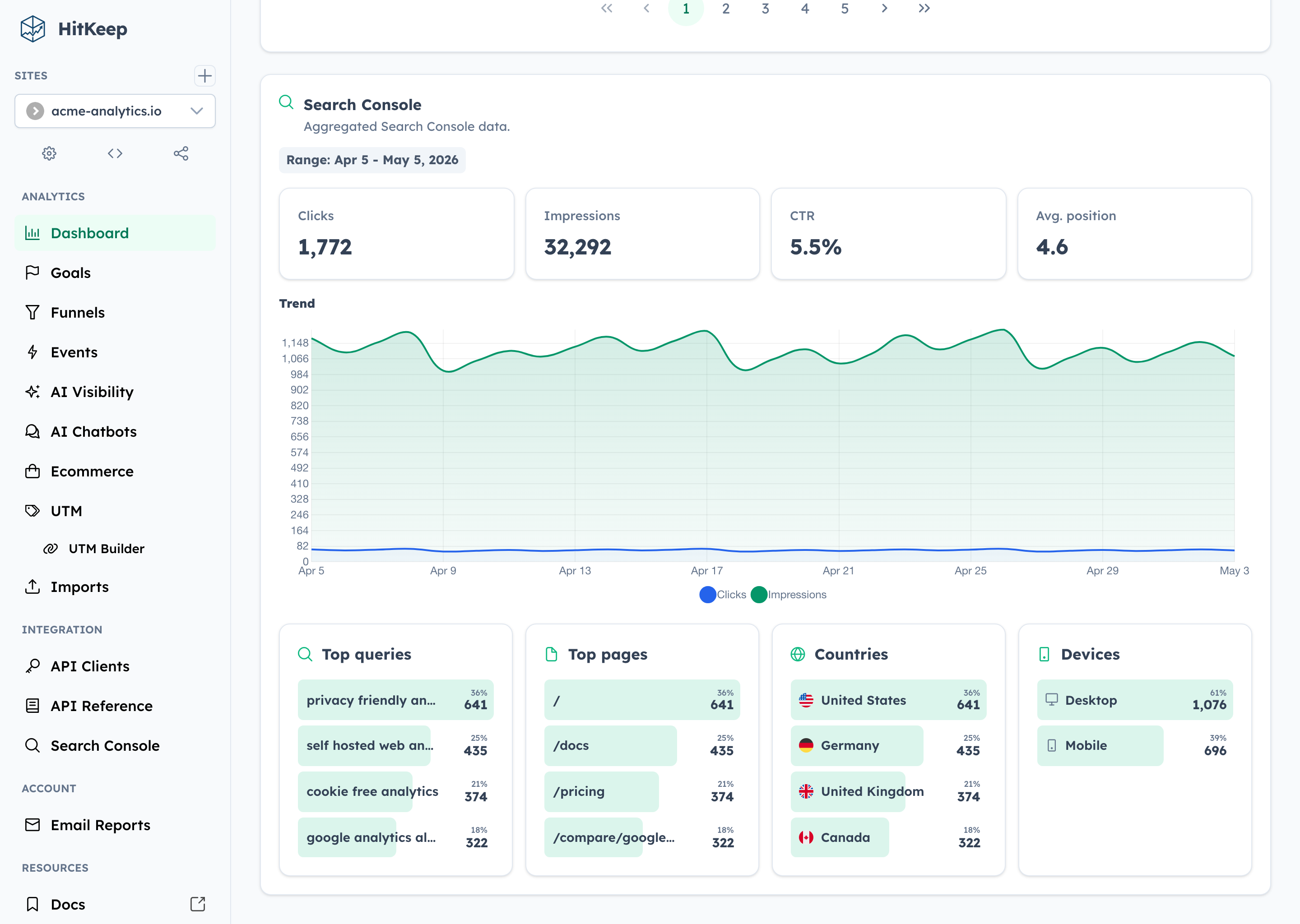
- Useful reports: multi-site Overview, top pages, landing and exit pages, events, goals, funnels, ecommerce, UTM attribution, QR campaigns, Web Vitals, email reports, and Google Search Console aggregates
- Privacy defaults: cookie-less tracking, Do Not Track support, and focused data collection
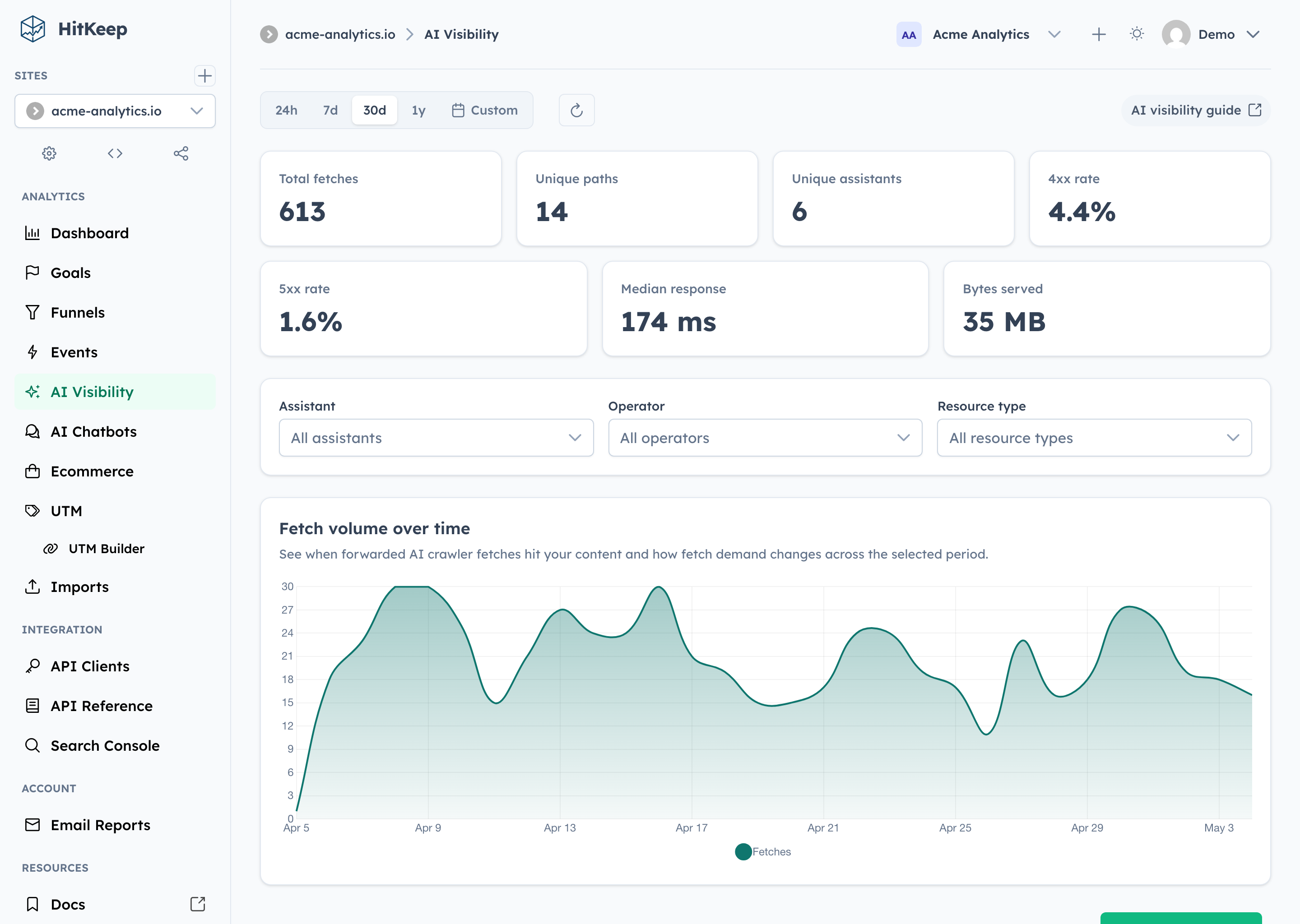
- AI visibility: server-side crawler fetch analytics, AI-referred visits, on-site chatbot outcomes, and correlation reports
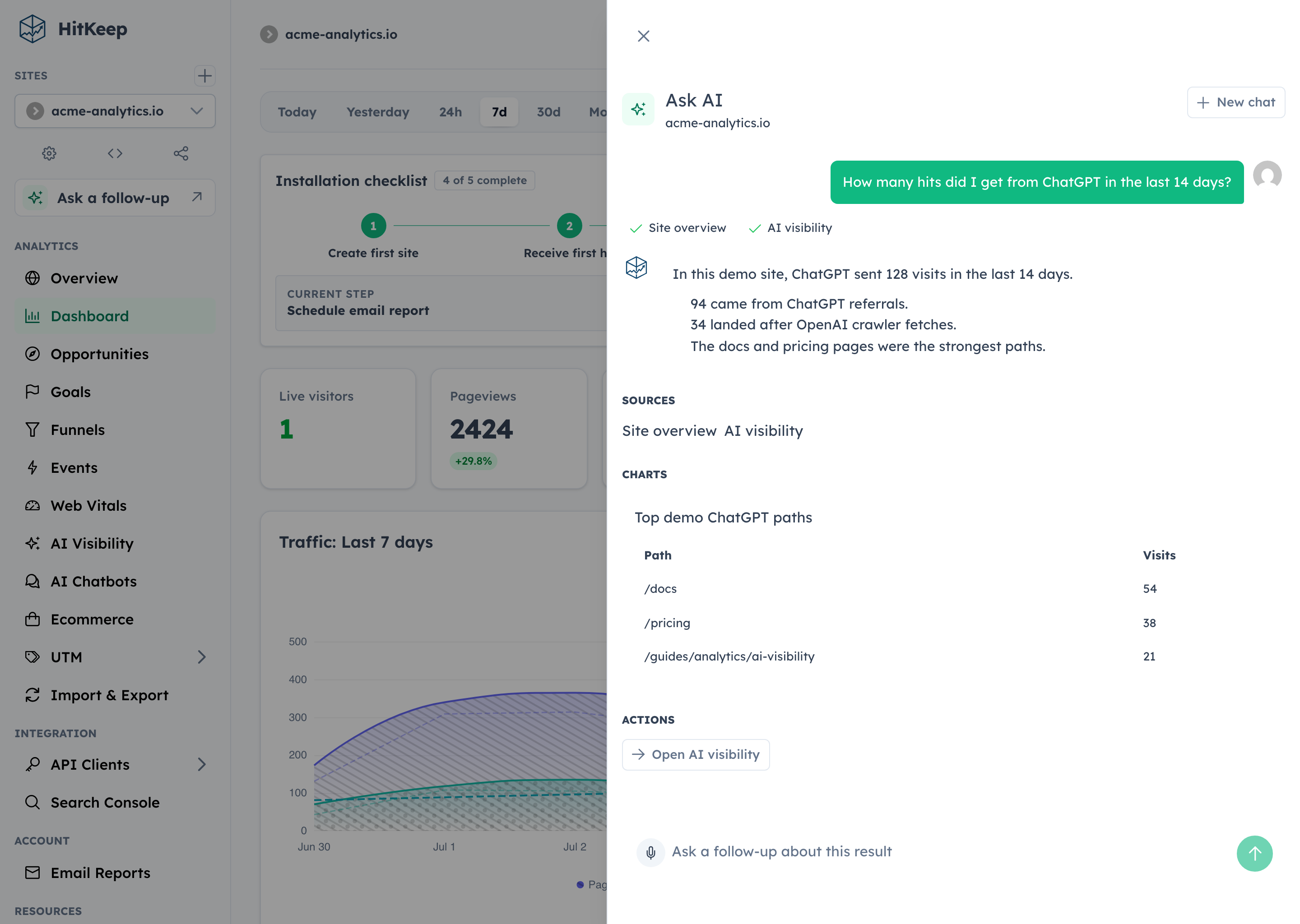
- Ask AI: optional dashboard assistant that answers site-scoped aggregate questions with citations, small charts, and safe dashboard actions
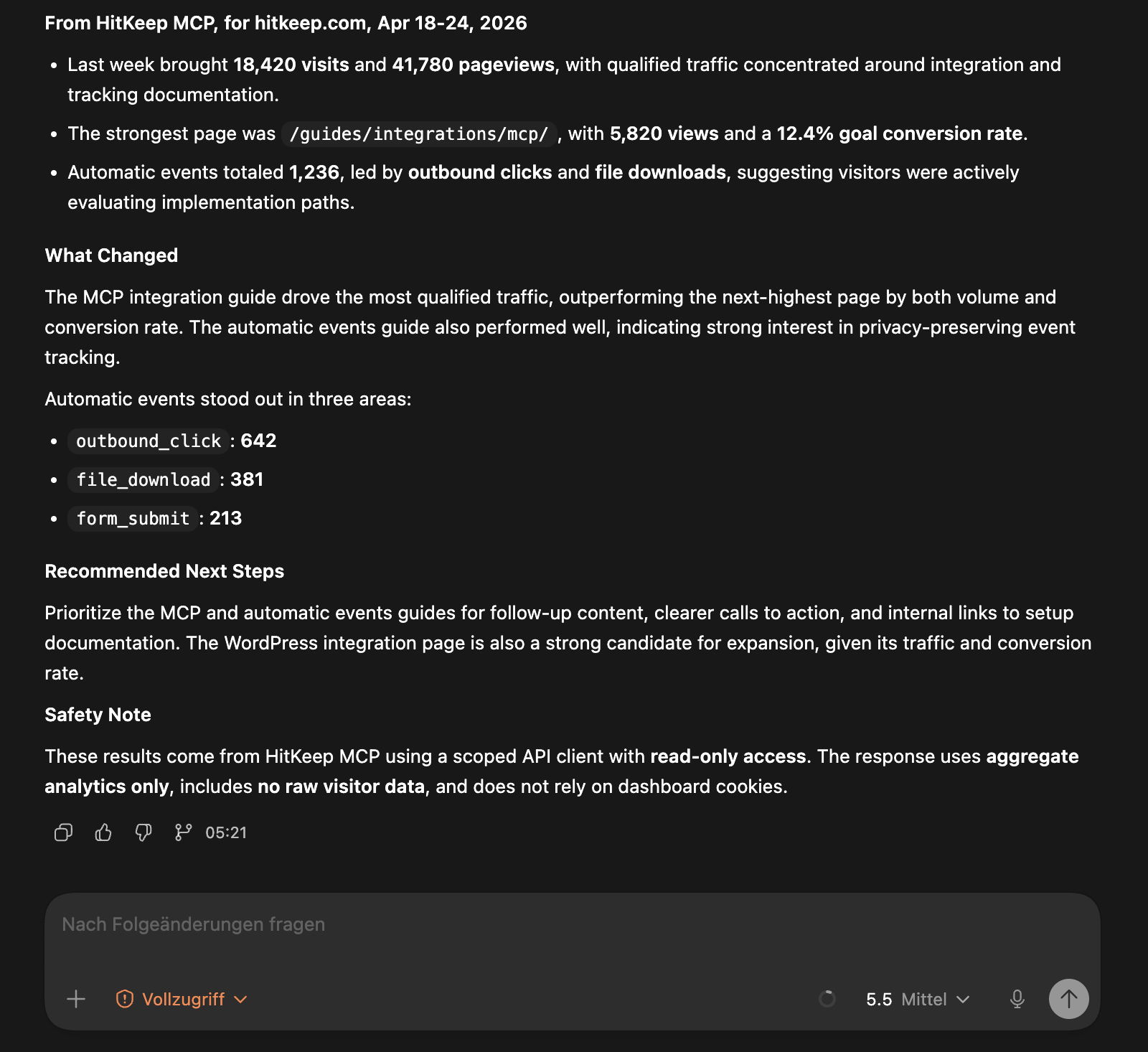
- Team controls: passkeys, TOTP, site and team permissions, share links, audit logs, scoped API clients, and a read-only MCP analytics server
- Deployment choice: run it yourself or use managed cloud in the EU or US
Quick Start
Docker
Save this as compose.yml:
services:
  hitkeep:
    image: pascalebeier/hitkeep:latest
    restart: unless-stopped
    ports:
      - "8080:8080"
    volumes:
      - hitkeep_data:/var/lib/hitkeep/data
    environment:
      # any flag can also be set as an environment variable
      HITKEEP_JWT_SECRET: replace-this-with-a-long-random-string
    command:
      - "-public-url=http://localhost:8080"

volumes:
  hitkeep_data: {}
Then start it:
docker compose up -d
Open http://localhost:8080 and create your first account. More compose examples — including Caddy, nginx, and Traefik setups — live in examples/.
Binary
Download the latest release for your platform (hitkeep-linux-amd64 or hitkeep-linux-arm64) and run it:
curl -LO https://github.com/PascaleBeier/hitkeep/releases/latest/download/hitkeep-linux-amd64
chmod +x hitkeep-linux-amd64
export HITKEEP_JWT_SECRET="$(openssl rand -hex 32)" # keep this stable across restarts
./hitkeep-linux-amd64 -public-url="http://localhost:8080"
Open http://localhost:8080 and create your first account.
Going to production
For reverse proxies, SMTP, systemd, Kubernetes, S3 archiving, and every configuration flag, use the docs instead of this README:
Track Your Site
Create a site in the dashboard, then add the tracker to your pages:
<script async src="https://your-hitkeep-instance.com/hk.js"></script>
Send a custom event:
<script>
  window.hk = window.hk || {};
  window.hk.event?.("signup", { plan: "pro", source: "landing-page" });
</script>
Teams can also serve the tracker from their own verified domains, for example https://analytics.example.com/hk.js, via Team Settings → Tracking domains. DNS verification, TLS options, and ready-made Caddy, nginx, Traefik, and Helm configurations are covered in the custom tracking domains guide and examples/.
More tracking guides:
- Tracking docs
- Custom events
- Ecommerce analytics
- AI visibility analytics
- CloudFront AI crawler tracking
- WordPress integration
Product Tour
See six product screenshots
Dashboard
Ecommerce
Search Console
AI Visibility
Ask AI
MCP Access
Documentation
The maintained reference lives on hitkeep.com.
- Getting started
- Installation
- Configuration
- REST API reference
- Ask AI analytics assistant
- Google Search Console integration
- AI chatbot analytics
- Read-only MCP server for web analytics
- Compliance
- Comparison pages
- Analytics Agent Skills
- Contributor Agent Skills
Cloud
If you want the same product without running it yourself, start here:
Development
The repository-owned developer CLI provides reproducible setup, isolated worktrees, native or container-backed development, cloud-parity builds, and the same QA contract used by automation:
./hk setup
./hk dev --seed
Use the URLs printed by hk; ports and state are isolated per Git worktree. Add --runtime container for container-backed development or --variant cloud for local managed-cloud parity.
Run ./hk help for current commands, ./hk doctor for prerequisites, and ./hk qa pr before review. The Makefile contains compatibility aliases only.
Contributor docs and local development guides:
License
Distributed under the MIT License. See LICENSE.
Установка PascaleBeier/hitkeep
У этого сервера нет опубликованного пакета — он собирается из исходников. Открой репозиторий и следуй инструкции в README.
▸ github.com/PascaleBeier/hitkeepFAQ
PascaleBeier/hitkeep MCP бесплатный?
Да, PascaleBeier/hitkeep MCP бесплатный — установка в пару кликов через Unyly без оплаты.
Нужен ли API-ключ для PascaleBeier/hitkeep?
Нет, PascaleBeier/hitkeep работает без API-ключей и переменных окружения.
PascaleBeier/hitkeep — hosted или self-hosted?
Self-hosted: сервер запускается локально на твоей машине командой из раздела установки.
Как установить PascaleBeier/hitkeep в Claude Desktop, Claude Code или Cursor?
Открой PascaleBeier/hitkeep на unyly.org, выбери вкладку своего клиента (Claude Desktop, Claude Code, Cursor) и нажми Install — конфиг сгенерируется автоматически, без правки JSON.
Похожие MCP
Fetch
Web content fetching and conversion for efficient LLM usage.
AWS KB Retrieval
Retrieval from AWS Knowledge Base using Bedrock Agent Runtime.
 автор: modelcontextprotocol
Spring AI MCP Server
Provides auto-configuration for setting up an MCP server in Spring Boot applications.
llm-analysis-assistant
A very streamlined mcp client that supports calling and monitoring stdio/sse/streamableHttp, and can also view request responses through the /logs page. It also
 автор: xuzexin-hz
Compare PascaleBeier/hitkeep with
Не уверен что выбрать?
Найди свой стек за 60 секунд
Автор?
Embed-бейдж для README
Похожее
Все в категории ai