
Pcb Copilot
БесплатноНе проверенFull AI access to your PCB schematic. Built for cross-functional teams. No Altium license required.

Описание
Full AI access to your PCB schematic. Built for cross-functional teams. No Altium license required.
README
CI Downloads License: MIT Platform: Windows | macOS
Firmware, mechanical, and test engineers move faster when a PCB schematic doesn't require an EE to interpret it.
pcb-copilot gives you schematic access inside Claude — no Altium license, no waiting on the EE to look something up. Your EE exports a snapshot with altium-copilot and shares one file. You open it and start asking questions.
Part of the ee-in-a-box suite.
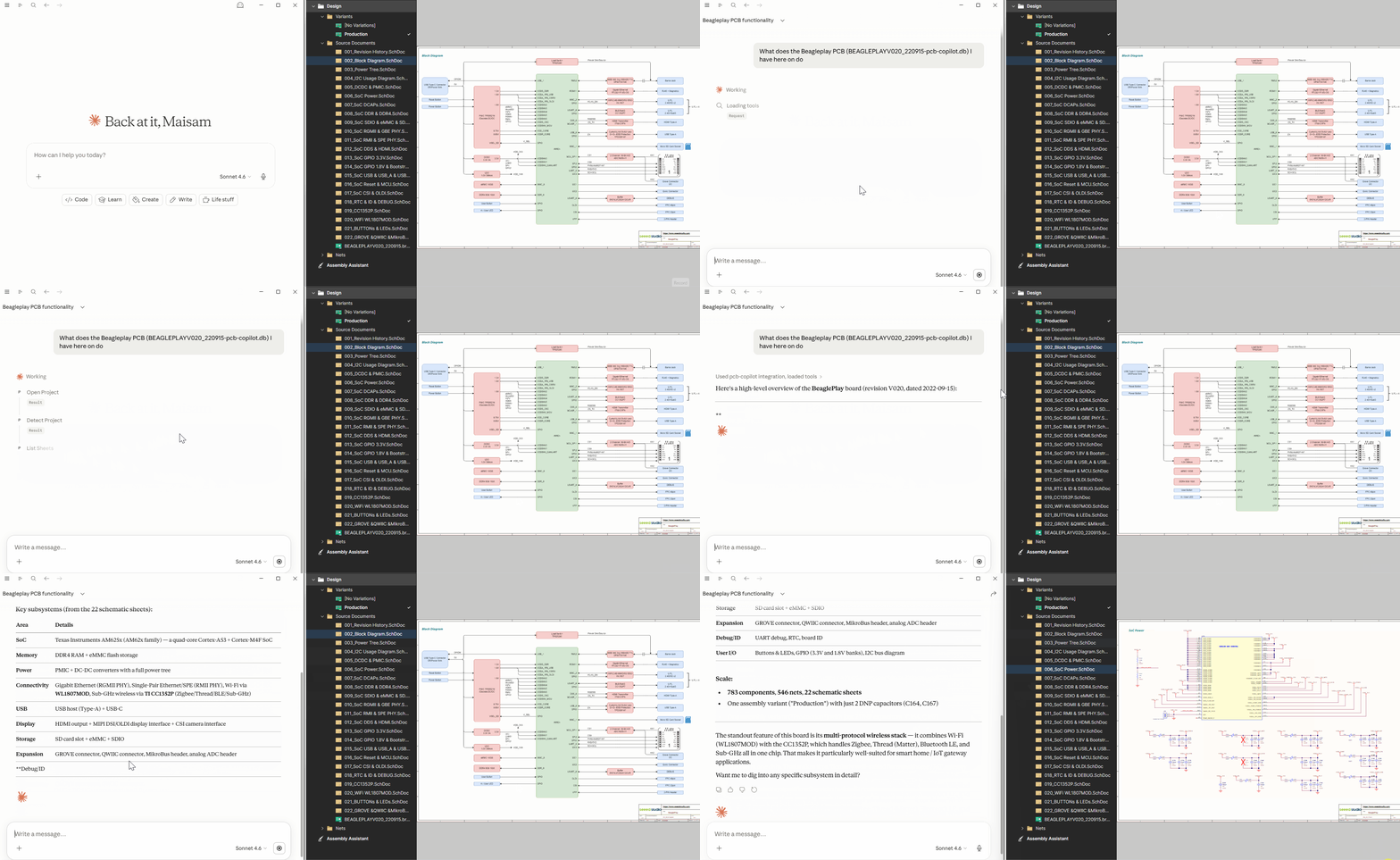
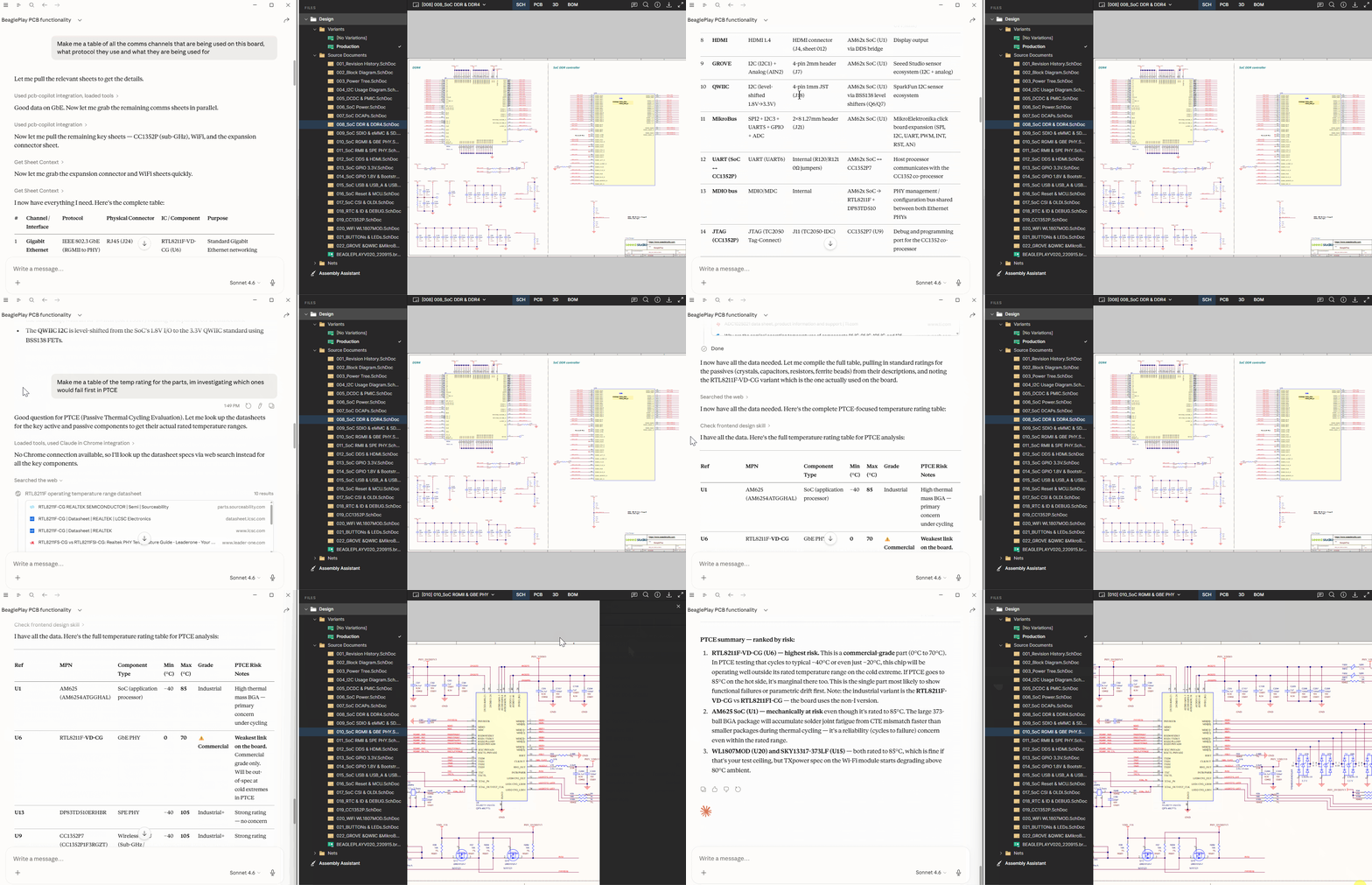
What it does
| Who | They may ask... | What happens |
|---|---|---|
| Firmware | "Which GPIO is connected to the enable pin on U5?" | Traces the pin to its net, finds the MCU pin on the other end |
| "What's on SPI bus 3?" | Lists every component whose chip-select, MOSI, MISO, or SCK lands on those nets | |
| "Are there pull-ups on the I2C lines, and what value?" | Finds the resistors on the SDA/SCL nets with their values | |
| Mechanical | "What's the pinout of J4?" | Returns every pin number, signal name, and what it connects to |
| "Which connectors carry power?" | Finds connectors with pins on power nets | |
| Test | "How do I get to the 5V rail for a probe?" | Lists every pin on that net — connectors, test points, component legs |
| "Which part is most likely to fail first under a 40V surge on the input?" | Pulls every component on that net with ratings from their datasheets | |
| "What's not populated in the production variant?" | Returns the full DNP list for the active build variant |
Getting the snapshot file
pcb-copilot reads a .db file exported from altium-copilot — the schematic copilot for Altium Designer.
Ask your EE to:
- Install altium-copilot and open the project in Altium
- Tell Claude: "Package this Altium project to share with the rest of the team" or "Export for sharing"
- Send you the
.dbfile (it lives next to the.PrjPcb) — via Confluence, Slack or shared drive
That file is the snapshot pcb-copilot reads. Re-request it whenever the schematic changes significantly or after another PCB release.
If your EE also publishes the project to Altium 365, you can open the schematic and PCB layout directly in a browser — no license needed. pcb-copilot and Altium 365 complement each other: use Altium 365 to visually trace a net on the board, and pcb-copilot to ask Claude questions about it.
Requirements
- Claude Desktop or Claude Code — works with Pro and Enterprise subscriptions
- A
.dbsnapshot from your EE (see above)
Install
Windows:
irm https://raw.githubusercontent.com/ee-in-a-box/pcb-copilot/main/install.ps1 | iex
Mac:
curl -fsSL https://raw.githubusercontent.com/ee-in-a-box/pcb-copilot/main/install.sh | bash
Usage
Once installed, just open Claude desktop or Claude Code and ask a question about your board — pcb-copilot will automatically find your .db file in your Downloads, Desktop, or Documents folder. Or you can provide the path directly if needed.
The most reliable way to start: mention pcb-copilot by name in your message:
"Use pcb-copilot to tell me what GPIO is connected to the enable pin on U5" "Ask pcb-copilot to load my project"
After the first load, pcb-copilot remembers your file and loads it automatically in future sessions.
Privacy
The MCP server runs locally and doesn't log anything or phone home. Schematic data is sent only to Claude via your own Pro or Enterprise subscription — it never touches any other server.
Contributing
See CONTRIBUTING.md.
For bug reports and support, open an issue at github.com/ee-in-a-box/pcb-copilot/issues.
License
MIT © Maisam Pyarali
Установка Pcb Copilot
У этого сервера нет опубликованного пакета — он собирается из исходников. Открой репозиторий и следуй инструкции в README.
▸ github.com/ee-in-a-box/pcb-copilotFAQ
Pcb Copilot MCP бесплатный?
Да, Pcb Copilot MCP бесплатный — установка в пару кликов через Unyly без оплаты.
Нужен ли API-ключ для Pcb Copilot?
Нет, Pcb Copilot работает без API-ключей и переменных окружения.
Pcb Copilot — hosted или self-hosted?
Self-hosted: сервер запускается локально на твоей машине командой из раздела установки.
Как установить Pcb Copilot в Claude Desktop, Claude Code или Cursor?
Открой Pcb Copilot на unyly.org, выбери вкладку своего клиента (Claude Desktop, Claude Code, Cursor) и нажми Install — конфиг сгенерируется автоматически, без правки JSON.
Похожие MCP
Gmail
Read, send and search emails from Claude
 автор: Google
Slack
Send, search and summarize Slack messages
 автор: Slack
Runbear
No-code MCP client for team chat platforms, such as Slack, Microsoft Teams, and Discord.
Discord Server
A community discord server dedicated to MCP by [Frank Fiegel](https://github.com/punkpeye)
Compare Pcb Copilot with
Не уверен что выбрать?
Найди свой стек за 60 секунд
Автор?
Embed-бейдж для README
Похожее
Все в категории communication