loading…
/ru
Весь каталог
1.
2.
3.
4.
5.
6.
PolicyGuard
БесплатноНе проверенProvides policy-based access control, incident tracking, and compliance monitoring to govern AI agent behavior. It enables organizations to enforce security rul

Описание
Provides policy-based access control, incident tracking, and compliance monitoring to govern AI agent behavior. It enables organizations to enforce security rules and maintain audit trails by validating agent actions against trust levels and pattern-based policies.
README
Security & Governance MCP Server for AI Agents
PolicyGuard is an MCP (Model Context Protocol) server that provides policy-based access control, incident tracking, and compliance monitoring for AI agents.
Note: This project demonstrates working integration with kagent (AI agent platform) and can be extended with kgateway (API gateway) for additional network-level security.
Table of Contents
- Overview
- Features
- Architecture
- MCP Tools
- Quick Start
- Kubernetes Deployment
- Testing
- kagent Integration
- Security Model
- Project Structure
- License
Overview
As AI agents become more autonomous, organizations need controls to govern their behavior. PolicyGuard is my first MCP server project - built to explore how security and governance can be implemented at the MCP layer.
The Problem
AI agents can call any tool they have access to. Without governance:
- Agents might perform destructive operations
- No audit trail of agent actions
- No way to enforce security policies
- No visibility into compliance
The Solution
PolicyGuard adds a security layer that agents call before taking action:
User Request → AI Agent → PolicyGuard (validate_action) → Allowed/Denied
Features
| Feature | Description |
|---|---|
| Policy Enforcement | Validate actions against security rules |
| Trust Levels | low, medium, high, admin hierarchy |
| Pattern Matching | Wildcard patterns like delete_*, *_production |
| Auto-Registration | Unknown agents get minimal trust |
| Incident Tracking | Automatic violation logging |
| Audit Trail | Complete action history |
| Compliance Dashboard | Security metrics at a glance |
Architecture
┌─────────────────────────────────────────────────────────────────┐
│                         AI Agent / LLM                          │
│                                                                 │
│  "Before any action, call validate_action to check permission" │
└─────────────────────────────────────────────────────────────────┘
                              │
                              │ MCP Protocol
                              ▼
┌─────────────────────────────────────────────────────────────────┐
│                     PolicyGuard MCP Server                      │
│                                                                 │
│  ┌─────────────┐  ┌─────────────┐  ┌─────────────┐             │
│  │  validate   │  │   create    │  │   report    │             │
│  │   action    │  │   policy    │  │  incident   │             │
│  └─────────────┘  └─────────────┘  └─────────────┘             │
│  ┌─────────────┐  ┌─────────────┐  ┌─────────────┐             │
│  │  register   │  │  get_audit  │  │    get      │             │
│  │   agent     │  │    log      │  │ compliance  │             │
│  └─────────────┘  └─────────────┘  └─────────────┘             │
└─────────────────────────────────────────────────────────────────┘
                              │
                              ▼
                    ┌───────────────────┐
                    │   JSON Storage    │
                    │   (policies,      │
                    │    agents,        │
                    │    audit_log,     │
                    │    incidents)     │
                    └───────────────────┘
MCP Tools
PolicyGuard exposes 6 tools via MCP:
1. validate_action ⭐ Primary Tool
Check if an action is allowed before executing it.
{
  "action_type": "tool_call",
  "target": "delete_records",
  "agent_id": "my-agent"
}
Response:
{
  "action_id": "act_a1b2c3d4e5f6",
  "allowed": false,
  "reason": "Delete operations require admin trust level"
}
2. register_agent
Register an agent with a trust level.
{
  "agent_id": "data-processor",
  "name": "Data Agent",
  "trust_level": "medium"
}
3. create_policy
Create security rules.
{
  "policy_id": "block-deletes",
  "name": "Block Deletes",
  "rules": "[{\"condition\": {\"tool_pattern\": \"delete_*\"}, \"action\": \"deny\"}]"
}
4. get_audit_log
Query action history.
5. get_compliance_status
Get security dashboard metrics.
6. report_incident
Manually report security incidents.
Quick Start
Prerequisites
- Python 3.10+
- pip
Local Installation
# Clone
git clone https://github.com/PrateekKumar1709/policyguard.git
cd policyguard

# Setup
python3 -m venv .venv
source .venv/bin/activate
pip install -e .

# Run
python src/main.py
Test the Tools
import json
from src.tools.validate_action import validate_action
from src.tools.register_agent import register_agent

# Register an agent
result = json.loads(register_agent.fn(
    agent_id="test-agent",
    name="Test Agent",
    trust_level="medium"
))
print(f"Registered: {result['agent_id']}")

# Validate an action
result = json.loads(validate_action.fn(
    action_type="tool_call",
    target="read_data",
    agent_id="test-agent"
))
print(f"Allowed: {result['allowed']}")
HTTP Mode
python src/main.py --transport http --port 8000
Kubernetes Deployment
PolicyGuard includes a Helm chart for Kubernetes deployment.
Using Kind
# Create cluster
kind create cluster --name policyguard

# Build and load image
docker build -t policyguard:latest .
kind load docker-image policyguard:latest --name policyguard

# Deploy
kubectl create namespace policyguard
helm install policyguard ./helm/policyguard -n policyguard

# Verify
kubectl get pods -n policyguard
Port Forward
kubectl port-forward -n policyguard svc/policyguard 8000:8000
Testing
Unit Tests
pytest tests/ -v
Test Results
tests/test_tools.py::TestValidateAction::test_allow_read_for_low_trust PASSED
tests/test_tools.py::TestValidateAction::test_deny_delete_for_low_trust PASSED
tests/test_tools.py::TestValidateAction::test_allow_delete_for_admin PASSED
tests/test_tools.py::TestValidateAction::test_deny_suspended_agent PASSED
tests/test_tools.py::TestRegisterAgent::test_register_new_agent PASSED
tests/test_tools.py::TestCreatePolicy::test_create_valid_policy PASSED
... (16 tests total)
============================== 16 passed ==============================
E2E Test Output
[1/6] register_agent      ✅ SUCCESS
[2/6] create_policy       ✅ SUCCESS
[3/6] validate_action     ✅ ALLOWED (read_data)
[4/6] validate_action     ✅ DENIED (delete_records)
[5/6] report_incident     ✅ SUCCESS
[6/6] get_compliance_status ✅ SUCCESS

ALL 6 MCP TOOLS WORKING!
kagent Integration
PolicyGuard integrates with kagent for Kubernetes-native AI agent management.
Screenshots
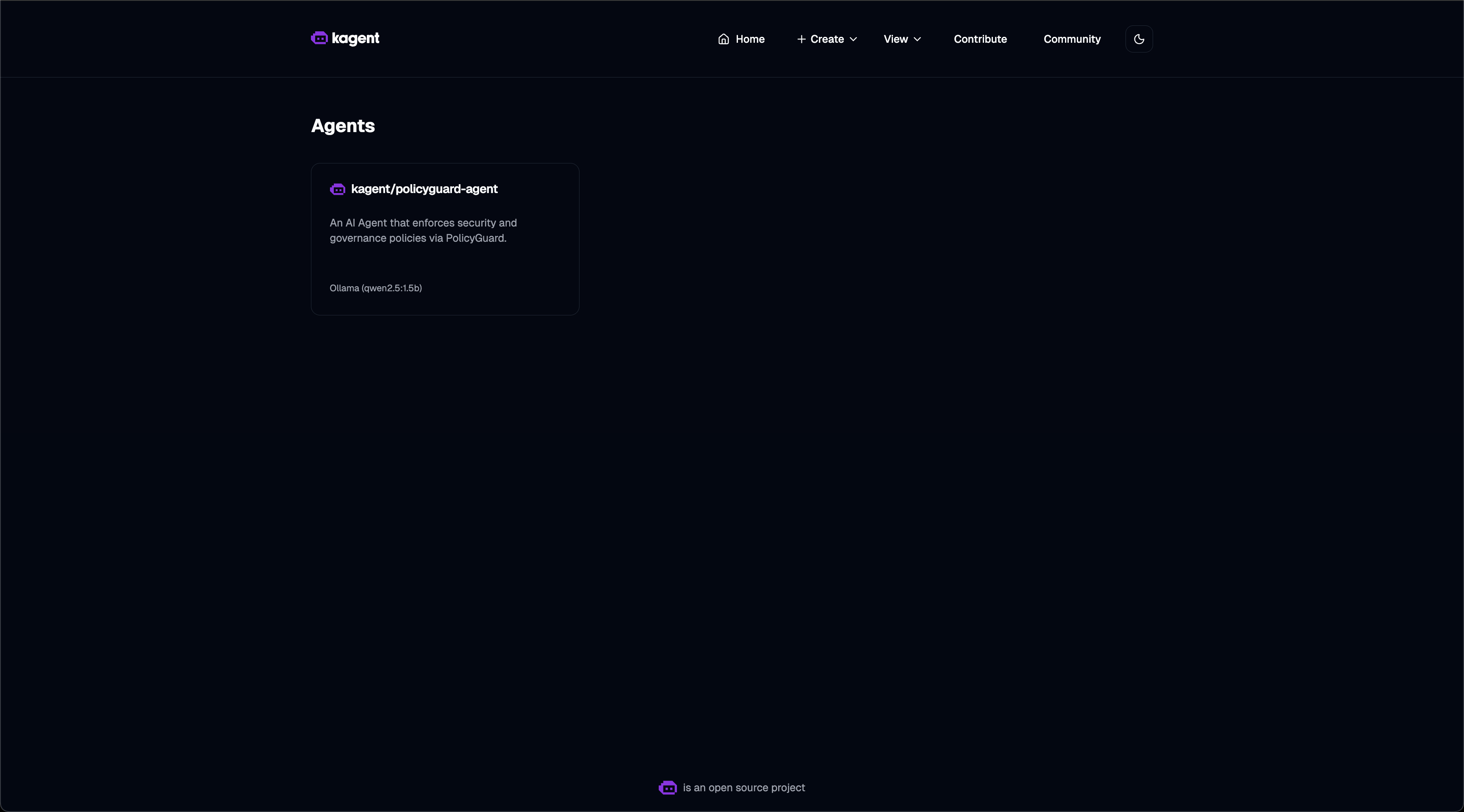
Agent List - PolicyGuard agent registered and ready:
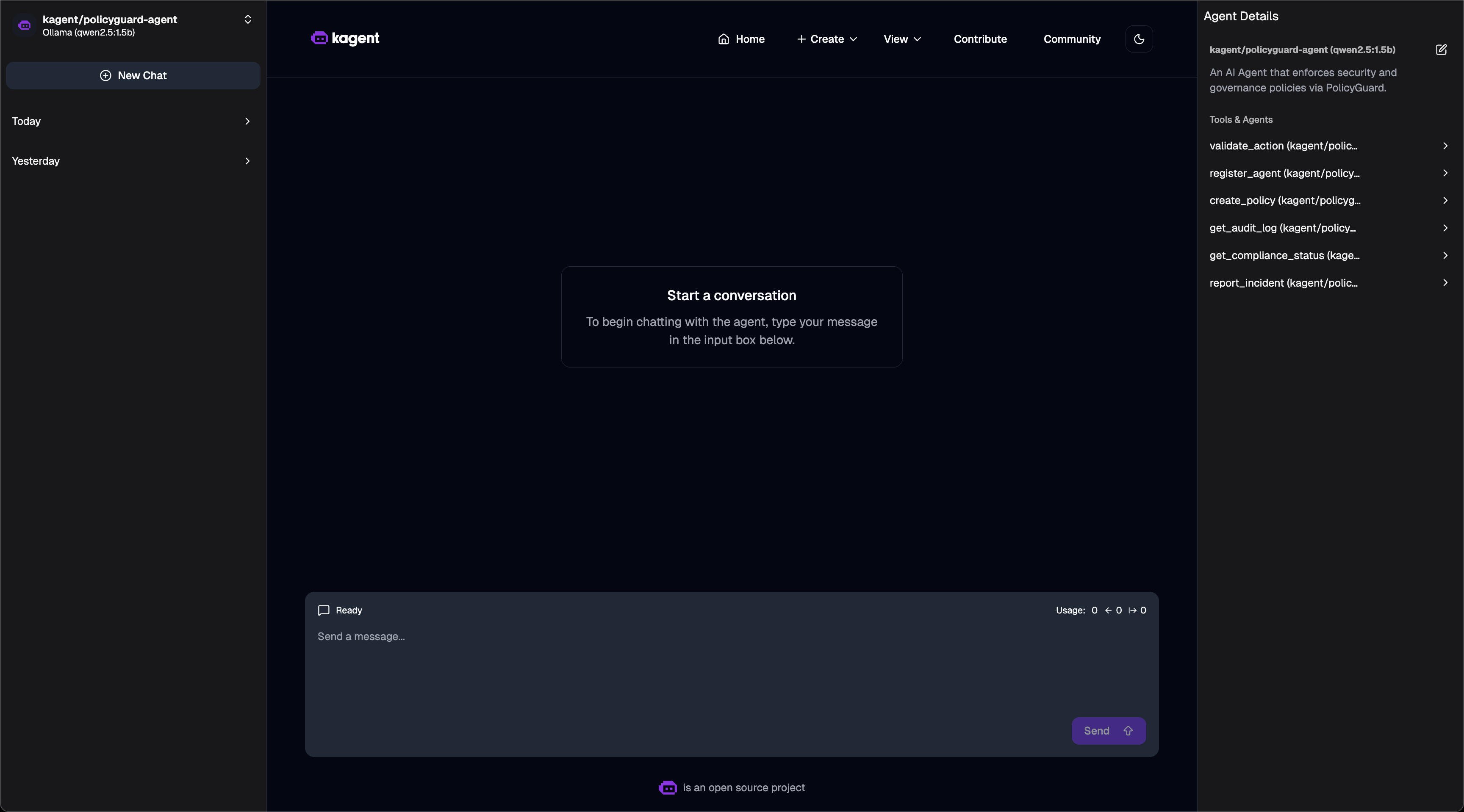
Agent Tools - 6 PolicyGuard MCP tools available:
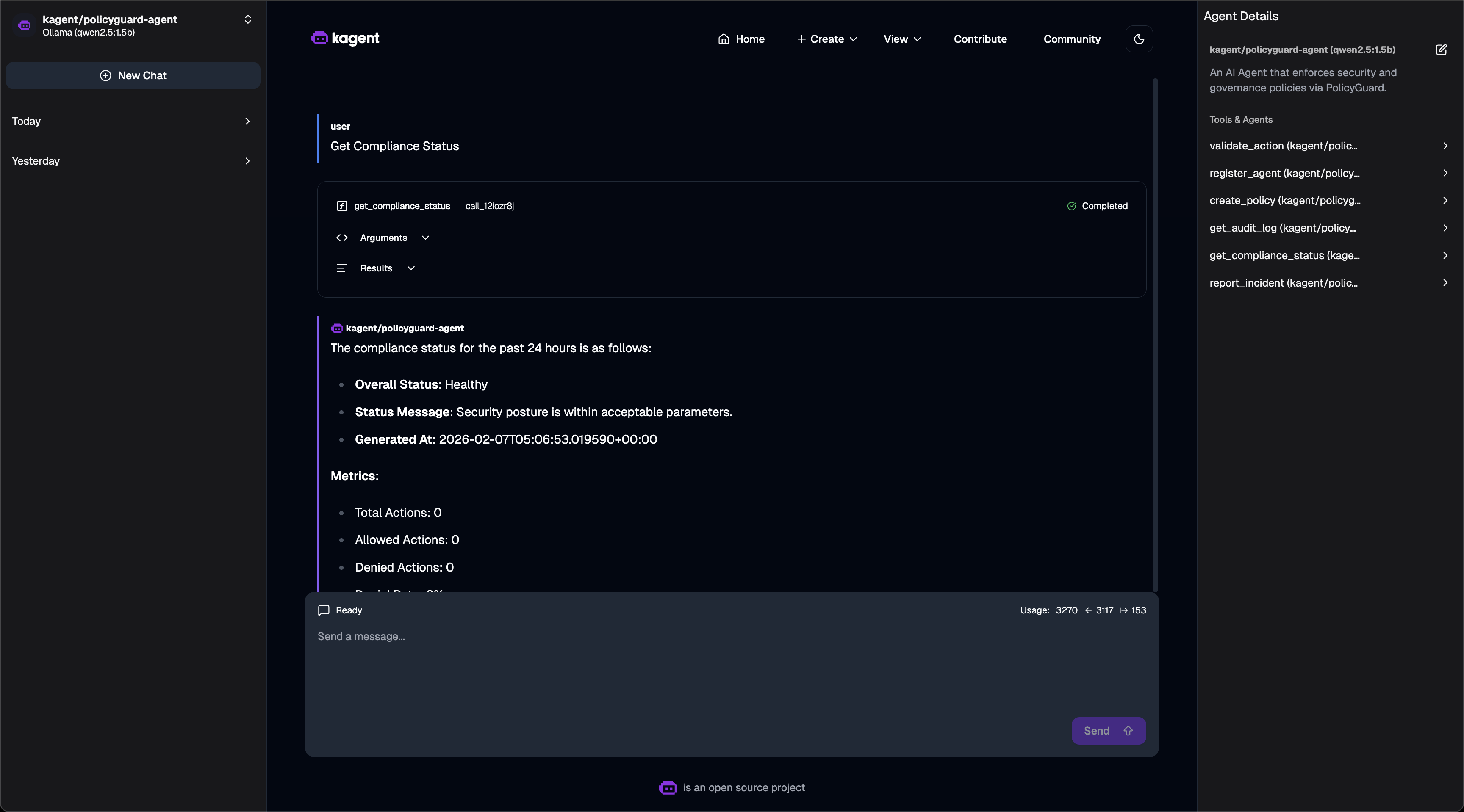
Compliance Dashboard - Asking for compliance status:
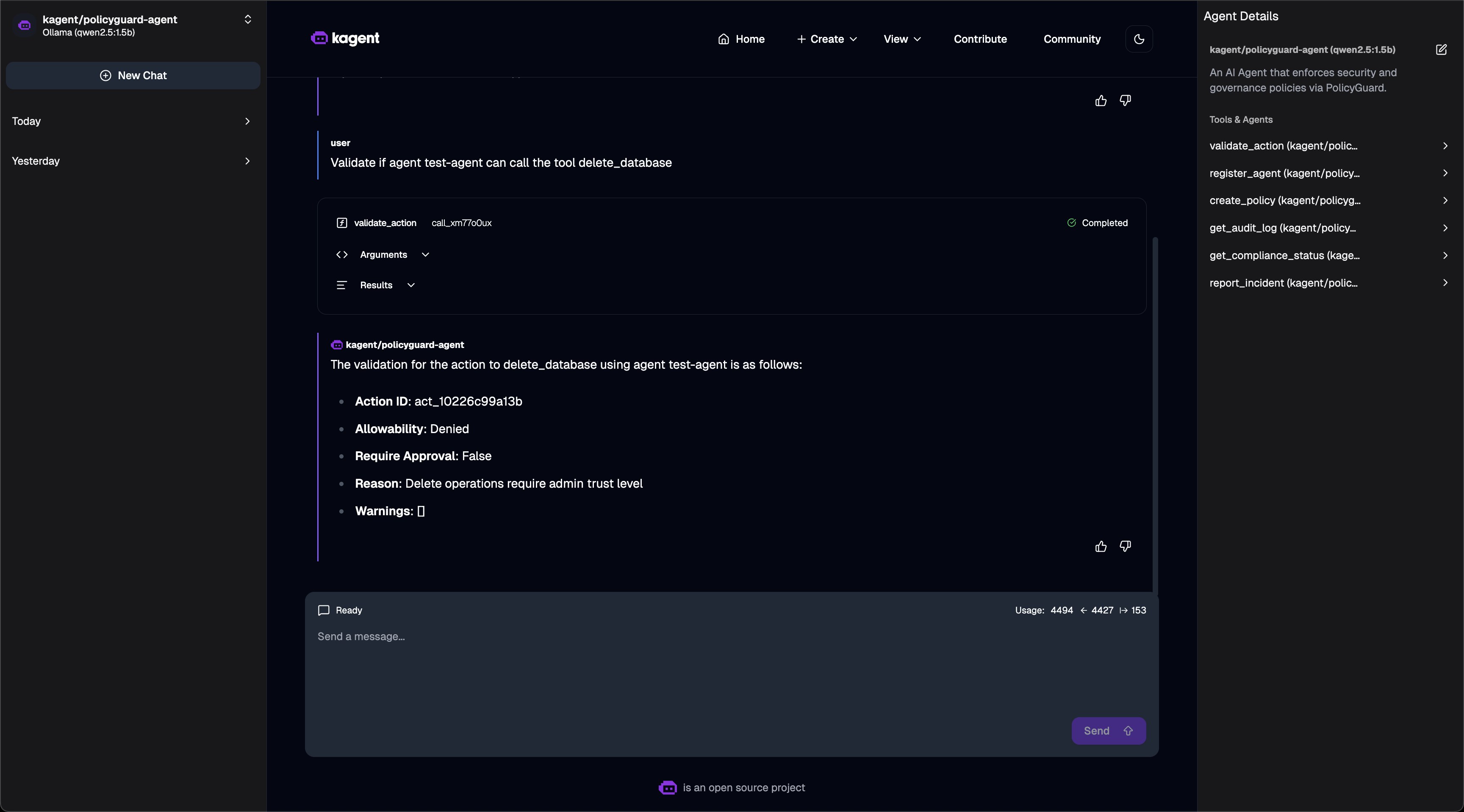
Policy Validation - Action denied based on policy:
Quick Setup
# 1. Install kagent CRDs
helm install kagent-crds ./kagent-reference/helm/kagent-crds -n kagent --create-namespace

# 2. Install kagent with Ollama (free local LLM)
helm upgrade --install kagent ./kagent-reference/helm/kagent -n kagent \
  --set providers.default=ollama \
  --set providers.ollama.model=qwen2.5:1.5b \
  --set tag=0.7.13

# 3. Deploy PolicyGuard
helm install policyguard ./helm/policyguard -n policyguard --create-namespace

# 4. Create RemoteMCPServer
kubectl apply -f - <<EOF
apiVersion: kagent.dev/v1alpha2
kind: RemoteMCPServer
metadata:
  name: policyguard
  namespace: kagent
spec:
  protocol: STREAMABLE_HTTP
  url: http://policyguard.policyguard:8000/mcp
  timeout: 30s
EOF

# 5. Create PolicyGuard Agent
kubectl apply -f - <<EOF
apiVersion: kagent.dev/v1alpha2
kind: Agent
metadata:
  name: policyguard-agent
  namespace: kagent
spec:
  description: "Security agent using PolicyGuard"
  type: Declarative
  declarative:
    modelConfig: "default-model-config"
    systemMessage: |
      You are a PolicyGuard Security Agent. Use the PolicyGuard tools to:
      - validate_action: Check if actions are allowed
      - register_agent: Register new agents
      - create_policy: Define security rules
      - get_compliance_status: View compliance dashboard
    tools:
    - type: McpServer
      mcpServer:
        name: policyguard
        kind: RemoteMCPServer
        apiGroup: kagent.dev
        toolNames:
        - validate_action
        - register_agent
        - create_policy
        - get_audit_log
        - get_compliance_status
        - report_incident
EOF
Verified Working
# Check status
$ kubectl get agents,remotemcpservers -n kagent
NAME                TYPE          READY   ACCEPTED
policyguard-agent   Declarative   True    True

NAME          PROTOCOL          URL                                       ACCEPTED
policyguard   STREAMABLE_HTTP   http://policyguard.policyguard:8000/mcp   True

# Invoke agent via CLI
$ kagent invoke -t "Get compliance status" --agent policyguard-agent

Response:
- Security Posture: Healthy
- Total Policies: 1, Enabled: 1
- Total Incidents: 0
- Agents Registered: 0

# Test validation
$ kagent invoke -t "Can test-agent delete the database?" --agent policyguard-agent

Response:
The action delete_database was not allowed for test-agent.
Reason: Delete operations require admin trust level.
Access kagent UI
kubectl port-forward -n kagent svc/kagent-ui 8080:8080
# Open http://localhost:8080
Security Model
Trust Levels
| Level | Score | Use Case |
|---|---|---|
low |
1 | Unknown agents, read-only |
medium |
2 | Verified agents |
high |
3 | Trusted agents |
admin |
4 | Full access |
Policy Rules
{
  "condition": {
    "tool_pattern": "delete_*",
    "trust_level_below": "admin"
  },
  "action": "deny",
  "message": "Delete requires admin"
}
Evaluation Order
- Agent suspended? → DENY
- Tool in denied list? → DENY
- Tool not in allowed list? → DENY
- Policy match? → Apply rule
- Default → ALLOW
Project Structure
policyguard/
├── helm/
│   └── policyguard/          # Helm chart
│       ├── Chart.yaml
│       ├── values.yaml
│       └── templates/
├── src/
│   ├── main.py               # Entry point
│   ├── core/
│   │   ├── server.py         # MCP server
│   │   └── utils.py          # Utilities
│   └── tools/
│       ├── validate_action.py
│       ├── register_agent.py
│       ├── create_policy.py
│       ├── get_audit_log.py
│       ├── get_compliance_status.py
│       └── report_incident.py
├── tests/
│   └── test_tools.py         # 16 unit tests
├── Dockerfile
├── pyproject.toml
└── README.md
Technologies Used
- FastMCP - Python MCP server SDK
- Pydantic - Data validation
- Helm - Kubernetes packaging
- pytest - Testing
Future Improvements
- Database backend (PostgreSQL)
- Web dashboard UI
- Prometheus metrics
- RBAC integration
- Policy versioning
License
MIT License
Hackathon
MCP_HACK//26 - "MCP & AI Agents Starter Track"
This is my first MCP server project! I built PolicyGuard to learn:
- How MCP servers work
- How to expose tools to AI agents
- How to deploy MCP servers on Kubernetes
- How security/governance can be implemented at the MCP layer
What I Built
- ✅ 6 MCP tools for security governance
- ✅ Policy engine with pattern matching
- ✅ Trust level system
- ✅ Audit logging and incident tracking
- ✅ Helm chart for Kubernetes
- ✅ 16 unit tests
- ✅ kagent integration examples
Как установить
Выполни в терминале:
claude mcp add policyguard -- npx 
