
RateMyProfessors Server
БесплатноНе проверенAn unofficial MCP server for RateMyProfessors.com that enables fetching professor ratings, reviews, and comments. Integrates with MCP clients like Claude Deskto

Описание
An unofficial MCP server for RateMyProfessors.com that enables fetching professor ratings, reviews, and comments. Integrates with MCP clients like Claude Desktop.
README

An unofficial MCP Server implementation for RateMyProfessors.com.
It allows you to fetch a professor's ratings, reviews and comments with an MCP client.
Features
- Search for professors by name and school.
- Get ratings, reviews, and comments.
- Easy integration with MCP clients like (Claude Desktop, VSCode, etc.).
Requirements
- Node.js 16 or newer (install node if you haven't)
- Claude Desktop or any other MCP client
Installation
Clone the repository and install dependencies:
git clone https://github.com/tohmze/ratemyprofessors-mcp.git
cd ratemyprofessors-mcp
npm install
Build the server
npm run build
Testing the MCP Server with Claude Desktop
Setup Claude Desktop Config file
To use the ratemyprofessors MCP server, you’ll need to set it up in Claude for Desktop. Open the configuration file located at ~/Library/Application Support/Claude/claude_desktop_config.json with a text editor. If the file isn’t there yet, go ahead and create it.
If you have VSCode, Open with:
- Mac:
code ~/Library/Application\ Support/Claude/claude_desktop_config.json - Windows:
code $env:AppData\Claude\claude_desktop_config.json
Copy the appropriate configuration snippet for your OS below and replace the placeholder path with the absolute path to your build folder.
macOS / Linux
{
  "mcpServers": {
    "rate-my-prof": {
      "command": "node",
      "args": ["/ABSOLUTE/PATH/TO/PARENT/FOLDER/ratemyprofessors-mcp/build/index.js"]
    }
  }
}
Windows
{
  "mcpServers": {
    "rate-my-prof": {
      "command": "node",
      "args": ["C:\\PATH\\TO\\PARENT\\FOLDER\\ratemyprofessors-mcp\\build\\index.js"]
    }
  }
}
Open Claude for Desktop
Click The Tool
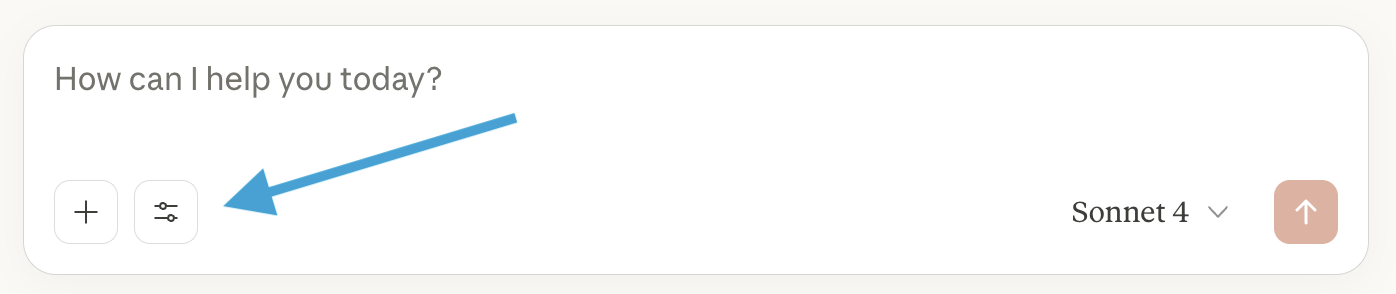
You should see the rate-my-prof tool listed
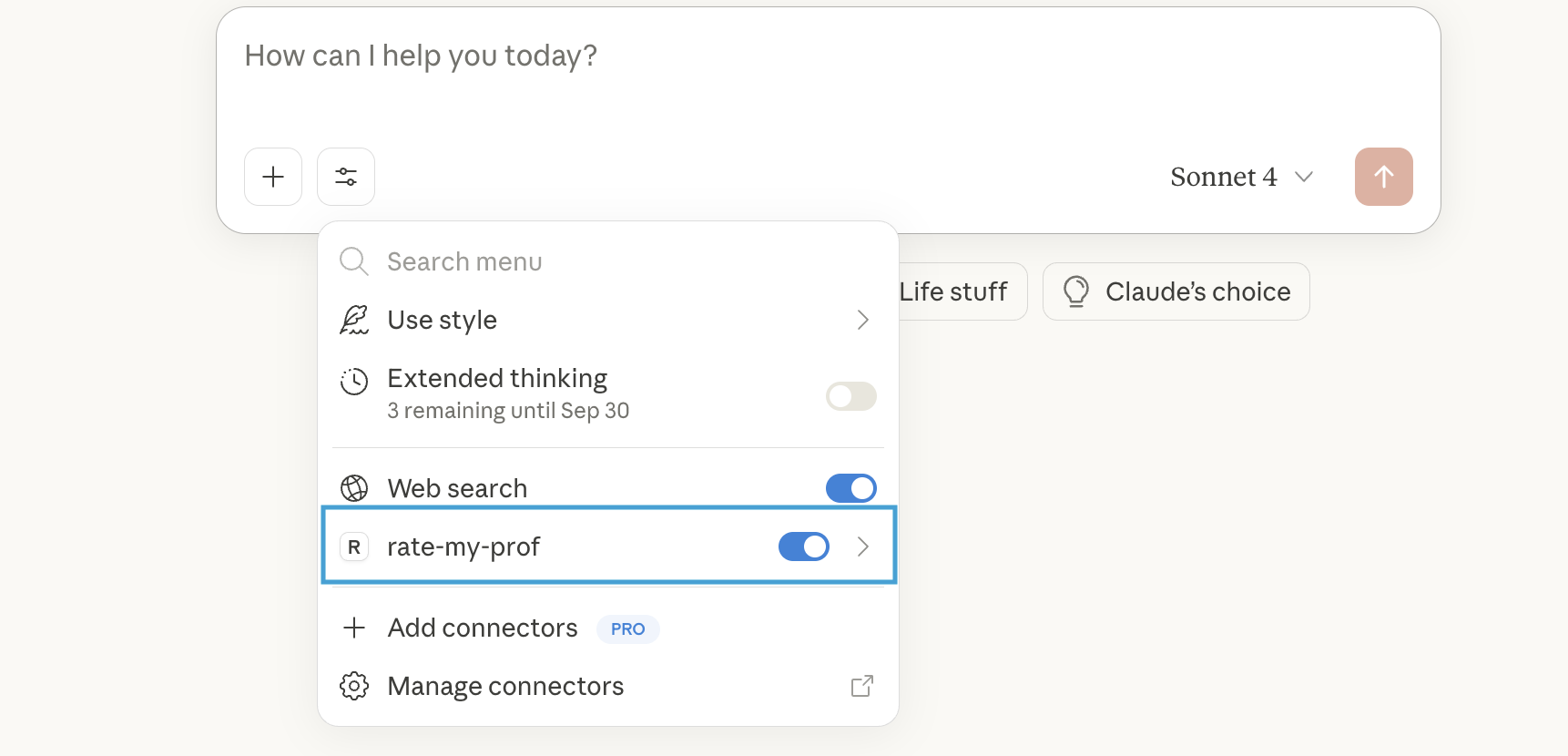
Congrats 🥳 the server is ready to use!
Demo
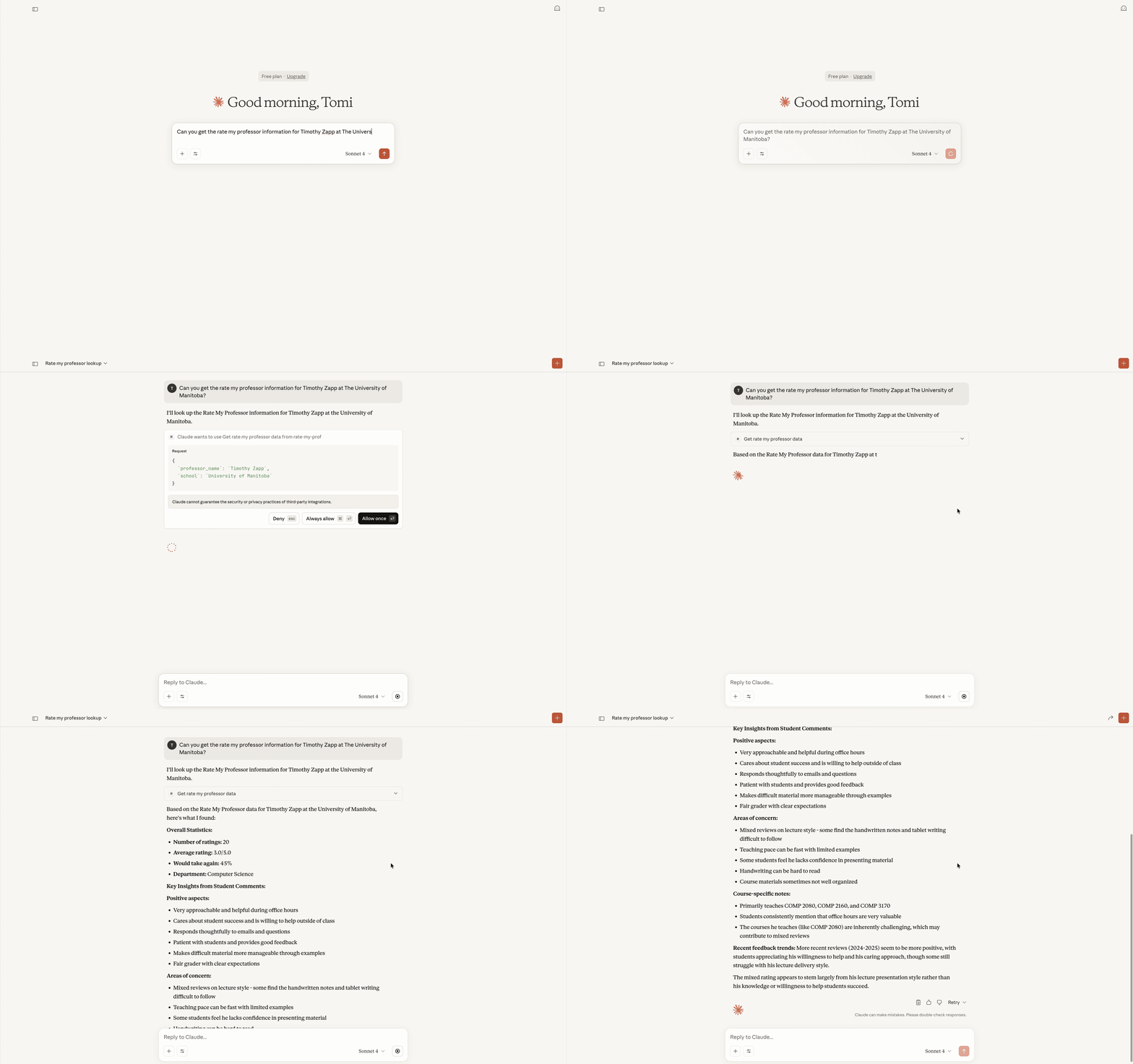
Demo of using the RateMyProf MCP server in Claude Desktop:
Acknowledgements
This project uses the rmp-ts-api Typescript Wrapper API by @DeveloperMindset123. Big thanks for making it!
Установить RateMyProfessors Server в Claude Desktop, Claude Code, Cursor
unyly install ratemyprofessors-mcp-serverСтавит в Claude Desktop, Claude Code, Cursor и VS Code — сам разбирается с npx, uvx и сборкой из исходников.
Впервые? Поставь CLI: curl -fsSL https://unyly.org/install | sh
Или настроить вручную
Выполни в терминале:
claude mcp add ratemyprofessors-mcp-server -- npx -y github:tohmze/ratemyprofessors-mcpFAQ
RateMyProfessors Server MCP бесплатный?
Да, RateMyProfessors Server MCP бесплатный — установка в пару кликов через Unyly без оплаты.
Нужен ли API-ключ для RateMyProfessors Server?
Нет, RateMyProfessors Server работает без API-ключей и переменных окружения.
RateMyProfessors Server — hosted или self-hosted?
Self-hosted: сервер запускается локально на твоей машине командой из раздела установки.
Как установить RateMyProfessors Server в Claude Desktop, Claude Code или Cursor?
Открой RateMyProfessors Server на unyly.org, выбери вкладку своего клиента (Claude Desktop, Claude Code, Cursor) и нажми Install — конфиг сгенерируется автоматически, без правки JSON.
Похожие MCP
Fetch
Web content fetching and conversion for efficient LLM usage.
AWS KB Retrieval
Retrieval from AWS Knowledge Base using Bedrock Agent Runtime.
 автор: modelcontextprotocol
Spring AI MCP Server
Provides auto-configuration for setting up an MCP server in Spring Boot applications.
llm-analysis-assistant
A very streamlined mcp client that supports calling and monitoring stdio/sse/streamableHttp, and can also view request responses through the /logs page. It also
 автор: xuzexin-hz
Compare RateMyProfessors Server with
Не уверен что выбрать?
Найди свой стек за 60 секунд
Автор?
Embed-бейдж для README
Похожее
Все в категории ai