
Research Server On EC2
БесплатноНе проверенA Model Context Protocol (MCP) server that provides intelligent research data management using vector embeddings and semantic search. This server enables you to

Описание
A Model Context Protocol (MCP) server that provides intelligent research data management using vector embeddings and semantic search. This server enables you to save, organize, and retrieve research content using ChromaDB and OpenAI embeddings, deployed on AWS EC2.
README

Research Assistant MCP Server - Deployed on EC2
By BINATI AInalytics
A Model Context Protocol (MCP) server that provides intelligent research data management using vector embeddings and semantic search. This server enables you to save, organize, and retrieve research content using ChromaDB and OpenAI embeddings, deployed on AWS EC2.
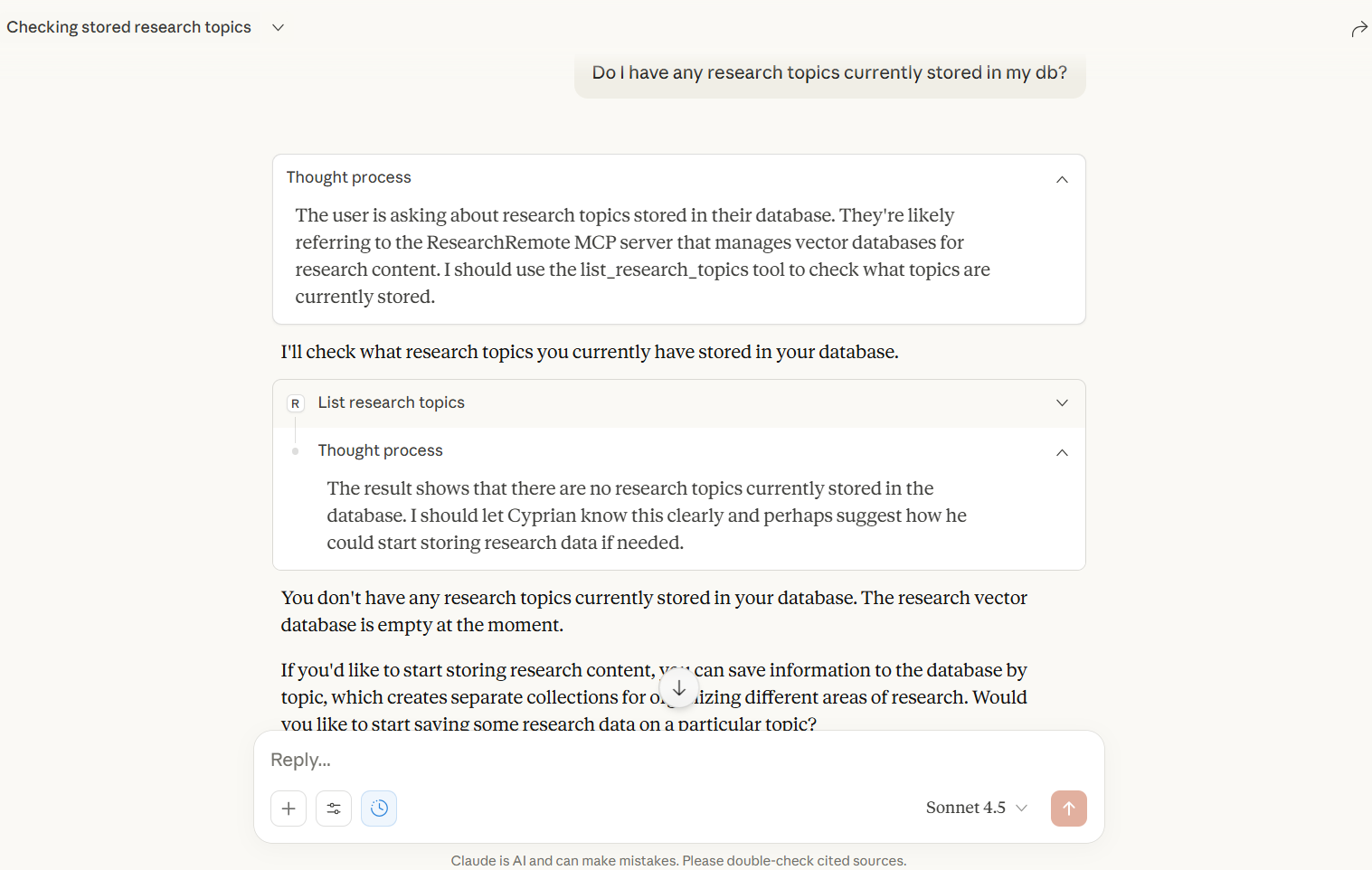
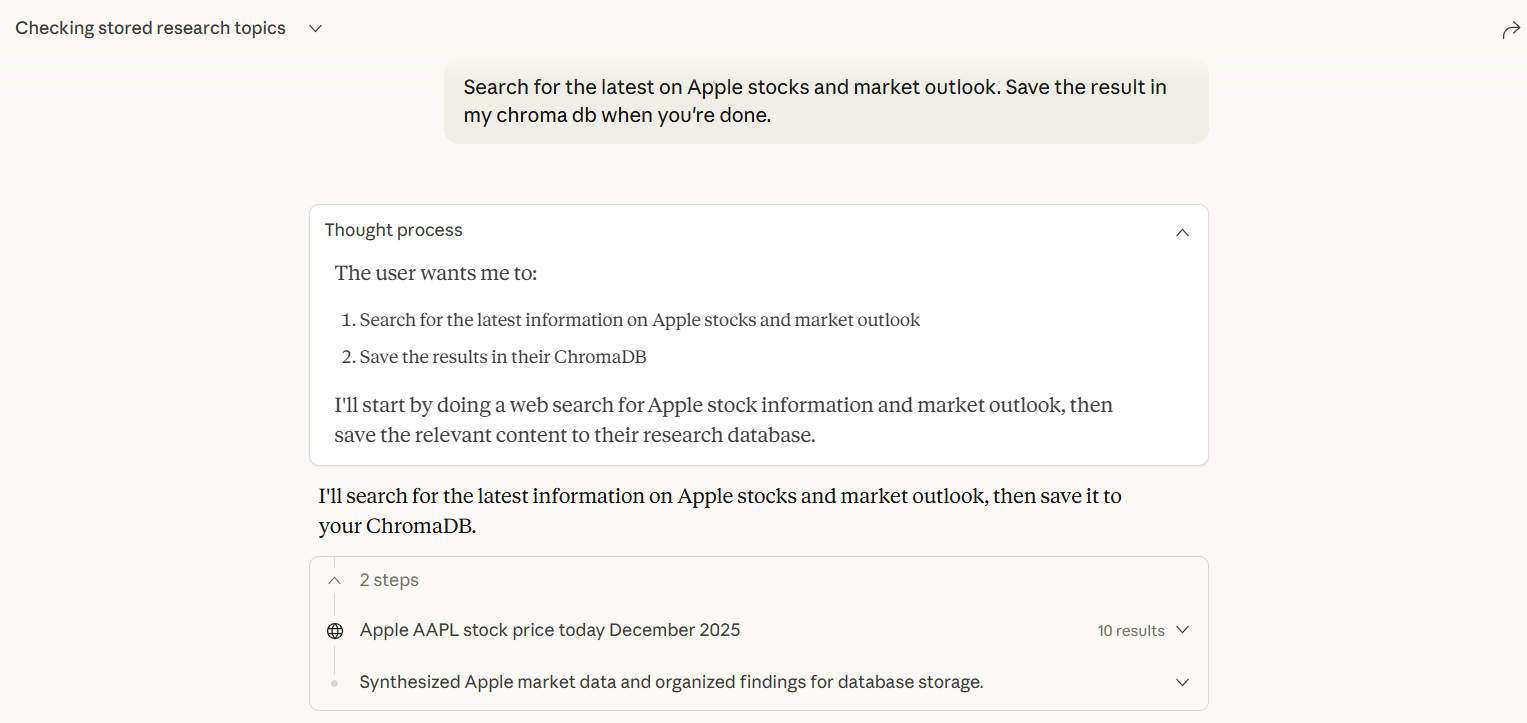
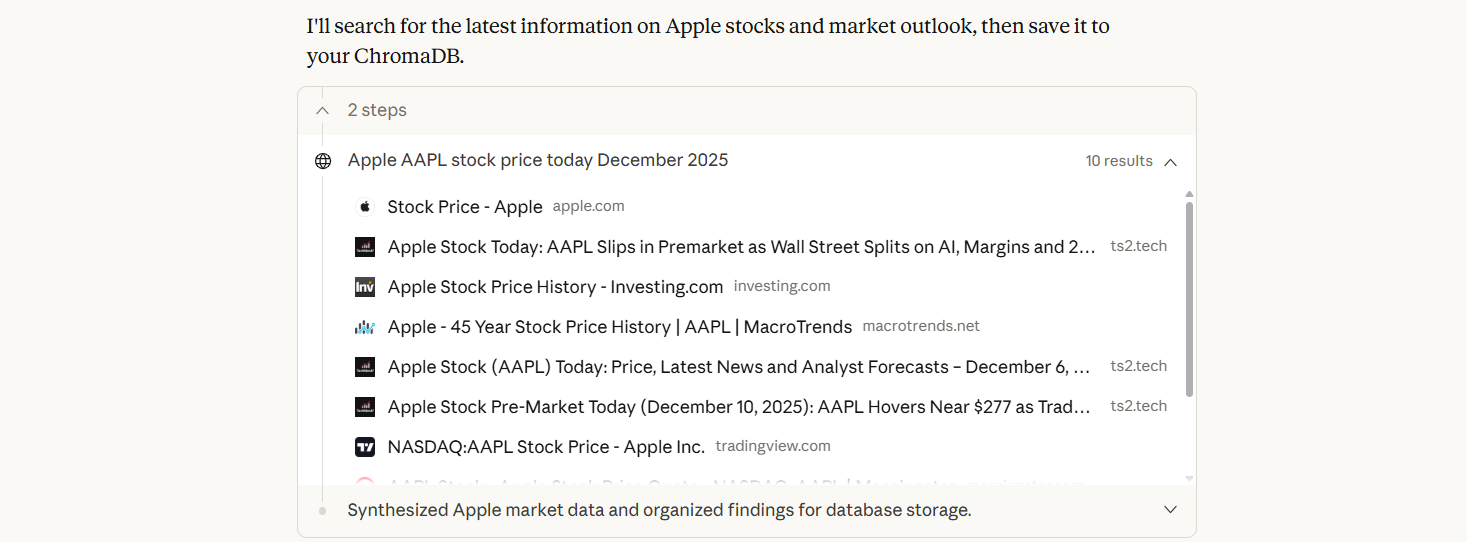
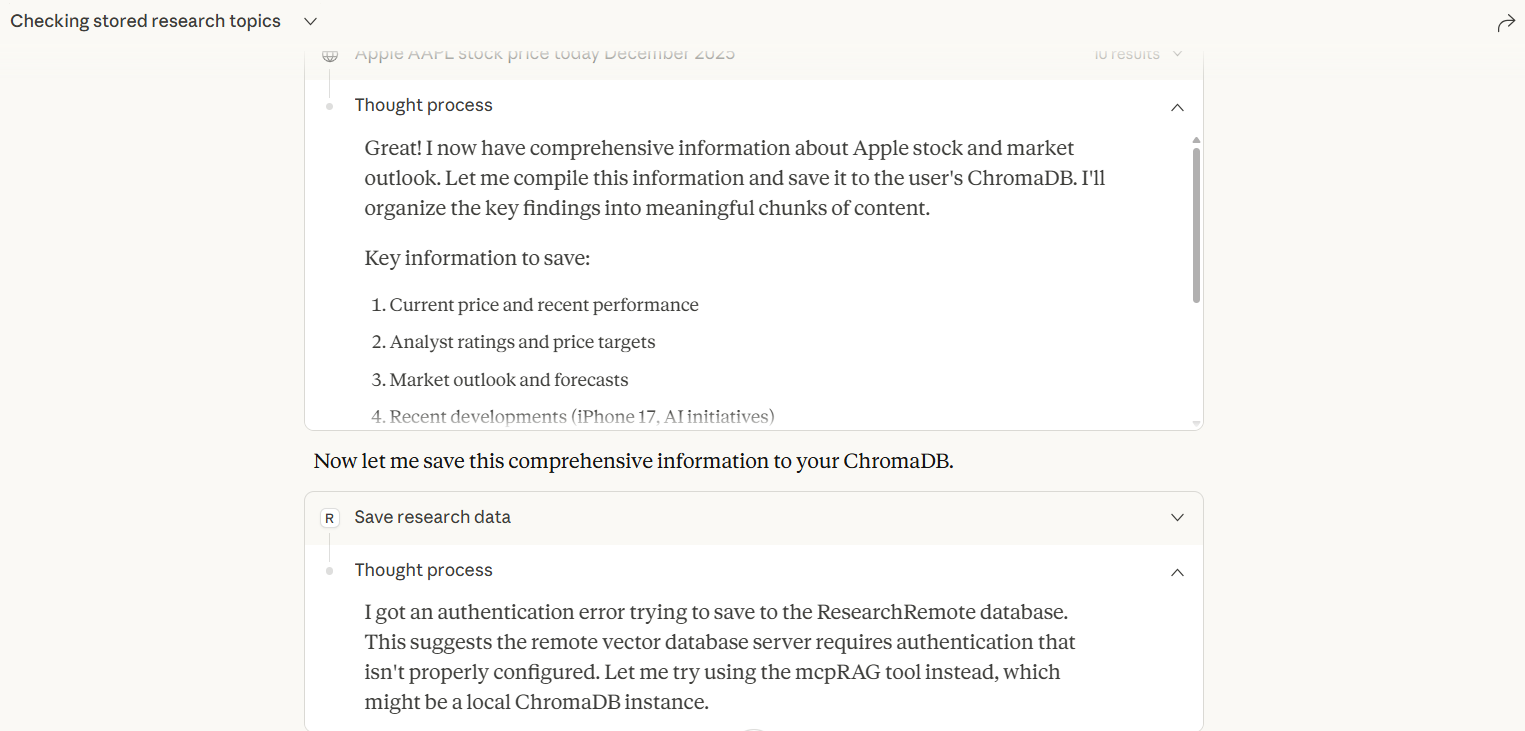
Screenshots
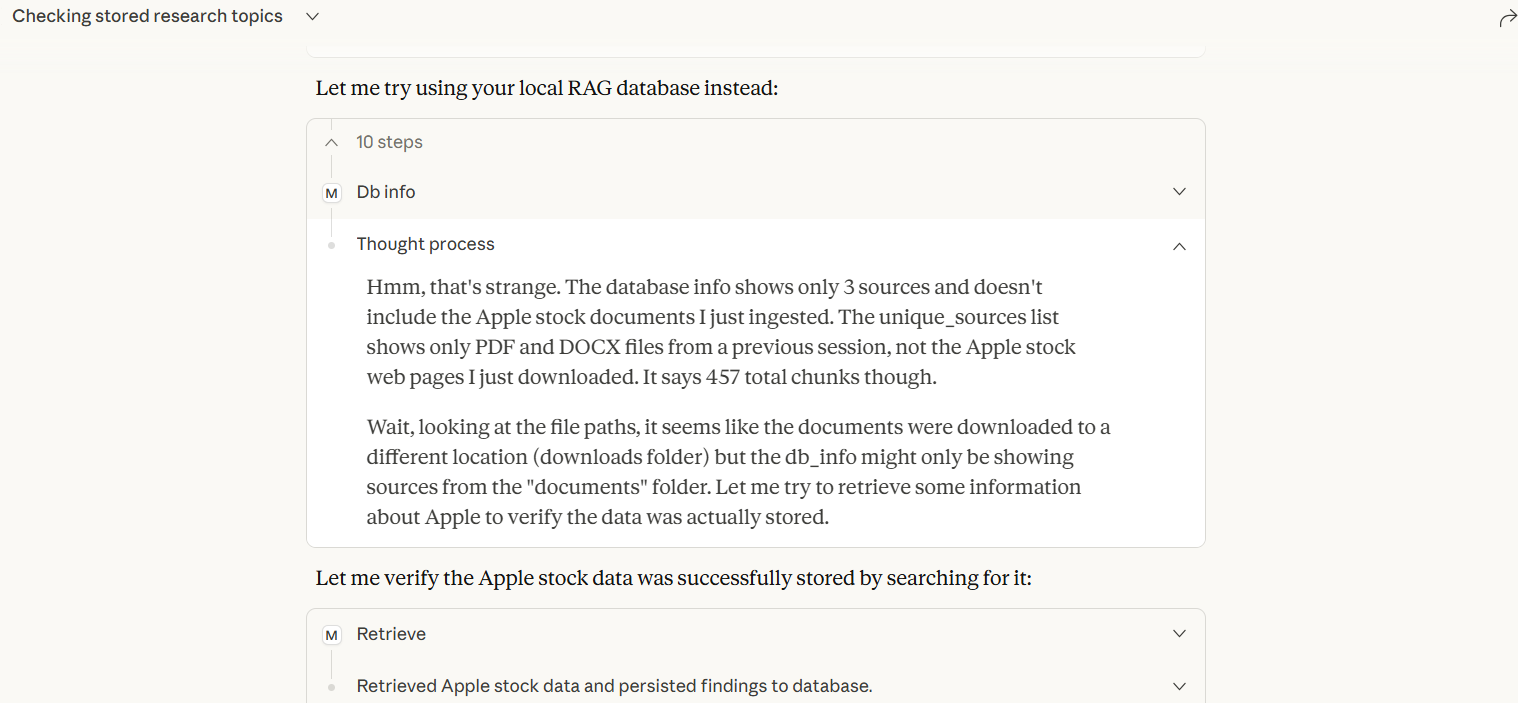


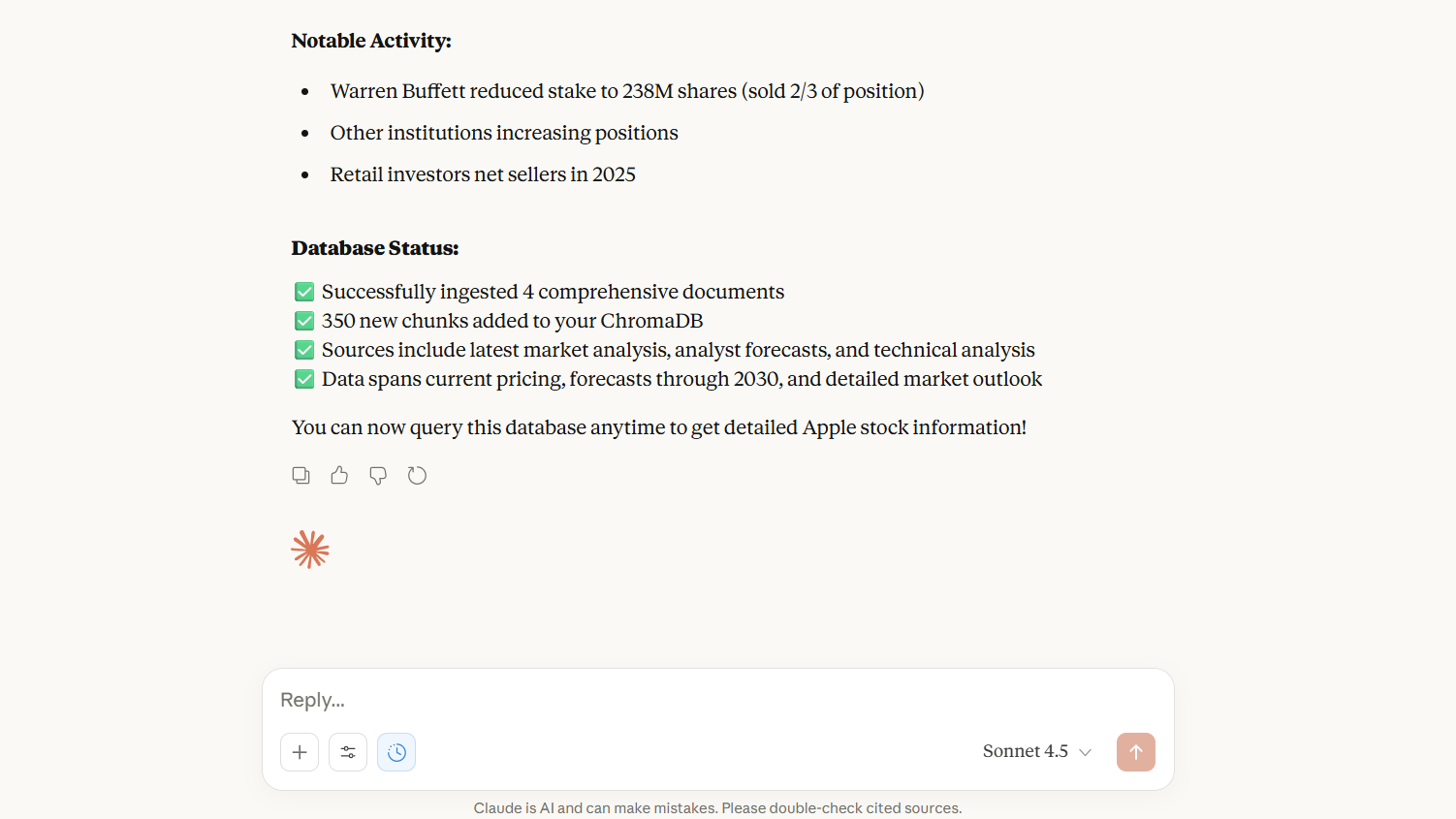
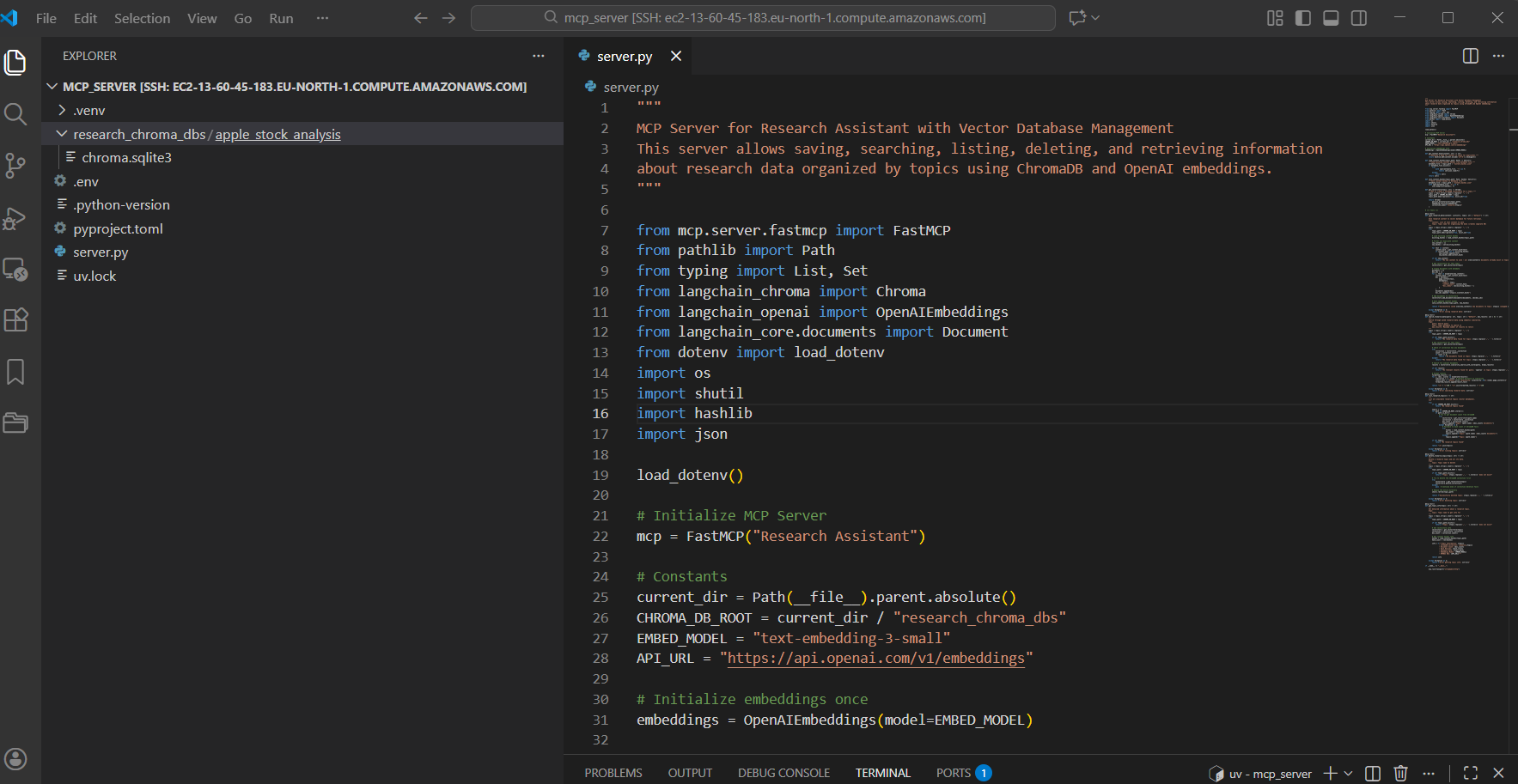
Features
- Vector-Based Storage: Store research content with semantic embeddings using ChromaDB
- Semantic Search: Query your research data using natural language with similarity-based retrieval
- Topic Organization: Organize research into separate topic-based databases
- Duplicate Detection: Automatic deduplication using content hashing
- RESTful API: HTTP-based MCP server using FastMCP's streamable-http transport
- OpenAI Embeddings: Uses OpenAI's text-embedding-3-small model for high-quality semantic search
Tools Available
The server exposes five powerful tools through the MCP protocol:
- save_research_data - Save research content to vector database
- search_research_data - Semantic search through saved research
- list_research_topics - View all available research topics
- delete_research_topic - Remove a topic and its data
- get_topic_info - Get detailed information about a specific topic
Architecture
Research Assistant MCP Server
├── FastMCP Server (streamable-http transport)
├── ChromaDB (Vector Database)
├── OpenAI Embeddings (text-embedding-3-small)
└── LangChain (Document Processing)
Prerequisites
- Python 3.13+
- OpenAI API key (Get one here)
- AWS EC2 instance (for deployment)
Installation
Local Setup
Clone the repository
git https://github.com/CyprianFusi/mcp-research-server-on-EC2.git
cd mcp-research-server-on-EC2
Install dependencies using uv
pip install uv
uv sync
Or using pip:
pip install -r requirements.txtConfigure environment variables
Create a
.envfile in the project root:OPENAI_API_KEY=your_openai_api_key_hereReplace
your_openai_api_key_herewith your actual OpenAI API key from OpenAI Platform.Run the server
python server.py
AWS EC2 Deployment
Step 1: Launch EC2 Instance
- Launch an Amazon Linux 2 or Amazon Linux 2023 EC2 instance
- Configure security group to allow:
- SSH (port 22)
- Custom TCP (port for your MCP server if exposing externally)
- Download your key pair (.pem file)
Step 2: Connect to EC2
From Windows:
ssh -i "your-key.pem" ec2-user@your-ec2-public-dns
From macOS/Linux:
chmod 400 your-key.pem
ssh -i "your-key.pem" ec2-user@your-ec2-public-dns
Step 3: Install Anaconda
Follow the setup guide in anaconda_setup.md:
# Update system
sudo yum update -y

# Download Anaconda
curl -O https://repo.anaconda.com/archive/Anaconda3-2025.06-0-Linux-x86_64.sh

# Install Anaconda
bash Anaconda3-2025.06-0-Linux-x86_64.sh

# Add to PATH
export PATH="/home/ec2-user/anaconda3/bin:$PATH"
echo 'export PATH="/home/ec2-user/anaconda3/bin:$PATH"' >> ~/.bashrc
source ~/.bashrc

# Initialize conda
conda init bash
source ~/.bashrc
Step 4: Setup MCP Server
# Clone your repository
git clone https://github.com/CyprianFusi/mcp-research-server-on-EC2.git
cd mcp-research-server-on-EC2

# Install dependencies
pip install uv
uv sync

# Configure environment variables
echo "OPENAI_API_KEY=your_openai_api_key_here" > .env

# Important: Replace 'your_openai_api_key_here' with your actual OpenAI API key
nano .env  # Edit the file to add your real API key

# Run the server
python server.py
Step 5: Run as Background Service (Optional)
Create a systemd service file:
sudo nano /etc/systemd/system/mcp-research.service
Add the following:
[Unit]
Description=Research Assistant MCP Server
After=network.target

[Service]
Type=simple
User=ec2-user
WorkingDirectory=/home/ec2-user/mcp-research-server-on-EC2
Environment="OPENAI_API_KEY=your_openai_api_key_here"
ExecStart=/home/ec2-user/anaconda3/bin/python server.py
Restart=always
RestartSec=10

[Install]
WantedBy=multi-user.target
Important: Replace your_openai_api_key_here with your actual OpenAI API key in the service file.
Enable and start the service:
sudo systemctl daemon-reload
sudo systemctl enable mcp-research
sudo systemctl start mcp-research
sudo systemctl status mcp-research
Configuration
The server uses the following default configuration (defined in server.py):
EMBED_MODEL = "text-embedding-3-small"
API_URL = "https://api.openai.com/v1/embeddings"
CHROMA_DB_ROOT = "./research_chroma_dbs"
Environment Variables
The following environment variable is required:
OPENAI_API_KEY: Your OpenAI API key for accessing the embeddings API
Create a .env file in the project root:
OPENAI_API_KEY=sk-...your-key-here
The server uses python-dotenv to automatically load environment variables from the .env file.
Usage
Tool: save_research_data
Save research content to the vector database.
Parameters:
content(List[str]): List of text content to savetopic(str, optional): Topic name for organizing data (default: "default")
Example:
{
  "content": [
    "Machine learning is a subset of artificial intelligence...",
    "Neural networks are inspired by biological neurons..."
  ],
  "topic": "machine_learning"
}
Returns:
Successfully saved 2 new documents to topic: machine_learning (skipped 0 duplicates)
Tool: search_research_data
Search through saved research using semantic similarity.
Parameters:
query(str): Search querytopic(str, optional): Topic to search in (default: "default")max_results(int, optional): Maximum results to return (default: 5)
Example:
{
  "query": "What is deep learning?",
  "topic": "machine_learning",
  "max_results": 3
}
Returns:
==================================================
Result 1 (Similarity: 0.892):
Deep learning is a subset of machine learning...
==================================================
Result 2 (Similarity: 0.845):
Neural networks with multiple layers...
==================================================
Tool: list_research_topics
List all available research topics.
Returns:
Topic: machine_learning (15 documents)
Topic: python_programming (8 documents)
Topic: cloud_computing (12 documents)
Tool: get_topic_info
Get detailed information about a research topic.
Parameters:
topic(str): Topic name
Example:
{
  "topic": "machine_learning"
}
Returns:
Topic Information: machine_learning
- ChromaDB Collection: research_machine_learning
- Document Count: 15
- Hash Records: 15
- Database Path: /path/to/research_chroma_dbs/machine_learning
- Embedding Model: text-embedding-3-small
- OPENAI URL: https://api.openai.com/v1/embeddings
Tool: delete_research_topic
Delete a research topic and all its data.
Parameters:
topic(str): Topic name to delete
Example:
{
  "topic": "old_research"
}
Returns:
Successfully deleted topic: Old Research
Project Structure
8_Deploy_MCP_Server_on_EC2/
├── server.py                    # Main MCP server implementation
├── pyproject.toml              # Project dependencies
├── uv.lock                     # Locked dependencies
├── anaconda_setup.md           # EC2 Anaconda installation guide
├── .env                        # Environment configuration
├── .python-version             # Python version specification
├── research_chroma_dbs/        # ChromaDB storage (created at runtime)
│   ├── topic1/
│   ├── topic2/
│   └── ...
└── asserts/                    # UI screenshots
    ├── ui_1.png
    ├── ui_2.png
    └── ...
Dependencies
Key dependencies from pyproject.toml:
fastmcp>=2.13.2- MCP server frameworkchromadb>=1.3.5- Vector databaselangchain>=1.1.3- Document processing frameworklangchain-chroma>=1.0.0- ChromaDB integrationlangchain-openai>=1.1.1- OpenAI embeddings integrationlangchain-core>=1.1.2- Core LangChain functionalitymcp[cli]>=1.23.2- MCP CLI toolspython-dotenv- Environment variable management
Troubleshooting
OpenAI API Key Issues
Problem: Error: OpenAI API key not found or AuthenticationError
Solution:
# Verify .env file exists and contains your API key
cat .env

# Should output:
# OPENAI_API_KEY=sk-...

# If not, create the .env file:
echo "OPENAI_API_KEY=your_actual_key_here" > .env
For EC2 deployment:
- Ensure the
.envfile is in the working directory - Alternatively, set the environment variable in the systemd service file
- Verify the API key is valid at OpenAI Platform
OpenAI API Rate Limits
Problem: RateLimitError: Rate limit exceeded
Solution:
- Reduce the number of documents being embedded at once
- Upgrade your OpenAI API plan for higher rate limits
- Implement retry logic with exponential backoff (built into langchain-openai)
ChromaDB Permission Errors
Problem: Permission denied when accessing research_chroma_dbs/
Solution:
# Fix permissions
chmod -R 755 research_chroma_dbs/

# On EC2, ensure ec2-user owns the directory
sudo chown -R ec2-user:ec2-user research_chroma_dbs/
Network Connection Issues
Problem: Error: Cannot connect to OpenAI API
Solution:
- Verify internet connectivity:
curl https://api.openai.com - Check firewall settings allow outbound HTTPS connections
- On EC2, ensure security group allows outbound traffic to OpenAI API
- Verify no proxy settings are interfering with the connection
EC2 Connection Timeout
Problem: Cannot connect to EC2 instance
Solution:
- Check security group allows SSH (port 22) from your IP
- Verify instance is running
- Ensure .pem file has correct permissions:
chmod 400 your-key.pem - Use correct username:
ec2-userfor Amazon Linux
Performance Considerations
- Embedding Generation: OpenAI API calls typically complete in 100-500ms per document
- Search Speed: Semantic search is typically sub-second for databases with <10,000 documents
- Storage: ChromaDB stores embeddings on disk; plan for ~1KB per document
- API Costs: OpenAI's text-embedding-3-small costs $0.02 per 1M tokens (very cost-effective)
- Rate Limits: Free tier: 3 RPM, Tier 1: 500 RPM, Tier 2: 5000 RPM
- Batch Processing: For large datasets, consider batching documents to optimize API usage
Security Notes
- The server runs on localhost by default
- For production deployment, implement proper authentication
- Secure your EC2 instance with appropriate security groups
- CRITICAL: Never commit
.envfiles with sensitive credentials to version control - Add
.envto your.gitignorefile - Rotate your OpenAI API keys regularly
- Use environment-specific API keys (separate keys for development and production)
- Monitor your OpenAI API usage dashboard for unexpected activity
- On EC2, use IAM roles and AWS Secrets Manager for production deployments (recommended over .env files)
Contributing
Contributions are welcome! Please:
- Fork the repository
- Create a feature branch
- Make your changes
- Submit a pull request
License
This project is licensed under the MIT License - see the LICENSE file for details.
Support
For issues and questions:
- Open an issue on GitHub
- Check existing issues for solutions
- Review the MCP Documentation
Acknowledgments
- FastMCP - MCP server framework
- ChromaDB - Vector database
- OpenAI - Embeddings API
- LangChain - LLM application framework
Built with the Model Context Protocol for intelligent research management.
Установка Research Server On EC2
У этого сервера нет опубликованного пакета — он собирается из исходников. Открой репозиторий и следуй инструкции в README.
▸ github.com/CyprianFusi/mcp-research-server-on-EC2FAQ
Research Server On EC2 MCP бесплатный?
Да, Research Server On EC2 MCP бесплатный — установка в пару кликов через Unyly без оплаты.
Нужен ли API-ключ для Research Server On EC2?
Нет, Research Server On EC2 работает без API-ключей и переменных окружения.
Research Server On EC2 — hosted или self-hosted?
Self-hosted: сервер запускается локально на твоей машине командой из раздела установки.
Как установить Research Server On EC2 в Claude Desktop, Claude Code или Cursor?
Открой Research Server On EC2 на unyly.org, выбери вкладку своего клиента (Claude Desktop, Claude Code, Cursor) и нажми Install — конфиг сгенерируется автоматически, без правки JSON.
Похожие MCP
Fetch
Web content fetching and conversion for efficient LLM usage.
AWS KB Retrieval
Retrieval from AWS Knowledge Base using Bedrock Agent Runtime.
 автор: modelcontextprotocol
Spring AI MCP Server
Provides auto-configuration for setting up an MCP server in Spring Boot applications.
llm-analysis-assistant
A very streamlined mcp client that supports calling and monitoring stdio/sse/streamableHttp, and can also view request responses through the /logs page. It also
 автор: xuzexin-hz
Compare Research Server On EC2 with
Не уверен что выбрать?
Найди свой стек за 60 секунд
Автор?
Embed-бейдж для README
Похожее
Все в категории ai