
Ros2 Web Portal
БесплатноНе проверенEnables natural language command control of robots via ROS2, with a web portal for real-time visualization and interaction.

Описание
Enables natural language command control of robots via ROS2, with a web portal for real-time visualization and interaction.
README
Overview



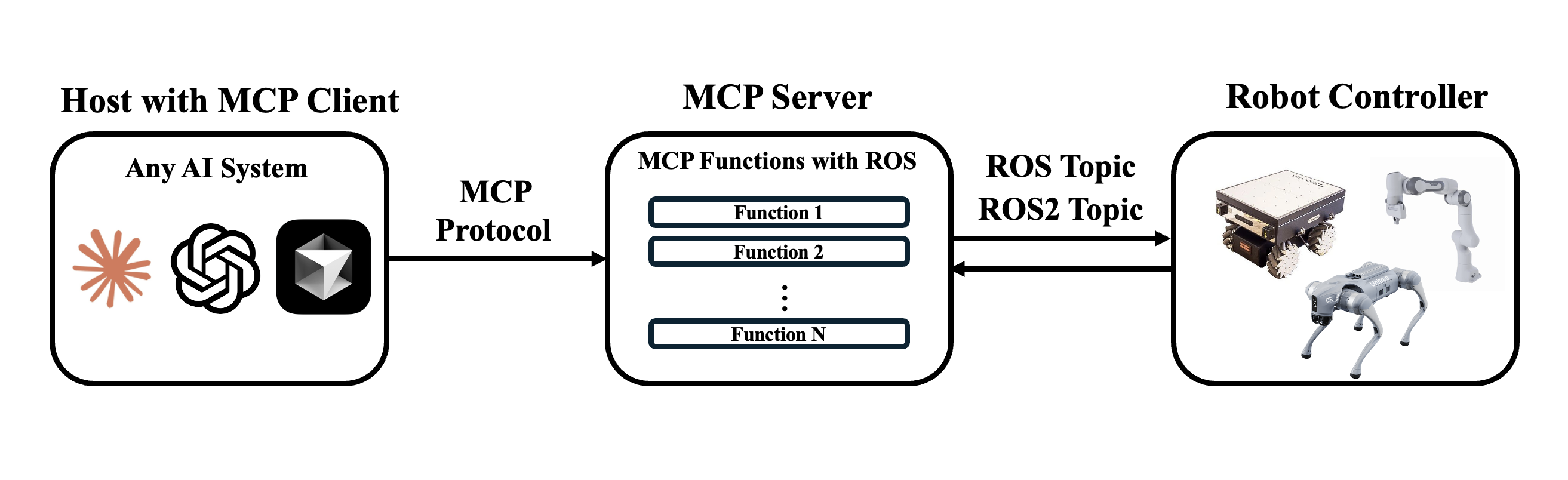
The ROS MCP Server with Web Portal is designed to support robots in performing complex tasks and adapting effectively to various environments by providing a set of functions that transform natural language commands, entered by a user through an LLM, into ROS commands for robot control. Furthermore, by utilizing rosbridge, it is configured to operate with both ROS and ROS2 systems, and its WebSocket-based communication enables broad applicability across diverse platforms. not only that using this MCP Server I have created a web portal that makes it super easy to go through hundreds of topics and services without typing a single command and visualzie it for easy intuition, see live camera stream wth description from LLM and ability to control robots with Web-UI.
Demo

Supported Environment
- Quadruped Simulation (successful testing on Isaac-sim+IsaacLab)
- Real Quadruped (under development)
- Humanoid Simulation + Real (In future)
1. MCP-Server Installation
uv Installation
- To install
uv, you can use the following command:
curl -LsSf https://astral.sh/uv/install.sh | sh
or
pip install uv
- Create virtual environment and activate it (Optional)
uv venv
source .venv/bin/activate
MCP Server Configuration
Option A. Install Cursor
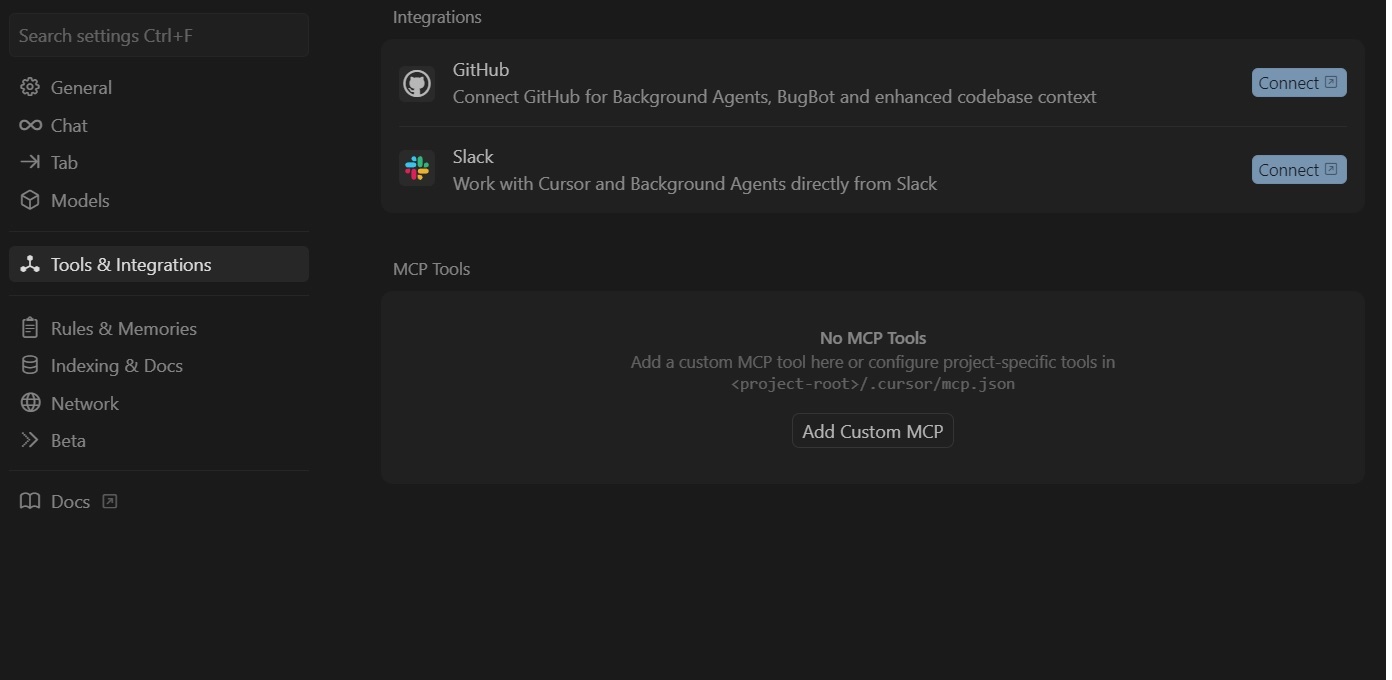
In cursor open settings and go to Tools & Integrations and then click Add Custom MCP. Then paste the code in section 2.1
Option B:
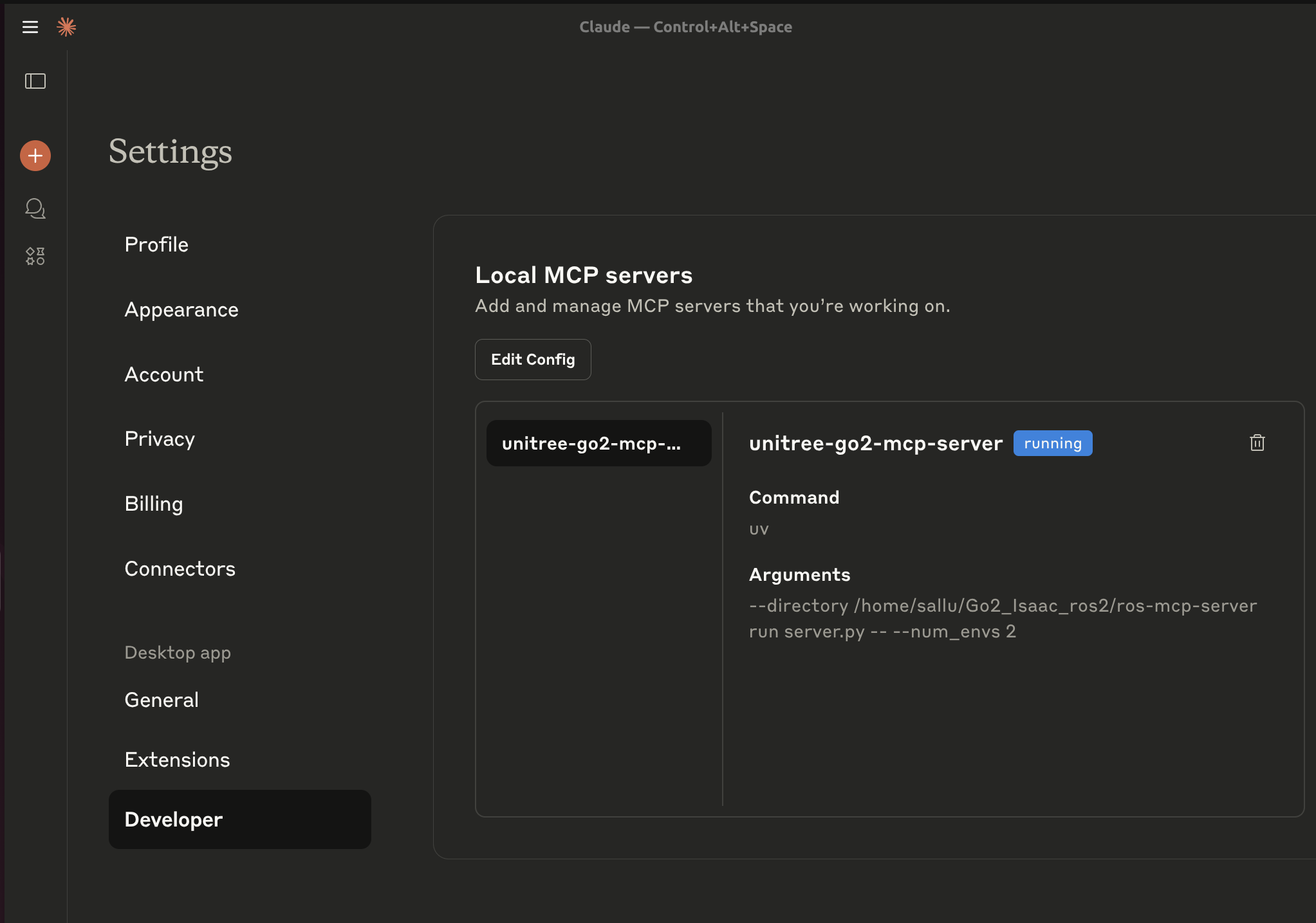
Install Claude Desktop (For Linux installation follow claude-desktop-debian).
Run claude desktop and go to developer settings and click Add MCP Server. Then paste the code given in section 2.1
MCP Config File
Paste the code in mcp.json file
{
  "mcpServers": {
    "ros-mcp-server": {
      "command": "uv",
      "args": [
        "--directory",
        "/ABSOLUTE/PATH/TO/Go2_Isaac_ros2/ros-mcp-server",,
        "run",
        "server.py"
      ]
    }
  }
}
1.1 MCP Functions
You can find the list of functions in the MCPFUNCTIONS.md.
1.2 Launch Rosbridge Server
1. Set IP and Port to connect rosbridge.
- Open
server.pyand change yourLOCAL_IP,ROSBRIDGE_IPandROSBRIDGE_PORT. (ROSBRIDGE_PORT's default value is9090)
Run rosbridge server.
ROS 1
roslaunch rosbridge_server rosbridge_websocket.launch
ROS 2
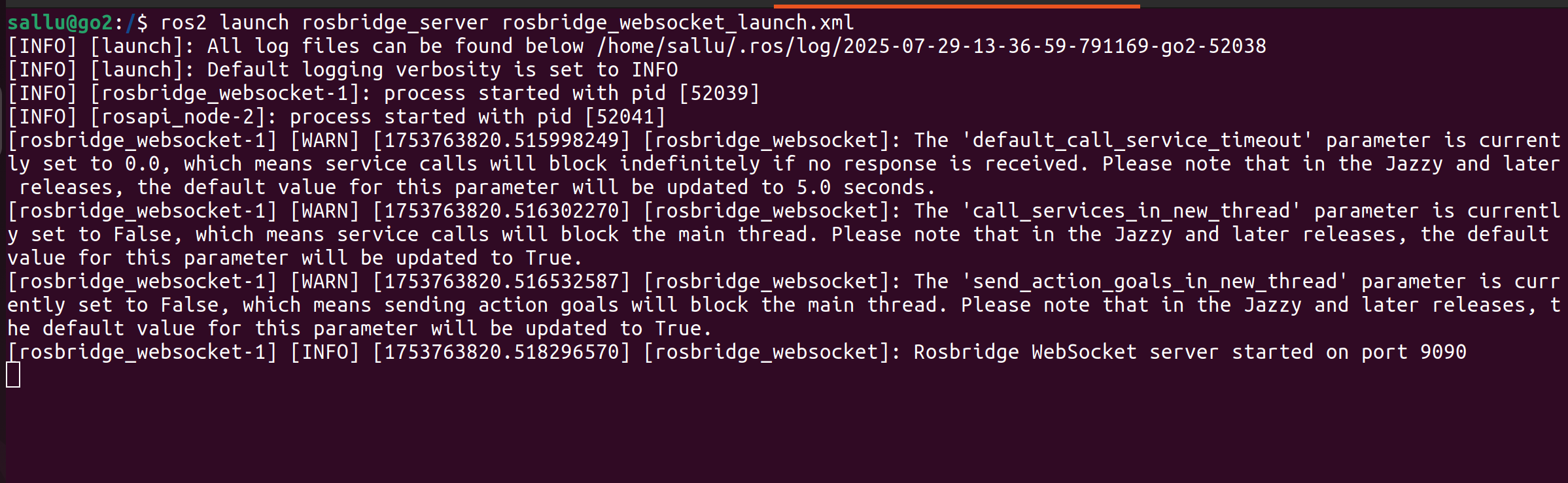
ros2 launch rosbridge_server rosbridge_websocket_launch.xml #if you dont have it install it with sudo apt command in linux
Run main.py as per README.MD
Before running, make sure num_envs in sim.yaml has same value as NUM_ENVS in server.py
Type your instructions in chat
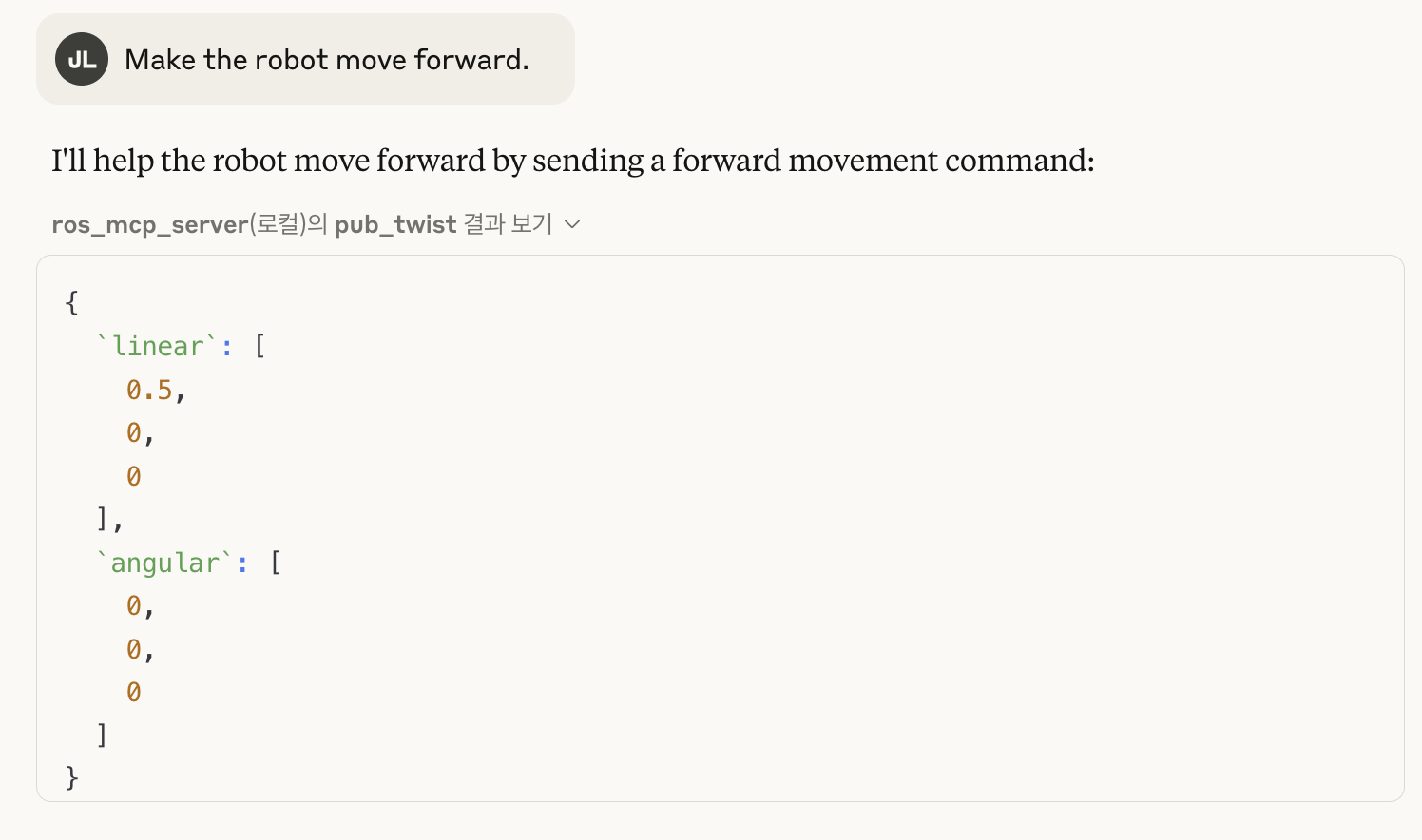
2 Launch Web Portal
To run web portal only prerequisite is step 3 (launch robsridge server). Other steps can be ignored
2.1 Activate the evironment
Assuming that you are running it with Isaac-simulation(support for real robot will be added later), First of all activate the same environment being used for running main.py program (isaaclab_env) as per README.MD
Note: If you want to create a new seperate environment for web portal then you need to install torch and numpy as well otherwise make sure you dont update/change them in existing environment or it will cause problems.
conda activate env_isaaclab #or activate your custom env
cd ~/Go2_Isaac_ros2/ros-mcp-server
pip install -r requirements_web_mcp.txt
python web_portal.py
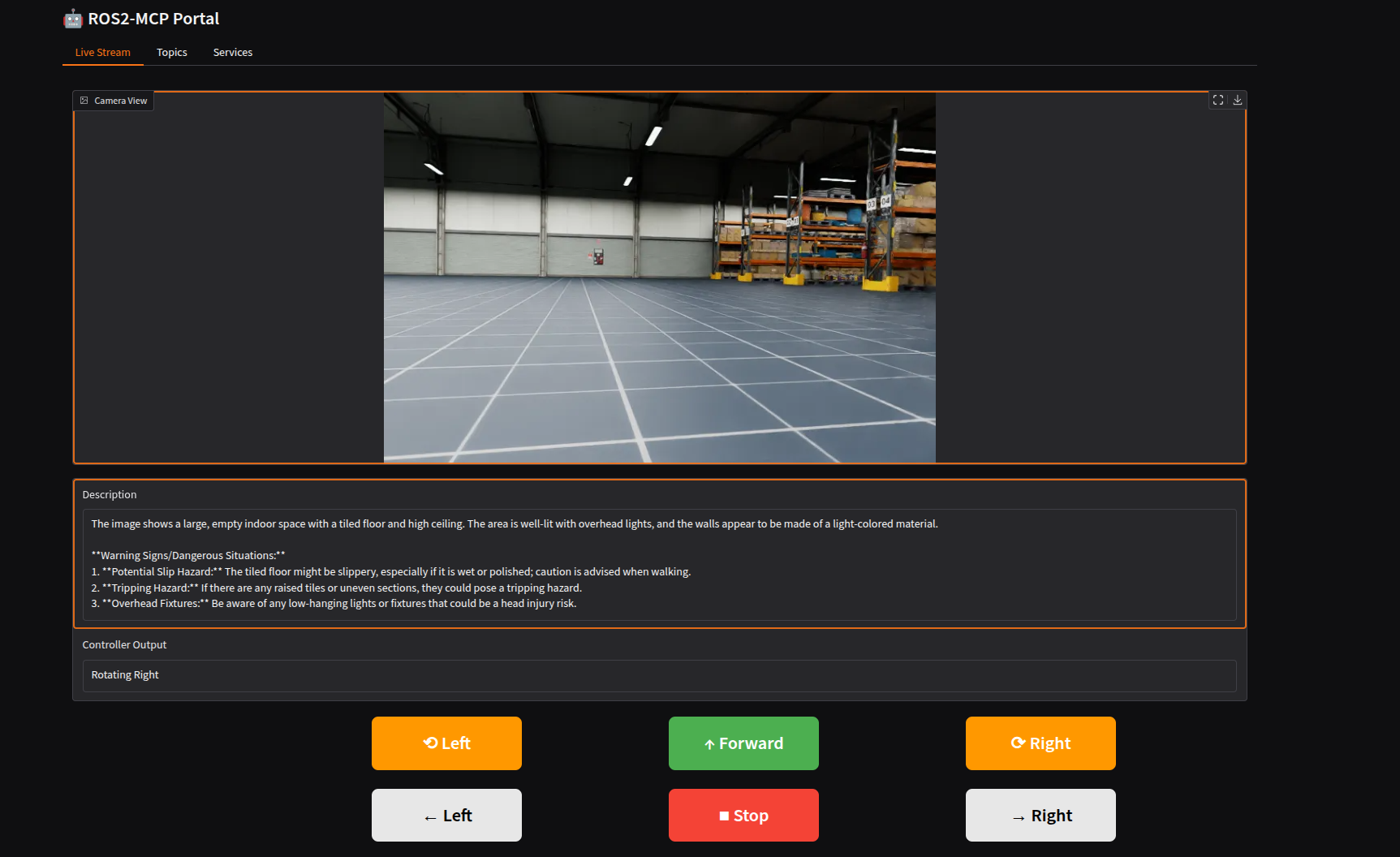
2.2 Changing Portal Settings
- You can choose which services to run in portal by setting parameters to True/False in config.py
- Button location might be different depending on screen size. You can adjust it in web_portal.py from line 90 onwards
- To run the LLM description dont forget to add your API key in config.py or use Ollama for local hosting. To change prompt go to llm_describer.py
- To add a new service make a new code such as lidar.py and initialize it in data_stream.py. From here all data needed for web_portal is acquired. All data is is gathered in data_stream class whose object is then called by web_portal.
- By default an image is sent to LLM every 5 seconds for description update. You can change it in data_stream.py
- If you want to use camera and controller for a different robot make sure you change the name of topics in config.py
- To share Web-portal with many users across network, Checkout Gradio-Mcp-Server
3. Acknowledgement
MCP Control is based on ros-mcp-server (Note: my implementation has deviated quite a bit now)
LLM description inspiration from vlm-describer
7. Citation
@MISC{Suleman2025,
  author = "Muhammad Suleman",
  title = "Ros2-MCP-Web-Portal",
  year = "2025",
  url = "https://github.com/sallu-786/Ros2-MCP-Web-Portal",
  note = "Version 1.0.0"
}
8. Contact
Установка Ros2 Web Portal
У этого сервера нет опубликованного пакета — он собирается из исходников. Открой репозиторий и следуй инструкции в README.
▸ github.com/sallu-786/Ros2-MCP-Web-PortalFAQ
Ros2 Web Portal MCP бесплатный?
Да, Ros2 Web Portal MCP бесплатный — установка в пару кликов через Unyly без оплаты.
Нужен ли API-ключ для Ros2 Web Portal?
Нет, Ros2 Web Portal работает без API-ключей и переменных окружения.
Ros2 Web Portal — hosted или self-hosted?
Self-hosted: сервер запускается локально на твоей машине командой из раздела установки.
Как установить Ros2 Web Portal в Claude Desktop, Claude Code или Cursor?
Открой Ros2 Web Portal на unyly.org, выбери вкладку своего клиента (Claude Desktop, Claude Code, Cursor) и нажми Install — конфиг сгенерируется автоматически, без правки JSON.
Похожие MCP
GitHub
PRs, issues, code search, CI status
 автор: GitHub
Filesystem
Secure file operations with configurable access controls.
Memory
Knowledge graph-based persistent memory system.
Template MCP Server
A CLI tool to create a new Model Context Protocol server project with TypeScript support, dual transport options, and an extensible structure
 автор: mcpdotdirect
Compare Ros2 Web Portal with
Не уверен что выбрать?
Найди свой стек за 60 секунд
Автор?
Embed-бейдж для README
Похожее
Все в категории development