
S
БесплатноНе проверенA collection of Model Context Protocol (MCP) servers made and exposed over HTTP and STDIO for various applications including Leetcode, MealDB, Clash of Clans, a

Описание
A collection of Model Context Protocol (MCP) servers made and exposed over HTTP and STDIO for various applications including Leetcode, MealDB, Clash of Clans, and Brawl Stars.
README
clash-of-clans: https://sanket-mcps.vercel.app/mcp/clash-of-clansbrawlstars: https://sanket-mcps.vercel.app/mcp/brawlstarsleetcode: https://sanket-mcps.vercel.app/mcp/leetcodemealdb: https://sanket-mcps.vercel.app/mcp/mealdb
Use cases
brawlstars: player and club lookups, rankings by country/global, and matchup-style comparisons.clash-of-clans: clan scouting and war readiness summaries, war log lookups, and player/clan comparison helpers.leetcode: user profile analysis, problem discovery (by tag/difficulty), contest information, and discussion topic exploration.mealdb: recipe search, category/ingredient/cuisine filtering, and recipe-guided meal inspiration or planning.
Server-specific docs
Setup
Connect Remote Server
- Open Claude.
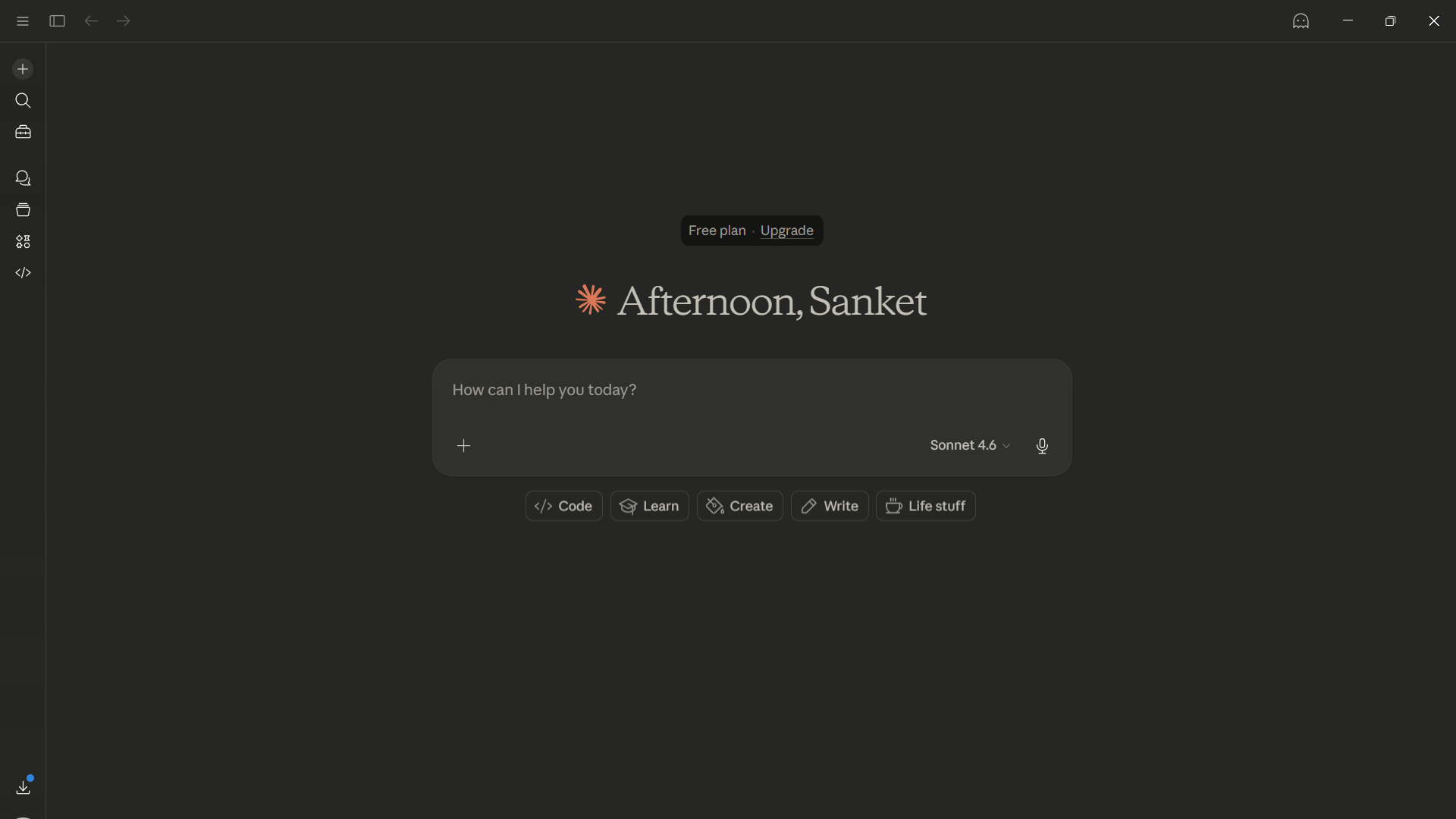
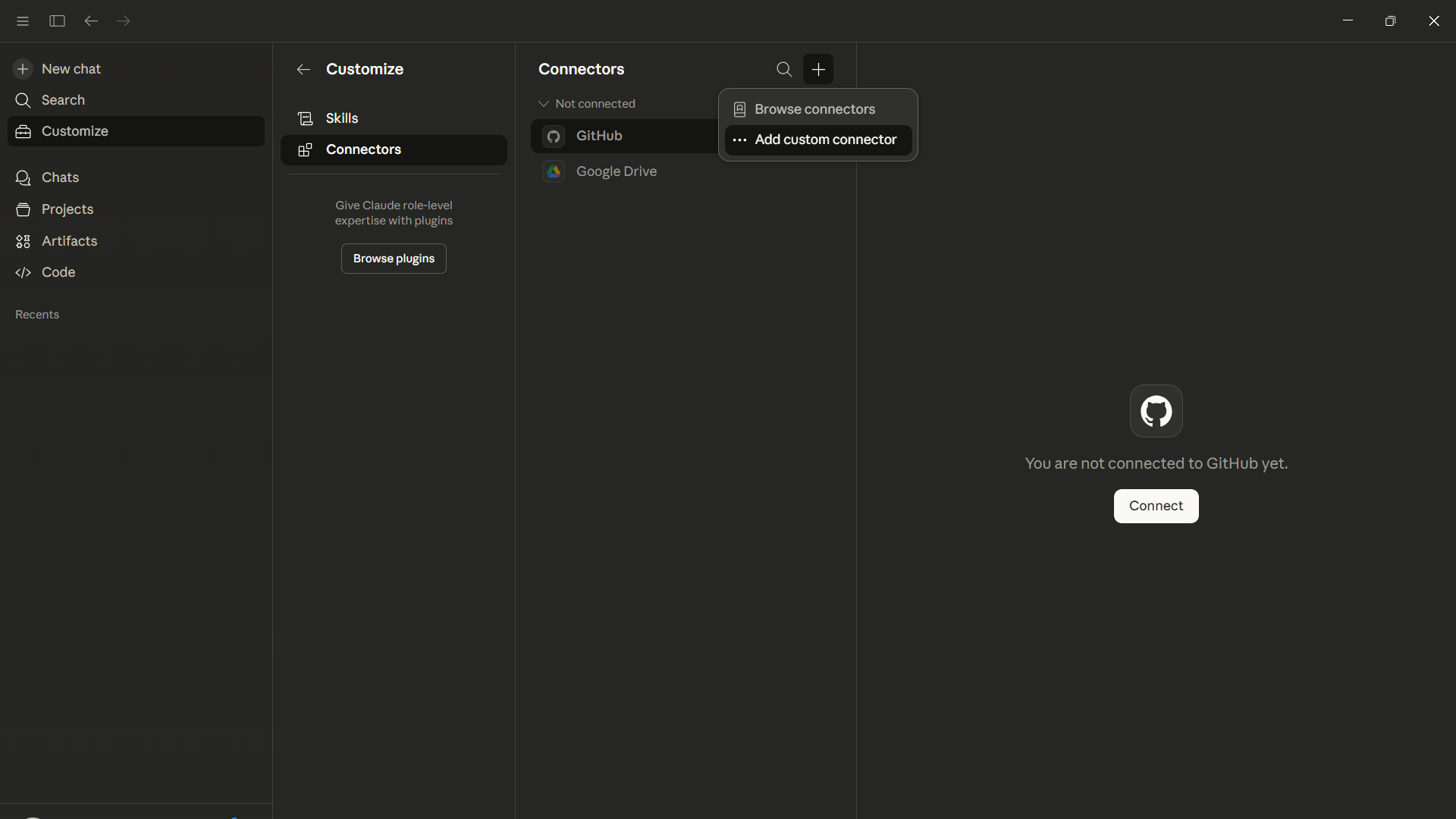
- Go to Custom Connector.
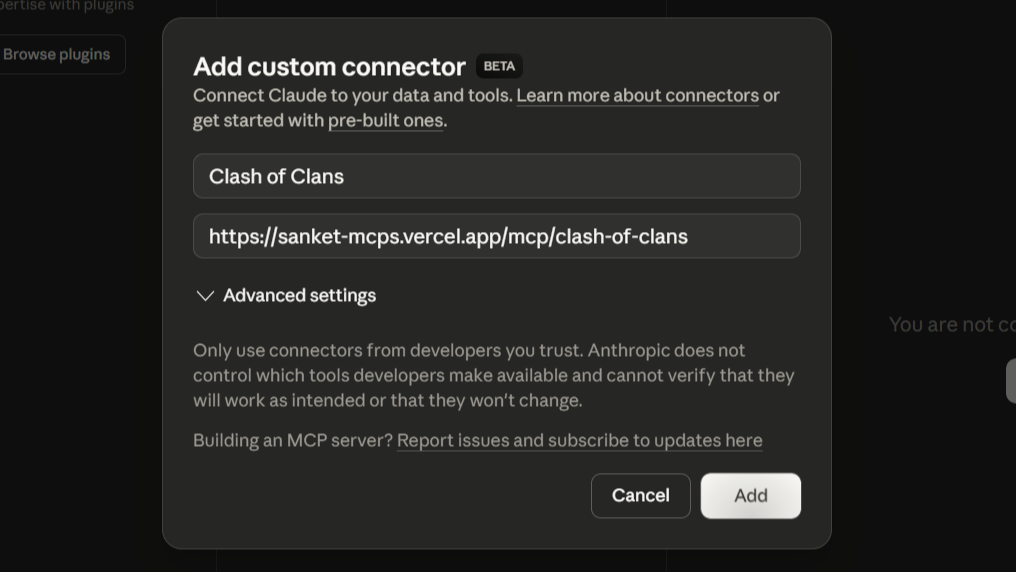
- Add your MCP server URL and your preferred name.
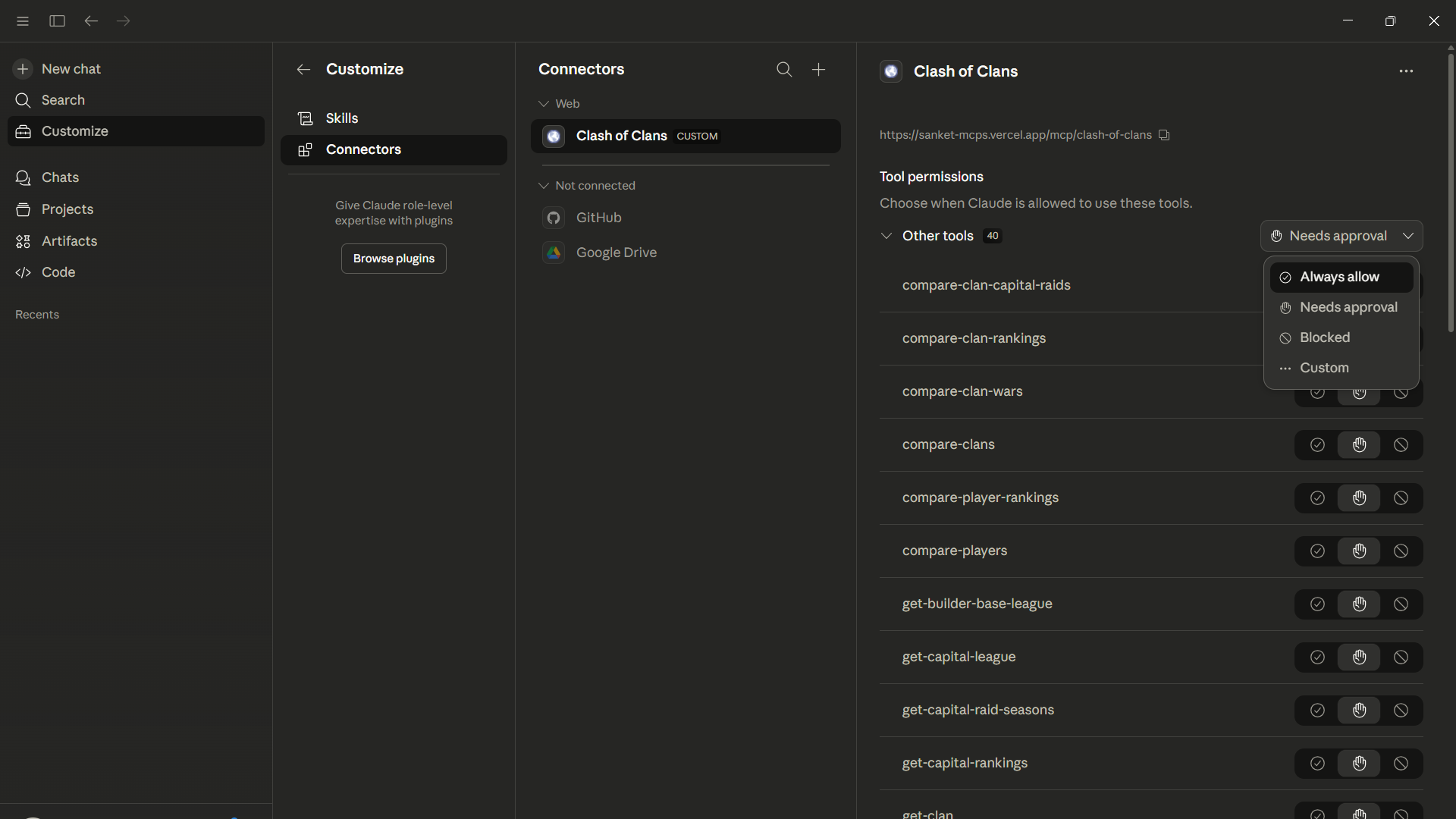
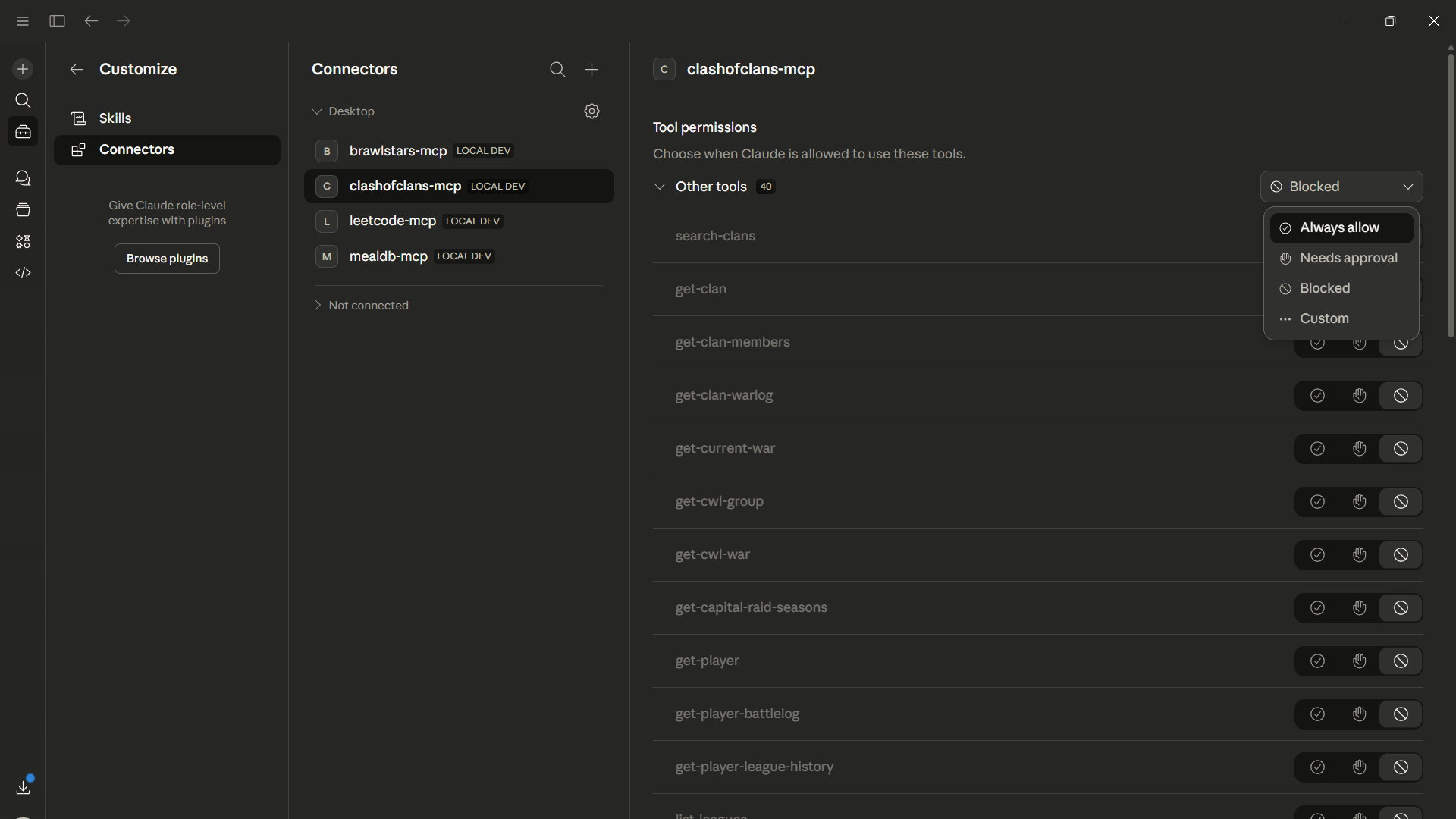
- Select Always Allow so the AI does not ask for permissions repeatedly.
Setup Locally
- Clone the repository, install dependencies, and build the server.
git clone https://github.com/sanket-164/MCP-Servers.git
cd MCP-Servers/server
npm install
npm run build
- Open Claude Desktop.
- Go to Settings.
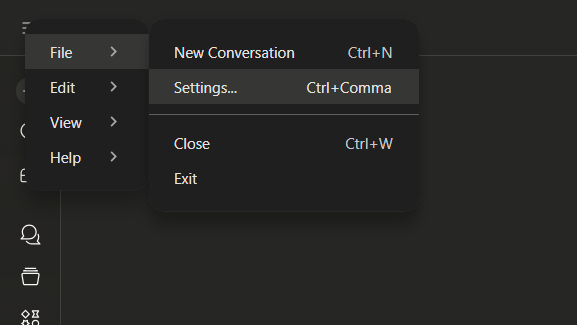
- Go to Developer Mode and click Edit Config.
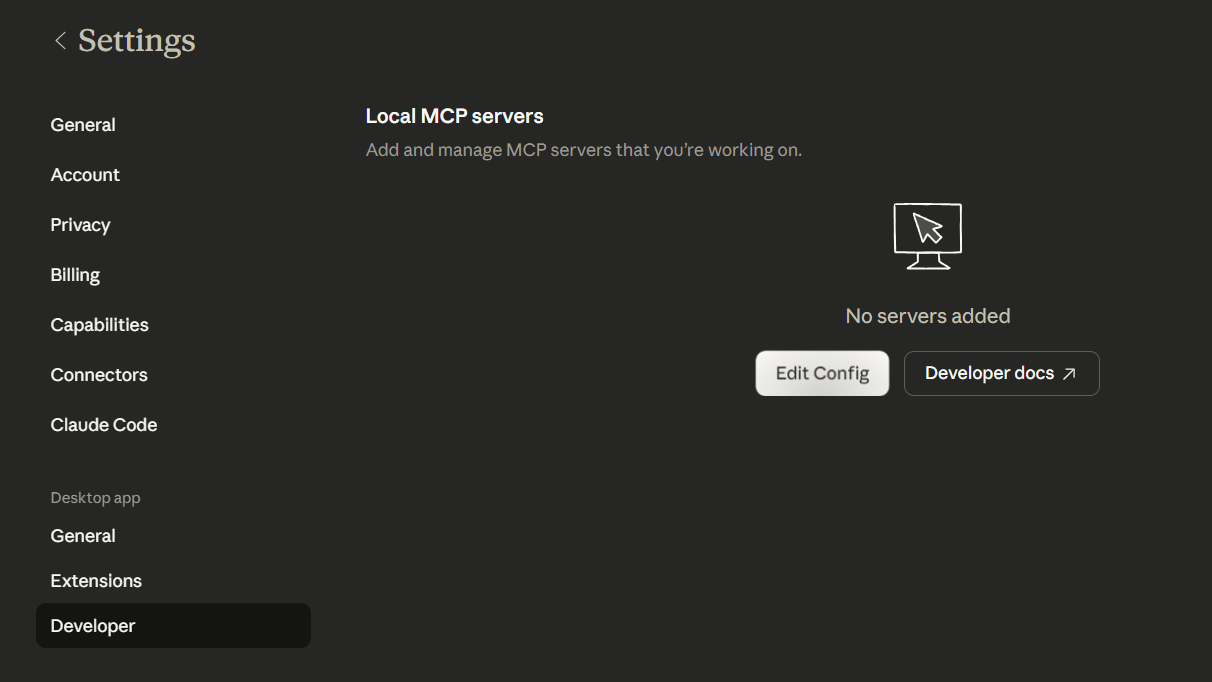
- Edit the config by adding static paths to mcp servers file and save it.
{
  ...
  ,
  "mcpServers": {
    "mealdb-mcp": {
      "command": "node",
      "args": [
        "[Parent-Folder]\\MCP-Servers\\server\\dist\\mcp\\mealdb\\stdio.js"
      ]
    },
    "leetcode-mcp": {
      "command": "node",
      "args": [
        "[Parent-Folder]\\MCP-Servers\\server\\dist\\mcp\\leetcode\\stdio.js"
      ]
    },
    "clashofclans-mcp": {
      "command": "node",
      "args": [
        "[Parent-Folder]\\MCP-Servers\\server\\dist\\mcp\\clash-of-clans\\stdio.js"
      ]
    },
    "brawlstars-mcp": {
      "command": "node",
      "args": [
        "[Parent-Folder]\\MCP-Servers\\server\\dist\\mcp\\brawlstars\\stdio.js"
      ]
    }
  }
}
- Reopen Claude Desktop and go to Developer Mode.
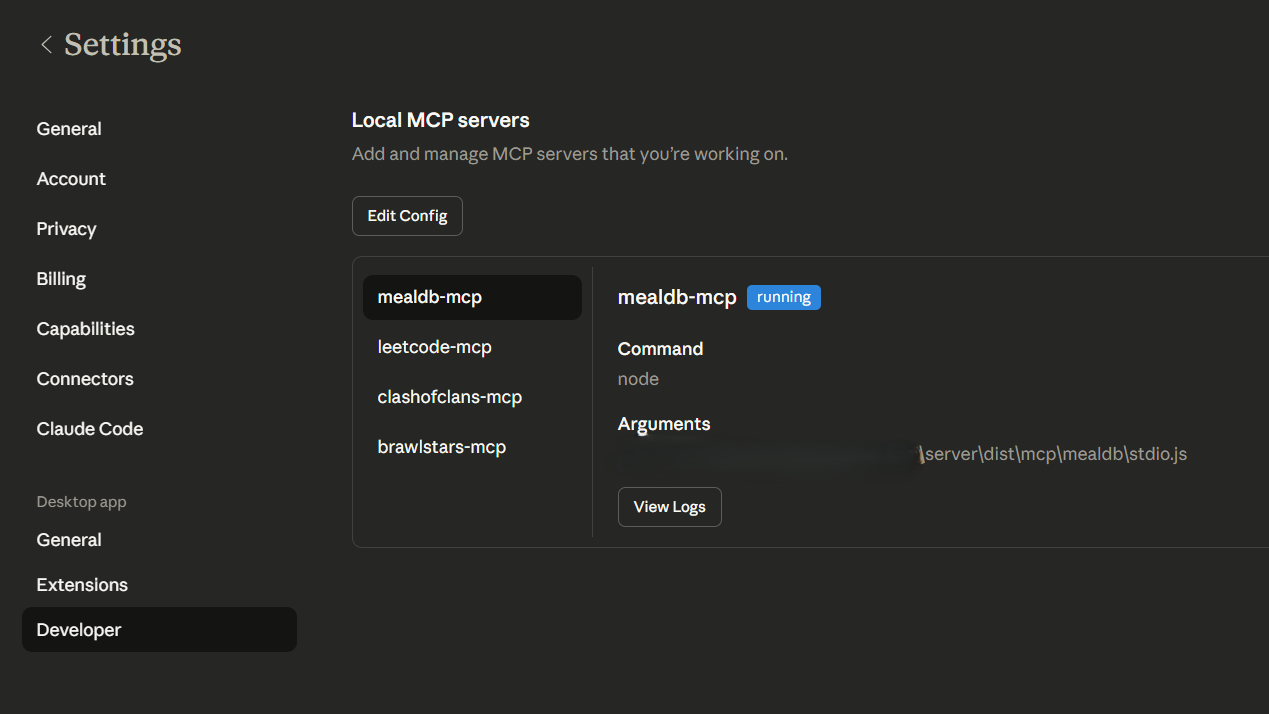
- Select Always Allow so the AI does not ask for permissions repeatedly.
Demo prompts (copy-paste)
Clash of Clans
Provide a complete summary of a clan tag [clanTag] in clash of clans. Include clan profile, members, war activity, and key insights.
Brawl Stars
Provide a full report for brawlstars player tag [playerTag]. Include trophies, top brawlers, recent performance, and improvement suggestions.
LeetCode
Compare these two leetcode profiles: [username1] and [username2]. Show solved counts by difficulty, contest performance, language usage, strengths, and a final comparison summary.
TheMealDB
Suggest a few categories or cuisines I can cook from. Then recommend one dish with its complete recipe, ingredients list, and step-by-step instructions.
Установка S
У этого сервера нет опубликованного пакета — он собирается из исходников. Открой репозиторий и следуй инструкции в README.
▸ github.com/sanket-164/MCP-ServersFAQ
S MCP бесплатный?
Да, S MCP бесплатный — установка в пару кликов через Unyly без оплаты.
Нужен ли API-ключ для S?
Нет, S работает без API-ключей и переменных окружения.
S — hosted или self-hosted?
Self-hosted: сервер запускается локально на твоей машине командой из раздела установки.
Как установить S в Claude Desktop, Claude Code или Cursor?
Открой S на unyly.org, выбери вкладку своего клиента (Claude Desktop, Claude Code, Cursor) и нажми Install — конфиг сгенерируется автоматически, без правки JSON.
Похожие MCP
Fetch
Web content fetching and conversion for efficient LLM usage.
AWS KB Retrieval
Retrieval from AWS Knowledge Base using Bedrock Agent Runtime.
 автор: modelcontextprotocol
Spring AI MCP Server
Provides auto-configuration for setting up an MCP server in Spring Boot applications.
llm-analysis-assistant
A very streamlined mcp client that supports calling and monitoring stdio/sse/streamableHttp, and can also view request responses through the /logs page. It also
 автор: xuzexin-hz
Compare S with
Не уверен что выбрать?
Найди свой стек за 60 секунд
Автор?
Embed-бейдж для README
Похожее
Все в категории ai