
Sanban
БесплатноНе проверенEnables AI agents to manage kanban boards with tasks, including creating boards, items, moving between columns, and searching.

Описание
Enables AI agents to manage kanban boards with tasks, including creating boards, items, moving between columns, and searching.
README
Simple kanban that just works. No bloat, no login, no SaaS.
JSON-backed boards with a REST API, MCP server, and a dark UI. For devs who want tasks tracked without the overhead.
Screenshots
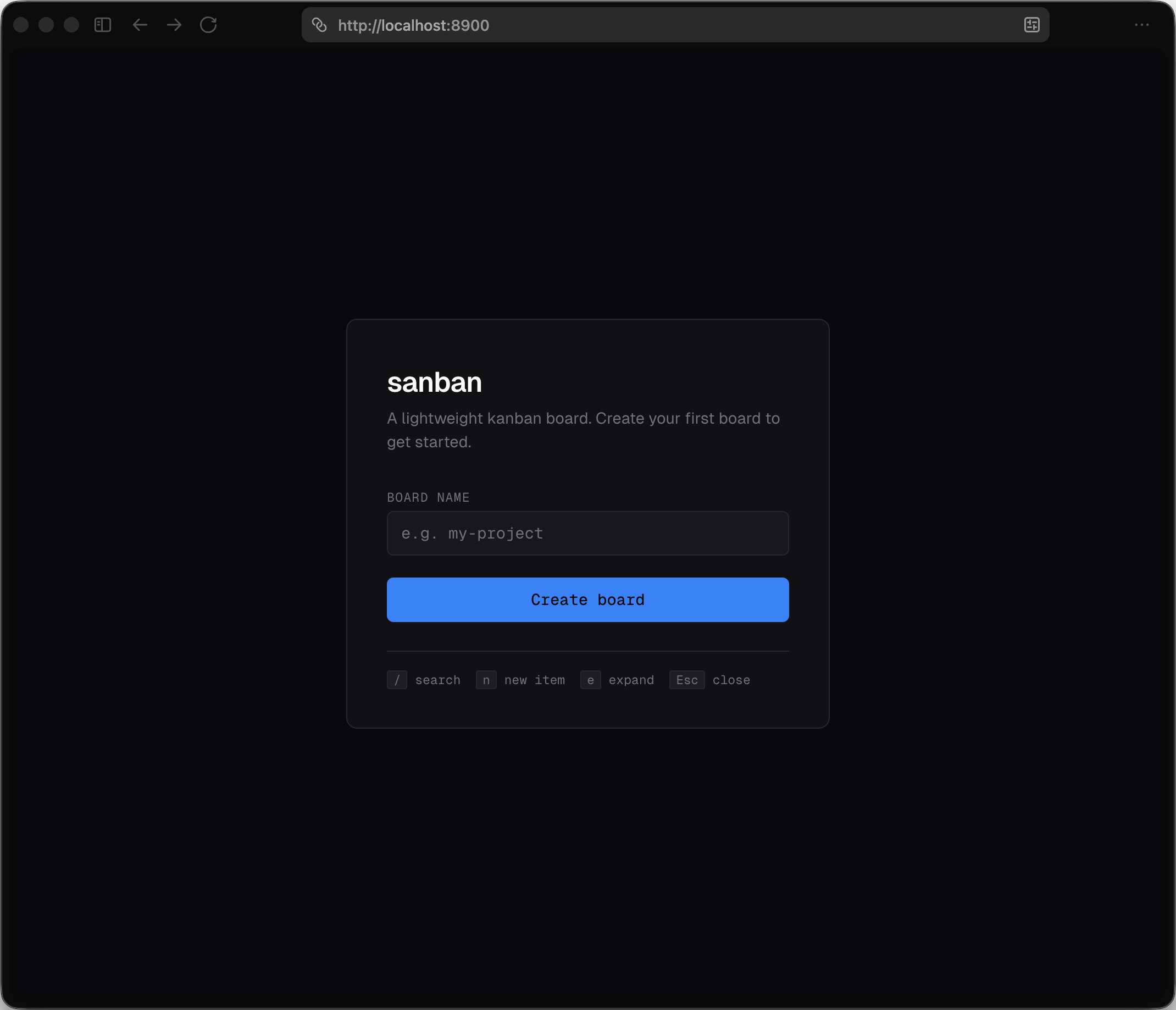
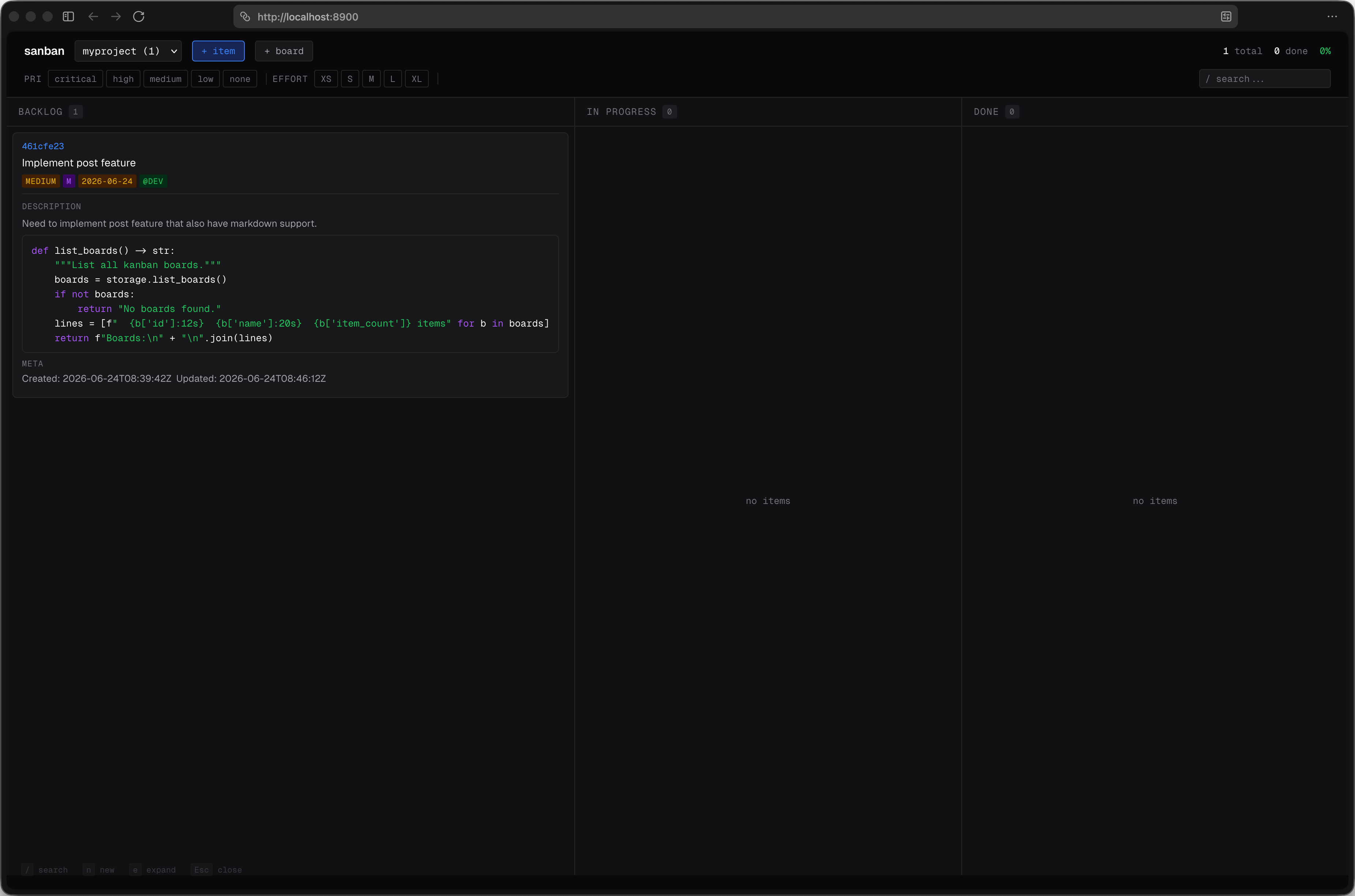
Quick Start
uv sync
uv tool install .
sanban              # http://localhost:8900
The web server runs independently. Agents connect via MCP separately.
Setup with an AI Agent
Paste this into opencode, Claude Code, Cursor, or any AI agent — it will install sanban, start the server, register MCP, load the skill, and verify everything:
Clone https://github.com/aancw/sanban, run `uv tool install .` from inside the repo (binary lands at ~/.local/bin/sanban — ensure ~/.local/bin is on PATH, e.g. `export PATH="$HOME/.local/bin:$PATH"`), start the server with `sanban` running in the background (or nohup/disown), register it as an MCP server named "sanban" running `sanban --mcp-only`, copy SKILL.md from the cloned repo into the agent's skills folder (e.g. ~/.claude/skills/sanban/SKILL.md or ~/.agents/skills/sanban/SKILL.md), then call `list_boards` to confirm it works.
Features
- Multiple boards with custom columns
- Drag-and-drop between columns
- Priority, effort, tags, assignees, due dates
- Full-text search and filters
- Markdown in titles and descriptions (code blocks with syntax highlighting)
- Edit and delete buttons on every card
- Keyboard shortcuts (
/search,nnew,eexpand) - Agent-ready via MCP server
Why
- No database — one JSON file per board in
~/.sanban/boards/, easy to diff, commit, back up - No auth — local-first, runs on localhost
- No framework — vanilla JS frontend, Geist font, dark mode
- Multi-board — one server, unlimited boards
REST API
| Method | Endpoint | Description |
|---|---|---|
GET |
/api/boards |
List all boards |
POST |
/api/boards |
Create board { name, columns? } |
GET |
/api/boards/:id |
Get board with items |
DELETE |
/api/boards/:id |
Delete board |
GET |
/api/boards/:id/items |
List items (?q=, ?status=, ?tag=, ?assignee=) |
POST |
/api/boards/:id/items |
Create item |
PATCH |
/api/boards/:id/items/:iid |
Update item |
DELETE |
/api/boards/:id/items/:iid |
Delete item |
GET |
/api/search?q= |
Search across boards |
MCP Server
Agents interact with boards via MCP stdio. This is a separate process from the web server — both read/write the same JSON files.
Agent Config (opencode.json)
{
  "mcp": {
    "sanban": {
      "type": "local",
      "command": ["sanban", "--mcp-only"],
      "enabled": true
    }
  }
}
Or running from source:
{
  "mcp": {
    "sanban": {
      "type": "local",
      "command": ["uv", "run", "--directory", "/path/to/sanban", "python", "-m", "sanban.server", "--mcp-only"],
      "enabled": true
    }
  }
}
Other agents: Adapt the config format for your CLI agent (Claude Desktop, Cursor, etc.). The command is always
sanban --mcp-only— only the config wrapper changes.
Tools
| Tool | Description |
|---|---|
list_boards |
List all boards |
create_board(name, columns?) |
Create a new board |
get_board(board_id) |
Get board details + items |
create_item(board_id, title, ...) |
Add an item |
update_item(board_id, item_id, ...) |
Update fields |
move_item(board_id, item_id, new_status) |
Move to column |
delete_item(board_id, item_id) |
Remove item |
search(query, board_id?) |
Search across boards |
Run Modes
sanban                # web server (REST API + UI) — keep this running
sanban --mcp-only     # MCP stdio — for agent config
sanban --rest-only    # REST only, no UI
sanban --port 9000    # custom port
Typical setup: run sanban in a terminal (or background it), then add sanban --mcp-only to your agent config. Both use the same ~/.sanban/boards/ data.
Data
Boards live in ~/.sanban/boards/<id>.json. Override with SANBAN_DATA_DIR.
For Agents
See SKILL.md for the full agent reference — API examples, MCP tools, item fields, and keyboard shortcuts.
Tech
Python 3.10+, FastAPI, uvicorn, MCP SDK. No database, no framework, no build step.
License
MIT
Установка Sanban
У этого сервера нет опубликованного пакета — он собирается из исходников. Открой репозиторий и следуй инструкции в README.
▸ github.com/aancw/sanbanFAQ
Sanban MCP бесплатный?
Да, Sanban MCP бесплатный — установка в пару кликов через Unyly без оплаты.
Нужен ли API-ключ для Sanban?
Нет, Sanban работает без API-ключей и переменных окружения.
Sanban — hosted или self-hosted?
Self-hosted: сервер запускается локально на твоей машине командой из раздела установки.
Как установить Sanban в Claude Desktop, Claude Code или Cursor?
Открой Sanban на unyly.org, выбери вкладку своего клиента (Claude Desktop, Claude Code, Cursor) и нажми Install — конфиг сгенерируется автоматически, без правки JSON.
Похожие MCP
Fetch
Web content fetching and conversion for efficient LLM usage.
AWS KB Retrieval
Retrieval from AWS Knowledge Base using Bedrock Agent Runtime.
 автор: modelcontextprotocol
Spring AI MCP Server
Provides auto-configuration for setting up an MCP server in Spring Boot applications.
llm-analysis-assistant
A very streamlined mcp client that supports calling and monitoring stdio/sse/streamableHttp, and can also view request responses through the /logs page. It also
 автор: xuzexin-hz
Compare Sanban with
Не уверен что выбрать?
Найди свой стек за 60 секунд
Автор?
Embed-бейдж для README
Похожее
Все в категории ai