
Shader Linux Glsl
БесплатноНе проверенLinux GPU shader with MCP control from LLMs

Описание
Linux GPU shader with MCP control from LLMs
README
The hyperbolic app displays a fullscreen shader with a video texture coming from camera. It is a tiling of the hyperbolic plane. It can be controlled from a LLM through MCP protocol (the app is an MCP server).
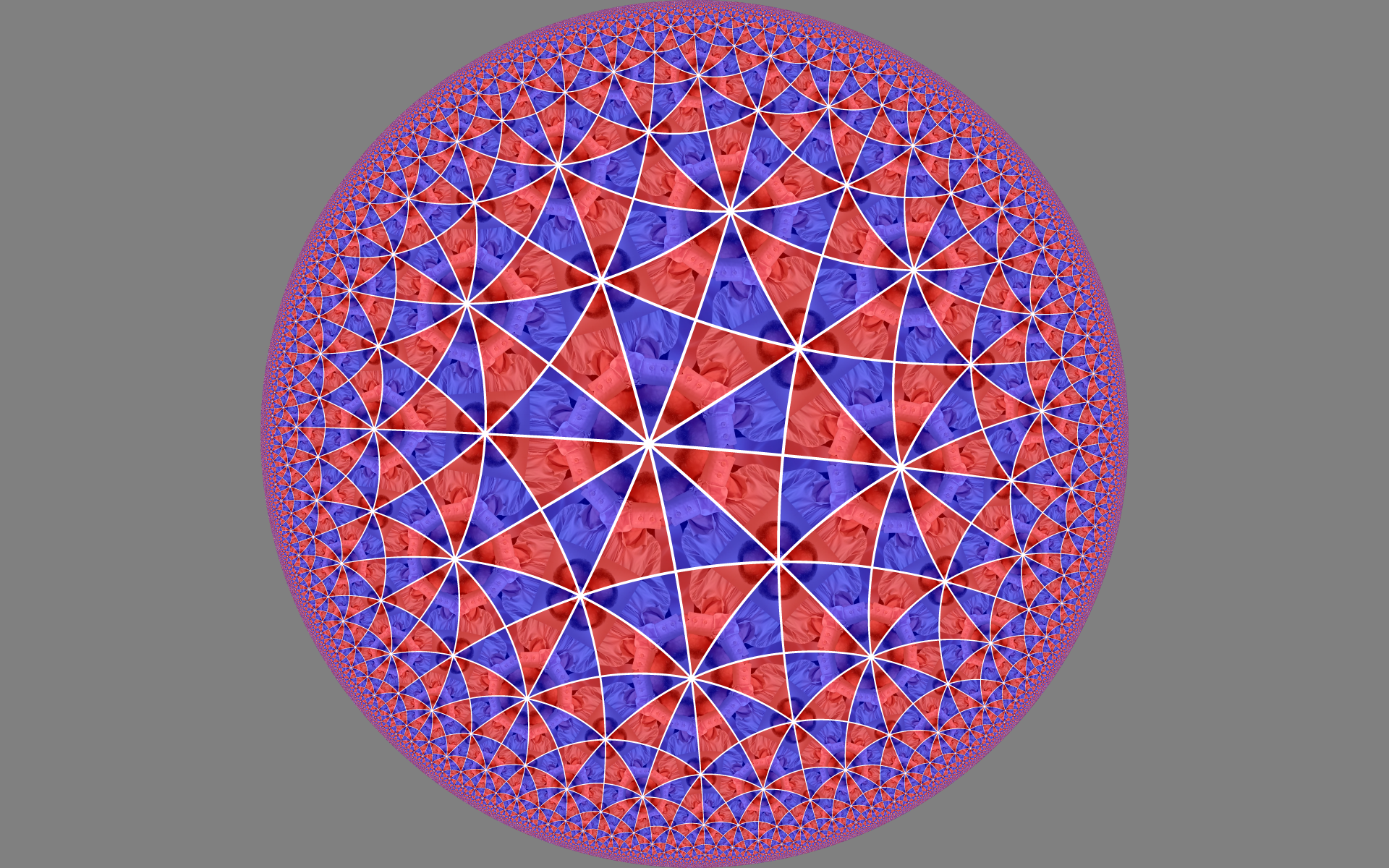
The tiling is defined by a group of symmetries and they can be changed.
The hyperbolic plane can either be represented as a disk or as a plane:
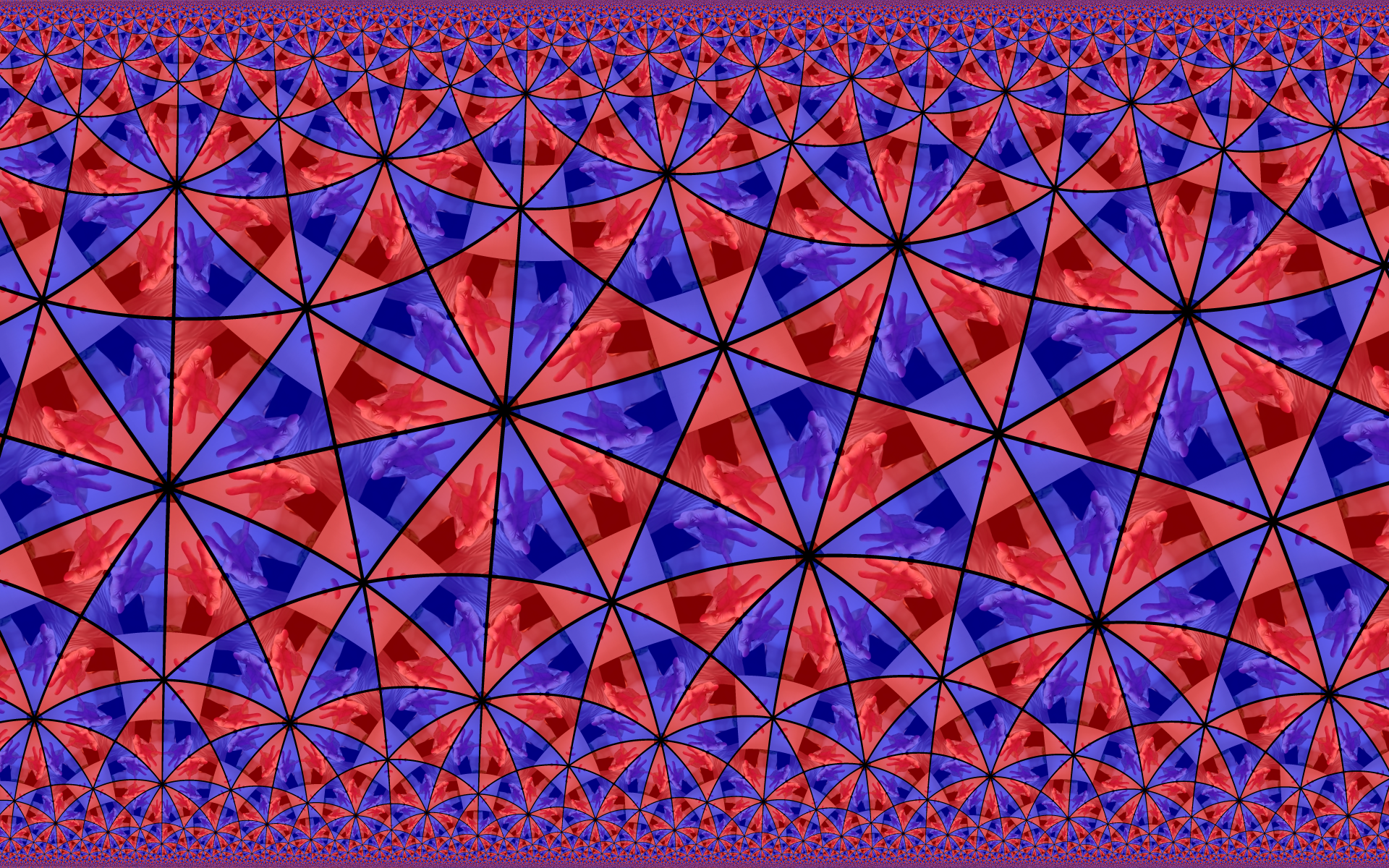
The video device can be passed as argument when launching the app:
hyperbolic /dev/video5
The app needs to read the files fragment_shader.glsl and vertex_shader.glsl. They should be in the working directory. You should run the app from the root folder otherwise the files won't be found by the app:
build\Debug\hyperbolic
The app exposes an MCP server on port 8100 and can be controlled by a LLM. Here is an example of a chat to change the settings of the hyperbolic app:
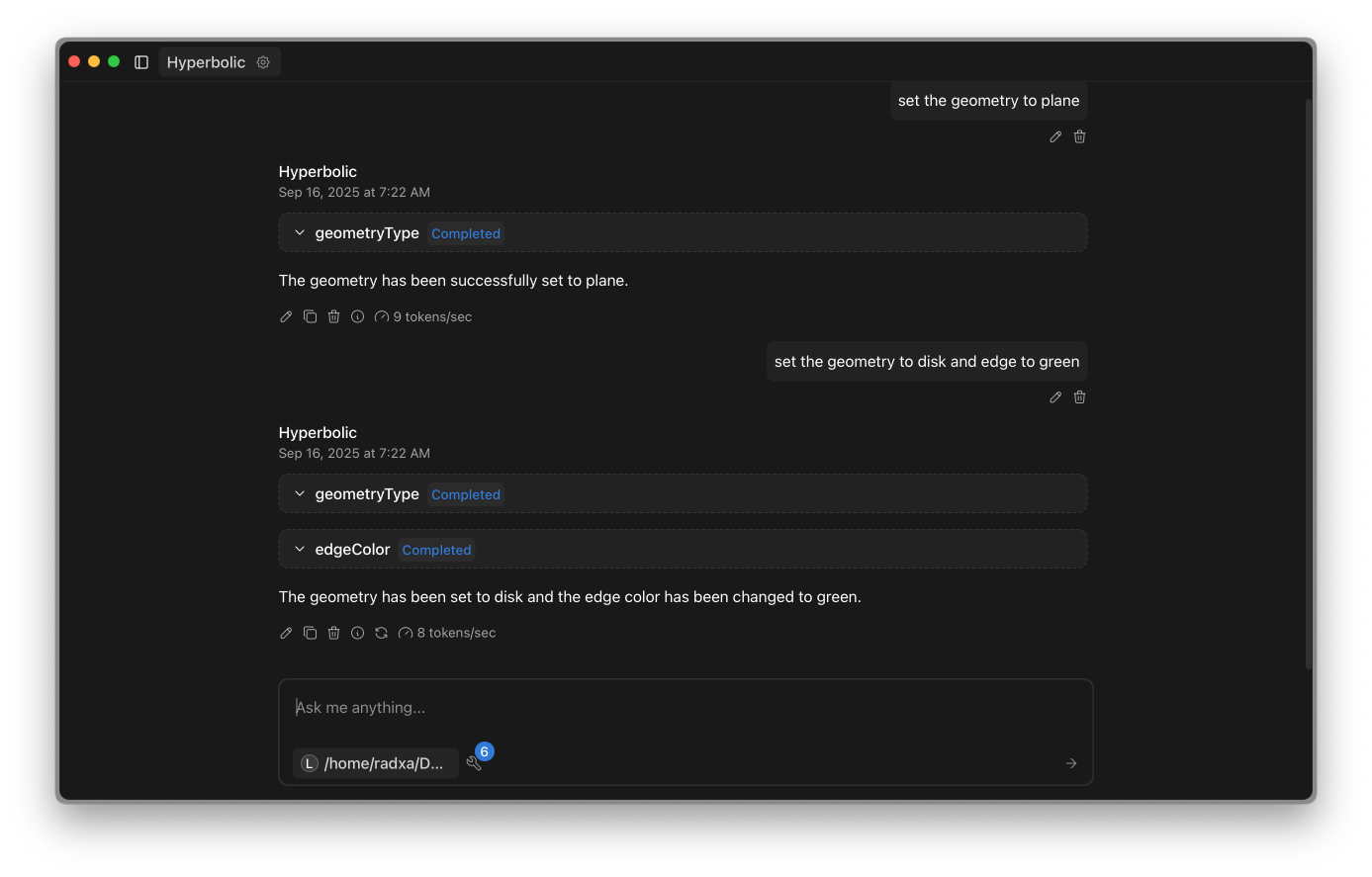
To use the app with a LLM you need:
- A LLM server. The
server.shshows how to laumchllama-serverfromllama.cppproject. An Open AI API compatible server will work - A chat client that can talk to the open AI compatible interface and to MCP servers. For instance Jan
Typical commands provided by the tool:
change background to blackchange edge to greenstop animationchange geometry to planechange symmetry to 1reset settings
To build
git clone --recurse-submodules https://github.com/christophe0606/shader_linux_glsl.git
Some libraries are required for the UI
sudo apt install libglew-dev
sudo apt install libglfw3-dev
sudo apt install libgles2-mesa-dev
If you don't want to build but just use the excutable:
sudo apt install libglfw3
sudo apt install libglew2.2
sudo apt install libgles2
Then use cmake to build.
AI
Except the shader that is coming from an old experiment by the author, other parts of this demo have been generated a lot by chat GPT.
Установка Shader Linux Glsl
У этого сервера нет опубликованного пакета — он собирается из исходников. Открой репозиторий и следуй инструкции в README.
▸ github.com/christophe0606/shader_linux_glslFAQ
Shader Linux Glsl MCP бесплатный?
Да, Shader Linux Glsl MCP бесплатный — установка в пару кликов через Unyly без оплаты.
Нужен ли API-ключ для Shader Linux Glsl?
Нет, Shader Linux Glsl работает без API-ключей и переменных окружения.
Shader Linux Glsl — hosted или self-hosted?
Self-hosted: сервер запускается локально на твоей машине командой из раздела установки.
Как установить Shader Linux Glsl в Claude Desktop, Claude Code или Cursor?
Открой Shader Linux Glsl на unyly.org, выбери вкладку своего клиента (Claude Desktop, Claude Code, Cursor) и нажми Install — конфиг сгенерируется автоматически, без правки JSON.
Похожие MCP
Fetch
Web content fetching and conversion for efficient LLM usage.
AWS KB Retrieval
Retrieval from AWS Knowledge Base using Bedrock Agent Runtime.
 автор: modelcontextprotocol
Spring AI MCP Server
Provides auto-configuration for setting up an MCP server in Spring Boot applications.
llm-analysis-assistant
A very streamlined mcp client that supports calling and monitoring stdio/sse/streamableHttp, and can also view request responses through the /logs page. It also
 автор: xuzexin-hz
Compare Shader Linux Glsl with
Не уверен что выбрать?
Найди свой стек за 60 секунд
Автор?
Embed-бейдж для README
Похожее
Все в категории ai