
Sloc
БесплатноНе проверенMCP stdio server exposing oxide-sloc analysis tools to AI agents

Описание
MCP stdio server exposing oxide-sloc analysis tools to AI agents
README







oxide-sloc is a Rust-based local code analysis tool — IEEE 1045-1992 SLOC analysis, unit test detection, and coverage reporting.
Quick Start
bash scripts/run.sh # installs on first run, then opens http://127.0.0.1:4317
On Windows with no Git Bash, use the native-PowerShell installer instead — it needs no bash (see Windows without Git Bash):
powershell -ExecutionPolicy Bypass -File scripts\internal\install.ps1
.\oxide-sloc.exe serve
| Platform | What happens |
|---|---|
| Windows 10/11 (Git Bash) | bash scripts/run.sh — extracts the pre-built binary from dist/, or builds offline |
| Windows 10/11 (no Git Bash) | powershell -File scripts\internal\install.ps1 — native, no bash; extracts dist/ or builds fully offline (needs a MinGW linker) |
| Linux — Rust installed | Builds offline from the committed vendor.tar.gz.* parts |
| Linux — no Rust, toolchain committed | Bootstraps Rust from toolchain/ archives, builds offline |
| Linux — online | bash scripts/internal/install.sh --online downloads the release binary |
| Air-gapped | See docs/airgap.md |
Features
- CLI + web UI —
analyze / report / diff / serve / send / initcommands; guided 4-step web flow with Quick Scan - IEEE 1045-1992 physical SLOC — configurable mixed-line, continuation-line, compiler-directive, and blank-in-comment policies; symbol counting (functions, classes, variables, imports)
- Deep metrics — COCOMO I effort/cost estimate, approximate cyclomatic complexity (branch-keyword count), ULOC / DRYness, and duplicate-file detection on every run
- Git Hotspots — ranks refactor candidates by
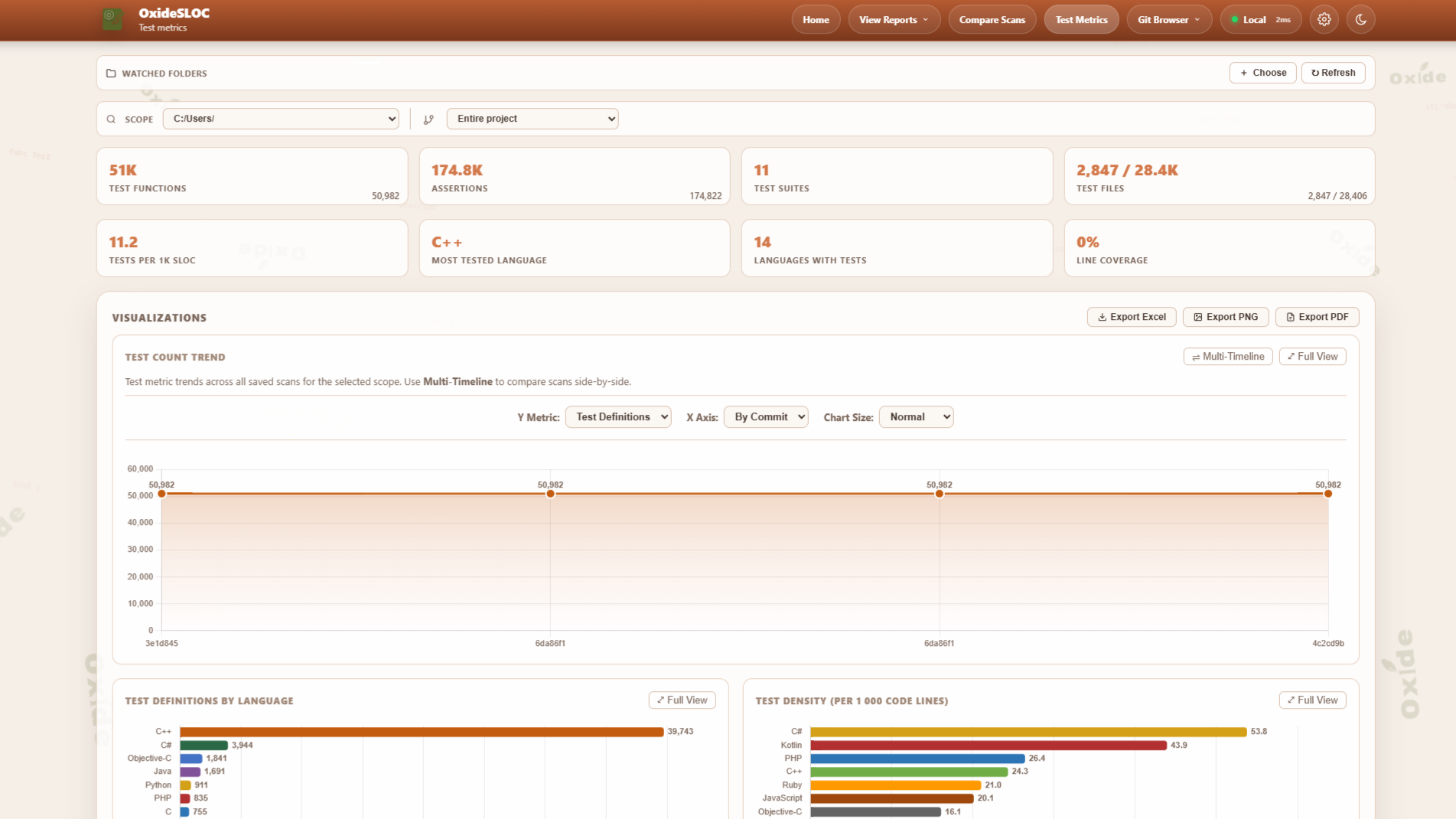
code lines × commit activityover a configurable window (90 days by default); per-file commit counts and last-changed dates from a singlegit logpass - Test Metrics — lexical test function detection across 60 languages; test-to-code density; multi-format coverage import (LCOV, Cobertura XML, JaCoCo XML, coverage.py JSON, Istanbul/NYC JSON)
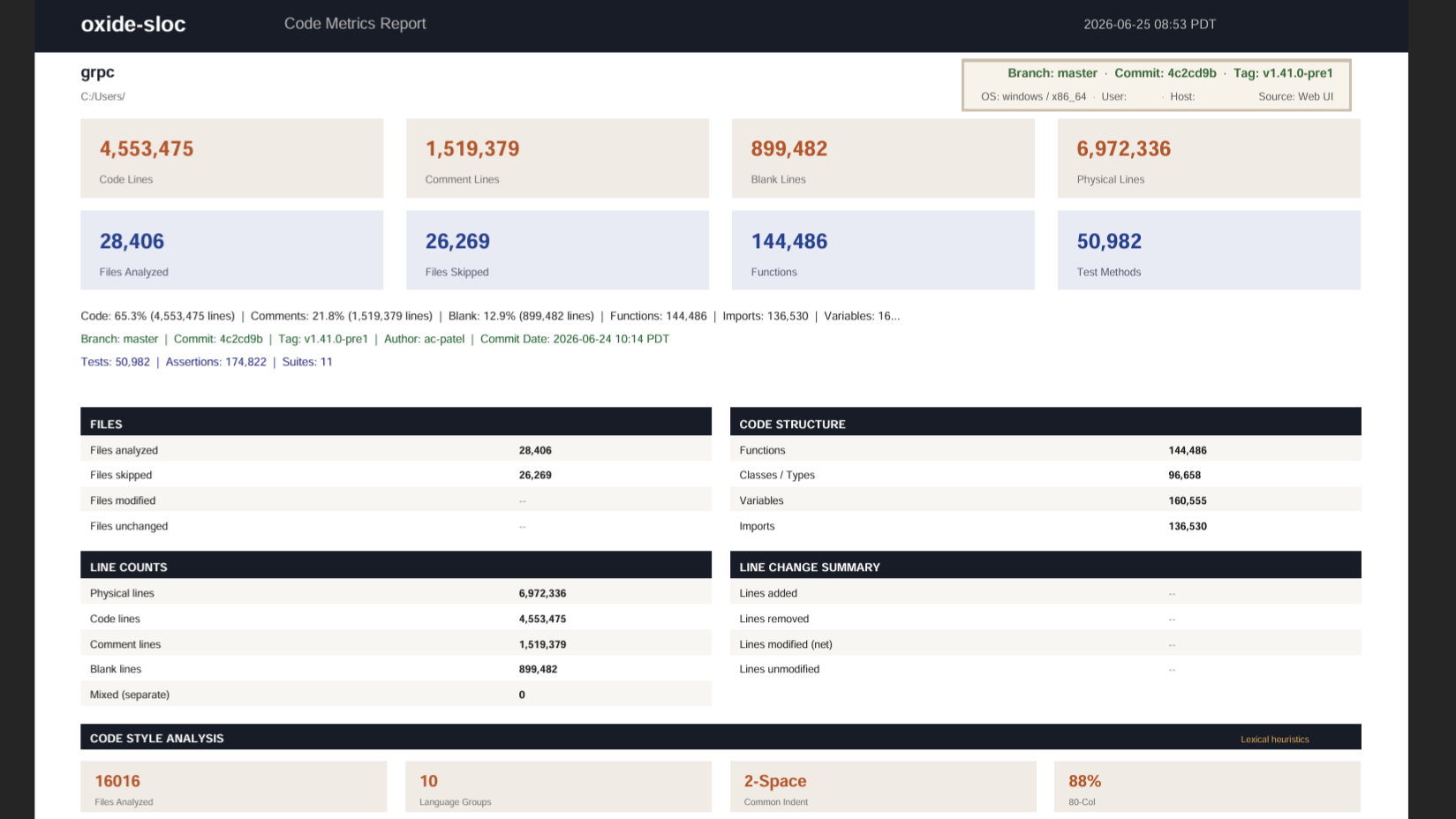
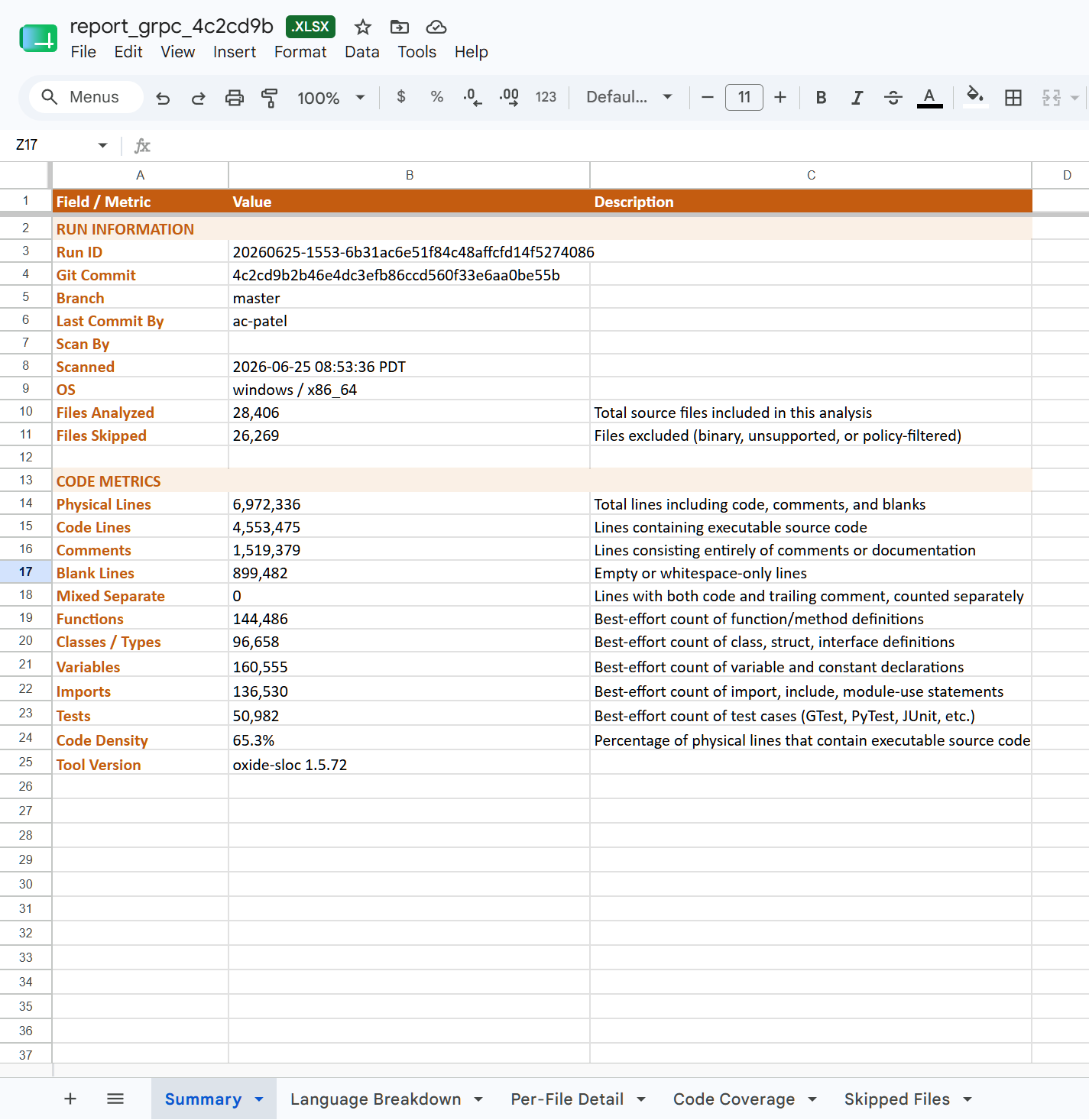
- Flexible output — HTML reports, PDF, CSV, and 4-sheet Excel export; re-render any saved JSON
- Git integration — branch/tag/commit browser, GitHub/GitLab/Bitbucket webhooks and polling, submodule breakdown
- CI/CD — GitHub Actions, Jenkins, GitLab CI; JSON metrics API, SVG badge endpoint, embeddable widget, SMTP/webhook delivery
- Offline-first — vendored deps, Chart.js compiled in, no CDN calls; Docker on GHCR; LAN server mode with API key auth and optional TLS
Why oxide-sloc vs cloc / tokei / scc / UCC?
| Capability | oxide-sloc | cloc | tokei | scc | UCC |
|---|---|---|---|---|---|
| Languages | 60 | 250+ | 240+ | 240+ | ~30 |
| Web UI + HTML/PDF reports | ✓ | — | — | — | — |
| MCP server (AI agent tools) | ✓ | — | — | — | — |
| Test function detection | ✓ | — | — | — | — |
| Trend / history tracking | ✓ | — | — | — | — |
| Coverage file import | ✓ | — | — | — | — |
| Git Hotspots (churn × size) | ✓ | — | — | — | — |
| COCOMO + complexity¹ + DRYness | ✓ | — | — | ✓ | partial |
| IEEE 1045-1992 compliance | ✓ | partial | — | — | partial |
| REST API + SVG badge | ✓ | — | — | — | — |
| Git webhook integration | ✓ | — | — | — | — |
| CI/CD marketplace action | ✓ | — | — | — | — |
| Offline / air-gapped build | ✓ | — | — | — | — |
¹ Complexity is a lexical approximation — a sum of branch/decision keywords (if, for, while, ||, &&, …) per code line, not a control-flow-graph McCabe computation.
cloc, tokei, and scc win on raw language count and throughput for pure line-counting pipelines; UCC (USC's Unified Code Count) brings rigorous physical/logical SLOC counting, cyclomatic complexity, and two-baseline differencing from an academic lineage. oxide-sloc is the right choice when you need analysis depth, visual reports, history, or AI-native integration — particularly as an MCP tool callable by Claude, Copilot, and other agents.
Screenshots
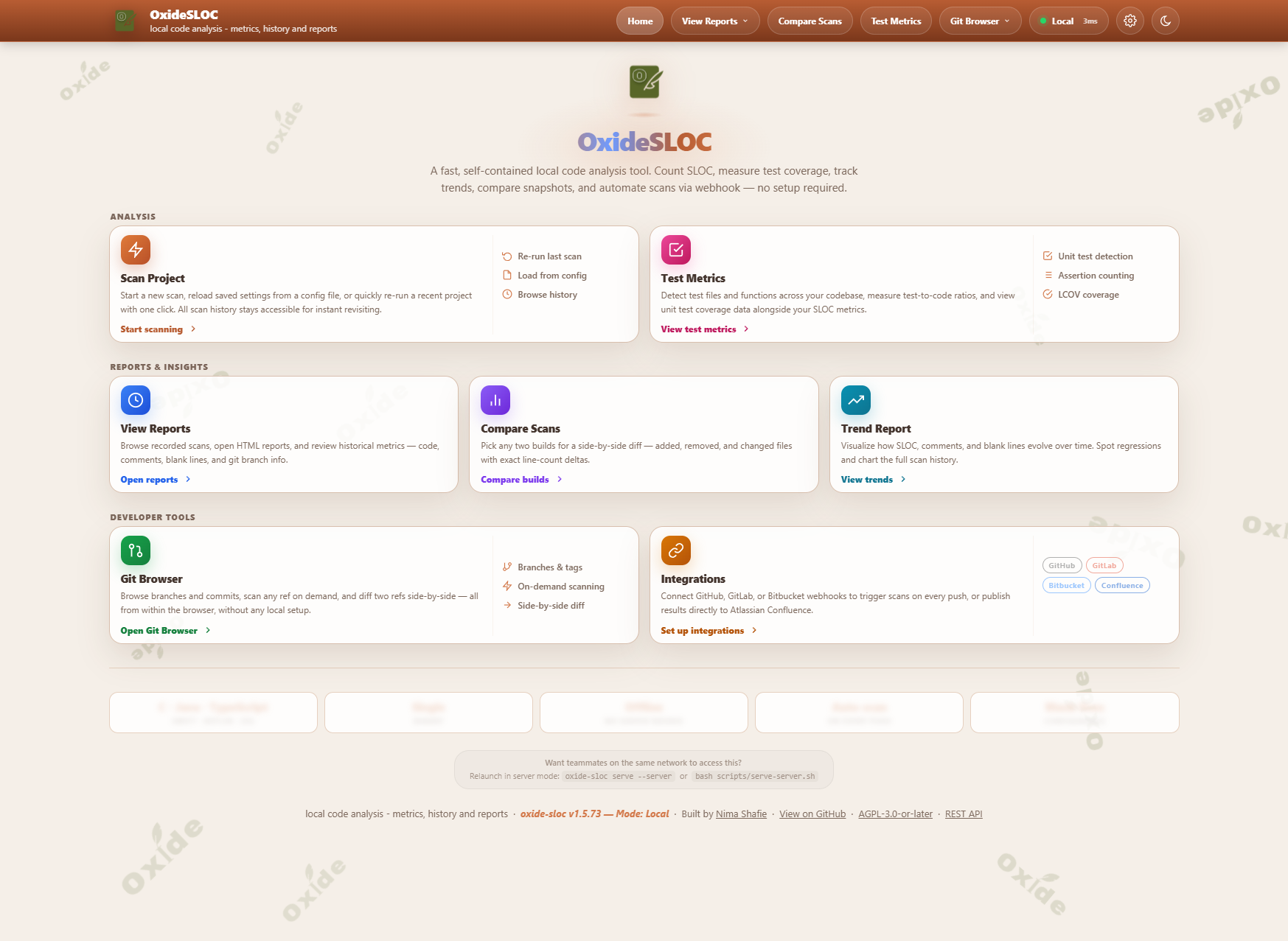
| View Reports | Scan Delta |
|---|---|
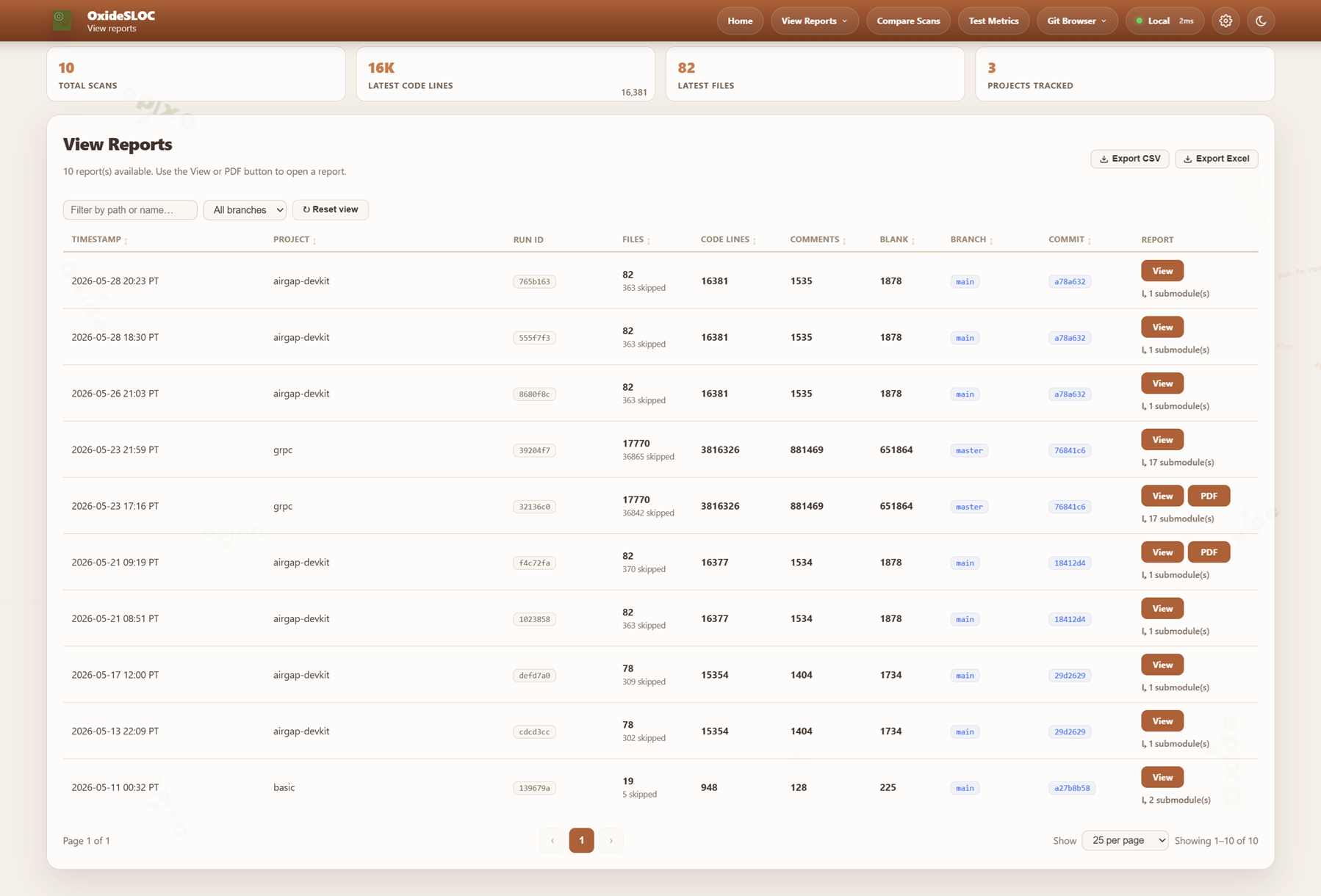 |
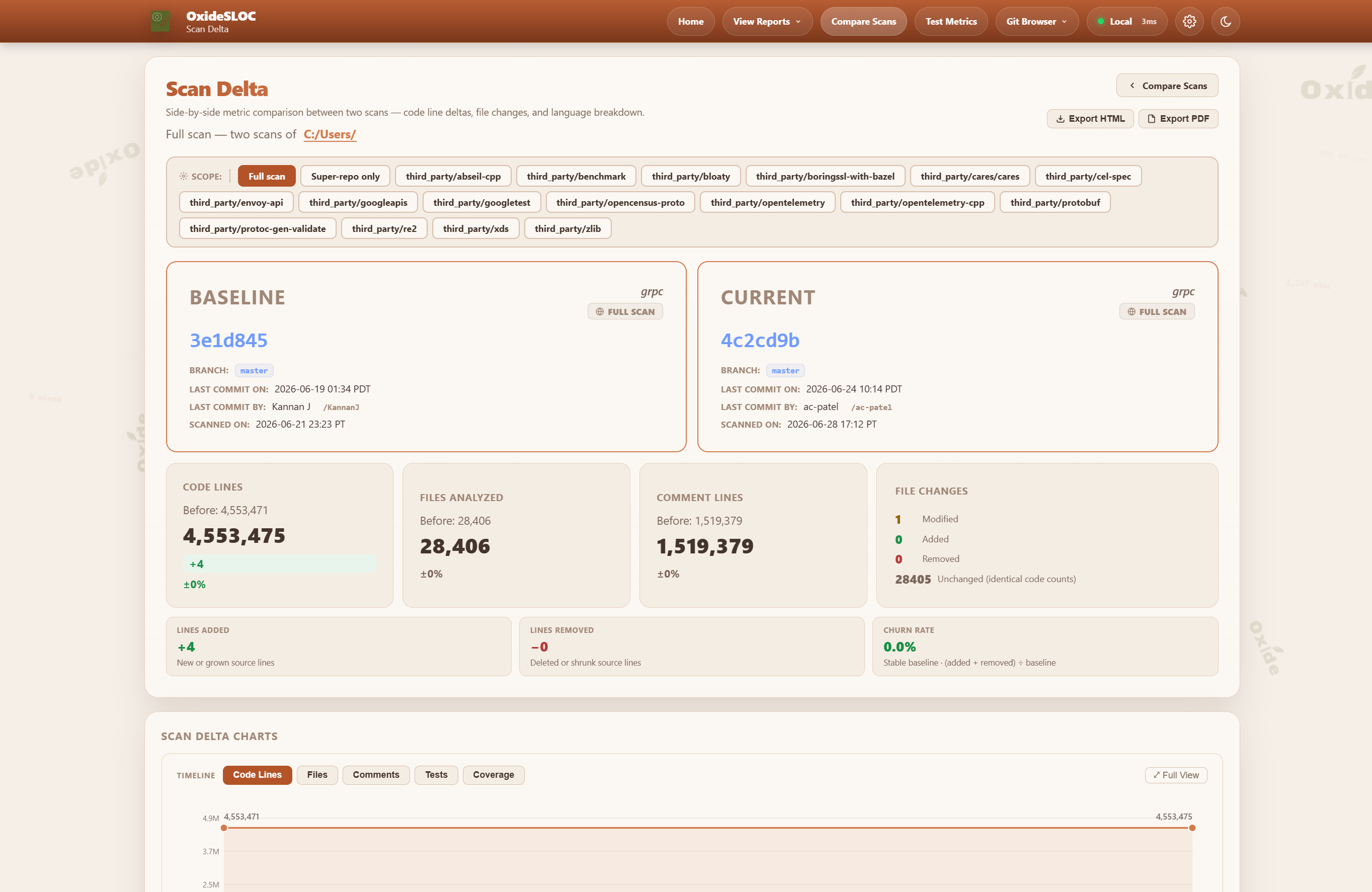 |
| Trend Reports | Test Metrics |
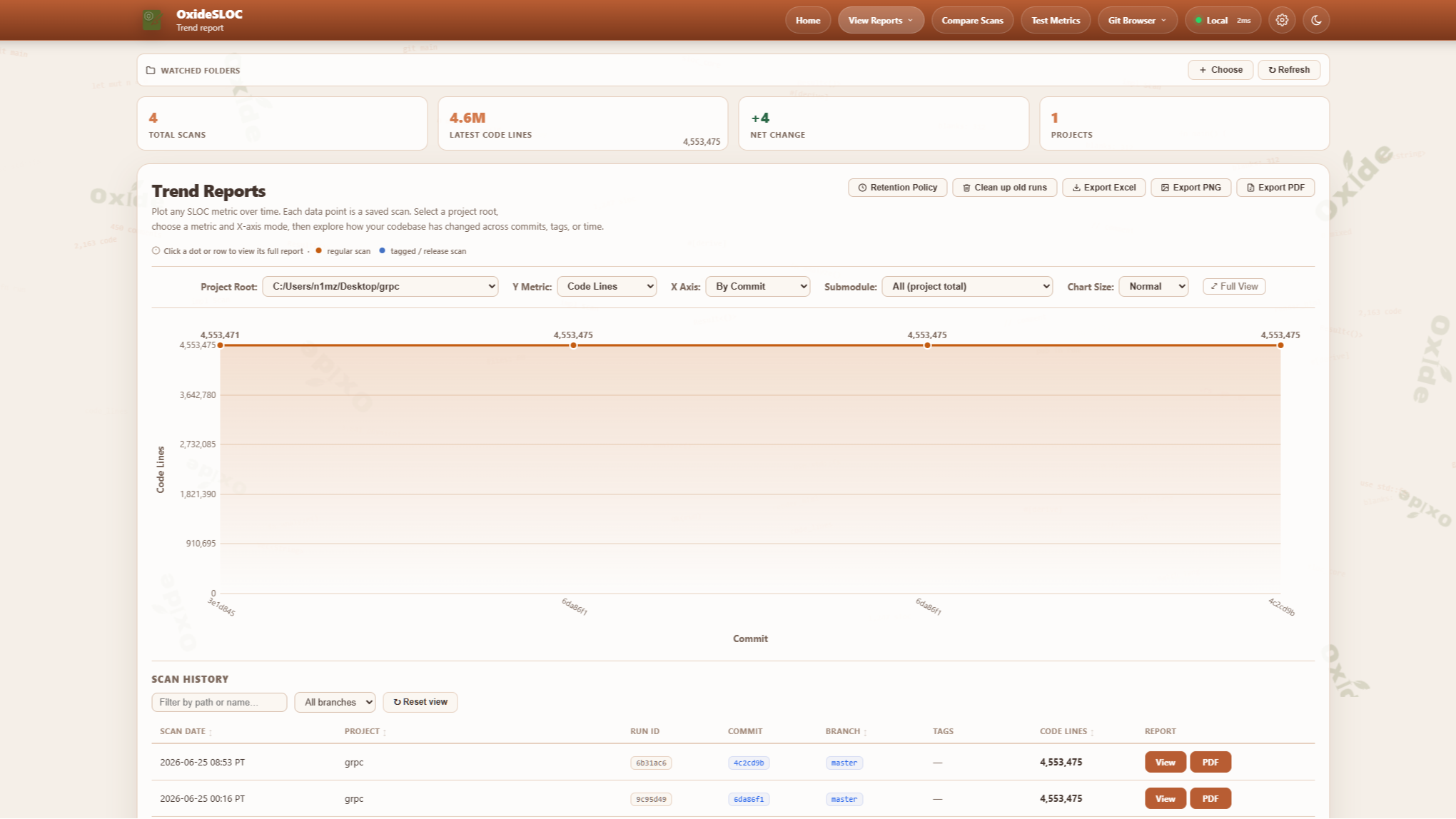 |
 |
| PDF Report | Excel Export |
 |
 |
Installation
Package managers
| Manager | Command | Platform |
|---|---|---|
| winget | winget install NimaShafie.OxideSLOC |
Windows |
| Chocolatey | choco install oxide-sloc |
Windows |
| Scoop | scoop bucket add oxide-sloc https://github.com/oxide-sloc/scoop-oxide-sloc && scoop install oxide-sloc |
Windows |
| Homebrew | brew tap oxide-sloc/oxide-sloc && brew install oxide-sloc |
macOS / Linux |
| Nix | nix run github:oxide-sloc/oxide-sloc |
Linux / macOS |
| cargo | cargo install oxide-sloc --locked |
Any |
| DEB / RPM | Download from Releases | Ubuntu / RHEL |
Docker
export SLOC_API_KEY=$(openssl rand -hex 32)
docker compose up
# CLI via Docker
docker run --rm -v /path/to/your/repo:/repo:ro \
  ghcr.io/nimashafie/oxide-sloc:latest analyze /repo --plain
Set SLOC_API_KEY, SLOC_ALLOWED_ROOTS, and SLOC_TLS_CERT/SLOC_TLS_KEY as needed. See docs/server-deployment.md.
Windows without Git Bash
The bash launchers (run.sh / install.sh) need Git Bash. On a locked-down or
air-gapped Windows host where you cannot install Git for Windows,
use the native-PowerShell installer — it reproduces the full offline flow
(checksum-verify → reassemble split parts → extract with the built-in tar.exe →
bootstrap the bundled toolchain → cargo build --release --offline) using only tools
that ship with Windows 10/11:
powershell -ExecutionPolicy Bypass -File scripts\internal\install.ps1
# flags: -Rebuild (fresh compile), -Build (compile even if dist\ exists),
#        -MingwBin <dir>, -SkipDist
If a pre-built binary is committed in dist\, it is extracted and no build runs. For a
source build, the **one** requirement PowerShell cannot supply is a C linker: the bundled
toolchain targets x86_64-pc-windows-gnu, which links with MinGW gcc/ld. The
installer auto-locates it from a **PortableGit** folder (a no-install extract),
-MingwBin <dir>, $env:SLOC_MINGW_BIN, or a gcc already on PATH:
# Stage a portable Git Bash once (no installer) — provides both the
# bash.exe for CI and the mingw64\bin linker for the native build:
powershell -ExecutionPolicy Bypass -File ci\jenkins\stage-portable-git.ps1 PortableGit-2.47.0-64-bit.7z.exe
$env:SLOC_PORTABLE_GIT = 'C:\Tools\PortableGit'   # only if staged outside the workspace
For running the Jenkins pipeline on a Windows agent without a system Git install, see the Windows-agents section of docs/ci-integrations.md.
Usage
CLI
# Analyze — common forms
oxide-sloc analyze ./my-repo                            # colored summary
oxide-sloc analyze ./my-repo --plain                    # machine-readable key=value (CI-friendly)
oxide-sloc analyze ./my-repo -j out.json -H out.html -c out.csv -x out.xlsx
oxide-sloc analyze ./my-repo --per-file
oxide-sloc analyze ./my-repo --fail-on-warnings --fail-below 10000
oxide-sloc analyze ./my-repo --enabled-language rust --enabled-language python
oxide-sloc analyze ./my-repo --submodule-breakdown
oxide-sloc analyze ./my-repo --per-file --activity-window 90    # Git Hotspots (0 disables)

# Other commands
oxide-sloc report result.json -H report.html --pdf-out report.pdf
oxide-sloc diff baseline.json current.json -j delta.json
oxide-sloc serve                                        # http://127.0.0.1:4317
oxide-sloc init                                         # creates .oxide-sloc.toml
oxide-sloc send result.json --smtp-to [email protected] --smtp-host smtp.example.com
oxide-sloc healthz                                      # probe a running server (Docker HEALTHCHECK)
Run oxide-sloc <command> --help for the full flag list.
Web UI
oxide-sloc serve # → http://127.0.0.1:4317
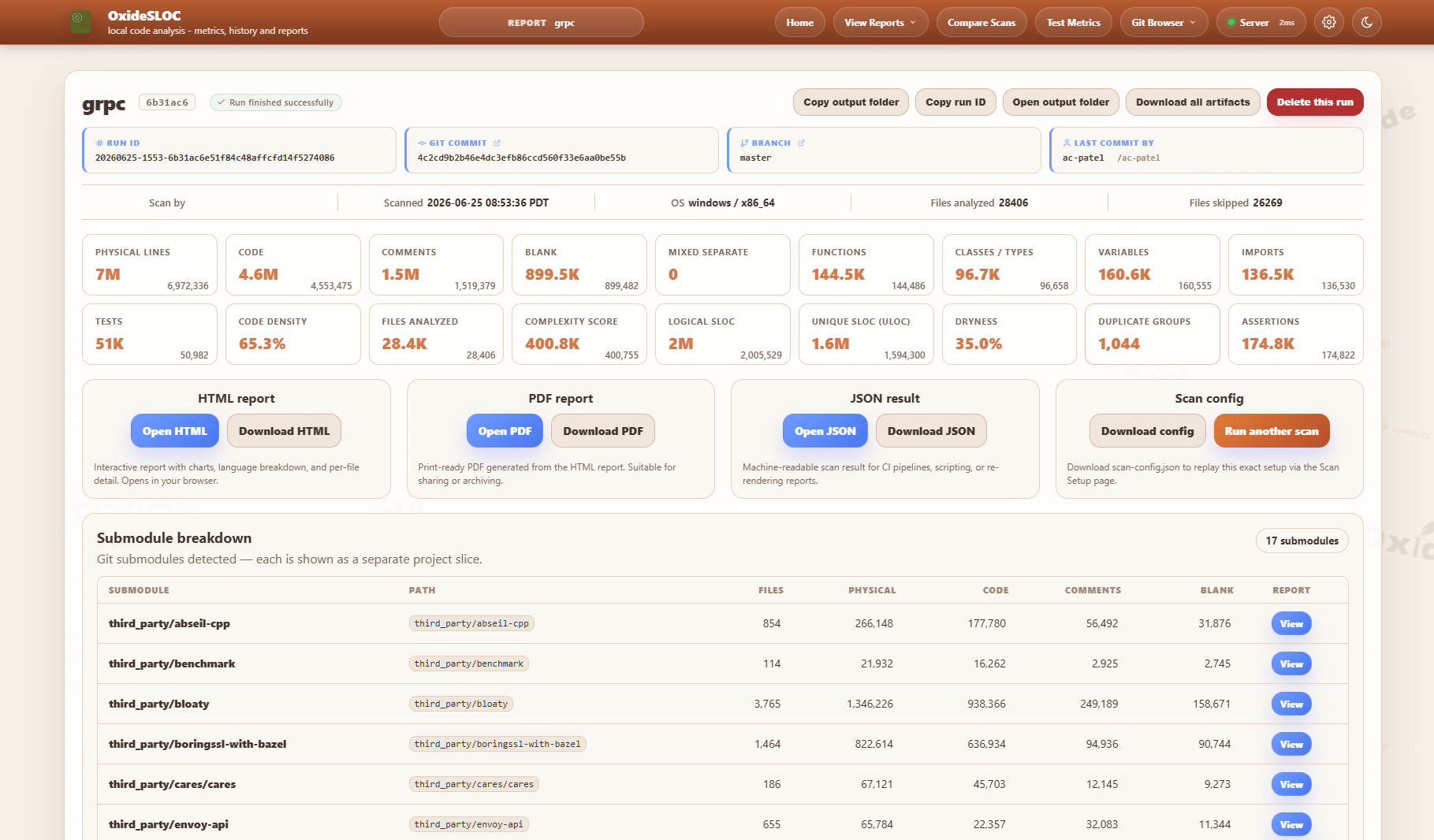
A guided 4-step flow: select project → counting rules → outputs → review & run. Quick Scan submits from step 1 with all defaults. Reports include a ranked Git Hotspots table (when run against a git repo) alongside the SLOC, complexity, and COCOMO breakdowns.
Additional pages: Test Metrics (/test-metrics), Trend Reports (/trend-reports), Compare Scans (/compare-scans), and the Git Browser (/git-browser) for scanning any branch, tag, or commit.
Configuration
oxide-sloc init # generates .oxide-sloc.toml with all options documented inline
IEEE 1045-1992 counting parameters — mixed_line_policy, continuation_line_policy, blank_in_block_comment_policy, count_compiler_directives — are configurable via TOML or CLI flags. CLI flags always override config file values.
Supported Languages (60)
Ada, Assembly, Awk, C, C++, C#, Clojure, CMake, Crystal, CSS, D, Dart, Dockerfile, Elixir, Elm, Erlang, F#, Fortran, GLSL/HLSL, Go, GraphQL, Groovy, Haskell, HCL/Terraform, HTML, Java, JavaScript, Julia, Kotlin, Lisp/Scheme, Lua, Makefile, Nim, Nix, Objective-C, OCaml, Pascal/Delphi, Perl, PHP, PowerShell, Protocol Buffers, Python, R, Ruby, Rust, Scala, SCSS/Sass, Shell, Solidity, SQL, Svelte, Swift, Tcl, TypeScript, Verilog/SystemVerilog, VHDL, Visual Basic, Vue, XML/SVG, Zig.
TOML, Markdown, and YAML are intentionally not supported — no meaningful SLOC metric applies.
Metrics API
| Endpoint | Description |
|---|---|
GET /api/metrics/latest |
Metrics for the most recent scan |
GET /api/metrics/:run_id |
Metrics for a specific run |
GET /api/project-history?path=<dir> |
Scan history for a project root |
GET /badge/:metric |
SVG badge (code-lines, files, comment-lines, blank-lines) |
GET /embed/summary |
Embeddable HTML widget |
GET /healthz |
Plain-text liveness probe (ok) |
GET /readyz |
Readiness probe (200 ready / 503 when the registry or output dir is not writable) |
GET /api/health |
Structured health JSON (status, version, git SHA, build time, uptime, dependency checks) |
GET /api/version |
Version + build provenance (git short SHA, RFC-3339 build time) |
Full OpenAPI 3.1 spec: GET /api/openapi.yaml or docs/openapi.yaml.

CI/CD
| Platform | File |
|---|---|
| GitHub Actions | ci/sloc-github-action.yml — copy to .github/workflows/ |
| GitHub Marketplace | uses: NimaShafie/oxide-sloc@main (see action.yml) |
| Jenkins | testing/examples/jenkins/Jenkinsfile |
| GitLab CI | ci/sloc-gitlab.yml — include via include: |
| Bitbucket Pipelines | testing/examples/bitbucket/bitbucket-pipelines.yml |
| Azure Pipelines | testing/examples/azure/azure-pipelines.yml |
Marketplace action:
- uses: NimaShafie/oxide-sloc@main
  id: sloc
  with:
    path: .
    html-out: sloc-out/report.html
- run: echo "Code lines ${{ steps.sloc.outputs.code-lines }}"
For Jenkins/GitLab setup, Confluence publishing, and artifact repository integration, see docs/ci-integrations.md.
To scan repositories hosted on different git instances than the tool/pipeline (e.g. tooling on bitbucket.instance1.com, code on bitbucket.instance2.com) — with per-host credentials, corporate proxy/VLAN support, and air-gapped offline import — across local, server, and Jenkins modes, see docs/multi-instance.md.
Editor & Build Integrations
Run oxide-sloc reports without leaving your editor or build:
| Integration | Location | What it does |
|---|---|---|
| VS Code extension | oxide-sloc-vscode | Analyze the workspace or a file, view HTML reports, and see a live code-line count in the status bar. |
| Visual Studio extension | oxide-sloc-visual-studio | VS 2022 VSIX: analyze the solution or a selected item, a metrics tool window, and HTML report/web UI commands. |
| CMake module | cmake/OxideSloc.cmake | include(OxideSloc) + oxide_sloc_add_report(...) adds a report target with exit-code build gating. |
| CMake example | examples/cmake/ | A runnable sample project wiring the module in. |
See docs/ide-integrations.md for setup, settings, and the exit-code table.
LAN Server
bash scripts/serve-server.sh              # open, prints every LAN address
bash scripts/serve-server.sh --with-auth  # generates a session key, requires login
See docs/server-deployment.md for persistent deployments, TLS, and firewall configuration.
Development
cargo fmt --all -- --check
cargo clippy --workspace --all-targets -- -D warnings
cargo build --workspace
cargo test --workspace
cargo run -p oxide-sloc -- serve    # http://127.0.0.1:4317
Repository Layout
crates/
  sloc-cli/         # CLI entry point and commands (binary: oxide-sloc)
  sloc-config/      # Config schema and TOML parsing
  sloc-core/        # File discovery, decoding, aggregation, delta engine, COCOMO/hotspots
  sloc-git/         # Git CLI wrappers, webhook parsing, scan-schedule store
  sloc-languages/   # Language detection, lexical analyzers, symbol counting
  sloc-report/      # HTML rendering, PDF/CSV/Excel export
  sloc-web/         # Axum web server, metrics API, badge endpoint
  sloc-mcp/         # MCP stdio server for AI agent integration
ci/                 # CI scripts + config presets
cmake/              # OxideSloc.cmake reusable CMake module
docs/               # airgap.md, ci-integrations.md, ide-integrations.md, server-deployment.md, openapi.yaml
dist/               # Windows pre-built binary (committed by CI after each release)
examples/           # examples/cmake/ runnable CMake integration sample
scripts/            # run.sh, serve-server.sh (user-facing entry points)
testing/            # fixtures/ (scan sample repo) + examples/ (CI configs, sloc.example.toml)
AI Integration
The sloc-mcp binary implements the Model Context Protocol (protocol revision 2025-06-18, with version negotiation), making oxide-sloc callable as a tool from Claude Desktop, Claude Code, and any MCP-compatible host. All 7 tools carry read-only / open-world annotations and return structured content alongside their text block.
cargo build -p sloc-mcp
Claude Code (project .mcp.json):
{ "mcpServers": { "oxide-sloc": { "command": "sloc-mcp" } } }
Available tools: analyze_path · get_metrics_latest · get_metrics_history · get_run_metrics · compare_runs · health_check · ingest_result
Pre-built tool definitions for Claude API (tool_use) and OpenAI (function_calling): docs/mcp/. A running server also exposes GET /llms.txt and GET /llms-full.txt for agent self-discovery.
License
oxide-sloc is licensed under AGPL-3.0-or-later. Copyright (C) 2026 Nima Shafie.
Nima Shafie — github.com/NimaShafie
Установка Sloc
У этого сервера нет опубликованного пакета — он собирается из исходников. Открой репозиторий и следуй инструкции в README.
▸ github.com/oxide-sloc/oxide-slocFAQ
Sloc MCP бесплатный?
Да, Sloc MCP бесплатный — установка в пару кликов через Unyly без оплаты.
Нужен ли API-ключ для Sloc?
Нет, Sloc работает без API-ключей и переменных окружения.
Sloc — hosted или self-hosted?
Self-hosted: сервер запускается локально на твоей машине командой из раздела установки.
Как установить Sloc в Claude Desktop, Claude Code или Cursor?
Открой Sloc на unyly.org, выбери вкладку своего клиента (Claude Desktop, Claude Code, Cursor) и нажми Install — конфиг сгенерируется автоматически, без правки JSON.
Похожие MCP
Fetch
Web content fetching and conversion for efficient LLM usage.
AWS KB Retrieval
Retrieval from AWS Knowledge Base using Bedrock Agent Runtime.
 автор: modelcontextprotocol
Spring AI MCP Server
Provides auto-configuration for setting up an MCP server in Spring Boot applications.
llm-analysis-assistant
A very streamlined mcp client that supports calling and monitoring stdio/sse/streamableHttp, and can also view request responses through the /logs page. It also
 автор: xuzexin-hz
MCP-Agent
A simple, composable framework to build agents using Model Context Protocol by [LastMile AI](https://www.lastmileai.dev)
 автор: lastmile-ai
Spring AI MCP Client
Provides auto-configuration for MCP client functionality in Spring Boot applications.
mcp.natoma.ai
A Hosted MCP Platform to discover, install, manage and deploy MCP servers by [Natoma Labs](https://www.natoma.ai)
MCPHub
Website to list high quality MCP servers and reviews by real users. Also provide online chatbot for popular LLM models with MCP server support.
MCP Servers Rating and User Reviews
Website to rate MCP servers, write authentic user reviews, and [search engine for agent & mcp](http://www.deepnlp.org/search/agent)
mkinf
An Open Source registry of hosted MCP Servers to accelerate AI agent workflows.
Compare Sloc with
Не уверен что выбрать?
Найди свой стек за 60 секунд
Автор?
Embed-бейдж для README
Похожее
Все в категории ai