
Sparkplug Server
БесплатноНе проверенEnables natural language interaction with industrial IoT devices using Sparkplug B, allowing users to query real-time data, analyze historical metrics, and moni

Описание
Enables natural language interaction with industrial IoT devices using Sparkplug B, allowing users to query real-time data, analyze historical metrics, and monitor device status.
README
Overview
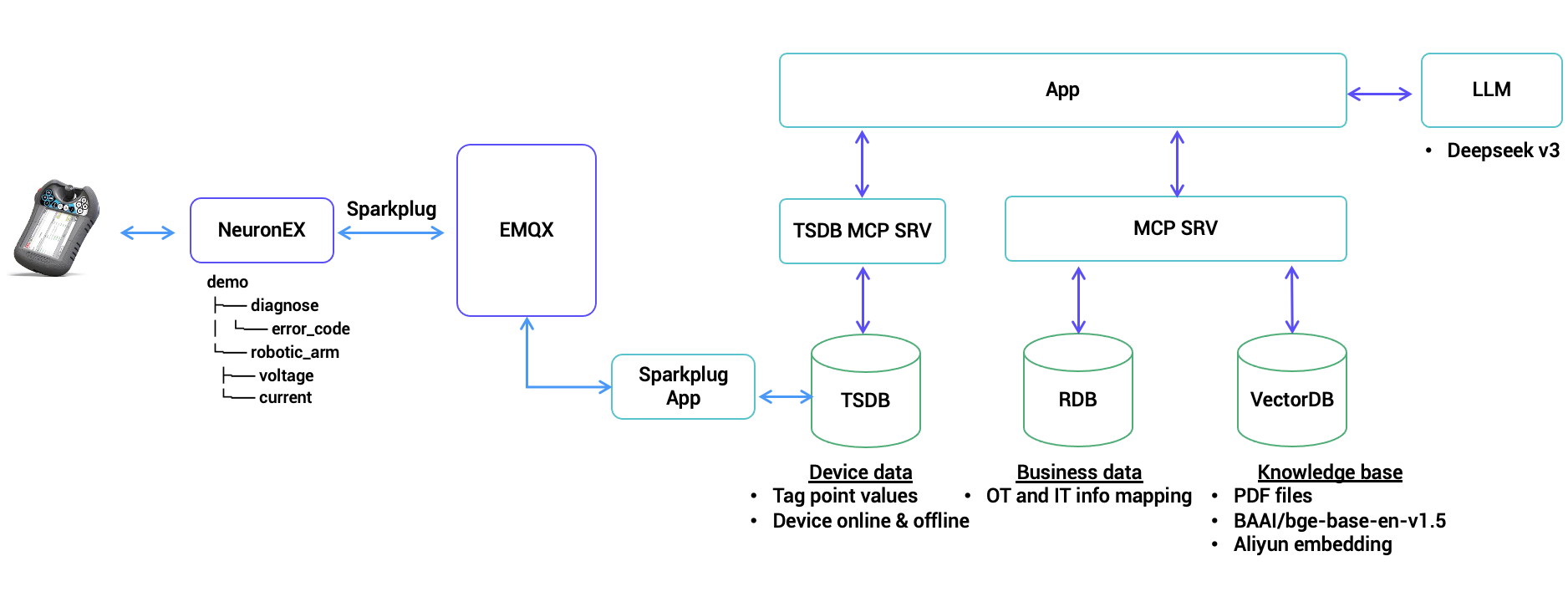
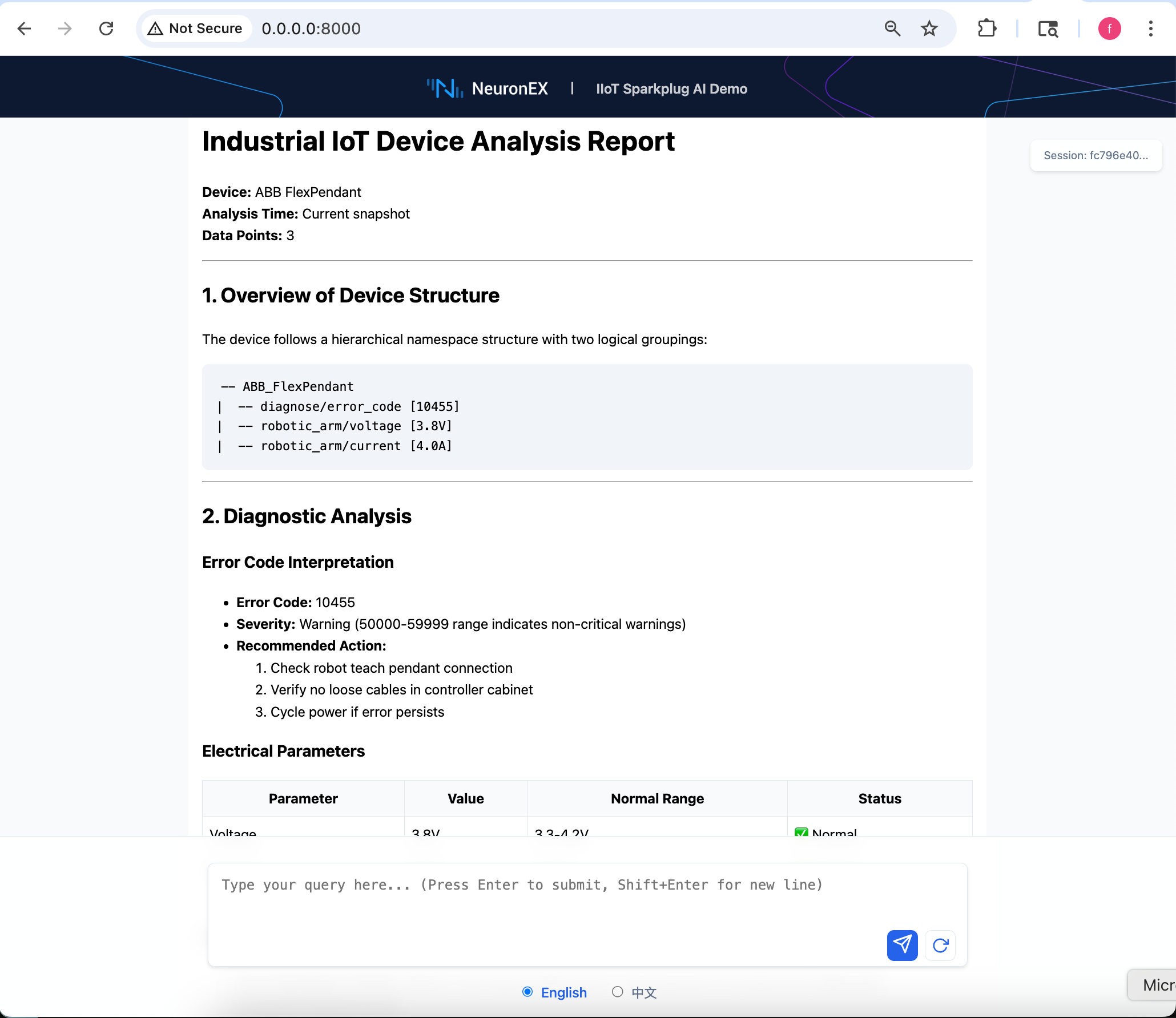
This project demonstrates a Sparkplug B (SPB) implementation featuring a chat-based interface for industrial IoT monitoring and control. It combines a Sparkplug MCP server with a web application that allows users to query device data, analyze historical metrics, and monitor device status through natural language interactions. The system supports both real-time monitoring and historical analysis of device metrics, making it ideal for industrial automation and IoT applications.
Architect diagram
Setup workspace
Follow the steps below to set up and run the application:
- Clone the Repository
git clone https://github.com/emqx/uns-demo/
cd uns-demo
The project use
uvto manage libs and project, please install uv before getting start.Some dependencies need to be compiled through cmake, please install cmake before getting start.
Install Dependencies and Activate Virtual Environment
uv sync
uv venv
Pre-conditions
Install software and configurations
Please refer to software preparation.
Run the application
Steps
- Copy
.env.exampleto.envand modify the values accordingly. - Run sparkplug mcp server
uv run spb_server.py
- Run biz mcp server
uv run biz_app.py
- Run main application
uv run main.py
- Open http://localhost:8000/ in browser.
- Type questions in the chatbox.
Demos
Refer to doc for detailed demo scenarios.
Установка Sparkplug Server
У этого сервера нет опубликованного пакета — он собирается из исходников. Открой репозиторий и следуй инструкции в README.
▸ github.com/emqx/uns-demoFAQ
Sparkplug Server MCP бесплатный?
Да, Sparkplug Server MCP бесплатный — установка в пару кликов через Unyly без оплаты.
Нужен ли API-ключ для Sparkplug Server?
Нет, Sparkplug Server работает без API-ключей и переменных окружения.
Sparkplug Server — hosted или self-hosted?
Self-hosted: сервер запускается локально на твоей машине командой из раздела установки.
Как установить Sparkplug Server в Claude Desktop, Claude Code или Cursor?
Открой Sparkplug Server на unyly.org, выбери вкладку своего клиента (Claude Desktop, Claude Code, Cursor) и нажми Install — конфиг сгенерируется автоматически, без правки JSON.
Похожие MCP
GitHub
PRs, issues, code search, CI status
 автор: GitHub
Filesystem
Secure file operations with configurable access controls.
Memory
Knowledge graph-based persistent memory system.
Template MCP Server
A CLI tool to create a new Model Context Protocol server project with TypeScript support, dual transport options, and an extensible structure
 автор: mcpdotdirect
Compare Sparkplug Server with
Не уверен что выбрать?
Найди свой стек за 60 секунд
Автор?
Embed-бейдж для README
Похожее
Все в категории development