loading…
/ru
Весь каталогTool:
Spreadsheet App
БесплатноНе проверенEnables Claude to render interactive, real-time spreadsheets with streaming cell updates, custom styling, and resizable columns. This server allows users to vis

Описание
Enables Claude to render interactive, real-time spreadsheets with streaming cell updates, custom styling, and resizable columns. This server allows users to visualize complex data sets through a dynamic grid interface directly within the model's response.
README
A streaming spreadsheet MCP App built with Skybridge. Claude renders interactive spreadsheets in real-time — cells appear with animations as the model streams its response.
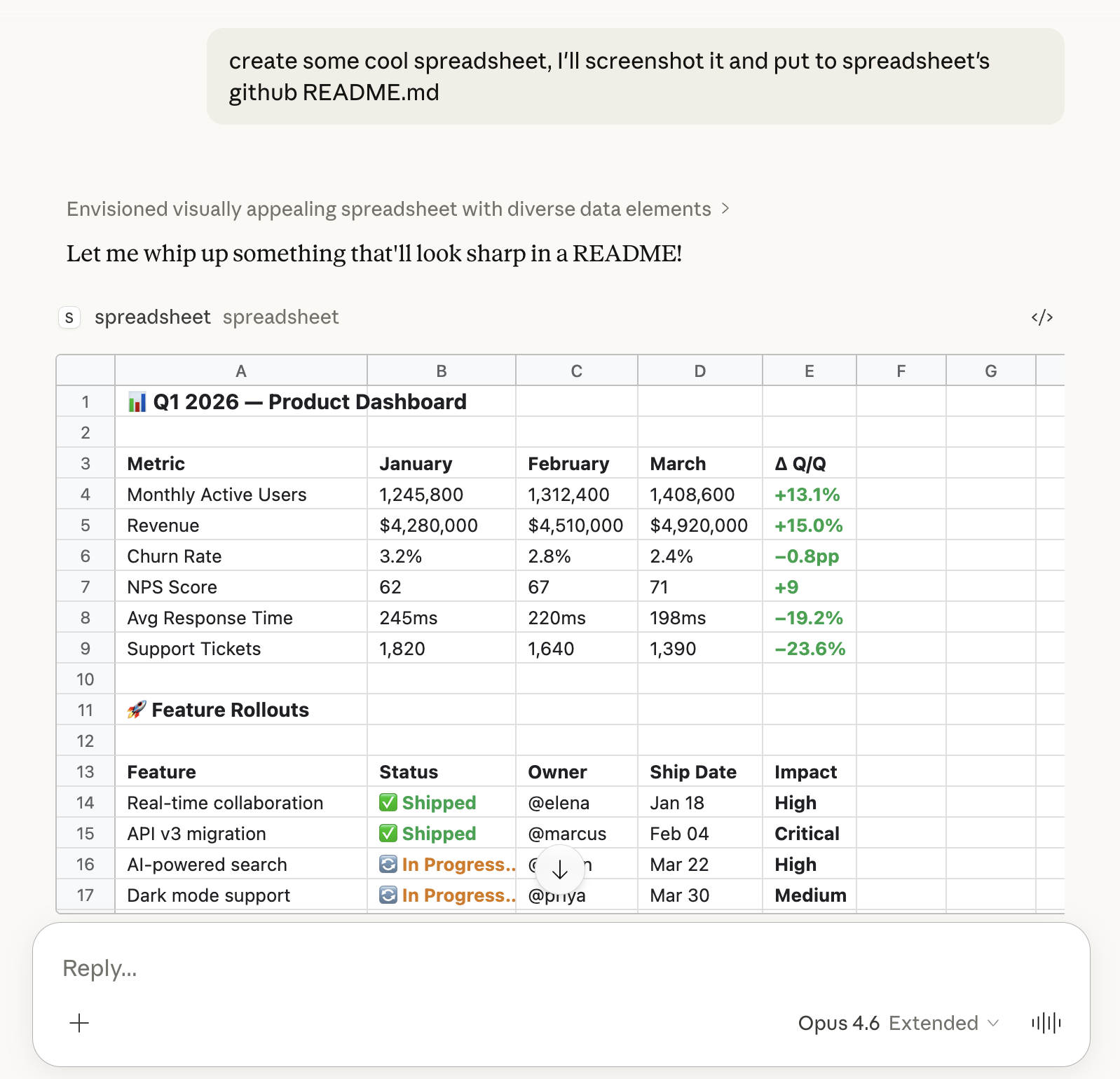
Features:
- Streaming — cells render progressively as the model types
- Sparse addressing — only populated cells are sent, gaps are automatic
- Auto-sizing columns — widths adjust to content
- Resizable columns — drag column borders to resize
- Fullscreen mode — expand to fill the viewport with sticky headers and infinite scroll
- Dark mode — respects system theme
- Links — URLs and emails are auto-detected and clickable
Prerequisites
Node.js (v22+)
- macOS:
brew install node - Linux / other: nodejs.org/en/download
cloudflared (for tunneling to Claude)
- macOS:
brew install cloudflared - Linux / other: developers.cloudflare.com/cloudflare-one/connections/connect-networks/downloads
Setup
1. Install dependencies
npm install
2. Start the dev server
npm run dev
The server runs at http://localhost:3000. Skybridge DevTools are available at http://localhost:3000 for local testing without Claude.
Connecting to Claude
Tunnel your local server with cloudflared to get a public URL:
cloudflared tunnel --url http://localhost:3000
Then add your tunnel URL with /mcp appended (e.g. https://xxx.trycloudflare.com/mcp) as a remote MCP server in Claude settings.
Tool: spreadsheet
The server exposes a single tool that Claude uses to render spreadsheets.
Input format: CSV string with columns cell,value,style — one row per cell.
| Column | Description | Example |
|---|---|---|
cell |
Excel-style address | A1, B2, C10 |
value |
Text or number | Revenue, $50000 |
style |
Optional inline CSS | font-weight: bold |
Example input:
A1,Revenue,font-weight: bold
B1,Q1,font-weight: bold
C1,Q2,font-weight: bold
A2,Sales,
B2,$120000,
C2,$145000,
A3,Costs,
B3,$80000,
C3,$92000,
Try it: Ask Claude something like "Make a spreadsheet comparing Q1-Q4 revenue for 3 product lines".
Project Structure
spreadsheet-mcp-app-skybridge/
├── server/src/
│   ├── index.ts          # Express app with static serving & MCP middleware
│   ├── server.ts         # McpServer with tool/widget registration
│   └── middleware.ts     # Streamable HTTP transport middleware
├── web/src/
│   ├── helpers.ts        # Typed Skybridge hooks (useToolInfo)
│   ├── index.css         # Spreadsheet styles, dark mode, sticky headers
│   └── widgets/
│       └── spreadsheet.tsx  # React grid component
├── web/vite.config.ts
├── tsconfig.json
└── package.json
Production Build
npm run build
NODE_ENV=production node dist/server/src/index.js
Built With
- Skybridge — full-stack framework for MCP Apps
- MCP Apps (ext-apps) — open standard for interactive UI in MCP
Как установить
Выполни в терминале:
claude mcp add spreadsheet-mcp-app -- npx 
