
Stdio
БесплатноНе проверенstdio-to-HTTP MCP proxy for Grackle — bridges stdio-only MCP clients (Claude Desktop, Codex CLI, Clawpilot) to a Grackle HTTP MCP server using static API-key au

Описание
stdio-to-HTTP MCP proxy for Grackle — bridges stdio-only MCP clients (Claude Desktop, Codex CLI, Clawpilot) to a Grackle HTTP MCP server using static API-key auth
README


[!WARNING] Grackle is pre-1.0 and still experimental. It may have unresolved security issues, annoying bugs, and broken workflows. Not recommended for use in production systems.

A plague of grackles
That's the collective noun. Also what you get when you stop babysitting one agent in a terminal and start running many — each on its own wire, with its own key, leaving its own name in the log.
Grackle is a self-hosted control plane for AI agents. Spawn one and watch it work. Spawn a hundred and close the laptop. When one does something stupid at 3 AM, you know which one — not "the platform," not "your token," that one.
Run Claude Code, Copilot, Codex, GenAIScript, or any ACP agent — on Docker, an SSH box, a Codespace, or this machine. Grackle handles the provisioning, the credentials, the transport, the lifecycle. You get a CLI, web UI, and MCP server out of the box.
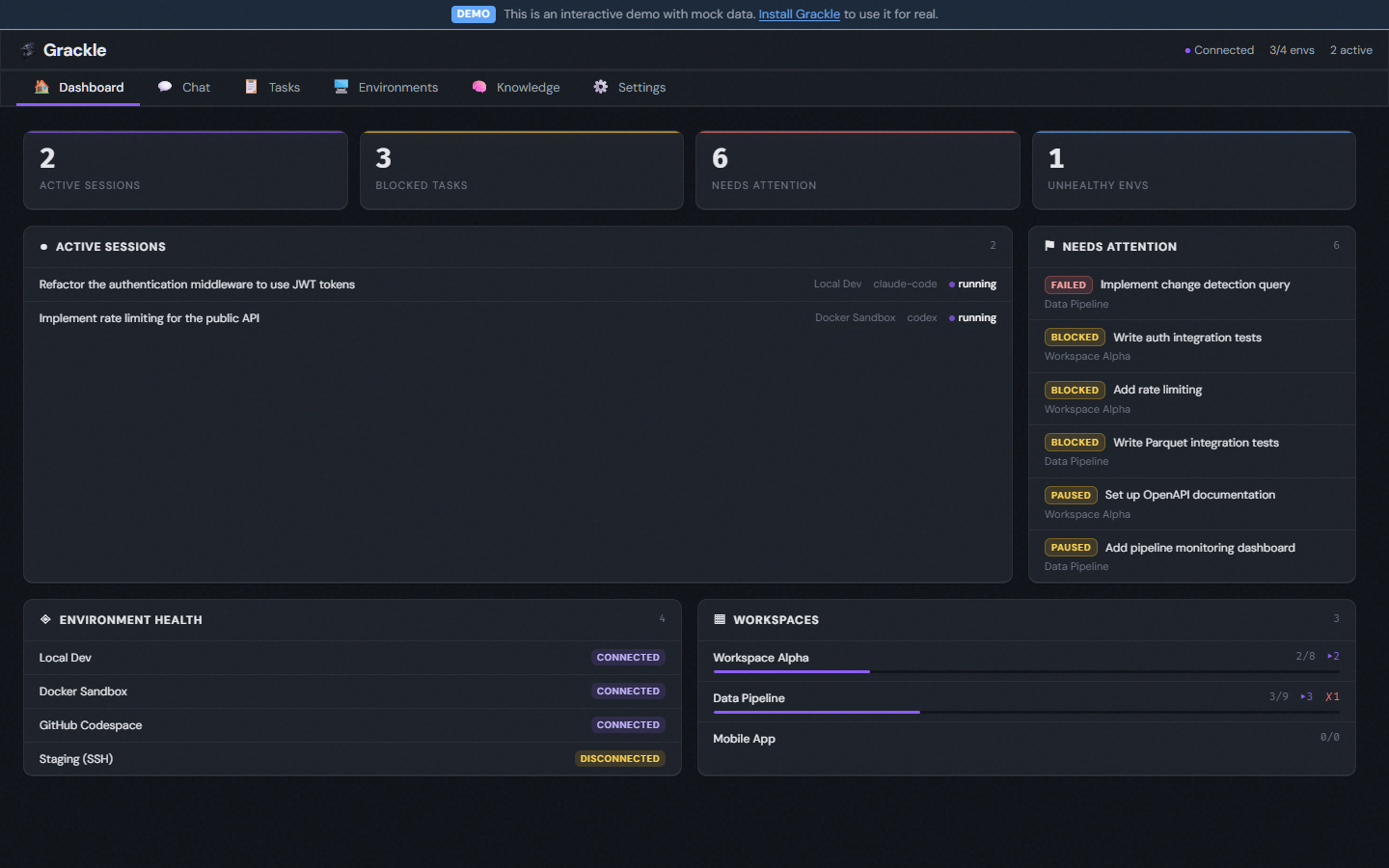
Try the interactive demo — no install required. Explore the full UI with realistic mock data.
What makes Grackle different
Agent IPC — Parent sessions spawn children with bidirectional pipes. Structured communication between agents — no polling, no shared files, no prompt-stuffing.
Knowledge persistence — A semantic knowledge graph backed by Neo4j. One agent's architectural insight becomes another agent's context automatically. Search by concept, not keyword.
Session resilience — Environments auto-reconnect on disconnect. Suspended sessions resume where they left off. Events buffer during outages and drain on reconnect. No lost work.
Multi-vendor, one interface — Swap runtimes per persona or per task. Your orchestration doesn't break when you switch from Claude to Codex or add Copilot as a second opinion.
Script personas — Not everything needs an LLM loop. GenAIScript personas run deterministic TypeScript workflows — linters, formatters, analyzers — under the same session and task primitives as any agent.
See it in action
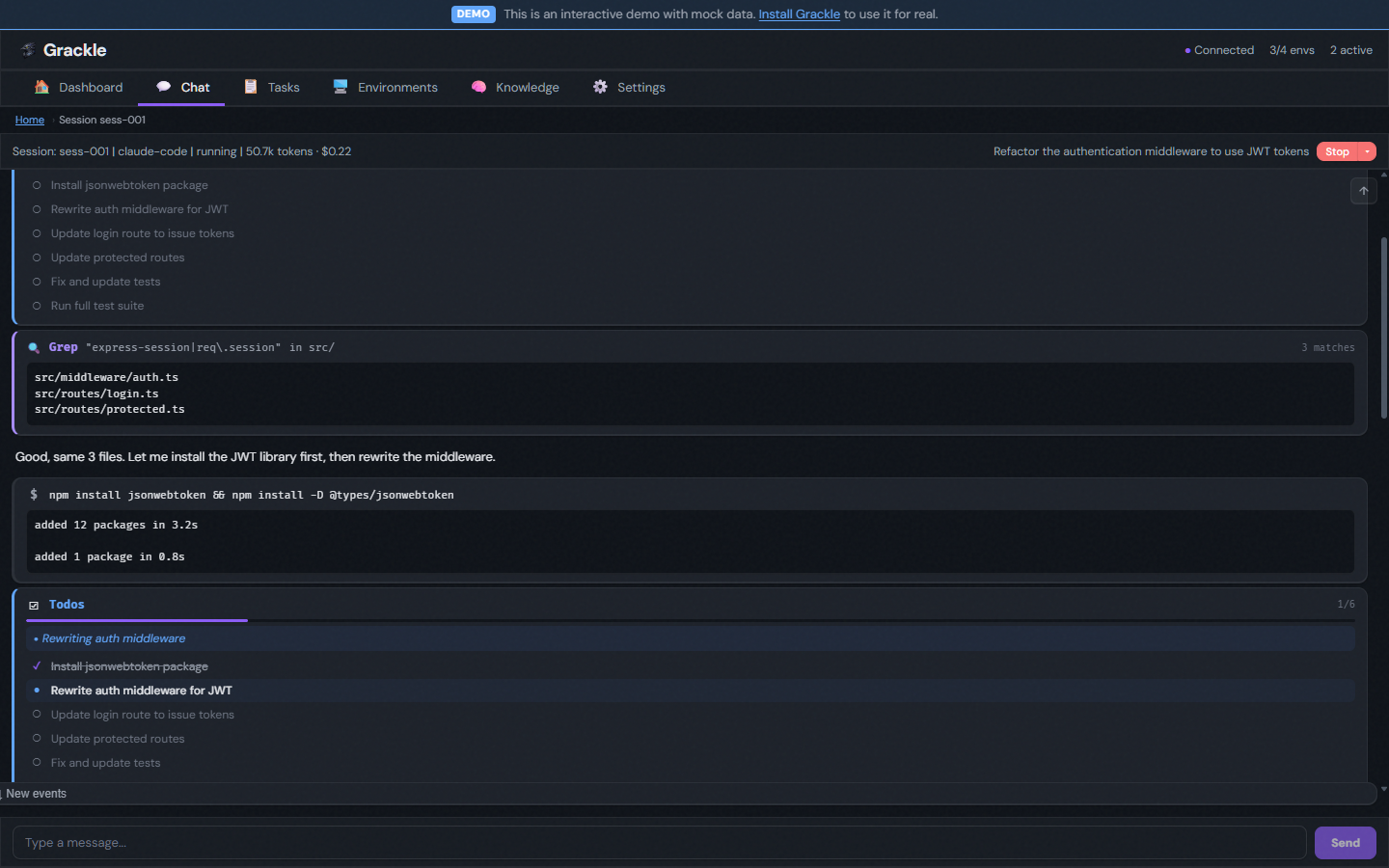
Live agent stream
Watch tool calls, code output, and reasoning as they happen. Specialized cards for each tool type — file edits show diffs, grep results show matches, bash commands show output, and todo lists track progress.
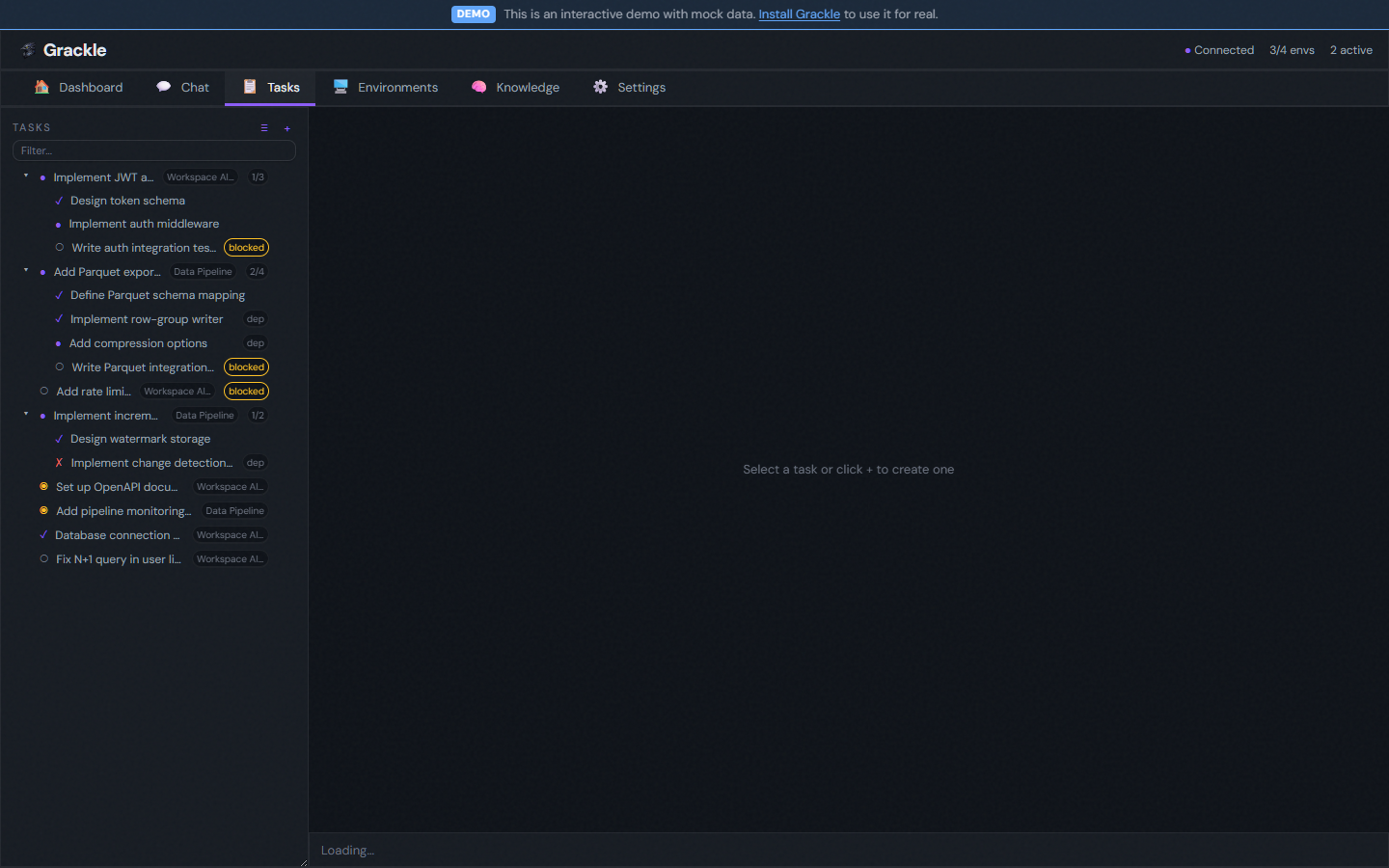
Task trees and dependencies
Decompose work into parent/child hierarchies. Chain tasks with dependency gates. Every task gets its own git worktree — agents never step on each other's branches.
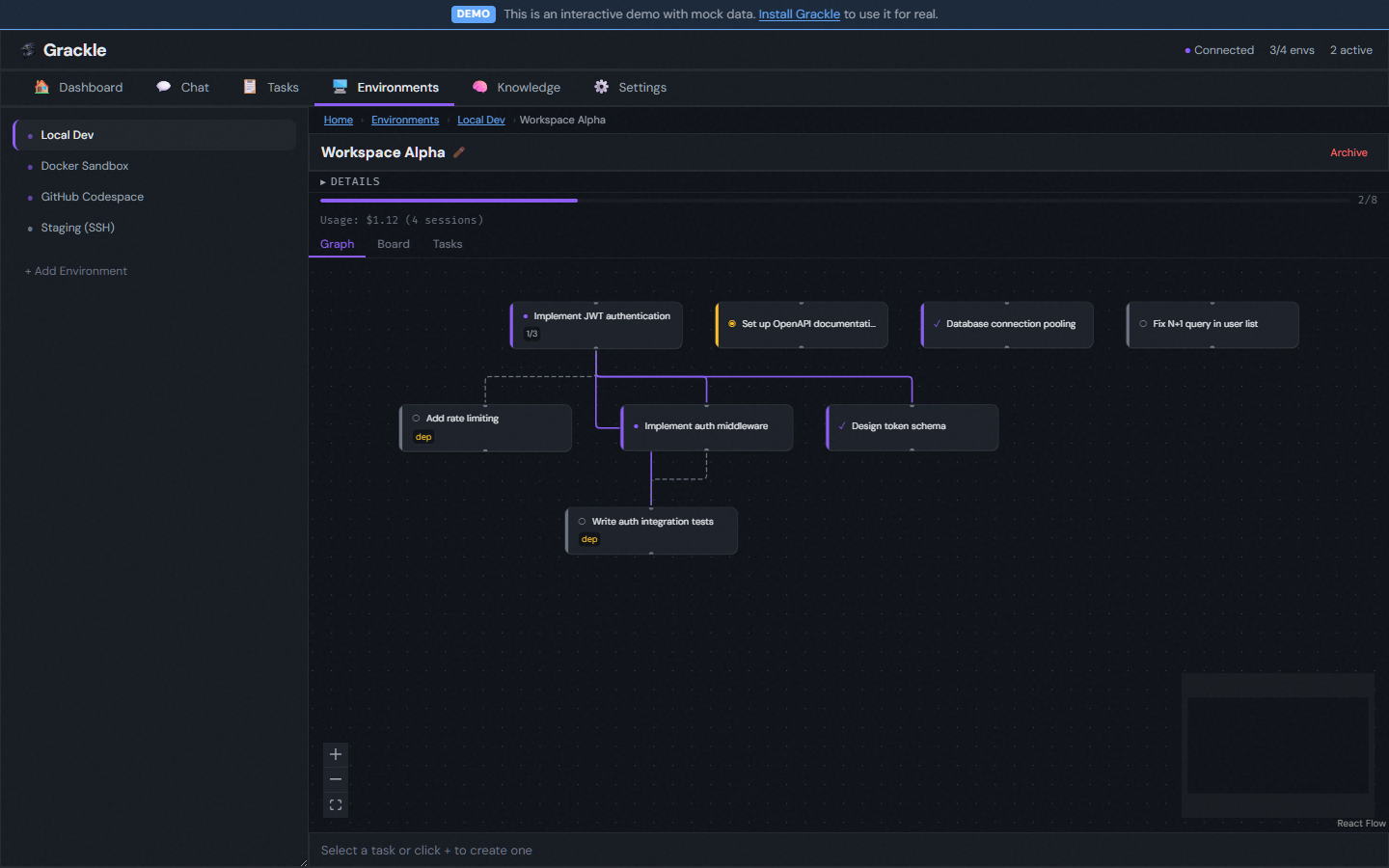
DAG visualization
Interactive dependency graph showing hierarchy and blocking relationships. Click any node to see its stream, findings, or overview.
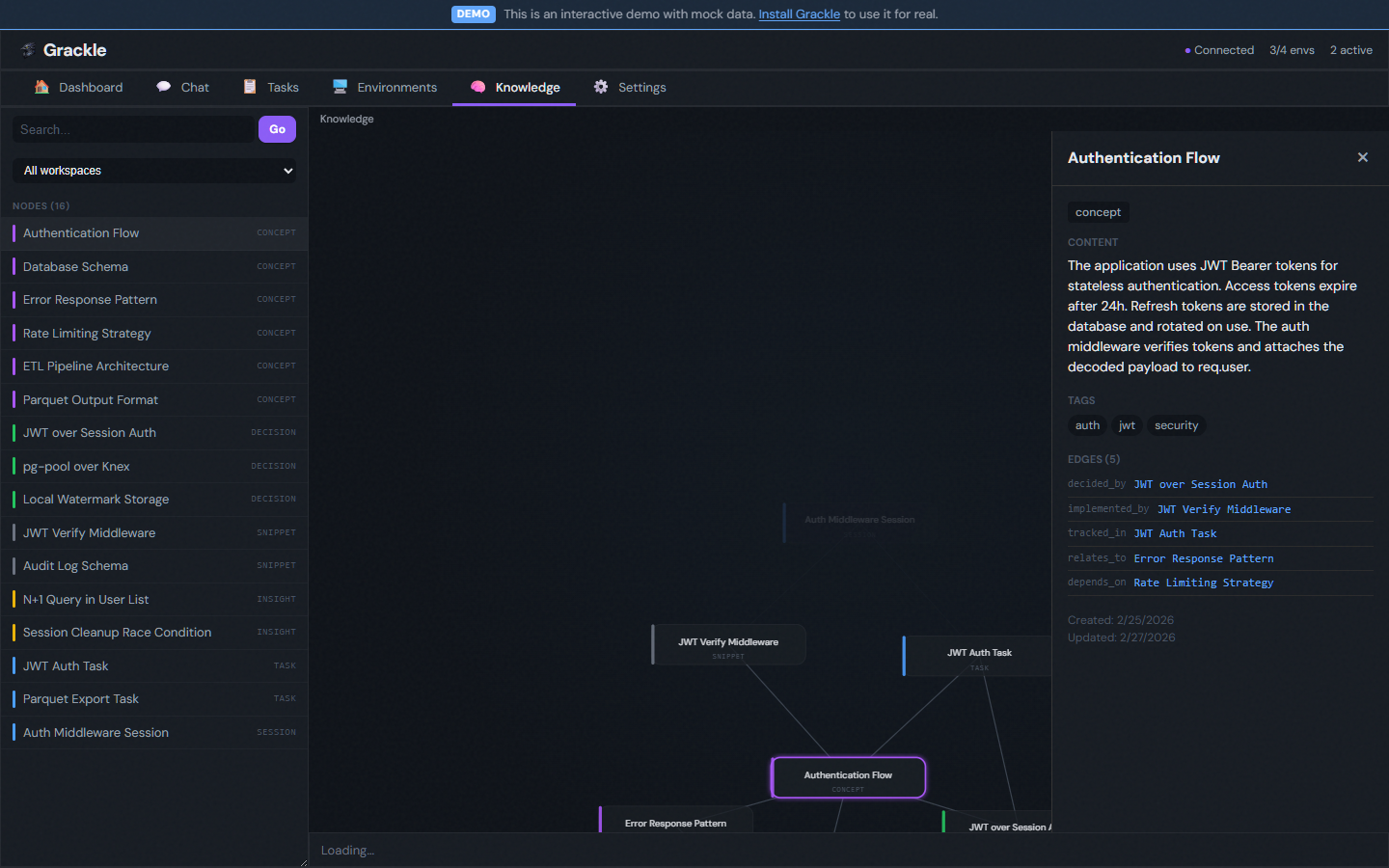
Knowledge graph
Agents write findings to a semantic knowledge graph. Other agents query it by concept. The UI explorer shows nodes (concepts, decisions, snippets, insights) and their relationships.
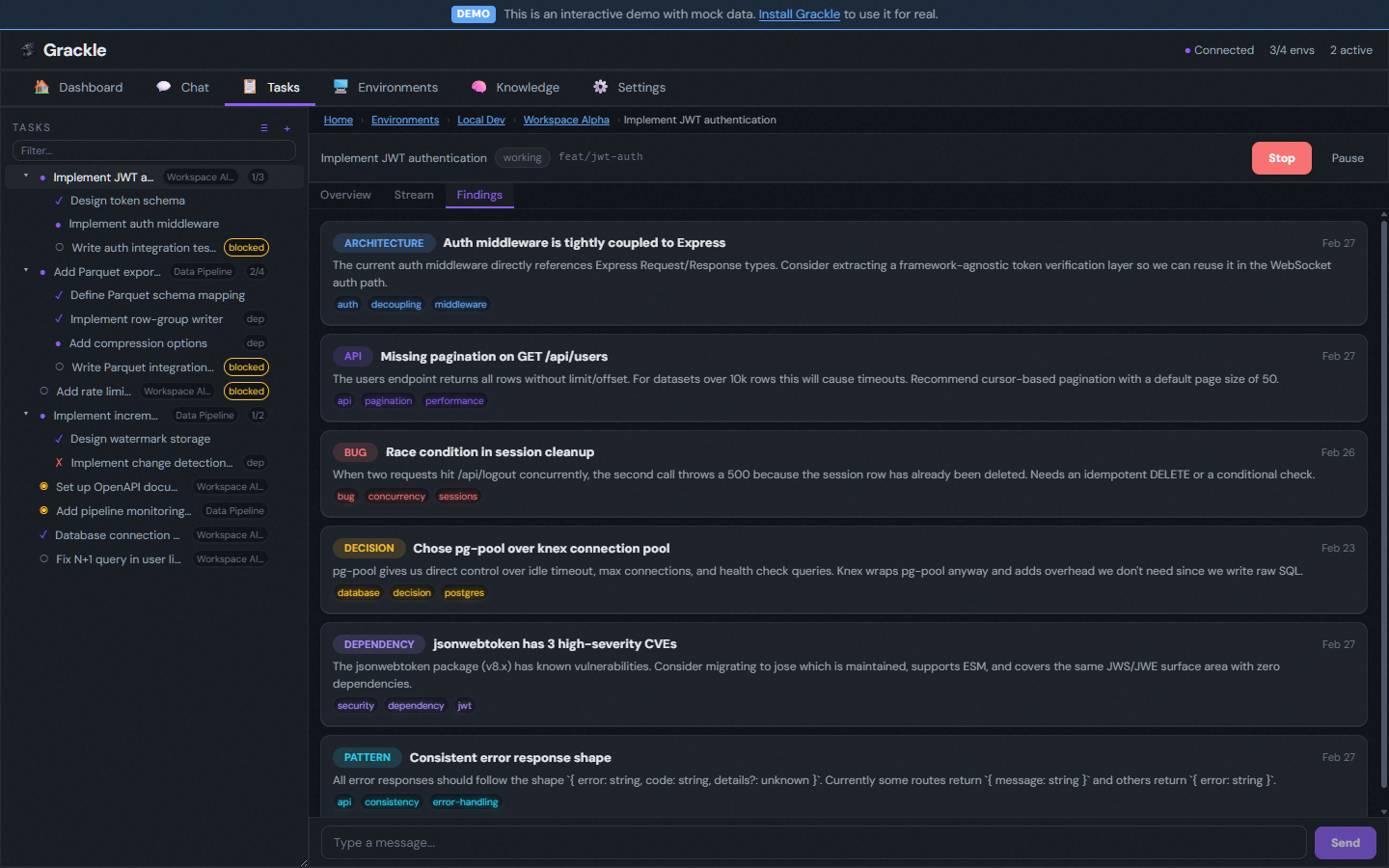
Findings
Categorized discoveries shared across agents within a workspace — architecture decisions, bugs, API patterns, dependency issues. Tagged and searchable.
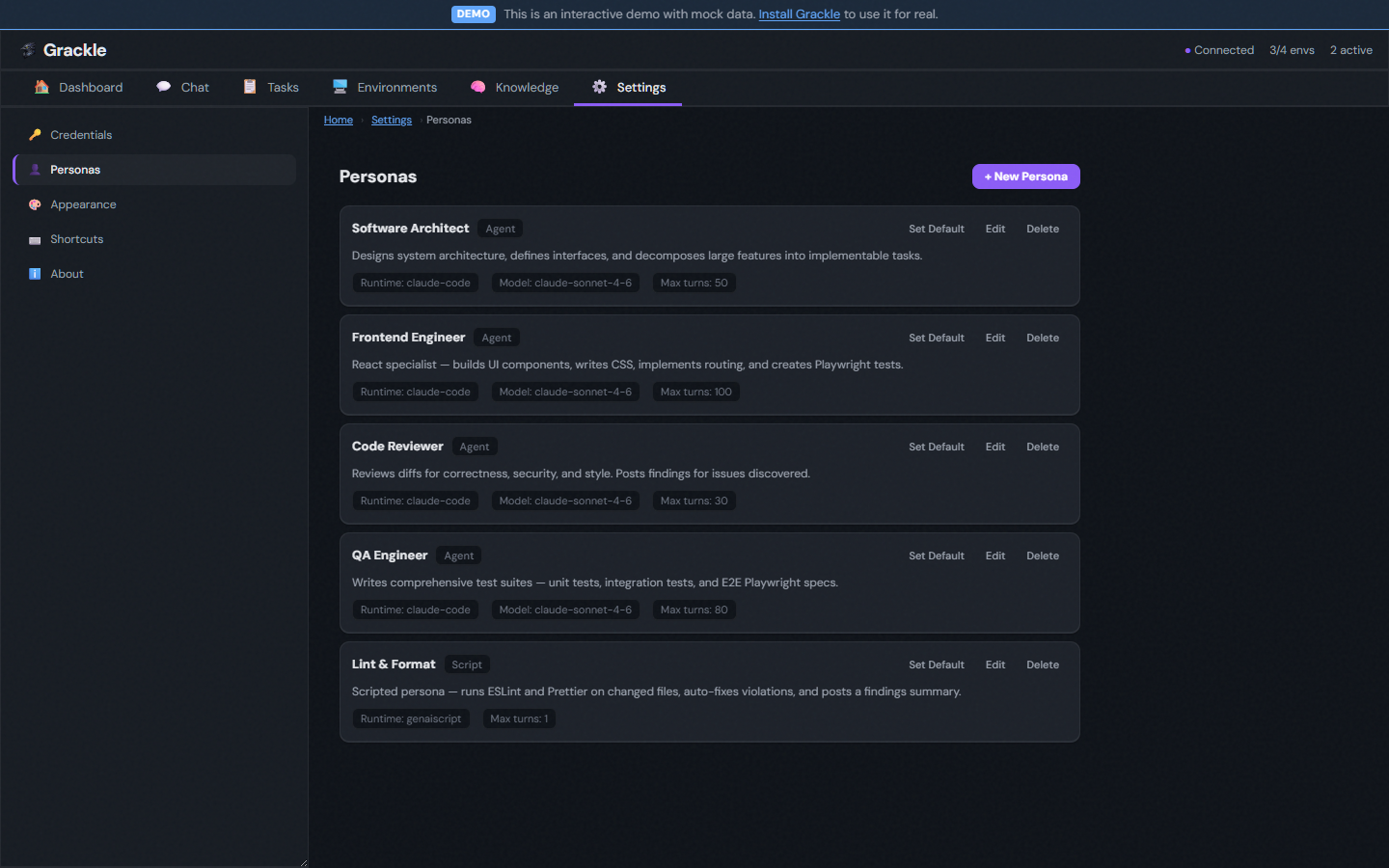
Personas
Named agent configurations that bundle a system prompt, runtime, model, tool allowlists, and MCP permissions. Assign a "Software Architect" to decompose work, a "Code Reviewer" to audit diffs read-only, or a "Lint & Format" script persona for deterministic workflows.
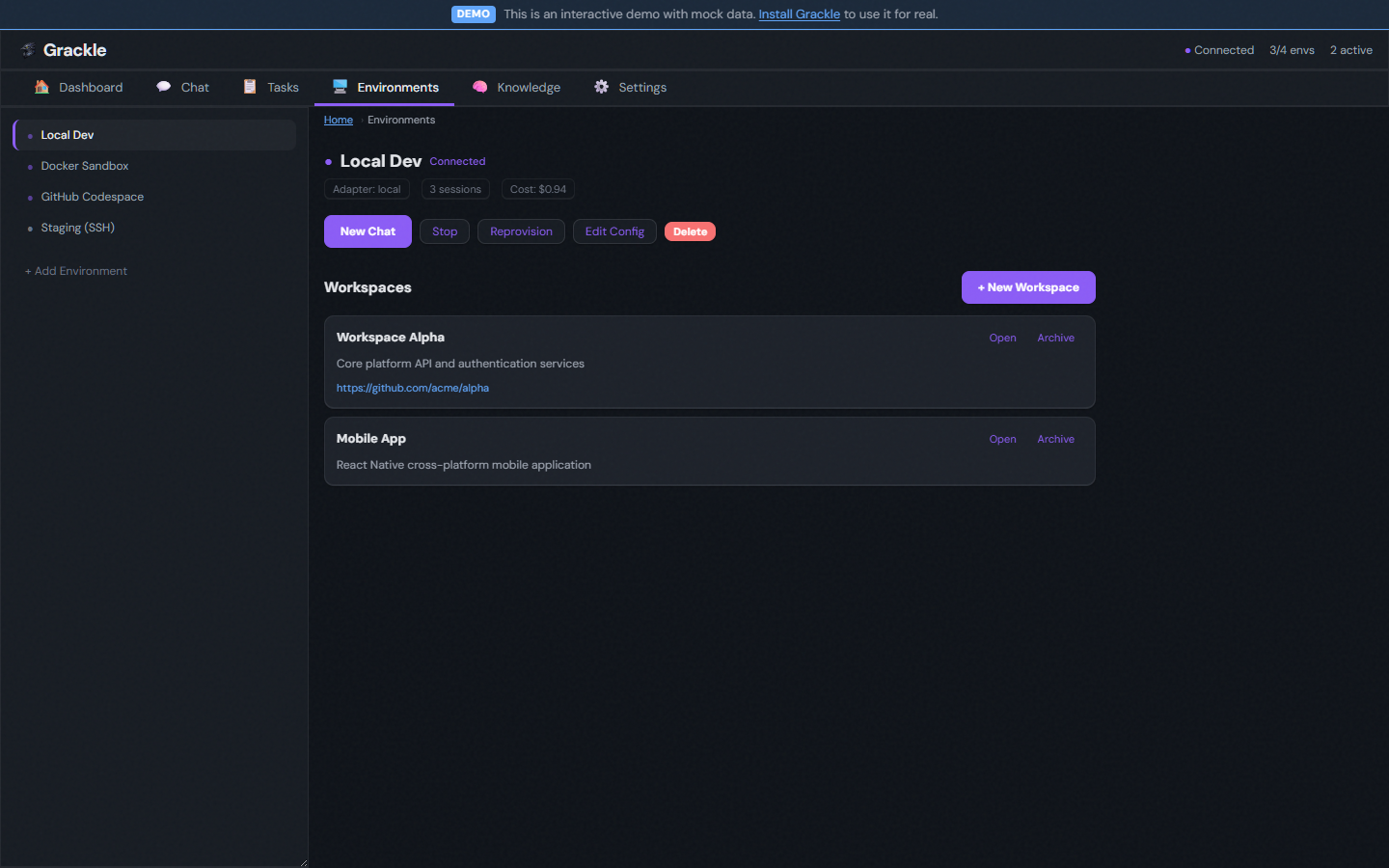
Environments
Each agent runs inside an isolated environment. Connect one or many:
| Adapter | Command |
|---|---|
| 🐳 Docker | grackle env add my-env --docker |
| 💻 Local | grackle env add my-env --local |
| 🔒 SSH | grackle env add my-env --ssh --host ... |
| ☁️ Codespace | grackle env add my-env --codespace --codespace-name <name> |
Themes
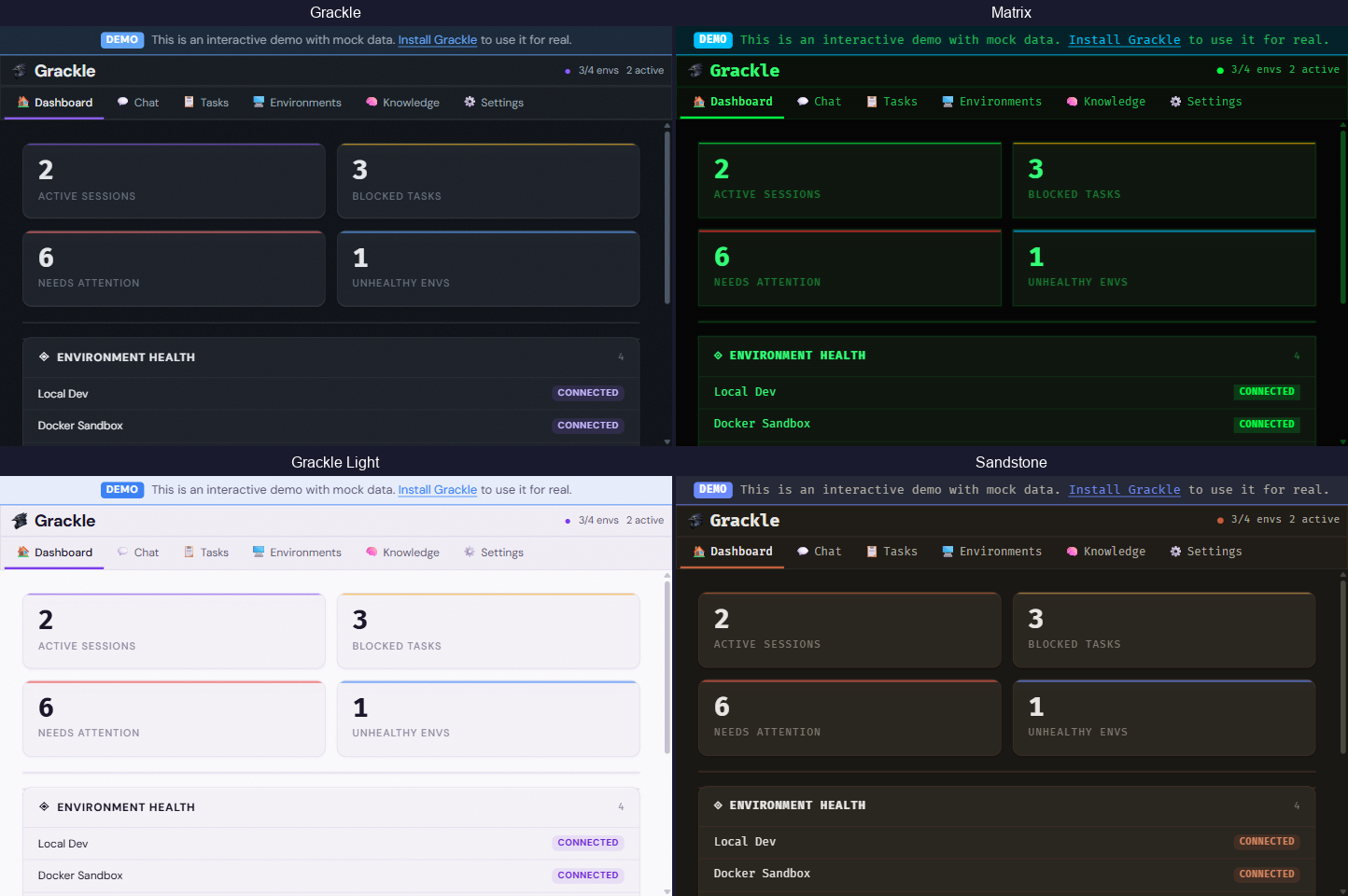
9 built-in themes — Grackle, Glassmorphism, Matrix, Neubrutalism, Monokai, Ubuntu, Sandstone, Verdigris, and Primer (several with light/dark variants). Switch in Settings or match your system preference.
Features
| Feature | Description | |
|---|---|---|
| 📡 | Real-time streaming | Watch agent tool calls and output as they happen — specialized cards for each tool type |
| 🌳 | Git worktree isolation | Every task gets its own branch in its own worktree — zero interference between agents |
| 🧠 | Knowledge graph | Semantic search over findings and task context — agents build shared understanding across sessions |
| 🔄 | Multi-runtime support | Claude Code, Copilot, Codex, and GenAIScript — plus experimental Agent Client Protocol (ACP) runtimes (Goose, codex-acp, copilot-acp, claude-code-acp) — swap runtimes per persona or per task |
| 🌲 | Task tree hierarchy | Parent/child subtrees with recursive tree view, expand/collapse, and progress badges |
| 🔗 | Task dependencies | Dependency gating — blocked tasks wait for their dependencies to complete |
| 🎭 | Personas | Named agent configs with system prompts, runtime/model, and scoped MCP tool allowlists |
| 🔁 | Session history | Every task tracks its full session history — retry failed runs and compare attempts |
| ✅ | Task review & approval | Approve or reject completed tasks with feedback that feeds into the next attempt |
| 🔌 | MCP server | 80+ tools — any agent with MCP connected can create tasks, spawn sessions, query knowledge, and orchestrate work |
| 💬 | Chat | Talk to the orchestrator directly — it has access to every MCP tool in Grackle |
| 💰 | Usage tracking | Token counts and cost per session, task, or workspace |
| 🔄 | Session recovery | Environments auto-reconnect. Suspended sessions resume where they left off |
| 🔀 | IPC pipes | Parent sessions spawn children with bidirectional pipes for structured communication |
| ⏰ | Scheduled triggers | Cron expressions and interval shortcuts for recurring task creation |
| ⌨️ | Keyboard shortcuts | Global shortcuts for navigation and common actions |
Quick Start
Docker (recommended)
One command — includes the server, web UI, knowledge graph (Neo4j), and a local agent environment:
docker run -d --name grackle -p 3000:3000 -p 7434:7434 -p 7435:7435 -v grackle-data:/data ghcr.io/nick-pape/grackle:latest
(Port 7434 is the gRPC server the host CLI talks to; 7435 exposes the MCP HTTP endpoint for MCP clients — omit 7435 if you only need the web UI.)
Open http://localhost:3000, pair with the code from docker logs grackle, and start working. Run grackle pair (or docker exec grackle grackle pair) to regenerate a pairing code.
To mount your Claude Code credentials so agents can authenticate:
docker run -d --name grackle -p 3000:3000 -p 7435:7435 -v grackle-data:/data \
  -v "${HOME}/.claude:/home/node/.claude:ro" \
  ghcr.io/nick-pape/grackle:latest
Windows note: The Claude Desktop app stores OAuth tokens in Windows Credential Manager (DPAPI), not
~/.claude/. Use-e ANTHROPIC_API_KEY=sk-...instead of the volume mount. Same forGH_TOKEN— pass-e GH_TOKEN=$(gh auth token).
Mount credentials for all runtimes
docker run -d --name grackle -p 3000:3000 -p 7435:7435 -v grackle-data:/data \
  -v "${HOME}/.claude:/home/node/.claude:ro" \
  -v "${HOME}/.copilot:/home/node/.copilot" \
  -v "${HOME}/.codex:/home/node/.codex" \
  -e GH_TOKEN=$(gh auth token) \
  ghcr.io/nick-pape/grackle:latest
- Claude: mounted read-only (redirected via
CLAUDE_CONFIG_DIR) - Copilot / Codex: mounted writable (their CLIs write session state with no config dir override)
- GH_TOKEN: enables the GitHub CLI and Codespace adapter inside the container
- Use
${HOME}(not~) — tilde expansion doesn't work in Docker on Windows
Docker Compose
For a more complete setup with Docker adapter integration, credential mounts, and networking:
cp deploy/docker-compose.yml deploy/.env.example .
cp .env.example .env  # edit as needed
docker compose up -d
See deploy/docker-compose.yml for the full configuration.
npm
# 1. Install the CLI
npm install -g @grackle-ai/cli

# 2. Start the server (gRPC + Web UI — all in one)
grackle serve

# 3. Open the dashboard at http://localhost:3000

# 4. Add a Docker environment and start working
grackle env add my-env --docker
Or skip the global install entirely — prefix every command with npx:
npx @grackle-ai/cli serve
npx @grackle-ai/cli env add my-env --docker
pnpm users: pnpm v8+ blocks package install scripts by default. If
grackle servecrashes with aCould not locate the bindings fileerror, runpnpm approve-buildsafter installing and then reinstall, or add the following to yourpackage.jsonbefore installing:{ "pnpm": { "onlyBuiltDependencies": ["better-sqlite3"] } }
Building from source
npm install -g @microsoft/rush
rush update && rush build
node packages/cli/dist/index.js serve
Progressive complexity
Grackle covers the whole spectrum — start simple, scale up.
One agent, one box — Manage a single agent in a remote environment. No task tree, no orchestration. Just grackle spawn.
Task trees — Decompose work into parent/child hierarchies. Chain siblings with dependencies. Review artifacts at each step.
Multi-agent — Multiple agents working in parallel on a shared workspace, coordinating through the knowledge graph and IPC pipes.
Autonomous swarms — Task decomposition, agent recruitment, and knowledge sharing — all through the same primitives.
Requirements
- Docker (recommended — the Grackle app and its dependencies are bundled in the image)
- Node.js >= 22, < 24 (for npm install — Node 24+ is not yet supported)
You still need to provide your own model credentials (via environment variables or mounted config files). Some features like the Docker adapter require access to the host Docker socket.
License
MIT
Установить Stdio в Claude Desktop, Claude Code, Cursor
unyly install stdioСтавит в Claude Desktop, Claude Code, Cursor и VS Code — сам разбирается с npx, uvx и сборкой из исходников.
Впервые? Поставь CLI: curl -fsSL https://unyly.org/install | sh
Или настроить вручную
Выполни в терминале:
claude mcp add stdio -- npx -y @grackle-ai/mcp-stdioFAQ
Stdio MCP бесплатный?
Да, Stdio MCP бесплатный — установка в пару кликов через Unyly без оплаты.
Нужен ли API-ключ для Stdio?
Нет, Stdio работает без API-ключей и переменных окружения.
Stdio — hosted или self-hosted?
Self-hosted: сервер запускается локально на твоей машине командой из раздела установки.
Как установить Stdio в Claude Desktop, Claude Code или Cursor?
Открой Stdio на unyly.org, выбери вкладку своего клиента (Claude Desktop, Claude Code, Cursor) и нажми Install — конфиг сгенерируется автоматически, без правки JSON.
Похожие MCP
Fetch
Web content fetching and conversion for efficient LLM usage.
AWS KB Retrieval
Retrieval from AWS Knowledge Base using Bedrock Agent Runtime.
 автор: modelcontextprotocol
Spring AI MCP Server
Provides auto-configuration for setting up an MCP server in Spring Boot applications.
llm-analysis-assistant
A very streamlined mcp client that supports calling and monitoring stdio/sse/streamableHttp, and can also view request responses through the /logs page. It also
 автор: xuzexin-hz
Compare Stdio with
Не уверен что выбрать?
Найди свой стек за 60 секунд
Автор?
Embed-бейдж для README
Похожее
Все в категории ai