
StealThis
БесплатноНе проверенExposes the StealThis.dev resource library of reusable web components, animations, and page templates to AI tools for browsing, searching, and retrieving code s

Описание
Exposes the StealThis.dev resource library of reusable web components, animations, and page templates to AI tools for browsing, searching, and retrieving code snippets.
README
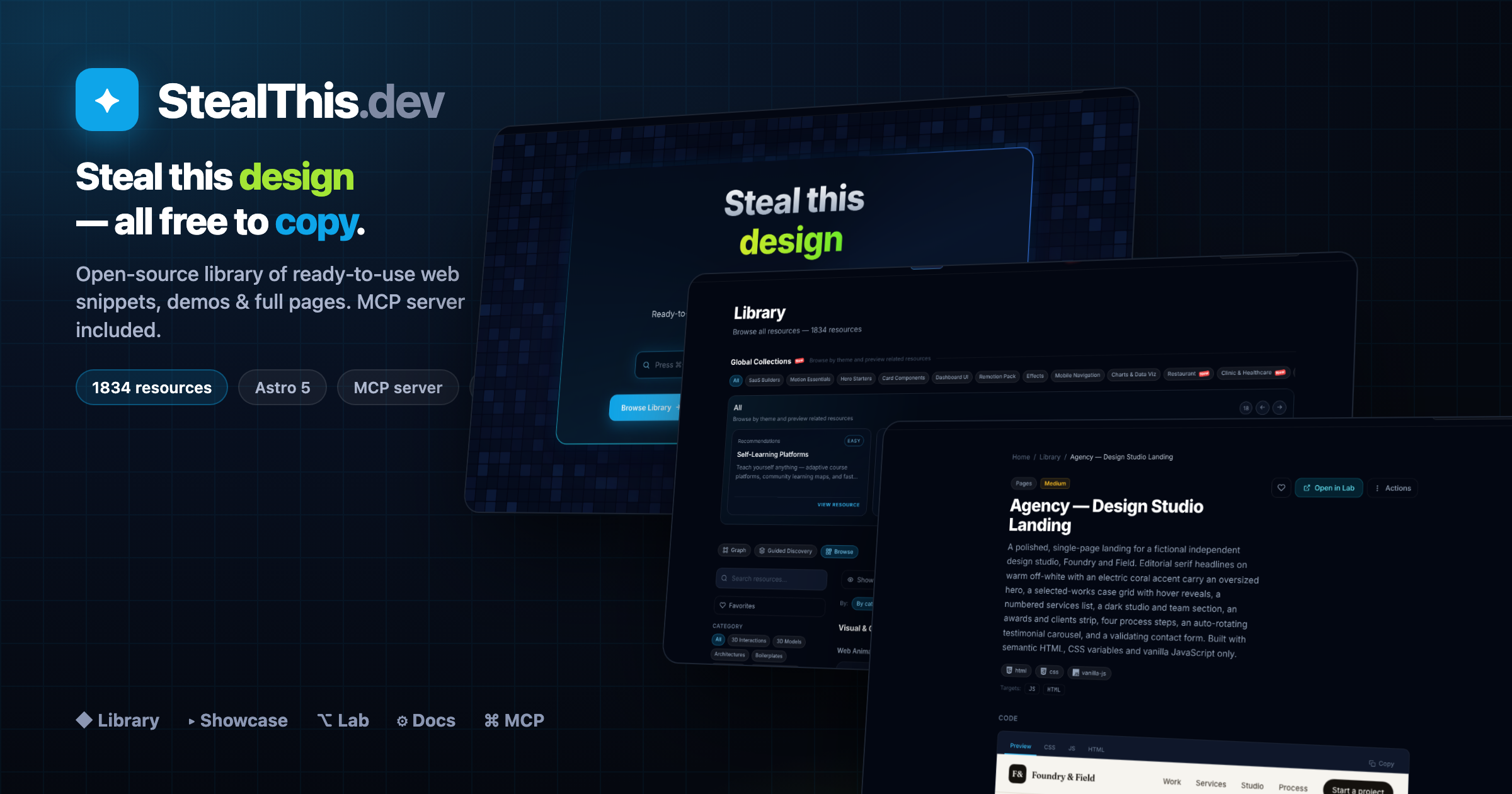
StealThis.dev is a Bun-workspace monorepo for an open-source resource library of reusable web implementations:
- Showcase site (
www) for browsing and copying resources - Documentation site (
docs) with Starlight guides - Full-screen demo runner (
lab) for runnable snippets - Project graph explorer (
build) for planning implementations - DB visualizer (
dbviz) for relational schema commands and diagrams - MCP server (
mcp) to expose the catalog to AI tools - Remotion app (
remotion) for animation/video compositions
The canonical source of resource content lives in packages/content/resources/<slug>/.
Website Locales
apps/www currently exposes these localized routes:
en— Englishes— Spanishfr— Frenchar— Arabicja— Japanesems— Malayhi— Hindiko— Koreannl— Dutchde— Germanpt-br— Brazilian Portuguesezh-hk— Traditional Chinese (Hong Kong)zh-cn— Simplified Chinese (China)de-ch— Swiss Germanit— Italianpl— Polishru— Russianuk— Ukrainian
Browser locale detection also maps RU users to ru and UA users to uk.
Monorepo Structure
.
├── apps
│   ├── www        # Astro 5 showcase + library
│   ├── docs       # Astro + Starlight docs
│   ├── lab        # Full-screen demo runner (iframe srcdoc)
│   ├── build      # Astro + React graph builder
│   ├── dbviz      # Astro + React database visualizer
│   ├── mcp        # Hono + Cloudflare Worker MCP server
│   └── remotion   # Remotion compositions
├── packages
│   ├── content    # Source-of-truth resources and docs
│   ├── schema     # Zod schema + loaders/types
│   └── config     # Shared tsconfig/tailwind presets
└── scripts        # Import + vendor sync utilities
Tech Stack
- Bun workspaces
- Astro 5 (multi-app)
- Starlight (docs)
- React (builder/remotion integrations)
- Tailwind CSS
- Hono + Wrangler (Cloudflare Worker for MCP)
- Zod + gray-matter + fast-glob (content schema/loading)
- Biome (lint/format)
Local Prerequisites
- Bun installed
- Node-compatible environment for Wrangler/Remotion tooling
Quick Start
# from repo root
bun install
Run any app independently:
bun run dev:www      # http://localhost:4321
bun run dev:docs     # http://localhost:4322
bun run dev:lab      # http://localhost:4323
bun run dev:build    # http://localhost:4324
bun run dev:dbviz    # http://localhost:4327
bun run dev:mcp      # http://localhost:8787 (Wrangler)
bun run dev:remotion # http://localhost:4325
Root Scripts
# development
bun run dev:www
bun run dev:docs
bun run dev:lab
bun run dev:build
bun run dev:dbviz
bun run dev:mcp
bun run dev:remotion

# builds
bun run build         # www + docs + lab + build + styleforge + dbviz + mcp
bun run build:www
bun run build:docs
bun run build:lab
bun run build:build
bun run build:dbviz
bun run build:mcp
bun run build:remotion

# quality
bun run lint
bun run format

# content/catalog tooling
bun run sync:vendor
bun run import:examples
bun run --filter @stealthis/mcp catalog
Production URLs
- Main site: https://stealthis.dev
- Docs: https://docs.stealthis.dev
- Lab: https://lab.stealthis.dev
- Builder: https://build.stealthis.dev
- DBViz: https://dbviz.stealthis.dev
- MCP: https://mcp.stealthis.dev/mcp
Resource Content Model
Each resource is a self-contained folder:
packages/content/resources/<slug>/
├── index.mdx
└── snippets/
    ├── html.html
    ├── style.css
    ├── script.js
    └── react.tsx (optional, plus other targets)
If a resource should appear in Lab:
- Set
labRoute: /<category>/<slug>in frontmatter - Provide
html.html,style.css, andscript.js
Supported category IDs:
web-animationsweb-pagesui-componentspatternscomponentspagespromptsskillsmcp-serversarchitecturesboilerplatesremotion
Add a New Resource
- Create
packages/content/resources/<slug>/index.mdxwith valid frontmatter. - Add snippets in
packages/content/resources/<slug>/snippets/. - If runnable in Lab, add
labRouteand include HTML/CSS/JS snippets. - Regenerate MCP catalog:
bun run --filter @stealthis/mcp catalog
- Validate:
bun run lint
bun run build:www
bun run build:lab
bun run build:mcp
Building a Whole Phase (multi-agent workflow)
The ROADMAP.md is organized into phases, each a themed vertical with
20–35 resources (Clinic, Gym, Salon, Real Estate, …). Building those one by one is slow, so
the repo has a documented pattern for generating a whole phase with a parallel multi-agent
Workflow in Claude Code — one subagent per resource, running concurrently.
To kick off the next phase, just ask Claude Code in plain language including the keyword
workflow (that keyword is what authorizes the multi-agent run — without it, Claude builds
by hand). For example:
finish Phase 30 (Gym) of the ROADMAP using a workflow
Claude then automatically:
- Reads PHASE-WORKFLOW.md (the full how-to) and the Phase 30 table in
ROADMAP.md. - Studies the pattern by opening a finished resource (e.g.
clinic-appointment-list) to match structure/quality. - Wires the new collection (
gym) in the 4 places it must exist (schema enum,apps/www/src/content/config.ts,apps/www/src/lib/collections.ts, i18n strings). - Builds the
SPECSlist (one entry per resource) from the roadmap table. - Launches the workflow — a subagent per resource, in parallel (watch live with
/workflows). - Regenerates the MCP catalog and ticks the ROADMAP checkboxes.
Handy add-ons you can append to the request:
| If you want… | Say… |
|---|---|
| It to stop for review when done | "…and pause when Phase 30 is done" |
| Several phases back-to-back | "finish Phases 30, 31 and 32 with workflows, one after another" |
| To limit scope | "only sections 30.A and 30.B" or "only the 5 landings" |
| To recover after a cutoff (e.g. session limit) | "resume the workflow" → re-runs only what failed; finished ones return from cache for free |
A workflow spins up dozens of agents — fast in wall-clock but token-heavy. Worth it for 20+ resources; for 1–3, build by hand (see Add a New Resource). Full mechanics, the script template, and how to read
/workflowslive in PHASE-WORKFLOW.md.
Replicating a Design into Resources (/replicate-resource)
Sometimes you have a one-off page you love — a standalone HTML file, an internal doc, an existing resource — and you want it in the library. The repo ships a skill + agent pair for exactly that:
/replicate-resource(.claude/skills/replicate-resource/SKILL.md) — the orchestrator: analyzes the source design, scrubs anything sensitive/company-specific, asks the few decisions that matter (language, scrub depth, design directions), fans out builds, then regenerates the catalog and verifies every page live.resource-replicator(.claude/agents/resource-replicator.md) — the builder: one agent per resource, with the authoring rules baked in (snippet wiring, thescrollIntoViewfix for sandboxedsrcdociframes, valid frontmatter enums, responsive rules, self-scrub grep).
It does two things, together or separately:
- Replicate — same design, new generalized English content (internal names replaced
by a fictional
acme-service). - Alternatives — same educational intent, but each on a topic you choose and with a deliberately different aesthetic that fills a gap in the library (it checks what looks already exist before proposing).
Example
/replicate-resource my-cool-page.html "docker networking" "git internals"
Claude will: read my-cool-page.html → build a scrubbed replica resource with its exact
design → propose distinct design directions for the two extra topics (with ASCII previews
to pick from) → build all resources in parallel → run the catalog build, a scrub grep
(zero hits required), and live checks on /r/<slug> and the Lab route → report each new
slug and its URLs.
Real-world run: an internal scheduled-tasks-book.html became
wiki-scheduled-tasks-book
(paper/serif concept book, replicated + scrubbed), plus three alternatives with brand-new
designs: wiki-localstack-notebook
(Jupyter notebook with typed cell outputs),
wiki-lambda-blueprint (navy/cyan
engineering drawings with dimension lines), and
wiki-rendering-split (CSR-vs-SSR
split screen with an animated page-load race).
Scale note: 1–4 resources is this skill's sweet spot. For a 20+ resource phase, use the multi-agent workflow instead.
Schema + Consumer Alignment
If you add/rename category/type/target fields, keep these in sync:
packages/schema/src/schema.tspackages/schema/src/types.tsapps/www/src/content/config.tsapps/www/src/i18n/index.ts(labels/filters)
MCP Server
The MCP Worker serves a generated catalog (apps/mcp/src/catalog.json) built from packages/content.
Important commands:
# regenerate catalog after content changes
bun run --filter @stealthis/mcp catalog

# local worker
bun run dev:mcp

# validate worker bundle
bun run build:mcp
Primary endpoints:
POST /mcp(MCP JSON-RPC transport)GET /tools/list_resourcesGET /tools/get_resource/:slugGET /tools/get_snippet/:slug/:targetGET /tools/search?q=...GET /tools/get_lab/:slug
Codebase Graph (graphify)
graphify turns this repo into a local, queryable knowledge graph of how apps, modules, and docs connect. Output lands in graphify-out/ — that folder is gitignored (cache, JSON, HTML, reports). Regenerate on your machine or in a separate checkout; do not commit it.
Requires the graphify skill/CLI (e.g. /graphify in Claude Code, or uv tool install graphifyy).
Build and refresh
/graphify apps              # Full extraction on apps/ (~2k nodes, 3k edges on last run)
/graphify apps --update     # Incremental — only new/changed files (fast after first run)
/graphify apps --cluster-only   # Re-run community detection on existing graph.json
/graphify apps --mode deep      # More aggressive INFERRED edges (slower, richer graph)
/graphify apps --directed       # Preserve edge direction (source → target) for call tracing
/graphify packages/content  # Narrow scope to content package only
/graphify apps --watch      # Auto-rebuild on file changes (no LLM, graph structure only)
After a full build, open graphify-out/graph.html in a browser for the interactive view, or read graphify-out/GRAPH_REPORT.md for community hubs, god nodes, and import cycles.
Explore without rebuilding
These read the existing graphify-out/graph.json — no token cost if the graph is already built:
/graphify query "How does the MCP catalog get built?"
/graphify query "What connects ResourceCard to i18n?" --dfs      # Trace one path (depth-first)
/graphify query "How does lab inline snippets?" --budget 1500      # Cap answer length
/graphify path "ForceGraph" "useI18n"                              # Shortest path between two nodes
/graphify explain "DbVizStudioInner"                               # Plain-language node summary
Optional exports
/graphify apps --svg            # graph.svg (Notion, GitHub embeds)
/graphify apps --graphml        # graph.graphml (Gephi, yEd)
/graphify apps --neo4j          # graphify-out/cypher.txt for Neo4j import
/graphify apps --obsidian       # Obsidian vault (one note per node)
/graphify apps --wiki           # Agent-crawlable wiki (index + articles)
/graphify apps --no-viz         # Skip HTML — report + JSON only
What belongs in git vs locally
| Keep in repo (stable) | Local only (graphify-out/, gitignored) |
|---|---|
App inventory under apps/ |
cache/ extraction cache |
Content flow: packages/content → www/lab collections + apps/mcp catalog |
graph.json, graph.html, manifest.json, cost.json |
Cross-app hubs: useI18n(), ResourceCard.astro, ForceGraph, per-app shells |
GRAPH_REPORT.md, community labels, Obsidian/wiki exports |
Full flag list: /graphify --help.
Workspace Notes
- Do not edit generated output in
dist/orgraphify-out/. - Prefer reusing shared modules from
packages/schemaandpackages/config. - Use Bun commands across the monorepo (project standard).
- For app-specific docs:
apps/mcp/README.mdapps/remotion/README.md
Deployment (Cloudflare)
Current deployment workflow uses:
- Cloudflare Pages for
www,docs,lab,build - Cloudflare Workers for
mcp
Reference commands are documented in COMMANDS.md.
Repository Health Checks
For routing/UI smoke tests after local dev starts:
curl -s -o /dev/null -w "%{http_code}" http://localhost:4321/
curl -s -o /dev/null -w "%{http_code}" http://localhost:4321/library
curl -s -o /dev/null -w "%{http_code}" http://localhost:4323/
curl -s -o /dev/null -w "%{http_code}" http://localhost:4323/<category>/<slug>
Supply-Chain Security
This repo is hardened against malicious dependency updates: a 3-day install
cooldown (minimumReleaseAge), a Socket pre-install scanner, and blocked
postinstall scripts by default. Full explanation in SUPPLY_CHAIN_SECURITY.md.
Verify the project is not compromised — runs every defense check, scans for
known CVEs and blocked install scripts, and writes a timestamped report to
SECURITY_REPORT.md:
bun run security:verify
Run it before pulling new dependencies, before a deploy, and routinely. Exit code is non-zero only when a defense layer is broken (the real "repo no longer hardened" signal); known transitive CVEs do not fail it.
bun run audit            # bun audit — known CVEs in the lockfile
bun run outdated         # outdated deps across all workspaces
bun run security:trust   # review blocked postinstall scripts
For prioritized triage of what to update vs. what is still inside the cooldown
window, run the /pkg-audit command.
License
Resources default to MIT via frontmatter metadata.
If you need a repository-wide license, add a top-level LICENSE file.
Установка StealThis
У этого сервера нет опубликованного пакета — он собирается из исходников. Открой репозиторий и следуй инструкции в README.
▸ github.com/foodhy/stealthisFAQ
StealThis MCP бесплатный?
Да, StealThis MCP бесплатный — установка в пару кликов через Unyly без оплаты.
Нужен ли API-ключ для StealThis?
Нет, StealThis работает без API-ключей и переменных окружения.
StealThis — hosted или self-hosted?
Self-hosted: сервер запускается локально на твоей машине командой из раздела установки.
Как установить StealThis в Claude Desktop, Claude Code или Cursor?
Открой StealThis на unyly.org, выбери вкладку своего клиента (Claude Desktop, Claude Code, Cursor) и нажми Install — конфиг сгенерируется автоматически, без правки JSON.
Похожие MCP
GitHub
PRs, issues, code search, CI status
 автор: GitHub
Filesystem
Secure file operations with configurable access controls.
Memory
Knowledge graph-based persistent memory system.
Template MCP Server
A CLI tool to create a new Model Context Protocol server project with TypeScript support, dual transport options, and an extensible structure
 автор: mcpdotdirect
Compare StealThis with
Не уверен что выбрать?
Найди свой стек за 60 секунд
Автор?
Embed-бейдж для README
Похожее
Все в категории development