
Subnet Calculator Server
БесплатноНе проверенEnables subnet calculations from CIDR notation, providing network address, broadcast address, netmask, wildcard mask, usable host range, and number of usable ho

Описание
Enables subnet calculations from CIDR notation, providing network address, broadcast address, netmask, wildcard mask, usable host range, and number of usable hosts.
README
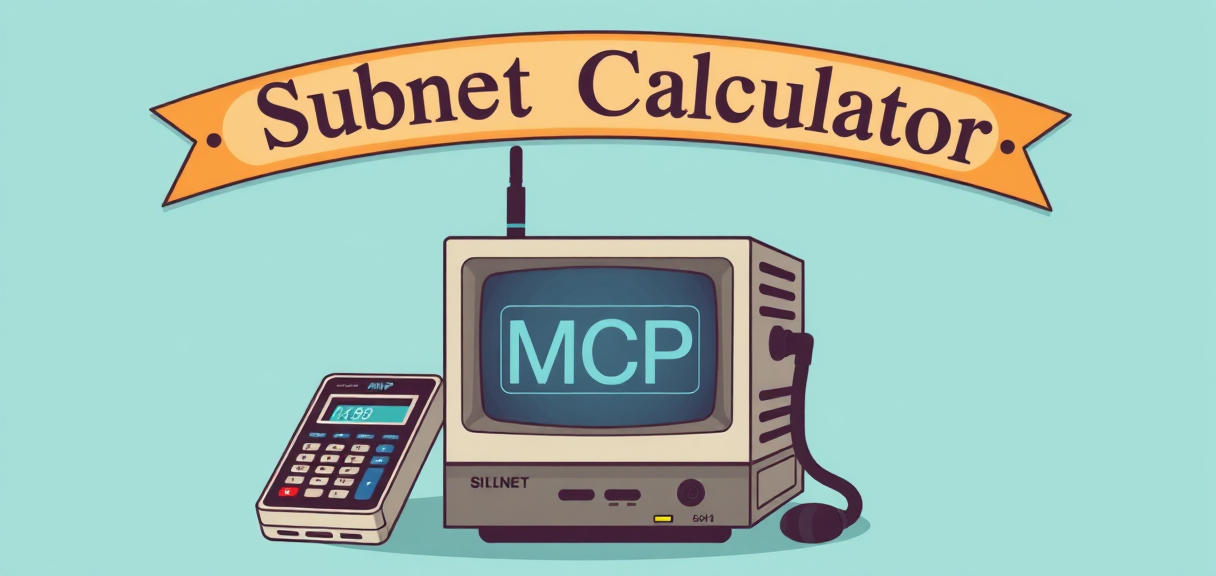 This project provides a simple MCP (Model Context Protocol) server for calculating subnet details based on a given CIDR (Classless Inter-Domain Routing) notation. It uses the FastMCP library to expose the subnet calculation functionality as a tool.
Features
- Calculate subnet details for a given CIDR.
- Provides:
- Network address
- Broadcast address
- Netmask
- Wildcard mask
- Usable host range
- Number of usable hosts
- Runs as an MCP server with SSE (Server-Sent Events) transport.
Requirements
- Python 3.7+
- fastmcp library
Installation
- Clone the repository or copy the script.
- Install the required dependencies:
pip install fastmcp mcp[cli]
Usage
THis MCP runs with SSE transport mode.
Run the MCP server:
python main.py
How to add this Server to your MCP Client
Goose MCP Client
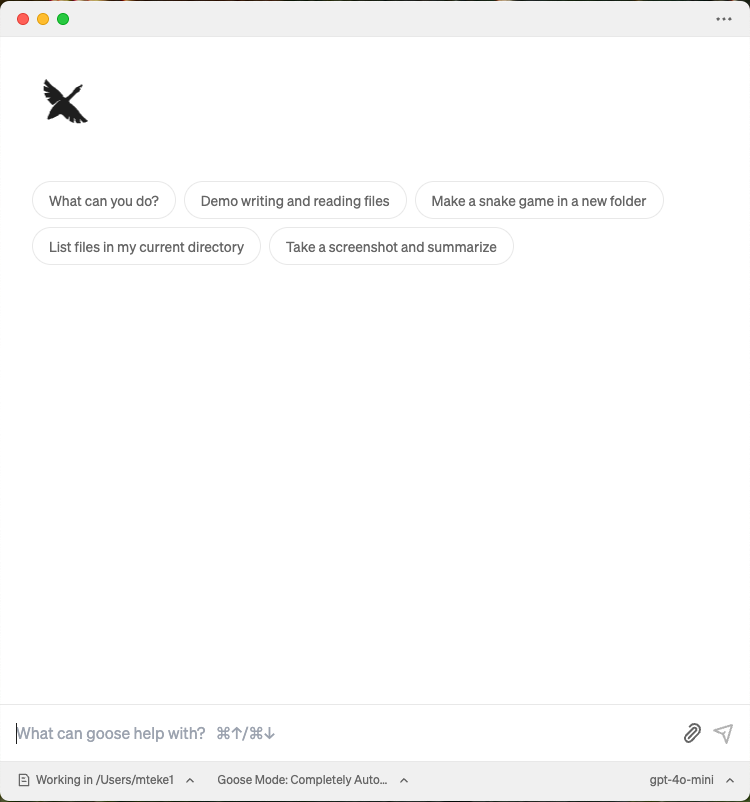
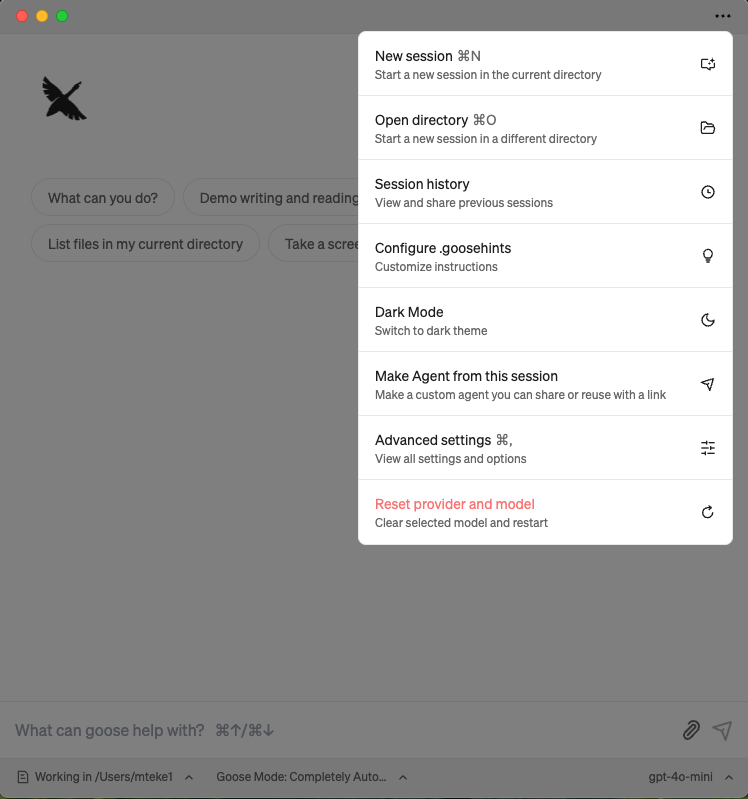
- Click Menu ("..." icon) and select Advanced settings:
- Go extentions section
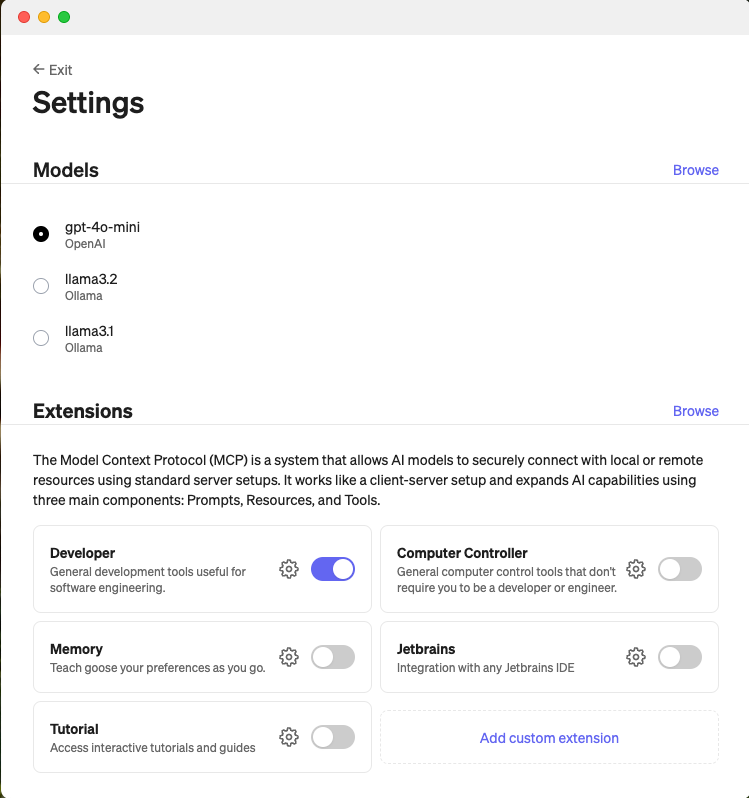
- Select "Add custom extentions"
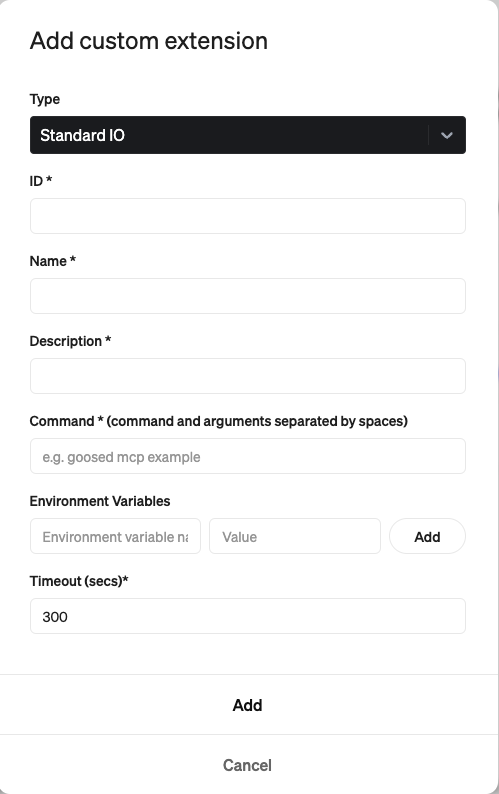
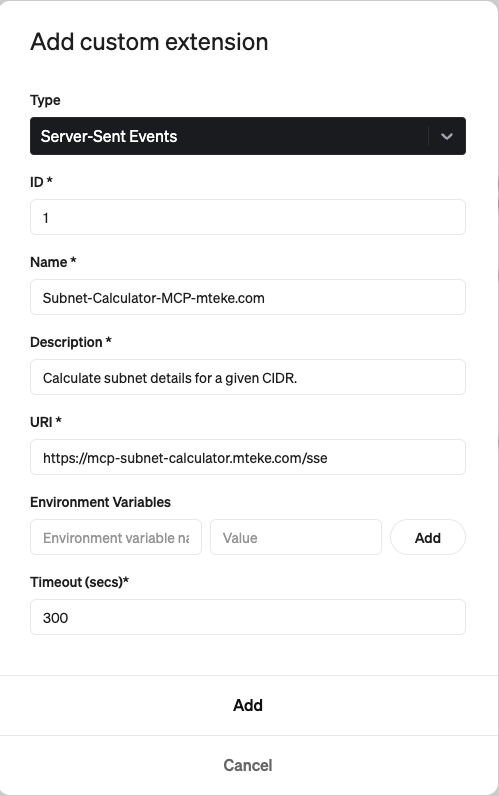
- Select Server-Sent Events as Type
- Select a random ID
- Select Name for the MCP Server
- Sleect Description
- Enter URI : https://mcp-subnet-calculator.mteke.com/sse
- Click Add button
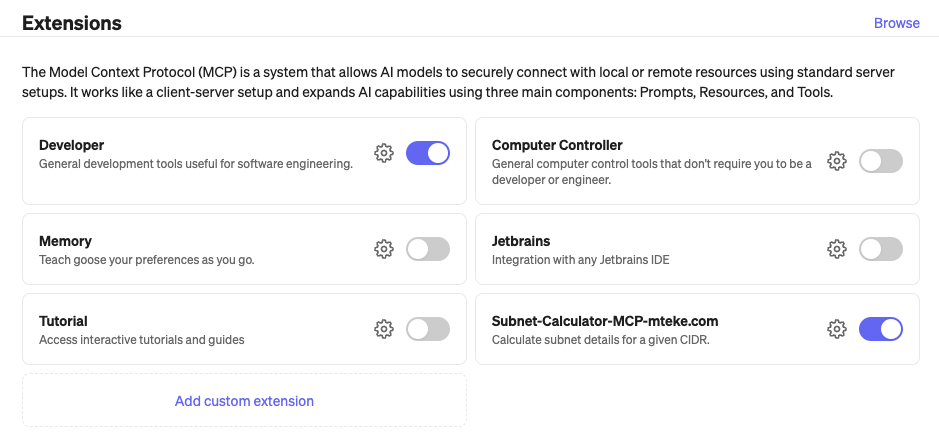
Now the MCP Server(extention is added and enabled)
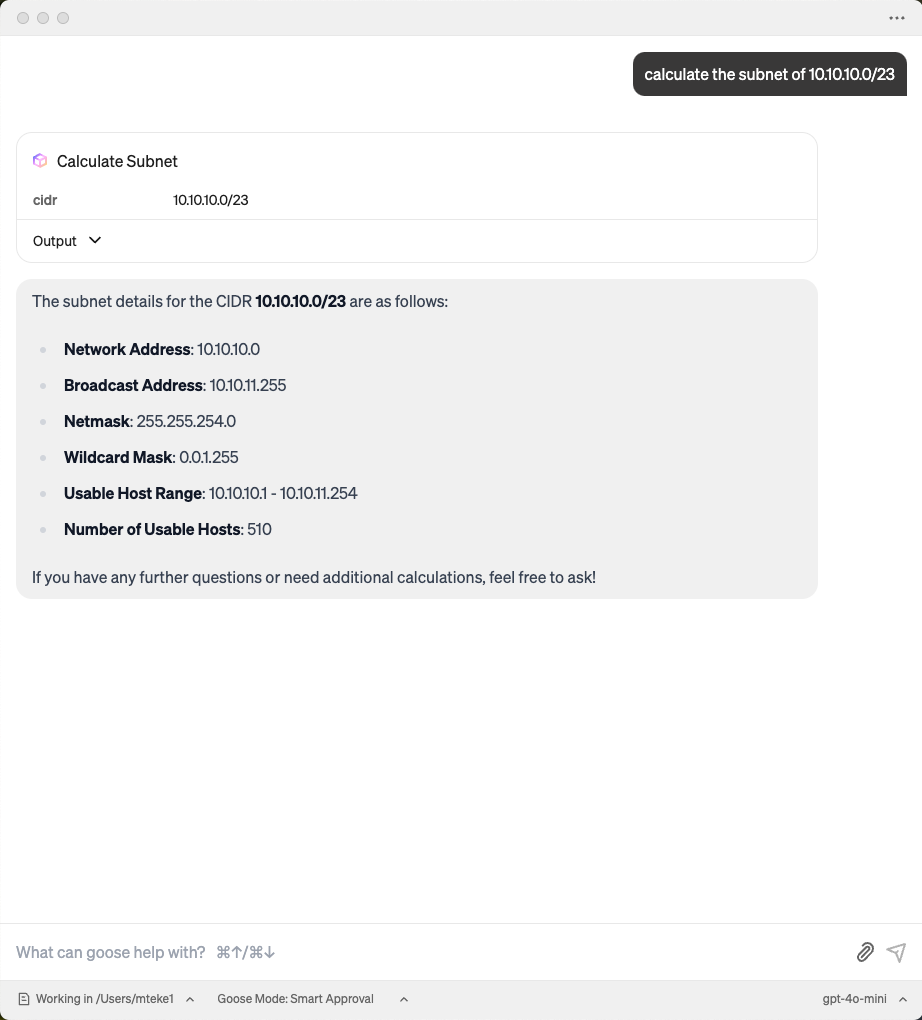
Now the MCP server is activated:
You can watch the video to demonstrate how to enable mcp server on Goose Client App: Watch the demo
Claude Desktop MCP Client
- Select Claude Desktop Settings
- Select Developer and Edit config
- Change claude_desktop_config.json content to below
{
  "mcpServers": {
    "mcp-subnet-calculator-sse": {
      "command": "npx",
      "args": [
        "-y",
        "supergateway",
        "--sse",
        "https://mcp-subnet-calculator.mteke.com/sse"
      ]
    }
  }
}
- Close Claude Desktop App completely and restart it
You can watch the video to demonstrate how to enable mcp server on Claude Desktop Client App:
How to add Subnet Calculator MCP Server to your Goose Client
How to add Subnet Calculator MCP Server to N8N Instance
Установка Subnet Calculator Server
У этого сервера нет опубликованного пакета — он собирается из исходников. Открой репозиторий и следуй инструкции в README.
▸ github.com/melihteke/Subnet-Calculator-MCP-ServerFAQ
Subnet Calculator Server MCP бесплатный?
Да, Subnet Calculator Server MCP бесплатный — установка в пару кликов через Unyly без оплаты.
Нужен ли API-ключ для Subnet Calculator Server?
Нет, Subnet Calculator Server работает без API-ключей и переменных окружения.
Subnet Calculator Server — hosted или self-hosted?
Доступен hosted-вариант: Unyly запускает сервер в облаке, локальная установка не обязательна.
Как установить Subnet Calculator Server в Claude Desktop, Claude Code или Cursor?
Открой Subnet Calculator Server на unyly.org, выбери вкладку своего клиента (Claude Desktop, Claude Code, Cursor) и нажми Install — конфиг сгенерируется автоматически, без правки JSON.
Похожие MCP
GitHub
PRs, issues, code search, CI status
 автор: GitHub
Filesystem
Secure file operations with configurable access controls.
Memory
Knowledge graph-based persistent memory system.
Template MCP Server
A CLI tool to create a new Model Context Protocol server project with TypeScript support, dual transport options, and an extensible structure
 автор: mcpdotdirect
Compare Subnet Calculator Server with
Не уверен что выбрать?
Найди свой стек за 60 секунд
Автор?
Embed-бейдж для README
Похожее
Все в категории development