
Substack
БесплатноНе проверенMCP server for Substack — read posts, manage drafts, and upload images. Safe by design: cannot publish or delete.

Описание
MCP server for Substack — read posts, manage drafts, and upload images. Safe by design: cannot publish or delete.
README
substack-mcp
An MCP server for Substack. Read your publication data and manage drafts from your AI agent. Long-form posts are draft-only by design — no publish, no delete. Short-form Notes publish immediately.
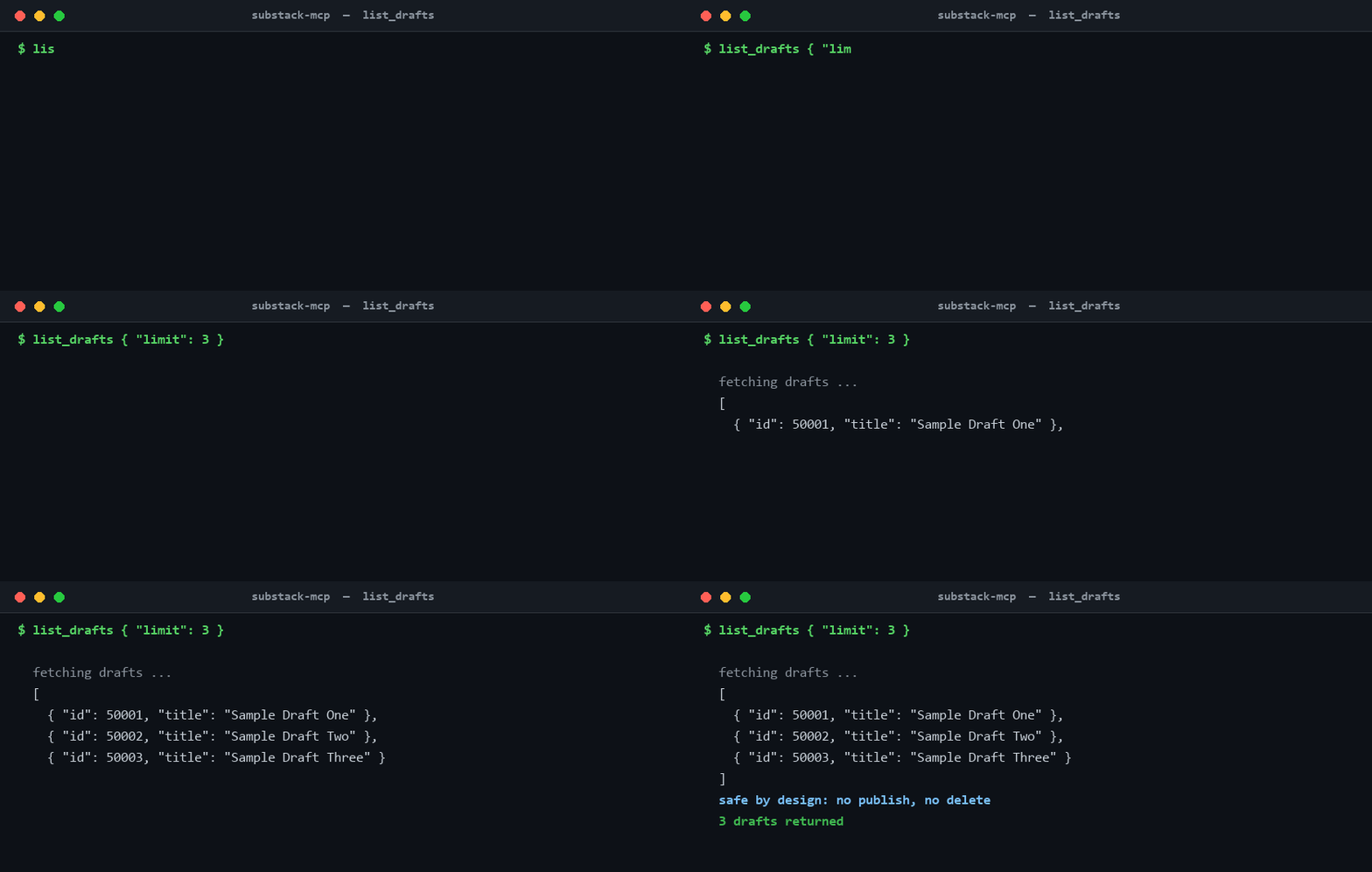
An MCP server for Substack that lets AI assistants read your publication data and manage drafts. The draft list shown in the demo above is sample data, not real account values.
Safe by design — with one loud exception: This server cannot publish or delete long-form posts. Post tools create and edit drafts only; you review and publish manually through Substack's editor. The exception is Substack Notes: create_note and create_note_with_link publish short-form Notes immediately, because Notes have no draft state on Substack. Treat the Note tools as public-publish actions — there is no preview step and no undo from this server.
About
Built and maintained by Conor Bronsdon for the Chain of Thought podcast production workflow, where it drafts and reviews newsletter posts before a human hits publish. Conor hosts Chain of Thought, a show about AI infrastructure and how practitioners actually build with it. More tools for creators live in ai-tools-for-creators. Find Conor on X at @ConorBronsdon.
Sibling MCP servers:
- Transistor-MCP: manage podcast episodes, analytics, and transcripts on Transistor.fm
- podcastindex-mcp: search the Podcast Index and track guest appearances
Tools
Every tool declares MCP tool annotations, set explicitly rather than left to MCP's defaults (an omitted destructiveHint or openWorldHint defaults to true). Reads carry readOnlyHint: true. Every write is additive, so all writes carry destructiveHint: false. Draft writes are private (openWorldHint: false); upload_image carries openWorldHint: true because it returns a publicly-fetchable CDN URL; and the Note tools carry openWorldHint: true for immediate public publish. Annotations are untrusted hints, so the authoritative wording lives in each tool's description.
Read
| Tool | Description |
|---|---|
get_subscriber_count |
Get your publication's current subscriber count |
list_published_posts |
List published posts with pagination |
list_drafts |
List draft posts |
get_post |
Get full content of a published post by ID |
get_draft |
Get full content of a draft by ID |
get_post_comments |
Get comments on a published post |
get_sections |
List your publication's sections (categories) with their IDs |
get_post_analytics |
Get a published post's stats (views, opens, signups, subscribes, reactions) by ID |
list_scheduled_posts |
List posts scheduled for future publication (read-only; scheduling stays in Substack's editor) |
Write (private drafts; image upload returns a public URL)
| Tool | Description |
|---|---|
create_draft |
Create a new draft from markdown (private) |
update_draft |
Update an existing draft (unpublished only; private) |
upload_image |
Upload an image to Substack's CDN — returns a publicly-fetchable (unlisted) URL |
Publish (Notes — public immediately)
| Tool | Description |
|---|---|
create_note |
Publish a Substack Note (short-form, publishes immediately) |
create_note_with_link |
Publish a Note with a link card attachment (publishes immediately) |
Notes have no draft state on Substack, so there is no draft-first option for these two tools.
Intentionally excluded
- Publish posts — Publishing long-form posts should be a deliberate human action (Notes are the documented exception above)
- Delete — Too destructive for an AI tool
- Schedule — Use Substack's editor for scheduling. (
list_scheduled_postsreads what you've queued there, but this server never creates, edits, or cancels a schedule.)
Setup
You can supply credentials two ways: paste them as env vars (below), or run the optional browser login which captures and stores them for you.
Option A — Browser login (optional, no manual cookie copying)
Removes the DevTools cookie hunt and the ~90-day re-copy. Playwright is not bundled (it's large), so install it once, then sign in:
npm i -g playwright && npx playwright install chromium
npx --package @conorbronsdon/substack-mcp substack-mcp-login https://yourblog.substack.com
A browser opens; sign in to Substack (CAPTCHA included). The tool captures your
session cookie, auto-resolves your user id, and writes them to
~/.substack-mcp/session.json (override the directory with SUBSTACK_MCP_HOME).
The MCP server reads that file automatically whenever the SUBSTACK_* env vars
are unset — so with browser login you can omit the env block entirely.
Storage & security: the file is written 0600 and encrypted with AES-256-GCM
under a key derived from this OS account + machine (never stored). A copied file
is useless elsewhere and casual disk/backup reads see only ciphertext. This is
machine-binding + obfuscation, not a secret vault — code running as you on
this machine can re-derive the key (the same caveat as the plaintext env-var
path). If you prefer, use Option B and let your MCP client handle the secret.
Option B — Get your credentials manually
Open your Substack in a browser, then:
- Session token: Navigate to your publication, open DevTools → Application → Cookies → copy the value of
connect.sid(URL-encoded string starting withs%3A) - User ID: In DevTools Console, run:
fetch('/api/v1/archive?sort=new&limit=1').then(r=>r.json()).then(d=>console.log(d[0]?.publishedBylines?.[0]?.id)) - Publication URL: Your Substack URL, including custom domain if you have one (e.g.,
https://newsletter.yourdomain.comorhttps://yourblog.substack.com)
2. Configure your MCP client
Claude Desktop
Add to your claude_desktop_config.json:
{
  "mcpServers": {
    "substack": {
      "command": "npx",
      "args": ["-y", "@conorbronsdon/substack-mcp"],
      "env": {
        "SUBSTACK_PUBLICATION_URL": "https://yourblog.substack.com",
        "SUBSTACK_SESSION_TOKEN": "your-session-token",
        "SUBSTACK_USER_ID": "your-user-id"
      }
    }
  }
}
Claude Code
Add to your .mcp.json:
{
  "mcpServers": {
    "substack": {
      "command": "npx",
      "args": ["-y", "@conorbronsdon/substack-mcp"],
      "env": {
        "SUBSTACK_PUBLICATION_URL": "https://yourblog.substack.com",
        "SUBSTACK_SESSION_TOKEN": "your-session-token",
        "SUBSTACK_USER_ID": "your-user-id"
      }
    }
  }
}
3. Verify
Ask your AI assistant: "How many Substack subscribers do I have?"
Token expiration
Substack session tokens expire periodically (typically ~90 days). If you get authentication errors, grab a fresh connect.sid cookie from your browser and update the env var (make sure ad blockers are disabled when copying the cookie) — or, if you used the browser login, just re-run substack-mcp-login to refresh the stored session.
Custom domains & Cloudflare
Substack publications served on a custom domain (e.g. blog.example.com) sit behind Cloudflare, which can reject non-browser requests with 403 error code: 1010. To avoid this, the server sends a browser User-Agent and a Referer by default, and addresses the publication by its canonical *.substack.com host.
- Use the canonical host. Set
SUBSTACK_PUBLICATION_URLto the publication's*.substack.comaddress rather than the custom domain. Calls to the canonical host are served directly; custom-domain calls may 301-redirect and then 401. - Override the User-Agent (optional) via
SUBSTACK_USER_AGENTif you need a different browser signature:
"env": {
  "SUBSTACK_PUBLICATION_URL": "https://yourblog.substack.com",
  "SUBSTACK_SESSION_TOKEN": "your-session-token",
  "SUBSTACK_USER_ID": "your-user-id",
  "SUBSTACK_USER_AGENT": "Mozilla/5.0 ..."
}
Typed errors
API failures are mapped to a typed error hierarchy (SubstackAPIError base, with AuthenticationError, RateLimitError, ValidationError, NotFoundError, and ServerError subclasses keyed off HTTP status) in src/utils/errors.ts. Every tool call still surfaces the same error response shape on failure — the typed hierarchy just makes the message specific to what went wrong instead of a single generic "Substack API error" string.
| Class | Status | Triggered by |
|---|---|---|
AuthenticationError |
401/403 | Expired/invalid session token, or a Cloudflare error code: 1010 block (see above) |
RateLimitError |
429 | Too many requests against the Substack API in a short window |
ValidationError |
400 | Malformed or invalid arguments passed to a tool (e.g. a missing required field) |
NotFoundError |
404 | The referenced draft, post, or note doesn't exist |
ServerError |
5xx | Failure on Substack's side |
SubstackAPIError |
any other status | Fallback for unmapped status codes |
Substack error response bodies are inconsistent — sometimes JSON ({"error": "..."} or {"errors": [...]}), sometimes plain text, and sometimes a large Cloudflare HTML block page. extractErrorDetail handles all three: it tries JSON.parse first, falls back to the raw text (trimmed and capped at ~500 characters so a multi-KB HTML page doesn't become the whole error message), and only uses a generic fallback string if the body is empty.
Markdown support
The create_draft and update_draft tools accept markdown and convert it to Substack's native format. Supported:
- Paragraphs, headings (h1–h6)
- Bold, italic,
inline code - Links
- Images
- Bullet and numbered lists, including nested lists (arbitrary depth, mixed ordered/unordered)
- Code blocks (with language)
- Blockquotes
- Horizontal rules
Tables: Substack's post editor has no table node, so a markdown table cannot be rendered natively. Rather than mangle the pipes into a paragraph, a detected GFM table is preserved verbatim inside a code block — the content survives so you can reformat it (as an image or embed) in Substack's editor.
Important notes
- This server uses Substack's unofficial API. It may break if Substack changes their endpoints.
- Session tokens are sent as cookies. Keep your
SUBSTACK_SESSION_TOKENsecure. - The server validates authentication on startup and will fail fast if your token is expired.
Development
git clone https://github.com/conorbronsdon/substack-mcp.git
cd substack-mcp
npm install
npm run build
Run locally:
SUBSTACK_PUBLICATION_URL=https://yourblog.substack.com \
SUBSTACK_SESSION_TOKEN=your-token \
SUBSTACK_USER_ID=your-id \
npm start
Contributing
Issues and pull requests are welcome. Because this server uses Substack's unofficial API, the most useful contributions are fixes when an endpoint changes. If a tool stops working, open an issue with the tool name and the error. The safe-by-design boundary stays: no publish, no delete, no schedule for long-form posts. Notes publish immediately by design and must keep saying so loudly in their descriptions.
Disclaimer
All views, opinions, and statements expressed on this account are solely my own and are made in my personal capacity. They do not reflect, and should not be construed as reflecting, the views, positions, or policies of Modular. This account is not affiliated with, authorized by, or endorsed by Modular in any way.
License
MIT
Установить Substack в Claude Desktop, Claude Code, Cursor
unyly install substack-mcpСтавит в Claude Desktop, Claude Code, Cursor и VS Code — сам разбирается с npx, uvx и сборкой из исходников.
Впервые? Поставь CLI: curl -fsSL https://unyly.org/install | sh
Или настроить вручную
Выполни в терминале:
claude mcp add substack-mcp -- npx -y @conorbronsdon/substack-mcpПошаговые гайды: как установить Substack
FAQ
Substack MCP бесплатный?
Да, Substack MCP бесплатный — установка в пару кликов через Unyly без оплаты.
Нужен ли API-ключ для Substack?
Нет, Substack работает без API-ключей и переменных окружения.
Substack — hosted или self-hosted?
Доступен hosted-вариант: Unyly запускает сервер в облаке, локальная установка не обязательна.
Как установить Substack в Claude Desktop, Claude Code или Cursor?
Открой Substack на unyly.org, выбери вкладку своего клиента (Claude Desktop, Claude Code, Cursor) и нажми Install — конфиг сгенерируется автоматически, без правки JSON.
Похожие MCP
LibreOffice Tools
Enables AI agents to read, write, and edit Office documents via LibreOffice with token-efficient design. Supports multiple formats including DOCX, XLSX, PPTX, a
 автор: passerbyflutter
dannote/figma-use
Full Figma control: create shapes, text, components, set styles, auto-layout, variables, export. 80+ tools.
 автор: dannote
Logo.dev
Search and retrieve company logos by brand or domain. Customize size, format, and theme to match your design needs. Accelerate design, prototyping, and content
 автор: NOVA-3951
PIX4Dmatic
Enables GUI automation for controlling PIX4Dmatic on Windows through MCP. Supports launching, focusing, capturing screenshots, sending hotkeys, clicking UI elem
 автор: jangjo123
Compare Substack with
Не уверен что выбрать?
Найди свой стек за 60 секунд
Автор?
Embed-бейдж для README
Похожее
Все в категории design