
Swagger2mcp
БесплатноНе проверен🚀 Instantly transform any OpenAPI/Swagger schema into a production-ready Model Context Protocol (MCP) server! 🤖✨ Bridge your APIs with LLMs securely and effor

Описание
🚀 Instantly transform any OpenAPI/Swagger schema into a production-ready Model Context Protocol (MCP) server! 🤖✨ Bridge your APIs with LLMs securely and effortlessly.
README
CI Pipeline License: MIT TypeScript Docker React PRs Welcome
Transform OpenAPI/Swagger specifications into Model Context Protocol (MCP) servers instantly.
🚀 Swagger2MCP is a powerful tool ensuring LLMs can securely and accurately interact with your APIs. Upload a schema or crawl a documentation site, and get a fully functional, type-safe MCP server.
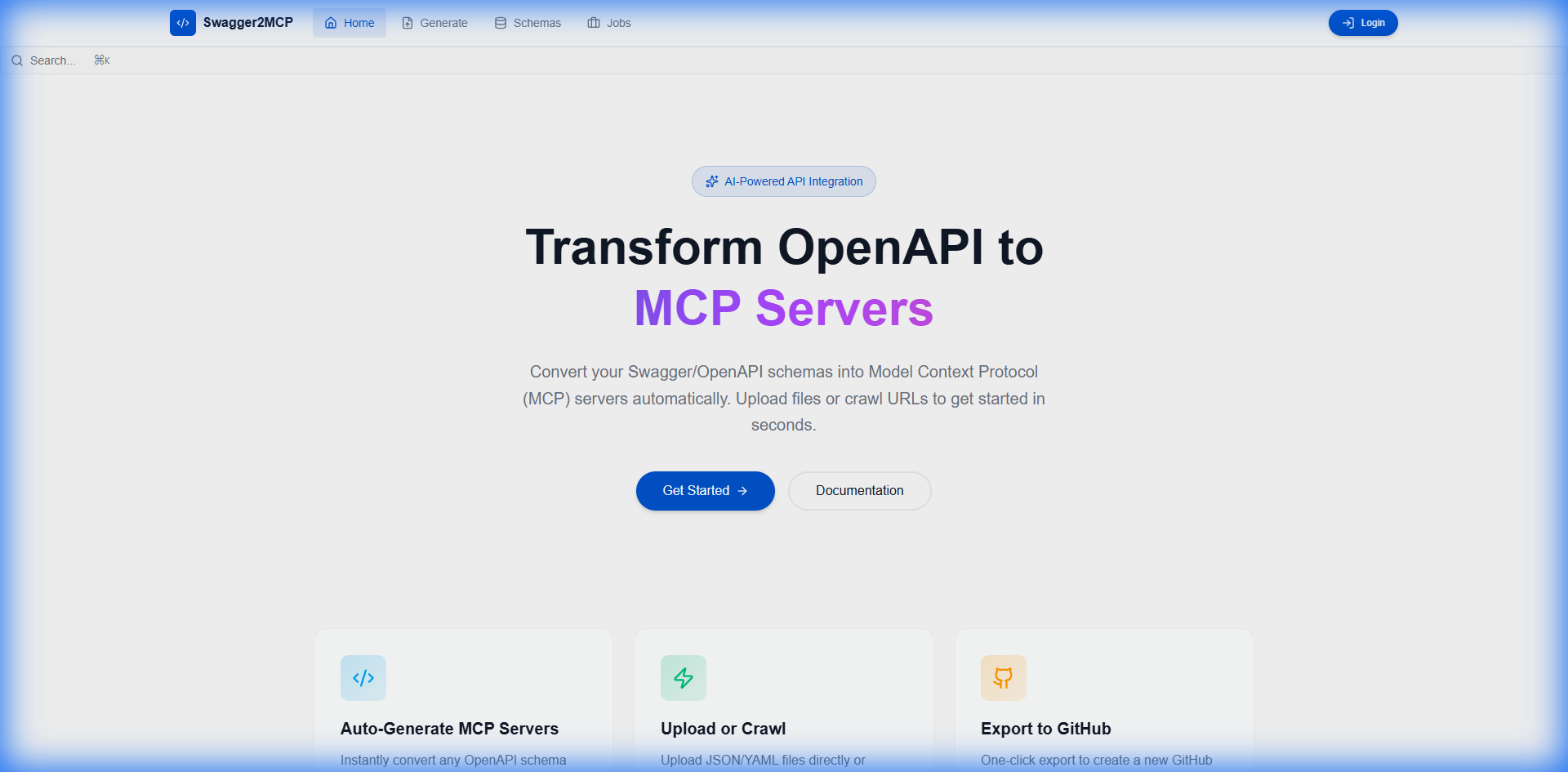
✨ Features
- 📤 Drag & Drop Upload: Support for OpenAPI v2/v3 JSON/YAML files.
- 🌐 Intelligent Web Crawling: Point to any documentation URL and let our crawler discover schemas.
- 🔧 Automatic Code Generation: Production-ready TypeScript MCP servers.
- 📦 One-Click Export: Push directly to GitHub / GitLab or download as ZIP.
- 🔐 Secure Management: Store API tokens and configurations securely with audit logging.
- 🐳 Dockerized: Deploy anywhere with a single
docker-compose up. - 📊 Job Tracking: Real-time progress monitoring for long-running crawling jobs.
🚀 Quick Start
Prerequisites
- Docker & Docker Compose installed.
- Node.js 18+ (only if running locally without Docker).
Running with Docker (Recommended)
# Clone the repository
git clone https://github.com/tomer1983/swagger2mcp.git
cd swagger2mcp

# Start the application
docker-compose up
Visit the application at http://localhost:5173.
🔒 Production Deployment Checklist
Before deploying to production, ensure you complete the following critical security steps:
- ✅ Change JWT_SECRET - Generate a strong, unique secret key for JWT token signing
- ✅ Set strong passwords - Use complex passwords for all database and service accounts
- ✅ Configure CORS - Restrict CORS to only trusted domains in production
- ✅ Enable HTTPS - Always use SSL/TLS certificates for encrypted communication
- ✅ Review environment variables - Ensure all
.envvalues are production-ready - ✅ Update default credentials - Change all default usernames and passwords
- ✅ Enable security headers - Configure appropriate HTTP security headers
- ✅ Set up monitoring - Implement logging and monitoring solutions
See docs/PRODUCTION_DEPLOYMENT_CHECKLIST.md for detailed deployment instructions.
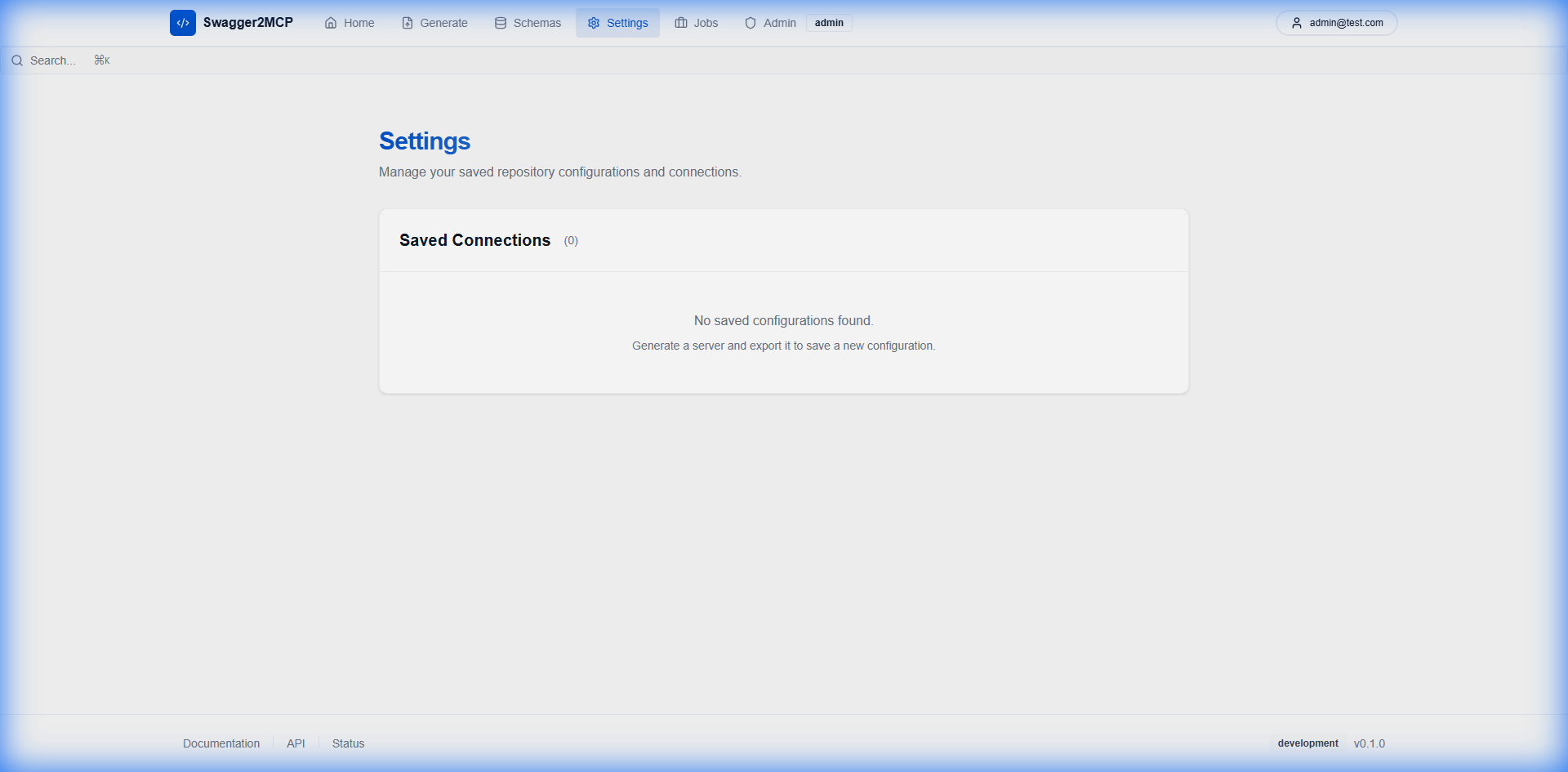
📸 Screenshots
| Dashboard | Settings & configuration |
|---|---|
|
 |
📚 Documentation
- Development Guide - Setup for contributors.
- API Documentation - REST API reference.
- Kubernetes Deployment - Deploy to Kubernetes or use Helm charts.
- Authentication - Security details.
- Testing Guide - QA procedures.
☸️ Kubernetes Deployment
Deploy swagger2mcp to any Kubernetes cluster:
Using Manifests
kubectl apply -f k8s/namespace.yaml
kubectl apply -f k8s/
Using Helm
helm install swagger2mcp ./charts/swagger2mcp --namespace swagger2mcp --create-namespace
See the full Kubernetes guide for detailed instructions.
🏗️ Architecture
Swagger2MCP is built with a modern tech stack designed for reliability and scalability:
graph LR
    A[Frontend React] -->|REST API| B[Backend Express]
    B -->|Jobs| C[Redis Queue]
    C -->|Process| D[Worker Service]
    B -->|Data| E[PostgreSQL]
    D -->|Updates| E
- Frontend: React, Vite, TailwindCSS, Shadcn UI
- Backend: Node.js, Express, Prisma ORM
- Infrastructure: Docker, Nginx (optional), BullMQ (Redis)
🤝 Contributing
We welcome contributions! Please see our Contributing Guidelines for details.
- Fork the Project
- Create your Feature Branch (
git checkout -b feature/AmazingFeature) - Commit your Changes (
git commit -m 'Add some AmazingFeature') - Push to the Branch (
git push origin feature/AmazingFeature) - Open a Pull Request
🔒 Security
For security concerns, please refer to our Security Policy.
📜 License
Distributed under the MIT License. See LICENSE for more information.
💬 Community
Built with ❤️ by the Swagger2MCP Team
Установка Swagger2mcp
У этого сервера нет опубликованного пакета — он собирается из исходников. Открой репозиторий и следуй инструкции в README.
▸ github.com/tomer1983/swagger2mcpFAQ
Swagger2mcp MCP бесплатный?
Да, Swagger2mcp MCP бесплатный — установка в пару кликов через Unyly без оплаты.
Нужен ли API-ключ для Swagger2mcp?
Нет, Swagger2mcp работает без API-ключей и переменных окружения.
Swagger2mcp — hosted или self-hosted?
Self-hosted: сервер запускается локально на твоей машине командой из раздела установки.
Как установить Swagger2mcp в Claude Desktop, Claude Code или Cursor?
Открой Swagger2mcp на unyly.org, выбери вкладку своего клиента (Claude Desktop, Claude Code, Cursor) и нажми Install — конфиг сгенерируется автоматически, без правки JSON.
Похожие MCP
GitHub
PRs, issues, code search, CI status
 автор: GitHub
Filesystem
Secure file operations with configurable access controls.
Memory
Knowledge graph-based persistent memory system.
Template MCP Server
A CLI tool to create a new Model Context Protocol server project with TypeScript support, dual transport options, and an extensible structure
 автор: mcpdotdirect
Compare Swagger2mcp with
Не уверен что выбрать?
Найди свой стек за 60 секунд
Автор?
Embed-бейдж для README
Похожее
Все в категории development