loading…
/ru
Весь каталог
SystemManager
БесплатноНе проверенProvides system-specific metadata through a tool that returns data for a given category.

Описание
Provides system-specific metadata through a tool that returns data for a given category.
README
1. Core Architecture
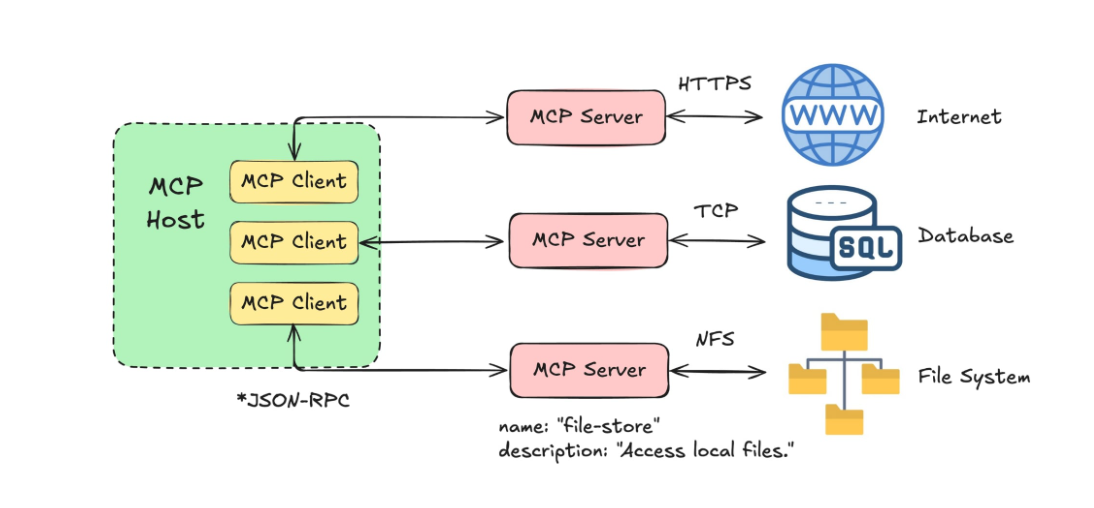
MCP uses a structured three-tier model to separate the AI's reasoning from the technical execution of tools.
The Three Components:
Host: The primary application (e.g., Claude Desktop, Cursor, or a custom IDE) that the user interacts with.
Client: A component within the Host that manages the connection, security, and protocol negotiation with the server.
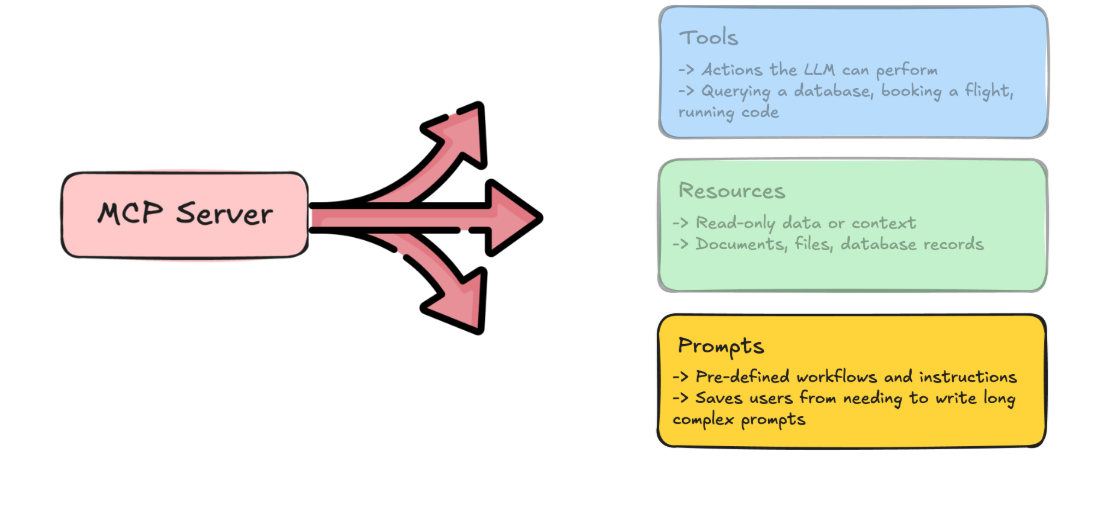
Server: A lightweight, specialized service that exposes specific data (Resources), logic (Tools), or context (Prompts) to the AI.
2. Server Implementation (Python)
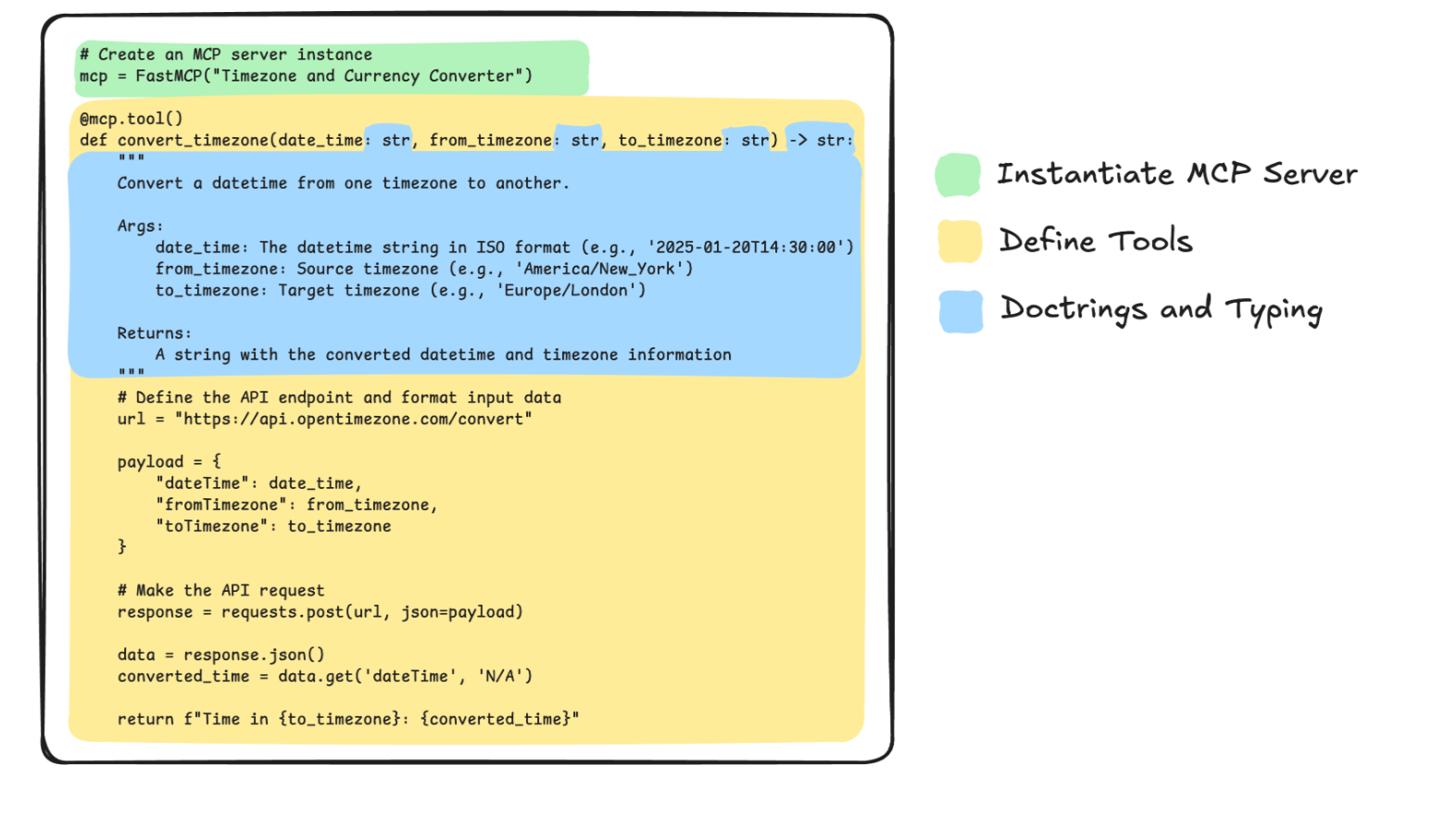
The FastMCP SDK provides a high-level abstraction for building servers quickly.
Defining a Server and Tool:
Tools allow the LLM to perform actions, such as querying a database or interacting with a local API.
from mcp.server.fastmcp import FastMCP
# 1. Initialize the FastMCP server instance
mcp = FastMCP("SystemManager")
# 2. Define a tool using the @mcp.tool decorator
@mcp.tool()
def get_system_info(category: str) -> str:
\"\"\"Provides system-specific metadata.\"\"\"

return f"Data for {category}"
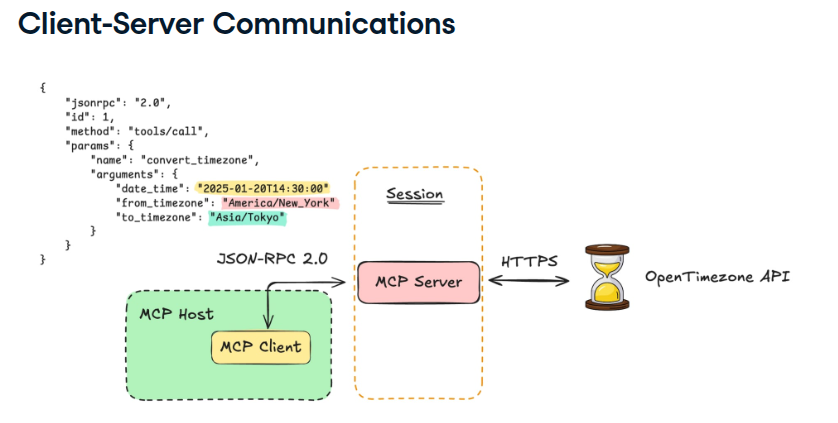
3. The Communication Layer: JSON-RPC
MCP relies on JSON-RPC 2.0 for all messaging. This ensures that every request from the client and every response from the server follows a strict, predictable format.
4. Transport Mechanisms
To move JSON-RPC messages between the Client and Server, MCP defines two primary "pipes" or transport layers:
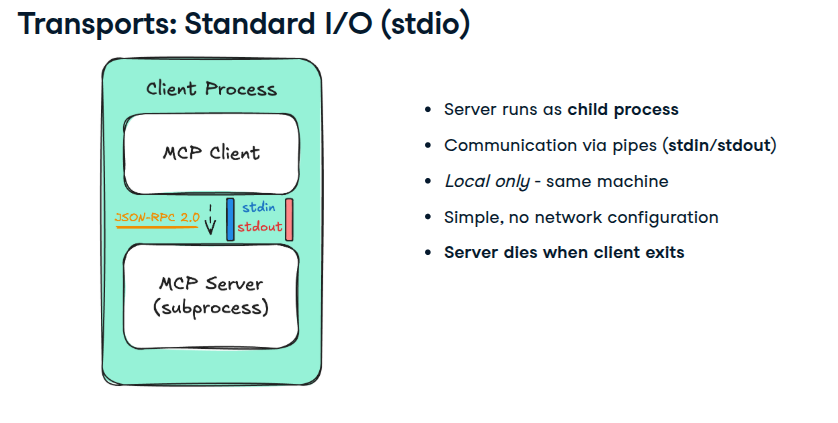
A. Standard I/O (stdio)
Used primarily for local integrations where the server runs as a subprocess.
- No Network Configuration: Ideal for local development and desktop apps.
- Subprocess Lifecycle: The server starts when the client connects and terminates when the client exits.
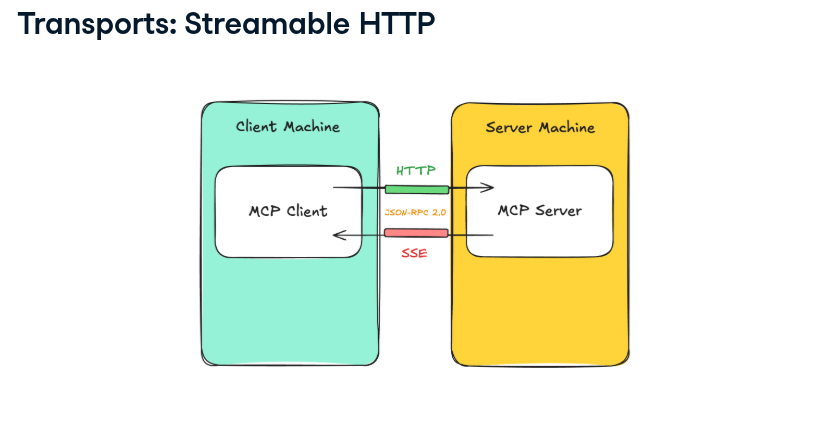
B. Streamable HTTP (SSE)
Used for remote or networked servers.
Server-Sent Events (SSE): The server sends events to the client.
HTTP POST: The client sends commands back to the server.
Scalability: Allows the AI to connect to tools hosted in the cloud.
from mcp import ClientSession, StdioServerParameters
from mcp.client.stdio import stdio_client

async def call_mcp_tool(tool_name: str, arguments: dict) -> str:
    params = StdioServerParameters(
        command=sys.executable,
        args=["currency_server.py"],
    )

    async with stdio_client(params) as (reader, writer):
        async with ClientSession(reader, writer) as session:
            await session.initialize()

            # Call the currency conversion tool
            result = await session.call_tool(tool_name, arguments)
            print("result  : " ,result)
            # Extract and print the text content of the server response
            text_content = result.content[0].text
            print("text_content  : " , text_content)

            # print(f"Conversion Result: {text_content}")
            return text_content

# Run the "convert_currency" tool
asyncio.run(
    call_mcp_tool("convert_currency",
                  {"amount": 250.0, "from_currency": "USD", "to_currency": "EUR"})
)
Resources in MCP Servers
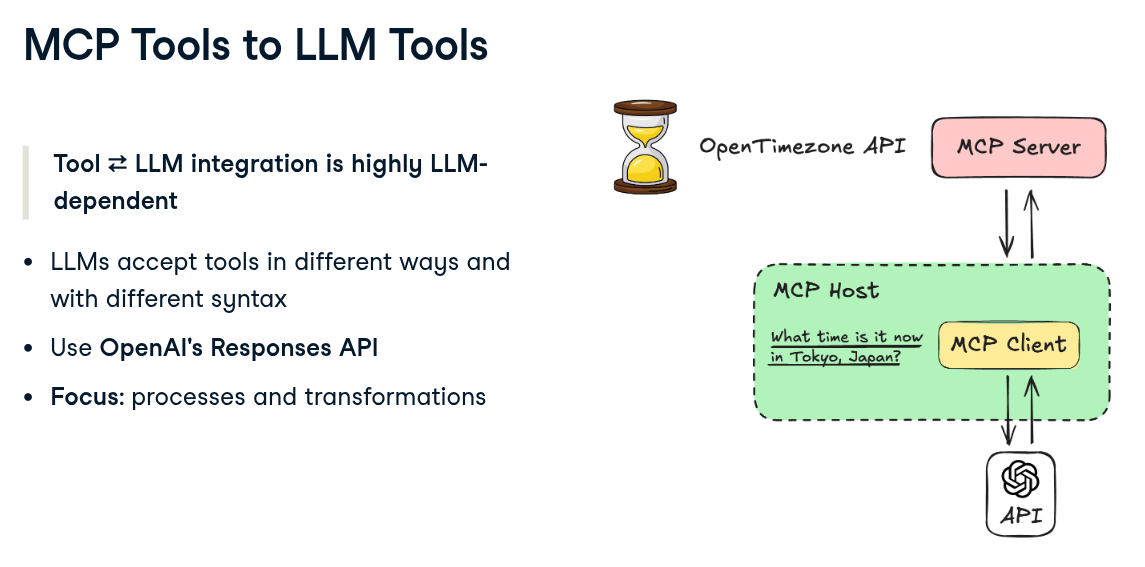
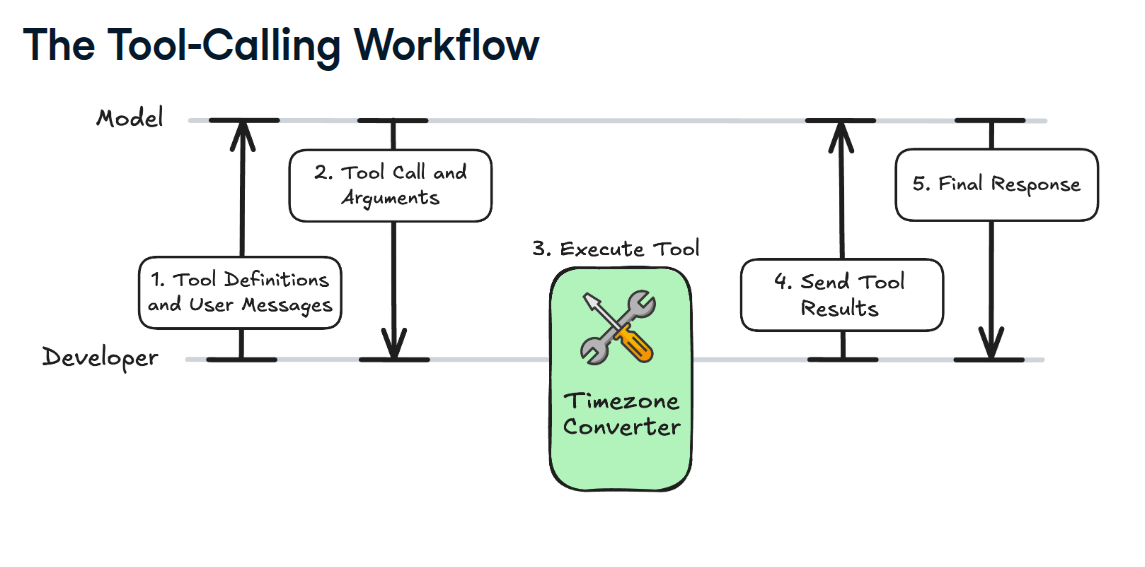
MCP and LLMs: Tools
Установить SystemManager в Claude Desktop, Claude Code, Cursor
Выполни в терминале:
claude mcp add systemmanager -- npx FAQ
SystemManager MCP бесплатный?
Да, SystemManager MCP бесплатный — установка в один клик через Unyly без оплаты.
Нужен ли API-ключ для SystemManager?
Нет, SystemManager работает без API-ключей и переменных окружения.
SystemManager — hosted или self-hosted?
Self-hosted: сервер запускается локально на твоей машине командой из раздела установки.
Как установить SystemManager в Claude Desktop, Claude Code или Cursor?
Открой SystemManager на unyly.org, выбери вкладку своего клиента (Claude Desktop, Claude Code, Cursor) и нажми Install — конфиг сгенерируется автоматически, без правки JSON.
Похожие MCP


Compare SystemManager with
Не уверен что выбрать?
Найди свой стек за 60 секунд
Автор?
Embed-бейдж для README
Похожее
Все в категории development