
Timps Swarm
БесплатноНе проверен160 specialist AI agents for Claude Code, Cursor & Codex — one npm install puts them all into your IDE as MCP tools and parallel sub-agents. Local-first, BYOK,

Описание
160 specialist AI agents for Claude Code, Cursor & Codex — one npm install puts them all into your IDE as MCP tools and parallel sub-agents. Local-first, BYOK, works offline with Ollama.
README

One npm install puts 160 AI specialists into every coding tool you use — as parallel sub-agents, not just MCP tools.
npm License: MIT Python 3.11+ MCP Protocol Discord
Quick Start · Sub-agents · 160 Agents · MCP Setup · CLI · Architecture
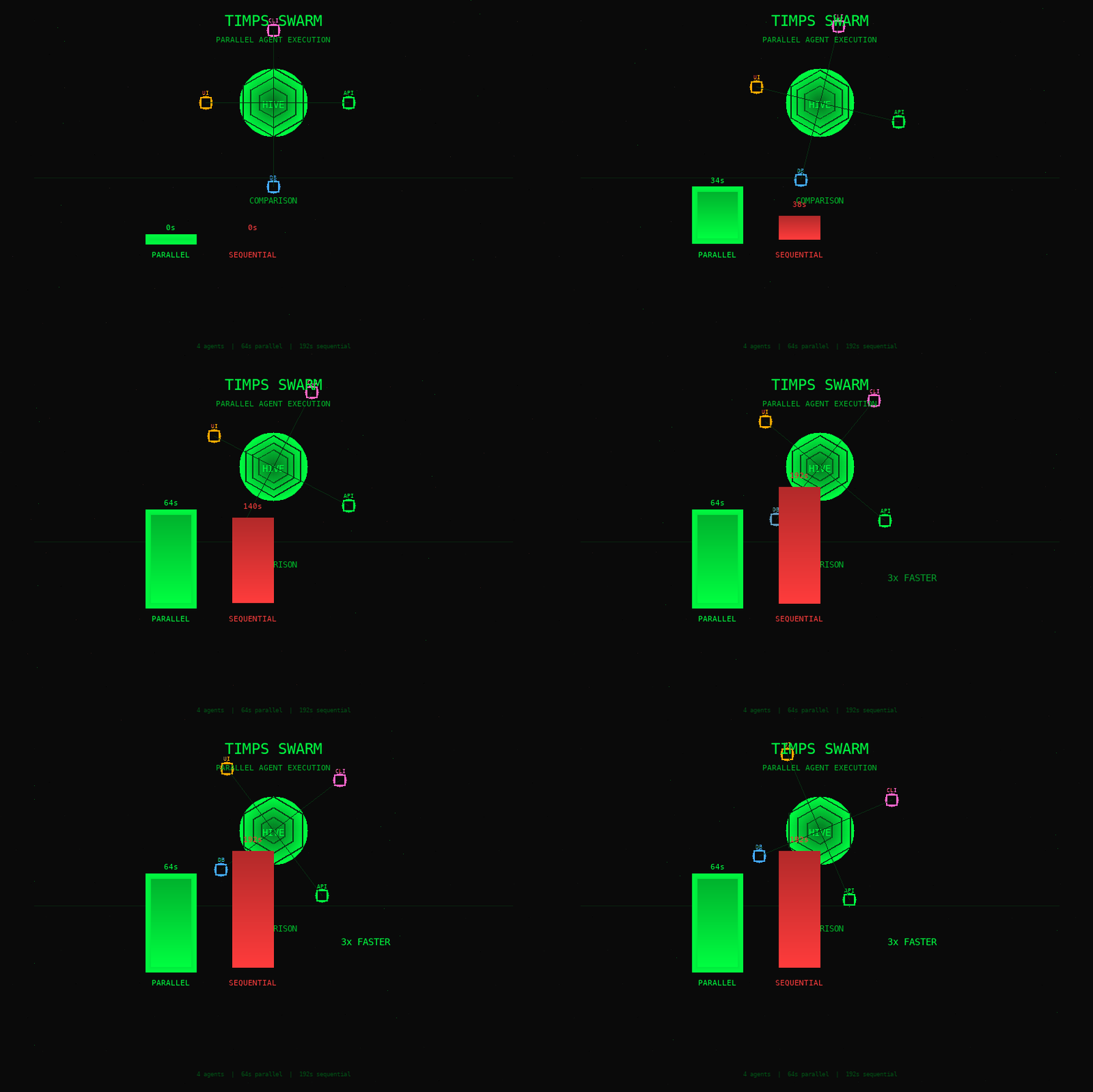 4 agents dispatched in parallel vs sequential — 3× speedup (64s vs 192s)
What it does
- Security audit any repo in 30 seconds —
npx timps-swarm audit ./finds CVEs, hardcoded secrets, and OWASP issues. No backend, no config, no API key. - 160 specialist agents in every AI tool — one
install-mcpcommand writes the MCP config for 9 IDEs (Claude Code, Cursor, Windsurf, Continue, Aider, Cline, Zed, VS Code, Gemini, Codex, Amp, Warp) and registers every agent as a native sub-agent so Claude Code / Cursor / Codex can dispatch them in parallel viaTask(subagent_type=...). - Local-first, BYOK — runs on Ollama with zero API cost; plug in Gemini/Anthropic/OpenAI/Groq when you want more power.
- Works without the Python backend —
npm install -g timps-swarmships a Node.js MCP stdio proxy (cli/lib/mcp-proxy.js) that talks to any running FastAPI server (local or remote viaTIMPS_API_URL). The Python repo is optional.
Quick Start
npm i -g timps-swarm
Postinstall auto-detects every AI tool on your machine and:
- Writes the
timps-swarmMCP server entry into every detected IDE config (with an explicitenv:block forwardingANTHROPIC_API_KEY,OPENAI_API_KEY,GEMINI_API_KEY,GROQ_API_KEY,TIMPS_API_URL,OLLAMA_HOST,REDIS_URL). - Writes one sub-agent
.mdfile per TIMPS tool into~/.claude/agents/,./.claude/agents/, and~/.codex/agents/.
Restart your tool — 160 agents appear as MCP tools and as parallel sub-agents.
Run without installing (zero setup):
npx timps-swarm audit ./ # security scan any repo — works immediately
What install actually does
install-mcp is the only command you need:
npx timps-swarm install-mcp                  # default: configure all detected tools
npx timps-swarm install-mcp --no-sub-agents  # MCP config only, skip the .md files
npx timps-swarm install-mcp --tool cursor    # configure one tool
npx timps-swarm install-mcp --dry-run        # preview without writing
npx timps-swarm uninstall-mcp                # remove all of the above
By default this writes:
- MCP server entries into 9 IDE config files (one entry per IDE, all pointing at
npx timps-swarm mcp). - 160 sub-agent
.mdfiles into~/.claude/agents/,./.claude/agents/,~/.codex/agents/(one per MCP tool) so Claude Code'sTask(subagent_type="timps_kubernetes_navigator"), Cursor Composer, and Codex can dispatch them in parallel.
All writes are idempotent (re-running updates the existing file) and reversible via uninstall-mcp (which only removes the timps-swarm key and the timps-*.md files — your other config is untouched).
The killer commands
# Security audit — secrets + CVEs + SAST, no backend, no API key
npx timps-swarm audit ./

# Full 10-agent SDLC pipeline on any codebase
npx timps-swarm fix ./src --language python

# Generate a complete OpenAPI spec from plain English
npx timps-swarm api-design "billing API with metered usage and Stripe webhooks"

# Design a DB schema with DDL, ER diagram, and migrations
npx timps-swarm db-design "multi-tenant SaaS with usage-based billing"

# Diagnose your machine (12 specialist agents)
npx timps-swarm health
MCP integrations
npx timps-swarm install-mcp            # auto-detect and configure all installed tools
npx timps-swarm install-mcp --tool cursor    # single tool only
npx timps-swarm install-mcp --dry-run        # preview without writing files
| Tool | Config written |
|---|---|
| Claude Code | ~/.claude/mcp.json |
| Cursor | ~/.cursor/mcp.json |
| Windsurf | ~/.windsurf/mcp.json |
| Continue | ~/.continue/config.json |
| Zed | ~/.config/zed/settings.json |
| Aider | ~/.aider.conf.yml |
| Goose | ~/.config/goose/config.yaml |
| Gemini CLI | ~/.gemini/settings.json |
| Codex CLI | ~/.codex/config.json |
| Amp | ~/.amp/mcp.json |
| Warp | ~/.warp/mcp_servers.json |
| VS Code / Cline / Copilot | .vscode/mcp.json (workspace) |
Manual config snippets (all tools)
install-mcp writes the snippet below into each IDE config. The env: block forwards whichever API keys you have set in your shell; it's optional (the IDE usually inherits env, but explicit is safer for sandboxed hosts).
Claude Code — ~/.claude/mcp.json
{
  "mcpServers": {
    "timps-swarm": {
      "command": "npx",
      "args": ["timps-swarm", "mcp"],
      "env": {
        "GEMINI_API_KEY": "...",
        "ANTHROPIC_API_KEY": "..."
      }
    }
  }
}
Cursor / Windsurf / Gemini CLI / Codex CLI / Amp — same format as above, different path.
VS Code / Cline / Roo Code / GitHub Copilot — .vscode/mcp.json
{
  "mcp": {
    "servers": {
      "timps-swarm": { "type": "stdio", "command": "npx", "args": ["timps-swarm", "mcp"] }
    }
  }
}
Continue — ~/.continue/config.json
{ "mcpServers": [{ "name": "timps-swarm", "command": "npx", "args": ["timps-swarm", "mcp"] }] }
Aider — ~/.aider.conf.yml
mcp-servers:
  timps-swarm:
    command: npx
    args: [timps-swarm, mcp]
    type: stdio
Zed — ~/.config/zed/settings.json
{
  "assistant": {
    "mcp_servers": {
      "timps-swarm": { "command": "npx", "args": ["timps-swarm", "mcp"] }
    }
  }
}
Goose — ~/.config/goose/config.yaml
extensions:
  - name: timps-swarm
    type: stdio
    cmd: npx timps-swarm mcp
    enabled: true
GitHub Actions — reusable workflow
jobs:
  generate:
    uses: Sandeeprdy1729/timps-swarm/.github/workflows/timps-swarm.yml@main
    with:
      task: "Build a microservice for JWT authentication"
      language: python
    secrets:
      GEMINI_API_KEY: ${{ secrets.GEMINI_API_KEY }}
LLM providers
Tries providers in priority order, uses the first available one.
| Priority | Provider | Env var | Notes |
|---|---|---|---|
| 1 | MCP Sampler | (auto) | Uses the host tool's model |
| 2 | Gemini 2.5 Flash | GEMINI_API_KEY |
Recommended — fast + generous free tier |
| 3 | Anthropic Claude | ANTHROPIC_API_KEY |
Best for complex reasoning |
| 4 | OpenAI GPT-4o | OPENAI_API_KEY |
|
| 5 | Groq Llama 3.3 70B | GROQ_API_KEY |
Fastest API inference |
| 6 | Ollama | (auto-detected) | Fully offline, no API key |
| 7 | TIMPS-Coder 0.5B | (built-in) | Always available |
export GEMINI_API_KEY=...      # free tier, fastest start
export ANTHROPIC_API_KEY=...   # optional
The 160 agents — full list
The MCP server exposes 160 specialist agents across 9 categories. Every one is also registered as a native Claude Code / Cursor / Codex sub-agent.
| Category | Count | Examples |
|---|---|---|
| Priority | 68 | research_agent, ab_testing_agent, abdm_agent, agent_composer, browser_automation, churn_predictor, demand_forecaster, dependency_agent, digilocker_agent, dpdp_act_auditor, federated_learning, finetuning_agent, fssai_compliance_agent, gst_compliance, indiehacker_agent, model_evaluator, model_perf_monitor, podcast_show_notes_writer, prompt_injection_scanner, quantum_ready, rag_designer, rag_evaluator, red_team_agent, release_manager, sbom_generator, security_remediation, service_mesh_configurator, sprint_planning_agent, storybook_story_generator, threat_intel_analyst, upi_agent, vector_db_agent, voice_agent_designer, wearable_health_coach, web3_agent, win_loss_analyst, … |
| Expert Diagnostics | 51 | dependency_rebel, kubernetes_navigator, docker_compose_architect, pipeline_healer, compliance_auditor, incident_response_coordinator, accessibility_tester, mcp_server_generator, observability_cost_optimizer, license_compliance_scanner, container_image_scanner, adr_writer, contract_reviewer, court_case_summarizer, data_pipeline, db_migration_pilot, disaster_recovery, game_day_facilitator, git_workflow_automator, graphql_agent, iac_drift_detector, load_testing, local_rag_builder, log_pattern_analyzer, phishing_simulator, postmortem_agent, test_intelligence, visual_regression_detective, web_scraping, web_search, … |
| Computer Health | 12 | system_optimizer, file_organizer, environment_doctor, security_guard, network_medic, battery_analyst, update_manager, log_interpreter, privacy_cleaner, media_librarian, backup_sentinel, context_switcher |
| Developer Workflow | 12 | issue_triager, boilerplate_architect, pr_reviewer, dependency_sentinel, unit_test_writer, docstring_generator, log_detective, sql_optimizer, sprint_reporter, flaky_test_hunter, api_contract_auditor, content_multiplier |
| Knowledge Worker | 7 | inbox_gatekeeper, meeting_condenser, research_scout, trend_monitor, data_wrangler, competitor_tracker, agri_commodity_forecaster |
| Meta | 6 | list_agents, dispatch, full_checkup, list_providers, connect_tools, tool_status |
| Context / Kernel | 3 | context_briefing, delegate, kernel_status |
| SDLC Pipeline | 1 | run_task (the 10-node LangGraph orchestrator: PM → Architect → Code → Review → QA → Security → Perf → Docs → DevOps) |
# Trigger the full SDLC pipeline
python3 give_work.py "Build a rate-limited REST API for user authentication"
# PM → Architect → Code → Review → QA → Security → Perf → Docs → DevOps

# Run a computer health checkup
npx timps-swarm health
python3 give_work.py "My laptop fan is always running"

# Delegate a multi-step goal
npx timps-swarm delegate "fix the auth bug and ensure 80% test coverage"

# Call any of the 160 directly from the CLI
npx timps-swarm mcp   # then use any MCP client
The Self-Critic Agent is the most valuable one — it scores any output 1–10 and re-runs the originating agent until the threshold is met, closing the quality loop across the entire swarm.
The 160 includes Phase 3 (12 priority), Phase 5 (7 more), Phase 6 nextgen (21 — security/DevOps/MLOps/emerging), and Phase 7 (32 — India verticals, compliance, content, sales/voice, research). The
src/tool_connectorsmodule has a separateTOOLSdict (24 IDE config shortcuts —claude_code,cursor, etc.) used at runtime bytimps_connect_toolsandtimps_tool_status; those are not part of the 160.
CLI
npm install -g timps-swarm # or: npx timps-swarm <command>
COMMANDS
  audit <path>           Security audit — secrets + CVEs + SAST (works offline)
  fix <path>             Run the full 10-agent SDLC pipeline
  research <topic>       Research a topic before writing code
  api-design <desc>      Generate an OpenAPI 3.1 spec from plain English
  db-design <desc>       Design a database schema with DDL + ER diagram
  n8n <desc>             Generate a complete n8n workflow JSON
  refactor [path]        Detect code smells + produce refactored version
  test-data <schema>     Generate realistic seed / fixture data
  monitor <service>      Prometheus + Grafana + alerting config
  ui <desc>              UI component spec + code + accessibility audit
  cost <arch>            Cloud cost estimate + savings recommendations
  critique <content>     Score output 1-10, auto-improve until threshold
  health                 Computer health checkup (12 agents)
  providers              Show configured LLM providers
  install-mcp            Auto-configure TIMPS in 9 AI tools + 160 sub-agents
  uninstall-mcp          Remove the MCP config and 160 sub-agent .md files
  start [--repo <path>]  Start the TIMPS Swarm API server (port 8000)
  mcp   [--repo <path>]  Start the MCP stdio server (Python or Node.js fallback)

FLAGS (install-mcp)
  --tool <id>            Only configure one IDE (claude-code, cursor, codex-cli, …)
  --no-sub-agents        Skip writing 160 sub-agent .md files (MCP config only)
  --dry-run              Preview without writing anything
  --silent               Suppress output (postinstall)

ENV VARS
  TIMPS_API_URL          API server URL (default http://localhost:8000)
                         Set to a remote URL to point every tool call at it.
  TIMPS_REPO             Explicit path to the Python repo (skip auto-detection)
  GEMINI_API_KEY         Free tier — fastest start
  ANTHROPIC_API_KEY      Optional
  OPENAI_API_KEY         Optional
  GROQ_API_KEY           Optional
  OLLAMA_HOST            Default http://localhost:11434
  REDIS_URL              Default redis://localhost:6379/0
If timps-swarm mcp is invoked but no Python repo is on disk, it transparently falls back to the bundled cli/lib/mcp-proxy.js — a Node.js JSON-RPC 2.0 stdio proxy that forwards every tool call to ${TIMPS_API_URL}/mcp/tools/call. So npm install -g timps-swarm is enough to get a working MCP server, as long as a FastAPI server is reachable.
Architecture
                          User / AI coding tool
                          (Claude Code, Cursor, Codex, …)
                                       │
              ┌────────────────────────┼────────────────────────┐
              │ stdio JSON-RPC 2.0     │                        │
              ▼                        ▼                        ▼
  ┌──────────────────────┐   ┌──────────────────────┐   ┌────────────────────┐
  │ mcp_server/server.py │   │ cli/lib/mcp-proxy.js │   │     src/main.py    │
  │  Python — 160 tools, │   │  Node.js fallback    │   │  FastAPI + WS      │
  │  full MCP sampling   │   │  (npm-only path)     │   │  /swarm/run,       │
  │                      │   │                       │   │  /agents/*,        │
  │                      │   │                       │   │  /mcp/tools,       │
  │                      │   │                       │   │  /mcp/tools/call,  │
  │                      │   │                       │   │  /health, /ws      │
  └──────────┬───────────┘   └──────────┬───────────┘   └──────────┬─────────┘
             │                          │                          │
             │      TOOLS / dispatch   │   POST /mcp/tools/call    │
             │ ◀───────────────────────┴──────────────────────────▶│
             │                                                     │
             │      mcp_server/server._TOOL_HANDLERS              │
             │              (160 tools, in-process)                │
             └─────────────────────────┬───────────────────────────┘
                                       │
                              Swarm Bridge
                                       │
       ┌───────────────────┬──────────┴──────────┬───────────────────┐
       ▼                   ▼                     ▼                   ▼
  SDLC DAG          Health Graph          Specialist Agents      Context / Kernel
  (10 nodes)        (12 nodes)            (120 direct calls)     (3 nodes)
       │                   │                     │                   │
       └───────────────────┴─────────────────────┴───────────────────┘
                                       │
                                  LLM Router
       ┌─────────────┬─────────────────┼─────────────┬───────────────┐
       ▼             ▼                 ▼             ▼               ▼
   Gemini        Anthropic         OpenAI         Groq          Ollama
   2.5 Flash      Claude           GPT-4o       Llama 3.3       (local)
                                                            + TIMPS-Coder 0.5B
Three transport paths converge on the same dispatch table:
- Python MCP stdio (
mcp_server/server.py) — full MCP sampling, in-process, 160 tools. Used when the Python repo is on disk. - Node.js MCP stdio proxy (
cli/lib/mcp-proxy.js) — pure stdio JSON-RPC 2.0 that proxiestools/list+tools/callto a running FastAPI server. Used when only the npm package is installed (no Python repo). - FastAPI REST + WebSocket (
src/main.py) —/swarm/run,/agents/*,/health,/ws, plus the bridge endpoints/mcp/tools(catalogue) and/mcp/tools/call(dispatch).
Layer 1 — Computer Manager (src/layer1_computer_manager.py) — isolated working directories, CPU/memory/disk caps per agent.
Layer 2 — Swarm Bridge (src/layer2_swarm_bridge.py) — agent lifecycle: spawning, team formation, LangGraph DAG execution, result collection.
Layer 3 — CLI (src/layer3_swarm_cli.py) — give_work.py and the npm CLI.
REST API
curl http://localhost:8000/health
curl http://localhost:8000/health/full   # deep check with provider status

curl -X POST http://localhost:8000/swarm/run \
  -H "Content-Type: application/json" \
  -d '{"request": "Fix SQL injection in my FastAPI endpoint", "language": "python"}'

curl -X POST http://localhost:8000/agents/refactor \
  -d '{"code": "...", "language": "python", "goals": ["reduce_complexity"]}'

curl http://localhost:8000/providers

# MCP bridge (used by cli/lib/mcp-proxy.js)
curl http://localhost:8000/mcp/tools                                       # full 160-tool catalogue
curl -X POST http://localhost:8000/mcp/tools/call \
  -H "Content-Type: application/json" \
  -d '{"name": "timps_list_agents", "arguments": {}}'                      # call any tool over HTTP

wscat -c ws://localhost:8000/ws   # real-time stream
Full interactive docs at http://localhost:8000/docs when the server is running.
Training custom adapters
The Code Generator uses TIMPS-Coder — a 0.5B model with 20 LoRA adapters, one per bug class. Add examples and push — GitHub Actions trains new adapters automatically.
cp my_bugs.jsonl datasets/custom/
git add datasets/custom/my_bugs.jsonl
git commit -m "feat: 40 new Python async bug examples"
git push origin main
Set HF_TOKEN and HF_REPO_ID in repo secrets. The pipeline merges your data, trains 20 adapters in parallel on Apple Silicon (MLX), benchmarks, and publishes to HuggingFace.
The 20 bug-class adapters: java_npe · java_ioob · java_concurrent · python_keyerror · python_typeerror · python_recursion · python_async · python_logic · javascript_null · javascript_scope · javascript_async · cpp_memory · cpp_bounds · go_routine · rust_borrow · sql_injection · xss_vuln · auth_bypass · performance_slow · api_design
Hardware
| Setup | RAM | Notes |
|---|---|---|
| Minimum | 8 GB | One Ollama model at a time |
| Recommended | 16 GB | All models loaded simultaneously |
| Fine-tuning | 8 GB Apple Silicon | MLX on M1/M2/M3/M4 |
Security
API key auth is off by default. Enable when sharing across a team:
TIMPS_AUTH=1 make up-local
python3 give_work.py --keygen "sandeep-laptop"   # generate key (shown once)
python3 give_work.py --revoke timps-sk-xxxx       # revoke a key
Keys stored as SHA-256 hashes in ~/.timps/.secrets (chmod 600).
Contributing
PRs welcome against main. Conventional commits, please.
git clone https://github.com/Sandeeprdy1729/timps-swarm
cd timps-swarm && pip install -e ".[dev]"
make up-local    # starts the FastAPI server on :8000
make testis currently a no-op —tests/is empty. Existing runnable test scripts are top-level (python3 mcp_server/test_server.py,python3 test_computer_allocation.py). Add atests/directory and wire it intopyproject.tomlbefore relying on pytest.
Lint: ruff check . (configured in pyproject.toml, no make lint target). Typecheck: none configured. Python ≥ 3.10, CI pins 3.11.
Built on TIMPS-Coder — a 0.5B model fine-tuned with 20 LoRA adapters for specific bug patterns.
Установка Timps Swarm
У этого сервера нет опубликованного пакета — он собирается из исходников. Открой репозиторий и следуй инструкции в README.
▸ github.com/Sandeeprdy1729/timps-swarmFAQ
Timps Swarm MCP бесплатный?
Да, Timps Swarm MCP бесплатный — установка в пару кликов через Unyly без оплаты.
Нужен ли API-ключ для Timps Swarm?
Нет, Timps Swarm работает без API-ключей и переменных окружения.
Timps Swarm — hosted или self-hosted?
Self-hosted: сервер запускается локально на твоей машине командой из раздела установки.
Как установить Timps Swarm в Claude Desktop, Claude Code или Cursor?
Открой Timps Swarm на unyly.org, выбери вкладку своего клиента (Claude Desktop, Claude Code, Cursor) и нажми Install — конфиг сгенерируется автоматически, без правки JSON.
Похожие MCP
GitHub
PRs, issues, code search, CI status
 автор: GitHub
Filesystem
Secure file operations with configurable access controls.
Memory
Knowledge graph-based persistent memory system.
Template MCP Server
A CLI tool to create a new Model Context Protocol server project with TypeScript support, dual transport options, and an extensible structure
 автор: mcpdotdirect
Compare Timps Swarm with
Не уверен что выбрать?
Найди свой стек за 60 секунд
Автор?
Embed-бейдж для README
Похожее
Все в категории development