
Toonify
БесплатноНе проверенContext compression plugin for Claude Code that automatically trims large tool outputs like JSON, CSV, and stack traces to save context window space.

Описание
Context compression plugin for Claude Code that automatically trims large tool outputs like JSON, CSV, and stack traces to save context window space.
README
English | 繁體中文 | 日本語 | Español | Français | Deutsch | 한국어 | Русский | Português | Tiếng Việt | Bahasa Indonesia
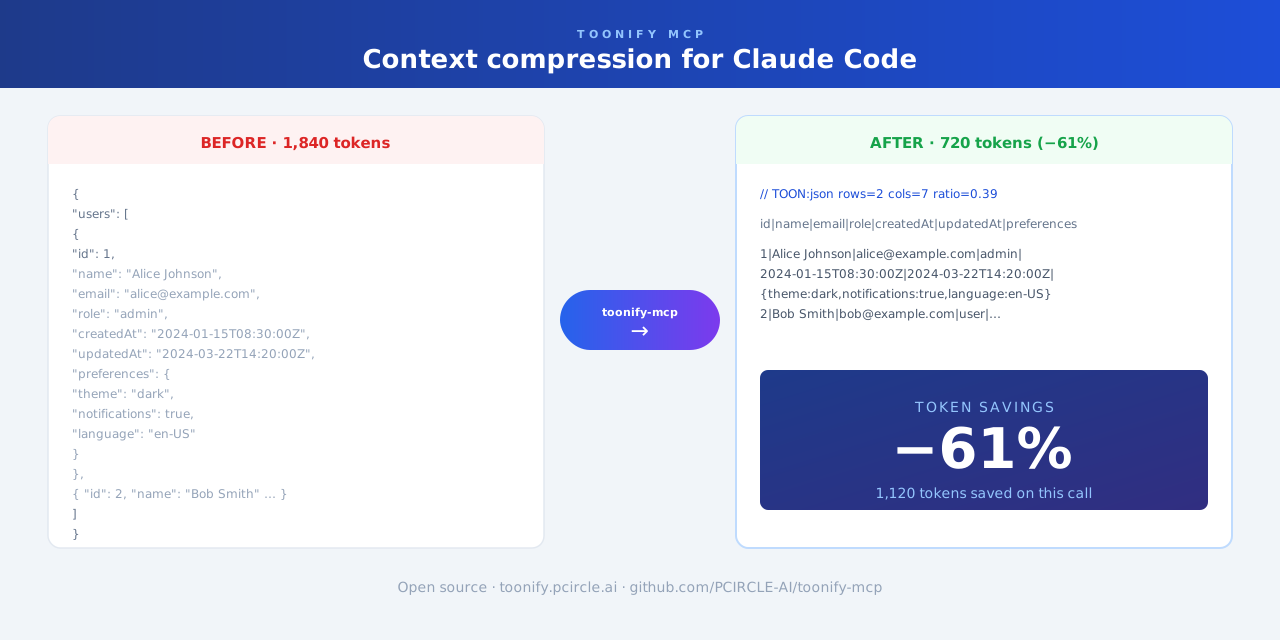
Context compression plugin for Claude Code. Automatically trims large tool output—JSON, CSV, YAML, stack traces, and logs—before it enters the context window.
Works as a Claude Code plugin (automatic, zero-config) or as an MCP server (on-demand).
Features
- Compresses large JSON, CSV, YAML, and API responses
- Reduces long test failures and stack traces
- Runs automatically in the background—no change to your Claude Code workflow required
Limitations
Skipped for short text, very small files, and content where exact original formatting must be preserved.
Installation
git clone https://github.com/PCIRCLE-AI/toonify-mcp.git
cd toonify-mcp
npm install
npm run build
npm install -g .
toonify-mcp setup
toonify-mcp doctor
toonify-mcp setup adds the local marketplace and installs, updates, or re-enables the plugin automatically.
Check status
toonify-mcp status
MCP mode (optional)
toonify-mcp setup mcp
claude mcp list
claude mcp list should show toonify: toonify-mcp - ✓ Connected.
Docs
Установка Toonify
У этого сервера нет опубликованного пакета — он собирается из исходников. Открой репозиторий и следуй инструкции в README.
▸ github.com/PCIRCLE-AI/toonify-mcpFAQ
Toonify MCP бесплатный?
Да, Toonify MCP бесплатный — установка в пару кликов через Unyly без оплаты.
Нужен ли API-ключ для Toonify?
Нет, Toonify работает без API-ключей и переменных окружения.
Toonify — hosted или self-hosted?
Self-hosted: сервер запускается локально на твоей машине командой из раздела установки.
Как установить Toonify в Claude Desktop, Claude Code или Cursor?
Открой Toonify на unyly.org, выбери вкладку своего клиента (Claude Desktop, Claude Code, Cursor) и нажми Install — конфиг сгенерируется автоматически, без правки JSON.
Похожие MCP
GitHub
PRs, issues, code search, CI status
 автор: GitHub
Filesystem
Secure file operations with configurable access controls.
Memory
Knowledge graph-based persistent memory system.
Template MCP Server
A CLI tool to create a new Model Context Protocol server project with TypeScript support, dual transport options, and an extensible structure
 автор: mcpdotdirect
Compare Toonify with
Не уверен что выбрать?
Найди свой стек за 60 секунд
Автор?
Embed-бейдж для README
Похожее
Все в категории development