
Trendwatch
БесплатноНе проверенTrendwatch YouTube Shorts pipeline and a small MCP server

Описание
Trendwatch YouTube Shorts pipeline and a small MCP server
README
(Trendwatch — July 2025)
1 · Live Server Endpoints
| Purpose | URL |
|---|---|
| Web UI (minimal search page) | https://trendwatch-1095464065298.us-east1.run.app |
| MCP SSE Endpoint | https://trendwatch-1095464065298.us-east1.run.app/sse |
The server is deployed on Google Cloud Run from the included
Dockerfile. If you’re self‑hosting, replace the URLs above with your own domain.
2 · Prerequisites
- Deployed Trendwatch FastMCP server (see
Dockerfile+app/server.py). - Publicly‑reachable HTTPS URL (Cloud Run or any reverse proxy).
- (Optional) Bearer token set via
API_TOKENenv var for authenticated access.
3 · Connecting From Popular AI Chat Providers
3.1 · OpenAI ChatGPT (Deep Research Mode)
Open ⋯ Settings → Beta features → Connectors and click ➕ Add connector.
Paste the following JSON, then save:
{
  "server_label": "Trendwatch Shorts",
  "server_url": "https://trendwatch-1095464065298.us-east1.run.app",
  "allowed_tools": ["search", "fetch"],
  "require_approval": "never" // or "per-search" if you want manual approval
}
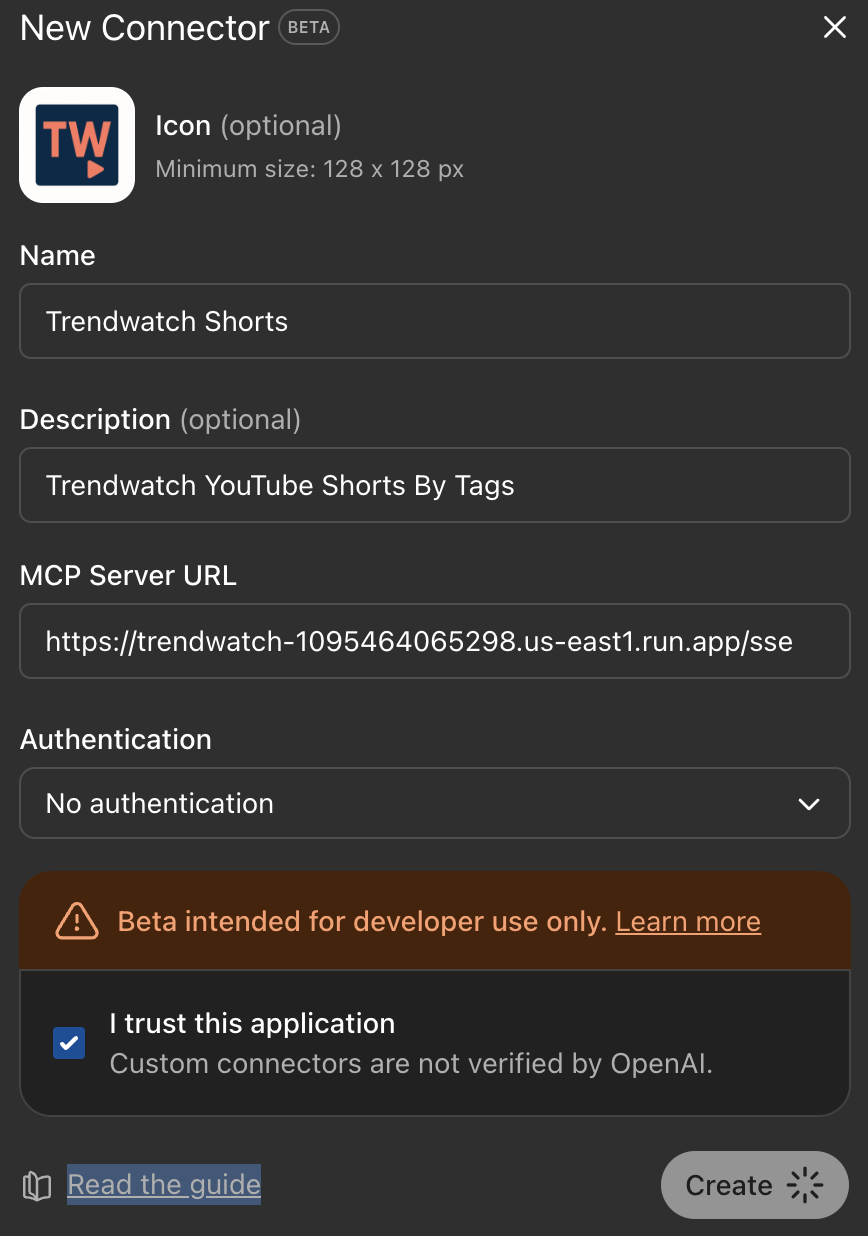 3. Start a new chat, select Deep Research model (“o3‑mini‑deep‑research” or newer) and pick Trendwatch Shorts in the Tools dropdown.
4. Test with: “Find shorts about AI makeup tutorials.”
5. Inspect the trace link to confirm tool calls succeed.
3. Start a new chat, select Deep Research model (“o3‑mini‑deep‑research” or newer) and pick Trendwatch Shorts in the Tools dropdown.
4. Test with: “Find shorts about AI makeup tutorials.”
5. Inspect the trace link to confirm tool calls succeed.
Tip: Add
"require_approval": "auto"to force silent calls while still recording traces.
Programmatic Usage
from openai import OpenAI
client = OpenAI()
resp = client.responses.create(
    model="o3-mini-deep-research",
    tools=[{
        "type": "mcp",
        "server_label": "trendwatch",
        "server_url": "https://trendwatch-1095464065298.us-east1.run.app",
        "allowed_tools": ["search", "fetch"],
        "require_approval": "never",
    }],
    input=[{"role": "user", "content": [{"type": "input_text", "text": "Top skateboarding shorts uploaded this week"}]}],
)
print(resp.choices[0].message.content[0].text)
3.2 · Anthropic Claude 3 (Messages API)
Claude 3 Opus and later support MCP via the
anthropic-beta: mcp-client-2025-04-04header.
curl https://api.anthropic.com/v1/messages \
  -H "x-api-key: $ANTHROPIC_API_KEY" \
  -H "anthropic-beta: mcp-client-2025-04-04" \
  -H "content-type: application/json" \
  -d '{
    "model": "claude-3-opus-2025-07-15",
    "system": "You are a research assistant.",
    "tools": [{
      "type": "mcp",
      "server_url": "https://trendwatch-1095464065298.us-east1.run.app",
      "allowed_tools": ["search", "fetch"]
    }],
    "messages": [{"role":"user","content":"Give me viral cat shorts from the past 48 hours"}]
  }'
Anthropic automatically infers when to call search/fetch based on your prompt.
3.3 · ElevenLabs 11.ai (Voice & Chat Agents)
Open Dashboard → Agents → Tools (Beta).
Click Add MCP Server, then enter:
- Label:
Trendwatch - Server URL:
https://trendwatch-1095464065298.us-east1.run.app - Transport:
SSE - Allowed tools:
search, fetch
- Label:
Attach the toolset to your voice agent and deploy.
Speak: “Tell me about trending Pokémon shorts.” 11.ai converts the request to text, triggers the MCP calls, and returns spoken results.
ElevenLabs limits MCP calls to 30 req/min per agent. Use Cloud Run’s concurrency settings to scale accordingly.
4 · Testing & Troubleshooting
| Symptom | Likely Cause | Fix |
|---|---|---|
401 Unauthorized |
Missing/incorrect API_TOKEN header |
Supply Authorization: Bearer <token> or unset API_TOKEN. |
ToolNotFound: search |
Connector allowed‑tools mismatch | Ensure allowed_tools includes both search and fetch. |
| Network timeout | Cloud Run cold start or egress block | Warm the service; check VPC egress rules. |
| Empty result list | Query too narrow | Confirm index contains matching titles/descriptions. |
Check the raw endpoint manually:
curl "https://trendwatch-1095464065298.us-east1.run.app/search?query=ai"
5 · Security Checklist
- Input sanitization – FastMCP escapes HTML; still validate prompt‑generated IDs.
- Rate limiting – Apply Cloud Armor or FastMCP’s built‑in limits.
- Token scopes – Issue least‑privilege API keys (read‑only access to this corpus).
- Prompt‑injection review – Monitor traces for attacker‑controlled instructions.
- HTTPS everywhere – Cloud Run terminates TLS; do not expose plain HTTP.
6 · Local Development Recap
# 1 – Install deps
pip install -r requirements.txt

# 2 – Run the pipeline & create a parquet
python -m app.pipeline --query "AI" --days 5 --out trend.csv

# 3 – Serve locally (SSE on :8000)
DATA_PATH=trend.csv python -m app.server
If DATA_PATH is unset or the file is missing, the server will create a small
example dataset automatically.
Then register http://localhost:8000 as an MCP server in your test provider.
7 · References & Further Reading
- FastMCP Docs: https://github.com/jlowin/fastmcp
- OpenAI Cookbook – MCP examples: https://cookbook.openai.com/examples/partners/mcp_powered_voice_agents/mcp_powered_agents_cookbook
- Building MCP Servers for Deep Research (PDF) – see repo docs.
Установка Trendwatch
У этого сервера нет опубликованного пакета — он собирается из исходников. Открой репозиторий и следуй инструкции в README.
▸ github.com/zack-dev-cm/trendwatchFAQ
Trendwatch MCP бесплатный?
Да, Trendwatch MCP бесплатный — установка в пару кликов через Unyly без оплаты.
Нужен ли API-ключ для Trendwatch?
Нет, Trendwatch работает без API-ключей и переменных окружения.
Trendwatch — hosted или self-hosted?
Self-hosted: сервер запускается локально на твоей машине командой из раздела установки.
Как установить Trendwatch в Claude Desktop, Claude Code или Cursor?
Открой Trendwatch на unyly.org, выбери вкладку своего клиента (Claude Desktop, Claude Code, Cursor) и нажми Install — конфиг сгенерируется автоматически, без правки JSON.
Похожие MCP
ARA
Generate images, video and audio from any AI agent — one connector.
 автор: ARA
Omni Video
An MCP server that transforms LLM-enabled IDEs into professional video editors by pre-processing footage into text proxies, generating motion graphics via HTML/
 автор: buildwithtaza
YouTube
Transcripts, channel stats, search
 автор: YouTube
EverArt
AI image generation using various models.
 автор: modelcontextprotocol
gpu-bridge/mcp-server
Unified GPU inference API with 30 AI services (LLM, image gen, video, TTS, whisper, embeddings, reranking, OCR) as MCP tools. Pay-per-use via x402 USDC or API k
 автор: gpu-bridge
hamflx/imagen3-mcp
A powerful image generation tool using Google's Imagen 3.0 API through MCP. Generate high-quality images from text prompts with advanced photography, artistic,
 автор: hamflx
merterbak/Grok-MCP
MCP server for xAI's [Grok API](https://docs.x.ai/docs/overview) with agentic tool calling, image generation, vision, and file support.
 автор: merterbak
SureScaleAI/openai-gpt-image-mcp
OpenAI GPT image generation/editing MCP server.
 автор: SureScaleAI
YangLiangwei/PersonalizationMCP
Comprehensive personal data aggregation MCP server with Steam, YouTube, Bilibili, Spotify, Reddit and other platforms integrations. Features OAuth2 authenticati
 автор: YangLiangwei
AceDataCloud/MCPFlux
Flux AI image generation and editing (Black Forest Labs) via Ace Data Cloud API.
 автор: AceDataCloud
Compare Trendwatch with
Не уверен что выбрать?
Найди свой стек за 60 секунд
Автор?
Embed-бейдж для README
Похожее
Все в категории media