
Try Mcp Location Server Demo
БесплатноНе проверенThis project demonstrates a Model Context Protocol (MCP) server for managing locations using .NET 8 and the ModelContextProtocol library.

Описание
This project demonstrates a Model Context Protocol (MCP) server for managing locations using .NET 8 and the ModelContextProtocol library.
README
This project demonstrates a Model Context Protocol (MCP) server for managing locations using .NET 8 and the ModelContextProtocol library.
Quick Start
Clone and Run
- Clone the repository:
git clone https://github.com/nisalgunawardhana/Try-mcp-location-server-demo.git cd LocationServer - Restore dependencies:
dotnet restore - Run the server:
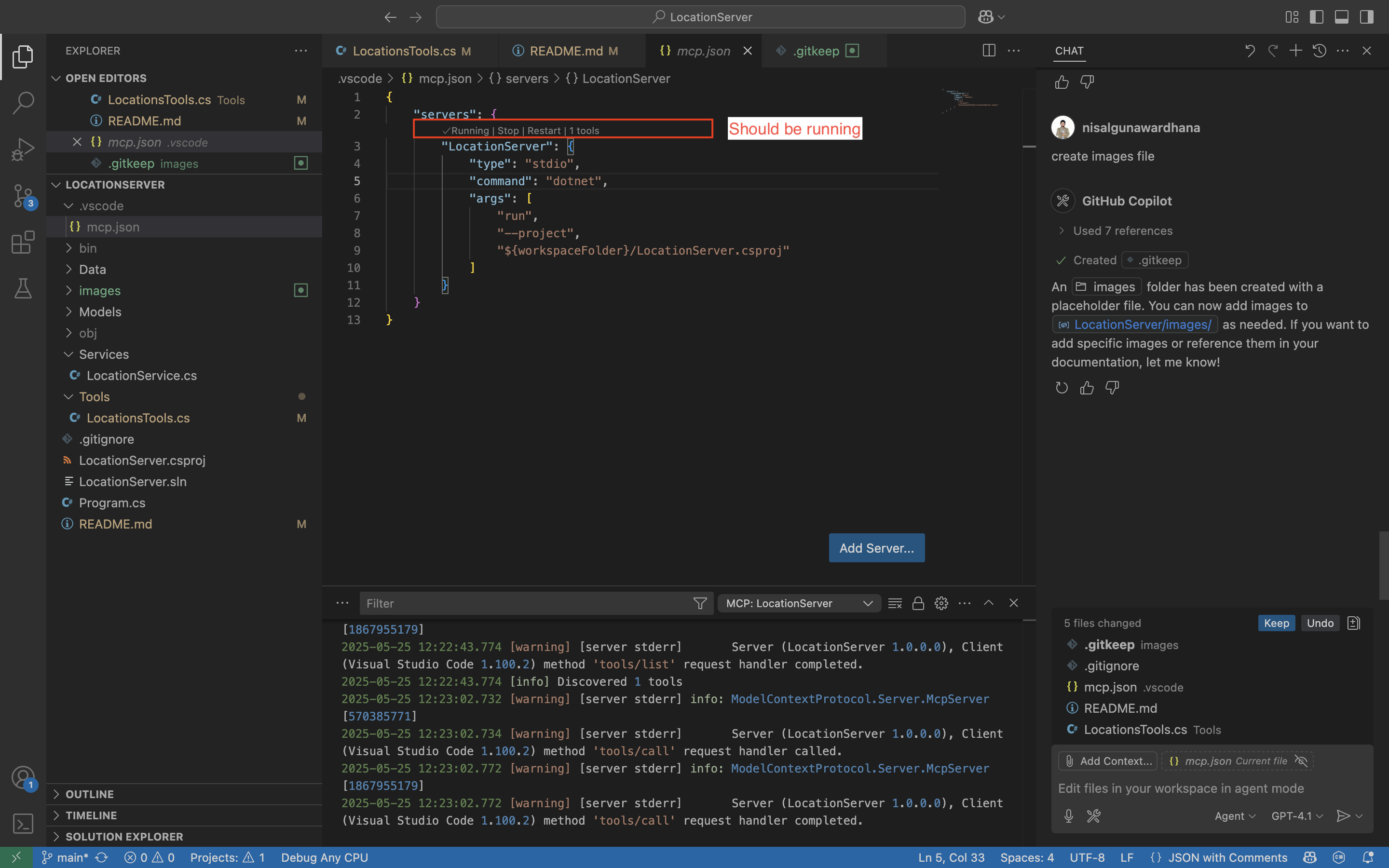
dotnet run --project LocationServer.csproj - (Optional) Use with VS Code Copilot Chat:
Open this folder in VS Code.
Ensure
.vscode/mcp.jsonexists and is configured (see below).- Start a chat session:
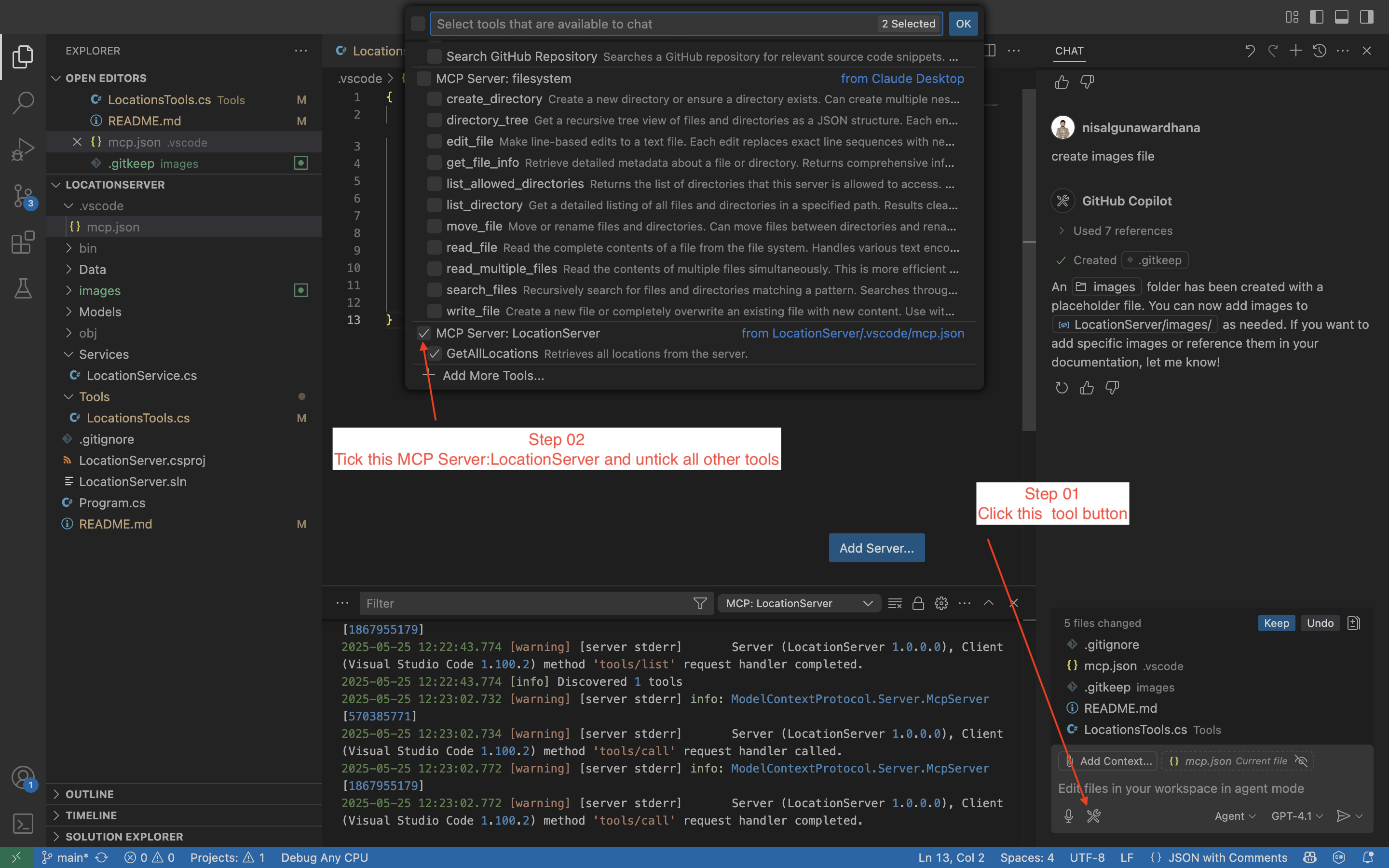
- In Copilot Chat, just type:
Can you retrieve all locations from the server - Copilot Chat will use the MCP tool to fetch all locations.
- In Copilot Chat, just type:
What is MCP?
Model Context Protocol (MCP) is an open protocol for interacting with AI models and tools in a structured, language-agnostic way. MCP enables clients (like VS Code Copilot Chat) to discover, invoke, and interact with server-side tools and models using a standard interface. This makes it easy to build, test, and extend AI-powered tools and services.
Why MCP?
- Standardization: Unified way to expose and consume tools/models.
- Interoperability: Works with any MCP-compatible client (e.g., VS Code Copilot Chat).
- Extensibility: Add new tools easily by annotating methods/classes.
- Automation: Enables advanced workflows and automation in editors and other clients.
Project Structure
Models/Location.cs- Location modelServices/LocationService.cs- Service for managing locationsData/locations.json- Data file with 50 real locationsTools/LocationsTools.cs- MCP tools for location operationsProgram.cs- Entry point and server setup
Tasks & Tools (Demo)
This demo exposes the following MCP tools for use in Copilot Chat or any MCP client:
- GetAllLocations: Retrieve all locations from the server.
- GetLocationById: (Not yet implemented) Retrieve a location by its ID. You can add this tool by creating a static method in
Tools/LocationsTools.csand annotating it with[McpServerTool]. - AddLocation: (Not yet implemented) Add a new location to the server. To enable this, define a static method in
Tools/LocationsTools.csand use the[McpServerTool]attribute.
Adding More Tools
To add new tools, create static methods in Tools/LocationsTools.cs and annotate them with [McpServerTool].
Connect with Me
Follow me on social media for more sessions, tech tips, and giveaways:
- LinkedIn — Professional updates and networking
- Twitter (X) — Insights and announcements
- Instagram — Behind-the-scenes and daily tips
- GitHub — Repositories and project updates
- YouTube — Video tutorials and sessions
Feel free to connect and stay updated!
License
This project is licensed under the MIT License. See the LICENSE file for details.
from github.com/nisalgunawardhana/Try-mcp-location-server-demo
Установка Try Mcp Location Server Demo
У этого сервера нет опубликованного пакета — он собирается из исходников. Открой репозиторий и следуй инструкции в README.
▸ github.com/nisalgunawardhana/Try-mcp-location-server-demoFAQ
Try Mcp Location Server Demo MCP бесплатный?
Да, Try Mcp Location Server Demo MCP бесплатный — установка в пару кликов через Unyly без оплаты.
Нужен ли API-ключ для Try Mcp Location Server Demo?
Нет, Try Mcp Location Server Demo работает без API-ключей и переменных окружения.
Try Mcp Location Server Demo — hosted или self-hosted?
Self-hosted: сервер запускается локально на твоей машине командой из раздела установки.
Как установить Try Mcp Location Server Demo в Claude Desktop, Claude Code или Cursor?
Открой Try Mcp Location Server Demo на unyly.org, выбери вкладку своего клиента (Claude Desktop, Claude Code, Cursor) и нажми Install — конфиг сгенерируется автоматически, без правки JSON.
Похожие MCP
GitHub
PRs, issues, code search, CI status
 автор: GitHub
Filesystem
Secure file operations with configurable access controls.
Memory
Knowledge graph-based persistent memory system.
Template MCP Server
A CLI tool to create a new Model Context Protocol server project with TypeScript support, dual transport options, and an extensible structure
 автор: mcpdotdirect
Compare Try Mcp Location Server Demo with
Не уверен что выбрать?
Найди свой стек за 60 секунд
Автор?
Embed-бейдж для README
Похожее
Все в категории development