
Umami Compass
БесплатноНе проверенOpen-source MCP server for Umami Analytics — Cloud and self-hosted.

Описание
Open-source MCP server for Umami Analytics — Cloud and self-hosted.
README
Open-source MCP server for Umami Analytics — Cloud and self-hosted.
CI npm version license Buy me a coffee on Ko-fi
Distribution: umami-compass on npm · io.github.webcredo/umami-compass in the official MCP Registry
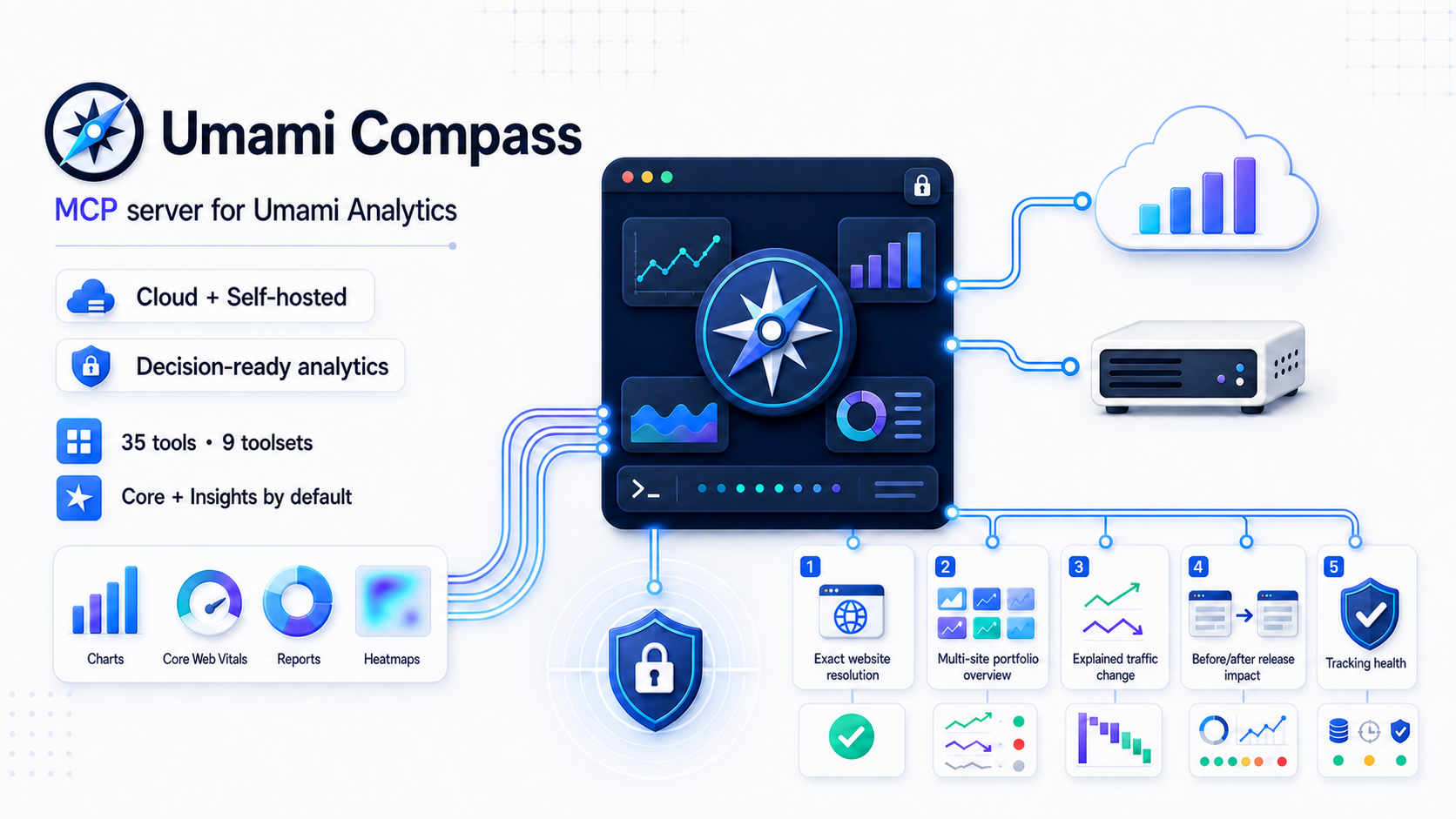
Umami Compass is a secure, read-only Model Context Protocol server for Umami Analytics. It gives MCP clients accurate Umami 3.2 analytics without exposing a database or allowing arbitrary network requests.
Version 0.3.1 is the current source release. See Compatibility before using it with older Umami versions.
The
npxexamples follow the stable npm release channel and check it whenever the MCP process starts. For source-based evaluation, clone this repository, runpnpm install --frozen-lockfile && pnpm build, and usenode /absolute/path/to/umami-compass/dist/cli.jsas the MCP command.
Why this project
Existing Umami MCP servers each cover part of the problem, but our July 2026 review found gaps around Umami 3.2 response correctness, Cloud authentication, safety boundaries, or extensibility. Umami Compass sets a higher, testable quality bar:
- Correct auth for both products:
x-umami-api-keyfor Umami Cloud and Bearer/login auth for self-hosted instances. - Umami 3.2-aware responses, including both
pageviewsandsessions, Core Web Vitals, funnels, journeys, attribution, retention, revenue, bounded heatmaps, and replay metadata. - Read-only by construction: every tool declares MCP safety annotations; no create, update, delete, raw HTML, or arbitrary URL tool exists.
- Defense in depth: fixed upstream origin, HTTPS policy, website and team allowlists, range/page/response-byte caps, request timeout, cancellation propagation, and redacted errors.
- Decision-ready insights: bounded portfolio overviews, traffic-change evidence, release-impact analysis, tracking-health audits, and website resolution without arbitrary API access.
- Agent-friendly output: machine-readable
structuredContent, a common status/range/truncation envelope, two resources, and six guided prompts. - Contributor-friendly architecture: endpoint modules, dependency-injected HTTP, a central access policy, ADRs, and real MCP integration tests.
See the dated landscape review for the evidence and methodology.
Quick start
Requirements: Node.js 22 or newer and an Umami identity with view-only access where possible.
The examples use the auto-updating stable launcher:
npx --yes --prefer-online umami-compass@latest
@latest selects the stable npm channel and --prefer-online makes npm check the registry even when package metadata is cached. npm still reuses the cached package when that exact release is already present. Updates take effect the next time the MCP process starts; an already running local server cannot replace itself.
Use umami-compass@next instead to opt into preview releases. For reproducible CI or centrally managed environments, pin an exact release and omit the online check, for example npx --yes [email protected]. Never use the preview channel for an unattended production setup.
Umami Cloud
{
  "mcpServers": {
    "umami": {
      "command": "npx",
      "args": ["--yes", "--prefer-online", "umami-compass@latest"],
      "env": {
        "UMAMI_API_KEY": "replace-with-your-api-key"
      }
    }
  }
}
With UMAMI_API_KEY and no URL, the API root defaults to https://api.umami.is/v1.
Self-hosted Umami
{
  "mcpServers": {
    "umami": {
      "command": "npx",
      "args": ["--yes", "--prefer-online", "umami-compass@latest"],
      "env": {
        "UMAMI_URL": "https://analytics.example.com",
        "UMAMI_USERNAME": "mcp-viewer",
        "UMAMI_PASSWORD": "replace-me",
        "UMAMI_WEBSITE_IDS": "6b2c8c10-908c-4a8e-a924-4049eb3bde8c"
      }
    }
  }
}
UMAMI_URL is an instance origin; /api is appended. Use UMAMI_API_URL instead when a reverse proxy exposes a custom, exact API root.
UMAMI_WEBSITE_IDS is an optional safety allowlist, not a credential. Replace the example UUID with a website ID from Umami (or from list_websites), separate multiple IDs with commas, or remove the variable to discover every website visible directly or through a team membership.
UMAMI_TEAM_IDS is a strict team boundary for discovery and direct website/report access. When it is set, user-owned websites without one of the selected team IDs are excluded. If UMAMI_WEBSITE_IDS is also set, a website must pass both allowlists.
Do not commit real credentials. Prefer a dedicated view-only Umami account and the client/OS secret store when available.
Tools
The least-privilege default enables core,insights: eight primitive aggregate tools plus six decision-ready aggregate workflows. Row-level events, sessions, replay, heatmaps, and other more sensitive modules remain opt-in.
| Toolset | Tools | Default |
|---|---|---|
core |
get_server_info, list_websites, get_website, get_website_stats, get_pageviews, get_metrics, get_active_visitors, get_website_date_range |
Yes |
insights |
resolve_website, get_portfolio_overview, explain_traffic_change, compare_traffic_series, analyze_release_impact, tracking_health_check |
Yes |
events |
list_events, get_event_stats, get_event_series |
No |
sessions |
list_sessions, get_session_stats, get_session, get_session_activity |
No |
performance |
get_web_vitals, get_performance_breakdown for LCP, INP, CLS, FCP, and TTFB |
No |
reports |
Saved reports and segments plus goal, funnel, journey, retention, UTM, attribution, and multi-field breakdown reports | No |
revenue |
get_revenue_stats, get_revenue_metrics |
No |
replay |
list_replays (metadata only; never raw rrweb payloads) |
No |
heatmaps |
get_heatmap (click/scroll pages and bounded detail points) |
No |
Set UMAMI_TOOLSETS=all or a comma-separated subset. The default has 14 aggregate tools; all has 37. Multi-website insights are bounded to 50 websites with four concurrent website workers. High-cardinality report, performance, heatmap, channel fan-out, and activity results carry explicit limits and truncation metadata.
Successful tool responses preserve the existing data field and add a common meta envelope. Depending on the request it includes dataStatus, emptyReason, websiteId, requestedRange, timezone, and truncated, allowing clients to distinguish a valid empty range from a disabled feature or a truncated result.
The server exposes umami://websites and the sanitized umami://capabilities resource. get_server_info returns the same local version, enabled toolsets, limits, and feature flags as a tool. Guided prompts cover an analytics report, weekly portfolio briefing, traffic investigation, release impact, tracking health, and conversion audit; each prompt is registered only when its required toolset is enabled. Scheduling a recurring briefing remains the MCP client's responsibility; the local stdio server does not run a background scheduler or send messages.
Filters, direct traffic, channels, and traffic quality
Plain string filters remain compatible. Structured filters add equals, not_equals, contains, not_contains, regex, not_regex, is_empty, and is_not_empty. Equality operators accept an array for native IN or NOT IN behavior:
{
  "filters": {
    "referrer": { "operator": "is_empty" },
    "path": { "operator": "not_equals", "value": ["/admin", "/internal"] }
  }
}
For compatibility, {"referrer": ""} also isolates rows whose referrer domain is empty. This is not always the same as Umami's direct channel: a no-referrer visit with campaign parameters can be attributed to affiliate, email, paid, or another channel. Use filters.channel: "direct" when exact Umami channel attribution matters. Compass uses Umami's neutral referrer-domain column for structured and empty-referrer filters so internal/no-referrer traffic is not accidentally removed by Umami's external-referrer behavior.
explain_traffic_change, analyze_release_impact, and run_breakdown_report accept filters.channel, including direct. run_breakdown_report also accepts channel as a field, so requests such as channel × device work. Umami 3.2 does not natively expose channel as a filter or breakdown field; Compass derives these results through bounded expanded-metric fan-out and reports candidate coverage, omitted rows, request count, and truncation under dataQuality. Channel cross-tabs cannot be combined with custom events or with filters.match: "any", because Umami cannot express the required candidate predicate outside that OR group; Compass rejects these requests instead of returning overlapping totals.
Traffic-change, release-impact, comparison-series, and breakdown results conservatively flag referral-spam candidates using the combined pattern of a generated-looking domain, very high bounce rate, near-zero visit duration, and minimum traffic. Set trafficSegment to human to exclude only those candidates with native negative filters. The preset fails closed when both periods cannot be assessed or when mandatory exclusions would be weakened by filters.match: "any". Findings remain heuristics, not a definitive bot classification, and include their evidence and thresholds.
compare_traffic_series fills sparse rows against real buckets in the requested timezone, including DST transitions. If current and comparison periods contain different numbers of local-time buckets, it returns the raw series with alignedChangesAvailable: false and omits derived bucket deltas instead of shifting the comparison.
Structured filters retain field-specific length limits, at most 20 values per condition, 30 conditions and 100 values across one request, and a 16 KiB serialized-query budget.
Configuration
Choose exactly one authentication mode.
Authentication
UMAMI_API_KEY— Umami Cloud/client API key. It is sent only asx-umami-api-key.UMAMI_ACCESS_TOKEN— existing Bearer token.UMAMI_USERNAME+UMAMI_PASSWORD— lazy self-hosted login with a cached token and one refresh on 401.
Authentication variables have no default. Configure only one of the three modes above.
Endpoint and access scope
UMAMI_URL— self-hosted instance origin;/apiis appended. With API-key auth and no URL, the default is the Umami Cloud API root.UMAMI_API_URL— exact API root; takes the place ofUMAMI_URL. No default.UMAMI_WEBSITE_IDS— comma-separated website UUID allowlist. Defaults to every site visible directly or through a team membership.UMAMI_TEAM_IDS— comma-separated strict team UUID allowlist for discovery and direct website/report access; at most 25 IDs. User-owned websites are excluded while it is set, andUMAMI_WEBSITE_IDSis intersected when both are configured.UMAMI_TOOLSETS— comma-separated toolsets orall. Available values arecore,insights,events,sessions,performance,reports,revenue,replay, andheatmaps. Defaults tocore,insights.
Safety limits
UMAMI_REQUEST_TIMEOUT_MS— per-request timeout from 1,000 to 120,000 ms. Defaults to30000.UMAMI_MAX_RANGE_DAYS— maximum analytics range from 1 to 3,650 days. Defaults to366.UMAMI_MAX_RESPONSE_BYTES— maximum decoded upstream JSON body from 102,400 to 52,428,800 bytes. Defaults to10485760.UMAMI_ALLOW_INSECURE_HTTP— permits non-loopback HTTP when set totrue. Defaults tofalse.
HTTPS is mandatory by default. Plain HTTP is accepted automatically only for localhost, 127.0.0.1, and ::1.
Client setup
All examples below use Umami Cloud. Export the secret in the environment that launches your client:
export UMAMI_API_KEY="replace-with-your-api-key"
For self-hosted Umami, replace UMAMI_API_KEY with the variables shown in Self-hosted Umami. Add UMAMI_TOOLSETS=all only if the account has the matching Umami section permissions and you want the optional data surfaces.
Codex CLI, IDE extension, and ChatGPT desktop
Codex clients and ChatGPT desktop on the same host share ~/.codex/config.toml. env_vars forwards the secret without writing its value into the config:
[mcp_servers.umami-compass]
command = "npx"
args = ["--yes", "--prefer-online", "umami-compass@latest"]
env_vars = ["UMAMI_API_KEY"]
Run codex mcp list or /mcp to verify it. In the Codex IDE extension or ChatGPT desktop, you can also open MCP servers, add a STDIO server with command npx --yes --prefer-online umami-compass@latest, then restart the client. See the official Codex and ChatGPT MCP guide.
ChatGPT web does not read local Codex config. The current package is local stdio; a hosted plugin requires the future authenticated remote transport.
Claude Code
Use user scope to keep the personal server outside the repository:
claude mcp add --scope user --transport stdio \
  --env UMAMI_API_KEY="$UMAMI_API_KEY" \
  umami-compass -- npx --yes --prefer-online umami-compass@latest
Verify with claude mcp list or /mcp. For a team-safe .mcp.json, Claude Code supports ${UMAMI_API_KEY} expansion; never commit the actual value. See the official Claude Code MCP guide.
Claude Desktop
Open Settings → Developer → Edit Config. On macOS the file is ~/Library/Application Support/Claude/claude_desktop_config.json; on Windows it is %APPDATA%\Claude\claude_desktop_config.json.
{
  "mcpServers": {
    "umami-compass": {
      "command": "npx",
      "args": ["--yes", "--prefer-online", "umami-compass@latest"],
      "env": {
        "UMAMI_API_KEY": "replace-with-your-api-key"
      }
    }
  }
}
Protect the config file because this client format stores the value, then fully quit and restart Claude Desktop. See the official local MCP server guide.
Cursor
Put this in the private global ~/.cursor/mcp.json, or in .cursor/mcp.json only when it contains no real credentials:
{
  "mcpServers": {
    "umami-compass": {
      "command": "npx",
      "args": ["--yes", "--prefer-online", "umami-compass@latest"],
      "env": {
        "UMAMI_API_KEY": "replace-with-your-api-key"
      }
    }
  }
}
Enable the server in Cursor Settings → MCP. See the official Cursor MCP documentation.
VS Code / GitHub Copilot
Use MCP: Open User Configuration for a personal config, or .vscode/mcp.json for a shared command. VS Code uses servers (not mcpServers) and can prompt for a masked secret:
{
  "inputs": [
    {
      "type": "promptString",
      "id": "umami-api-key",
      "description": "Umami API key",
      "password": true
    }
  ],
  "servers": {
    "umami-compass": {
      "type": "stdio",
      "command": "npx",
      "args": ["--yes", "--prefer-online", "umami-compass@latest"],
      "env": {
        "UMAMI_API_KEY": "${input:umami-api-key}"
      }
    }
  }
}
Run MCP: List Servers to start, inspect, or troubleshoot it. See the official VS Code MCP guide.
Gemini CLI
Add this to the user-level ~/.gemini/settings.json (or project .gemini/settings.json). Gemini expands shell variables in env:
{
  "mcpServers": {
    "umami-compass": {
      "command": "npx",
      "args": ["--yes", "--prefer-online", "umami-compass@latest"],
      "env": {
        "UMAMI_API_KEY": "$UMAMI_API_KEY"
      },
      "trust": false
    }
  }
}
Verify with gemini mcp list or /mcp. See the official Gemini CLI MCP guide.
Troubleshooting
- Run
npx --yes --prefer-online umami-compass@latest --versionfirst; Node.js 22+ is required. - After a package update, restart the MCP server so the client requests the new tool list. A client still showing an old or empty list may also need its cached tools cleared.
401means the credential or auth mode is wrong;403can mean the Umami account lacks permission for that website section.- For self-hosted local development,
http://localhost:3000is allowed. Other plain HTTP origins require the explicit unsafe opt-in. - Start with the default toolsets. Enable
performance,reports,revenue,replay, orheatmapsonly as needed. - Enable
eventsorsessionsonly when the client needs row-level data and the Umami identity is allowed to expose it.
Architecture
flowchart LR
  Client["MCP client"] -->|stdio / JSON-RPC| Server["MCP server"]
  Server --> Policy["Module + access policy"]
  Policy --> Modules["Core / Events / Sessions / Performance / Reports / Revenue / Replay / Heatmaps"]
  Modules --> API["Typed, fixed-origin Umami client"]
  API -->|"API key / Bearer / lazy login"| Umami["Umami Cloud or self-hosted 3.2+"]
The package intentionally ships stdio first. A public HTTP transport needs OAuth 2.1, tenant isolation, rate limits, and an operational threat model; binding an unauthenticated endpoint would weaken the project.
Future management tools are anticipated but cannot slip into the read-only build accidentally. Every module declares access: "read" | "write", and the server rejects write modules under the default policy. See architecture and ADR-0001.
See the Umami 3.2 API coverage matrix for what is implemented, deliberately excluded, and prioritized next.
Development
corepack enable
pnpm install --frozen-lockfile
pnpm check
pnpm dev
To add an endpoint, follow Adding a tool. For project expectations and pull requests, see CONTRIBUTING.md.
Compatibility
- Umami 3.2.x is the reference implementation and test target.
- Older Umami releases may work for unchanged endpoints but are not promised yet.
- Node.js 22, 24, and 26 are tested in CI.
- MCP SDK v1 is used because it is the stable production line as of July 2026; the v2 branch is still pre-release.
Security and privacy
Analytics, session metadata, revenue, and replay metadata can be sensitive. Use least-privilege credentials, an allowlist, the smallest toolset, and short time ranges. Read SECURITY.md before production use.
Umami Compass is an independent community project and is not affiliated with Umami Software.
Support the project
Umami Compass is free and open source. If it saves you time or improves your analytics workflow, you can support the project by buying me a coffee on Ko-fi.
License
MIT © 2026 webcredo and Umami Compass contributors.
Установка Umami Compass
У этого сервера нет опубликованного пакета — он собирается из исходников. Открой репозиторий и следуй инструкции в README.
▸ github.com/webcredo/umami-compassFAQ
Umami Compass MCP бесплатный?
Да, Umami Compass MCP бесплатный — установка в пару кликов через Unyly без оплаты.
Нужен ли API-ключ для Umami Compass?
Нет, Umami Compass работает без API-ключей и переменных окружения.
Umami Compass — hosted или self-hosted?
Доступен hosted-вариант: Unyly запускает сервер в облаке, локальная установка не обязательна.
Как установить Umami Compass в Claude Desktop, Claude Code или Cursor?
Открой Umami Compass на unyly.org, выбери вкладку своего клиента (Claude Desktop, Claude Code, Cursor) и нажми Install — конфиг сгенерируется автоматически, без правки JSON.
Похожие MCP
GitHub
PRs, issues, code search, CI status
 автор: GitHub
Filesystem
Secure file operations with configurable access controls.
Memory
Knowledge graph-based persistent memory system.
Template MCP Server
A CLI tool to create a new Model Context Protocol server project with TypeScript support, dual transport options, and an extensible structure
 автор: mcpdotdirect
Compare Umami Compass with
Не уверен что выбрать?
Найди свой стек за 60 секунд
Автор?
Embed-бейдж для README
Похожее
Все в категории development