
Vibe Model Context Protocol Server (VMCPS)
БесплатноНе проверенA Python-based server for managing and analyzing code context for AI-assisted development. Provides real-time code analysis, project structure analysis, depende

Описание
A Python-based server for managing and analyzing code context for AI-assisted development. Provides real-time code analysis, project structure analysis, dependency tracking, and secure API endpoints.
README
A Python-based server for managing and analyzing code context for AI-assisted development.
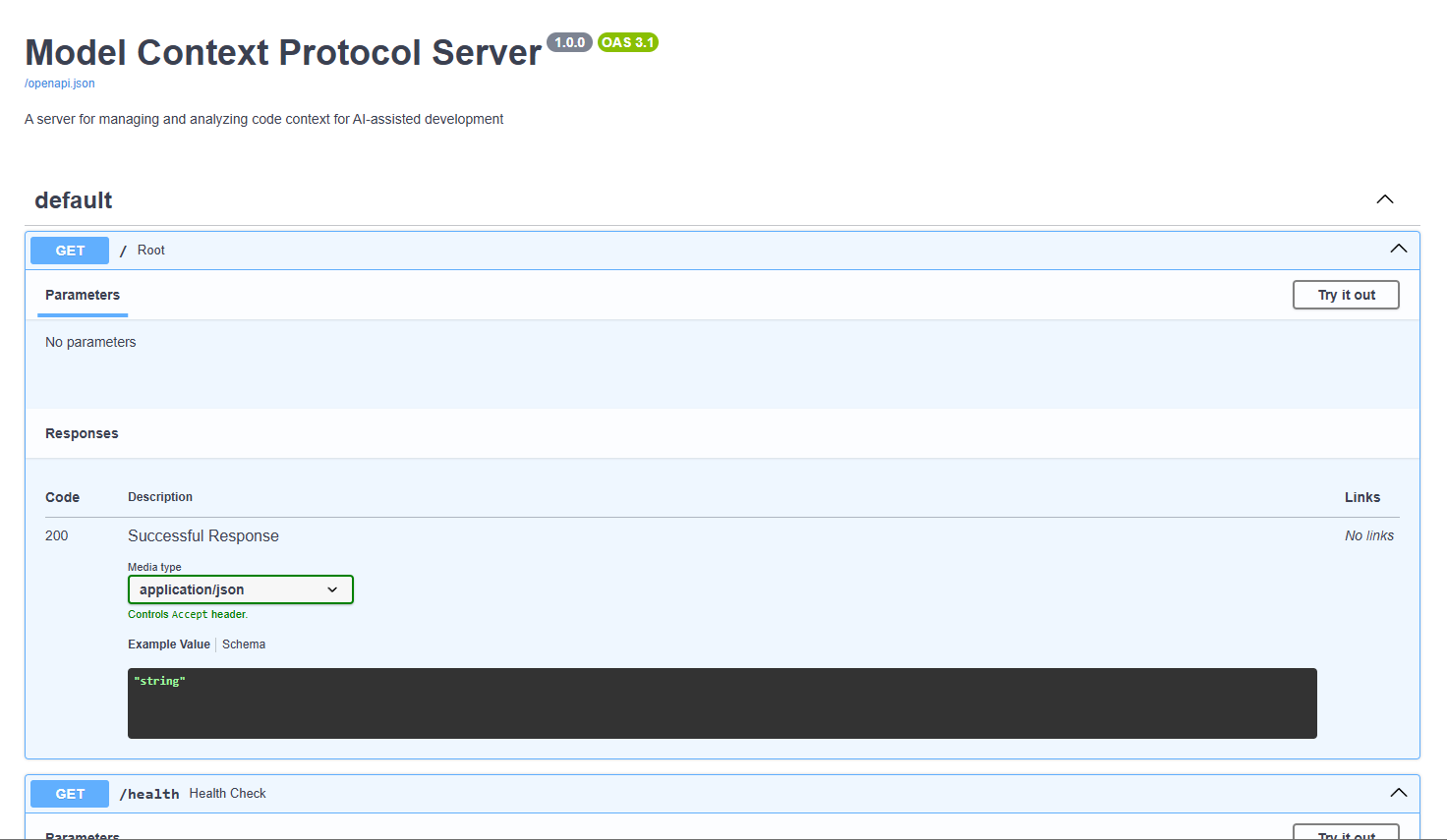
Features
- Real-time code analysis and context generation
- Automatic file change detection
- Secure authentication and authorization
- RESTful API for context management
- Project structure analysis
- Dependency tracking
- Cross-platform support (Windows, Linux, macOS)
API Endpoints
POST /token- Get authentication tokenPOST /analyze- Analyze a projectGET /context- Get context for a file or projectGET /dependencies- Get project dependenciesGET /structure- Get project structure
Security
- JWT-based authentication
- Password hashing with bcrypt
- CORS protection
- Environment-based configuration
Installation
- Clone the repository:
git clone https://github.com/non-npc/Vibe-Model-Context-Protocol-Server.git
cd mcps
- Create a virtual environment:
python -m venv venv
source venv/bin/activate  # On Windows: venv\Scripts\activate
- Install dependencies:
pip install -r requirements.txt
- Configure environment variables:
- Copy
.env.exampleto.env - Update the values in
.envas needed
Example API Usage (curl commands)
Start the server:
python -m mcps.main
- Get token:
curl -X POST "http://localhost:8000/token" -H "Content-Type: application/x-www-form-urlencoded" -d "username=admin&password=admin"
- Analyze project (replace
with actual token):
curl -X POST "http://localhost:8000/analyze" -H "Authorization: Bearer <token>" -H "Content-Type: application/json" -d '{"project_path": "/path/to/your/project"}'
- Get context:
curl -X GET "http://localhost:8000/context" -H "Authorization: Bearer <token>"
Access the API:
- The server will be running at
http://localhost:8000 - API documentation is available at
http://localhost:8000/docs
Development
- Install development dependencies:
pip install -r requirements-dev.txt
- Run tests:
pytest
Contributing
- Fork the repository
- Create a feature branch
- Commit your changes
- Push to the branch
- Create a Pull Request
License
Установка Vibe Model Context Protocol Server (VMCPS)
У этого сервера нет опубликованного пакета — он собирается из исходников. Открой репозиторий и следуй инструкции в README.
▸ github.com/non-npc/Vibe-Model-Context-Protocol-ServerFAQ
Vibe Model Context Protocol Server (VMCPS) MCP бесплатный?
Да, Vibe Model Context Protocol Server (VMCPS) MCP бесплатный — установка в пару кликов через Unyly без оплаты.
Нужен ли API-ключ для Vibe Model Context Protocol Server (VMCPS)?
Нет, Vibe Model Context Protocol Server (VMCPS) работает без API-ключей и переменных окружения.
Vibe Model Context Protocol Server (VMCPS) — hosted или self-hosted?
Self-hosted: сервер запускается локально на твоей машине командой из раздела установки.
Как установить Vibe Model Context Protocol Server (VMCPS) в Claude Desktop, Claude Code или Cursor?
Открой Vibe Model Context Protocol Server (VMCPS) на unyly.org, выбери вкладку своего клиента (Claude Desktop, Claude Code, Cursor) и нажми Install — конфиг сгенерируется автоматически, без правки JSON.
Похожие MCP
GitHub
PRs, issues, code search, CI status
 автор: GitHub
Filesystem
Secure file operations with configurable access controls.
Memory
Knowledge graph-based persistent memory system.
Template MCP Server
A CLI tool to create a new Model Context Protocol server project with TypeScript support, dual transport options, and an extensible structure
 автор: mcpdotdirect
Compare Vibe Model Context Protocol Server (VMCPS) with
Не уверен что выбрать?
Найди свой стек за 60 секунд
Автор?
Embed-бейдж для README
Похожее
Все в категории development