
VistAAI
БесплатноНе проверенA self hosted Ollama AI with integrated VistA model context.

Описание
A self hosted Ollama AI with integrated VistA model context.
README
MseeP.ai Security Assessment Badge
VistA Self Hosted AI
An MCP server that integrates with a self hosted Ollama container and returns information related to VistA patients.
Pre-requisites
To run:
 git clone https://github.com/RamSailopal/VistAAI.git
 cd VistAAI
 docker-compose up -d
This will run a number of containers:
- An ollama container
- A "side car" container that will pull the llama3.2 model into ollama
- A VistA container along with fmQL (Fileman query language)
- An mcp-server
You will need to wait for the containers to fully initialise before things can proceed and so monitor them with:
docker-compose logs -f
Once all the containers have initialised and there is no further output on the screen, press Ctrl+C. You can now access the AI mcp-server console via:
./mcp-server.sh
You now begin to ask questions about VistA.
Programmed VistA context
Drugs
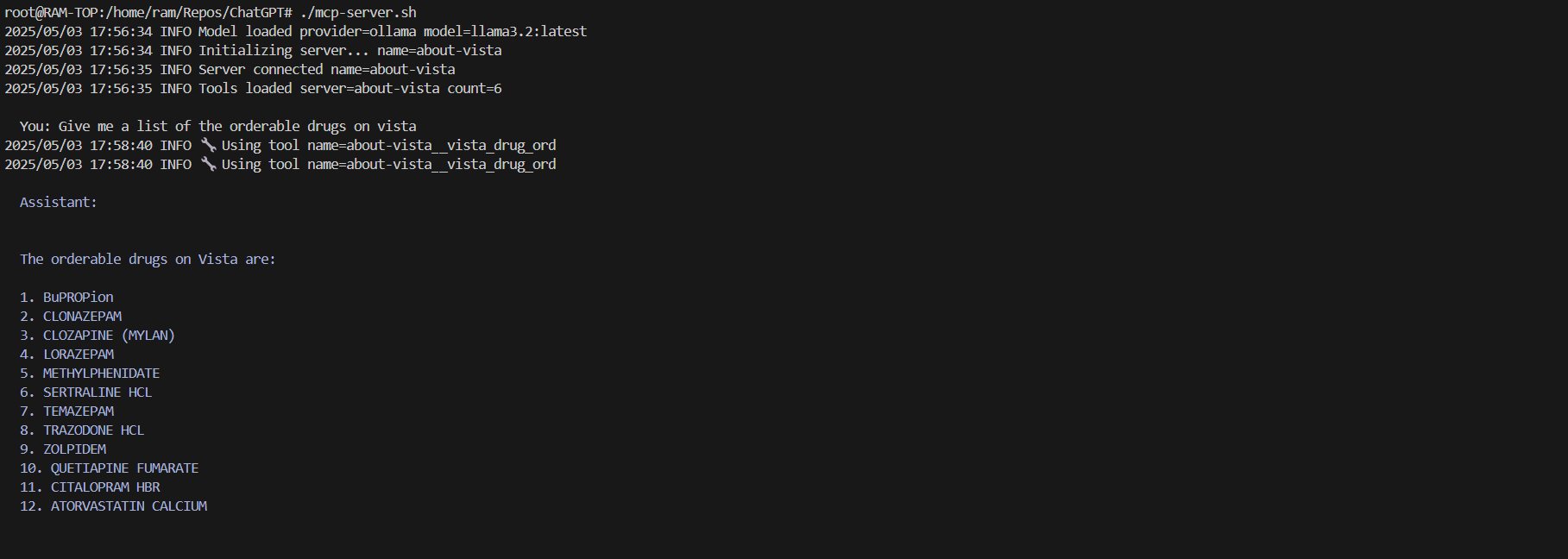
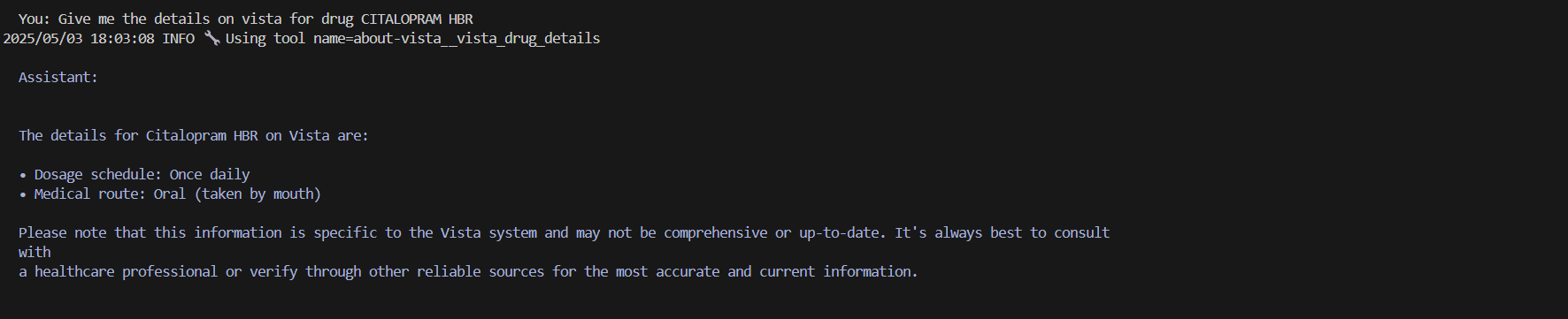
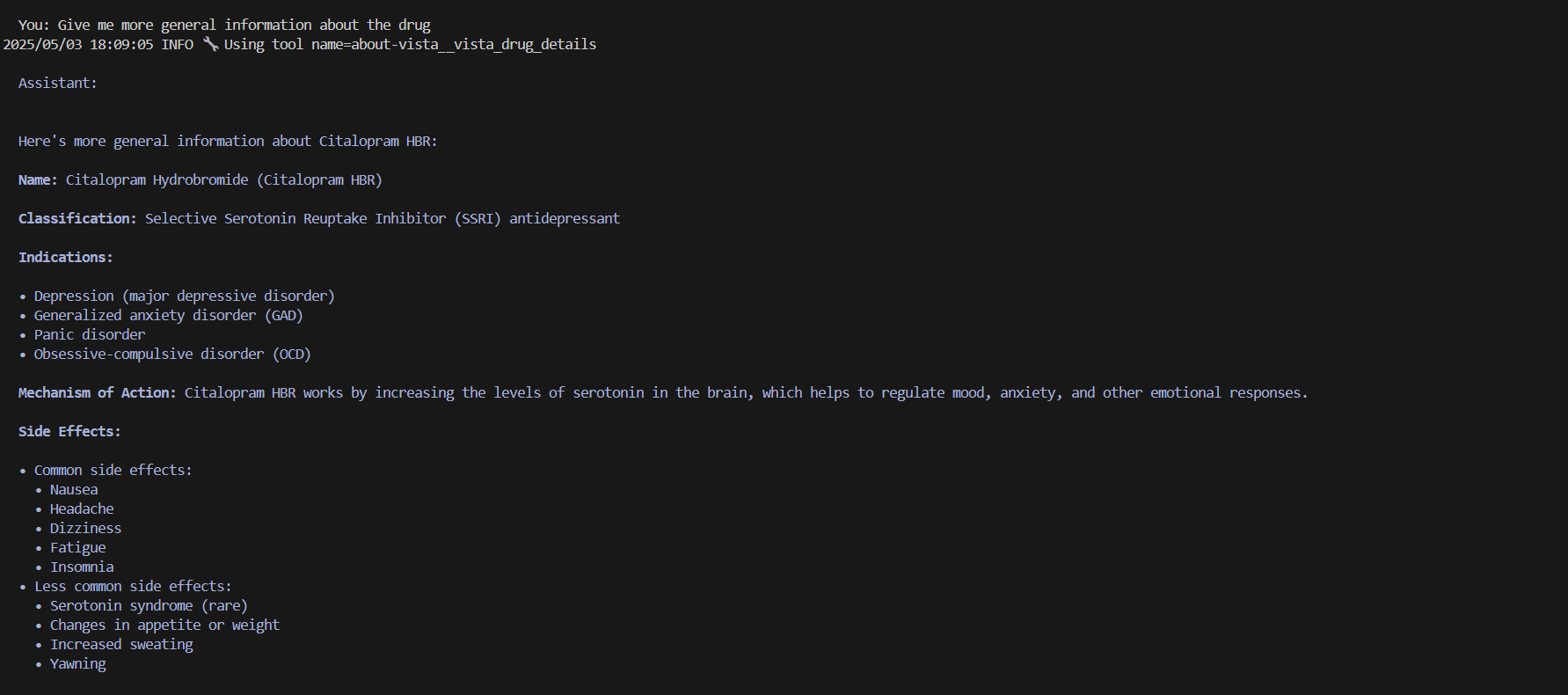
Patients
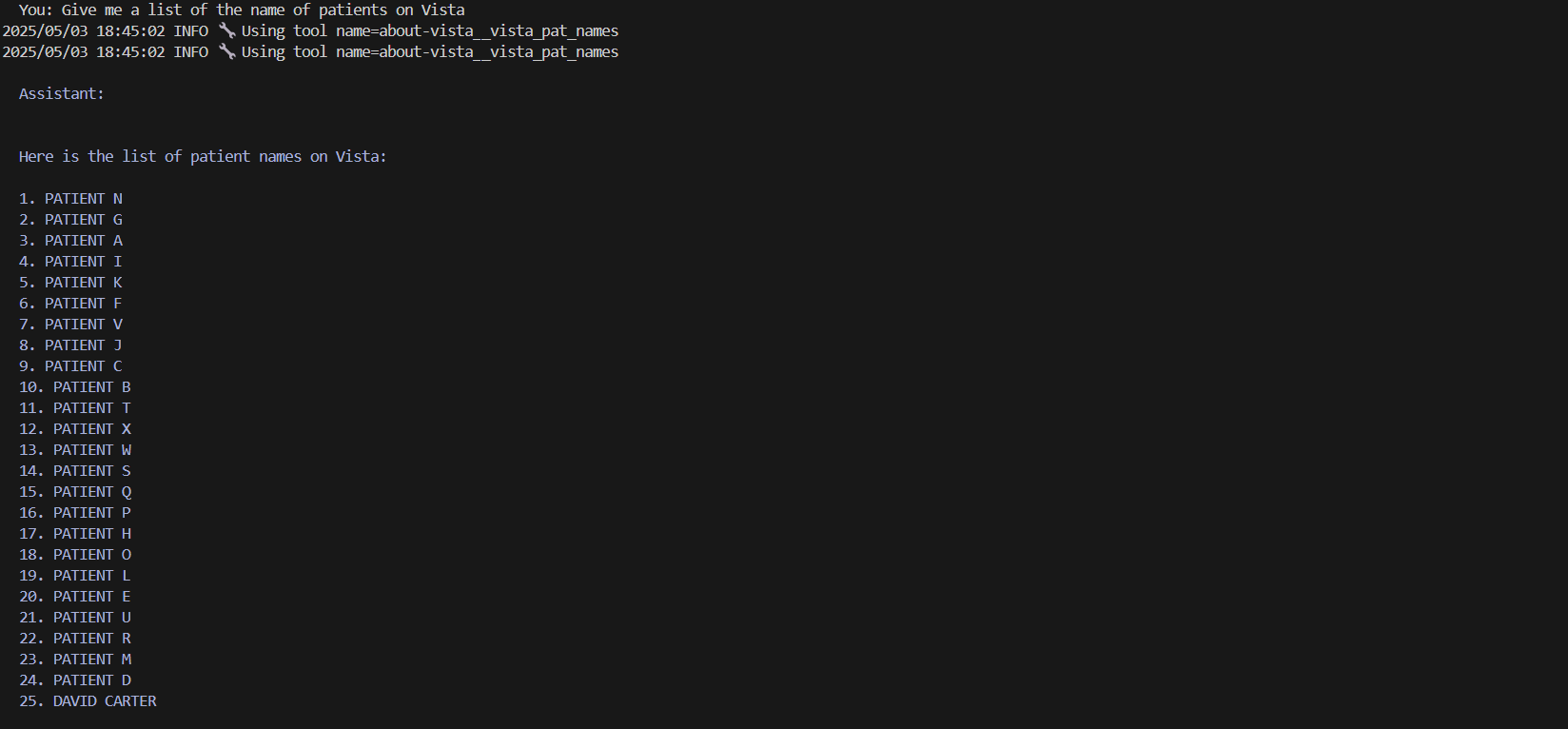

The AI model is intellegent enough to know that the details returned have confidentials/sensitive information and refuses.
Ollama WebUI
In additional an Ollama web UI container runs. This container references the Ollama llama 3.2 model without an mcp server and no interaction with Vista. The web UI can be accessed via the web address:
NOTE - This is a self hosted AI and the speed of the responses will be dependant on the hardware on which the AI model is running.
Functionality
The Python code mcp/vista.py provides the context about VistA to the AI model. When writing the code, Python function docstrings/comments are important with regards to helping the AI model understand the context.
Further Information:
Установка VistAAI
У этого сервера нет опубликованного пакета — он собирается из исходников. Открой репозиторий и следуй инструкции в README.
▸ github.com/RamSailopal/VistAAIFAQ
VistAAI MCP бесплатный?
Да, VistAAI MCP бесплатный — установка в пару кликов через Unyly без оплаты.
Нужен ли API-ключ для VistAAI?
Нет, VistAAI работает без API-ключей и переменных окружения.
VistAAI — hosted или self-hosted?
Self-hosted: сервер запускается локально на твоей машине командой из раздела установки.
Как установить VistAAI в Claude Desktop, Claude Code или Cursor?
Открой VistAAI на unyly.org, выбери вкладку своего клиента (Claude Desktop, Claude Code, Cursor) и нажми Install — конфиг сгенерируется автоматически, без правки JSON.
Похожие MCP
Fetch
Web content fetching and conversion for efficient LLM usage.
AWS KB Retrieval
Retrieval from AWS Knowledge Base using Bedrock Agent Runtime.
 автор: modelcontextprotocol
Spring AI MCP Server
Provides auto-configuration for setting up an MCP server in Spring Boot applications.
llm-analysis-assistant
A very streamlined mcp client that supports calling and monitoring stdio/sse/streamableHttp, and can also view request responses through the /logs page. It also
 автор: xuzexin-hz
MCP-Agent
A simple, composable framework to build agents using Model Context Protocol by [LastMile AI](https://www.lastmileai.dev)
 автор: lastmile-ai
Spring AI MCP Client
Provides auto-configuration for MCP client functionality in Spring Boot applications.
mcp.natoma.ai
A Hosted MCP Platform to discover, install, manage and deploy MCP servers by [Natoma Labs](https://www.natoma.ai)
MCPHub
Website to list high quality MCP servers and reviews by real users. Also provide online chatbot for popular LLM models with MCP server support.
MCP Servers Rating and User Reviews
Website to rate MCP servers, write authentic user reviews, and [search engine for agent & mcp](http://www.deepnlp.org/search/agent)
mkinf
An Open Source registry of hosted MCP Servers to accelerate AI agent workflows.
Compare VistAAI with
Не уверен что выбрать?
Найди свой стек за 60 секунд
Автор?
Embed-бейдж для README
Похожее
Все в категории ai