
Visual Explainer Extension
БесплатноНе проверенRefactor of https://github.com/nicobailon/visual-explainer Nico Bailons excellent agent skill repository into a gemini-cli extension that utilises nano-banana-2

Описание
Refactor of https://github.com/nicobailon/visual-explainer Nico Bailons excellent agent skill repository into a gemini-cli extension that utilises nano-banana-2 for image generation and has gemini-3.1-pro-preview enhanced aesthethics and outlooks
README
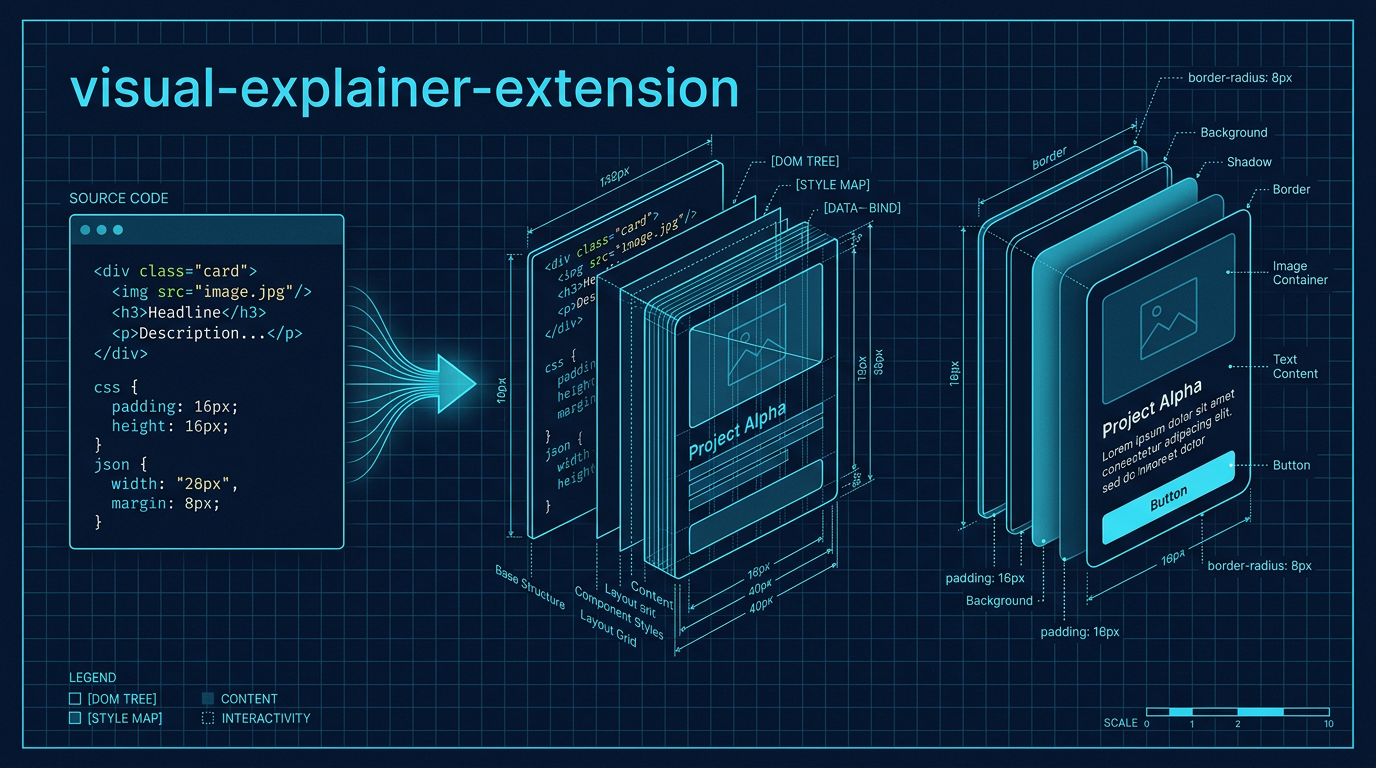
Strikingly well-designed HTML diagrams and reports for the Gemini CLI.
ABOUTME: visual-explainer-extension is a high-fidelity fork of the original visual-explainer project. It transforms complex terminal output into sophisticated, human-crafted HTML pages featuring advanced CSS orchestration, premium typography, and native AI image generation.
Project Overview
This extension replaces generic ASCII art and "AI-slop" templates with interactive HTML pages that follow a strict Design Engineering Mandate. It uses modern CSS techniques like @layer and @container to produce layouts that feel professional, intentional, and high-contrast.
🚀 Next-Level Features (v1.0.0+)
- Advanced CSS Orchestration: Uses CSS Layers (
@layer) for robust style management and Container Queries (@container) for modular, adaptive components. - Premium Typography: Strictly forbids generic fonts (Inter, Roboto). Employs "High-Character" pairings like Instrument Serif + JetBrains Mono and IBM Plex Sans + Mono.
- Aesthetic Recipes: Built-in high-fidelity modes for Blueprint, Editorial, and Paper/Ink aesthetics.
- Interactive Components:
- Intent Bridge: Maps natural language intent directly to code implementation.
- Archetype Cards: Modular system overviews with AI-generated icons.
- Enhanced Code Windows: IDE-like blocks with file tabs and sophisticated syntax highlighting.
- Proactive Image Generation: Automatically generates hero banners, module icons, and background patterns using the built-in Gemini Image tools.
- Anti-Slop Enforcement: Hard rules to prevent generic AI patterns (no indigo gradients, no emoji headers, no unstructured code dumps).
Main Technologies
- HTML5 / Modern CSS: Vanilla implementation leveraging CSS Layers and Container Queries.
- Mermaid.js (ESM): For topology-heavy diagrams with
layout: 'elk'support. - Chart.js: For data-driven dashboards and metric visualizations.
- Lucide Icons: Clean, consistent technical icons via SVG.
- Node.js / MCP: Native image generation tools using the Gemini API.
Installation
# Link the extension to your Gemini CLI
gemini extensions link .
Available Commands
Visualization Commands
| Command | Description |
|---|---|
/diff-review |
Visual diff review with architecture comparison. |
/fact-check |
Verify accuracy of a document against code. |
/generate-slides |
Generate a magazine-quality slide deck. |
/generate-visual-plan |
Generate a visual implementation plan. |
/generate-web-diagram |
Generate an HTML diagram for any topic. |
/plan-review |
Compare a plan against the codebase. |
/project-recap |
Mental model snapshot for context-switching. |
/visual-code-explain |
Explain the logic of a code file using Intent Bridges. |
/code-archetype |
Generate structural cards for a module or subsystem. |
Image Generation (Nanobanana Integration)
| Command | Description |
|---|---|
/visual-generate |
Generate high-quality images from prompts. |
/visual-icon |
Create app icons and UI elements. |
/visual-pattern |
Generate seamless, tileable textures. |
/visual-story |
Create visually consistent story sequences. |
/visual-diagram |
Generate professional diagrams as images. |
Model Instructions (SKILL.md)
The core logic and design principles are located in skills/visual-explainer/SKILL.md. The model follows a Design Tokens first workflow, ensuring every output meets the "Squint Test" for visual hierarchy and the "Swap Test" for design intent.
Development
- Testing: Use
gemini extensions link .to test locally. - Portability: Keep HTML self-contained. All styles and logic are inlined for single-file portability.
- Performance: Minimizes turns by reading reference materials in parallel.
Forked from the original visual-explainer repository. Re-engineered for aesthetic excellence.
Установка Visual Explainer Extension
У этого сервера нет опубликованного пакета — он собирается из исходников. Открой репозиторий и следуй инструкции в README.
▸ github.com/Jakedismo/visual-explainer-extensionFAQ
Visual Explainer Extension MCP бесплатный?
Да, Visual Explainer Extension MCP бесплатный — установка в пару кликов через Unyly без оплаты.
Нужен ли API-ключ для Visual Explainer Extension?
Нет, Visual Explainer Extension работает без API-ключей и переменных окружения.
Visual Explainer Extension — hosted или self-hosted?
Self-hosted: сервер запускается локально на твоей машине командой из раздела установки.
Как установить Visual Explainer Extension в Claude Desktop, Claude Code или Cursor?
Открой Visual Explainer Extension на unyly.org, выбери вкладку своего клиента (Claude Desktop, Claude Code, Cursor) и нажми Install — конфиг сгенерируется автоматически, без правки JSON.
Похожие MCP
GitHub
PRs, issues, code search, CI status
 автор: GitHub
Filesystem
Secure file operations with configurable access controls.
Memory
Knowledge graph-based persistent memory system.
Template MCP Server
A CLI tool to create a new Model Context Protocol server project with TypeScript support, dual transport options, and an extensible structure
 автор: mcpdotdirect
Compare Visual Explainer Extension with
Не уверен что выбрать?
Найди свой стек за 60 секунд
Автор?
Embed-бейдж для README
Похожее
Все в категории development