
Wistia Mcp Cli
БесплатноНе проверенWistia MCP server and shared CLI: 169 stable API tools, guarded writes, bounded paging, private accounts and a desktop extension.

Описание
Wistia MCP server and shared CLI: 169 stable API tools, guarded writes, bounded paging, private accounts and a desktop extension.
README

Wistia MCP Server & CLI
npm CI License YouTube X LinkedIn
Wistia MCP server and CLI for Codex and AI agents. 169 tools: 86 reads and 83 confirmed writes for media, folders, captions, channels, webinars, sharing, analytics and uploads.
One package provides local MCP, the same operations as task CLI commands, and a bundled Claude Desktop .mcpb extension.
Built and maintained by Navid Moazzez. Built on Slipway, which turns one definition of each tool into the MCP server and the CLI. Complete installation and private account setup are in INSTALL.md.
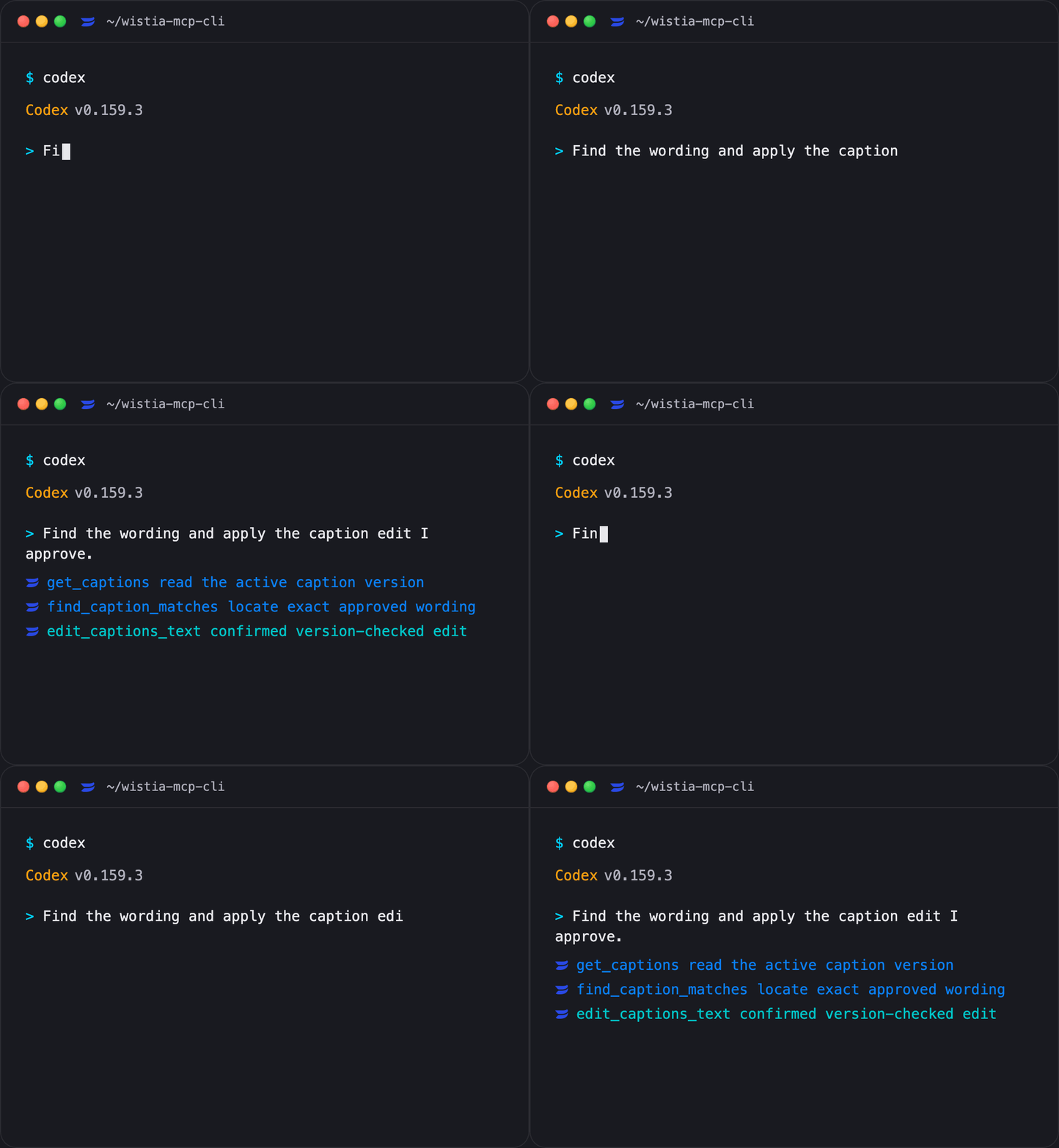
The terminal illustrates shipped caption tools with sample data. It is a presentation preview, not a verified live account edit.
You need a private scoped Wistia Bearer token and appropriate endpoint/account permissions. Service features, quota and charges apply. The wrapper preserves AGPL-3.0-or-later; this is a community product maintained by Navid Media.
Wistia already offers an official MCP and task CLI. Our added safeguards and bounded workflows are compared below, without unsupported coverage or efficiency claims.
Two ways to use it
Command line
npm install -g @thenavidm/wistia-mcp-cli@latest
wistia-cli
wistia-cli list-media --help
wistia-cli schema edit-captions-text
wistia-cli list-media --per-page 5 --agent
Configure private access before account calls. Every mutation requires --confirm; --yes and --agent do not authorize it.
MCP server, for your AI app
codex mcp add wistia -- npx -y @thenavidm/wistia-mcp-cli@latest
Then ask: Find the video I choose and locate this exact wording in its captions. Complete client/OS wiring is in INSTALL.md.
Which one
| Where you work | Surface |
|---|---|
| Codex, Cursor or another shell agent | Local MCP, CLI or both |
| Claude Desktop chat | Local MCP or desktop archive |
| Scripts/CI | Shared task CLI or an MCP client |
| Remote-URL-only clients | Official hosted Wistia MCP |
Features
| Capability | CLI | MCP |
|---|---|---|
| Media and folders | list-media / list-folders | list_media / list_folders |
| Exact caption matching | find-caption-matches | find_caption_matches |
| Guarded caption editing | edit-captions-text | edit_captions_text |
| Upload URL / local file | upload-media / upload-media-file | Same underscore names |
| Channels and webinars | list-channels / list-webinars | Same shared schemas |
| Stats and background jobs | get-media-engagement / get-job-status | Same account permissions |
| Private account selection | list-accounts / --account | list_accounts / account |
| Setup diagnosis | doctor / login | CLI utilities |
Contents
| Number | Section | Covers |
|---|---|---|
| 1 | What you can ask it | Prompts and coverage |
| 2 | Quick install | CLI, MCP and desktop |
| 3 | Set up Wistia access | Token, version, permissions and quota |
| 4 | Connect your client | Clients and OS |
| 5 | Check it works | Doctor and first read |
| 6 | Output, flags and exit codes | Inputs, JSON and scripting |
| 7 | MCP or CLI and token cost | Real client usage evidence |
| 8 | Every tool and argument | All tools and arguments |
| 9 | Media, caption and webinar workflows | Media, captions, sharing and webinars |
| 10 | Pagination, quotas and background jobs | Bounded pages and async outcomes |
| 11 | Several private accounts | Named credentials |
| 12 | Writing safely | Confirmation and private generated tokens |
| 13 | How it works | Shared framework and regeneration |
| 14 | Your data | Private data handling |
| 15 | Environment variables | Credential, safety and tuning |
| 16 | Updates and removal | Upgrade and revoke |
| 17 | Troubleshooting | Symptoms and remedies |
| 18 | API coverage and comparisons | Official/community comparison |
| 19 | Versions | Version history and migration |
| 20 | FAQ | Accordion questions |
1. What you can ask it
- Find the intended folder and inspect a short media list.
- Read an authorized caption track and locate exact wording before editing it.
- Upload the particular local video or public URL I approved.
- Copy, move or archive only the media IDs I selected.
- Inspect channels, webinars, registrations and existing sharing settings.
- Read media analytics or Stats data for the requested date range.
- Watch a returned background job without treating acceptance as completion.
The published September schema has 167 HTTP operations. Separate form and local-file uploader commands make 168 shared API tools; the private account helper brings the total to 169 tools: 86 reads and 83 confirmed writes. Find Caption Matches is a nonmutating POST, so it is a read and remains available in read-only mode.
Wistia already offers official MCP and CLI products. This owned package adds a mandatory local mutation guard, named private account selection, bounded page retrieval and private output for created access credentials. These differences are supported by fixtures, real protocol discovery and a reviewed official binary. They do not establish overall superiority or token savings. Account outcomes and desktop GUI installation remain separately unverified.
2. Quick install
npm install -g @thenavidm/wistia-mcp-cli@latest
wistia-cli --version
wistia-cli login
wistia-cli doctor
wistia-cli tools
Manual MCP/CLI installs require Node 22 or newer. Help, discovery and schemas work before authentication. Account requests require privately configured access. The wistia-3.0.0.mcpb desktop archive bundles production dependencies for a compatible host. Full client/OS wiring is in INSTALL.md.
Codex local MCP, after private environment configuration:
codex mcp add wistia -- npx -y @thenavidm/wistia-mcp-cli@latest
codex mcp list
3. Set up Wistia access
Get a narrowly scoped private token
- Sign in to the intended Wistia account. An Account Owner creates account API tokens.
- Open Account Settings > API, following Wistia's access-token instructions.
- Create a named token with only the permissions your task needs. Copy the token when it is shown at creation and store it privately.
- Set
WISTIA_TOKEN_FILEto an absolute token-only file outside repositories, or configureWISTIA_API_TOKENonly in private local client/shell settings. - Run
wistia-cli doctor, thenwistia-cli doctor --networkfor one account read. A token without permission to read account details can fail doctor while having narrower resource permissions.
Tokens use a Bearer header. Do not supply passwords, cookies or token values as tool arguments. This package has no automatic .env loader, OS keychain integration or OAuth callback. login prints instructions without generating or saving credentials. The official hosted MCP has its own OAuth connection, and the official CLI offers keychain setup.
On macOS/Linux, keep the token file owner-only (0600), with a private parent directory (0700). On Windows, protect it with user-only filesystem ACLs. Token files must be regular, not symlinks, and at most 64 KB. A file takes precedence over the environment token and is cached until the process restarts. GUI clients may not inherit terminal environment variables. Enter actual credentials only in private local settings, never project files, chats or issues.
Permissions and feature eligibility
Read-media workflows normally need the read-folder/media permission. Editing, deleting, sharing, caption ordering, account administration and analytics use their specific endpoint permissions. The operation reference preserves the provider's declared permission requirements. Delegated tokens follow the assigned contact's permissions; they do not elevate access. A 401/403 may indicate token scope, account status, role or feature access, not a broken installation.
Webinars, localizations, accessibility orders, trials, media capacity and purchases depend on current account features and allowances. Installation does not purchase a plan or create quota. Read the intended endpoint and account's billing settings before chargeable operations. No universal paid-plan requirement is invented for every Data API call. Official hosted MCP access is documented for owners and managers. Keep that rule separate from the permission model of a scoped API token.
Modern routes and dated API version
The service URL is https://api.wistia.com/modern. Requests include X-Wistia-Api-Version: 2026-09 by default. The pinned official CLI v2026.9.0 schema identifies its document as 2026.09.0. Set WISTIA_API_VERSION only to a reviewed YYYY-MM release. The provider may resolve an unsupported date to an earlier supported release and may retire older versions; a header is not an indefinite compatibility guarantee. See the modern migration guide.
The uploader remains https://upload.wistia.com/, with form or multipart encoding and private Bearer authentication. Modern media/folder requests use the current schema. Folder request bodies retain some camelCase fields; uploader project_id is still valid. Do not mechanically rename every property to snake_case. Stats routes retain /stats/projects; a folder rename does not imply every Stats URL changed.
Shared quota
Wistia documents 600 requests per minute across Data and Upload APIs for an account. The local default is 150 ms between requests per account/process, but other integrations and duplicate labels still share the provider's quota. Every page and retried read counts. GET 429 handling respects Retry-After only when the delay is at most ten seconds; a longer delay returns exit 7 for explicit caller pacing. POST queries and all mutations have no automatic retries. No process-local pacing setting reserves quota.
4. Connect your client
INSTALL.md covers Codex, Claude Code, Claude Desktop extension/manual settings, Cursor, VS Code/Copilot, Windsurf, Zed, Gemini CLI, Cline, Docker and other stdio clients on macOS, Windows and Linux. Use command npx and arguments -y, @thenavidm/wistia-mcp-cli@latest, with private local environment settings. Codex is the current setup/validation priority; Claude Code is optional.
A client accepting only a remote HTTPS URL can use the official Wistia MCP at https://api.wistia.com/mcp/api, with its OAuth or supported Bearer setup. It supports toolset selection. The local package does not expose a public HTTP relay. Use separate server names if comparing both.
The npm package ships SKILL.md. Copy or link it into your agent's supported skills location for shell use; npm installation does not register a skill automatically. An agent should inspect current commands/schemas and help configure private settings without requesting tokens in chat.
5. Check it works
wistia-cli --version
wistia-cli doctor
wistia-cli doctor --network
wistia-cli list-accounts --agent
wistia-cli list-media --per-page 5 --agent
Network doctor performs GET /modern/account and reports success without printing account details. The first list is a small authorized read, not a mutation. A successful read proves only that operation's access. Full discovery exposes 169 tools; read-only exposes 86. Missing configuration exits 10; missing arguments or an unconfirmed write exit 2. Use actual returned hashed IDs, numeric IDs and timestamps according to each schema, not guessed identifier types.
6. Output, flags and exit codes
Tool names become dashed commands; underscores are accepted too. Path parameter names follow the discovered schema, such as media_hashed_id → --media-hashed-id. Body tools accept individual top-level flags, complete --payload JSON, or --payload-file pointing to a regular JSON body file up to 5 MB. Do not mix those body routes. Path/query flags remain separate. Nested objects take JSON and array flags repeat once per item; a whole array is not a single item.
wistia-cli get-media --help
wistia-cli schema create-captions
wistia-cli list-media --hashed-ids MEDIA_A --hashed-ids MEDIA_B --per-page 5 --agent
wistia-cli list-media --cursor '{"enabled":1}' --per-page 5 --agent
IDs above are illustrative; use discovered resources from your own account. Nullable fields require an actual JSON null inside payload; --field null is a string. Nested values preserve current upstream constraints; unknown top-level body fields are refused. Body-required fields are validated during execution even when the wrapper schema allows an alternative payload route. Operations whose upstream request body is required need body flags or an explicit payload; a deliberately supplied empty object is sent as JSON, never omitted.
| Flag | Behavior |
|---|---|
| --help / schema COMMAND | Current argument help / full JSON Schema |
| --json | Structured JSON |
| --compact | One-line JSON |
| --agent | Compact JSON and no prompts; never confirms a write |
| --select a,b.c | Keep selected fields, including nested objects/arrays |
| --no-color / --no-input | Noninteractive switches |
| --yes | Never replaces write confirmation |
| --confirm | Confirm only the requested mutation |
| --account NAME | Select private local credentials |
| --payload JSON / --payload-file PATH | Complete request body, mutually exclusive with body flags |
| Exit | Meaning |
|---|---|
| 0 | Success |
| 1 | Unexpected error |
| 2 | Invalid arguments or refused write, an unknown command or a hidden write |
| 3 | Resource not found |
| 4 | Authentication/permission failure |
| 5 | API/transport failure |
| 7 | Rate limit |
| 10 | Missing or invalid private configuration |
Results go to stdout, errors as JSON to stderr. Selection changes local output, not the original API response or quota charge. API success is not proof of notification delivery or a completed export.
7. MCP or CLI and token cost
MCP and CLI use the same schemas, validation and HTTP handlers: Slipway builds the MCP server, over stdio or --http, and the CLI from each tool's one definition; there is no second API implementation.
Measured on 2026-10-05 against 2.0.1, with Claude Code 2.1.286 on Claude Opus 5.5 (one short prompt with and without the server connected, the difference read from the API's own usage figures) and Codex 0.159.3 on gpt-6.1-sol:
| Cost | 2.0.1 | 3.0.0 |
|---|---|---|
| Claude Code, every tool loaded, every message | 175,141 | 147,760 |
| Claude Code's default, tool search, every message | 2,606 | 2,608 |
SKILL.md, read once |
1,413 | 1,492 |
| Codex over the CLI, one task, median of five | 86,367 | 83,866 |
| Codex over MCP, the same task, median of five | 48,777 | 48,646 |
The task was "find the command that imports media from a URL, and the flags it requires". Every tool loaded costs less because parts that several tools repeated, such as the player plugin settings, are written once. Over the CLI, 3.0.0's runs asked which, whose answer carries the command's help, where every 2.0.1 run read the 11,488-character command list. Over MCP, 3.0.0 cost slightly less. SKILL.md costs 79 more because it says how approval works over MCP and how which finds a command, and what exit codes 1 and 2 cover.
Tool-list bytes or characters divided by four are not API usage, and no other offering was measured.
8. Every tool and argument
All 167 stable HTTP operations derive from the pinned official September schema. The uploader has separate URL-form and local-file commands. list_accounts is local. Schemas validate complete body requirements whichever body input route you use. Each tool maps to its dashed CLI name. The permission column summarizes the provider requirements, not a substitute for the full endpoint reference.
| Tool | API operation | Mode | Permission requirement |
|---|---|---|---|
upload_media |
POST / |
Write, confirms | See current endpoint/account permission |
upload_media_file |
POST / |
Write, confirms | See current endpoint/account permission |
list_review_bundles |
GET /review_bundles |
Read | Read all folder and media data |
create_review_bundle |
POST /review_bundles |
Write, confirms | Read, update & delete anything |
delete_review_bundle |
DELETE /review_bundles/{reviewBundleHashedId} |
Write, confirms | Read, update & delete anything |
list_deleted_media |
GET /deleted_media |
Read | Read all folder and media data |
restore_deleted_media |
POST /deleted_media/restore |
Write, confirms | Upload and view media |
list_media |
GET /medias |
Read | Read all folder and media data |
get_media |
GET /medias/{mediaHashedId} |
Read | Read all folder and media data |
update_media |
PUT /medias/{mediaHashedId} |
Write, confirms | Read, update & delete anything |
delete_media |
DELETE /medias/{mediaHashedId} |
Write, confirms | Read, update & delete anything |
copy_media |
POST /medias/{mediaHashedId}/copy |
Write, confirms | Read, update & delete anything |
swap_media |
PUT /medias/{mediaHashedId}/swap |
Write, confirms | Read, update & delete anything |
get_media_stats |
GET /medias/{mediaHashedId}/stats |
Read | Read all folder and media data |
translate_media |
POST /medias/{mediaHashedId}/translate |
Write, confirms | Read, update & delete anything |
import_media_from_url |
POST /medias/import_url |
Write, confirms | Read, update & delete anything |
archive_media |
PUT /medias/archive |
Write, confirms | Read, update & delete anything |
move_media |
PUT /medias/move |
Write, confirms | Read, update & delete anything |
restore_media |
PUT /medias/restore |
Write, confirms | Read, update & delete anything |
bulk_copy_media |
PUT /medias/copy |
Write, confirms | Read, update & delete anything |
get_customizations |
GET /medias/{mediaId}/customizations |
Read | Read all folder and media data |
create_customizations |
POST /medias/{mediaId}/customizations |
Write, confirms | Read, update & delete anything |
update_customizations |
PUT /medias/{mediaId}/customizations |
Write, confirms | Read, update & delete anything |
delete_customizations |
DELETE /medias/{mediaId}/customizations |
Write, confirms | Read, update & delete anything |
get_appearance_customizations |
GET /medias/{mediaId}/customizations/appearance |
Read | Read all folder and media data |
update_appearance_customizations |
PUT /medias/{mediaId}/customizations/appearance |
Write, confirms | Read, update & delete anything |
get_playback_customizations |
GET /medias/{mediaId}/customizations/playback |
Read | Read all folder and media data |
update_playback_customizations |
PUT /medias/{mediaId}/customizations/playback |
Write, confirms | Read, update & delete anything |
get_thumbnail_customizations |
GET /medias/{mediaId}/customizations/thumbnail |
Read | Read all folder and media data |
update_thumbnail_customizations |
PUT /medias/{mediaId}/customizations/thumbnail |
Write, confirms | Read, update & delete anything |
get_accessibility_customizations |
GET /medias/{mediaId}/customizations/accessibility |
Read | Read all folder and media data |
update_accessibility_customizations |
PUT /medias/{mediaId}/customizations/accessibility |
Write, confirms | Read, update & delete anything |
get_chapters_customizations |
GET /medias/{mediaId}/customizations/chapters |
Read | Read all folder and media data |
update_chapters_customizations |
PUT /medias/{mediaId}/customizations/chapters |
Write, confirms | Read, update & delete anything |
get_engagement_customizations |
GET /medias/{mediaId}/customizations/engagement |
Read | Read all folder and media data |
update_engagement_customizations |
PUT /medias/{mediaId}/customizations/engagement |
Write, confirms | Read, update & delete anything |
get_related_media_customizations |
GET /medias/{mediaId}/customizations/related_media |
Read | Read all folder and media data |
update_related_media_customizations |
PUT /medias/{mediaId}/customizations/related_media |
Write, confirms | Read, update & delete anything |
get_sharing_customizations |
GET /medias/{mediaId}/customizations/sharing |
Read | Read all folder and media data |
update_sharing_customizations |
PUT /medias/{mediaId}/customizations/sharing |
Write, confirms | Read, update & delete anything |
get_lead_capture_customizations |
GET /medias/{mediaId}/customizations/lead_capture |
Read | Read all folder and media data |
update_lead_capture_customizations |
PUT /medias/{mediaId}/customizations/lead_capture |
Write, confirms | Read, update & delete anything |
get_access_customizations |
GET /medias/{mediaId}/customizations/access |
Read | Read all folder and media data |
update_access_customizations |
PUT /medias/{mediaId}/customizations/access |
Write, confirms | Read, update & delete anything |
resolve_share_link |
GET /share_links/{identifier} |
Read | Read all folder and media data |
get_share_link |
GET /medias/{mediaId}/share_link |
Read | Read all folder and media data |
update_share_link |
PUT /medias/{mediaId}/share_link |
Write, confirms | Read, update & delete anything |
delete_share_link |
DELETE /medias/{mediaId}/share_link |
Write, confirms | Read, update & delete anything |
list_captions |
GET /medias/{mediaHashedId}/captions |
Read | Read all folder and media data |
create_captions |
POST /medias/{mediaHashedId}/captions |
Write, confirms | Read, update & delete anything |
list_all_captions |
GET /captions |
Read | Read all folder and media data |
find_caption_matches |
POST /caption_matches |
Read | Read all folder and media data |
purchase_captions |
POST /medias/{mediaHashedId}/captions/purchase |
Write, confirms | Read, update & delete anything |
get_captions |
GET /medias/{mediaHashedId}/captions/{languageCode} |
Read | Read all folder and media data |
update_captions |
PUT /medias/{mediaHashedId}/captions/{languageCode} |
Write, confirms | Read, update & delete anything |
delete_captions |
DELETE /medias/{mediaHashedId}/captions/{languageCode} |
Write, confirms | Read, update & delete anything |
edit_captions_text |
POST /medias/{mediaHashedId}/captions/{languageCode}/edits |
Write, confirms | Read, update & delete anything |
list_localizations |
GET /medias/{mediaHashedId}/localizations |
Read | Read all data |
create_localization |
POST /medias/{mediaHashedId}/localizations |
Write, confirms | Read, update & delete anything |
get_localization |
GET /medias/{mediaHashedId}/localizations/{localizationHashedId} |
Read | Read all data |
delete_localization |
DELETE /medias/{mediaHashedId}/localizations/{localizationHashedId} |
Write, confirms | Read, update & delete anything |
create_media_from_trims |
POST /medias/{mediaHashedId}/trims |
Write, confirms | Read, update & delete anything |
list_media_extended_audio_descriptions |
GET /media_extended_audio_descriptions |
Read | See current endpoint/account permission |
get_media_extended_audio_description |
GET /media_extended_audio_descriptions/{id} |
Read | See current endpoint/account permission |
delete_media_extended_audio_description |
DELETE /media_extended_audio_descriptions/{id} |
Write, confirms | See current endpoint/account permission |
order_extended_audio_description |
POST /media_extended_audio_descriptions/order |
Write, confirms | See current endpoint/account permission |
get_order_status |
GET /media_extended_audio_descriptions/order_status/{id} |
Read | See current endpoint/account permission |
list_brands |
GET /brands |
Read | Read all data |
create_brand |
POST /brands |
Write, confirms | All data |
get_brand |
GET /brands/{brandId} |
Read | Read all data |
update_brand |
PUT /brands/{brandId} |
Write, confirms | All data |
delete_brand |
DELETE /brands/{brandId} |
Write, confirms | All data |
apply_brand |
POST /brands/{brandId}/apply |
Write, confirms | All data |
list_speakers |
GET /speakers |
Read | Read all data |
list_tags |
GET /tags |
Read | Read all data |
create_tags |
POST /tags |
Write, confirms | Read, update & delete anything |
delete_tag |
DELETE /tags/{name} |
Write, confirms | Read, update & delete anything |
create_bulk_actions |
POST /bulk |
Write, confirms | Read, update & delete anything |
create_bulk_purchase |
POST /bulk/purchase |
Write, confirms | Read, update & delete anything |
bulk_tag |
POST /taggings/bulk_create |
Write, confirms | Read, update & delete anything |
list_folders |
GET /folders |
Read | Read all folder and media data |
create_folder |
POST /folders |
Write, confirms | Read, update & delete anything |
get_folder |
GET /folders/{id} |
Read | Read all folder and media data |
update_folder |
PUT /folders/{id} |
Write, confirms | Read, update & delete anything |
delete_folder |
DELETE /folders/{id} |
Write, confirms | Read, update & delete anything |
copy_folder |
POST /folders/{id}/copy |
Write, confirms | Read, update & delete anything |
list_folder_sharings |
GET /folders/{folderId}/sharings |
Read | Read all data |
create_folder_sharing |
POST /folders/{folderId}/sharings |
Write, confirms | Read, update & delete anything |
get_folder_sharing |
GET /folders/{folderId}/sharings/{sharingId} |
Read | Read all data |
update_folder_sharing |
PUT /folders/{folderId}/sharings/{sharingId} |
Write, confirms | Read, update & delete anything |
delete_folder_sharing |
DELETE /folders/{folderId}/sharings/{sharingId} |
Write, confirms | Read, update & delete anything |
list_subfolders |
GET /folders/{folderId}/subfolders |
Read | Read all folder and media data |
create_subfolder |
POST /folders/{folderId}/subfolders |
Write, confirms | Read, update & delete anything |
get_subfolder |
GET /folders/{folderId}/subfolders/{subfolderId} |
Read | Read all folder and media data |
update_subfolder |
PUT /folders/{folderId}/subfolders/{subfolderId} |
Write, confirms | Read, update & delete anything |
delete_subfolder |
DELETE /folders/{folderId}/subfolders/{subfolderId} |
Write, confirms | Read, update & delete anything |
bulk_delete_subfolders |
DELETE /folders/{folderId}/subfolders/bulk_delete |
Write, confirms | Read, update & delete anything |
list_channels |
GET /channels |
Read | Read all folder and media data |
create_channel |
POST /channels |
Write, confirms | See current endpoint/account permission |
get_channel |
GET /channels/{channelHashedId} |
Read | Read all folder and media data |
update_channel |
PUT /channels/{channelHashedId} |
Write, confirms | See current endpoint/account permission |
delete_channel |
DELETE /channels/{channelHashedId} |
Write, confirms | See current endpoint/account permission |
get_channel_episode |
GET /channels/{channelHashedId}/channel_episodes/{channelEpisodeId} |
Read | Read all folder and media data |
list_channel_episodes_by_channel |
GET /channels/{channelHashedId}/channel_episodes |
Read | Read all folder and media data |
create_channel_episode |
POST /channels/{channelHashedId}/channel_episodes |
Write, confirms | Read, update & delete anything |
list_channel_episodes |
GET /channel_episodes |
Read | Read all folder and media data |
update_channel_episode |
PUT /channel_episodes/{channelEpisodeHashedId} |
Write, confirms | Read, update & delete anything |
delete_channel_episode |
DELETE /channel_episodes/{channelEpisodeHashedId} |
Write, confirms | Read, update & delete anything |
publish_channel_episode |
PUT /channel_episodes/{channelEpisodeHashedId}/publish |
Write, confirms | Read, update & delete anything |
un_publish_channel_episode |
PUT /channel_episodes/{channelEpisodeHashedId}/unpublish |
Write, confirms | Read, update & delete anything |
list_channel_collaborators |
GET /channels/{channelHashedId}/collaborators |
Read | Read all data |
create_channel_collaborator |
POST /channels/{channelHashedId}/collaborators |
Write, confirms | Read, update & delete anything |
delete_channel_collaborator |
DELETE /channels/{channelHashedId}/collaborators/{id} |
Write, confirms | Read, update & delete anything |
list_webinars |
GET /webinars |
Read | Read all data |
create_webinar |
POST /webinars |
Write, confirms | Read, update & delete anything |
get_webinar |
GET /webinars/{id} |
Read | Read all data |
update_webinar |
PUT /webinars/{id} |
Write, confirms | Read, update & delete anything |
delete_webinar |
DELETE /webinars/{id} |
Write, confirms | Read, update & delete anything |
list_webinar_registrations |
GET /webinars/{webinarId}/registrations |
Read | Read all data |
create_webinar_registration |
POST /webinars/{webinarId}/registrations |
Write, confirms | Read, update & delete anything |
list_webinar_collaborators |
GET /webinars/{webinarId}/collaborators |
Read | Read all data |
create_webinar_collaborator |
POST /webinars/{webinarId}/collaborators |
Write, confirms | Read, update & delete anything |
delete_webinar_collaborator |
DELETE /webinars/{webinarId}/collaborators/{id} |
Write, confirms | Read, update & delete anything |
get_account |
GET /account |
Read | (any scope allowed) |
get_account_usage |
GET /account_usage |
Read | (any scope allowed) |
get_credit_balance |
GET /credits/balance |
Read | (any scope allowed) |
get_brand_preload |
GET /brand_preload |
Read | (any scope allowed) |
update_brand_preload |
PUT /brand_preload |
Write, confirms | (any scope allowed) |
get_brand_kit_colors |
GET /brand_kit_colors |
Read | (any scope allowed) |
invite_contacts |
POST /contacts |
Write, confirms | Read, update & delete anything |
dismiss_desktop_install_prompt |
POST /contact/dismiss_desktop_install_prompt |
Write, confirms | Read, update & delete anything |
start_account_trial |
POST /account/trials |
Write, confirms | Read, update & delete anything |
get_current_token |
GET /token |
Read | See current endpoint/account permission |
search |
GET /search |
Read | Read all data |
resolve_resource_urls |
GET /resource_urls |
Read | Read all data |
create_expiring_access_token |
POST /expiring_token |
Write, confirms | Read, update & delete anything |
get_job_status |
GET /background_job_status/{backgroundJobStatusId} |
Read | Read all data |
list_allowed_domains |
GET /allowed_domains |
Read | Read all data |
create_allowed_domain |
POST /allowed_domains |
Write, confirms | Read, update & delete anything |
get_allowed_domain |
GET /allowed_domains/{domain} |
Read | Read all data |
delete_allowed_domain |
DELETE /allowed_domains/{domain} |
Write, confirms | Read, update & delete anything |
get_account_stats |
GET /stats/account |
Read | Read detailed stats |
get_account_stats_by_date |
GET /stats/account/by_date |
Read | Read detailed stats |
get_project_stats |
GET /stats/projects/{projectId} |
Read | Read detailed stats |
get_media_stats_stats_media |
GET /stats/medias/{mediaId} |
Read | Read detailed stats |
get_media_stats_by_date |
GET /stats/medias/{mediaId}/by_date |
Read | Read detailed stats |
get_media_engagement |
GET /stats/medias/{mediaId}/engagement |
Read | Read detailed stats |
list_visitors |
GET /stats/visitors |
Read | Read detailed stats |
get_visitor |
GET /stats/visitors/{visitorKey} |
Read | Read detailed stats |
list_events |
GET /stats/events |
Read | Read detailed stats |
get_event |
GET /stats/events/{eventKey} |
Read | Read detailed stats |
get_account_analytics |
GET /analytics/account |
Read | Read detailed stats |
get_account_analytics_timeseries |
GET /analytics/account/timeseries |
Read | Read detailed stats |
get_account_top_content |
GET /analytics/account/top_content |
Read | Read detailed stats |
get_account_embed_locations |
GET /analytics/account/embed_locations |
Read | Read detailed stats |
find_media_by_embed_location |
GET /analytics/account/media_by_embed_location |
Read | Read detailed stats |
get_media_analytics |
GET /analytics/medias/{mediaId} |
Read | Read detailed stats |
get_media_analytics_timeseries |
GET /analytics/medias/{mediaId}/timeseries |
Read | Read detailed stats |
get_media_embed_locations |
GET /analytics/medias/{mediaId}/embed_locations |
Read | Read detailed stats |
get_media_embed_locations_timeseries |
GET /analytics/medias/{mediaId}/embed_locations_timeseries |
Read | Read detailed stats |
get_media_traffic_breakdown |
GET /analytics/medias/{mediaId}/traffic |
Read | Read detailed stats |
get_media_form_conversions |
GET /analytics/medias/{mediaId}/conversions |
Read | Read detailed stats |
get_media_languages |
GET /analytics/medias/{mediaId}/languages |
Read | Read detailed stats |
get_webinar_analytics |
GET /analytics/webinars/{webinarId} |
Read | Read detailed stats |
get_webinar_registration_timeseries |
GET /analytics/webinars/{webinarId}/registration |
Read | Read detailed stats |
get_webinar_traffic_breakdown |
GET /analytics/webinars/{webinarId}/traffic |
Read | Read detailed stats |
get_webinar_audience |
GET /analytics/webinars/{webinarId}/audience |
Read | Read detailed stats |
get_webinar_histograms |
GET /analytics/webinars/{webinarId}/histograms |
Read | Read detailed stats |
list_accounts |
Local, no network | Read | No remote permission |
upload_media
wistia-cli upload-media
| Argument | Required | Type | Details |
|---|---|---|---|
project_id |
No; body/guard rules still apply | string | The hashed id of the project to upload media into. |
name |
No; body/guard rules still apply | string | A display name to use for the media in Wistia. maxLength: 255. |
description |
No; body/guard rules still apply | string | A description to use for the media in Wistia. |
contact_id |
No; body/guard rules still apply | integer | A Wistia contact id. |
url |
No; body/guard rules still apply | string | The publicly accessible web location of the media file to import. format: uri. |
low_priority |
No; body/guard rules still apply | boolean | Inform the encoding service that this upload can be considered lower priority than others. This is especially useful for platform customers doing bulk uploads or migrations. Setting this to "false" has no effect. |
account |
No; body/guard rules still apply | string | Named private Wistia account; selects credentials, not a remote account ID. |
confirm |
No; body/guard rules still apply | boolean | Set true only when the user asked for exactly this action. |
payload |
No; body/guard rules still apply | object | Complete JSON request body instead of body flags. Supports current nested customization, caption and nullable values. Object requires: url. |
payload_file |
No; body/guard rules still apply | string | Regular local JSON body file, at most 5 MB. Cannot be mixed with body flags or payload. minLength: 1. |
Body requires: url.
upload_media_file
wistia-cli upload-media-file
| Argument | Required | Type | Details |
|---|---|---|---|
project_id |
No; body/guard rules still apply | string | The hashed id of the project to upload media into. |
name |
No; body/guard rules still apply | string | A display name to use for the media in Wistia. maxLength: 255. |
description |
No; body/guard rules still apply | string | A description to use for the media in Wistia. |
contact_id |
No; body/guard rules still apply | integer | A Wistia contact id. |
file |
No; body/guard rules still apply | string | Absolute regular local file, no symlinks, at most 250 MiB locally. Bytes are sent after explicit confirmation. minLength: 1. |
account |
No; body/guard rules still apply | string | Named private Wistia account; selects credentials, not a remote account ID. |
confirm |
No; body/guard rules still apply | boolean | Set true only when the user asked for exactly this action. |
payload |
No; body/guard rules still apply | object | Complete JSON request body instead of body flags. Supports current nested customization, caption and nullable values. Object requires: file. |
payload_file |
No; body/guard rules still apply | string | Regular local JSON body file, at most 5 MB. Cannot be mixed with body flags or payload. minLength: 1. |
Body requires: file.
list_review_bundles
wistia-cli list-review-bundles
| Argument | Required | Type | Details |
|---|---|---|---|
hashed_ids |
No; body/guard rules still apply | array | Restrict the results to the review bundles with these hashed IDs. Array items: string. |
name |
No; body/guard rules still apply | string | Restrict the results to review bundles whose name contains this value (case-insensitive). |
media_hashed_id |
No; body/guard rules still apply | string | Restrict the results to review bundles that include the media with this hashed ID. |
folder_hashed_id |
No; body/guard rules still apply | string | Restrict the results to review bundles that include any media from the folder with this hashed ID. |
sort_by |
No; body/guard rules still apply | string | Field to order by. The default is id. Values: id, name, created, updated. |
sort_direction |
No; body/guard rules still apply | integer | Direction to order by. (0 = desc, 1 = asc; default is 1) Values: 0, 1. |
page |
No; body/guard rules still apply | integer | The page number to retrieve. This cannot be combined with cursor, pagination. minimum: 1. |
per_page |
No; body/guard rules still apply | integer | The number of medias per page. Use this for both offset pagination and cursor pagination. minimum: 1. maximum: 100. |
cursor |
No; body/guard rules still apply | object | If cursor[enabled] is set to 1 then cursor pagination is enabled and the first set of records are fetched up to the per_page. Cursor pagination will also be turned on if cursor[before] or cursor[after] are set. Records returned will have a cursor property set which can be used to fetch more records in the same sort_by ordering. The cursor value of the last record can be used to fetch records after the current result set and the cursor of the first record can be used to fetch records before the result set. NOTE: a cursor value is only valid if the sort_by value hasn't changed from the last fetch. For example, you cannot fetch using sort_by id and then pass that cursor value to a sort_by name. |
account |
No; body/guard rules still apply | string | Named private Wistia account; selects credentials, not a remote account ID. |
all_pages |
No; body/guard rules still apply | boolean | Read bounded page/per_page pages; each request consumes API quota. Not a snapshot or guaranteed complete backup. |
max_items |
No; body/guard rules still apply | integer | Maximum returned records with all_pages=true, default 1000. At most 100 requests; output includes continuation state. minimum: 1. maximum: 10000. |
create_review_bundle
wistia-cli create-review-bundle
| Argument | Required | Type | Details |
|---|---|---|---|
media_hashed_ids |
No; body/guard rules still apply | array | The hashed ids of the media to include in the bundle. Limited to 25 media. Array items: string. |
name |
No; body/guard rules still apply | string | The bundle display name. |
allow_downloads |
No; body/guard rules still apply | boolean | Whether the videos in the bundle can be downloaded. |
account |
No; body/guard rules still apply | string | Named private Wistia account; selects credentials, not a remote account ID. |
confirm |
No; body/guard rules still apply | boolean | Set true only when the user asked for exactly this action. |
payload |
No; body/guard rules still apply | object | Complete JSON request body instead of body flags. Supports current nested customization, caption and nullable values. Object requires: media_hashed_ids, name. |
payload_file |
No; body/guard rules still apply | string | Regular local JSON body file, at most 5 MB. Cannot be mixed with body flags or payload. minLength: 1. |
Body requires: media_hashed_ids, name.
delete_review_bundle
wistia-cli delete-review-bundle
| Argument | Required | Type | Details |
|---|---|---|---|
review_bundle_hashed_id |
Yes | string | The hashed id of the review bundle. minLength: 1. |
account |
No; body/guard rules still apply | string | Named private Wistia account; selects credentials, not a remote account ID. |
confirm |
No; body/guard rules still apply | boolean | Set true only when the user asked for exactly this action. |
list_deleted_media
wistia-cli list-deleted-media
| Argument | Required | Type | Details |
|---|---|---|---|
hashed_ids |
No; body/guard rules still apply | array | Restrict the results to the deleted media with these hashed IDs. Array items: string. |
sort_by |
No; body/guard rules still apply | string | Field to order by. When omitted, results are ordered most-recently-deleted first. Values: id, deleted, name, type, created. |
sort_direction |
No; body/guard rules still apply | integer | Direction to order by. (0 = desc, 1 = asc; default is 1) Values: 0, 1. |
page |
No; body/guard rules still apply | integer | The page number to retrieve. This cannot be combined with cursor, pagination. minimum: 1. |
per_page |
No; body/guard rules still apply | integer | The number of medias per page. Use this for both offset pagination and cursor pagination. minimum: 1. maximum: 100. |
cursor |
No; body/guard rules still apply | object | If cursor[enabled] is set to 1 then cursor pagination is enabled and the first set of records are fetched up to the per_page. Cursor pagination will also be turned on if cursor[before] or cursor[after] are set. Records returned will have a cursor property set which can be used to fetch more records in the same sort_by ordering. The cursor value of the last record can be used to fetch records after the current result set and the cursor of the first record can be used to fetch records before the result set. NOTE: a cursor value is only valid if the sort_by value hasn't changed from the last fetch. For example, you cannot fetch using sort_by id and then pass that cursor value to a sort_by name. |
account |
No; body/guard rules still apply | string | Named private Wistia account; selects credentials, not a remote account ID. |
all_pages |
No; body/guard rules still apply | boolean | Read bounded page/per_page pages; each request consumes API quota. Not a snapshot or guaranteed complete backup. |
max_items |
No; body/guard rules still apply | integer | Maximum returned records with all_pages=true, default 1000. At most 100 requests; output includes continuation state. minimum: 1. maximum: 10000. |
restore_deleted_media
wistia-cli restore-deleted-media
| Argument | Required | Type | Details |
|---|---|---|---|
media_hashed_ids |
No; body/guard rules still apply | array | The hashed ids of the soft-deleted media to restore. Up to 1000 at a time. Array items: string. |
folder_id |
No; body/guard rules still apply | string | Optional hashed id of the folder to restore the media into. If omitted, each media returns to the folder it was deleted from. |
account |
No; body/guard rules still apply | string | Named private Wistia account; selects credentials, not a remote account ID. |
confirm |
No; body/guard rules still apply | boolean | Set true only when the user asked for exactly this action. |
payload |
No; body/guard rules still apply | object | Complete JSON request body instead of body flags. Supports current nested customization, caption and nullable values. Object requires: media_hashed_ids. |
payload_file |
No; body/guard rules still apply | string | Regular local JSON body file, at most 5 MB. Cannot be mixed with body flags or payload. minLength: 1. |
Body requires: media_hashed_ids.
list_media
wistia-cli list-media
| Argument | Required | Type | Details |
|---|---|---|---|
page |
No; body/guard rules still apply | integer | The page number to retrieve. This cannot be combined with cursor, pagination. minimum: 1. |
per_page |
No; body/guard rules still apply | integer | The number of medias per page. Use this for both offset pagination and cursor pagination. minimum: 1. maximum: 100. |
cursor |
No; body/guard rules still apply | object | If cursor[enabled] is set to 1 then cursor pagination is enabled and the first set of records are fetched up to the per_page. Cursor pagination will also be turned on if cursor[before] or cursor[after] are set. Records returned will have a cursor property set which can be used to fetch more records in the same sort_by ordering. The cursor value of the last record can be used to fetch records after the current result set and the cursor of the first record can be used to fetch records before the result set. NOTE: a cursor value is only valid if the sort_by value hasn't changed from the last fetch. For example, you cannot fetch using sort_by id and then pass that cursor value to a sort_by name. |
sort_by |
No; body/guard rules still apply | string | Ordering. When using cursor pagination (see cursor param), only id and created are supported. All other sort_by options (name, updated, position) require offset pagination. Values: name, created, updated, position. |
sort_direction |
No; body/guard rules still apply | integer | Ordering Sort Direction (0 = desc, 1 = asc; default is 1) Values: 0, 1. |
folder_id |
No; body/guard rules still apply | string | A hashed ID specifying the folder from which you would like to get results. |
name |
No; body/guard rules still apply | string | Find a media or medias whose name exactly matches this parameter. |
description_format |
No; body/guard rules still apply | string | Format for media descriptions |
include |
No; body/guard rules still apply | string | Set to speakers to include active transcript speaker assignments used for diarization. Webinar hosts and panelists are not included. Values: speakers. |
type |
No; body/guard rules still apply | string | A string specifying which type of media you would like to get. Values: Video, Audio, Image, PdfDocument, MicrosoftOfficeDocument, Swf, UnknownType. |
hashed_ids |
No; body/guard rules still apply | array | Find all of the medias by these hashed_ids. Array items: string. |
tags |
No; body/guard rules still apply | array | Find all of the medias that match all of these tag names. Array items: string. |
archived |
No; body/guard rules still apply | boolean | Filter by archived status. True will return only archived medias, while false will return only active medias. |
account |
No; body/guard rules still apply | string | Named private Wistia account; selects credentials, not a remote account ID. |
all_pages |
No; body/guard rules still apply | boolean | Read bounded page/per_page pages; each request consumes API quota. Not a snapshot or guaranteed complete backup. |
max_items |
No; body/guard rules still apply | integer | Maximum returned records with all_pages=true, default 1000. At most 100 requests; output includes continuation state. minimum: 1. maximum: 10000. |
get_media
wistia-cli get-media
| Argument | Required | Type | Details |
|---|---|---|---|
media_hashed_id |
Yes | string | The hashed ID of the media. minLength: 1. |
description_format |
No; body/guard rules still apply | string | Format for media descriptions |
include |
No; body/guard rules still apply | string | Set to speakers to include active transcript speaker assignments used for diarization. Webinar hosts and panelists are not included. Values: speakers. |
account |
No; body/guard rules still apply | string | Named private Wistia account; selects credentials, not a remote account ID. |
update_media
wistia-cli update-media
| Argument | Required | Type | Details |
|---|---|---|---|
media_hashed_id |
Yes | string | The hashed ID of the media. minLength: 1. |
name |
No; body/guard rules still apply | string | The media’s new name. |
new_still_media_id |
No; body/guard rules still apply | string | The Wistia hashed ID of an image that will replace the still that’s displayed before the player starts playing. |
description |
No; body/guard rules still apply | string | A new description for this media. Accepts plain text or markdown. |
tags |
No; body/guard rules still apply | array | An array of tag names to apply to the media. This replaces any existing tags. To add tags without replacing existing tags, use bulk-tag-media. Array items: string. |
custom_metadata |
No; body/guard rules still apply | object | Custom metadata field values to set, keyed by field key. Values take the same shapes as the Set Custom Metadata Field Value endpoint; a null value clears that field and omitted fields are untouched. Requires the custom metadata feature on the account. |
account |
No; body/guard rules still apply | string | Named private Wistia account; selects credentials, not a remote account ID. |
confirm |
No; body/guard rules still apply | boolean | Set true only when the user asked for exactly this action. |
payload |
No; body/guard rules still apply | object | Complete JSON request body instead of body flags. Supports current nested customization, caption and nullable values. |
payload_file |
No; body/guard rules still apply | string | Regular local JSON body file, at most 5 MB. Cannot be mixed with body flags or payload. minLength: 1. |
delete_media
wistia-cli delete-media
| Argument | Required | Type | Details |
|---|---|---|---|
media_hashed_id |
Yes | string | The hashed ID of the media. minLength: 1. |
account |
No; body/guard rules still apply | string | Named private Wistia account; selects credentials, not a remote account ID. |
confirm |
No; body/guard rules still apply | boolean | Set true only when the user asked for exactly this action. |
copy_media
wistia-cli copy-media
| Argument | Required | Type | Details |
|---|---|---|---|
media_hashed_id |
Yes | string | The hashed ID of the media. minLength: 1. |
folder_id |
No; body/guard rules still apply | integer | The ID of the folder where you want the new copy placed. Defaults to the source media’s current folder if omitted or invalid. |
owner |
No; body/guard rules still apply | string | An email address specifying the owner of the new media. Defaults to the source media’s current owner if omitted or invalid. format: email. |
account |
No; body/guard rules still apply | string | Named private Wistia account; selects credentials, not a remote account ID. |
confirm |
No; body/guard rules still apply | boolean | Set true only when the user asked for exactly this action. |
payload |
No; body/guard rules still apply | object | Complete JSON request body instead of body flags. Supports current nested customization, caption and nullable values. |
payload_file |
No; body/guard rules still apply | string | Regular local JSON body file, at most 5 MB. Cannot be mixed with body flags or payload. minLength: 1. |
swap_media
wistia-cli swap-media
| Argument | Required | Type | Details |
|---|---|---|---|
media_hashed_id |
Yes | string | The hashed ID of the media to be replaced. minLength: 1. |
replacement_media_id |
No; body/guard rules still apply | string | The hashed ID of the media that will replace the original media. Must be the same media type as the original. |
account |
No; body/guard rules still apply | string | Named private Wistia account; selects credentials, not a remote account ID. |
confirm |
No; body/guard rules still apply | boolean | Set true only when the user asked for exactly this action. |
payload |
No; body/guard rules still apply | object | Complete JSON request body instead of body flags. Supports current nested customization, caption and nullable values. Object requires: replacement_media_id. |
payload_file |
No; body/guard rules still apply | string | Regular local JSON body file, at most 5 MB. Cannot be mixed with body flags or payload. minLength: 1. |
Body requires: replacement_media_id.
get_media_stats
wistia-cli get-media-stats
| Argument | Required | Type | Details |
|---|---|---|---|
media_hashed_id |
Yes | string | The hashed ID of the video. minLength: 1. |
account |
No; body/guard rules still apply | string | Named private Wistia account; selects credentials, not a remote account ID. |
translate_media
wistia-cli translate-media
| Argument | Required | Type | Details |
|---|---|---|---|
media_hashed_id |
Yes | string | The hashed ID of the media. minLength: 1. |
target_language |
No; body/guard rules still apply | string | The language to translate the transcript to. Use the bibliographic ISO 639-2 form or a supported regional or script IETF tag. |
source_language |
No; body/guard rules still apply | string | The language of the source transcript. Use the bibliographic ISO 639-2 form or a supported regional or script IETF tag. If not provided, the media's default transcript language will be used. |
account |
No; body/guard rules still apply | string | Named private Wistia account; selects credentials, not a remote account ID. |
confirm |
No; body/guard rules still apply | boolean | Set true only when the user asked for exactly this action. |
payload |
No; body/guard rules still apply | object | Complete JSON request body instead of body flags. Supports current nested customization, caption and nullable values. Object requires: target_language. |
payload_file |
No; body/guard rules still apply | string | Regular local JSON body file, at most 5 MB. Cannot be mixed with body flags or payload. minLength: 1. |
Body requires: target_language.
import_media_from_url
wistia-cli import-media-from-url
| Argument | Required | Type | Details |
|---|---|---|---|
url |
No; body/guard rules still apply | string | The publicly accessible URL of the media file to import. format: uri. |
folder_id |
No; body/guard rules still apply | string | The hashed ID of the folder (project) to import the media into. If not provided, a new folder will be created. |
account |
No; body/guard rules still apply | string | Named private Wistia account; selects credentials, not a remote account ID. |
confirm |
No; body/guard rules still apply | boolean | Set true only when the user asked for exactly this action. |
payload |
No; body/guard rules still apply | object | Complete JSON request body instead of body flags. Supports current nested customization, caption and nullable values. Object requires: url. |
payload_file |
No; body/guard rules still apply | string | Regular local JSON body file, at most 5 MB. Cannot be mixed with body flags or payload. minLength: 1. |
Body requires: url.
archive_media
wistia-cli archive-media
| Argument | Required | Type | Details |
|---|---|---|---|
hashed_ids |
No; body/guard rules still apply | array | An array of the media hashed IDs to be archived. Array items: string. |
account |
No; body/guard rules still apply | string | Named private Wistia account; selects credentials, not a remote account ID. |
confirm |
No; body/guard rules still apply | boolean | Set true only when the user asked for exactly this action. |
payload |
No; body/guard rules still apply | object | Complete JSON request body instead of body flags. Supports current nested customization, caption and nullable values. Object requires: hashed_ids. |
payload_file |
No; body/guard rules still apply | string | Regular local JSON body file, at most 5 MB. Cannot be mixed with body flags or payload. minLength: 1. |
Body requires: hashed_ids.
move_media
wistia-cli move-media
| Argument | Required | Type | Details |
|---|---|---|---|
hashed_ids |
No; body/guard rules still apply | array | An array of the media hashed IDs to be moved. Array items: string. |
folder_id |
No; body/guard rules still apply | string | The hashed ID of the folder where you want the media moved. |
subfolder_id |
No; body/guard rules still apply | string | Optional. The hashed ID of the subfolder where you want the media moved. If not provided, media will be moved to the folder's default subfolder. The subfolder must belong to the specified folder. |
account |
No; body/guard rules still apply | string | Named private Wistia account; selects credentials, not a remote account ID. |
confirm |
No; body/guard rules still apply | boolean | Set true only when the user asked for exactly this action. |
payload |
No; body/guard rules still apply | object | Complete JSON request body instead of body flags. Supports current nested customization, caption and nullable values. Object requires: hashed_ids, folder_id. |
payload_file |
No; body/guard rules still apply | string | Regular local JSON body file, at most 5 MB. Cannot be mixed with body flags or payload. minLength: 1. |
Body requires: hashed_ids, folder_id.
restore_media
wistia-cli restore-media
| Argument | Required | Type | Details |
|---|---|---|---|
hashed_ids |
No; body/guard rules still apply | array | An array of the media hashed IDs to be restored. Array items: string. |
folder_id |
No; body/guard rules still apply | string | The hashed ID of the folder to restore the medias to. |
account |
No; body/guard rules still apply | string | Named private Wistia account; selects credentials, not a remote account ID. |
confirm |
No; body/guard rules still apply | boolean | Set true only when the user asked for exactly this action. |
payload |
No; body/guard rules still apply | object | Complete JSON request body instead of body flags. Supports current nested customization, caption and nullable values. Object requires: hashed_ids, folder_id. |
payload_file |
No; body/guard rules still apply | string | Regular local JSON body file, at most 5 MB. Cannot be mixed with body flags or payload. minLength: 1. |
Body requires: hashed_ids, folder_id.
bulk_copy_media
wistia-cli bulk-copy-media
| Argument | Required | Type | Details |
|---|---|---|---|
hashed_ids |
No; body/guard rules still apply | array | An array of the media hashed IDs to be copied. Array items: string. |
folder_id |
No; body/guard rules still apply | string | The hashed ID of the destination folder where the copies will be placed. |
account |
No; body/guard rules still apply | string | Named private Wistia account; selects credentials, not a remote account ID. |
confirm |
No; body/guard rules still apply | boolean | Set true only when the user asked for exactly this action. |
payload |
No; body/guard rules still apply | object | Complete JSON request body instead of body flags. Supports current nested customization, caption and nullable values. Object requires: hashed_ids, folder_id. |
payload_file |
No; body/guard rules still apply | string | Regular local JSON body file, at most 5 MB. Cannot be mixed with body flags or payload. minLength: 1. |
Body requires: hashed_ids, folder_id.
get_customizations
wistia-cli get-customizations
| Argument | Required | Type | Details |
|---|---|---|---|
media_id |
Yes | string | The hashed ID of the video. minLength: 1. |
account |
No; body/guard rules still apply | string | Named private Wistia account; selects credentials, not a remote account ID. |
create_customizations
wistia-cli create-customizations
| Argument | Required | Type | Details |
|---|---|---|---|
media_id |
Yes | string | The hashed ID of the video. minLength: 1. |
autoPlay |
No; body/guard rules still apply | boolean | If set to true, the video will play as soon as it’s ready. Note that autoplay might not work on some devices and browsers. |
controlsVisibleOnLoad |
No; body/guard rules still apply | boolean | If set to true, controls like the big play button, playbar, volume, etc. will be visible as soon as the video is embedded. |
copyLinkAndThumbnailEnabled |
No; body/guard rules still apply | boolean | If set to false, the option to “Copy Link and Thumbnail” will be removed when right-clicking on the video. |
doNotTrack |
No; body/guard rules still apply | boolean | If set to true, data for each viewing session will not be tracked. |
email |
No; body/guard rules still apply | string | Associate a specific email address with this video’s viewing sessions. |
endVideoBehavior |
No; body/guard rules still apply | string | Determines what happens when the video ends. Options are default (stays on the last frame), reset (shows thumbnail and controls), and loop (plays again from the start). |
fakeFullscreen |
No; body/guard rules still apply | boolean | If set to true, the video will try to play in a pseudo-fullscreen mode on certain mobile devices. |
fitStrategy |
No; body/guard rules still apply | string | Resizes the video when there's a discrepancy between its aspect ratio and that of its parent container. Options are contain, cover, fill, and none. |
fullscreenButton |
No; body/guard rules still apply | boolean | If set to true, the fullscreen button will be available as a video control. |
fullscreenOnRotateToLandscape |
No; body/guard rules still apply | boolean | If set to false, the video will not automatically go to fullscreen mode on mobile when rotated to landscape. |
keyMoments |
No; body/guard rules still apply | boolean | If set to false, the key moments feature will be disabled. |
muted |
No; body/guard rules still apply | boolean | If set to true, the video will start in a muted state. |
playbackRateControl |
No; body/guard rules still apply | boolean | If set to false, the playback speed controls in the settings menu will be hidden. |
playbar |
No; body/guard rules still apply | boolean | If set to true, the playbar will be available. If set to false, it will be hidden. |
playButton |
No; body/guard rules still apply | boolean | Indicates if the play button is visible. |
playerColor |
No; body/guard rules still apply | string | Changes the base color of the player. Expects a hexadecimal rgb string. |
playlistLinks |
No; body/guard rules still apply | boolean | Enables the use of specially crafted links on the page to associate with a video, turning them into a playlist. |
playlistLoop |
No; body/guard rules still apply | boolean | If set to true and this video has a playlist, it will loop back to the first video after the last one has finished. |
playsinline |
No; body/guard rules still apply | boolean | If set to false, videos will play within the native mobile player. |
playPauseNotifier |
No; body/guard rules still apply | boolean | If set to false, animations for the Pause and Play symbols will be removed. |
playSuspendedOffScreen |
No; body/guard rules still apply | boolean | If set to false for a muted autoplay video, the video won't pause when out of view. |
plugin |
No; body/guard rules still apply | object | Current schema |
preload |
No; body/guard rules still apply | string | Sets the video’s preload property. Possible values are metadata, auto, none, true, and false. |
qualityControl |
No; body/guard rules still apply | boolean | If set to false, the video quality selector in the settings menu will be hidden. |
qualityMax |
No; body/guard rules still apply | integer | Specifies the maximum quality the video will play at. |
qualityMin |
No; body/guard rules still apply | integer | Specifies the minimum quality the video will play at. |
resumable |
No; body/guard rules still apply | string | Determines if the video should resume from where the viewer left off. Options are true, false, and auto. |
seo |
No; body/guard rules still apply | boolean | If set to true, the video’s metadata will be injected into the page’s markup for SEO. |
settingsControl |
No; body/guard rules still apply | boolean | If set to true, the settings control will be available. |
silentAutoPlay |
No; body/guard rules still apply | string | Determines how videos handle autoplay in contexts where normal autoplay might be blocked. Options are true, allow, and false. |
smallPlayButton |
No; body/guard rules still apply | boolean | Current schema |
stillUrl |
No; body/guard rules still apply | string | Overrides the thumbnail image that appears before the video plays. |
time |
No; body/guard rules still apply | string | Sets the starting time of the video. |
thumbnailAltText |
No; body/guard rules still apply | string | Sets the Thumbnail Alt Text for the media. |
videoFoam |
No; body/guard rules still apply | JSON union | When set to true, the video will adjust its size according to its parent element. It can also be an object specifying min/max width or height. At least one schema branch must match. |
volume |
No; body/guard rules still apply | number | Sets the volume of the video. |
volumeControl |
No; body/guard rules still apply | boolean | When set to true, a volume control is available over the video. |
wmode |
No; body/guard rules still apply | string | If set to transparent, the background behind the player will be transparent instead of black. |
account |
No; body/guard rules still apply | string | Named private Wistia account; selects credentials, not a remote account ID. |
confirm |
No; body/guard rules still apply | boolean | Set true only when the user asked for exactly this action. |
payload |
No; body/guard rules still apply | object | Complete JSON request body instead of body flags. Supports current nested customization, caption and nullable values. |
payload_file |
No; body/guard rules still apply | string | Regular local JSON body file, at most 5 MB. Cannot be mixed with body flags or payload. minLength: 1. |
Nested body fields:
| Field | Required | Type | Details |
|---|---|---|---|
plugin.videoThumbnail |
No | object | Current schema |
plugin.videoThumbnail.clickToPlayButton |
No | boolean | If set to false, removes the “Click to Play” button on video thumbnails. |
plugin.socialbar-v1 |
No | object | Current schema |
plugin.socialbar-v1.buttons |
No | string | Current schema |
plugin.socialbar-v1.showTweetCount |
No | boolean | Current schema |
plugin.socialbar-v1.tweetText |
No | string | Current schema |
plugin.socialbar-v1.height |
No | integer | Current schema |
plugin.chapters |
No | object | Current schema |
plugin.chapters.visibleOnLoad |
No | boolean | Current schema |
plugin.chapters.chapterList |
No | array | Array items: object. |
plugin.chapters.chapterList[].id |
No | string | Current schema |
plugin.chapters.chapterList[].title |
No | string | Current schema |
plugin.chapters.chapterList[].time |
No | string | Current schema |
plugin.chapters.chapterList[].deleted |
No | string | Current schema |
plugin.chapters.on |
No | boolean | Current schema |
plugin.postRoll-v1 |
No | object | Adds a Call To Action to your Video |
plugin.postRoll-v1.rewatch |
No | boolean | If set to true, allows the video to be rewatched. |
plugin.postRoll-v1.text |
No | string | The URL of the text to be displayed. |
plugin.postRoll-v1.link |
No | string | The URL of the link to be displayed. |
plugin.postRoll-v1.time |
No | JSON union | The time when the post-roll should be displayed. Can be a string like "end" or a number representing seconds. Exactly one of 2 schema branches; inspect the complete schema. |
plugin.postRoll-v1.autoSize |
No | boolean | If set to true, the post-roll will automatically adjust its size. |
plugin.postRoll-v1.style |
No | object | Current schema |
plugin.postRoll-v1.style.backgroundColor |
No | string | The background color of the post-roll. |
plugin.postRoll-v1.ctaType |
No | string | The type of call-to-action to be displayed. Typically set to "text". Other options are "image" which allows for "altText", and "html". |
plugin.postRoll-v1.on |
No | boolean | If set to true, the post-roll is enabled. |
plugin.postRoll-v1.conversionOpportunityKey |
No | string | The key used for tracking conversion opportunities. |
plugin.captions-v1 |
No | object | Enables closed captions for the video |
plugin.captions-v1.on |
No | boolean | If set to true, the captions plugin is enabled and captions controls will be available to viewers. |
plugin.captions-v1.onByDefault |
No | boolean | If set to true, captions will be turned on automatically when the video loads. Only takes effect when the captions plugin is enabled. |
update_customizations
wistia-cli update-customizations
| Argument | Required | Type | Details |
|---|---|---|---|
media_id |
Yes | string | The hashed ID of the video to be customized. minLength: 1. |
autoPlay |
No; body/guard rules still apply | boolean | If set to true, the video will play as soon as it’s ready. Note that autoplay might not work on some devices and browsers. |
controlsVisibleOnLoad |
No; body/guard rules still apply | boolean | If set to true, controls like the big play button, playbar, volume, etc. will be visible as soon as the video is embedded. |
copyLinkAndThumbnailEnabled |
No; body/guard rules still apply | boolean | If set to false, the option to “Copy Link and Thumbnail” will be removed when right-clicking on the video. |
doNotTrack |
No; body/guard rules still apply | boolean | If set to true, data for each viewing session will not be tracked. |
email |
No; body/guard rules still apply | string | Associate a specific email address with this video’s viewing sessions. |
endVideoBehavior |
No; body/guard rules still apply | string | Determines what happens when the video ends. Options are default (stays on the last frame), reset (shows thumbnail and controls), and loop (plays again from the start). |
fakeFullscreen |
No; body/guard rules still apply | boolean | If set to true, the video will try to play in a pseudo-fullscreen mode on certain mobile devices. |
fitStrategy |
No; body/guard rules still apply | string | Resizes the video when there's a discrepancy between its aspect ratio and that of its parent container. Options are contain, cover, fill, and none. |
fullscreenButton |
No; body/guard rules still apply | boolean | If set to true, the fullscreen button will be available as a video control. |
fullscreenOnRotateToLandscape |
No; body/guard rules still apply | boolean | If set to false, the video will not automatically go to fullscreen mode on mobile when rotated to landscape. |
keyMoments |
No; body/guard rules still apply | boolean | If set to false, the key moments feature will be disabled. |
muted |
No; body/guard rules still apply | boolean | If set to true, the video will start in a muted state. |
playbackRateControl |
No; body/guard rules still apply | boolean | If set to false, the playback speed controls in the settings menu will be hidden. |
playbar |
No; body/guard rules still apply | boolean | If set to true, the playbar will be available. If set to false, it will be hidden. |
playButton |
No; body/guard rules still apply | boolean | Indicates if the play button is visible. |
playerColor |
No; body/guard rules still apply | string | Changes the base color of the player. Expects a hexadecimal rgb string. |
playlistLinks |
No; body/guard rules still apply | boolean | Enables the use of specially crafted links on the page to associate with a video, turning them into a playlist. |
playlistLoop |
No; body/guard rules still apply | boolean | If set to true and this video has a playlist, it will loop back to the first video after the last one has finished. |
playsinline |
No; body/guard rules still apply | boolean | If set to false, videos will play within the native mobile player. |
playPauseNotifier |
No; body/guard rules still apply | boolean | If set to false, animations for the Pause and Play symbols will be removed. |
playSuspendedOffScreen |
No; body/guard rules still apply | boolean | If set to false for a muted autoplay video, the video won't pause when out of view. |
plugin |
No; body/guard rules still apply | object | Current schema |
preload |
No; body/guard rules still apply | string | Sets the video’s preload property. Possible values are metadata, auto, none, true, and false. |
qualityControl |
No; body/guard rules still apply | boolean | If set to false, the video quality selector in the settings menu will be hidden. |
qualityMax |
No; body/guard rules still apply | integer | Specifies the maximum quality the video will play at. |
qualityMin |
No; body/guard rules still apply | integer | Specifies the minimum quality the video will play at. |
resumable |
No; body/guard rules still apply | string | Determines if the video should resume from where the viewer left off. Options are true, false, and auto. |
seo |
No; body/guard rules still apply | boolean | If set to true, the video’s metadata will be injected into the page’s markup for SEO. |
settingsControl |
No; body/guard rules still apply | boolean | If set to true, the settings control will be available. |
silentAutoPlay |
No; body/guard rules still apply | string | Determines how videos handle autoplay in contexts where normal autoplay might be blocked. Options are true, allow, and false. |
smallPlayButton |
No; body/guard rules still apply | boolean | Current schema |
stillUrl |
No; body/guard rules still apply | string | Overrides the thumbnail image that appears before the video plays. |
time |
No; body/guard rules still apply | string | Sets the starting time of the video. |
thumbnailAltText |
No; body/guard rules still apply | string | Sets the Thumbnail Alt Text for the media. |
videoFoam |
No; body/guard rules still apply | JSON union | When set to true, the video will adjust its size according to its parent element. It can also be an object specifying min/max width or height. At least one schema branch must match. |
volume |
No; body/guard rules still apply | number | Sets the volume of the video. |
volumeControl |
No; body/guard rules still apply | boolean | When set to true, a volume control is available over the video. |
wmode |
No; body/guard rules still apply | string | If set to transparent, the background behind the player will be transparent instead of black. |
account |
No; body/guard rules still apply | string | Named private Wistia account; selects credentials, not a remote account ID. |
confirm |
No; body/guard rules still apply | boolean | Set true only when the user asked for exactly this action. |
payload |
No; body/guard rules still apply | object | Complete JSON request body instead of body flags. Supports current nested customization, caption and nullable values. |
payload_file |
No; body/guard rules still apply | string | Regular local JSON body file, at most 5 MB. Cannot be mixed with body flags or payload. minLength: 1. |
Nested body fields:
| Field | Required | Type | Details |
|---|---|---|---|
plugin.videoThumbnail |
No | object | Current schema |
plugin.videoThumbnail.clickToPlayButton |
No | boolean | If set to false, removes the “Click to Play” button on video thumbnails. |
plugin.socialbar-v1 |
No | object | Current schema |
plugin.socialbar-v1.buttons |
No | string | Current schema |
plugin.socialbar-v1.showTweetCount |
No | boolean | Current schema |
plugin.socialbar-v1.tweetText |
No | string | Current schema |
plugin.socialbar-v1.height |
No | integer | Current schema |
plugin.chapters |
No | object | Current schema |
plugin.chapters.visibleOnLoad |
No | boolean | Current schema |
plugin.chapters.chapterList |
No | array | Array items: object. |
plugin.chapters.chapterList[].id |
No | string | Current schema |
plugin.chapters.chapterList[].title |
No | string | Current schema |
plugin.chapters.chapterList[].time |
No | string | Current schema |
plugin.chapters.chapterList[].deleted |
No | string | Current schema |
plugin.chapters.on |
No | boolean | Current schema |
plugin.postRoll-v1 |
No | object | Adds a Call To Action to your Video |
plugin.postRoll-v1.rewatch |
No | boolean | If set to true, allows the video to be rewatched. |
plugin.postRoll-v1.text |
No | string | The URL of the text to be displayed. |
plugin.postRoll-v1.link |
No | string | The URL of the link to be displayed. |
plugin.postRoll-v1.time |
No | JSON union | The time when the post-roll should be displayed. Can be a string like "end" or a number representing seconds. Exactly one of 2 schema branches; inspect the complete schema. |
plugin.postRoll-v1.autoSize |
No | boolean | If set to true, the post-roll will automatically adjust its size. |
plugin.postRoll-v1.style |
No | object | Current schema |
plugin.postRoll-v1.style.backgroundColor |
No | string | The background color of the post-roll. |
plugin.postRoll-v1.ctaType |
No | string | The type of call-to-action to be displayed. Typically set to "text". Other options are "image" which allows for "altText", and "html". |
plugin.postRoll-v1.on |
No | boolean | If set to true, the post-roll is enabled. |
plugin.postRoll-v1.conversionOpportunityKey |
No | string | The key used for tracking conversion opportunities. |
plugin.captions-v1 |
No | object | Enables closed captions for the video |
plugin.captions-v1.on |
No | boolean | If set to true, the captions plugin is enabled and captions controls will be available to viewers. |
plugin.captions-v1.onByDefault |
No | boolean | If set to true, captions will be turned on automatically when the video loads. Only takes effect when the captions plugin is enabled. |
delete_customizations
wistia-cli delete-customizations
| Argument | Required | Type | Details |
|---|---|---|---|
media_id |
Yes | string | The hashed ID of the media whose customizations are to be deleted. minLength: 1. |
account |
No; body/guard rules still apply | string | Named private Wistia account; selects credentials, not a remote account ID. |
confirm |
No; body/guard rules still apply | boolean | Set true only when the user asked for exactly this action. |
get_appearance_customizations
wistia-cli get-appearance-customizations
| Argument | Required | Type | Details |
|---|---|---|---|
media_id |
Yes | string | The hashed ID of the video. minLength: 1. |
account |
No; body/guard rules still apply | string | Named private Wistia account; selects credentials, not a remote account ID. |
update_appearance_customizations
wistia-cli update-appearance-customizations
| Argument | Required | Type | Details |
|---|---|---|---|
media_id |
Yes | string | The hashed ID of the video to be customized. minLength: 1. |
playerColor |
No; body/guard rules still apply | string | Base color of the player as a hexadecimal RGB string (no leading '#'). |
playerColorGradient |
No; body/guard rules still apply | object | Optional gradient applied to the player color. |
roundedPlayer |
No; body/guard rules still apply | integer | Corner radius of the player in pixels. 0 disables rounding. |
opaqueControls |
No; body/guard rules still apply | boolean | If true, player controls render on an opaque background. |
contrastIcons |
No; body/guard rules still apply | boolean | If true, control icons use a higher-contrast treatment. |
branding |
No; body/guard rules still apply | boolean | If false, Wistia branding is hidden on the player. |
showCustomerLogo |
No; body/guard rules still apply | boolean | If true, your customer logo is shown on the player. |
customerLogoImageUrl |
No; body/guard rules still apply | string | URL of the customer logo image to display on the player. |
customerLogoTargetUrl |
No; body/guard rules still apply | string | URL the customer logo links to when clicked. |
customerLogoPlacement |
No; body/guard rules still apply | string | Placement of the customer logo on the player (e.g. top-right). |
customerLogoSizePercent |
No; body/guard rules still apply | integer | Size of the customer logo as a percentage of the player. |
account |
No; body/guard rules still apply | string | Named private Wistia account; selects credentials, not a remote account ID. |
confirm |
No; body/guard rules still apply | boolean | Set true only when the user asked for exactly this action. |
payload |
No; body/guard rules still apply | object | Complete JSON request body instead of body flags. Supports current nested customization, caption and nullable values. |
payload_file |
No; body/guard rules still apply | string | Regular local JSON body file, at most 5 MB. Cannot be mixed with body flags or payload. minLength: 1. |
Nested body fields:
| Field | Required | Type | Details |
|---|---|---|---|
playerColorGradient.on |
No | boolean | Whether the gradient is enabled. |
playerColorGradient.colors |
No | array | Ordered list of [hex color, stop] pairs defining the gradient. Array items: array. |
get_playback_customizations
wistia-cli get-playback-customizations
| Argument | Required | Type | Details |
|---|---|---|---|
media_id |
Yes | string | The hashed ID of the video. minLength: 1. |
account |
No; body/guard rules still apply | string | Named private Wistia account; selects credentials, not a remote account ID. |
update_playback_customizations
wistia-cli update-playback-customizations
| Argument | Required | Type | Details |
|---|---|---|---|
media_id |
Yes | string | The hashed ID of the video to be customized. minLength: 1. |
autoPlay |
No; body/guard rules still apply | boolean | If set to true, the video will play as soon as it’s ready. Note that autoplay might not work on some devices and browsers. |
silentAutoPlay |
No; body/guard rules still apply | string | Determines how videos handle autoplay in contexts where normal autoplay might be blocked. Options are "true", "allow", and "false". |
muted |
No; body/guard rules still apply | boolean | If set to true, the video will start in a muted state. |
volume |
No; body/guard rules still apply | number | Sets the volume of the video. |
controlsVisibleOnLoad |
No; body/guard rules still apply | boolean | If set to true, controls like the big play button, playbar, volume, etc. will be visible as soon as the video is embedded. |
playButton |
No; body/guard rules still apply | boolean | Indicates if the play button is visible. |
smallPlayButton |
No; body/guard rules still apply | boolean | If set to true, the small play button control is shown. |
playbar |
No; body/guard rules still apply | boolean | If set to true, the playbar will be available. If set to false, it will be hidden. |
volumeControl |
No; body/guard rules still apply | boolean | When set to true, a volume control is available over the video. |
fullscreenButton |
No; body/guard rules still apply | boolean | If set to true, the fullscreen button will be available as a video control. |
settingsControl |
No; body/guard rules still apply | boolean | If set to true, the settings control will be available. |
playbackRateControl |
No; body/guard rules still apply | boolean | If set to false, the playback speed controls in the settings menu will be hidden. |
qualityControl |
No; body/guard rules still apply | boolean | If set to false, the video quality selector in the settings menu will be hidden. |
qualityMin |
No; body/guard rules still apply | integer | Specifies the minimum quality the video will play at. |
qualityMax |
No; body/guard rules still apply | integer | Specifies the maximum quality the video will play at. |
videoQuality |
No; body/guard rules still apply | string | Sets the default video quality the video will play at. |
hls |
No; body/guard rules still apply | boolean | If set to true, HLS adaptive bitrate streaming is enabled. |
endVideoBehavior |
No; body/guard rules still apply | string | Determines what happens when the video ends. Options are "default" (stays on the last frame), "reset" (shows thumbnail and controls), and "loop" (plays again from the start). |
playsinline |
No; body/guard rules still apply | boolean | If set to false, videos will play within the native mobile player. |
playlistLoop |
No; body/guard rules still apply | boolean | If set to true and this video has a playlist, it will loop back to the first video after the last one has finished. |
playlistLinks |
No; body/guard rules still apply | boolean | Enables the use of specially crafted links on the page to associate with a video, turning them into a playlist. |
playPauseNotifier |
No; body/guard rules still apply | boolean | If set to false, animations for the Pause and Play symbols will be removed. |
playSuspendedOffScreen |
No; body/guard rules still apply | boolean | If set to false for a muted autoplay video, the video won’t pause when out of view. |
resumable |
No; body/guard rules still apply | string | Determines if the video should resume from where the viewer left off. Options are "true", "false", and "auto". |
preload |
No; body/guard rules still apply | string | Sets the video’s preload property. Possible values are metadata, auto, none, true, and false. |
time |
No; body/guard rules still apply | string | Sets the starting time of the video. |
keyMoments |
No; body/guard rules still apply | boolean | If set to false, the key moments feature will be disabled. |
fullscreenOnRotateToLandscape |
No; body/guard rules still apply | boolean | If set to false, the video will not automatically go to fullscreen mode on mobile when rotated to landscape. |
fakeFullScreen |
No; body/guard rules still apply | boolean | If set to true, the video will try to play in a pseudo-fullscreen mode on certain mobile devices. |
videoFoam |
No; body/guard rules still apply | JSON union | When set to true, the video will adjust its size according to its parent element. It can also be an object specifying min/max width or height. At least one schema branch must match. |
wmode |
No; body/guard rules still apply | string | If set to transparent, the background behind the player will be transparent instead of black. |
bpbTime |
No; body/guard rules still apply | string | Controls when the big play button appears, expressed as a string. |
spherical |
No; body/guard rules still apply | boolean | If set to true, the video is rendered as a spherical (360-degree) video. |
clickForSound |
No; body/guard rules still apply | boolean | If set to true, viewers can click to enable sound on a muted video. |
seo |
No; body/guard rules still apply | boolean | If set to true, the video’s metadata will be injected into the page’s markup for SEO. |
doNotTrack |
No; body/guard rules still apply | boolean | If set to true, data for each viewing session will not be tracked. |
copyLinkAndThumbnailEnabled |
No; body/guard rules still apply | boolean | If set to false, the option to “Copy Link and Thumbnail” will be removed when right-clicking on the video. |
email |
No; body/guard rules still apply | string | Associate a specific email address with this video’s viewing sessions. |
googleAnalytics |
No; body/guard rules still apply | string | Google Analytics tracking configuration to associate with this video’s viewing sessions. |
account |
No; body/guard rules still apply | string | Named private Wistia account; selects credentials, not a remote account ID. |
confirm |
No; body/guard rules still apply | boolean | Set true only when the user asked for exactly this action. |
payload |
No; body/guard rules still apply | object | Complete JSON request body instead of body flags. Supports current nested customization, caption and nullable values. |
payload_file |
No; body/guard rules still apply | string | Regular local JSON body file, at most 5 MB. Cannot be mixed with body flags or payload. minLength: 1. |
get_thumbnail_customizations
wistia-cli get-thumbnail-customizations
| Argument | Required | Type | Details |
|---|---|---|---|
media_id |
Yes | string | The hashed ID of the video. minLength: 1. |
account |
No; body/guard rules still apply | string | Named private Wistia account; selects credentials, not a remote account ID. |
update_thumbnail_customizations
wistia-cli update-thumbnail-customizations
| Argument | Required | Type | Details |
|---|---|---|---|
media_id |
Yes | string | The hashed ID of the video to be customized. minLength: 1. |
stillUrl |
No; body/guard rules still apply | string | Overrides the thumbnail image that appears before the video plays. |
thumbnailAltText |
No; body/guard rules still apply | string | Alt text for the thumbnail image, used for accessibility. |
fitStrategy |
No; body/guard rules still apply | string | Resizes the thumbnail when there's a discrepancy between its aspect ratio and that of its parent container. Options are contain, cover, fill, and none. |
unalteredStillImageAsset |
No; body/guard rules still apply | string | Reference to the original, unaltered still image asset. |
plugin |
No; body/guard rules still apply | object | Container for thumbnail-related player plugin configurations. |
account |
No; body/guard rules still apply | string | Named private Wistia account; selects credentials, not a remote account ID. |
confirm |
No; body/guard rules still apply | boolean | Set true only when the user asked for exactly this action. |
payload |
No; body/guard rules still apply | object | Complete JSON request body instead of body flags. Supports current nested customization, caption and nullable values. |
payload_file |
No; body/guard rules still apply | string | Regular local JSON body file, at most 5 MB. Cannot be mixed with body flags or payload. minLength: 1. |
Nested body fields:
| Field | Required | Type | Details |
|---|---|---|---|
plugin.videoThumbnail |
No | object | Looping video thumbnail (a short clip used as the poster). |
plugin.videoThumbnail.clickToPlayButton |
No | boolean | If set to false, removes the “Click to Play” button on video thumbnails. |
plugin.videoThumbnail.clickForSound |
No | boolean | If set to true, shows a click-for-sound affordance on the video thumbnail. |
plugin.videoThumbnail.hashedId |
No | string | The hashed ID of the media used as the looping video thumbnail. |
plugin.videoThumbnail.trimStart |
No | string | Start time of the trimmed clip used as the video thumbnail. |
plugin.videoThumbnail.trimEnd |
No | string | End time of the trimmed clip used as the video thumbnail. |
plugin.videoThumbnail.priorityMode |
No | string | Priority mode controlling how the video thumbnail is loaded. |
plugin.thumbnailTextOverlay-v2 |
No | object | Text overlay rendered on top of the thumbnail. |
plugin.thumbnailTextOverlay-v2.on |
No | boolean | If set to true, the text overlay is enabled. |
plugin.thumbnailTextOverlay-v2.text |
No | string | The text displayed in the overlay. |
get_accessibility_customizations
wistia-cli get-accessibility-customizations
| Argument | Required | Type | Details |
|---|---|---|---|
media_id |
Yes | string | The hashed ID of the video. minLength: 1. |
account |
No; body/guard rules still apply | string | Named private Wistia account; selects credentials, not a remote account ID. |
update_accessibility_customizations
wistia-cli update-accessibility-customizations
| Argument | Required | Type | Details |
|---|---|---|---|
media_id |
Yes | string | The hashed ID of the video to be customized. minLength: 1. |
captionsBackgroundColor |
No; body/guard rules still apply | string | Background color of the captions as a hexadecimal RGB string (no leading '#'). |
captionsBorderRadius |
No; body/guard rules still apply | integer | Corner radius of the captions background in pixels. |
captionsTextColor |
No; body/guard rules still apply | string | Color of the captions text as a hexadecimal RGB string (no leading '#'). |
captionsTextSize |
No; body/guard rules still apply | integer | Size of the captions text in pixels. |
captionsFontFamily |
No; body/guard rules still apply | string | Font family used for the captions text. |
transcriptEnabled |
No; body/guard rules still apply | boolean | If true, the interactive transcript is shown alongside the video. |
showTranscriptSpeakers |
No; body/guard rules still apply | boolean | If true, speaker labels are displayed in the transcript. |
audioDescriptionControl |
No; body/guard rules still apply | boolean | If true, the audio description control is available to viewers. |
plugin |
No; body/guard rules still apply | object | Current schema |
account |
No; body/guard rules still apply | string | Named private Wistia account; selects credentials, not a remote account ID. |
confirm |
No; body/guard rules still apply | boolean | Set true only when the user asked for exactly this action. |
payload |
No; body/guard rules still apply | object | Complete JSON request body instead of body flags. Supports current nested customization, caption and nullable values. |
payload_file |
No; body/guard rules still apply | string | Regular local JSON body file, at most 5 MB. Cannot be mixed with body flags or payload. minLength: 1. |
Nested body fields:
| Field | Required | Type | Details |
|---|---|---|---|
plugin.captions |
No | object | Modern captions plugin configuration. |
plugin.captions.on |
No | boolean | If set to true, the captions plugin is enabled and captions controls will be available to viewers. |
plugin.captions.onByDefault |
No | boolean | If set to true, captions will be turned on automatically when the video loads. Only takes effect when the captions plugin is enabled. |
plugin.captions-v1 |
No | object | Enables closed captions for the video. |
plugin.captions-v1.on |
No | boolean | If set to true, the captions plugin is enabled and captions controls will be available to viewers. |
plugin.captions-v1.onByDefault |
No | boolean | If set to true, captions will be turned on automatically when the video loads. Only takes effect when the captions plugin is enabled. |
plugin.extendedAudioDescription |
No | object | Enables an extended audio description track for the video. |
plugin.extendedAudioDescription.on |
No | boolean | If set to true, the extended audio description plugin is enabled. |
get_chapters_customizations
wistia-cli get-chapters-customizations
| Argument | Required | Type | Details |
|---|---|---|---|
media_id |
Yes | string | The hashed ID of the media. minLength: 1. |
account |
No; body/guard rules still apply | string | Named private Wistia account; selects credentials, not a remote account ID. |
update_chapters_customizations
wistia-cli update-chapters-customizations
| Argument | Required | Type | Details |
|---|---|---|---|
media_id |
Yes | string | The hashed ID of the media to be customized. minLength: 1. |
plugin |
No; body/guard rules still apply | object | Current schema |
account |
No; body/guard rules still apply | string | Named private Wistia account; selects credentials, not a remote account ID. |
confirm |
No; body/guard rules still apply | boolean | Set true only when the user asked for exactly this action. |
payload |
No; body/guard rules still apply | object | Complete JSON request body instead of body flags. Supports current nested customization, caption and nullable values. |
payload_file |
No; body/guard rules still apply | string | Regular local JSON body file, at most 5 MB. Cannot be mixed with body flags or payload. minLength: 1. |
Nested body fields:
| Field | Required | Type | Details |
|---|---|---|---|
plugin.chapters |
No | object | Current schema |
plugin.chapters.on |
No | boolean | Whether chapters are enabled. |
plugin.chapters.visibleOnLoad |
No | boolean | Whether the chapter list is visible when the player loads. |
plugin.chapters.chapterList |
No | array | The ordered list of chapters. Array items: object. |
plugin.chapters.chapterList[].id |
No | string | Current schema |
plugin.chapters.chapterList[].title |
No | string | Current schema |
plugin.chapters.chapterList[].time |
No | string | Start time of the chapter, in seconds. |
plugin.chapters.chapterList[].deleted |
No | string | Current schema |
plugin.audioChapters |
No | object | Current schema |
plugin.audioChapters.on |
No | boolean | Current schema |
plugin.audioChapters.visibleOnLoad |
No | boolean | Current schema |
plugin.audioChapters.chapterList |
No | array | Array items: object. |
plugin.audioChapters.chapterList[].id |
No | string | Current schema |
plugin.audioChapters.chapterList[].title |
No | string | Current schema |
plugin.audioChapters.chapterList[].time |
No | string | Current schema |
plugin.audioChapters.chapterList[].deleted |
No | string | Current schema |
get_engagement_customizations
wistia-cli get-engagement-customizations
| Argument | Required | Type | Details |
|---|---|---|---|
media_id |
Yes | string | The hashed ID of the video. minLength: 1. |
account |
No; body/guard rules still apply | string | Named private Wistia account; selects credentials, not a remote account ID. |
update_engagement_customizations
wistia-cli update-engagement-customizations
| Argument | Required | Type | Details |
|---|---|---|---|
media_id |
Yes | string | The hashed ID of the video to be customized. minLength: 1. |
plugin |
No; body/guard rules still apply | object | Container for engagement plugin configurations. |
account |
No; body/guard rules still apply | string | Named private Wistia account; selects credentials, not a remote account ID. |
confirm |
No; body/guard rules still apply | boolean | Set true only when the user asked for exactly this action. |
payload |
No; body/guard rules still apply | object | Complete JSON request body instead of body flags. Supports current nested customization, caption and nullable values. |
payload_file |
No; body/guard rules still apply | string | Regular local JSON body file, at most 5 MB. Cannot be mixed with body flags or payload. minLength: 1. |
Nested body fields:
| Field | Required | Type | Details |
|---|---|---|---|
plugin.postRoll-v1 |
No | object | Adds a Call To Action to your Video. |
plugin.postRoll-v1.rewatch |
No | boolean | If set to true, allows the video to be rewatched. |
plugin.postRoll-v1.text |
No | string | The text to be displayed. |
plugin.postRoll-v1.link |
No | string | The URL of the link to be displayed. |
plugin.postRoll-v1.time |
No | JSON union | The time when the post-roll should be displayed. Can be a string like "end" or a number representing seconds. Exactly one of 2 schema branches; inspect the complete schema. |
plugin.postRoll-v1.autoSize |
No | boolean | If set to true, the post-roll will automatically adjust its size. |
plugin.postRoll-v1.style |
No | object | Current schema |
plugin.postRoll-v1.style.backgroundColor |
No | string | The background color of the post-roll. |
plugin.postRoll-v1.ctaType |
No | string | The type of call-to-action to be displayed. Typically set to "text". Other options are "image" which allows for "altText", and "html". |
plugin.postRoll-v1.on |
No | boolean | If set to true, the post-roll is enabled. |
plugin.postRoll-v1.conversionOpportunityKey |
No | string | The key used for tracking conversion opportunities. |
plugin.midrollLink-v1 |
No | object | Timed annotation links that appear over the video at specific times. |
plugin.midrollLink-v1.on |
No | boolean | If set to true, the timed annotation links are enabled. |
plugin.midrollLink-v1.links |
No | array | The set of annotation links. Array items: object. |
plugin.midrollLink-v1.links[].text |
No | string | The text of the annotation link. |
plugin.midrollLink-v1.links[].url |
No | string | The URL the annotation link points to. |
plugin.midrollLink-v1.links[].time |
No | string | The time (in seconds) at which the link appears. |
plugin.midrollLink-v1.links[].duration |
No | string | How long (in seconds) the link remains visible. |
get_related_media_customizations
wistia-cli get-related-media-customizations
| Argument | Required | Type | Details |
|---|---|---|---|
media_id |
Yes | string | The hashed ID of the video. minLength: 1. |
account |
No; body/guard rules still apply | string | Named private Wistia account; selects credentials, not a remote account ID. |
update_related_media_customizations
wistia-cli update-related-media-customizations
| Argument | Required | Type | Details |
|---|---|---|---|
media_id |
Yes | string | The hashed ID of the video to be customized. minLength: 1. |
plugin |
No; body/guard rules still apply | object | Current schema |
account |
No; body/guard rules still apply | string | Named private Wistia account; selects credentials, not a remote account ID. |
confirm |
No; body/guard rules still apply | boolean | Set true only when the user asked for exactly this action. |
payload |
No; body/guard rules still apply | object | Complete JSON request body instead of body flags. Supports current nested customization, caption and nullable values. |
payload_file |
No; body/guard rules still apply | string | Regular local JSON body file, at most 5 MB. Cannot be mixed with body flags or payload. minLength: 1. |
Nested body fields:
| Field | Required | Type | Details |
|---|---|---|---|
plugin.relatedMedia |
No | object | Configuration for the related-media recommendations plugin. |
plugin.relatedMedia.on |
No | boolean | Whether related-media recommendations are enabled. |
plugin.relatedMedia.hashedIdList |
No | array | Ordered list of media hashed IDs to recommend. Array items: string. |
plugin.relatedMedia.shouldShowOnPause |
No | boolean | If true, recommendations are shown when the video is paused. |
plugin.relatedMedia.shouldShowOnEnd |
No | boolean | If true, recommendations are shown when the video ends. |
plugin.relatedMedia.mediaLabelText |
No | string | Label text displayed above the recommended media. |
plugin.relatedMedia.watchButtonText |
No | string | Text shown on the watch button for a recommended media. |
get_sharing_customizations
wistia-cli get-sharing-customizations
| Argument | Required | Type | Details |
|---|---|---|---|
media_id |
Yes | string | The hashed ID of the video. minLength: 1. |
account |
No; body/guard rules still apply | string | Named private Wistia account; selects credentials, not a remote account ID. |
update_sharing_customizations
wistia-cli update-sharing-customizations
| Argument | Required | Type | Details |
|---|---|---|---|
media_id |
Yes | string | The hashed ID of the video to be customized. minLength: 1. |
plugin |
No; body/guard rules still apply | object | Current schema |
account |
No; body/guard rules still apply | string | Named private Wistia account; selects credentials, not a remote account ID. |
confirm |
No; body/guard rules still apply | boolean | Set true only when the user asked for exactly this action. |
payload |
No; body/guard rules still apply | object | Complete JSON request body instead of body flags. Supports current nested customization, caption and nullable values. |
payload_file |
No; body/guard rules still apply | string | Regular local JSON body file, at most 5 MB. Cannot be mixed with body flags or payload. minLength: 1. |
Nested body fields:
| Field | Required | Type | Details |
|---|---|---|---|
plugin.share |
No | object | Configuration for the share bar plugin. |
plugin.share.on |
No | boolean | Whether the share bar is enabled. |
plugin.share.channels |
No | array | Complete ordered list of share channels to enable on the share bar. This replaces the entire list : include every channel you want active. To enable downloads, include "download" here AND set downloadType. Array items: string. |
plugin.share.tweetText |
No | string | Default text used when sharing the video to X/Twitter. |
plugin.share.downloadType |
No | string | Which download quality is offered to viewers. Only takes effect when "download" is included in the channels array. Values: sd_mp4, hd_mp4, original, all_qualities. |
plugin.share.overrideUrl |
No | string | URL used in place of the default share URL. |
plugin.share.pageUrl |
No | string | URL of the page the share bar should reference. |
plugin.share.pageTitle |
No | string | Title of the page the share bar should reference. |
plugin.share.conversionOpportunityKey |
No | string | The key used for tracking conversion opportunities. Managed by Wistia when the share bar is enabled. |
get_lead_capture_customizations
wistia-cli get-lead-capture-customizations
| Argument | Required | Type | Details |
|---|---|---|---|
media_id |
Yes | string | The hashed ID of the video. minLength: 1. |
account |
No; body/guard rules still apply | string | Named private Wistia account; selects credentials, not a remote account ID. |
update_lead_capture_customizations
wistia-cli update-lead-capture-customizations
| Argument | Required | Type | Details |
|---|---|---|---|
media_id |
Yes | string | The hashed ID of the video to be customized. minLength: 1. |
provider |
No; body/guard rules still apply | string | Which lead-capture mechanism to configure. Values: wistia_form, hubspot, marketo, pardot. |
enabled |
No; body/guard rules still apply | boolean | Whether the selected provider is turned on. Defaults to true. |
settings |
No; body/guard rules still apply | object | Provider-specific settings. Only the fields relevant to the chosen provider are used. |
account |
No; body/guard rules still apply | string | Named private Wistia account; selects credentials, not a remote account ID. |
confirm |
No; body/guard rules still apply | boolean | Set true only when the user asked for exactly this action. |
payload |
No; body/guard rules still apply | object | Complete JSON request body instead of body flags. Supports current nested customization, caption and nullable values. Object requires: provider. |
payload_file |
No; body/guard rules still apply | string | Regular local JSON body file, at most 5 MB. Cannot be mixed with body flags or payload. minLength: 1. |
Body requires: provider.
Nested body fields:
| Field | Required | Type | Details |
|---|---|---|---|
settings.time |
No | string | When the form appears: "start"/"before", a number of seconds, or "end". |
settings.allowSkip |
No | boolean | Whether the viewer may skip the form. |
settings.hashedId |
No | string | (Wistia Form) The hashed ID of the Wistia form to embed. |
settings.displayMode |
No | string | (Wistia Form) How the form is displayed. |
settings.showLogo |
No | boolean | (Wistia Form) Whether to show the Wistia logo on the form. |
settings.backgroundColor |
No | string | Background color of the form as a hex string. |
settings.formId |
No | string | (HubSpot/Marketo/Pardot) The external form identifier. |
settings.portalId |
No | string | (HubSpot) The HubSpot portal/account identifier. |
get_access_customizations
wistia-cli get-access-customizations
| Argument | Required | Type | Details |
|---|---|---|---|
media_id |
Yes | string | The hashed ID of the video. minLength: 1. |
account |
No; body/guard rules still apply | string | Named private Wistia account; selects credentials, not a remote account ID. |
update_access_customizations
wistia-cli update-access-customizations
| Argument | Required | Type | Details |
|---|---|---|---|
media_id |
Yes | string | The hashed ID of the video to be customized. minLength: 1. |
private |
No; body/guard rules still apply | object | Current schema |
encrypted |
No; body/guard rules still apply | object | Current schema |
plugin |
No; body/guard rules still apply | object | Current schema |
account |
No; body/guard rules still apply | string | Named private Wistia account; selects credentials, not a remote account ID. |
confirm |
No; body/guard rules still apply | boolean | Set true only when the user asked for exactly this action. |
payload |
No; body/guard rules still apply | object | Complete JSON request body instead of body flags. Supports current nested customization, caption and nullable values. |
payload_file |
No; body/guard rules still apply | string | Regular local JSON body file, at most 5 MB. Cannot be mixed with body flags or payload. minLength: 1. |
Nested body fields:
| Field | Required | Type | Details |
|---|---|---|---|
private.password_protect_on |
No | boolean | Whether password protection is enabled for the video. |
encrypted.password_protect_password |
No | string | The password viewers must enter. Stored encrypted; also returned by the show endpoint. |
plugin.passwordProtectedVideo |
No | object | Current schema |
plugin.passwordProtectedVideo.on |
No | boolean | Whether the password-protection plugin is enabled. |
plugin.passwordProtectedVideo.challenge |
No | string | Optional challenge/prompt text shown to viewers. |
plugin.passwordProtectedVideo.src |
No | string | Internal source marker for the protection plugin. |
plugin.passwordProtectedVideo.async |
No | boolean | Whether the password check is performed asynchronously. |
resolve_share_link
wistia-cli resolve-share-link
| Argument | Required | Type | Details |
|---|---|---|---|
identifier |
Yes | string | The share link's URL segment : its hashed ID or custom slug. minLength: 1. |
account |
No; body/guard rules still apply | string | Named private Wistia account; selects credentials, not a remote account ID. |
get_share_link
wistia-cli get-share-link
| Argument | Required | Type | Details |
|---|---|---|---|
media_id |
Yes | string | The hashed ID of the media. minLength: 1. |
account |
No; body/guard rules still apply | string | Named private Wistia account; selects credentials, not a remote account ID. |
update_share_link
wistia-cli update-share-link
| Argument | Required | Type | Details |
|---|---|---|---|
media_id |
Yes | string | The hashed ID of the media. minLength: 1. |
visibility |
No; body/guard rules still apply | string | Controls who can view the media via this share link. - unlocked: anyone with the link can view the media. - account: only signed-in members of the media's account can view. - locked: only contacts with access to the media's folder can view. - domain_verified: only viewers signed in with an email address at a domain verified on the media's account can view. Requires the account to be enrolled in the domain validation gate; otherwise setting this value returns 400. Values: unlocked, account, locked, domain_verified. |
account |
No; body/guard rules still apply | string | Named private Wistia account; selects credentials, not a remote account ID. |
confirm |
No; body/guard rules still apply | boolean | Set true only when the user asked for exactly this action. |
payload |
No; body/guard rules still apply | object | Complete JSON request body instead of body flags. Supports current nested customization, caption and nullable values. Object requires: visibility. |
payload_file |
No; body/guard rules still apply | string | Regular local JSON body file, at most 5 MB. Cannot be mixed with body flags or payload. minLength: 1. |
Body requires: visibility.
delete_share_link
wistia-cli delete-share-link
| Argument | Required | Type | Details |
|---|---|---|---|
media_id |
Yes | string | The hashed ID of the media. minLength: 1. |
account |
No; body/guard rules still apply | string | Named private Wistia account; selects credentials, not a remote account ID. |
confirm |
No; body/guard rules still apply | boolean | Set true only when the user asked for exactly this action. |
list_captions
wistia-cli list-captions
| Argument | Required | Type | Details |
|---|---|---|---|
media_hashed_id |
Yes | string | The hashed ID of the media for which captions are to be retrieved. minLength: 1. |
account |
No; body/guard rules still apply | string | Named private Wistia account; selects credentials, not a remote account ID. |
create_captions
wistia-cli create-captions
| Argument | Required | Type | Details |
|---|---|---|---|
media_hashed_id |
Yes | string | The hashed ID of the media for which captions are to be added. minLength: 1. |
caption_file |
No; body/guard rules still apply | string | Either an attached SRT file or a string parameter with the contents of an SRT file. |
language |
No; body/guard rules still apply | string | An optional parameter that denotes which language this file represents. Should conform to ISO-639–2. If left unspecified, the language code will be detected automatically. |
account |
No; body/guard rules still apply | string | Named private Wistia account; selects credentials, not a remote account ID. |
confirm |
No; body/guard rules still apply | boolean | Set true only when the user asked for exactly this action. |
payload |
No; body/guard rules still apply | object | Complete JSON request body instead of body flags. Supports current nested customization, caption and nullable values. Object requires: caption_file. |
payload_file |
No; body/guard rules still apply | string | Regular local JSON body file, at most 5 MB. Cannot be mixed with body flags or payload. minLength: 1. |
Body requires: caption_file.
list_all_captions
wistia-cli list-all-captions
| Argument | Required | Type | Details |
|---|---|---|---|
media_id |
No; body/guard rules still apply | string | Find captions for a particular media by providing the media hashed ID |
media_ids |
No; body/guard rules still apply | array | Find captions belonging to any of these media hashed IDs. IDs that don't match a media the token can access are ignored rather than returning an error. Array items: string. |
languages |
No; body/guard rules still apply | array | Find captions in any of these languages, using the codes returned in each caption's language field (for example eng or spa). When combined with media_ids[], captions must match both. Array items: string. |
include |
No; body/guard rules still apply | string | Set to metadata to omit caption text and return only track metadata. Omitting this parameter preserves the existing response, including SRT text. Values: metadata. |
page |
No; body/guard rules still apply | integer | The page number to retrieve. This cannot be combined with cursor, pagination. minimum: 1. |
per_page |
No; body/guard rules still apply | integer | The number of medias per page. Use this for both offset pagination and cursor pagination. minimum: 1. maximum: 100. |
cursor |
No; body/guard rules still apply | object | If cursor[enabled] is set to 1 then cursor pagination is enabled and the first set of records are fetched up to the per_page. Cursor pagination will also be turned on if cursor[before] or cursor[after] are set. Records returned will have a cursor property set which can be used to fetch more records in the same sort_by ordering. The cursor value of the last record can be used to fetch records after the current result set and the cursor of the first record can be used to fetch records before the result set. NOTE: a cursor value is only valid if the sort_by value hasn't changed from the last fetch. For example, you cannot fetch using sort_by id and then pass that cursor value to a sort_by name. |
sort_by |
No; body/guard rules still apply | string | Ordering. When using cursor pagination (see cursor param), only id is supported. default: id. Values: id, created, updated, language. |
sort_direction |
No; body/guard rules still apply | integer | Ordering Sort Direction (0 = desc, 1 = asc; default is 1) default: 1. Values: 0, 1. |
account |
No; body/guard rules still apply | string | Named private Wistia account; selects credentials, not a remote account ID. |
all_pages |
No; body/guard rules still apply | boolean | Read bounded page/per_page pages; each request consumes API quota. Not a snapshot or guaranteed complete backup. |
max_items |
No; body/guard rules still apply | integer | Maximum returned records with all_pages=true, default 1000. At most 100 requests; output includes continuation state. minimum: 1. maximum: 10000. |
find_caption_matches
wistia-cli find-caption-matches
| Argument | Required | Type | Details |
|---|---|---|---|
media_ids |
No; body/guard rules still apply | array | Explicit hashed IDs of the media whose captions should be searched. minItems: 1. maxItems: 50. Array items: string. |
target_text |
No; body/guard rules still apply | string | Exact caption wording to locate. minLength: 1. maxLength: 500. |
language_code |
No; body/guard rules still apply | string | Exact IETF language tag. Omit when each media has only one caption track. minLength: 1. |
occurrence |
No; body/guard rules still apply | integer | One-based exact occurrence to return, including occurrences after the first 10. minimum: 1. |
start_ms |
No; body/guard rules still apply | integer | Optional start of a time range used to disambiguate the match. minimum: 0. |
end_ms |
No; body/guard rules still apply | integer | Optional end of a time range used to disambiguate the match. minimum: 0. |
account |
No; body/guard rules still apply | string | Named private Wistia account; selects credentials, not a remote account ID. |
payload |
No; body/guard rules still apply | object | Complete JSON request body instead of body flags. Supports current nested customization, caption and nullable values. Object requires: media_ids, target_text. |
payload_file |
No; body/guard rules still apply | string | Regular local JSON body file, at most 5 MB. Cannot be mixed with body flags or payload. minLength: 1. |
Body requires: media_ids, target_text.
purchase_captions
wistia-cli purchase-captions
| Argument | Required | Type | Details |
|---|---|---|---|
media_hashed_id |
Yes | string | Unique identifier for the media. minLength: 1. |
automated |
No; body/guard rules still apply | boolean | Order computer-generated captions or human-reviewed ones. What each costs depends on the account's plan and billing settings; computer-generated captions are included at no cost on some plans and billed per minute on others. default: False. |
rush |
No; body/guard rules still apply | boolean | Enable rush order for one business day turnaround instead of the standard four, for human-reviewed captions only. Rush bills at the account's higher per-minute rate. default: True. |
automatically_enable |
No; body/guard rules still apply | boolean | Automatically enable captions for the media once the order is ready or hold the captions for review before manually enabling. default: True. |
account |
No; body/guard rules still apply | string | Named private Wistia account; selects credentials, not a remote account ID. |
confirm |
No; body/guard rules still apply | boolean | Set true only when the user asked for exactly this action. |
payload |
No; body/guard rules still apply | object | Complete JSON request body instead of body flags. Supports current nested customization, caption and nullable values. |
payload_file |
No; body/guard rules still apply | string | Regular local JSON body file, at most 5 MB. Cannot be mixed with body flags or payload. minLength: 1. |
get_captions
wistia-cli get-captions
| Argument | Required | Type | Details |
|---|---|---|---|
media_hashed_id |
Yes | string | The hashed ID of the media from which captions are to be retrieved. minLength: 1. |
language_code |
Yes | string | The 3-character ISO 639-2 language code of the captions to be retrieved (e.g., eng, fra, spa). Some languages use extended IETF subtags (e.g., zh-Hant). minLength: 1. |
include |
No; body/guard rules still apply | string | Set to segments for time-coded caption cues or diarized_segments for speaker-turn segments in JSON responses. Values: segments, diarized_segments. |
include_speakers |
No; body/guard rules still apply | boolean | For TXT responses, set to true to group the transcript by speaker turns and include speaker labels. Ignored for other response formats. default: False. |
account |
No; body/guard rules still apply | string | Named private Wistia account; selects credentials, not a remote account ID. |
update_captions
wistia-cli update-captions
| Argument | Required | Type | Details |
|---|---|---|---|
media_hashed_id |
Yes | string | Unique identifier for the media. minLength: 1. |
language_code |
Yes | string | Language code conforming to ISO-639-2 for which the captions should be updated. minLength: 1. pattern: ^[a-z]{3}$. |
caption_file |
No; body/guard rules still apply | string | Either an attached SRT file or a string parameter with the contents of an SRT file. |
account |
No; body/guard rules still apply | string | Named private Wistia account; selects credentials, not a remote account ID. |
confirm |
No; body/guard rules still apply | boolean | Set true only when the user asked for exactly this action. |
payload |
No; body/guard rules still apply | object | Complete JSON request body instead of body flags. Supports current nested customization, caption and nullable values. Object requires: caption_file. |
payload_file |
No; body/guard rules still apply | string | Regular local JSON body file, at most 5 MB. Cannot be mixed with body flags or payload. minLength: 1. |
Body requires: caption_file.
delete_captions
wistia-cli delete-captions
| Argument | Required | Type | Details |
|---|---|---|---|
media_hashed_id |
Yes | string | Unique identifier for the media. minLength: 1. |
language_code |
Yes | string | Language code conforming to ISO-639-2 for which the captions should be removed. minLength: 1. pattern: ^[a-z]{3}$. |
account |
No; body/guard rules still apply | string | Named private Wistia account; selects credentials, not a remote account ID. |
confirm |
No; body/guard rules still apply | boolean | Set true only when the user asked for exactly this action. |
edit_captions_text
wistia-cli edit-captions-text
| Argument | Required | Type | Details |
|---|---|---|---|
media_hashed_id |
Yes | string | The hashed ID of the media whose transcript should be edited. minLength: 1. |
language_code |
Yes | string | The 3-character ISO 639-2 language code of the caption track to edit (e.g., eng, fra, spa). Some languages use extended IETF subtags (e.g., zh-Hant). minLength: 1. |
edits |
No; body/guard rules still apply | array | The corrections to apply, all-or-nothing, in one new version. minItems: 1. maxItems: 20. Array items: object. |
expected_version |
No; body/guard rules still apply | integer | The active caption version returned with the caption content used to prepare these edits. The edit applies only if that is still the active version; otherwise it returns 409 so you re-read and retry. |
account |
No; body/guard rules still apply | string | Named private Wistia account; selects credentials, not a remote account ID. |
confirm |
No; body/guard rules still apply | boolean | Set true only when the user asked for exactly this action. |
payload |
No; body/guard rules still apply | object | Complete JSON request body instead of body flags. Supports current nested customization, caption and nullable values. Object requires: edits, expected_version. |
payload_file |
No; body/guard rules still apply | string | Regular local JSON body file, at most 5 MB. Cannot be mixed with body flags or payload. minLength: 1. |
Body requires: edits, expected_version.
Nested body fields:
| Field | Required | Type | Details |
|---|---|---|---|
edits[].target_text |
Yes inside object | string | The exact transcript text to replace. Matched exactly after normalization (case, punctuation, and whitespace are ignored). Fuzzy matches are never applied : they are only returned as suggestions. |
edits[].replacement_text |
Yes inside object | string | The text to substitute for the target. Use an empty string to delete the target. |
edits[].start_ms |
No | integer | Optional lower bound (inclusive, in the requested media's coordinate space) restricting the match to a time window. Must be sent with end_ms. |
edits[].end_ms |
No | integer | Optional upper bound (inclusive) restricting the match to a time window. Must be sent with start_ms. |
list_localizations
wistia-cli list-localizations
| Argument | Required | Type | Details |
|---|---|---|---|
media_hashed_id |
Yes | string | The hashed ID of the media to list localizations for. minLength: 1. |
include_transcript |
No; body/guard rules still apply | boolean | Whether to include the transcript in the response. default: False. |
account |
No; body/guard rules still apply | string | Named private Wistia account; selects credentials, not a remote account ID. |
create_localization
wistia-cli create-localization
| Argument | Required | Type | Details |
|---|---|---|---|
media_hashed_id |
Yes | string | The hashed ID of the media to create a localization for. minLength: 1. |
output_language |
No; body/guard rules still apply | string | The language to localize the media to as a 3-character IETF language code. |
auto_enable |
No; body/guard rules still apply | boolean | Whether to automatically enable the localization. default: True. |
account |
No; body/guard rules still apply | string | Named private Wistia account; selects credentials, not a remote account ID. |
confirm |
No; body/guard rules still apply | boolean | Set true only when the user asked for exactly this action. |
payload |
No; body/guard rules still apply | object | Complete JSON request body instead of body flags. Supports current nested customization, caption and nullable values. Object requires: output_language. |
payload_file |
No; body/guard rules still apply | string | Regular local JSON body file, at most 5 MB. Cannot be mixed with body flags or payload. minLength: 1. |
Body requires: output_language.
get_localization
wistia-cli get-localization
| Argument | Required | Type | Details |
|---|---|---|---|
media_hashed_id |
Yes | string | The hashed ID of the localization's media. minLength: 1. |
localization_hashed_id |
Yes | string | The hashed ID of the localization. minLength: 1. |
include_transcript |
No; body/guard rules still apply | boolean | Whether to include the transcript in the response. default: False. |
account |
No; body/guard rules still apply | string | Named private Wistia account; selects credentials, not a remote account ID. |
delete_localization
wistia-cli delete-localization
| Argument | Required | Type | Details |
|---|---|---|---|
media_hashed_id |
Yes | string | The hashed ID of the localization's media. minLength: 1. |
localization_hashed_id |
Yes | string | The hashed ID of the localization to delete. minLength: 1. |
account |
No; body/guard rules still apply | string | Named private Wistia account; selects credentials, not a remote account ID. |
confirm |
No; body/guard rules still apply | boolean | Set true only when the user asked for exactly this action. |
create_media_from_trims
wistia-cli create-media-from-trims
| Argument | Required | Type | Details |
|---|---|---|---|
media_hashed_id |
Yes | string | The hashed ID of the media. minLength: 1. |
trims |
No; body/guard rules still apply | array | An array of strings matching the format of HH:MM:SS.mmm-HH:MM:SS.mmm where HH is hours, MM is minutes, SS is seconds and mmm is milliseconds. When keep_trims is false (default), the ranges specify parts of the media to remove. When keep_trims is true, the ranges specify parts of the media to keep. Array items: string. |
keep_trims |
No; body/guard rules still apply | boolean | When set to true, the trims parameter is treated as ranges to keep rather than ranges to remove. Defaults to false. default: False. |
account |
No; body/guard rules still apply | string | Named private Wistia account; selects credentials, not a remote account ID. |
confirm |
No; body/guard rules still apply | boolean | Set true only when the user asked for exactly this action. |
payload |
No; body/guard rules still apply | object | Complete JSON request body instead of body flags. Supports current nested customization, caption and nullable values. Object requires: trims. |
payload_file |
No; body/guard rules still apply | string | Regular local JSON body file, at most 5 MB. Cannot be mixed with body flags or payload. minLength: 1. |
Body requires: trims.
list_media_extended_audio_descriptions
wistia-cli list-media-extended-audio-descriptions
| Argument | Required | Type | Details |
|---|---|---|---|
page |
No; body/guard rules still apply | integer | The page number to retrieve. This cannot be combined with cursor, pagination. minimum: 1. |
per_page |
No; body/guard rules still apply | integer | The number of medias per page. Use this for both offset pagination and cursor pagination. minimum: 1. maximum: 100. |
cursor |
No; body/guard rules still apply | object | If cursor[enabled] is set to 1 then cursor pagination is enabled and the first set of records are fetched up to the per_page. Cursor pagination will also be turned on if cursor[before] or cursor[after] are set. Records returned will have a cursor property set which can be used to fetch more records in the same sort_by ordering. The cursor value of the last record can be used to fetch records after the current result set and the cursor of the first record can be used to fetch records before the result set. NOTE: a cursor value is only valid if the sort_by value hasn't changed from the last fetch. For example, you cannot fetch using sort_by id and then pass that cursor value to a sort_by name. |
hashed_ids |
No; body/guard rules still apply | array | Filter extended audio descriptions to only those matching these hashed ids. Array items: string. |
sort_by |
No; body/guard rules still apply | string | Field to order by. The default is id. Values: language, created, updated, id. |
sort_direction |
No; body/guard rules still apply | integer | Direction to order by. (0 = desc, 1 = asc; default is 1) Values: 0, 1. |
account |
No; body/guard rules still apply | string | Named private Wistia account; selects credentials, not a remote account ID. |
all_pages |
No; body/guard rules still apply | boolean | Read bounded page/per_page pages; each request consumes API quota. Not a snapshot or guaranteed complete backup. |
max_items |
No; body/guard rules still apply | integer | Maximum returned records with all_pages=true, default 1000. At most 100 requests; output includes continuation state. minimum: 1. maximum: 10000. |
get_media_extended_audio_description
wistia-cli get-media-extended-audio-description
| Argument | Required | Type | Details |
|---|---|---|---|
id |
Yes | string | The hashed id of the Media Extended Audio Description minLength: 1. |
account |
No; body/guard rules still apply | string | Named private Wistia account; selects credentials, not a remote account ID. |
delete_media_extended_audio_description
wistia-cli delete-media-extended-audio-description
| Argument | Required | Type | Details |
|---|---|---|---|
id |
Yes | string | The hashed id of the Media Extended Audio Description minLength: 1. |
account |
No; body/guard rules still apply | string | Named private Wistia account; selects credentials, not a remote account ID. |
confirm |
No; body/guard rules still apply | boolean | Set true only when the user asked for exactly this action. |
order_extended_audio_description
wistia-cli order-extended-audio-description
| Argument | Required | Type | Details |
|---|---|---|---|
media_id |
No; body/guard rules still apply | string | The hashed id of the media to order the extended audio description for. |
enabled |
No; body/guard rules still apply | boolean | Whether the extended audio description should be automatically enabled once the order is complete. default: True. |
ai_enabled |
No; body/guard rules still apply | boolean | Whether to use AI-generated audio descriptions (cheaper) or human-generated (higher quality). AI is only available for English orders. default: True. |
order_instructions |
No; body/guard rules still apply | string | Optional instructions for the audio description provider. |
ietf_language_tag |
No; body/guard rules still apply | string | IETF language tag for the audio description. Defaults to eng (English). Non-English orders must set ai_enabled: false : AI-generated audio descriptions are only available in English. Spanish (es-419) orders are only accepted when the source media is tagged as a Spanish-language variant or has no detected language (e.g. silent videos). Spanish orders against a media in another language return 400. default: eng. Values: eng, es-419. |
account |
No; body/guard rules still apply | string | Named private Wistia account; selects credentials, not a remote account ID. |
confirm |
No; body/guard rules still apply | boolean | Set true only when the user asked for exactly this action. |
payload |
No; body/guard rules still apply | object | Complete JSON request body instead of body flags. Supports current nested customization, caption and nullable values. Object requires: media_id. |
payload_file |
No; body/guard rules still apply | string | Regular local JSON body file, at most 5 MB. Cannot be mixed with body flags or payload. minLength: 1. |
Body requires: media_id.
get_order_status
wistia-cli get-order-status
| Argument | Required | Type | Details |
|---|---|---|---|
id |
Yes | string | The hashed ID of the order returned from the order endpoint. minLength: 1. |
account |
No; body/guard rules still apply | string | Named private Wistia account; selects credentials, not a remote account ID. |
list_brands
wistia-cli list-brands
| Argument | Required | Type | Details |
|---|---|---|---|
page |
No; body/guard rules still apply | integer | The page number to retrieve. This cannot be combined with cursor, pagination. minimum: 1. |
per_page |
No; body/guard rules still apply | integer | The number of medias per page. Use this for both offset pagination and cursor pagination. minimum: 1. maximum: 100. |
cursor |
No; body/guard rules still apply | object | If cursor[enabled] is set to 1 then cursor pagination is enabled and the first set of records are fetched up to the per_page. Cursor pagination will also be turned on if cursor[before] or cursor[after] are set. Records returned will have a cursor property set which can be used to fetch more records in the same sort_by ordering. The cursor value of the last record can be used to fetch records after the current result set and the cursor of the first record can be used to fetch records before the result set. NOTE: a cursor value is only valid if the sort_by value hasn't changed from the last fetch. For example, you cannot fetch using sort_by id and then pass that cursor value to a sort_by name. |
sort_by |
No; body/guard rules still apply | string | Ordering. When using cursor pagination (see cursor param), only id, updated and created are supported. All other sort_by options require offset pagination. Values: name, created, updated, id. |
sort_direction |
No; body/guard rules still apply | integer | Ordering Sort Direction (0 = desc, 1 = asc) Values: 0, 1. |
account |
No; body/guard rules still apply | string | Named private Wistia account; selects credentials, not a remote account ID. |
all_pages |
No; body/guard rules still apply | boolean | Read bounded page/per_page pages; each request consumes API quota. Not a snapshot or guaranteed complete backup. |
max_items |
No; body/guard rules still apply | integer | Maximum returned records with all_pages=true, default 1000. At most 100 requests; output includes continuation state. minimum: 1. maximum: 10000. |
create_brand
wistia-cli create-brand
| Argument | Required | Type | Details |
|---|---|---|---|
name |
No; body/guard rules still apply | string | The brand's display name. Renaming the account-level default brand is ignored; its name is managed by Wistia. |
primary_color |
No; body/guard rules still apply | JSON union | The primary brand color, used for primary buttons and the player playbar. Either a hex color string or a gradient represented as an array of [hexColor, percentage] tuples. Exactly one of 3 schema branches; inspect the complete schema. |
page_background_color |
No; body/guard rules still apply | JSON union | The brand color used for page backgrounds. Either a hex color string or a gradient represented as an array of [hexColor, percentage] tuples. Exactly one of 3 schema branches; inspect the complete schema. |
body_font_family |
No; body/guard rules still apply | string/null | The brand font family for body text. |
headline_font_family |
No; body/guard rules still apply | string/null | The brand font family for headlines. |
button_font_family |
No; body/guard rules still apply | string/null | The brand font family for buttons. |
border_radius |
No; body/guard rules still apply | integer/null | The border radius in pixels for rounded corners. |
contrast_icons |
No; body/guard rules still apply | string/null | Controls whether the player icon color is always white or uses an accessible contrast color when necessary. Values: enabled, disabled, unset, None. |
opaque_controls |
No; body/guard rules still apply | string/null | Controls the opacity of the video player control bar and big play button. Values: enabled, disabled, unset, None. |
page_logo |
No; body/guard rules still apply | object/null | The brand logo used for pages. url must be a Wistia delivery URL : see the note on uploading below. On accounts without custom branding the player logo is ignored, but the page logo is always applied. |
player_logo |
No; body/guard rules still apply | object/null | The brand logo used for the player. url must be a Wistia delivery URL : see the note on uploading below. Ignored on accounts whose plan doesn't include custom branding. |
account |
No; body/guard rules still apply | string | Named private Wistia account; selects credentials, not a remote account ID. |
confirm |
No; body/guard rules still apply | boolean | Set true only when the user asked for exactly this action. |
payload |
No; body/guard rules still apply | object | Complete JSON request body instead of body flags. Supports current nested customization, caption and nullable values. |
payload_file |
No; body/guard rules still apply | string | Regular local JSON body file, at most 5 MB. Cannot be mixed with body flags or payload. minLength: 1. |
Nested body fields:
| Field | Required | Type | Details |
|---|---|---|---|
page_logo.url |
No | string | The Wistia delivery URL of the logo image, e.g. https://embed-ssl.wistia.com/deliveries/abc123def456.png. When writing, this must reference an image already in the account; the API cannot upload one. |
page_logo.dimensions |
No | object/null | Current schema |
page_logo.dimensions.width |
No | integer | Current schema |
page_logo.dimensions.height |
No | integer | Current schema |
page_logo.size |
No | number/null | The size multiplier of the logo. |
player_logo.url |
No | string | The Wistia delivery URL of the logo image, e.g. https://embed-ssl.wistia.com/deliveries/abc123def456.png. When writing, this must reference an image already in the account; the API cannot upload one. |
player_logo.dimensions |
No | object/null | Current schema |
player_logo.dimensions.width |
No | integer | Current schema |
player_logo.dimensions.height |
No | integer | Current schema |
player_logo.size |
No | number/null | The size multiplier of the logo. |
get_brand
wistia-cli get-brand
| Argument | Required | Type | Details |
|---|---|---|---|
brand_id |
Yes | string | The id of the brand. minLength: 1. |
account |
No; body/guard rules still apply | string | Named private Wistia account; selects credentials, not a remote account ID. |
update_brand
wistia-cli update-brand
| Argument | Required | Type | Details |
|---|---|---|---|
brand_id |
Yes | string | The id of the brand minLength: 1. |
name |
No; body/guard rules still apply | string | The brand's display name. Renaming the account-level default brand is ignored; its name is managed by Wistia. |
primary_color |
No; body/guard rules still apply | JSON union | The primary brand color, used for primary buttons and the player playbar. Either a hex color string or a gradient represented as an array of [hexColor, percentage] tuples. Exactly one of 3 schema branches; inspect the complete schema. |
page_background_color |
No; body/guard rules still apply | JSON union | The brand color used for page backgrounds. Either a hex color string or a gradient represented as an array of [hexColor, percentage] tuples. Exactly one of 3 schema branches; inspect the complete schema. |
body_font_family |
No; body/guard rules still apply | string/null | The brand font family for body text. |
headline_font_family |
No; body/guard rules still apply | string/null | The brand font family for headlines. |
button_font_family |
No; body/guard rules still apply | string/null | The brand font family for buttons. |
border_radius |
No; body/guard rules still apply | integer/null | The border radius in pixels for rounded corners. |
contrast_icons |
No; body/guard rules still apply | string/null | Controls whether the player icon color is always white or uses an accessible contrast color when necessary. Values: enabled, disabled, unset, None. |
opaque_controls |
No; body/guard rules still apply | string/null | Controls the opacity of the video player control bar and big play button. Values: enabled, disabled, unset, None. |
page_logo |
No; body/guard rules still apply | object/null | The brand logo used for pages. url must be a Wistia delivery URL : see the note on uploading below. On accounts without custom branding the player logo is ignored, but the page logo is always applied. |
player_logo |
No; body/guard rules still apply | object/null | The brand logo used for the player. url must be a Wistia delivery URL : see the note on uploading below. Ignored on accounts whose plan doesn't include custom branding. |
account |
No; body/guard rules still apply | string | Named private Wistia account; selects credentials, not a remote account ID. |
confirm |
No; body/guard rules still apply | boolean | Set true only when the user asked for exactly this action. |
payload |
No; body/guard rules still apply | object | Complete JSON request body instead of body flags. Supports current nested customization, caption and nullable values. |
payload_file |
No; body/guard rules still apply | string | Regular local JSON body file, at most 5 MB. Cannot be mixed with body flags or payload. minLength: 1. |
Nested body fields:
| Field | Required | Type | Details |
|---|---|---|---|
page_logo.url |
No | string | The Wistia delivery URL of the logo image, e.g. https://embed-ssl.wistia.com/deliveries/abc123def456.png. When writing, this must reference an image already in the account; the API cannot upload one. |
page_logo.dimensions |
No | object/null | Current schema |
page_logo.dimensions.width |
No | integer | Current schema |
page_logo.dimensions.height |
No | integer | Current schema |
page_logo.size |
No | number/null | The size multiplier of the logo. |
player_logo.url |
No | string | The Wistia delivery URL of the logo image, e.g. https://embed-ssl.wistia.com/deliveries/abc123def456.png. When writing, this must reference an image already in the account; the API cannot upload one. |
player_logo.dimensions |
No | object/null | Current schema |
player_logo.dimensions.width |
No | integer | Current schema |
player_logo.dimensions.height |
No | integer | Current schema |
player_logo.size |
No | number/null | The size multiplier of the logo. |
delete_brand
wistia-cli delete-brand
| Argument | Required | Type | Details |
|---|---|---|---|
brand_id |
Yes | string | The id of the brand minLength: 1. |
sync_to_customizations |
No; body/guard rules still apply | boolean | When true, the brand's values are baked into the customizations of everything it was applied to before it is deleted, so those items keep their current appearance. Defaults to false. |
account |
No; body/guard rules still apply | string | Named private Wistia account; selects credentials, not a remote account ID. |
confirm |
No; body/guard rules still apply | boolean | Set true only when the user asked for exactly this action. |
apply_brand
wistia-cli apply-brand
| Argument | Required | Type | Details |
|---|---|---|---|
brand_id |
Yes | string | The id of the brand to apply minLength: 1. |
resource_type |
No; body/guard rules still apply | string | The kind of resource being branded. Webinars can't be branded through this endpoint yet. Values: media, folder, channel. |
resource_id |
No; body/guard rules still apply | string | The id of the resource being branded. |
clear_overrides |
No; body/guard rules still apply | boolean | When true (the default), appearance settings the resource had set directly are cleared for the fields the brand controls, so the brand is what shows. Set to false to leave them in place, in which case they continue to win over the brand. default: True. |
account |
No; body/guard rules still apply | string | Named private Wistia account; selects credentials, not a remote account ID. |
confirm |
No; body/guard rules still apply | boolean | Set true only when the user asked for exactly this action. |
payload |
No; body/guard rules still apply | object | Complete JSON request body instead of body flags. Supports current nested customization, caption and nullable values. Object requires: resource_type, resource_id. |
payload_file |
No; body/guard rules still apply | string | Regular local JSON body file, at most 5 MB. Cannot be mixed with body flags or payload. minLength: 1. |
Body requires: resource_type, resource_id.
list_speakers
wistia-cli list-speakers
| Argument | Required | Type | Details |
|---|---|---|---|
name |
No; body/guard rules still apply | string | Restrict the results to speaker profiles whose name contains this value (case-insensitive). |
sort_by |
No; body/guard rules still apply | string | Field to order by. The default is id. Values: id, name, created, updated. |
sort_direction |
No; body/guard rules still apply | integer | Direction to order by. (0 = desc, 1 = asc; default is 1) Values: 0, 1. |
page |
No; body/guard rules still apply | integer | The page number to retrieve. This cannot be combined with cursor, pagination. minimum: 1. |
per_page |
No; body/guard rules still apply | integer | The number of medias per page. Use this for both offset pagination and cursor pagination. minimum: 1. maximum: 100. |
cursor |
No; body/guard rules still apply | object | If cursor[enabled] is set to 1 then cursor pagination is enabled and the first set of records are fetched up to the per_page. Cursor pagination will also be turned on if cursor[before] or cursor[after] are set. Records returned will have a cursor property set which can be used to fetch more records in the same sort_by ordering. The cursor value of the last record can be used to fetch records after the current result set and the cursor of the first record can be used to fetch records before the result set. NOTE: a cursor value is only valid if the sort_by value hasn't changed from the last fetch. For example, you cannot fetch using sort_by id and then pass that cursor value to a sort_by name. |
account |
No; body/guard rules still apply | string | Named private Wistia account; selects credentials, not a remote account ID. |
all_pages |
No; body/guard rules still apply | boolean | Read bounded page/per_page pages; each request consumes API quota. Not a snapshot or guaranteed complete backup. |
max_items |
No; body/guard rules still apply | integer | Maximum returned records with all_pages=true, default 1000. At most 100 requests; output includes continuation state. minimum: 1. maximum: 10000. |
list_tags
wistia-cli list-tags
| Argument | Required | Type | Details |
|---|---|---|---|
page |
No; body/guard rules still apply | integer | The page number to retrieve. This cannot be combined with cursor, pagination. minimum: 1. |
per_page |
No; body/guard rules still apply | integer | The number of medias per page. Use this for both offset pagination and cursor pagination. minimum: 1. maximum: 100. |
cursor |
No; body/guard rules still apply | object | If cursor[enabled] is set to 1 then cursor pagination is enabled and the first set of records are fetched up to the per_page. Cursor pagination will also be turned on if cursor[before] or cursor[after] are set. Records returned will have a cursor property set which can be used to fetch more records in the same sort_by ordering. The cursor value of the last record can be used to fetch records after the current result set and the cursor of the first record can be used to fetch records before the result set. NOTE: a cursor value is only valid if the sort_by value hasn't changed from the last fetch. For example, you cannot fetch using sort_by id and then pass that cursor value to a sort_by name. |
sort_by |
No; body/guard rules still apply | string | Ordering. When using cursor pagination (see cursor param), only id, updated and created are supported. All other sort_by options require offset pagination. Values: name, created, updated, taggingsCount, id. |
sort_direction |
No; body/guard rules still apply | integer | Ordering Sort Direction (0 = desc, 1 = asc) Values: 0, 1. |
account |
No; body/guard rules still apply | string | Named private Wistia account; selects credentials, not a remote account ID. |
all_pages |
No; body/guard rules still apply | boolean | Read bounded page/per_page pages; each request consumes API quota. Not a snapshot or guaranteed complete backup. |
max_items |
No; body/guard rules still apply | integer | Maximum returned records with all_pages=true, default 1000. At most 100 requests; output includes continuation state. minimum: 1. maximum: 10000. |
create_tags
wistia-cli create-tags
| Argument | Required | Type | Details |
|---|---|---|---|
name |
No; body/guard rules still apply | string | The tag name. Stored lowercased with whitespace squished, 50 characters max, and must not already exist on the account. |
account |
No; body/guard rules still apply | string | Named private Wistia account; selects credentials, not a remote account ID. |
confirm |
No; body/guard rules still apply | boolean | Set true only when the user asked for exactly this action. |
payload |
No; body/guard rules still apply | object | Complete JSON request body instead of body flags. Supports current nested customization, caption and nullable values. Object requires: name. |
payload_file |
No; body/guard rules still apply | string | Regular local JSON body file, at most 5 MB. Cannot be mixed with body flags or payload. minLength: 1. |
Body requires: name.
delete_tag
wistia-cli delete-tag
| Argument | Required | Type | Details |
|---|---|---|---|
name |
Yes | string | Name of the tag to delete minLength: 1. |
account |
No; body/guard rules still apply | string | Named private Wistia account; selects credentials, not a remote account ID. |
confirm |
No; body/guard rules still apply | boolean | Set true only when the user asked for exactly this action. |
create_bulk_actions
wistia-cli create-bulk-actions
| Argument | Required | Type | Details |
|---|---|---|---|
actions |
No; body/guard rules still apply | array | An array of actions to process, one per record. Maximum 1000 actions per request, and the request body must stay under 2 MB -- whichever limit is reached first. An oversized body is rejected with a 413 and no action in it runs. Each action specifies an operation (create, update, delete, or move), a resource type, and the relevant payload or record ID. Use job instead when every record takes the same payload. minItems: 1. maxItems: 1000. Array items: object. |
job |
No; body/guard rules still apply | object | One change applied to many records, named by a parent (scope) or listed explicitly (ids). The server resolves the target and runs one action per record, so a folder of 400 media takes one job rather than 400 actions. A scope resolves to exactly what the matching list endpoint returns for that parent, including its defaults -- so a folder scope on media reaches media in that folder's subfolders, and includes archived media. A job resolves to at most 5000 records. Beyond that it is rejected rather than truncated, so a job never silently acts on part of the set you named -- narrow the scope, or send the records as an actions array. Cannot be used with create, which has no record to address, and is not available to external contacts. Object requires: operation, resource_type. |
account |
No; body/guard rules still apply | string | Named private Wistia account; selects credentials, not a remote account ID. |
confirm |
No; body/guard rules still apply | boolean | Set true only when the user asked for exactly this action. |
payload |
No; body/guard rules still apply | object | Complete JSON request body instead of body flags. Supports current nested customization, caption and nullable values. |
payload_file |
No; body/guard rules still apply | string | Regular local JSON body file, at most 5 MB. Cannot be mixed with body flags or payload. minLength: 1. |
Nested body fields:
| Field | Required | Type | Details |
|---|---|---|---|
actions[].operation |
Yes inside object | string | The operation to perform. Media creation is not supported here -- uploads and URL imports have their own endpoints. delete also soft-deletes media inside a folder or subfolder. An account owner or manager can restore it from the trash until it purges. move applies to media only, one action per media. Each action carries its own destination, so a single request can move media into many different folders. Values: create, update, delete, move. |
actions[].resource_type |
Yes inside object | string | The type of resource to operate on. folder means a top-level folder (previously called a project); use subfolder for a folder nested inside one. captions operates on a single caption track -- one media in one language. The customization_* types each write one concern of a media's player customizations and accept update only. Their id is the media's hashed ID, and their payload matches the corresponding Update Customizations endpoint (for example, customization_appearance takes the same fields as Update Appearance Customizations). Sending a field another concern owns fails that action rather than writing it, so a batch can never quietly overwrite unrelated player settings. Values: media, folder, subfolder, channel, channel_episode, captions, customization_access, customization_accessibility, customization_appearance, customization_chapters, customization_engagement, customization_lead_capture, customization_playback, customization_related_media, customization_sharing, customization_thumbnail. |
actions[].id |
No | string | The hashed ID of the resource. Required for update, delete, and move operations. For captions this is the caption track's own ID (the id field returned by List Captions), not the media's -- a media can have a track per language. |
actions[].payload |
No | object | The data for the operation. Required for create, update, and move operations. The accepted fields depend on the resource type and match the corresponding create or update endpoint's request body (for example, a channel_episode create takes the same fields as the Create Channel Episode endpoint, including channel_id). Creating a subfolder requires folder_id (the parent folder's hashed ID) and name. Creating captions requires media_id and caption_file (the SRT contents as a string; the multipart file upload the Create Captions endpoint accepts is not available here) and takes an optional language, detected from the file when omitted. Updating captions takes caption_file; the track's language is fixed by the record. Creating captions for a language that already has a track replaces it, matching the Create Captions endpoint. Moving a media requires folder_id (the destination folder's hashed ID) and accepts an optional subfolder_id, which must belong to that folder. Omit subfolder_id to move the media to the folder's root level. A customization_* payload is a partial update of that concern only: just the fields you send are changed, and a field naming another concern's setting fails the action. A media update payload can also carry a custom_metadata object mapping field keys to the values to set, in the same shapes the Set Custom Metadata Field Value endpoint accepts for each field's type. A null value clears that field; fields the object omits are left untouched. Requires the custom metadata feature on the account, and each write is recorded with its actor and source. |
job.operation |
Yes inside object | string | The operation to apply to every matching record. create is not accepted here. Values: update, delete, move. |
job.resource_type |
Yes inside object | string | The type of record to operate on, using the same vocabulary as a single action. Which parents are valid depends on it -- see scope. Values: media, folder, subfolder, channel, channel_episode, captions, customization_access, customization_accessibility, customization_appearance, customization_chapters, customization_engagement, customization_lead_capture, customization_playback, customization_related_media, customization_sharing, customization_thumbnail. |
job.scope |
No | object | The parent whose records the job applies to. Which parent types are valid depends on the job's resource_type and operation: - media and the customization_* types: account, folder, subfolder, channel. - captions with update or delete, which address a caption track: account, media, folder, channel. - channel_episode: account, channel, media. - subfolder: account, folder. - folder and channel: account. An invalid combination is rejected with the valid parents listed. Object requires: type. |
job.scope.type |
Yes inside object | string | The kind of parent id names. Required, because a hashed ID does not say what it belongs to -- the same value could name a folder or a channel. Use account to mean every record the job could reach, with no id. Values: account, folder, subfolder, channel, media. |
job.scope.id |
No | string | The parent's hashed ID. Required for every scope type except account. |
job.ids |
No | array | The records to apply the change to, named explicitly. Use this instead of scope when the records do not share a parent -- it is still far cheaper than one action each, since only the ids repeat and the payload is stated once. Give either scope or ids, never both. minItems: 1. maxItems: 1000. Array items: string. |
job.payload |
No | object | The data applied to every matching record, in the same shape a single action's payload takes for this resource type. Required for update and move. |
create_bulk_purchase
wistia-cli create-bulk-purchase
| Argument | Required | Type | Details |
|---|---|---|---|
actions |
No; body/guard rules still apply | array | The orders to place, one per media. Maximum 1000 per request, and the request body must stay under 2 MB -- whichever limit is reached first. An oversized body is rejected with a 413 and no order in it is placed. Every order is priced and placed independently: one failing (an ineligible media, an account without a saved card, a language that already has a localization) does not stop the rest of the batch. Use job instead to order for a whole folder, channel, or account. minItems: 1. maxItems: 1000. Array items: object. |
job |
No; body/guard rules still apply | object | One order placed for many media, named by a parent (scope) or listed explicitly (ids), so ordering captions for a folder of 47 videos takes one job rather than 47 orders. A scope resolves to exactly what List Media returns for that parent, including media in the folder's subfolders and archived media, and to at most 5000 media -- beyond that the job is rejected rather than truncated. The job attempts one order for every media it resolves to. Ineligible media fail individually without placing an order; successful orders are metered and may incur charges according to the account's plan. Confirm the scope and potential cost with the customer before submitting. Not available to external contacts. Object requires: operation, resource_type. |
account |
No; body/guard rules still apply | string | Named private Wistia account; selects credentials, not a remote account ID. |
confirm |
No; body/guard rules still apply | boolean | Set true only when the user asked for exactly this action. |
payload |
No; body/guard rules still apply | object | Complete JSON request body instead of body flags. Supports current nested customization, caption and nullable values. |
payload_file |
No; body/guard rules still apply | string | Regular local JSON body file, at most 5 MB. Cannot be mixed with body flags or payload. minLength: 1. |
Nested body fields:
| Field | Required | Type | Details |
|---|---|---|---|
actions[].operation |
Yes inside object | string | Always purchase. This endpoint places orders only; to create, update, or delete records in bulk use the Create Bulk Actions endpoint, which does not accept purchase. Values: purchase. |
actions[].resource_type |
Yes inside object | string | What to order for the media. captions orders Wistia-generated English captions -- computer-generated or human-reviewed. localization orders a dubbed, language-specific version of the media. extended_audio_description orders an extended audio description track. text_translation translates the media's existing transcript into another language, leaving the audio alone. Values: captions, localization, extended_audio_description, text_translation. |
actions[].id |
Yes inside object | string | The hashed ID of the media to order for. Always the media's own ID: what the order produces does not exist yet. |
actions[].payload |
No | object | Order options. The accepted fields depend on the resource type and match the corresponding single-media endpoint's request body. Omit it to take every default. captions accepts automated (order computer-generated captions instead of human-reviewed ones), rush (one business day turnaround instead of four, human-reviewed only, at a higher per-minute rate), and automatically_enable (show the captions on the video as soon as they are ready). Each is treated as false when omitted or unrecognized. What each option costs depends on the account's plan and billing settings. localization requires output_language, a 3-character IETF language code, and accepts auto_enable (default true). extended_audio_description accepts enabled (default true), ai_enabled (default true), ietf_language_tag (default eng), and order_instructions. text_translation requires target_language and accepts source_language (which transcript to translate from, defaulting to the media's own language). Use the bibliographic ISO 639-2 form or a supported regional or script IETF tag for either value. |
job.operation |
Yes inside object | string | Always purchase. Values: purchase. |
job.resource_type |
Yes inside object | string | What to order for the media. captions orders Wistia-generated English captions -- computer-generated or human-reviewed. localization orders a dubbed, language-specific version of the media. extended_audio_description orders an extended audio description track. text_translation translates the media's existing transcript into another language, leaving the audio alone. Values: captions, localization, extended_audio_description, text_translation. |
job.scope |
No | object | The parent whose media the order applies to. An order always addresses the media, so the valid parent types are the same for every resource type here. Object requires: type. |
job.scope.type |
Yes inside object | string | The kind of parent id names. Required, because a hashed ID does not say what it belongs to -- the same value could name a folder or a channel. Use account to order for every media in the account. Values: account, folder, subfolder, channel. |
job.scope.id |
No | string | The parent's hashed ID. Required for every scope type except account. |
job.ids |
No | array | The media to order for, named explicitly. Use this instead of scope when the media do not share a parent. Give either scope or ids, never both. minItems: 1. maxItems: 1000. Array items: string. |
job.payload |
No | object | Order options applied to every matching media, in the same shape a single order's payload takes for this resource type. |
bulk_tag
wistia-cli bulk-tag
| Argument | Required | Type | Details |
|---|---|---|---|
hashed_ids |
No; body/guard rules still apply | array | An array of the media hashed IDs to be tagged. Array items: string. |
tag_names |
No; body/guard rules still apply | array | An array of tag names to add to each media. Array items: string. |
account |
No; body/guard rules still apply | string | Named private Wistia account; selects credentials, not a remote account ID. |
confirm |
No; body/guard rules still apply | boolean | Set true only when the user asked for exactly this action. |
payload |
No; body/guard rules still apply | object | Complete JSON request body instead of body flags. Supports current nested customization, caption and nullable values. Object requires: hashed_ids, tag_names. |
payload_file |
No; body/guard rules still apply | string | Regular local JSON body file, at most 5 MB. Cannot be mixed with body flags or payload. minLength: 1. |
Body requires: hashed_ids, tag_names.
list_folders
wistia-cli list-folders
| Argument | Required | Type | Details |
|---|---|---|---|
page |
No; body/guard rules still apply | integer | The page number to retrieve. This cannot be combined with cursor, pagination. minimum: 1. |
per_page |
No; body/guard rules still apply | integer | The number of medias per page. Use this for both offset pagination and cursor pagination. minimum: 1. maximum: 100. |
cursor |
No; body/guard rules still apply | object | If cursor[enabled] is set to 1 then cursor pagination is enabled and the first set of records are fetched up to the per_page. Cursor pagination will also be turned on if cursor[before] or cursor[after] are set. Records returned will have a cursor property set which can be used to fetch more records in the same sort_by ordering. The cursor value of the last record can be used to fetch records after the current result set and the cursor of the first record can be used to fetch records before the result set. NOTE: a cursor value is only valid if the sort_by value hasn't changed from the last fetch. For example, you cannot fetch using sort_by id and then pass that cursor value to a sort_by name. |
sort_by |
No; body/guard rules still apply | string | Ordering. When using cursor pagination (see cursor param), only id, updated and created are supported. All other sort_by options require offset pagination. Values: name, created, updated, mediaCount, id. |
sort_direction |
No; body/guard rules still apply | integer | Ordering Sort Direction (0 = desc, 1 = asc; default is 1) Values: 0, 1. |
hashed_ids |
No; body/guard rules still apply | array | A collection of hashed ids belonging to folders to fetch Array items: string. |
account |
No; body/guard rules still apply | string | Named private Wistia account; selects credentials, not a remote account ID. |
all_pages |
No; body/guard rules still apply | boolean | Read bounded page/per_page pages; each request consumes API quota. Not a snapshot or guaranteed complete backup. |
max_items |
No; body/guard rules still apply | integer | Maximum returned records with all_pages=true, default 1000. At most 100 requests; output includes continuation state. minimum: 1. maximum: 10000. |
create_folder
wistia-cli create-folder
| Argument | Required | Type | Details |
|---|---|---|---|
name |
No; body/guard rules still apply | string | The name of the folder you want to create. |
adminEmail |
No; body/guard rules still apply | string | The email address of the person you want to set as the owner of this folder. Defaults to the Wistia Account Owner. |
description |
No; body/guard rules still apply | string | The folder’s description. |
anonymousCanUpload |
No; body/guard rules still apply | boolean | Whether anonymous users can upload media to the folder. |
anonymousCanDownload |
No; body/guard rules still apply | boolean | Whether anonymous users can download media from the folder. |
public |
No; body/guard rules still apply | boolean | A flag indicating whether or not the folder is enabled for public access. |
personalLibrary |
No; body/guard rules still apply | boolean | When true, creates the folder inside the requesting user's personal "My Library" (owned by them) instead of a shared account folder. |
account |
No; body/guard rules still apply | string | Named private Wistia account; selects credentials, not a remote account ID. |
confirm |
No; body/guard rules still apply | boolean | Set true only when the user asked for exactly this action. |
payload |
No; body/guard rules still apply | object | Complete JSON request body instead of body flags. Supports current nested customization, caption and nullable values. |
payload_file |
No; body/guard rules still apply | string | Regular local JSON body file, at most 5 MB. Cannot be mixed with body flags or payload. minLength: 1. |
get_folder
wistia-cli get-folder
| Argument | Required | Type | Details |
|---|---|---|---|
id |
Yes | string | Folder Hashed ID minLength: 1. |
account |
No; body/guard rules still apply | string | Named private Wistia account; selects credentials, not a remote account ID. |
update_folder
wistia-cli update-folder
| Argument | Required | Type | Details |
|---|---|---|---|
id |
Yes | string | Folder Hashed ID minLength: 1. |
name |
No; body/guard rules still apply | string | The folder’s new name. |
description |
No; body/guard rules still apply | string | The folder’s new description. |
anonymousCanUpload |
No; body/guard rules still apply | boolean | Whether anonymous users can upload media to the folder. |
anonymousCanDownload |
No; body/guard rules still apply | boolean | Whether anonymous users can download media from the folder. |
public |
No; body/guard rules still apply | boolean | A flag indicating whether or not the folder is enabled for public access. |
account |
No; body/guard rules still apply | string | Named private Wistia account; selects credentials, not a remote account ID. |
confirm |
No; body/guard rules still apply | boolean | Set true only when the user asked for exactly this action. |
payload |
No; body/guard rules still apply | object | Complete JSON request body instead of body flags. Supports current nested customization, caption and nullable values. |
payload_file |
No; body/guard rules still apply | string | Regular local JSON body file, at most 5 MB. Cannot be mixed with body flags or payload. minLength: 1. |
delete_folder
wistia-cli delete-folder
| Argument | Required | Type | Details |
|---|---|---|---|
id |
Yes | string | Folder Hashed ID minLength: 1. |
account |
No; body/guard rules still apply | string | Named private Wistia account; selects credentials, not a remote account ID. |
confirm |
No; body/guard rules still apply | boolean | Set true only when the user asked for exactly this action. |
copy_folder
wistia-cli copy-folder
| Argument | Required | Type | Details |
|---|---|---|---|
id |
Yes | string | Folder Hashed ID minLength: 1. |
adminEmail |
No; body/guard rules still apply | string | The email address of the account Manager that will be the owner of the new folder. Defaults to the Account Owner if invalid or omitted. |
account |
No; body/guard rules still apply | string | Named private Wistia account; selects credentials, not a remote account ID. |
confirm |
No; body/guard rules still apply | boolean | Set true only when the user asked for exactly this action. |
payload |
No; body/guard rules still apply | object | Complete JSON request body instead of body flags. Supports current nested customization, caption and nullable values. |
payload_file |
No; body/guard rules still apply | string | Regular local JSON body file, at most 5 MB. Cannot be mixed with body flags or payload. minLength: 1. |
list_folder_sharings
wistia-cli list-folder-sharings
| Argument | Required | Type | Details |
|---|---|---|---|
folder_id |
Yes | string | Folder Hashed ID minLength: 1. |
page |
No; body/guard rules still apply | integer | The page number to retrieve. This cannot be combined with cursor, pagination. minimum: 1. |
per_page |
No; body/guard rules still apply | integer | The number of medias per page. Use this for both offset pagination and cursor pagination. minimum: 1. maximum: 100. |
cursor |
No; body/guard rules still apply | object | If cursor[enabled] is set to 1 then cursor pagination is enabled and the first set of records are fetched up to the per_page. Cursor pagination will also be turned on if cursor[before] or cursor[after] are set. Records returned will have a cursor property set which can be used to fetch more records in the same sort_by ordering. The cursor value of the last record can be used to fetch records after the current result set and the cursor of the first record can be used to fetch records before the result set. NOTE: a cursor value is only valid if the sort_by value hasn't changed from the last fetch. For example, you cannot fetch using sort_by id and then pass that cursor value to a sort_by name. |
sort_by |
No; body/guard rules still apply | string | Ordering. When using cursor pagination (see cursor param), only id is supported. default: id. Values: created, updated, id. |
sort_direction |
No; body/guard rules still apply | integer | Ordering Sort Direction (0 = desc, 1 = asc; default is 1) default: 1. Values: 0, 1. |
hashed_ids |
No; body/guard rules still apply | array | Filter sharings by their hashed IDs Array items: string. |
account |
No; body/guard rules still apply | string | Named private Wistia account; selects credentials, not a remote account ID. |
all_pages |
No; body/guard rules still apply | boolean | Read bounded page/per_page pages; each request consumes API quota. Not a snapshot or guaranteed complete backup. |
max_items |
No; body/guard rules still apply | integer | Maximum returned records with all_pages=true, default 1000. At most 100 requests; output includes continuation state. minimum: 1. maximum: 10000. |
create_folder_sharing
wistia-cli create-folder-sharing
| Argument | Required | Type | Details |
|---|---|---|---|
folder_id |
Yes | string | Hashed ID of the folder to be shared minLength: 1. |
sharing |
No; body/guard rules still apply | object | Object requires: with. |
account |
No; body/guard rules still apply | string | Named private Wistia account; selects credentials, not a remote account ID. |
confirm |
No; body/guard rules still apply | boolean | Set true only when the user asked for exactly this action. |
payload |
No; body/guard rules still apply | object | Complete JSON request body instead of body flags. Supports current nested customization, caption and nullable values. Object requires: sharing. |
payload_file |
No; body/guard rules still apply | string | Regular local JSON body file, at most 5 MB. Cannot be mixed with body flags or payload. minLength: 1. |
Body requires: sharing.
Nested body fields:
| Field | Required | Type | Details |
|---|---|---|---|
sharing.with |
Yes inside object | string | The email address of the person with whom you want to share the folder. format: email. |
sharing.requirePassword |
No | boolean | A flag indicating whether or not a password is required. Defaults to true. |
sharing.canShare |
No | boolean | Whether the user is allowed to share the folder with others. Defaults to false. |
sharing.canDownload |
No | boolean | Whether the user is allowed to download files from the folder. Defaults to false. |
sharing.canUpload |
No | boolean | Whether the user is allowed to upload files to the folder. Defaults to false. |
sharing.sendEmailNotification |
No | string | Deprecated! Email notifications are always sent now. Values: 0, 1. |
get_folder_sharing
wistia-cli get-folder-sharing
| Argument | Required | Type | Details |
|---|---|---|---|
folder_id |
Yes | string | Hashed ID for the folder for which you'd like to see sharings. minLength: 1. |
sharing_id |
Yes | integer | The ID of the specific sharing object that you want to see. |
account |
No; body/guard rules still apply | string | Named private Wistia account; selects credentials, not a remote account ID. |
update_folder_sharing
wistia-cli update-folder-sharing
| Argument | Required | Type | Details |
|---|---|---|---|
folder_id |
Yes | string | ID of the folder minLength: 1. |
sharing_id |
Yes | string | ID of the sharing to be updated minLength: 1. |
sharing |
No; body/guard rules still apply | object | Current schema |
account |
No; body/guard rules still apply | string | Named private Wistia account; selects credentials, not a remote account ID. |
confirm |
No; body/guard rules still apply | boolean | Set true only when the user asked for exactly this action. |
payload |
No; body/guard rules still apply | object | Complete JSON request body instead of body flags. Supports current nested customization, caption and nullable values. |
payload_file |
No; body/guard rules still apply | string | Regular local JSON body file, at most 5 MB. Cannot be mixed with body flags or payload. minLength: 1. |
Nested body fields:
| Field | Required | Type | Details |
|---|---|---|---|
sharing.canShare |
No | boolean | Allow the user or group to share the folder with others. |
sharing.canDownload |
No | boolean | Allow the user or group to download media from the folder. |
sharing.canUpload |
No | boolean | Allow the user or group to upload media to the folder. |
sharing.isAdmin |
No | boolean | Give this user admin rights to the folder. |
delete_folder_sharing
wistia-cli delete-folder-sharing
| Argument | Required | Type | Details |
|---|---|---|---|
folder_id |
Yes | string | Hashed ID of the folder minLength: 1. |
sharing_id |
Yes | string | ID of the sharing to be deleted minLength: 1. |
account |
No; body/guard rules still apply | string | Named private Wistia account; selects credentials, not a remote account ID. |
confirm |
No; body/guard rules still apply | boolean | Set true only when the user asked for exactly this action. |
list_subfolders
wistia-cli list-subfolders
| Argument | Required | Type | Details |
|---|---|---|---|
folder_id |
Yes | string | The hashed ID of the folder minLength: 1. |
page |
No; body/guard rules still apply | integer | The page number to retrieve. This cannot be combined with cursor, pagination. minimum: 1. |
per_page |
No; body/guard rules still apply | integer | The number of medias per page. Use this for both offset pagination and cursor pagination. minimum: 1. maximum: 100. |
cursor |
No; body/guard rules still apply | object | If cursor[enabled] is set to 1 then cursor pagination is enabled and the first set of records are fetched up to the per_page. Cursor pagination will also be turned on if cursor[before] or cursor[after] are set. Records returned will have a cursor property set which can be used to fetch more records in the same sort_by ordering. The cursor value of the last record can be used to fetch records after the current result set and the cursor of the first record can be used to fetch records before the result set. NOTE: a cursor value is only valid if the sort_by value hasn't changed from the last fetch. For example, you cannot fetch using sort_by id and then pass that cursor value to a sort_by name. |
sort_by |
No; body/guard rules still apply | string | Field to sort by. When using cursor pagination (see cursor param), only id is supported. default: position. Values: name, created, updated, position, id. |
sort_direction |
No; body/guard rules still apply | integer | Sort direction (0 = desc, 1 = asc; default is 1) default: 1. Values: 0, 1. |
hashed_ids |
No; body/guard rules still apply | array | Filter subfolders by their hashed IDs Array items: string. |
account |
No; body/guard rules still apply | string | Named private Wistia account; selects credentials, not a remote account ID. |
all_pages |
No; body/guard rules still apply | boolean | Read bounded page/per_page pages; each request consumes API quota. Not a snapshot or guaranteed complete backup. |
max_items |
No; body/guard rules still apply | integer | Maximum returned records with all_pages=true, default 1000. At most 100 requests; output includes continuation state. minimum: 1. maximum: 10000. |
create_subfolder
wistia-cli create-subfolder
| Argument | Required | Type | Details |
|---|---|---|---|
folder_id |
Yes | string | The hashed ID of the folder minLength: 1. |
name |
No; body/guard rules still apply | string | The display name of the subfolder. maxLength: 255. |
description |
No; body/guard rules still apply | string/null | A description for the subfolder. maxLength: 1000. |
account |
No; body/guard rules still apply | string | Named private Wistia account; selects credentials, not a remote account ID. |
confirm |
No; body/guard rules still apply | boolean | Set true only when the user asked for exactly this action. |
payload |
No; body/guard rules still apply | object | Complete JSON request body instead of body flags. Supports current nested customization, caption and nullable values. Object requires: name. |
payload_file |
No; body/guard rules still apply | string | Regular local JSON body file, at most 5 MB. Cannot be mixed with body flags or payload. minLength: 1. |
Body requires: name.
get_subfolder
wistia-cli get-subfolder
| Argument | Required | Type | Details |
|---|---|---|---|
folder_id |
Yes | string | The hashed ID of the folder minLength: 1. |
subfolder_id |
Yes | string | The hashed ID of the subfolder minLength: 1. |
description_format |
No; body/guard rules still apply | string | Format for media descriptions |
account |
No; body/guard rules still apply | string | Named private Wistia account; selects credentials, not a remote account ID. |
update_subfolder
wistia-cli update-subfolder
| Argument | Required | Type | Details |
|---|---|---|---|
folder_id |
Yes | string | The hashed ID of the folder minLength: 1. |
subfolder_id |
Yes | string | The hashed ID of the subfolder minLength: 1. |
name |
No; body/guard rules still apply | string | The new name for the subfolder maxLength: 255. |
description |
No; body/guard rules still apply | string/null | The new description for the subfolder maxLength: 1000. |
account |
No; body/guard rules still apply | string | Named private Wistia account; selects credentials, not a remote account ID. |
confirm |
No; body/guard rules still apply | boolean | Set true only when the user asked for exactly this action. |
payload |
No; body/guard rules still apply | object | Complete JSON request body instead of body flags. Supports current nested customization, caption and nullable values. |
payload_file |
No; body/guard rules still apply | string | Regular local JSON body file, at most 5 MB. Cannot be mixed with body flags or payload. minLength: 1. |
delete_subfolder
wistia-cli delete-subfolder
| Argument | Required | Type | Details |
|---|---|---|---|
folder_id |
Yes | string | The hashed ID of the folder minLength: 1. |
subfolder_id |
Yes | string | The hashed ID of the subfolder minLength: 1. |
account |
No; body/guard rules still apply | string | Named private Wistia account; selects credentials, not a remote account ID. |
confirm |
No; body/guard rules still apply | boolean | Set true only when the user asked for exactly this action. |
bulk_delete_subfolders
wistia-cli bulk-delete-subfolders
| Argument | Required | Type | Details |
|---|---|---|---|
folder_id |
Yes | string | The hashed ID of the folder containing the subfolders minLength: 1. |
hashed_ids |
No; body/guard rules still apply | array | An array of the subfolder hashed IDs to be deleted. Array items: string. |
account |
No; body/guard rules still apply | string | Named private Wistia account; selects credentials, not a remote account ID. |
confirm |
No; body/guard rules still apply | boolean | Set true only when the user asked for exactly this action. |
payload |
No; body/guard rules still apply | object | Complete JSON request body instead of body flags. Supports current nested customization, caption and nullable values. Object requires: hashed_ids. |
payload_file |
No; body/guard rules still apply | string | Regular local JSON body file, at most 5 MB. Cannot be mixed with body flags or payload. minLength: 1. |
Body requires: hashed_ids.
list_channels
wistia-cli list-channels
| Argument | Required | Type | Details |
|---|---|---|---|
cursor |
No; body/guard rules still apply | object | If cursor[enabled] is set to 1 then cursor pagination is enabled and the first set of records are fetched up to the per_page. Cursor pagination will also be turned on if cursor[before] or cursor[after] are set. Records returned will have a cursor property set which can be used to fetch more records in the same sort_by ordering. The cursor value of the last record can be used to fetch records after the current result set and the cursor of the first record can be used to fetch records before the result set. NOTE: a cursor value is only valid if the sort_by value hasn't changed from the last fetch. For example, you cannot fetch using sort_by id and then pass that cursor value to a sort_by name. |
page |
No; body/guard rules still apply | integer | Page number to retrieve minimum: 1. |
per_page |
No; body/guard rules still apply | integer | Number of channels per page minimum: 1. maximum: 100. |
sort_by |
No; body/guard rules still apply | string | Ordering. Default is ID ASC. Note: Only 'id' and 'created' are supported when using cursor pagination. Values: created, id, updated, name. |
sort_direction |
No; body/guard rules still apply | integer | Ordering Sort Direction (0 = desc, 1 = asc; default is 1) Values: 0, 1. |
hashed_ids |
No; body/guard rules still apply | array | Find all of the channels limited to these hashed_ids. Array items: string. |
account |
No; body/guard rules still apply | string | Named private Wistia account; selects credentials, not a remote account ID. |
all_pages |
No; body/guard rules still apply | boolean | Read bounded page/per_page pages; each request consumes API quota. Not a snapshot or guaranteed complete backup. |
max_items |
No; body/guard rules still apply | integer | Maximum returned records with all_pages=true, default 1000. At most 100 requests; output includes continuation state. minimum: 1. maximum: 10000. |
create_channel
wistia-cli create-channel
| Argument | Required | Type | Details |
|---|---|---|---|
name |
No; body/guard rules still apply | string/null | The display name for the channel |
description |
No; body/guard rules still apply | string/null | The channel's description. |
auto_publish_enabled |
No; body/guard rules still apply | boolean | Whether the episodes are automatically published when added to the channel. Cannot be enabled if podcasting is on. |
podcast_enabled |
No; body/guard rules still apply | boolean | Whether podcasting is enabled for this channel. |
custom_url |
No; body/guard rules still apply | string/null | Use if embedding the channel on your own site. The custom URL ensures links always direct to your page and not Wistia's. |
podcast_settings |
No; body/guard rules still apply | object | Podcast specific settings for a channel. These settings only take effect if podcasting is enabled for the channel. These values appear in the channel's publicly accessible podcast RSS feed. |
account |
No; body/guard rules still apply | string | Named private Wistia account; selects credentials, not a remote account ID. |
confirm |
No; body/guard rules still apply | boolean | Set true only when the user asked for exactly this action. |
payload |
No; body/guard rules still apply | object | Complete JSON request body instead of body flags. Supports current nested customization, caption and nullable values. |
payload_file |
No; body/guard rules still apply | string | Regular local JSON body file, at most 5 MB. Cannot be mixed with body flags or payload. minLength: 1. |
Nested body fields:
| Field | Required | Type | Details |
|---|---|---|---|
podcast_settings.copyright |
No | string/null | The channel's copyright information, published in the RSS feed as ``. |
podcast_settings.episode_format |
No | JSON union | The format for episodes for the podcast channel, published in the RSS feed as ``. episodic_with_seasons is published as episodic. Exactly one of 2 schema branches; inspect the complete schema. |
podcast_settings.author_name |
No | string/null | The name of the author(s) for the channel, published in the RSS feed as ``. |
podcast_settings.explicit |
No | boolean/null | Whether the channel contains explicit content, published in the RSS feed as ``. |
podcast_settings.owner_name |
No | string/null | The podcast owner's name, published in the channel's public RSS feed as ``. Podcast directories use this as the show's administrative contact. |
podcast_settings.owner_email |
No | string/null | The podcast owner's email address, published in the channel's public RSS feed as ``. Podcast directories such as Apple Podcasts require it for ownership verification. |
podcast_settings.category1 |
No | JSON union | The primary category for the channel, published in the RSS feed as ``. Exactly one of 2 schema branches; inspect the complete schema. |
podcast_settings.category2 |
No | JSON union | The secondary category for the channel, published in the RSS feed as ``. Exactly one of 2 schema branches; inspect the complete schema. |
podcast_settings.category3 |
No | JSON union | The third category for the channel, published in the RSS feed as ``. Exactly one of 2 schema branches; inspect the complete schema. |
podcast_settings.language |
No | string/null | The ISO 639-1 language code for the channel, published in the RSS feed as ``. Values: af, be, bg, ca, cs, da, de-at, de-ch, de-de, de-li, de-lu, de, el, en-au, en-bz, en-ca, en-gb, en-ie, en-jm, en-nz, en-ph, en-tt, en-us, en-za, en-zw, en, es-ar, es-bo, es-cl, es-co, es-cr, es-do, es-ec, es-es, es-gt, es-hn, es-mx, es-ni, es-pa, es-pe, es-pr, es-py, es-sv, es-uy, es-ve, es, et, eu, fi, fo, fr-be, fr-ca, fr-ch, fr-fr, fr-lu, fr-mc, fr, ga, gd, gl, haw, hr, hu, in, is, it-ch, it-it, it, ja, ko, mk, nl-be, nl-nl, nl, no, pl, pt-br, pt-pt, pt, ro-mo, ro-ro, ro, ru-mo, ru-ru, ru, sk, sl, sq, sr, sv-fi, sv-se, sv, tr, uk, zh-cn, zh-tw. |
get_channel
wistia-cli get-channel
| Argument | Required | Type | Details |
|---|---|---|---|
channel_hashed_id |
Yes | string | The hashed ID of the channel. minLength: 1. |
account |
No; body/guard rules still apply | string | Named private Wistia account; selects credentials, not a remote account ID. |
update_channel
wistia-cli update-channel
| Argument | Required | Type | Details |
|---|---|---|---|
channel_hashed_id |
Yes | string | The hashed id of the Channel minLength: 1. |
name |
No; body/guard rules still apply | string/null | The display name for the channel |
description |
No; body/guard rules still apply | string/null | The channel's description. |
auto_publish_enabled |
No; body/guard rules still apply | boolean | Whether the episodes are automatically published when added to the channel. Cannot be enabled if podcasting is on. |
podcast_enabled |
No; body/guard rules still apply | boolean | Whether podcasting is enabled for this channel. |
custom_url |
No; body/guard rules still apply | string/null | Use if embedding the channel on your own site. The custom URL ensures links always direct to your page and not Wistia's. |
podcast_settings |
No; body/guard rules still apply | object | Podcast specific settings for a channel. These |
Установка Wistia Mcp Cli
У этого сервера нет опубликованного пакета — он собирается из исходников. Открой репозиторий и следуй инструкции в README.
▸ github.com/thenavidm/wistia-mcp-cliFAQ
Wistia Mcp Cli MCP бесплатный?
Да, Wistia Mcp Cli MCP бесплатный — установка в пару кликов через Unyly без оплаты.
Нужен ли API-ключ для Wistia Mcp Cli?
Нет, Wistia Mcp Cli работает без API-ключей и переменных окружения.
Wistia Mcp Cli — hosted или self-hosted?
Self-hosted: сервер запускается локально на твоей машине командой из раздела установки.
Как установить Wistia Mcp Cli в Claude Desktop, Claude Code или Cursor?
Открой Wistia Mcp Cli на unyly.org, выбери вкладку своего клиента (Claude Desktop, Claude Code, Cursor) и нажми Install — конфиг сгенерируется автоматически, без правки JSON.
Похожие MCP
ARA
Generate images, video and audio from any AI agent — one connector.
 автор: ARA
Video Analyzer
MCP server for video analysis — extracts transcripts, key frames with OCR, and annotated timelines from video URLs. Supports Loom and direct video files (.mp4,
 автор: guimatheus92
Omni Video
An MCP server that transforms LLM-enabled IDEs into professional video editors by pre-processing footage into text proxies, generating motion graphics via HTML/
 автор: buildwithtaza
YouTube
Transcripts, channel stats, search
 автор: YouTube
EverArt
AI image generation using various models.
 автор: modelcontextprotocol
gpu-bridge/mcp-server
GPU inference API for LLMs, image and video generation, TTS, Whisper, embeddings, reranking and OCR, paid per use via x402 or an API key.
 автор: gpu-bridge
merterbak/Grok-MCP
Access xAI's Grok API with agentic tool calling, image generation, vision and file support.
 автор: merterbak
SureScaleAI/openai-gpt-image-mcp
Image generation and editing with OpenAI's GPT image models.
 автор: SureScaleAI
YangLiangwei/PersonalizationMCP
Aggregate personal data from Steam, YouTube, Bilibili, Spotify, Reddit and other gaming, music, video and social platforms, with OAuth2 and token management.
 автор: YangLiangwei
AceDataCloud/MCPFlux
Flux image generation and editing from Black Forest Labs via the Ace Data Cloud API.
 автор: AceDataCloud
Compare Wistia Mcp Cli with
Не уверен что выбрать?
Найди свой стек за 60 секунд
Автор?
Embed-бейдж для README
Похожее
Все в категории media