

Описание
Xingchen — Model Context Protocol server
README

The fastest way to build workflows with an AI agent platform!

iFlytek Workflow MCP Server
The Model Context Protocol (MCP) is an open protocol designed for effortless integration between LLM applications and external data sources or tools, offering a standardized framework to seamlessly provide LLMs with the context they require.
This a simple implementation of an MCP server using iFlytek. It enables calling iFlytek workflows through MCP tools.
📍Note: At present, the warehouse has been contributed to iFlytek, and the latest warehouse address is: ifly-workflow-mcp-server
Features
Functional Overview
This system is built on the iFlytek MCP server and enables intelligent workflow scheduling, making it suitable for various business scenarios.
- Workflow Structure: Composed of multiple nodes, supporting 14 types of nodes (including basic, tool, logic, and transformation types).
- Core Components: By default, the workflow includes a Start Node (user input) and an End Node (output result).
- Execution Mode: Once triggered, the workflow executes automatically according to predefined sequences and rules, requiring no manual intervention.
Core Capabilities
Robust Node Support
- 14 types of workflow nodes to meet diverse business requirements.
- Supports complex variable I/O, enabling flexible data transmission.
Advanced Orchestration Modes
- Sequential Execution: Tasks execute one after another in order.
- Parallel Execution: Multiple tasks run simultaneously to enhance efficiency.
- Loop Execution: Supports iterative loops for handling repetitive tasks.
- Nested Execution: Allows embedding sub-workflows within workflows, improving reusability.
- Utilizes the Hook Mechanism to enable streaming output, ensuring real-time processing.
Multiple Development Paradigms
- Single-turn, single-branch: Linear execution of simple tasks.
- Single-turn, multi-branch: Supports branching logic to handle complex processes.
- Single-turn loop: Manages looped tasks to enhance automation.
- Multi-turn interaction: Supports context memory for dynamic conversations.
Capability Expansion
- Multi-Model Support: Based on the Model of Models (MoM) hybrid application architecture, providing multiple model choices at critical workflow stages. This allows for flexible model combinations, improving task adaptability.
Usage with MCP client
Prepare config.yaml
Before using the mcp server, you should prepare a config.yaml to save your workflow info. The example config like this:
- flow_id: 'flow id'              # required
  name: 'flow name'               # optional, if not set, obtain the name from the cloud.
  description: 'flow description' # optional, if not set, obtain the description from the cloud.
  api_key: 'API Key:API Secret'   # required
Get workflow authentication information
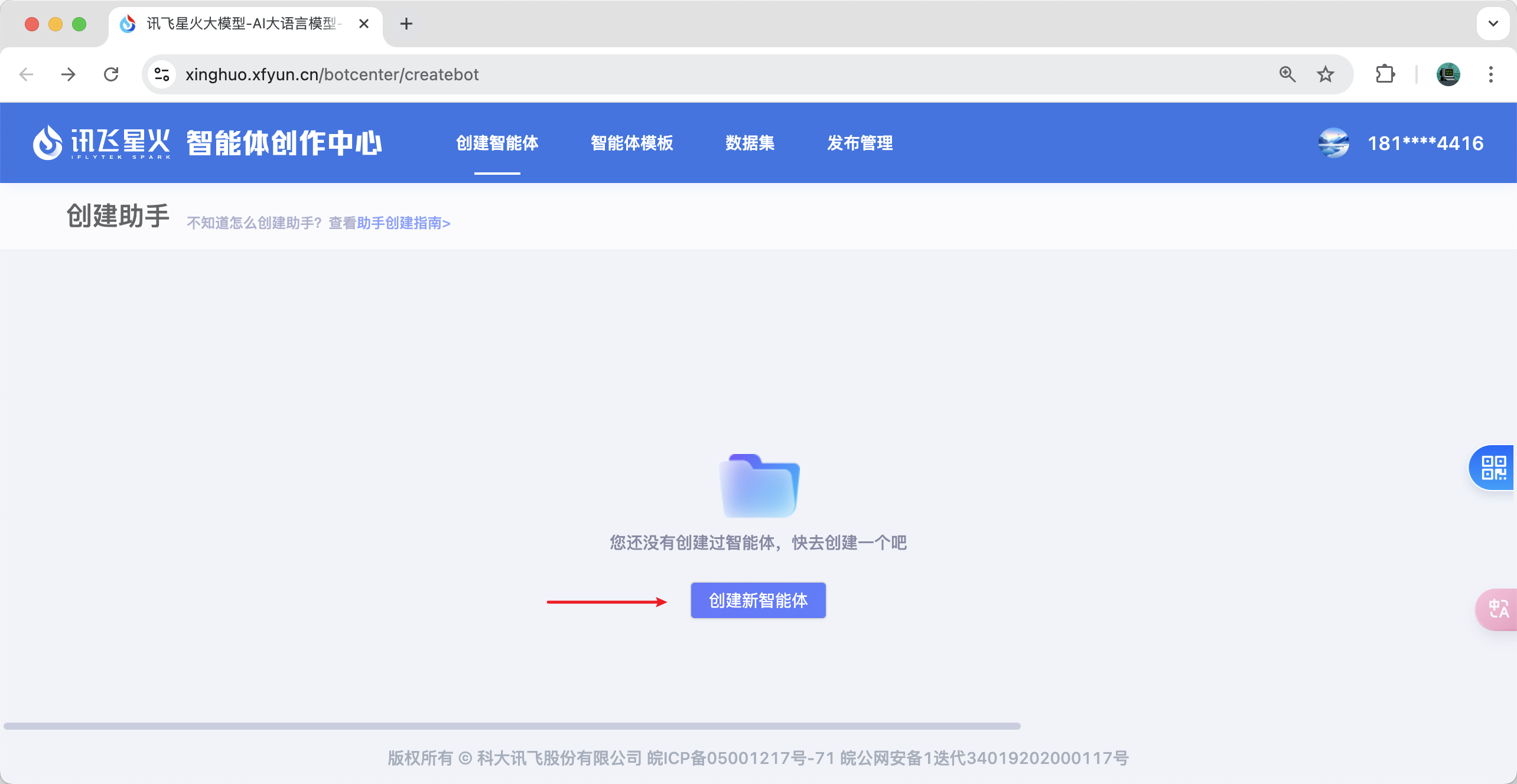
Publish a workflow
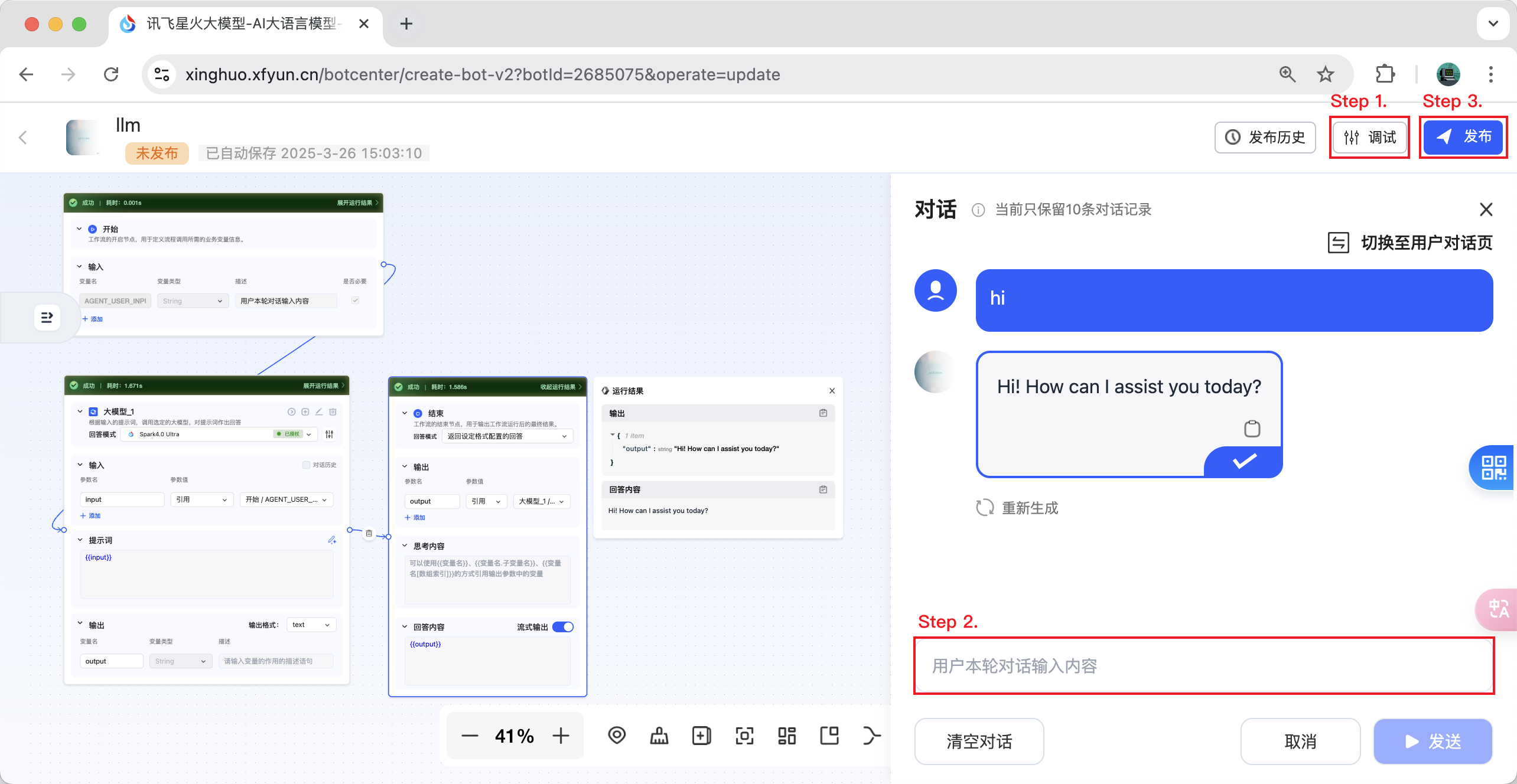
- Step 1. Debug the workflow you just created.
- Step 2. Engage in a conversation with your workflow and ensure the conversation is successful.
- Step 3. You can now click the publish button.
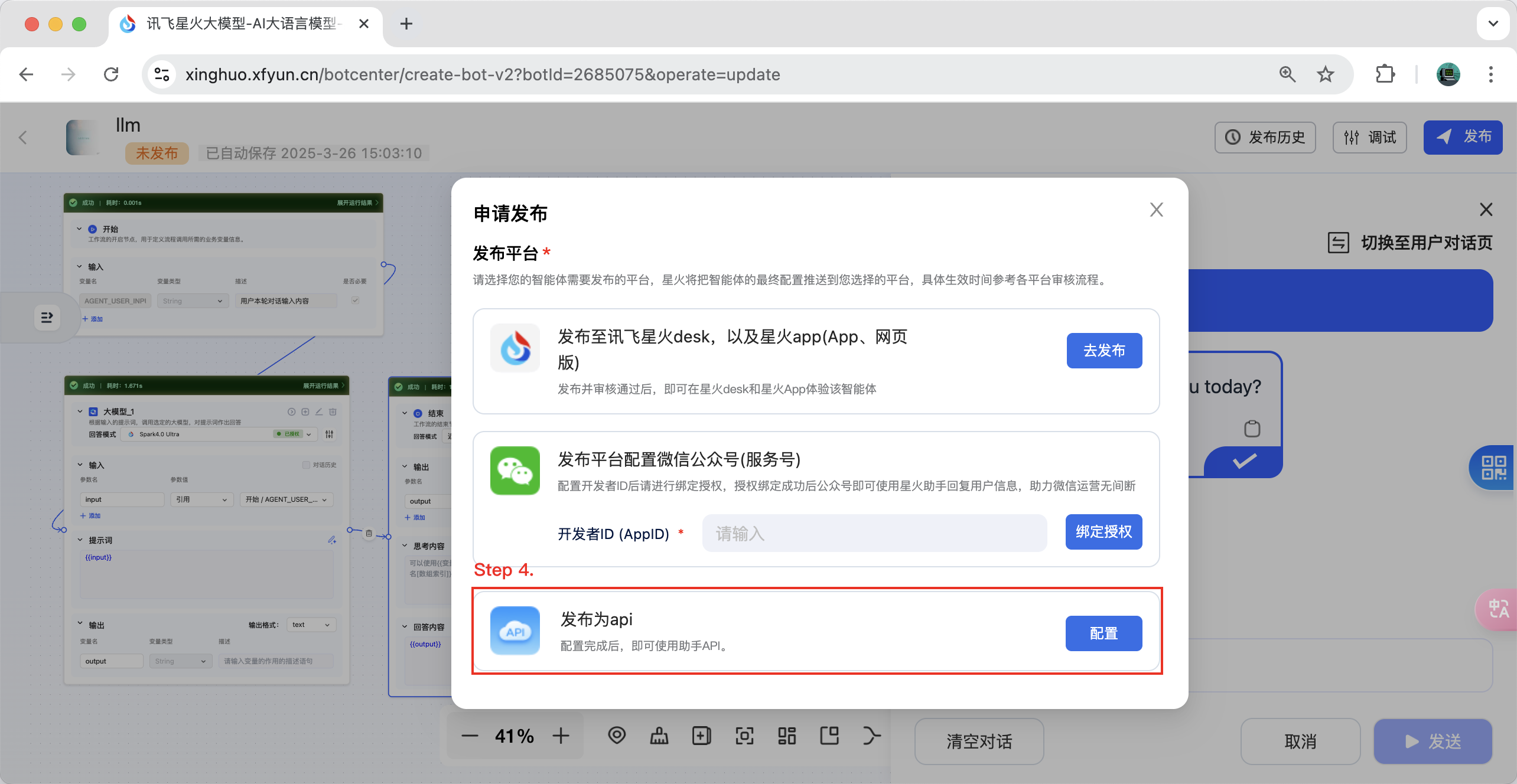
- Step 4. Select "Publish as API" and click the "Configure" button.
- Step 5. Select the application you need to bind and bind it. Now you can retrieve the corresponding workflow ID and authentication information. Enjoy!
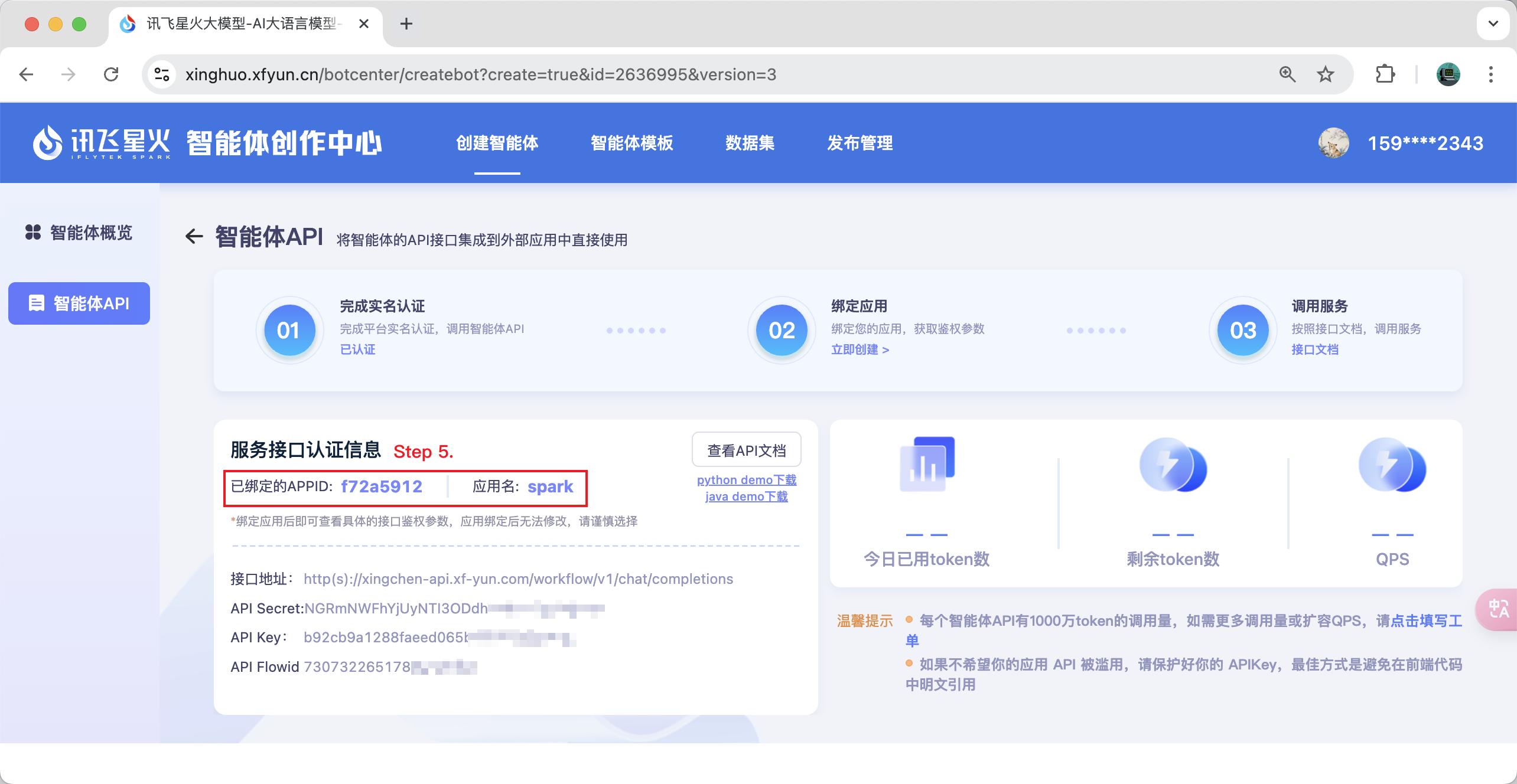
Note: If you find that you are unable to select an app, you can go to https://www.xfyun.cn to apply.
Manual Installation
To add a persistent client, add the following to your claude_desktop_config.json or mcp.json file:
{
    "mcpServers": {
        "ifly-workflow-mcp-server": {
            "command": "uvx",
            "args": [
                "--from",
                "git+https://github.com/iflytek/ifly-workflow-mcp-server",
                "ifly_workflow_mcp_server"
            ],
            "env": {
                "CONFIG_PATH": "$CONFIG_PATH"
            }
        }
    }
}
Example config:
{
    "mcpServers": {
        "ifly-workflow-mcp-server": {
            "command": "uvx",
            "args": [
                "--from",
                "git+https://github.com/iflytek/ifly-workflow-mcp-server",
                "ifly_workflow_mcp_server"
            ],
            "env": {
                "CONFIG_PATH": "/Users/hygao1024/Projects/config.yaml"
            }
        }
    }
}
Установка Xingchen
У этого сервера нет опубликованного пакета — он собирается из исходников. Открой репозиторий и следуй инструкции в README.
▸ github.com/hygao1024/xingchen-mcp-serverFAQ
Xingchen MCP бесплатный?
Да, Xingchen MCP бесплатный — установка в пару кликов через Unyly без оплаты.
Нужен ли API-ключ для Xingchen?
Нет, Xingchen работает без API-ключей и переменных окружения.
Xingchen — hosted или self-hosted?
Self-hosted: сервер запускается локально на твоей машине командой из раздела установки.
Как установить Xingchen в Claude Desktop, Claude Code или Cursor?
Открой Xingchen на unyly.org, выбери вкладку своего клиента (Claude Desktop, Claude Code, Cursor) и нажми Install — конфиг сгенерируется автоматически, без правки JSON.
Похожие MCP
GitHub
PRs, issues, code search, CI status
 автор: GitHub
Filesystem
Secure file operations with configurable access controls.
Memory
Knowledge graph-based persistent memory system.
Template MCP Server
A CLI tool to create a new Model Context Protocol server project with TypeScript support, dual transport options, and an extensible structure
 автор: mcpdotdirect
Compare Xingchen with
Не уверен что выбрать?
Найди свой стек за 60 секунд
Автор?
Embed-бейдж для README
Похожее
Все в категории development