
YingDao RPA Server
БесплатноНе проверенEnables AI to execute RPA applications and workflows through the Model Context Protocol, supporting both local and cloud modes.

Описание
Enables AI to execute RPA applications and workflows through the Model Context Protocol, supporting both local and cloud modes.
README

YingDao AI Power: An AI low-code platform that quickly creates AI agents and AI workflows, helping users leverage AI effectively.
YingDao RPA: An RPA low-code platform, a user-friendly RPA automation product that frees people from repetitive labor.
Yingdao RPA MCP Server is implemented based on the Model Context Protocol (MCP), providing a bridge for interaction between YindDao AI Power and other tools that can serve as MCP Hosts (such as Claude Desktop, Cursor, etc.). It enables AI to utilize RPA capabilities.
It supports both SSE Server and Stdio Server modes.
Getting Started
There are two ways to run YindDao RPA:
Local Mode
Set environment variables:
RPA_MODEL=local
SHADOWBOT_PATH={your_shadowbot_path} //Path to YindDao RPA executable
USER_FOLDER={your_user_folder}       //Path to YindDao RPA user folder
Path to YindDao RPA executable
Windows
D:\Program Files\{installation directory}\ShadowBot.exe
Mac
/Applications/影刀.app
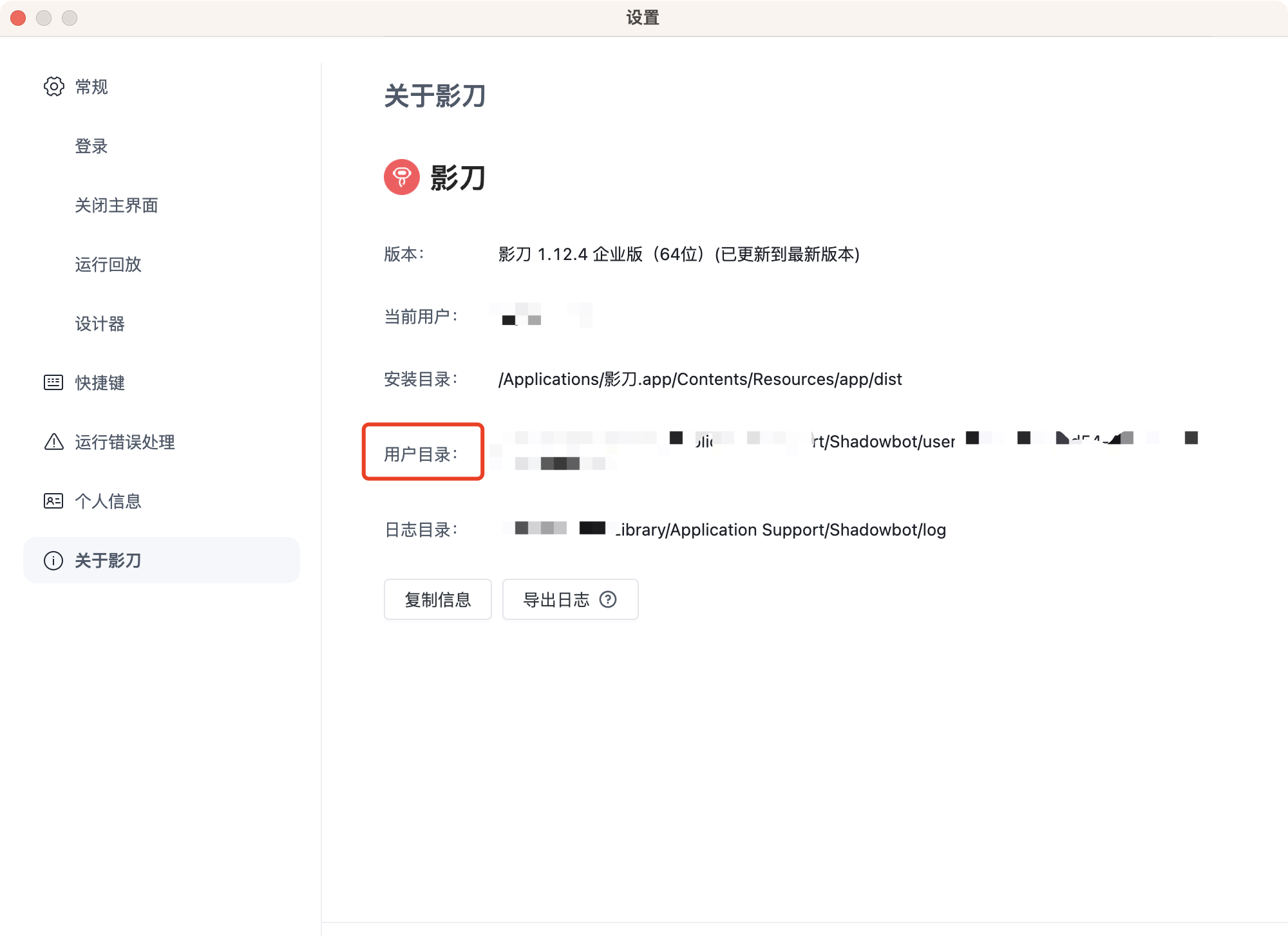
Path to YindDao RPA user folder
Find the user folder option in YindDao RPA settings
Open API Mode (Enterprise users only)
Set environment variables:
RPA_MODEL=openApi
ACCESS_KEY_ID={your_access_key_id}
ACCESS_KEY_SECRET={your_access_key_secret}
How to obtain
Enterprise administrators can obtain this by logging into the YindDao RPA console. Please refer to YindDao RPA Help Documentation - Authentication
Stdio Server Startup
Configure in the client:
{
  "mcpServers": {
    "YingDao RPA MCP Server": {
      "command": "npx",
      "args": ["-y", "@automa-ai-power/rpa-mcp-servers", "-stdio"],
      "env":{
        "RPA_MODEL":"openApi",
        "ACCESS_KEY_ID":"{your_access_key_id}",
        "ACCESS_KEY_SECRET":"{your_access_key_secret}"
      }
    }
  }
}
SSE Server Configuration
Build
Clone the repository and build:
git clone https://github.com/AutomaApp/aipower-rpa-mcp-server.git
cd aipower-rpa-mcp-servers
npm install
npm run build
Configuration
Add a .env file with configuration items as described above
Startup
npm run start:server
Client Configuration
AI Power client configuration:
{
  "mcpServers": {
    "YingDao RPA MCP Server": {
      "url": "http://localhost:3000/sse",
      "description": "Yingdao RPA MCP Server"
    }
  }
}
The default port is 3000
Capabilities
Local Mode
- queryRobotParam: Query RPA application parameters
- queryApplist: Query RPA application list
- runApp: Run RPA application
Open API Mode
- uploadFile: Upload files to the RPA platform
- queryRobotParam: Query RPA application parameters
- queryApplist: Get paginated RPA application list
- startJob: Start an RPA job
- queryJob: Query RPA job status
- queryClientList: Query the list of RPA robot clients
License
MIT
Установка YingDao RPA Server
У этого сервера нет опубликованного пакета — он собирается из исходников. Открой репозиторий и следуй инструкции в README.
▸ github.com/catinair/aipower-rpa-mcp-serverFAQ
YingDao RPA Server MCP бесплатный?
Да, YingDao RPA Server MCP бесплатный — установка в пару кликов через Unyly без оплаты.
Нужен ли API-ключ для YingDao RPA Server?
Нет, YingDao RPA Server работает без API-ключей и переменных окружения.
YingDao RPA Server — hosted или self-hosted?
Self-hosted: сервер запускается локально на твоей машине командой из раздела установки.
Как установить YingDao RPA Server в Claude Desktop, Claude Code или Cursor?
Открой YingDao RPA Server на unyly.org, выбери вкладку своего клиента (Claude Desktop, Claude Code, Cursor) и нажми Install — конфиг сгенерируется автоматически, без правки JSON.
Похожие MCP
Fetch
Web content fetching and conversion for efficient LLM usage.
AWS KB Retrieval
Retrieval from AWS Knowledge Base using Bedrock Agent Runtime.
 автор: modelcontextprotocol
Spring AI MCP Server
Provides auto-configuration for setting up an MCP server in Spring Boot applications.
llm-analysis-assistant
A very streamlined mcp client that supports calling and monitoring stdio/sse/streamableHttp, and can also view request responses through the /logs page. It also
 автор: xuzexin-hz
Compare YingDao RPA Server with
Не уверен что выбрать?
Найди свой стек за 60 секунд
Автор?
Embed-бейдж для README
Похожее
Все в категории ai