
YuniKorn Server
БесплатноНе проверенA Model Context Protocol (MCP) server that interfaces with the Apache YuniKorn Scheduler, allowing AI agents to observe and reason about Kubernetes batch worklo

Описание
A Model Context Protocol (MCP) server that interfaces with the Apache YuniKorn Scheduler, allowing AI agents to observe and reason about Kubernetes batch workload resource management, queue hierarchies, and application states.
README
A Model Context Protocol (MCP) server that interfaces with the Apache YuniKorn Scheduler, allowing AI agents to observe and reason about Kubernetes batch workload resource management, queue hierarchies, and application states.
Screenshots
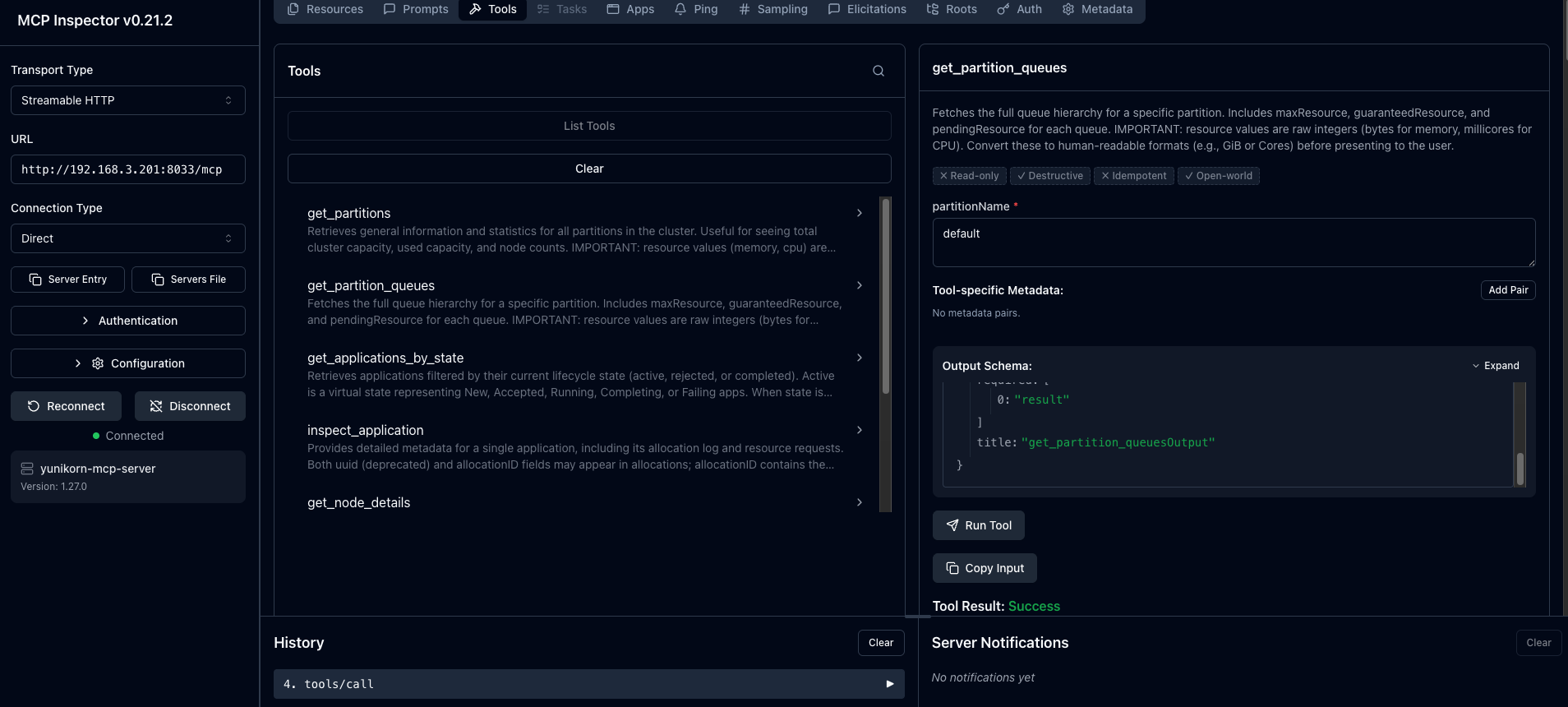
Inspecting Yunikorn tools using MCP inspector
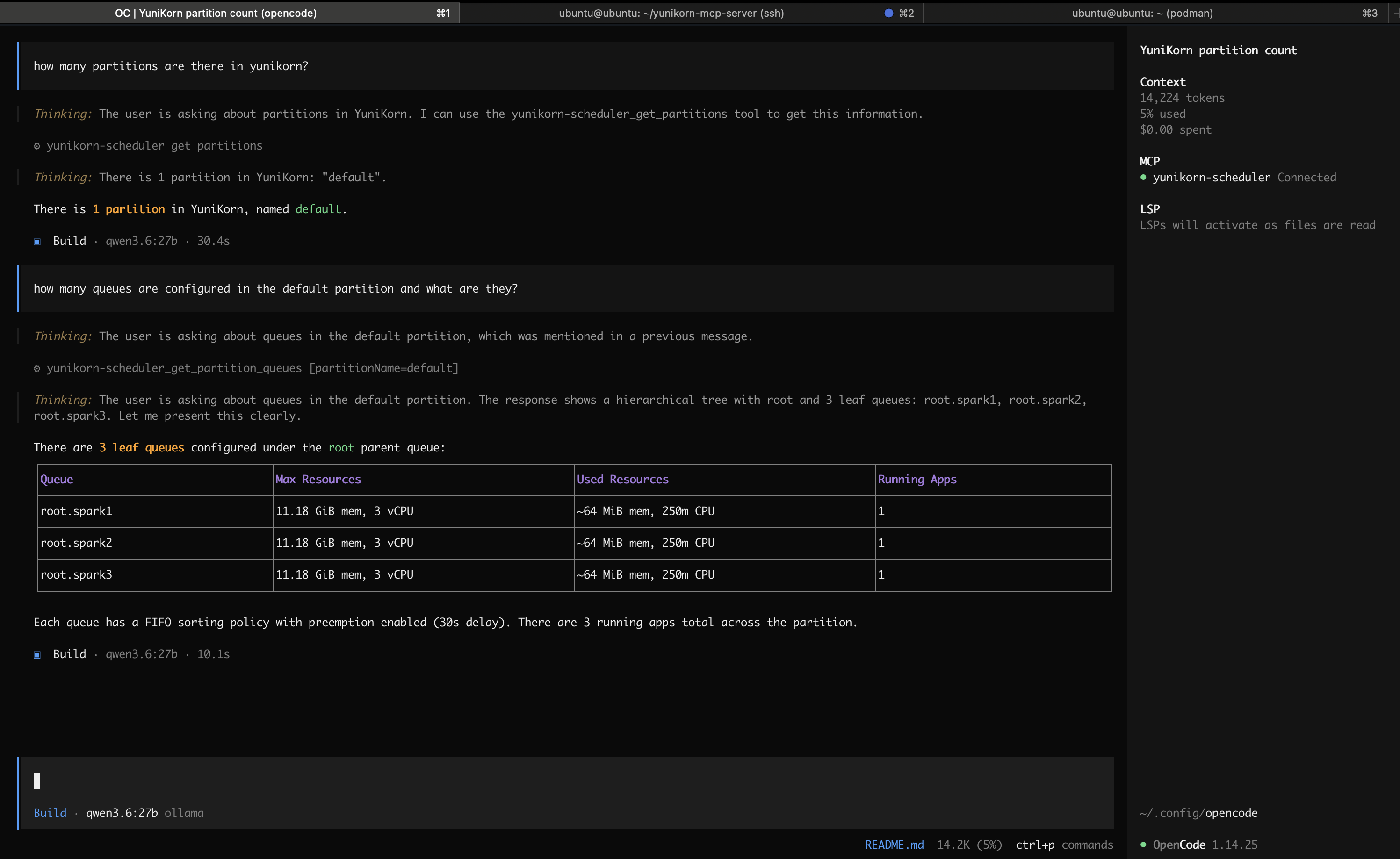
Querying the Yunikorn scheduler via MCP using Opencode
Features
- 7 MCP Tools: Query partitions, queues, applications, nodes, user usage, and scheduler health
- 2 MCP Resources: Static data access for partitions list and node utilization
- Async HTTP: Non-blocking API calls using
httpx - Proper Error Mapping: YuniKorn HTTP errors mapped to standard MCP error responses
- Resource Awareness: Handles YuniKorn's raw bytes and millicore values
- CORS Enabled: Allows connections from any origin for browser-based MCP Inspector
- Streamable HTTP: Default transport with stdio fallback for IDE integration
Installation
uv pip install -r requirements.txt
If you are using a virtual environment, make sure it is activated first:
source .venv/bin/activate
uv pip install -r requirements.txt
Usage
Running the Server
The default transport is Streamable HTTP on port 8000:
Run locally
uv run python -m main
Run with Docker
docker run -p 8000:8000 -e YUNIKORN_BASE_URL="http://<REPLACE_ME>/ws/v1" docker.io/frenoid/yunikorn-mcp-server:latest
Command line options
| Option | Description | Default |
|---|---|---|
--transport |
Transport protocol (stdio, streamable-http) |
streamable-http |
--host |
Host to bind (HTTP transport only) | 0.0.0.0 |
--port |
Port to listen on (HTTP transport only) | 8000 |
--log-level |
Logging level | INFO |
Examples:
# Streamable HTTP on custom port
uv run python -m main --transport streamable-http --host 127.0.0.1 --port 8080

# Stdio mode for Claude Code / IDE integration
uv run python -m main --transport stdio
Environment Variables
| Variable | Description | Default |
|---|---|---|
YUNIKORN_BASE_URL |
Base URL of the YuniKorn REST API | http://localhost:9089/ws/v1/ |
TLS_INSECURE |
Disable HTTPS certificate verification (true/false) |
false |
# Connect to a remote YuniKorn instance
YUNIKORN_BASE_URL=http://yunikorn.example.com:9089/ws/v1/ uv run python -m main

# Connect to an HTTPS endpoint with a self-signed certificate
YUNIKORN_BASE_URL=https://yunikorn.example.com:9089/ws/v1/ TLS_INSECURE=true uv run python -m main
Connecting with MCP Inspector
The Streamable HTTP endpoint is exposed at the /mcp path:
http://localhost:8000/mcp
Testing
Run the test suite against a live YuniKorn instance:
YUNIKORN_BASE_URL=http://your-yunikorn-host:9089/ws/v1/ uv run python test_server.py
To run a quick compliance check:
YUNIKORN_BASE_URL=http://your-yunikorn-host:9089/ws/v1/ uv run python test_updated_server.py
Data Format Notes
- Memory: Represented in raw bytes (64-bit signed integers).
- CPU (vcore): Represented in millicores (thousandths of a core, i.e. 1000m = 1 core).
- Other resources: No specific unit assigned.
- Active applications: The virtual "active" state represents New, Accepted, Running, Completing, and Failing statuses.
- allocationID vs uuid:
uuidis deprecated.allocationIDcontains the same base value asuuidwith a hyphen-counter suffix (e.g.,-0,-1). - allocationDelay: The difference between
allocationTimeandrequestTimefor an allocation.
API Conformance
This MCP server conforms to the Apache YuniKorn Scheduler REST API (v1.8.0). Each tool maps directly to a documented endpoint.
| Tool | YuniKorn Endpoint |
|---|---|
get_partitions |
GET /ws/v1/partitions |
get_partition_queues |
GET /ws/v1/partition/{partitionName}/queues |
get_applications_by_state |
GET /ws/v1/partition/{partitionName}/applications/{state}?status={status} |
inspect_application |
GET /ws/v1/partition/{partitionName}/application/{appId} |
get_node_details |
GET /ws/v1/partition/{partitionName}/nodes or /node/{nodeId} |
get_user_usage |
GET /ws/v1/partition/{partitionName}/usage/users or /usage/user/{userName} |
check_scheduler_health |
GET /ws/v1/scheduler/healthcheck |
Resources:
| Resource | YuniKorn Endpoint |
|---|---|
yunikorn://partitions/list |
GET /ws/v1/partitions |
yunikorn://nodes/utilization |
GET /ws/v1/scheduler/node-utilizations |
Error Mapping
| YuniKorn HTTP Code | MCP Error |
|---|---|
400 Bad Request |
INVALID_REQUEST |
404 Not Found |
INVALID_REQUEST |
500 Internal Server Error |
INTERNAL_ERROR |
Установка YuniKorn Server
У этого сервера нет опубликованного пакета — он собирается из исходников. Открой репозиторий и следуй инструкции в README.
▸ github.com/frenoid/yunikorn-mcp-serverFAQ
YuniKorn Server MCP бесплатный?
Да, YuniKorn Server MCP бесплатный — установка в пару кликов через Unyly без оплаты.
Нужен ли API-ключ для YuniKorn Server?
Нет, YuniKorn Server работает без API-ключей и переменных окружения.
YuniKorn Server — hosted или self-hosted?
Доступен hosted-вариант: Unyly запускает сервер в облаке, локальная установка не обязательна.
Как установить YuniKorn Server в Claude Desktop, Claude Code или Cursor?
Открой YuniKorn Server на unyly.org, выбери вкладку своего клиента (Claude Desktop, Claude Code, Cursor) и нажми Install — конфиг сгенерируется автоматически, без правки JSON.
Похожие MCP
GitHub
PRs, issues, code search, CI status
 автор: GitHub
Filesystem
Secure file operations with configurable access controls.
Memory
Knowledge graph-based persistent memory system.
Template MCP Server
A CLI tool to create a new Model Context Protocol server project with TypeScript support, dual transport options, and an extensible structure
 автор: mcpdotdirect
Compare YuniKorn Server with
Не уверен что выбрать?
Найди свой стек за 60 секунд
Автор?
Embed-бейдж для README
Похожее
Все в категории development