
Zipmem
БесплатноНе проверенlocal-first long-term memory for MCP agents (no DB, no API keys)

Описание
local-first long-term memory for MCP agents (no DB, no API keys)
README
Endless semantic memory for terminal AI agents — without the bloated context window.
zipmem-mcp is a local-first MCP server + CLI that lets agents like Claude Code carry an entire project's history across sessions while keeping the live context window small. It works by Anchored Compacting: stripping semantic noise, replacing massive code blocks with file-coordinate anchors, and preserving architectural blueprints, schemas, and hard-won lessons verbatim.
No cloud. No API keys. No AI calls on the server side. Your memory lives in a single human-readable JSON file under .zipmem/.
The problem
Long, high-intensity agent sessions fill up the context window:
- Prompt caching only saves money, not space. Cached or not, every re-read of a giant terminal history still consumes window tokens.
- A 5-minute idle invalidates the cloud KV cache. The next turn re-reads the whole history at full price.
- Manual "summarize the session" is lossy and tedious, and dumping raw terminal logs just moves the bloat around.
The approach: Anchored Compacting
Instead of storing the session, zipmem stores its meaning:
| Raw session content | What zipmem keeps |
|---|---|
| 200-line code block you just wrote | [src/auth/oauth.ts -> 15-42 -> PKCE flow with refresh-token rotation] |
| A 6-step debugging saga | A one-line lesson: "Stripe webhook must be idempotent — it retries on 5xx" |
| Architecture you designed | A blueprint, preserved verbatim |
| Repetitive logs, dead ends, pleasantries | Discarded |
Anchors are coordinates, not code — the agent re-reads the file on demand when it actually needs the detail. The result is an endless memory loop where the window stays small but nothing foundational is ever lost.
The intelligence lives in the prompt, not the server.
zipmem initinjects a Constitutional Directive into yourCLAUDE.md. The agent itself produces the compact, structured payload; the server only validates, deduplicates, merges, and persists. That keeps the server dependency-free and instant.
Install
npm install -g zipmem-mcp
Requires Node.js ≥ 18.
Quick start
# 1. Initialize in your project root (once per project)
cd your-project
zipmem init

# 2. Register the MCP server with Claude Code
#    (add -s user to make it available in every project — see below)
claude mcp add -s user zipmem-mcp -- npx zipmem-mcp
That's it. zipmem init:
- creates
.zipmem/state.json(your memory store), - injects the Constitutional Directive into
CLAUDE.md(ormemory.md, or createsCLAUDE.md), - adds
.zipmem/to.gitignore(keep memory local — see Shared memory), - records a checkpoint mode (
balancedby default; pass--checkpoint=conservative|aggressiveto change it).
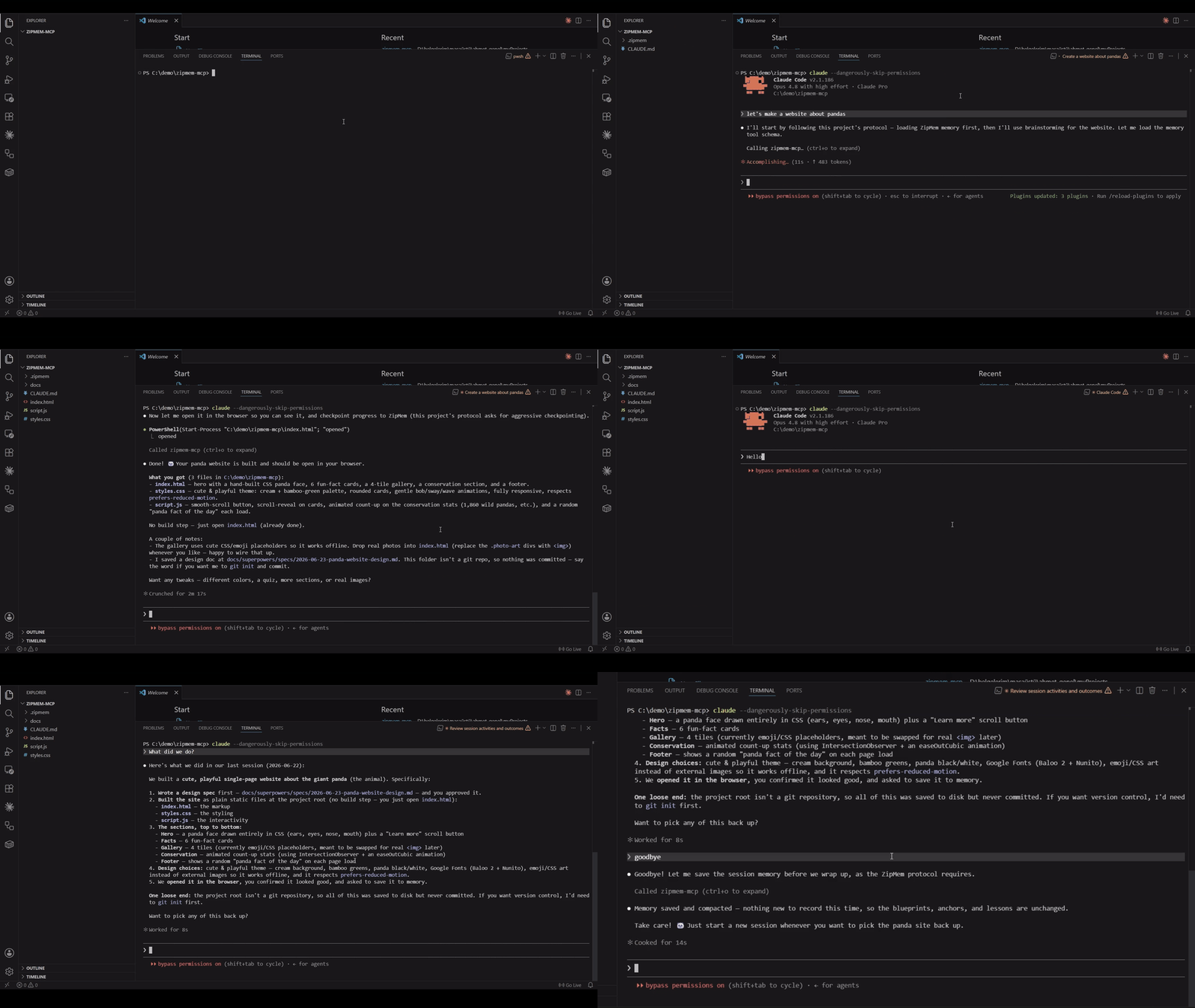
From the next session on, the agent loads memory automatically at the start and compacts automatically when you say goodbye or it nears its context limit. You don't run anything by hand.
Manual MCP config
If you register MCP servers via a JSON config (claude_desktop_config.json or similar):
{
  "mcpServers": {
    "zipmem-mcp": {
      "command": "npx",
      "args": ["zipmem-mcp"]
    }
  }
}
The server reads CLAUDE_PROJECT_DIR (set automatically by Claude Code) to find the project's .zipmem/. It otherwise falls back to the nearest .zipmem/ ancestor of the working directory.
Using zipmem across multiple projects
zipmem works per-project, and getting it running everywhere depends on two separate, independent steps. If it works in one project but seems dead in another, one of these is almost always the reason:
1. Register the MCP server at the right scope. Claude Code's claude mcp add defaults to local scope — the server is then only visible inside the one directory where you ran it. In any other project the tools simply don't exist. To register it once for all your projects, use user scope:
claude mcp add -s user zipmem-mcp -- npx zipmem-mcp
Verify what's registered (and at which scope) from inside the project that isn't working:
claude mcp list
If zipmem-mcp isn't listed there, that's the problem — re-add it with -s user (or -s project to share it with a repo via a committed .mcp.json).
2. Run zipmem init in every project. This is per-project, not per-machine. Registering the server is not enough on its own, because init is what:
- creates that project's
.zipmem/state.json(without it there's no memory to load), and - injects the Constitutional Directive into that project's
CLAUDE.md. Without the directive the agent never learns to call the tools — the server is running but nothing triggers it, so it looks like "zipmem doesn't work here."
cd your-other-project
zipmem init
Heads-up on project resolution. The server locates memory via
CLAUDE_PROJECT_DIR→ the nearest.zipmem/ancestor →cwd. If a project has no.zipmem/of its own but sits inside another project that does, the agent can silently read/write the parent project's memory. Runningzipmem initin each project gives it its own.zipmem/and avoids this.
Quick checklist when a project "doesn't work":
| Symptom | Check | Fix |
|---|---|---|
| Tools not offered at all | claude mcp list — is zipmem-mcp there? |
claude mcp add -s user zipmem-mcp -- npx zipmem-mcp |
| Server runs but agent never calls it | Is the directive in this project's CLAUDE.md? Is there a .zipmem/? |
zipmem init in the project root |
| Wrong / unexpected memory loads | Does a parent folder have a .zipmem/? |
zipmem init here so the project has its own store |
How the loop works
Session start ──► agent calls zipmem_load_memory ──► regains full context (few tokens)
      │
      │   ... work ...
      │
"we're done" message / context pressure ──► agent calls zipmem_save_and_compact
                                         │
                                         ▼
                          validate → dedup-merge → prune → write .zipmem/state.json
MCP tools
| Tool | When the agent calls it | What it does |
|---|---|---|
zipmem_load_memory |
First thing, every session | Returns blueprints, anchors, and lessons as compact text. Surfaces a recovery banner if the previous session ended abruptly. |
zipmem_checkpoint |
Depends on the checkpoint mode (every unit of work, only at milestones, or when you say checkpoint) |
Stages progress into a crash-safe buffer (session.json) — intermediate, not final, never touches state.json. Called many times per session. |
zipmem_save_and_compact |
When you signal the session is wrapping up in a chat message ("we're done", "that's all", "goodbye", or save), or when context nears its limit |
Finalizes: folds the staged buffer + final delta into persistent memory (state.json), prunes, closes the session. Usually once at the end. |
The tool descriptions are written so the agent knows when and why to call them without you prompting it.
Heads-up about
exit/quit: these are Claude Code's own CLI commands — they close the terminal instantly, before the agent gets a turn, so they do not triggerzipmem_save_and_compact. To get a clean final save, send a normal chat message first ("we're done", "save", "goodbye"), let the agent compact, then quit. Otherwise durability falls back to your last checkpoint + next-session recovery.
Checkpoint vs. save — the one-line version
Checkpoint = cheap, frequent, "don't lose my progress" insurance (recovered only on the next session if you crash). Save & compact = the authoritative commit to long-term memory that a future zipmem_load_memory reads back. Many checkpoints during a session; one save at the end.
Checkpoint modes
zipmem_checkpoint is the main cost ↔ safety knob. Each checkpoint is agent-generated output, so frequent checkpoints mean more durability but more tokens. You pick the cadence at init time and it's baked into the injected directive (the server treats every checkpoint identically — only the instruction to the agent changes):
zipmem init --checkpoint=balanced # default
| Mode | The agent is told to… | Best for |
|---|---|---|
aggressive |
Checkpoint after every meaningful unit of work (a feature wired up, a bug fixed). Maximum durability against hard exits. | Long, high-stakes sessions where losing even a few steps hurts. |
balanced (default) |
Checkpoint only at major milestones — a big refactor finished, a critical bug resolved, a foundational decision made. | Most projects: low token overhead, still protects the work that matters. |
conservative |
Never persist on its own. Memory is written only when you say so, via two plain words: say checkpoint → the agent stages progress (zipmem_checkpoint); say save → the agent does a full compaction (zipmem_save_and_compact). Either way it runs the tool immediately and replies with a one-line confirmation. |
Token-tight workflows where you want full manual control. |
Modes are instructions, not guarantees. The cadence lives in a prompt directive, not server code — the agent usually follows it but can't be forced to. In
aggressivemode it may occasionally finish a unit of work without firing an interimzipmem_checkpoint, or ask before it saves rather than acting silently. That's an accepted trade-off: a missed checkpoint degrades gracefully via crash safety, and you can always force a write yourself by sayingcheckpointorsave.
In
conservativemode you stay in the driver's seat: saycheckpointfor a quick crash-safe stage, orsaveto compact everything into long-term memory — no slash commands, just the plain word.
Changing modes later — re-run init with a different value; it updates meta.checkpoint_mode in state.json and rewrites the directive block in place (re-running without --checkpoint leaves your stored mode untouched):
zipmem init --checkpoint=conservative # switch an existing project to conservative
In
aggressiveandbalanced, the agent still callszipmem_save_and_compacton its own when you signal you're done (in chat) or context nears the limit — modes only govern the interim checkpoint cadence. Inconservative, nothing is automatic: the final save happens only when you saysave.
Crash safety (hard exits & Ctrl+C)
Relying on the agent to gracefully call zipmem_save_and_compact on the way out is fragile: a closed terminal window, Ctrl+C, or a killed process can skip it. zipmem defends against this in layers — and is honest about the limits:
- Continuous checkpointing.
zipmem_checkpointwrites.zipmem/session.jsonatomically on every call. A hard exit therefore loses at most the work since the last checkpoint, and that data is already on disk — no death-handler required. - Parent-process lifecycle monitor. The server watches the
claudeprocess via the stdin pipe (EOF when the parent dies),SIGINT/SIGTERM/SIGHUP, and a PID liveness probe. On any catchable termination it does the minimal safe thing: a single atomic write marking the session interrupted and recording the reason. It deliberately does not fold intostate.jsonor shell out to git — heavy I/O during the narrow OS termination window risks a torn write. All folding is deferred to layer 3. - Next-session recovery. On startup (a calm moment) the server detects a session that never closed cleanly, folds any leftover checkpoints into
state.json, captures the git-changed files, andzipmem_load_memoryshows a ⚠️ ZipMem recovery banner so the agent re-anchors them. This is the authoritative path — it also covers theSIGKILLcase where layer 2 never ran.
Honest limitation: a true hard kill (
SIGKILL,kill -9, power loss) cannot be intercepted by any in-process handler — and semantic compaction can't run at death time anyway, because it requires the LLM. zipmem does not dump raw code orgit diffinto memory (that would violate Anchored Compacting). Instead, durability comes from checkpoints already on disk + next-session recovery, which together guarantee no silent loss: the worst case is "the last few un-checkpointed steps need redoing," and the next session is explicitly told what changed.
The practical takeaway: checkpoint as you go (the injected directive tells the agent to, at the cadence set by your checkpoint mode), and abrupt exits become recoverable instead of catastrophic. If you run in conservative mode, remember that durability is on you — say checkpoint at the points you don't want to lose.
.zipmem/session.jsonis runtime state and is always gitignored (via.zipmem/.gitignore), even in--sharedmode — onlystate.jsonis shared.
CLI
zipmem init [--shared] [--checkpoint=<mode>]   # set up .zipmem/ and inject the directive
                                               #   <mode>: conservative | balanced | aggressive
zipmem status            # summary: counts, size vs. limits, mode, checkpoint mode, timestamps
zipmem --version
zipmem --help
--checkpoint is validated — an unknown value errors out with the allowed set. See Checkpoint modes for what each does.
zipmem status
ZipMem status — my-app

  Blueprints : 4
  Anchors    : 11
  Lessons    : 6
  Sessions   : 18
  Compactions: 18

  Size       : 7.4KB
  Mode       : local (gitignored)
  Checkpoint : balanced
  Created    : 2026-05-02T10:01:55.000Z
  Updated    : 2026-06-20T13:32:17.324Z
The memory file
Everything lives in one validated JSON file at .zipmem/state.json:
blueprints[]— immutable-by-default architectural facts (architecture, schema, decision, convention, dependency), preserved verbatim.anchors[]—{ file_path, line_range, concept }coordinate stand-ins for code.lessons[]— distilled bug fixes and gotchas, so regressions don't recur.session_log[]— an append-only audit trail of compactions.meta— counters plussharedandcheckpoint_mode(your chosen checkpoint cadence).
Merging is deterministic: blueprints dedup by title+category (immutable ones are never overwritten unless explicitly superseded), overlapping anchors for a file union-merge with the newest concept winning, and duplicate lessons are skipped. Writes are atomic (temp file + rename) so a crash can never corrupt your memory.
Size management: above a 100 KB soft limit you get a nudge; above a 500 KB hard limit the next compaction auto-prunes least-valuable data first (stale anchors whose files are gone, then old session-log rows, then oldest lessons).
Shared vs. local memory
By default memory is local (.zipmem/ is gitignored) — personal to each developer, no merge conflicts.
To share memory with your team (commit it to git so everyone's agent inherits the same blueprints and lessons):
zipmem init --shared
This leaves .gitignore untouched so you can commit .zipmem/state.json.
Where the token savings come from
A single 200-line code block can cost ~2,000+ tokens every time it re-enters the window. One anchor costs ~20. A new session that would otherwise re-read tens of thousands of tokens of history to regain context instead loads a few hundred tokens of structured memory. Because the compaction is semantic (not just truncation), the agent loses none of the decisions — only the bulk.
Be precise about where the saving happens. zipmem does not shrink your live context window within a single chat — there it's a small (mostly cacheable) overhead. The payoff is at the session boundary: the next chat reloads compressed memory instead of re-deriving the project from scratch. So it's net-positive for long, multi-session work and net-negative for one-off short chats. See docs/token-economics.md for a realistic per-stage and cross-session cost model.
How ZipMem compares
zipmem isn't the only way to give an agent memory. Here's where it fits — and what it trades away. (This is a comparison, not a claim of being strictly "better"; the right tool depends on your workflow.)
| Approach | Persists across sessions | Token cost | Infra / API keys | Determinism | Main trade-off |
|---|---|---|---|---|---|
| No memory (re-read each session) | ❌ | Highest over time | None | — | Context rebuilt from zero every session |
| Paste old transcript | ⚠️ manual | Very high | None | Low | Bloats the window — defeats the purpose |
Manual CLAUDE.md notes |
✅ but static | Very low | None | Medium | Hand-maintained, goes stale, no anchors, lossy |
Claude Code /compact |
❌ (within a session) | Low | None | Medium | Shrinks the live window only; not persistent; lossy |
| RAG / vector memory (e.g. mem0, Letta/MemGPT) | ✅ | Medium (retrieval per query) | Embeddings + DB/keys | Low (fuzzy) | Infra overhead; can retrieve noise; non-deterministic |
| Whole codebase in context | ❌ | Highest | None | High | Expensive and window-bound |
| zipmem | ✅ | Low (mostly cacheable, bounded) | None (local, key-free) | High (deterministic) | One project at a time; no fuzzy semantic recall; relies on checkpoint discipline |
How to read this: zipmem is complementary to /compact, not a competitor — /compact trims the live window within a session, zipmem carries meaning across sessions. Versus RAG/vector memories it gives you zero infrastructure, no API keys, deterministic output, verbatim blueprints, and code anchors; in exchange it gives up fuzzy semantic retrieval breadth and multi-project scope. Versus a hand-kept CLAUDE.md it's automatic, structured, and anchor-based; versus pasting transcripts it's incomparably cheaper.
Limitations
Being honest about what zipmem does not do:
- One session per project at a time.
session.jsonis a single "current session" file andstate.jsonuses read-modify-write without locking. Running twoclaudesessions in the same project simultaneously (e.g. two terminal tabs) will clobbersession.jsonand can silently lose compactions through a race — with no error shown. Different projects are fully isolated and safe. Fixing same-project concurrency would require per-session files + locking; it's a known design boundary, not a bug. - Within a single chat, zipmem is overhead — not savings. The benefit is realized only when the next session reloads compressed memory. A one-off short chat pays a small net cost. (See Where the token savings come from and docs/token-economics.md.)
- Recovery depends on checkpoint discipline. The directive instructs the agent to checkpoint, but can't force it. Work that was never checkpointed or compacted before a hard kill is lost — the server has no LLM to reconstruct it.
- No semantic compaction at death time. A
SIGKILL/ power loss can't be intercepted, and compaction needs the LLM anyway. zipmem never writes raw code orgit diffinto memory — durability comes from on-disk checkpoints + next-session recovery, never from dumping the transcript.
Development
npm install
npm run build        # tsc -> dist/
npm test             # vitest
npm run test:watch
npm run lint
npm run format
Run a single test file:
npx vitest run tests/core/state.test.ts
npx vitest run -t "merges overlapping anchors"
Manual end-to-end smoke tests (build first):
npm run build
node tests/smoke-mcp.mjs /path/to/a/project   # handshake + save→load
node tests/smoke-crash.mjs                     # checkpoint → hard exit → recovery
License
MIT — see LICENSE.
Установка Zipmem
У этого сервера нет опубликованного пакета — он собирается из исходников. Открой репозиторий и следуй инструкции в README.
▸ github.com/ahmetakyurt/zipmem-mcpFAQ
Zipmem MCP бесплатный?
Да, Zipmem MCP бесплатный — установка в пару кликов через Unyly без оплаты.
Нужен ли API-ключ для Zipmem?
Нет, Zipmem работает без API-ключей и переменных окружения.
Zipmem — hosted или self-hosted?
Self-hosted: сервер запускается локально на твоей машине командой из раздела установки.
Как установить Zipmem в Claude Desktop, Claude Code или Cursor?
Открой Zipmem на unyly.org, выбери вкладку своего клиента (Claude Desktop, Claude Code, Cursor) и нажми Install — конфиг сгенерируется автоматически, без правки JSON.
Похожие MCP
GitHub
PRs, issues, code search, CI status
 автор: GitHub
Filesystem
Secure file operations with configurable access controls.
Memory
Knowledge graph-based persistent memory system.
Template MCP Server
A CLI tool to create a new Model Context Protocol server project with TypeScript support, dual transport options, and an extensible structure
 автор: mcpdotdirect
Compare Zipmem with
Не уверен что выбрать?
Найди свой стек за 60 секунд
Автор?
Embed-бейдж для README
Похожее
Все в категории development