
zueai/mcp-manager
БесплатноНе проверенSimple Web UI to install and manage MCP servers for Claude Desktop App.

Описание
Simple Web UI to install and manage MCP servers for Claude Desktop App.
README
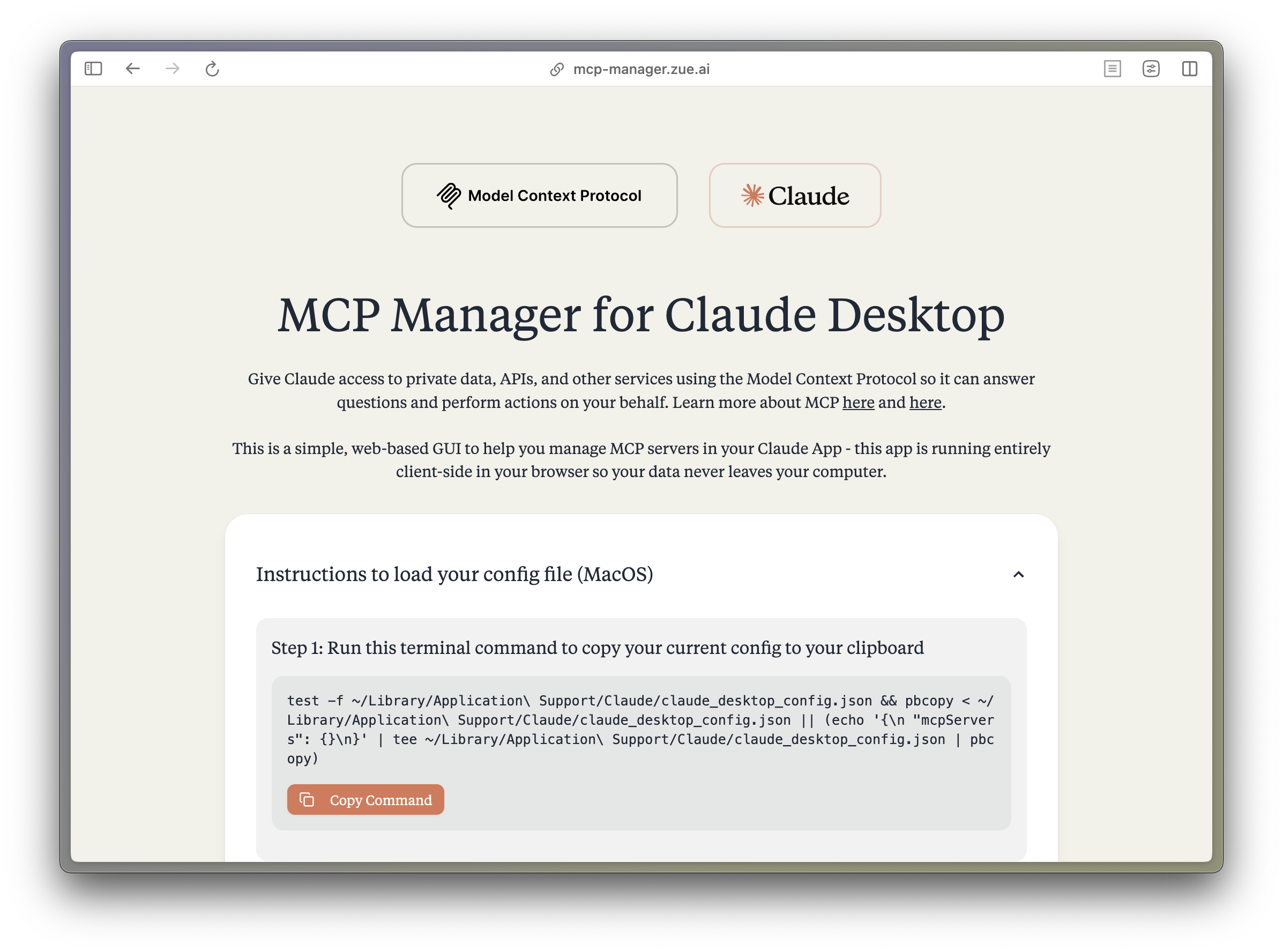
MCP Manager for Claude Desktop
A simple web GUI to manage Model Context Protocol (MCP) servers for the Claude Desktop app on MacOS easily. Just follow the instructions and paste a few commands to give your Claude app instant superpowers.
What is MCP?
The Model Context Protocol (MCP) enables Claude to access private data, APIs, and other services to answer questions and perform actions on your behalf. Learn more about MCP at:
Features
- 🚀 Easy-to-use interface for managing MCP servers
- 🔒 Runs entirely client-side - your data never leaves your computer
- ⚡️ Quick setup for popular MCP servers:
- Apple Notes - Access and search your Apple Notes
- AWS Knowledge Base - Access and query AWS Knowledge Base for information retrieval
- Brave Search - Search the web with Brave Search API
- Browserbase - Let Claude explore the web with Browserbase
- Cloudflare - Manage your Cloudflare workers and account resources
- Everart - Interface with Everart API for digital art and design tools
- Exa - Search the web with Exa
- Filesystem - Access and manage local filesystem
- GitHub - Access your GitHub repositories
- GitLab - Manage GitLab repositories and resources
- Google Drive - Access and search files in your Google Drive
- Google Maps - Access Google Maps API for location services
- Memory - Give Claude memory of previous conversations
- Obsidian - Read and search files in your Obsidian vault
- Perplexity - Search the web with Perplexity API
- PostgreSQL - Connect and interact with PostgreSQL databases
- Puppeteer - Automate browser interactions
- Sequential Thinking - Enable step-by-step reasoning
- Slack - Access your Slack workspace
- SQLite - Manage SQLite databases
- Todoist - Access and search your Todoist tasks
- YouTube Transcript - Access and search YouTube transcripts
- 🛠 Simple configuration of environment variables and server settings
- 📋 One-click copying of terminal commands for installation
Tech Stack
- Frontend Framework: React 18 with TypeScript
- Build Tool: Vite
- Styling:
- TailwindCSS for utility-first CSS
- DaisyUI for component styling
- Tiempos Font to match the Anthropic Design Language
- Package Manager: Bun
- Deployment: Cloudflare Pages for <60s build times
Project Structure
src/
├── components/ # React components
│ ├── server-configs/ # Server-specific configuration components
│ └── ...
├── assets/ # Static assets and fonts
├── App.tsx # Main application component
├── server-configs.ts # MCP server configurations
└── utils.ts # Utility functions
Development
Install dependencies:
bun installStart the dev server:
bun devBuild for production:
bun run build
Contributing
Contributions are extremely welcome! Please open a PR with new MCP servers or any other improvements to the codebase. PS. I wasnt able to get fetch, time, and sentry working, if you can help me out, that would be great!
Disclaimer
This project is not affiliated with Anthropic. All logos are trademarks of their respective owners.
License
Apache 2.0


Contact us for custom AI automation solutions and product development.
Установка zueai/mcp-manager
У этого сервера нет опубликованного пакета — он собирается из исходников. Открой репозиторий и следуй инструкции в README.
▸ github.com/zueai/mcp-managerFAQ
zueai/mcp-manager MCP бесплатный?
Да, zueai/mcp-manager MCP бесплатный — установка в пару кликов через Unyly без оплаты.
Нужен ли API-ключ для zueai/mcp-manager?
Нет, zueai/mcp-manager работает без API-ключей и переменных окружения.
zueai/mcp-manager — hosted или self-hosted?
Self-hosted: сервер запускается локально на твоей машине командой из раздела установки.
Как установить zueai/mcp-manager в Claude Desktop, Claude Code или Cursor?
Открой zueai/mcp-manager на unyly.org, выбери вкладку своего клиента (Claude Desktop, Claude Code, Cursor) и нажми Install — конфиг сгенерируется автоматически, без правки JSON.
Похожие MCP
LibreOffice Tools
Enables AI agents to read, write, and edit Office documents via LibreOffice with token-efficient design. Supports multiple formats including DOCX, XLSX, PPTX, a
 автор: passerbyflutter
dannote/figma-use
Full Figma control: create shapes, text, components, set styles, auto-layout, variables, export. 80+ tools.
 автор: dannote
Logo.dev
Search and retrieve company logos by brand or domain. Customize size, format, and theme to match your design needs. Accelerate design, prototyping, and content
 автор: NOVA-3951
PIX4Dmatic
Enables GUI automation for controlling PIX4Dmatic on Windows through MCP. Supports launching, focusing, capturing screenshots, sending hotkeys, clicking UI elem
 автор: jangjo123
Compare zueai/mcp-manager with
Не уверен что выбрать?
Найди свой стек за 60 секунд
Автор?
Embed-бейдж для README
Похожее
Все в категории design