
Figma Mcp Server
FreeStale (219d)A comprehensive local MCP server for Figma. Connect Figma with the Gemini CLI, Cursor, and Claude Desktop.

About
A comprehensive local MCP server for Figma. Connect Figma with the Gemini CLI, Cursor, and Claude Desktop.
README
A comprehensive local MCP server for Figma. Connect Figma with the Gemini CLI, Cursor, and Claude Desktop.
Prerequisites
- Bun (>= 1.1.0)
Install
Install the server
git clone https://github.com/planetabhi/figma-mcp-server.git
cd figma-mcp-server
bun i
Set tool environment variable
Create a .env file and set the FIGMA_API_KEY to your Figma API key.
FIGMA_API_KEY=
To generate a new personal access token, log in to your Figma account, then from the top-left menu, head to Settings, click on the security tab, find the Personal access tokens section, and click Generate new token to open the configuration modal where you can set the expiration and scopes before clicking Generate token.
List All Tools
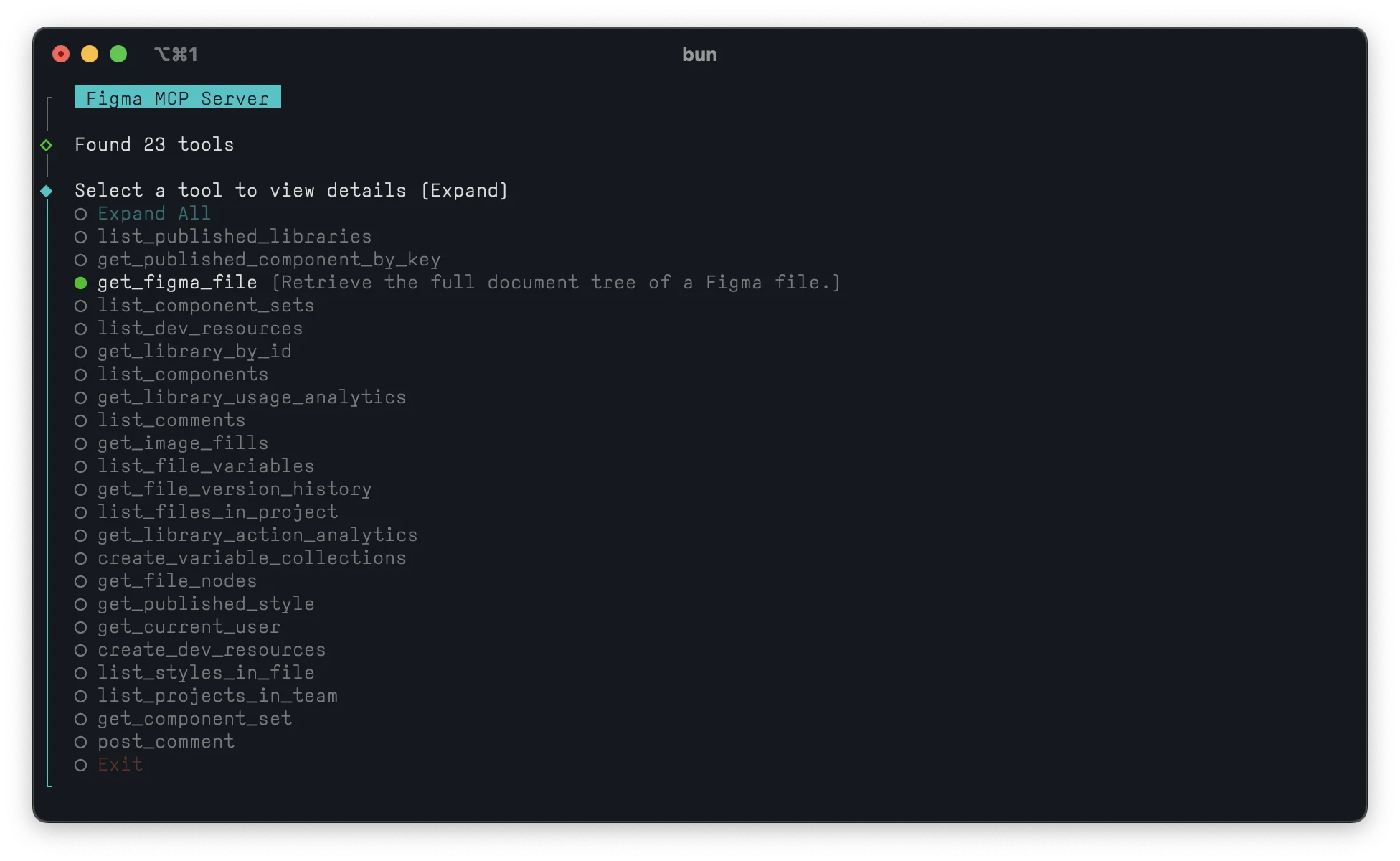
List descriptions and parameters from all available tools
bun list-tools
# or
bun index.ts tools
Run the MCP Server
Find bun and server path
# Find bun path
which bun

# Get the absolute path of the MCP server
realpath mcpServer.ts
Run with Claude Desktop
- Open Claude Desktop → Settings → Developers → Edit Config and add your server:
{
  "mcpServers": {
    "figma-mcp-server": {
      "command": "<absolute_path_to_bun>",
      "args": ["<absolute_path_to_mcpServer.ts>"]
    }
  }
}
- Restart Claude Desktop to activate config change.
To try it out in Claude Desktop, first enable the
get_file_nodestool from the tools list. Copy a design node link from a Figma file, then paste it into Claude Desktop prompt. It will return the design node data and other information.
Run with Gemini CLI
- Open a new terminal and create the
.geminidirectory (if it doesn't exist)
mkdir -p ~/.gemini
- Create the
settings.jsonfile
echo '{
  "mcpServers": {
    "figma-mcp-server": {
      "command": "<absolute_path_to_bun>",
      "args": ["mcpServer.ts"],
      "cwd": "<absolute_path_to_working_directory>",
      "env": {
        "FIGMA_API_KEY": "your_figma_api_key_here"
      },
      "trust": true
    }
  }
}' > ~/.gemini/settings.json
- Start Gemini CLI
export GEMINI_API_KEY="your_gemini_api_key_here"
npx https://github.com/google-gemini/gemini-cli
- Use
/mcpto list all tools - Use
/mcp descto show server and tool descriptions - Use
/mcp schemato show tool parameter schemas - Use
/mcp nodescto hide descriptions
Troubleshooting
- Missing Figma token
- Error: missing or invalid
FIGMA_API_KEY. - Ensure
.envexists next tomcpServer.tswithFIGMA_API_KEY=....
- Error: missing or invalid
- Port already in use (SSE mode)
- Run SSE on a custom port:
PORT=3005 bun mcpServer.ts --sse.
- Run SSE on a custom port:
- Bun not found
- Ensure
which bunreturns a path. - Restart your shell after installing Bun.
- Ensure
- Using npm instead of Bun
- Replace
bun i→npm i - Replace
bun list-tools→npx tsx index.ts tools
- Replace
- Manual start not required
- Only start manually for SSE or local web endpoint:
bun mcpServer.ts --sse - Default port is
3001, override withPORT=<port>
- Only start manually for SSE or local web endpoint:
MIT License · By @planetabhi ⋛⋋( ⊙◊⊙)⋌⋚
Install Figma Mcp Server in Claude Desktop, Claude Code & Cursor
unyly install figma-mcp-serverInstalls into Claude Desktop, Claude Code, Cursor & VS Code — handles npx, uvx and build-from-source repos for you.
First time? Get the CLI: curl -fsSL https://unyly.org/install | sh
Or configure manually
Run in your terminal:
claude mcp add figma-mcp-server --env FIGMA_API_KEY="" --env GEMINI_API_KEY="" -- npx -y figma-mcp-serverStep-by-step: how to install Figma Mcp Server
FAQ
Is Figma Mcp Server MCP free?
Yes, Figma Mcp Server MCP is free — one-click install via Unyly at no cost.
Does Figma Mcp Server need an API key?
Yes, it requires environment variables: FIGMA_API_KEY, GEMINI_API_KEY. Unyly injects them into the config during install.
Is Figma Mcp Server hosted or self-hosted?
Self-hosted: the server runs locally on your machine via the install command above.
How do I install Figma Mcp Server in Claude Desktop, Claude Code or Cursor?
Open Figma Mcp Server on unyly.org, pick your client tab (Claude Desktop, Claude Code, Cursor) and press Install — the config is generated automatically, no JSON editing.
Related MCPs
LibreOffice Tools
Enables AI agents to read, write, and edit Office documents via LibreOffice with token-efficient design. Supports multiple formats including DOCX, XLSX, PPTX, a
 by passerbyflutter
dannote/figma-use
Full Figma control: create shapes, text, components, set styles, auto-layout, variables, export. 80+ tools.
 by dannote
Logo.dev
Search and retrieve company logos by brand or domain. Customize size, format, and theme to match your design needs. Accelerate design, prototyping, and content
 by NOVA-3951
Design Inspiration Server
Searches top design platforms like Dribbble and Behance to provide UI inspiration, color palettes, and layout patterns via the Serper API. It allows users to re
 by YonasValentin
Compare Figma Mcp Server with
Not sure what to pick?
Find your stack in 60 seconds
Author?
Embed badge for your README
Browse similar
All design MCPs