
Antigravity Link
FreeNot checkedAntigravity Link is an MCP server and mobile companion for Google's Antigravity IDE. It captures live snapshots of the Antigravity chat UI via Chrome DevTools P

About
Antigravity Link is an MCP server and mobile companion for Google's Antigravity IDE. It captures live snapshots of the Antigravity chat UI via Chrome DevTools Protocol and serves them to a mobile web client. From your phone you can send messages, upload files, stop AI generation, switch instances, and read task/walkthrough/plan documents. Exposes 9 MCP tools and a full OpenAPI 3.1 spec.
README
CI Open VSX Version Open VSX Downloads npm version npm downloads GitHub Stars License: MIT
Read this in your language: 日本語 · 中文(简体) · 中文(繁體) · 한국어 · Deutsch · Français · Español · Português · Русский · Italiano · Polski · Türkçe · Tiếng Việt · Bahasa Indonesia · العربية
What's new in v1.0.20 — Security: removed
child_processdependency entirely; debug endpoints now require auth; localhost guard on all LS RPC calls. See CHANGELOG.
Contents
- Demo
- What you get
- Installation
- Prerequisites
- Quick start
- Commands
- Settings
- For agent builders
- How it works
- Account safety
- Troubleshooting
- FAQ
- Internationalization and accessibility
- Contributing
- API reference
- MCP server reference
You're running an Antigravity session and need to step away from your desk. The AI is mid-generation. You want to monitor it, redirect it, upload a file, or just read what it wrote from your phone, without coming back to your computer.
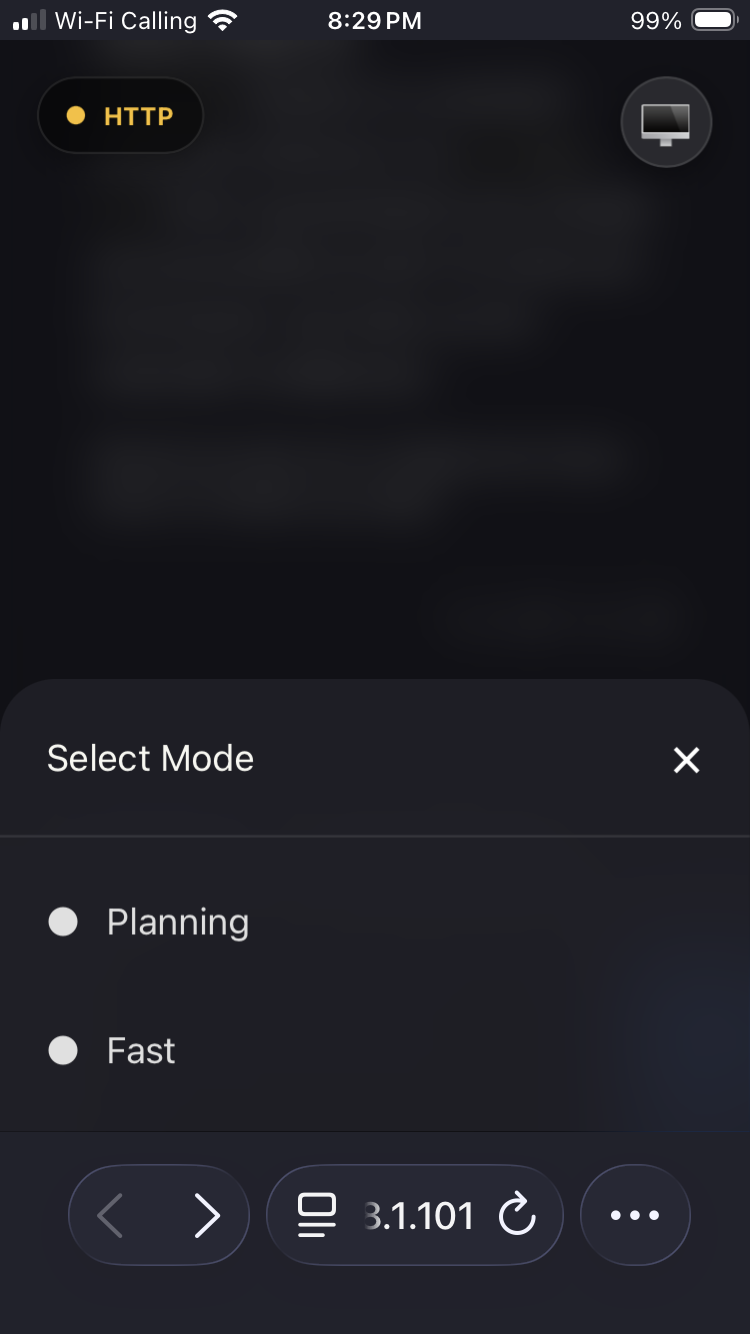
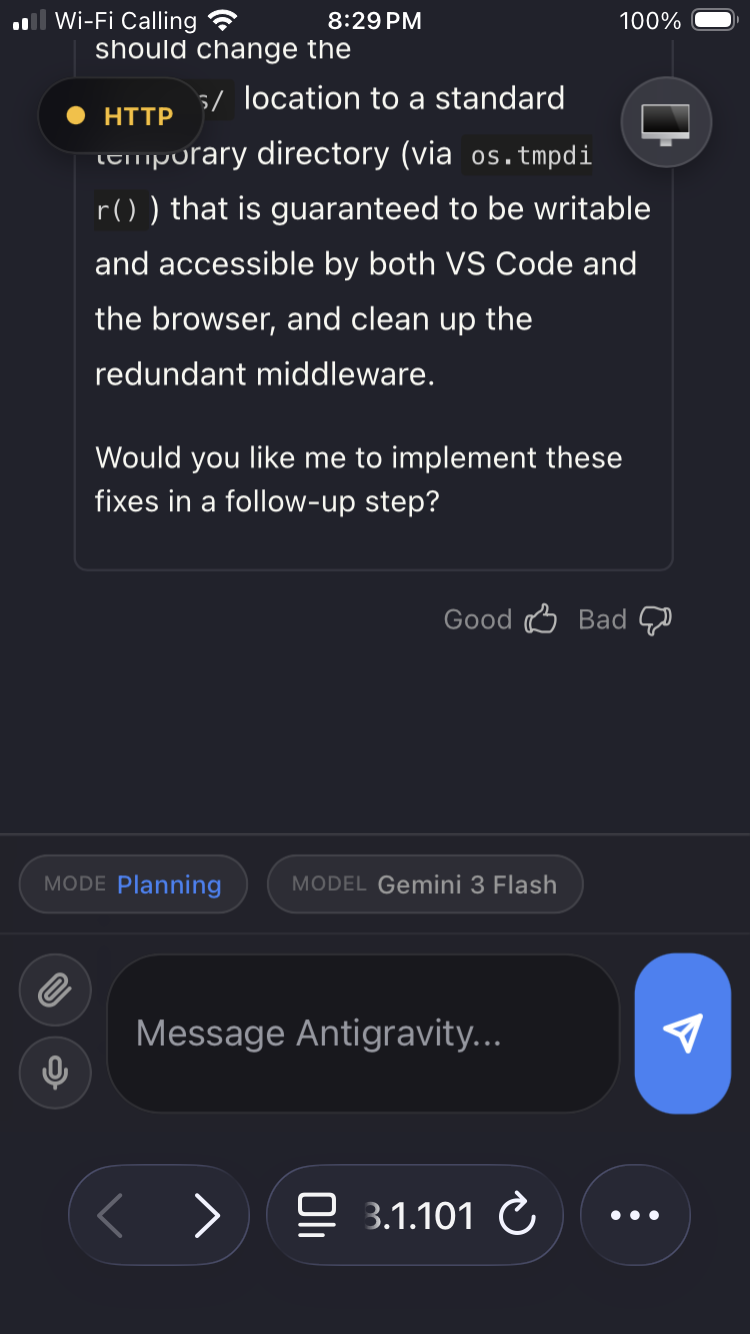
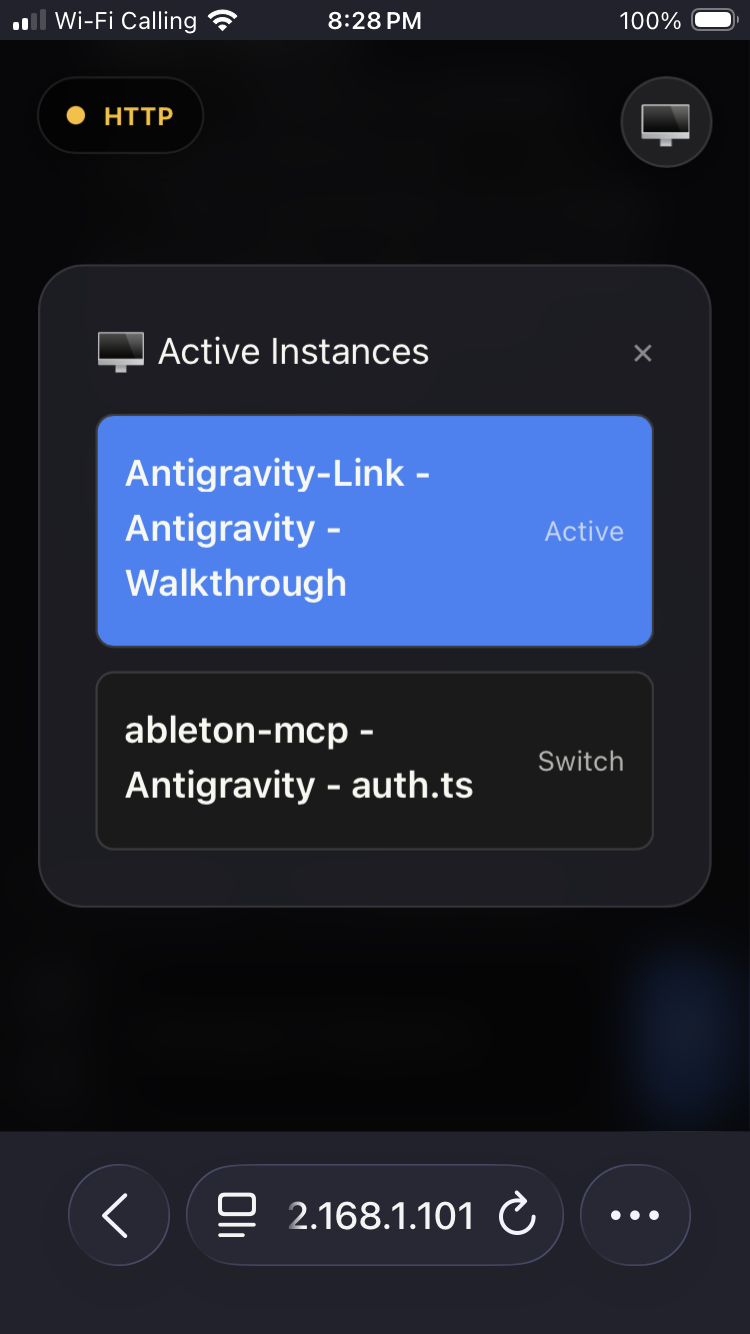
Antigravity Link makes that possible. Scan a QR code and your phone becomes a live mirror of the active chat: read responses as they stream, send messages, stop generation, upload files, dictate via voice, and switch between multiple Antigravity windows all from a mobile browser, on your local network.
For automation, the extension also exposes a local HTTP API and an MCP server so agents and external tools can drive Antigravity sessions programmatically.
Demo
https://github.com/user-attachments/assets/43c7d029-a598-474f-949e-5da333c9a3f2
Screenshots
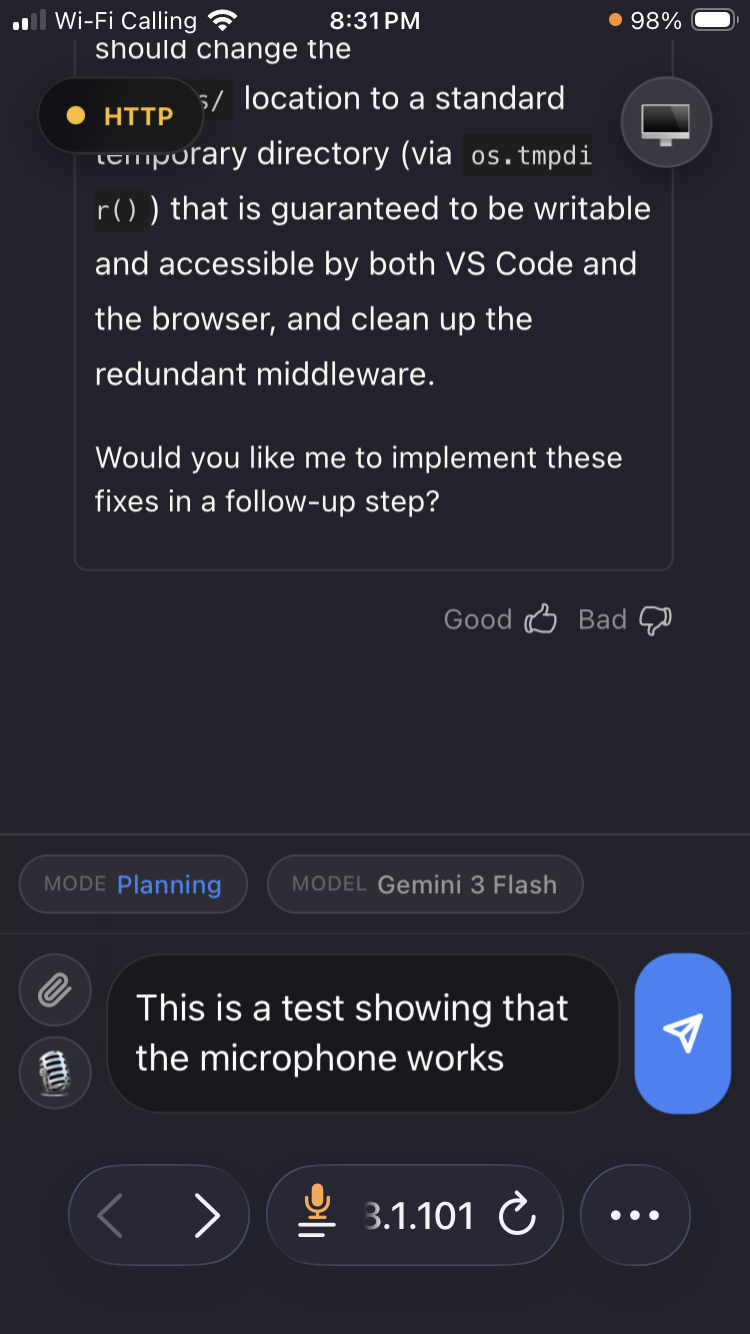 |
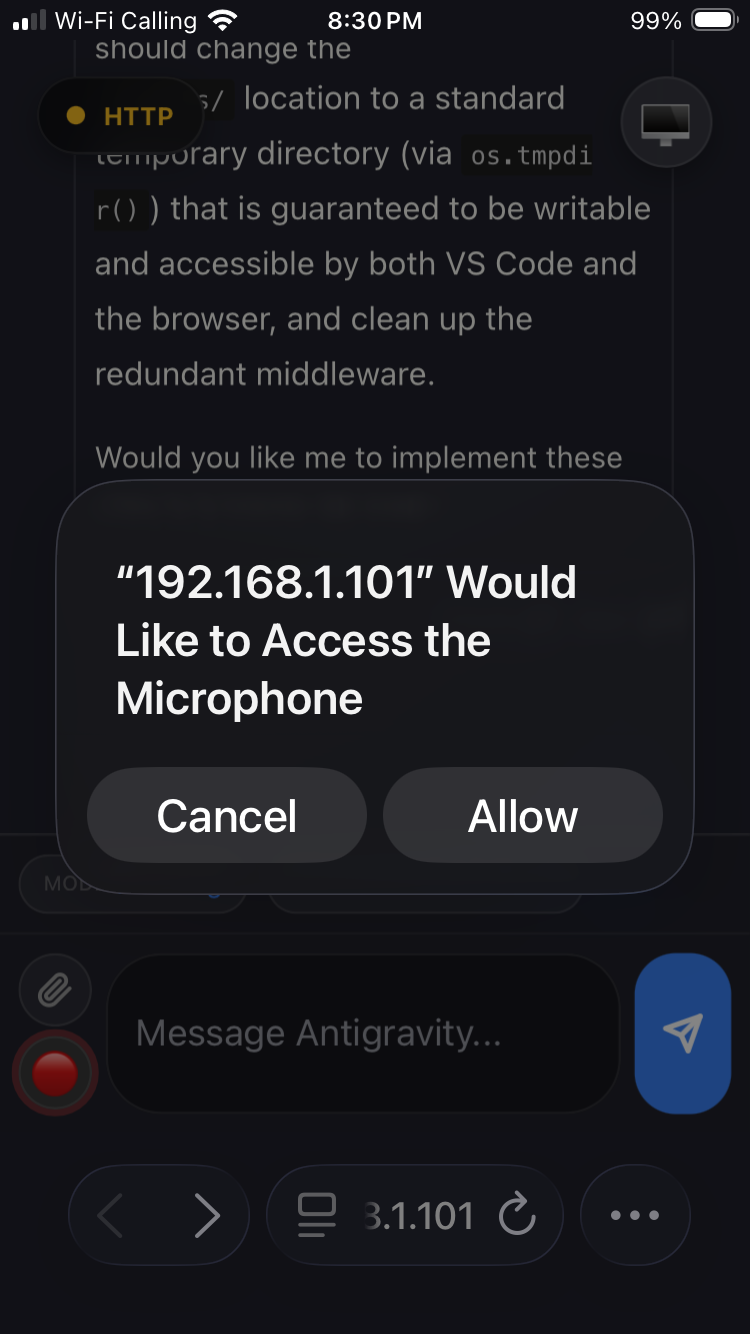 |
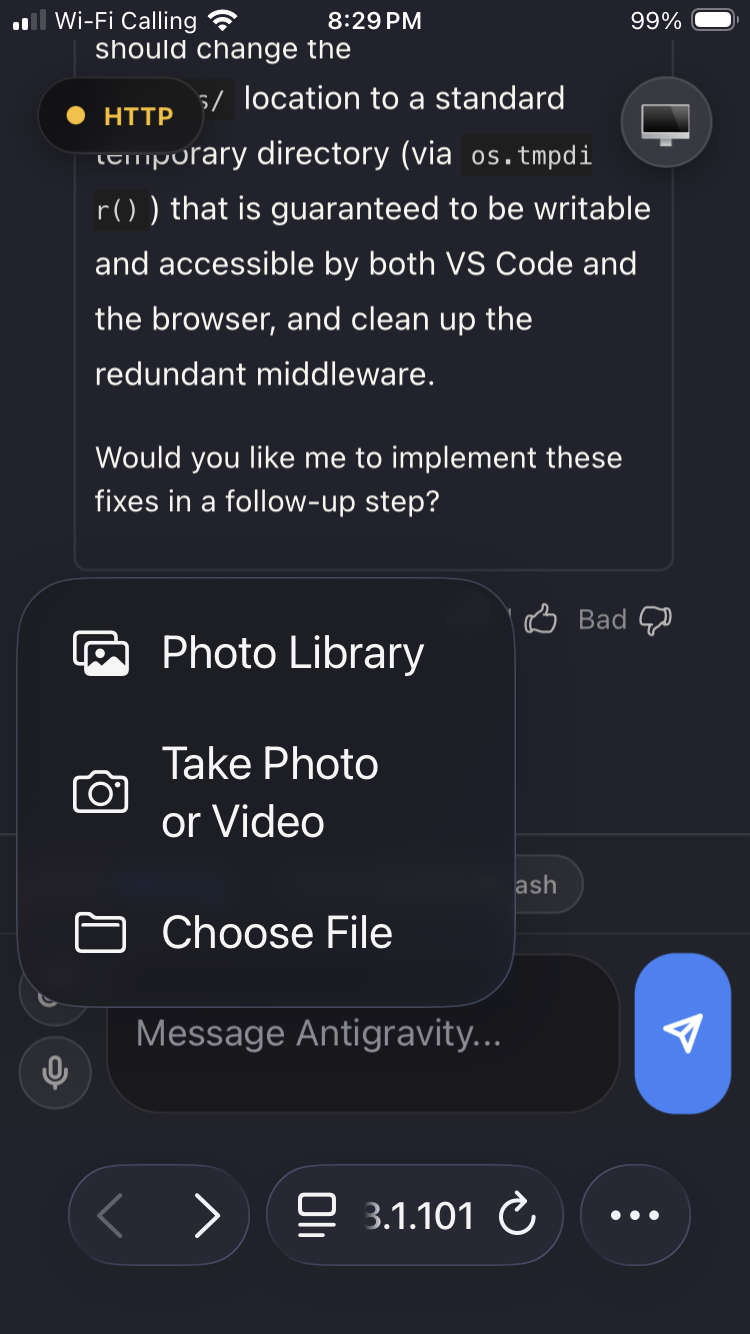 |
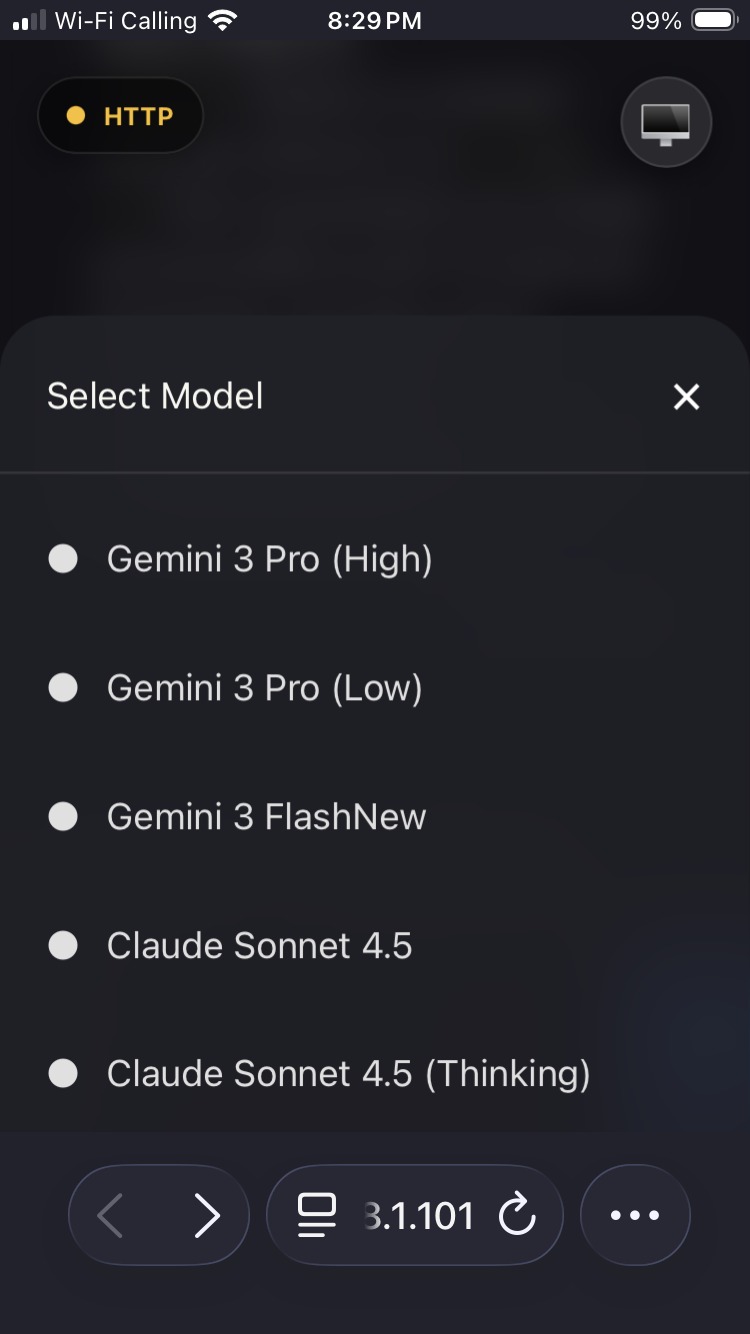 |
 |
 |
 |
What you get
- Live mirror of the active Antigravity chat — read and interact from your phone.
- File upload into the active Antigravity chat.
- Voice-to-text input from mobile (HTTPS required for mic permissions).
- Stop generation from your phone with a dedicated stop chip.
- Active instance switching for multiple Antigravity windows.
- Local HTTP API for automation and integrations (see API).
- MCP server for AI assistant integration (see MCP server).
- Local-only server with token authentication.
- Interface available in 16 languages with automatic detection and RTL support.
Installation
Install from the Antigravity extensions marketplace: search Antigravity Link or install directly from Open VSX.
Prerequisites
- Antigravity IDE installed and running.
- A phone and computer on the same Wi-Fi network.
- Antigravity launched with the remote debugging flag. This is required for the extension to discover and connect to your session. See the launch command in Quick start below.
Quick start
- Start Antigravity with remote debugging enabled. This is required; sessions launched without this flag are not discoverable by the extension.
Windows:
& "C:\Users\<username>\AppData\Local\Programs\Antigravity IDE\Antigravity IDE.exe" --remote-debugging-port=9000
macOS:
open -a "Antigravity IDE" --args --remote-debugging-port=9000
Linux:
antigravity-ide --remote-debugging-port=9000
Multiple Antigravity sessions are supported, but every window must be launched with this command.
In VS Code, run:
Antigravity Link: Start ServerThen run:
Antigravity Link: Show QR CodeScan the QR code with your phone. Your mobile UI is ready.
Your phone may warn that the connection is unsafe because the certificate is self-signed. This is expected for local HTTPS. Use your browser's "Advanced" or similar option to proceed (wording differs between Safari/Chrome/Firefox).
Commands
| Command | Description |
|---|---|
| Antigravity Link: Start Server | Starts the local bridge server. |
| Antigravity Link: Stop Server | Stops the server. |
| Antigravity Link: Show QR Code | Displays the connection QR code. |
| Antigravity Link: Select Network Interface | Choose which network interface the QR URL advertises. |
Settings
| Setting | Default | Description |
|---|---|---|
antigravityLink.port |
3000 |
Port for the local bridge server. |
antigravityLink.autoStart |
false |
Start the server on VS Code launch. |
antigravityLink.useHttps |
true |
Serve over HTTPS for mic access. |
antigravityLink.preferredHost |
"" |
Optional LAN IPv4 to advertise in QR URL (example: 192.168.1.101). |
antigravityLink.strictWorkbenchOnly |
true |
Only bind to workbench.html CDP targets for stability. |
antigravityLink.includeFallbackTargets |
false |
Allow jetski/launchpad fallback targets when strict mode is disabled. |
For agent builders
If you want to integrate quickly, use this sequence:
- Start the extension server and copy the token from the QR URL (
?token=...). - Use either MCP tools (
mcp-server.mjs) or direct HTTP calls againsthttps://localhost:3000. - Validate control flow with
/snapshot,/send, and/stop.
OpenAPI example:
curl -k https://localhost:3000/snapshot \
  -H "Authorization: Bearer <token>"
MCP client configuration example:
{
  "antigravity-link": {
    "command": "node",
    "args": ["<extension-dir>/mcp-server.mjs"],
    "env": {
      "AG_BRIDGE_URL": "https://localhost:3000",
      "AG_BRIDGE_TOKEN": "<token>"
    }
  }
}
Replace <extension-dir> with the path to the installed extension:
- Windows:
%USERPROFILE%\.antigravity-ide\extensions\cafetechne.antigravity-link-extension-1.0.20 - macOS/Linux:
~/.antigravity-ide/extensions/cafetechne.antigravity-link-extension-1.0.20
How it works (high level)
- The extension starts a local server (HTTP or HTTPS).
- It discovers Antigravity targets via the Chrome DevTools Protocol (CDP).
- Your phone connects to the mobile UI and sends upload/command requests.
- The extension injects into the selected chat target and saves files to
uploads/.
Account safety
Antigravity Link has no known ban cases and is designed to stay that way.
The extension works by connecting to a debug port that Antigravity exposes on your own machine the same Chrome DevTools Protocol used by VS Code's built-in debugger and browser devtools. It reads your local UI and simulates keypresses and clicks, exactly as if you were sitting at your keyboard.
What this means in practice:
- All network activity is local. The extension communicates only with: your phone on the LAN via the HTTPS server it starts; Antigravity IDE's Chrome DevTools Protocol port on
localhost:9000; and Antigravity's Language Server process on127.0.0.1for the stop-generation RPC. No data is sent to Google's servers or any external service beyond what Antigravity itself sends. - Nothing is injected into Antigravity's network traffic. The extension reads your screen and types into your editor it does not intercept or modify API calls.
- No Antigravity files are modified. There are no patches, hooks, or binary modifications.
- The server runs entirely on your machine. Your prompts, chat history, and files never leave your local network unless you explicitly expose the server externally.
- No data is sent to third-party services by this extension.
The source code is MIT-licensed and fully auditable: https://github.com/cafeTechne/antigravity-link-extension
Troubleshooting
- No instances found: Make sure every Antigravity window was launched with the
--remote-debugging-portcommand shown above. - Can't connect from mobile: Ensure your phone and computer are on the same network.
- Uploads save but don't appear in chat: Switch to the correct Active Instance in the mobile UI.
- Stuck on "Initializing…": The server is reachable but the chat surface has not been captured yet. Wait a few seconds for the CDP connection to initialize.
FAQ
Does this work on iOS and Android? Yes. The mobile UI runs in any modern mobile browser Safari on iOS, Chrome on Android, and others all work.
Does this work over cellular or VPN? Not by default: the server is LAN-only. For remote access you would need to expose it through a tunnel such as ngrok, wireguard, etc.. The token authentication and HTTPS remain in place regardless.
Is the self-signed certificate warning safe to accept? Yes. The certificate is generated locally on your machine at server start. The warning appears because it is not issued by a public certificate authority, not because the connection is insecure.
Can I use this for automation? Yes. The local HTTP API and MCP server are designed for exactly this. See the API and MCP server sections.
Internationalization and accessibility
The mobile interface automatically detects your browser's language and renders in:
English · 日本語 · 中文(简体)· 中文(繁體)· 한국어 · Deutsch · Français · Español · Português · Русский · Italiano · Polski · Türkçe · Tiếng Việt · Bahasa Indonesia · العربية
Arabic is rendered right-to-left automatically. Language detection uses navigator.language with no configuration required.
The interface is built with semantic HTML, ARIA roles, aria-live regions for connection status, keyboard navigation, and screen-reader-compatible labels throughout.
Contributing
Pull requests are welcome. Check the TODOs in the codebase or open a GitHub issue to discuss ideas before starting large changes.
See CONTRIBUTING.md for setup and PR notes.
API
The extension exposes a local HTTP API at https://localhost:3000 (or your configured port). All endpoints except /ping require an Authorization: Bearer <token> header. The token is the value after ?token= in the QR code URL.
| Method | Endpoint | Description |
|---|---|---|
| GET | /ping |
Health check — returns pong. No auth required. |
| GET | /snapshot |
Current chat surface: HTML, CSS, mode/model, isGenerating. |
| GET | /instances |
List active Antigravity windows. |
| POST | /instance |
Switch active window. Body: { "targetId": "..." } |
| POST | /send |
Send a message. Body: { "message": "..." } |
| POST | /click |
Click a UI element. Body: { "selector"?, "text"?, "x"?, "y"? } |
| POST | /stop |
Stop AI generation. |
| POST | /upload |
Upload a file (multipart/form-data, field name file). |
| GET | /task |
Read the current task document. |
| GET | /walkthrough |
Read the current walkthrough document. |
| GET | /plan |
Read the current implementation plan. |
Full schema: openapi.yaml
MCP server
Antigravity Link ships an MCP (Model Context Protocol) server that lets AI assistants drive your Antigravity session directly.
Setup
Add the following to your MCP client configuration (e.g. claude_desktop_config.json):
{
  "antigravity-link": {
    "command": "node",
    "args": ["<extension-dir>/mcp-server.mjs"],
    "env": {
      "AG_BRIDGE_URL": "https://localhost:3000",
      "AG_BRIDGE_TOKEN": "<your-token>"
    }
  }
}
Replace <extension-dir> with the path to the installed extension:
- Windows:
%USERPROFILE%\.antigravity-ide\extensions\cafetechne.antigravity-link-extension-1.0.20 - macOS/Linux:
~/.antigravity-ide/extensions/cafetechne.antigravity-link-extension-1.0.20
The token is the value after ?token= in the QR code URL. The extension server must be running before the MCP client connects.
Available tools
| Tool | Description |
|---|---|
get_snapshot |
Get current chat state, mode, model, and generation status. |
send_message |
Send a message to the active chat. |
stop_generation |
Cancel active AI generation. |
get_instances |
List available Antigravity windows. |
switch_instance |
Switch to a different Antigravity window. |
click_element |
Click a UI element by selector, text, or coordinates. |
get_task |
Read the current task document. |
get_walkthrough |
Read the current walkthrough document. |
get_plan |
Read the current implementation plan. |
Standalone vs workspace assets
This extension is self-contained. It ships its own public/ assets and uploads/ folder and does not require the parent npm run dev build.
If your workspace contains public/ or uploads/, the extension will prefer those paths automatically. This makes it easy to customize the mobile UI or keep uploads in your project root, but it also means behavior can differ between workspaces.
Star history
Acknowledgments
Inspired by early community projects including:
Install Antigravity Link in Claude Desktop, Claude Code & Cursor
unyly install antigravity-linkInstalls into Claude Desktop, Claude Code, Cursor & VS Code — handles npx, uvx and build-from-source repos for you.
First time? Get the CLI: curl -fsSL https://unyly.org/install | sh
Or configure manually
Run in your terminal:
claude mcp add antigravity-link -- npx -y antigravity-link-extensionStep-by-step: how to install Antigravity Link
FAQ
Is Antigravity Link MCP free?
Yes, Antigravity Link MCP is free — one-click install via Unyly at no cost.
Does Antigravity Link need an API key?
No, Antigravity Link runs without API keys or environment variables.
Is Antigravity Link hosted or self-hosted?
Self-hosted: the server runs locally on your machine via the install command above.
How do I install Antigravity Link in Claude Desktop, Claude Code or Cursor?
Open Antigravity Link on unyly.org, pick your client tab (Claude Desktop, Claude Code, Cursor) and press Install — the config is generated automatically, no JSON editing.
Related MCPs
Gmail
Read, send and search emails from Claude
 by Google
Slack
Send, search and summarize Slack messages
 by Slack
Runbear
No-code MCP client for team chat platforms, such as Slack, Microsoft Teams, and Discord.
Discord Server
A community discord server dedicated to MCP by [Frank Fiegel](https://github.com/punkpeye)
Compare Antigravity Link with
Not sure what to pick?
Find your stack in 60 seconds
Author?
Embed badge for your README
Browse similar
All communication MCPs