
Artiscene
FreeNot checkedAn agentic system for sim-ready interactive scene generation in Isaac Sim

About
An agentic system for sim-ready interactive scene generation in Isaac Sim
README
License Python version artiscene MCP server
A workflow of agents for simulation-ready articulated scenes.
artiscene turns a natural-language prompt into a simulation-ready USD scene for NVIDIA Isaac Sim. Articulated furniture is retrieved from the Articraft catalog and composed with per-link friction, mass, and joint drives that PhysX consumes.
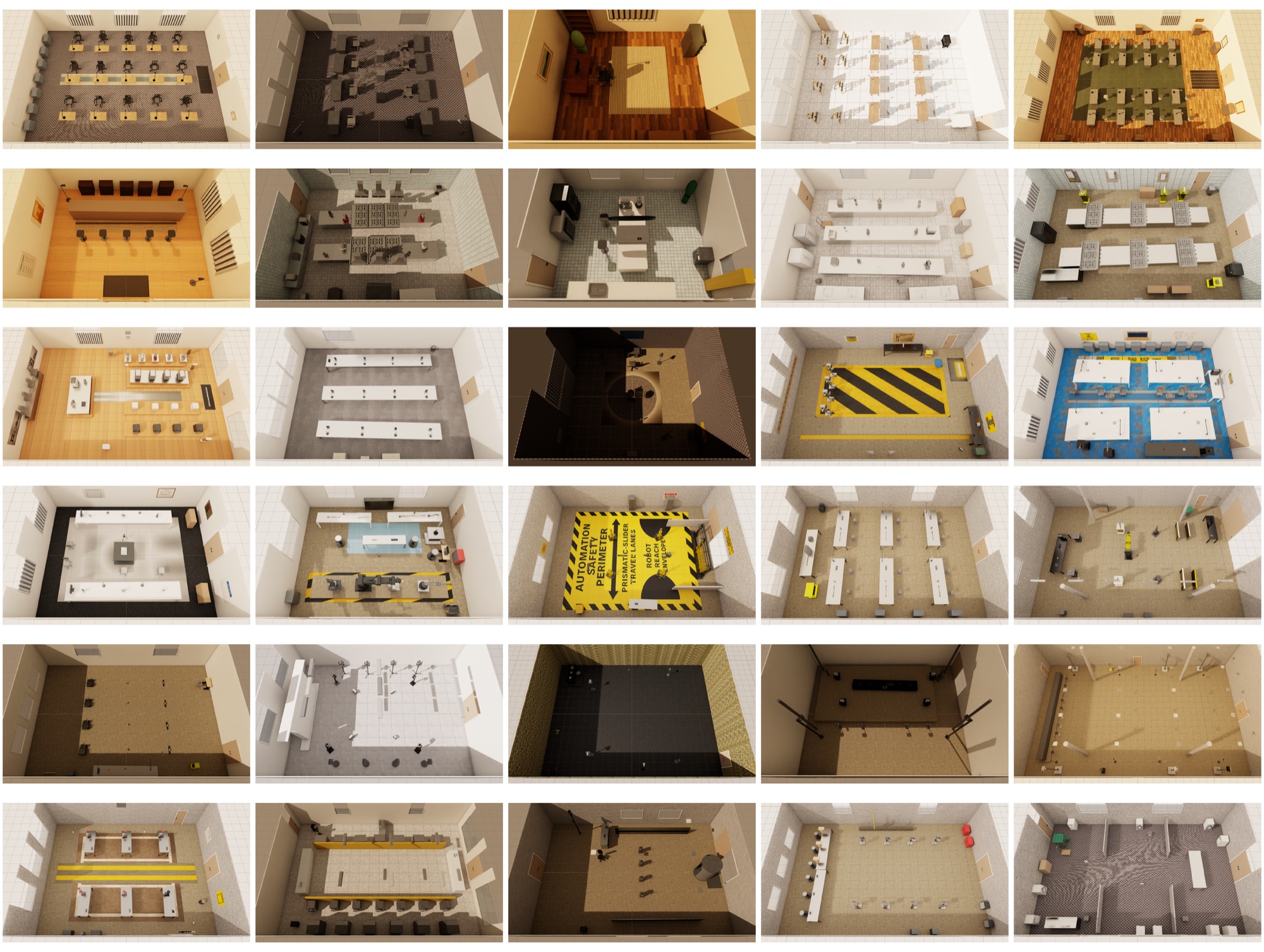
Manipulation policies train in simulation on scenes full of articulated objects, but LLM-generated assets have lacked a validated pathway into a physics simulator. artiscene is that pathway, from prompt to a scene that loads, settles, and actuates in Isaac Sim.
How it works
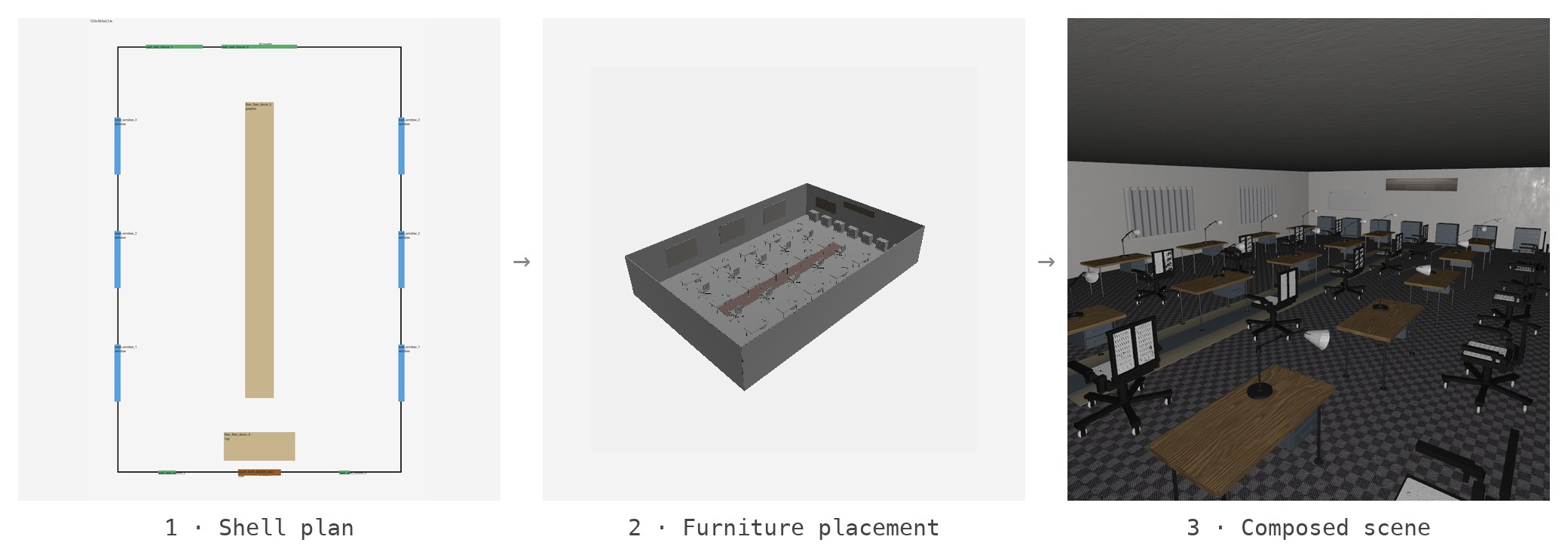
The pipeline runs five stages. Shell, Furniture and Physics are LLM design stages, each running a designer–critic–planner loop. SceneAuthor writes the layered USD deterministically, and SceneReview scores the authored scene.
Results
On a benchmark of 30 articulation-rich scenes, every scene passes usdchecker
and loads in Isaac Sim without fatal error, the mean stable fraction under a
gravity settle is 0.98, and 90.6% of finite joints actuate to 95% of their
catalog range. The project page
reports the full tables.
Quickstart
1. Prerequisites
- Python 3.11
- uv for Python package + venv management
- just as the command runner
- An OpenAI API key
- A local Articraft checkout
- Optional: a Meshy API key, Node.js 18+
2. Setup
git clone [email protected]:JunjianChi/artiscene.git
cd artiscene
just setup-full
just setup-full installs Python dependencies, the three.js renderer, and
the CLIP texture index.
3. Furniture catalog
git clone https://github.com/mattzh72/articraft.git ../articraft
uv run artiscene articraft-status
The catalog is expected at ../articraft. Set ARTICRAFT_PATH if it lives
elsewhere.
4. Add API keys
Create a .env at the repo root:
OPENAI_API_KEY=sk-...
MESHY_API_KEY=msy-...
artiscene env prints the resolved config and which keys are set.
5. Generate a scene
uv run artiscene generate "a cozy scandinavian home office with a desk, a filing cabinet and a bookshelf"
Each run writes a session under data/sessions/. The composed scene Isaac
Sim loads is scene_isaac.usda in the newest revision. On the 30-scene
benchmark a scene cost $3.22 on average with GPT-5.5.
6. Inspect the scene
uv run artiscene sessions
uv run artiscene view <hash>
uv run artiscene isaac <hash>
view opens the scene in a three.js browser viewer, and isaac prints the
Isaac Lab load snippet.
MCP server
The pipeline is also exposed as an MCP server over stdio, so an LLM assistant can browse the catalog and generate scenes directly.
uv sync --extra mcp
uv run artiscene-mcp
Acknowledgements
This project uses Articraft (Zhou et al., 2026) as its articulated furniture catalog. PBR textures come from ambientCG.
This repository is licensed under the Apache-2.0 License.
Installing Artiscene
This server has no published package — it is built from source. Open the repository and follow its README.
▸ github.com/JunjianChi/artisceneFAQ
Is Artiscene MCP free?
Yes, Artiscene MCP is free — one-click install via Unyly at no cost.
Does Artiscene need an API key?
No, Artiscene runs without API keys or environment variables.
Is Artiscene hosted or self-hosted?
Self-hosted: the server runs locally on your machine via the install command above.
How do I install Artiscene in Claude Desktop, Claude Code or Cursor?
Open Artiscene on unyly.org, pick your client tab (Claude Desktop, Claude Code, Cursor) and press Install — the config is generated automatically, no JSON editing.
Related MCPs
GitHub
PRs, issues, code search, CI status
 by GitHub
Filesystem
Secure file operations with configurable access controls.
Memory
Knowledge graph-based persistent memory system.
Template MCP Server
A CLI tool to create a new Model Context Protocol server project with TypeScript support, dual transport options, and an extensible structure
 by mcpdotdirect
Compare Artiscene with
Not sure what to pick?
Find your stack in 60 seconds
Author?
Embed badge for your README
Browse similar
All development MCPs