
BedVibe Mail Bridge
FreeNot checkedA local Windows desktop app and MCP server that allows AI assistants to read, search, and draft replies for Gmail, but enforces human confirmation for all destr

About
A local Windows desktop app and MCP server that allows AI assistants to read, search, and draft replies for Gmail, but enforces human confirmation for all destructive actions like sending, deleting, or unsubscribing.
README
A local Windows desktop app + MCP bridge that lets an AI client (Claude Code / Codex) help with your Gmail — where nothing is sent, deleted, or unsubscribed without a human button-press.
Status: v0.1.0 — local developer preview / portfolio release. Gmail only. Run-from-source. Not a consumer installer, and not clone-and-connect — see Running it yourself below.
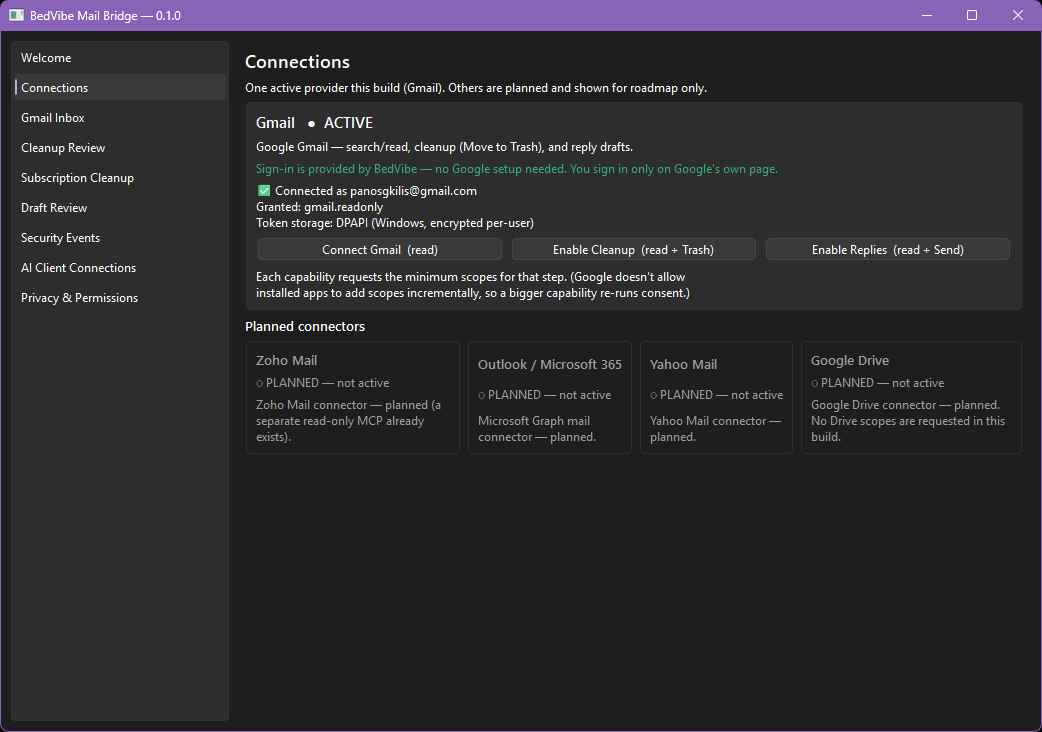
What it is
An AI assistant can search and read your mail, propose a cleanup plan, draft replies, and map your subscriptions — but the AI can only prepare. Every action that sends, deletes, or leaves your machine happens only when you click it in the desktop app.
- Local-first. No backend, no cloud, no tunnels. The AI talks to a local stdio MCP (no port).
- Read-first & human-gated. The MCP can read and queue; it cannot Trash, Send, or unsubscribe — those live behind a GUI confirmation and are structurally unreachable from the AI side.
- Private by construction. OAuth via Google's own consent (PKCE); refresh token & desktop secret
encrypted with Windows DPAPI in
%APPDATA%; telemetry stores domain hashes only. - No production credential in this repo (see Privacy below).
Features
- Read: recent inbox, Gmail-query search, read message, list threads.
- Cleanup: AI builds a plan only → you review in the GUI → confirm Move to Trash (reversible; permanent delete is implemented nowhere). Never-trash rules + an optional "unread promos >90d" policy.
- Replies: AI drafts → you verify recipient/subject/body → press Send.
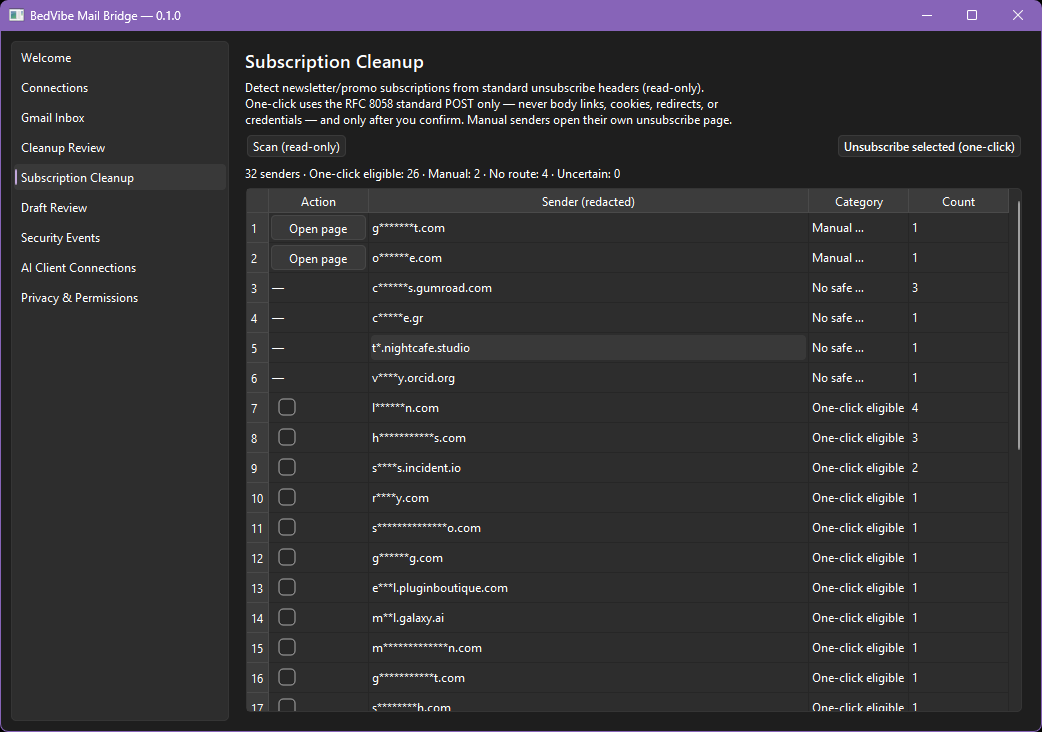
- Subscription Cleanup: header-based detection + RFC 8058 one-click unsubscribe, GUI-confirmed,
no body links/cookies/redirects.
- MCP tools for Claude Code / Codex:
list_recent_emails,search_emails,read_email,list_threads,create_cleanup_plan,view_cleanup_plan,request_trash_selected_items,draft_reply,request_send_draft,list_connections_status.
Safety model (the point)
The destructive code (core/execute.py for Trash/Send, core/unsubscribe.py for one-click) is
imported only by the GUI, never by the MCP bridge. A prompt-injected email can at most create
a queued request you will see and can reject. Full design: ARCHITECTURE.md ·
SECURITY.md.
Running it yourself (developer preview)
Cloning this repo does not grant Gmail access. The repo ships the public BedVibe Client ID but not the client secret (it's DPAPI-encrypted on the maintainer's machine, gitignored). To run it, use development mode with your own free Google client:
- Google Cloud Console → new project → enable Gmail API.
- OAuth consent screen → External, Testing → add your Gmail as a Test user.
- Credentials → OAuth client ID → Desktop app → copy the Client ID.
copy app_config.example.json app_config.json, paste your Client ID (leave secret empty for PKCE).python -m venv .venv ; .venv\Scripts\activate pip install -r requirements.txt python selftest.py # structural check python run_app.py # Connections → Connect Gmail (read)
Then AI Client Connections → Connect Claude Code / Codex (shows the exact config change + backs it up) and ask your AI to analyze clutter or draft a reply. Full walkthrough: DEMO.md.
Provider status
| Provider | Status |
|---|---|
| Gmail | Active |
| Zoho Mail · Outlook / Microsoft 365 · Yahoo Mail · Google Drive | Planned (inactive cards) |
Project layout
core/         shared engine (oauth, gmail, execute, unsubscribe, safety, db, providers, …)
mcp_server/   stdio MCP bridge (10 read/prepare/queue tools)
gui/          PySide6 desktop app (9 screens)
docs/images/  screenshots
*.md          README · ARCHITECTURE · SECURITY · DEMO · CHANGELOG · RELEASE_READINESS · DISTRIBUTION_OAUTH
Documentation
ARCHITECTURE · SECURITY · DEMO · DISTRIBUTION_OAUTH · RELEASE_READINESS · CHANGELOG
Privacy
No secret, token, DPAPI file, Gmail database, log, or real message content is committed — application
data lives in %APPDATA%\BedVibeMailBridge\ and is gitignored. The only credential in source is the
public desktop Client ID (public by design for installed apps).
License
Proprietary / source-available — see LICENSE. Copyright (c) 2026 Panagiotis Gkilis / BedVibe Studios. All rights reserved. Published for portfolio evaluation and technical review only; no copying, modification, redistribution, hosting, training, or commercial use without prior written permission.
Maintainer / contact: Panos Gkilis · BedVibe Studios · [email protected]
v0.1.0 developer preview. A separate packaged consumer build (Google verification + installer) is future work, not this repo.
Installing BedVibe Mail Bridge
This server has no published package — it is built from source. Open the repository and follow its README.
▸ github.com/Mormolykos/bedvibe-mail-bridgeFAQ
Is BedVibe Mail Bridge MCP free?
Yes, BedVibe Mail Bridge MCP is free — one-click install via Unyly at no cost.
Does BedVibe Mail Bridge need an API key?
No, BedVibe Mail Bridge runs without API keys or environment variables.
Is BedVibe Mail Bridge hosted or self-hosted?
Self-hosted: the server runs locally on your machine via the install command above.
How do I install BedVibe Mail Bridge in Claude Desktop, Claude Code or Cursor?
Open BedVibe Mail Bridge on unyly.org, pick your client tab (Claude Desktop, Claude Code, Cursor) and press Install — the config is generated automatically, no JSON editing.
Related MCPs
Gmail
Read, send and search emails from Claude
 by Google
Slack
Send, search and summarize Slack messages
 by Slack
Runbear
No-code MCP client for team chat platforms, such as Slack, Microsoft Teams, and Discord.
Discord Server
A community discord server dedicated to MCP by [Frank Fiegel](https://github.com/punkpeye)
Compare BedVibe Mail Bridge with
Not sure what to pick?
Find your stack in 60 seconds
Author?
Embed badge for your README
Browse similar
All communication MCPs