
Beeper
FreeNot checkedEnables blockchain transactions on BSC including balance checks, transfers, token swaps, and reward claims.

About
Enables blockchain transactions on BSC including balance checks, transfers, token swaps, and reward claims.
README
A backend service for executing beeper transactions on Binance Smart Chain (BSC). This service provides a set of tools for interacting with the BSC blockchain, including balance checking, balance transfers, token transfers, token swaps in Pancakeswap and beeper reward claims.
Features
- Get BNB and token balances
- Transfer BNB and tokens
- Swap tokens in Pancakeswap
- Get token prices
- Buy and sell tokens
- Claim rewards of beeper tokens
- Manage default wallet and token addresses
Prerequisites
- Python >=3.10
- Access to BSC network (mainnet or testnet)
- Wallet account and private key
Environment Variables
Create a .env file in the project root with the following variables:
BEEPER_CHAIN=<bsc or bsc-testnet>
BEEPER_ACCOUNT=<your-wallet-address>
BEEPER_SECRET_KEY=<your-private-key>
BEEPER_TARGET_TOKEN=<default-token-address>  # Optional
API Endpoints
The service exposes the following MCP tools:
Wallet and Token Management
get_default_wallet_address() -> str: Get the default wallet addressget_default_token_address() -> str: Get the default token addressswitch_default_token_address(new_token_address: str) -> str: Switch to a new default token address
Balance Operations
get_balance(address: str) -> str: Get BNB balance of an addressget_token_balance(address: str, token_address: str) -> str: Get token balance of an address
Transfer Operations
transfer(recipient_address: str, amount: Decimal = 0.01) -> dict: Transfer BNB to an addresstransfer_token(recipient_address: str, token_address: str, amount: Decimal = 0.01) -> dict: Transfer tokens to an address
Trading Operations
swap_token(token_in: str, token_out: str, amount: Decimal = 0.01) -> dict: Swap between tokensget_token_price(token_address: str) -> float: Get token price in BNBbuy_token(token_address: str, amount: Decimal = 0.01) -> dict: Buy tokens with BNBsell_token(token_address: str, amount: Decimal = 0.01) -> dict: Sell tokens for BNB
Reward Operations
claim_rewards(token_address: str) -> dict: Claim rewards for a token
Running the Service
git clone https://github.com/unibaseio/beeper-mcp.git
cd beeper-mcp
# start server over stdio
uv run src/beeper_mcp/server.py
- start using sse
The sse service will start on port 8000 by default. You can specify a different port using the --port argument:
uv run src/beeper_mcp/server.py --port 8008 --transport=sse
Configuration on Claude/Windsurf/Cursor/Cline
{
  "mcpServers": {
    "beeper": {
      "command": "uv",
      "args": [
        "--directory",
        "path/to/beeper-mcp",
        "run",
        "src/beeper_mcp/server.py"
        ],
      "env": {
        "BEEPER_ACCOUNT": "your account, 0x...",
        "BEEPER_SECRET_KEY": "your private key or in .env",
        "BEEPER_TARGET_TOKEN": "default token address",
        "BEEPER_CHAIN": "chain type <bsc/bsc-testnet>"
      }
    }
  }
}
Notes
- All amounts are in native units (e.g., BNB, tokens)
- Token addresses should be provided in the correct format
- Make sure you have sufficient BNB for gas fees
- The service supports both BSC mainnet and testnet
- All operations return detailed response objects with transaction hashes and status information
- The service includes built-in error handling and status tracking for transactions
Usage
call functions in llm chat
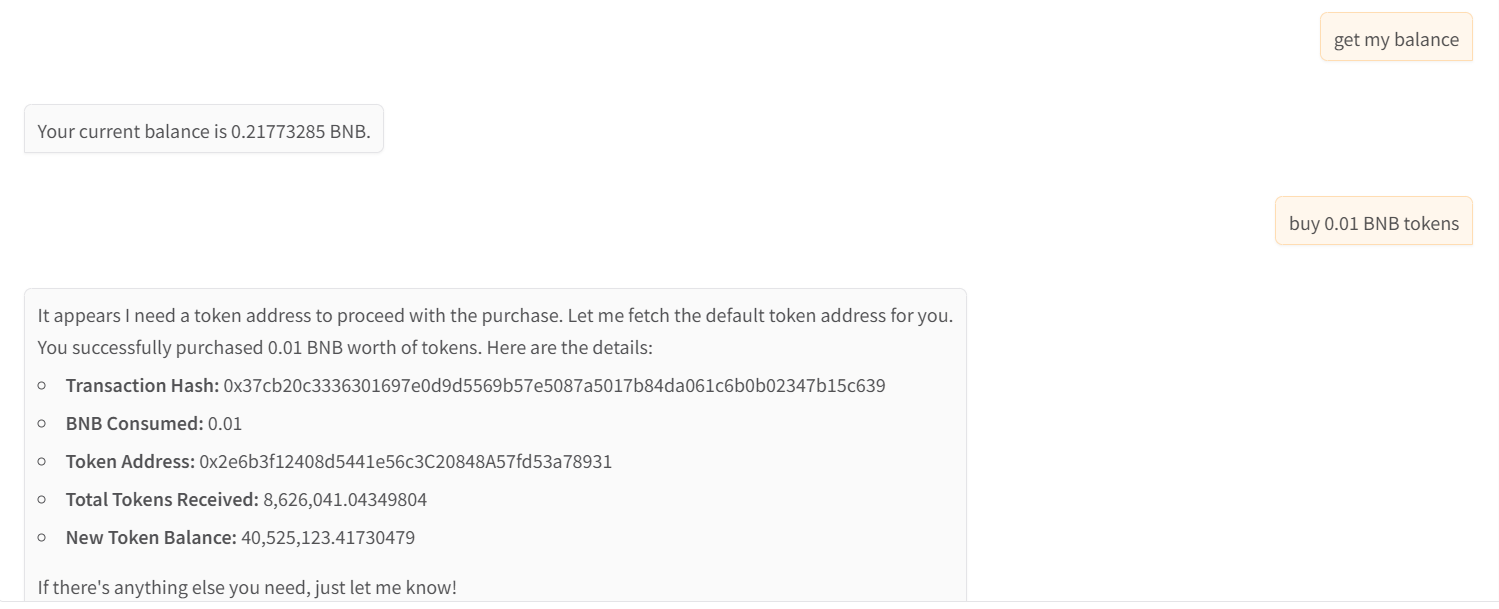
- show wallet and buy tokens
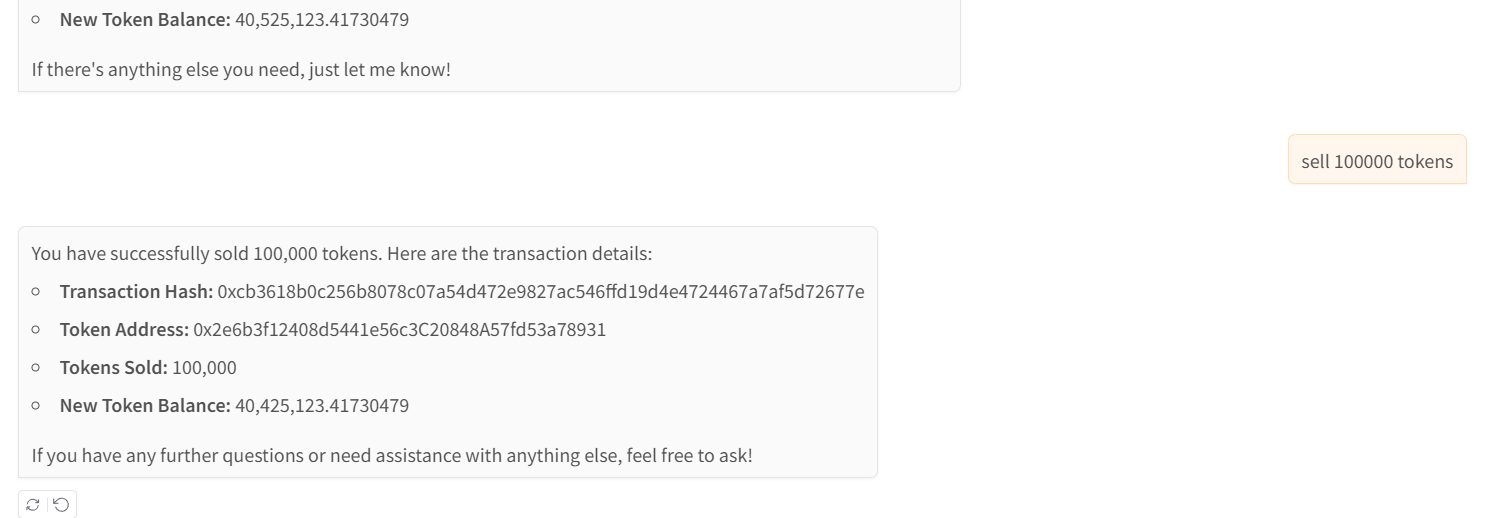
- sell tokens
Installing Beeper
This server has no published package — it is built from source. Open the repository and follow its README.
▸ github.com/intentos-labs/beeper-mcpFAQ
Is Beeper MCP free?
Yes, Beeper MCP is free — one-click install via Unyly at no cost.
Does Beeper need an API key?
No, Beeper runs without API keys or environment variables.
Is Beeper hosted or self-hosted?
A hosted option is available: Unyly runs the server in the cloud, no local setup required.
How do I install Beeper in Claude Desktop, Claude Code or Cursor?
Open Beeper on unyly.org, pick your client tab (Claude Desktop, Claude Code, Cursor) and press Install — the config is generated automatically, no JSON editing.
Related MCPs
GitHub
PRs, issues, code search, CI status
 by GitHub
Filesystem
Secure file operations with configurable access controls.
Memory
Knowledge graph-based persistent memory system.
Template MCP Server
A CLI tool to create a new Model Context Protocol server project with TypeScript support, dual transport options, and an extensible structure
 by mcpdotdirect
Compare Beeper with
Not sure what to pick?
Find your stack in 60 seconds
Author?
Embed badge for your README
Browse similar
All development MCPs