
Biel
FreeNot checkedConnect AI tools like Cursor, VS Code, and Claude to your product docs.

About
Connect AI tools like Cursor, VS Code, and Claude to your product docs.
README

Biel.ai MCP Server
Connect your IDE to your product docs
Give AI tools like Cursor, VS Code, and Claude Desktop access to your company's product knowledge through the Biel.ai platform.
Biel.ai provides a hosted Retrieval-Augmented Generation (RAG) layer that makes your documentation searchable and useful to AI tools. This enables smarter completions, accurate technical answers, and context-aware suggestions—directly in your IDE or chat environment.
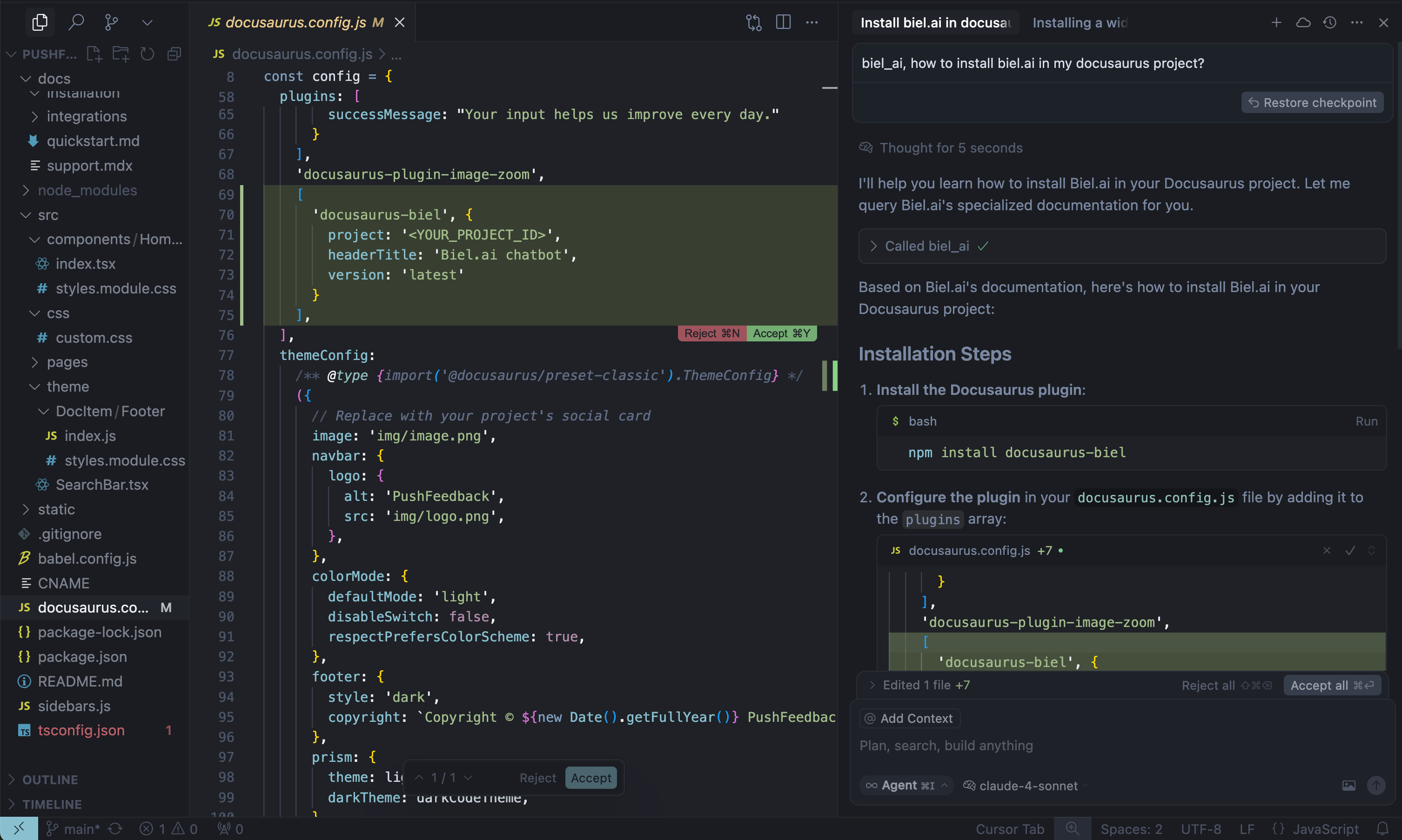
When AI tools can read your product documentation, they become significantly more helpful—generating more accurate code completions, answering technical questions with context, and guiding developers with real-time product knowledge.
Note: Requires a Biel.ai account and project setup. Start your free 15-day trial.
See quickstart instructions →
Getting started
1. Get your MCP configuration
{
  "mcpServers": {
    "biel-ai": {
      "description": "Query your product's documentation, APIs, and knowledge base.",
      "command": "npx",
      "args": [
        "mcp-remote",
        "https://mcp.biel.ai/sse?project_slug=YOUR_PROJECT_SLUG&domain=https://your-docs-domain.com"
      ]
    }
  }
}
Required: project_slug and domain
Optional: api_key (only needed for private projects)
2. Add to your AI tool
- Cursor: Settings → *Tools & Integrations → New MCP server.
- Claude Desktop: Edit
claude_desktop_config.json - VS Code: Install MCP extension.
3. Start asking questions
Can you check in biel_ai what the auth headers are for the /users endpoint?
Self-hosting (Optional)
For advanced users who prefer to run their own MCP server instance:
Local development
# Clone and run locally
git clone https://github.com/techdocsStudio/biel-mcp
cd biel-mcp
pip install -r requirements.txt
python biel_mcp_server.py
Docker deployment
# Docker Compose (recommended)
docker-compose up -d --build

# Or Docker directly
docker build -t biel-mcp .
docker run -d -p 7832:7832 biel-mcp
Support
- Issues: GitHub Issues
- Contact: [email protected]
- Custom Demo: Book a demo
Installing Biel
This server has no published package — it is built from source. Open the repository and follow its README.
▸ github.com/TechDocsStudio/biel-mcpFAQ
Is Biel MCP free?
Yes, Biel MCP is free — one-click install via Unyly at no cost.
Does Biel need an API key?
No, Biel runs without API keys or environment variables.
Is Biel hosted or self-hosted?
Self-hosted: the server runs locally on your machine via the install command above.
How do I install Biel in Claude Desktop, Claude Code or Cursor?
Open Biel on unyly.org, pick your client tab (Claude Desktop, Claude Code, Cursor) and press Install — the config is generated automatically, no JSON editing.
Related MCPs
GitHub
PRs, issues, code search, CI status
 by GitHub
Filesystem
Secure file operations with configurable access controls.
Memory
Knowledge graph-based persistent memory system.
Template MCP Server
A CLI tool to create a new Model Context Protocol server project with TypeScript support, dual transport options, and an extensible structure
 by mcpdotdirect
Compare Biel with
Not sure what to pick?
Find your stack in 60 seconds
Author?
Embed badge for your README
Browse similar
All development MCPs